Best Selling Products

Upgrade genuine Capture One account
120 USD

Upgrade Duolingo Super
29 USD

Windows 10 & 11 Pro Key
36 USD

Adobe Photoshop Copyright - Full App
120 USD

Capcut Pro 1 Year
39 USD

Copyright Adobe Lightroom Account
59 USD

Genuine Adobe Illustrator account
99 USD

Genuine Cheap Canva Pro
39 USD

MidJourney Account
29 USD

Freepik Premium Account
59 USD

Autodesk All App Account Copyright
120 USD

Adobe Premiere Pro Account
99 USD

Upgrade Genuine Office 365
49 USD

ChatGPT Plus Account (GPT-4)
16 USD

Plugin Retouch4me
69 USD
Secrets to Reviving Blurry Photos: Top 10 Best AI Photo Sharpening Apps Today
Nội dung
- 1. Remini - The AI Image Restoration and Sharpening Wizard
- 2. Adobe Lightroom - Professional-Level Detail Editing
- 3. Snapseed - A Free, Versatile Photo Editor from Google
- 4. UpFoto - A Super-Fast Photo Quality Enhancement Tool
- 5. YouCam Enhance - A Breakthrough in Portrait Sharpening Technology
- 6. Fotor - A Visual Image Editing and Enhancement Ecosystem
- 7. Picsart AI Photo Editor - Unlimited Creativity with AI Enhancement
- 8. Pixelup - A Comprehensive Solution for Old and Blurry Photos
- 9. Lumii - Control Sharpness with Magical Sliders
- 10. PicWish - The Ultimate AI Sharpening Tool for Product Photos
- 11. Conclusion
The explosion of artificial intelligence (AI) technology has brought about incredibly powerful image optimization applications.
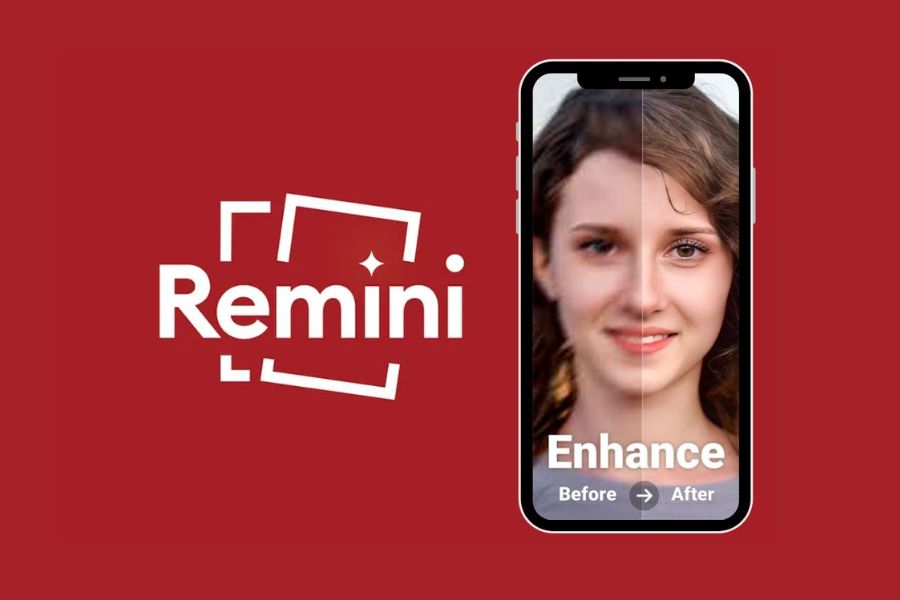
1. Remini - The AI Image Restoration and Sharpening Wizard
If you're looking for a tool capable of "reviving" blurry, old photos from decades ago into HD quality, Remini is at the top of the list. Dubbed a wizard in the world of photo restoration, this application uses advanced AI computing technology to recreate every strand of hair, pore, and facial detail. Remini excels at processing severely out-of-focus portraits, transforming blurry images into sharp, vibrant ones in just seconds.
-
Superior photo restoration: Perfectly recreates faded, yellowed black and white photos and old family photos into sharp, clear images.
-
One-touch autofocus: Users don't need any graphic design knowledge; simply upload your image and the AI will handle everything automatically.
-
Enhance video resolution: In addition to images, the app also supports sharpening short, blurry video clips.
-
AI Avatar feature: Create artistic avatars based on optimized facial features.
-
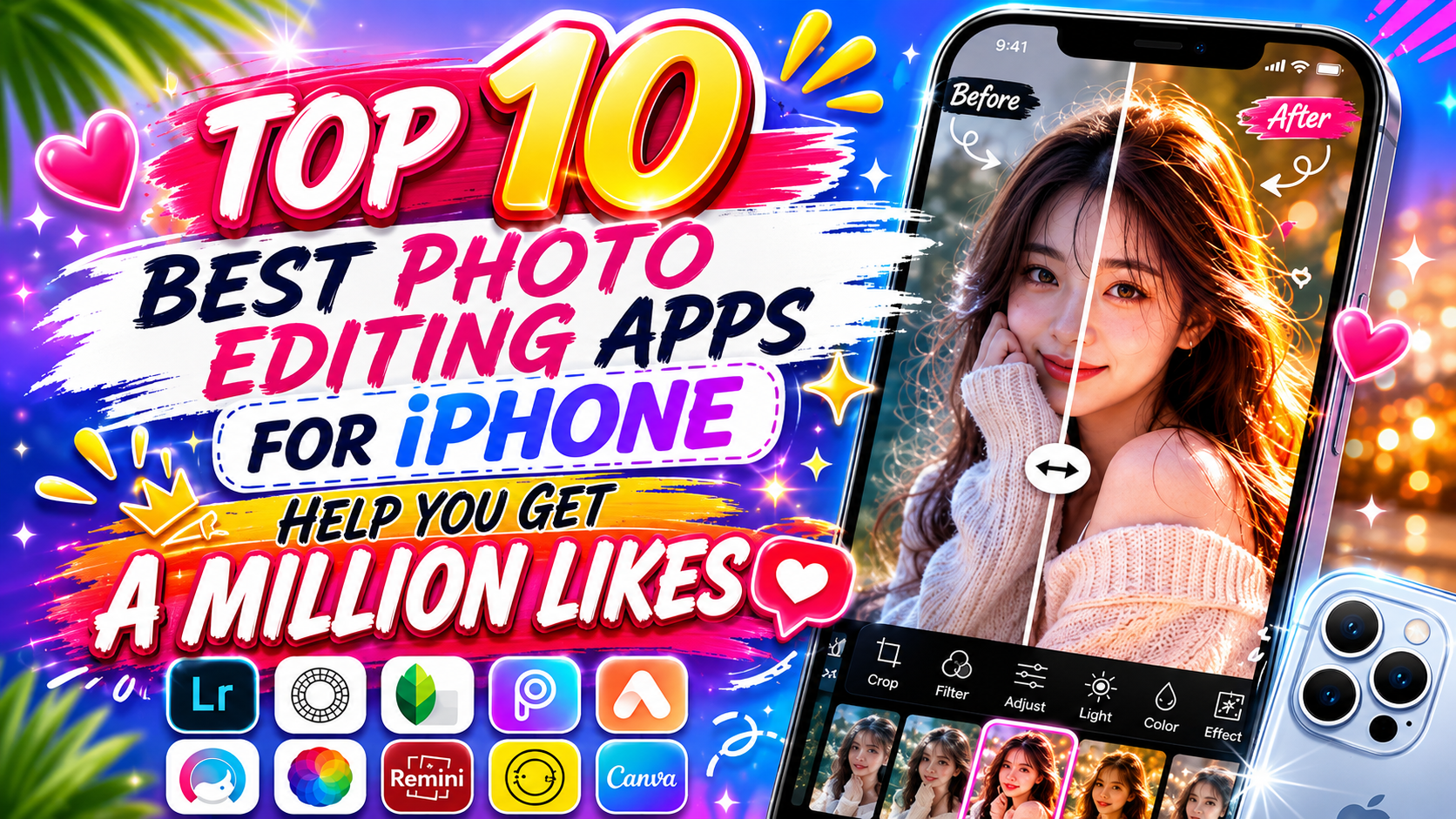
Visual comparison mode: Provides Before/After sliders to help you clearly see the amazing transformation of your photo.
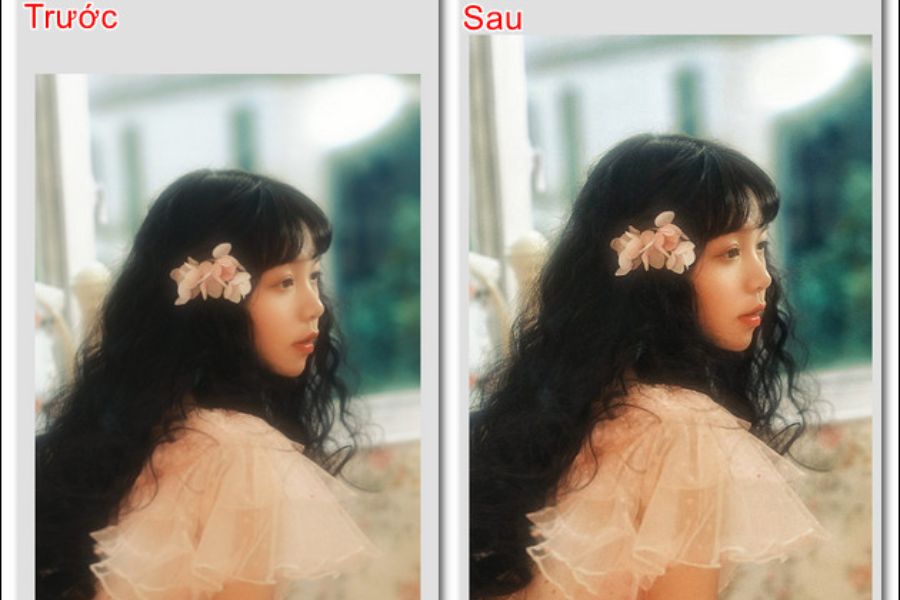
2. Adobe Lightroom - Professional-Level Detail Editing
Coming from the renowned Adobe family, Lightroom is the go-to application for those who want complete control over the sharpness and color of their photos. Unlike apps that automatically adjust colors using AI, Lightroom offers a sophisticated set of manual tools, allowing you to manipulate every layer of detail in your images. By skillfully combining sliders like Sharpness, Clarity, and Texture, you can create photos with depth and natural clarity without appearing artificial or blurry.
-
Advanced Sharpness toolset: Flexible adjustments from radius to detail to control image edges.
-
Noise Reduction: Eliminates digital noise when shooting in low-light conditions while maintaining image smoothness.
-
Clarity and Texture features: Enhance contrast in neutral areas, making shapes stand out more clearly and images appear sharper.
-
Powerful RAW image editing: Preserves the original image data from the camera to process detail at the highest level.
-
Cloud synchronization: Easily transfer workflows from your phone to your computer without compromising image quality.
3. Snapseed - A Free, Versatile Photo Editor from Google
Snapseed is a completely free, ad-free app developed by Google and a "treasure" for many mobile photographers. Its intuitive interface combined with powerful processing tools makes Snapseed incredibly user-friendly. To sharpen images, Snapseed boasts a unique "Details" feature. A major plus of the app is its ability to intelligently increase sharpness, preventing the image from becoming overly grainy or displaying outdated white borders around the subject.
-
Structure Tool: Highlights the texture of objects such as walls, landscapes, and fabrics without affecting human skin.
-
Sharpening Tool: Sharpens blurry edges, making the overall image clearer and giving it better focus.
-
Selective editing: Focuses only on a specific area (e.g., the eyes) while maintaining the artistic blur of the background.
-
Editing History (Stacks): Allows you to go back, modify, or delete any previously performed sharpening steps.
-
High-quality image output: Supports saving images at the maximum resolution of the device without imposing a watermark.
4. UpFoto - A Super-Fast Photo Quality Enhancement Tool
UpFoto is a next-generation application specifically designed to optimize image resolution and sharpening. If you have photos downloaded from social media that are compressed or pixelated, UpFoto will be your savior. Integrating deep learning algorithms, the application can automatically compensate for missing pixels, stretching the resolution by 2, 4, or even 8 times. The result is a sharper image with a larger file size, ready for printing or enlargement.
-
Enhance image size without distortion: Zoom in on images multiple times using AI-powered intelligent pixel enhancement technology.
-
Motion blur correction: Effectively fixes photos taken with shaky hands or subjects moving quickly during shooting.
-
Portrait photo optimization: Facial recognition to smooth skin while enhancing the sharpness of eyes, nose, and mouth.
-
Batch processing is convenient: Save time by allowing you to upload and sharpen multiple photos at once.
-
Minimalist interface: Extremely optimized design, users only need a few taps to complete a sharp artwork.
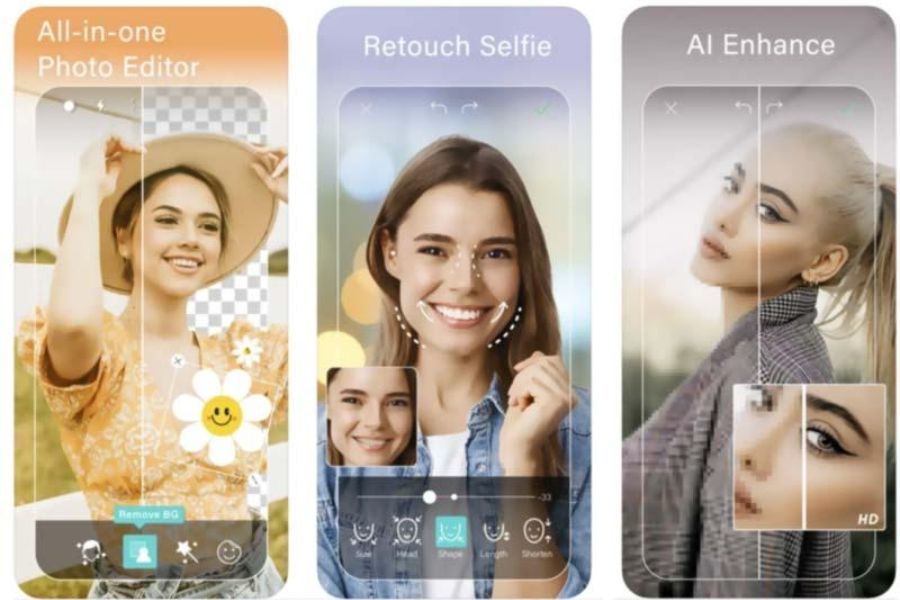
5. YouCam Enhance - A Breakthrough in Portrait Sharpening Technology
Designed specifically for selfie and portrait photography enthusiasts, YouCam Enhance offers incredible sharpening capabilities. This app focuses heavily on optimizing human facial structure. When a portrait photo is blurry, YouCam Enhance's AI doesn't just haphazardly increase contrast; it truly understands the eyes, eyelashes, and lips to recreate their shadows and contours. The processed photo always retains its natural beauty, radiance, and captivating appeal.
-
Expert portrait sharpening: Focuses on sharpening facial details, making selfies look as professional as studio shots.
-
Intelligent background blur: Preserves the smooth bokeh effect of the background while highlighting the main subject.
-
Automatic white balance: Combines focusing with light adjustment in dark areas, minimizing overexposure.
-
Extremely fast AI processing speed: Optimized algorithms deliver sharpened image results in just a few seconds.
-
Maintain your editing history: Organize your upgraded images systematically so you can easily find and re-upload them when needed.
6. Fotor - A Visual Image Editing and Enhancement Ecosystem
Fotor is more than just a photo editing app; it's a comprehensive image creation ecosystem trusted by millions. Fotor's "AI Enlarger" and "One-Tap Enhance" tools are the perfect solution for busy people. With just one click, the AI system automatically analyzes the image's light histogram, noise, and blur to provide the most suitable adjustment parameters. Fotor offers an excellent balance between AI automation and flexible drag-and-drop manual adjustments.
-
Professional AI Enlarger feature: Increases image resolution many times over without losing original detail.
-
Optimizing landscape photos: Highlighting details of clouds, trees, and water surfaces to create a sense of depth and vibrancy.
-
A diverse manual adjustment toolkit: Provides a full range of sliders for adjusting structure, sharpness, highlights, and shadows.
-
Integrated graphic design: After sharpening, you can add text, frames, or stickers directly within the app.
-
Cross-platform support: Enjoy seamless use from the mobile app to your computer's web browser.
7. Picsart AI Photo Editor - Unlimited Creativity with AI Enhancement
Picsart is a very familiar name in the creative photography community. Recently, with the integration of powerful artificial intelligence technology, Picsart has upgraded its "AI Enhance" feature to a new level. This tool allows users to magically transform low-quality, blurry photos into sharp ones. Picsart's strength lies in its combination: you can both improve image sharpness and instantly add artistic effects, transforming your photos to your own unique personal style.
-
Advanced AI Enhance technology: Automatically corrects blur, reduces noise, and enhances detail with just one tap.
-
Layer editing: Allows you to sharpen a specific image layer without affecting other design elements.
-
Smart object removal tool: Removes unwanted details around the main subject after it has been sharpened.
-
A huge library of effects and color filters: Combine perfect sharpness with the hottest trending colors for young people.
-
Creative sharing community: You can find tips and tricks for sharpening and editing photos from millions of other users.
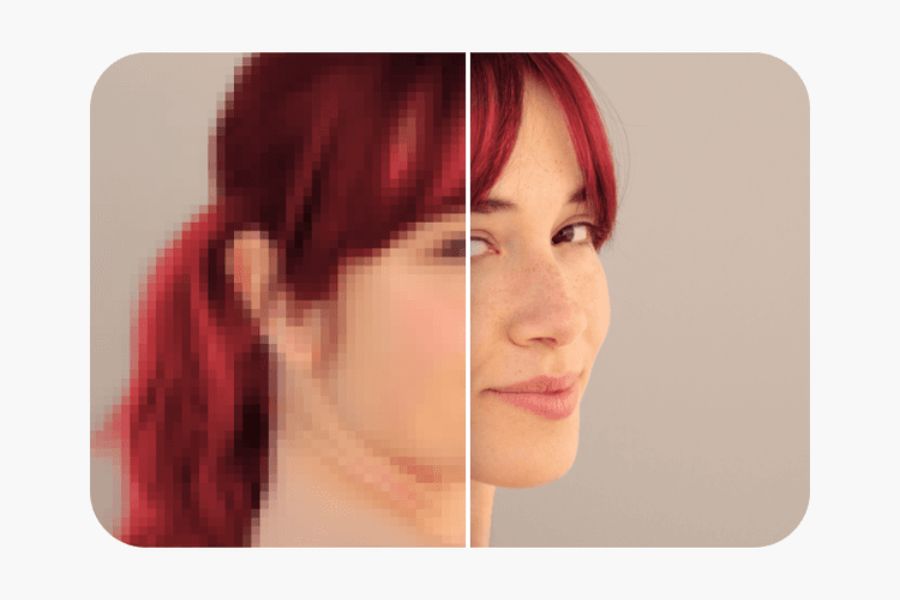
8. Pixelup - A Comprehensive Solution for Old and Blurry Photos
Pixelup is an app born with the mission of eliminating blur and damage from your photos. Using advanced AI technology similar to leading software, Pixelup is powerful in processing heavily compressed images sent through messaging apps. Not only does it sharpen edges, Pixelup also analyzes color areas to remove dehaze, resulting in a clear, realistic overall image as if it were taken with the most advanced cameras.
-
Restoring severely damaged photos: Repairing scratches and cracks on old paper photos taken with a phone.
-
Sharpening and de-hazing: Removes hazy, foggy effects, allowing colors to display with proper saturation.
-
Animate your photos: Transform a still portrait photo after sharpening it into a short, naturally moving animation.
-
Colorizing black and white photos: Using AI to automatically recognize and apply realistic colors to old photos.
-
User-friendly interface for the elderly: Large, clear function buttons, simple and accessible processing procedures.
9. Lumii - Control Sharpness with Magical Sliders
If you're a discerning photographer who doesn't want to rely entirely on artificial intelligence for fear of losing the authenticity of your photos, Lumii is the perfect choice. Lumii offers a detailed control panel with advanced filters and editing tools, all completely free. By breaking down the elements of sharpness into Sharpness , Clarity , and Structure , Lumii allows you to gently swipe the screen to increase sharpness precisely where you want it, while retaining the artistic out-of-focus areas you intentionally create during shooting.
-
Multi-layered sharpness adjustment: Separating edge sharpening (Sharpness) and surface structure sharpening (Structure).
-
Extensive cinematic color filters: Hundreds of high-quality color filters enhance the artistic quality of your sharpened photos.
-
Color Curves Editing: Professionally control contrast and brightness, just like on a computer.
-
Double Exposure Effect: Blend sharp images together to create surreal artwork.
-
No image file size reduction: Ensures that the exported image file retains its original size and specifications.
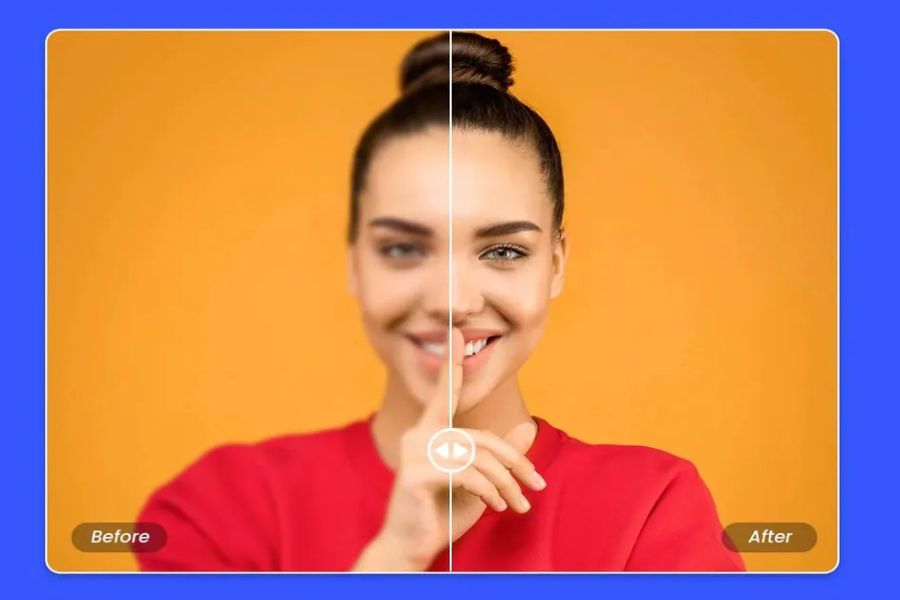
10. PicWish - The Ultimate AI Sharpening Tool for Product Photos
Rounding out the list is PicWish, an extremely popular app in the online business and commercial graphic design world. When taking product photos with a phone, shaky hands or insufficient lighting often result in blurry images. PicWish solves this problem effectively with its AI-optimized object processing algorithm. The app focuses on sharpening product edges, clarifying small text on packaging, and highlighting material textures, making your sales images more credible and professional than ever before.
-
Optimizing e-commerce images: Enhance product details to a high degree, helping to increase conversion rates.
-
Ultra-accurate AI background removal: Combines subject sharpening and background separation (removing hair, intricate details) in just 3 seconds.
-
Clarify text and documents: Convert blurry photos of documents and invoices into clear, easy-to-read image files.
-
Bulk image processing: Supports smooth processing of hundreds of images simultaneously through cloud technology.
-
A streamlined interface with no annoying ads: Focusing entirely on user productivity.
11. Conclusion
Owning a high-quality photo editing app is the perfect solution to easily master every moment and elevate image quality to HD in just a few seconds. Depending on your purpose, whether it's restoring old photos with AI, optimizing product photos for business, or manually adjusting details professionally, you can choose the most suitable tool from the top 10 suggestions above. Download your favorite app to your phone now to experience the power of technology and get ready to transform blurry photos into sharp works of art that will attract millions of interactions on social media!





















VIP Products








Best Selling Products
Upgrade genuine Capture One account
120 USD
Upgrade Duolingo Super
29 USD
Windows 10 & 11 Pro Key
36 USD
Adobe Photoshop Copyright - Full App
120 USD
Capcut Pro 1 Year
39 USD
Copyright Adobe Lightroom Account
59 USD
Genuine Adobe Illustrator account
99 USD
Genuine Cheap Canva Pro
39 USD
MidJourney Account
29 USD
Freepik Premium Account
59 USD
Autodesk All App Account Copyright
120 USD
Adobe Premiere Pro Account
99 USD
Upgrade Genuine Office 365
49 USD
ChatGPT Plus Account (GPT-4)
16 USD
Plugin Retouch4me
69 USD