Best Selling Products

Adobe Premiere Pro Account
99 USD

Windows 10 & 11 Pro Key
36 USD

Upgrade Duolingo Super
29 USD

Genuine Adobe Illustrator account
99 USD

ChatGPT Plus Account (GPT-4)
16 USD

MidJourney Account
29 USD

Upgrade Genuine Office 365
49 USD

Autodesk All App Account Copyright
120 USD

Capcut Pro 1 Year
39 USD

Upgrade genuine Capture One account
120 USD

Copyright Adobe Lightroom Account
59 USD

Genuine Cheap Canva Pro
39 USD

Adobe Photoshop Copyright - Full App
120 USD

Freepik Premium Account
59 USD

Plugin Retouch4me
69 USD
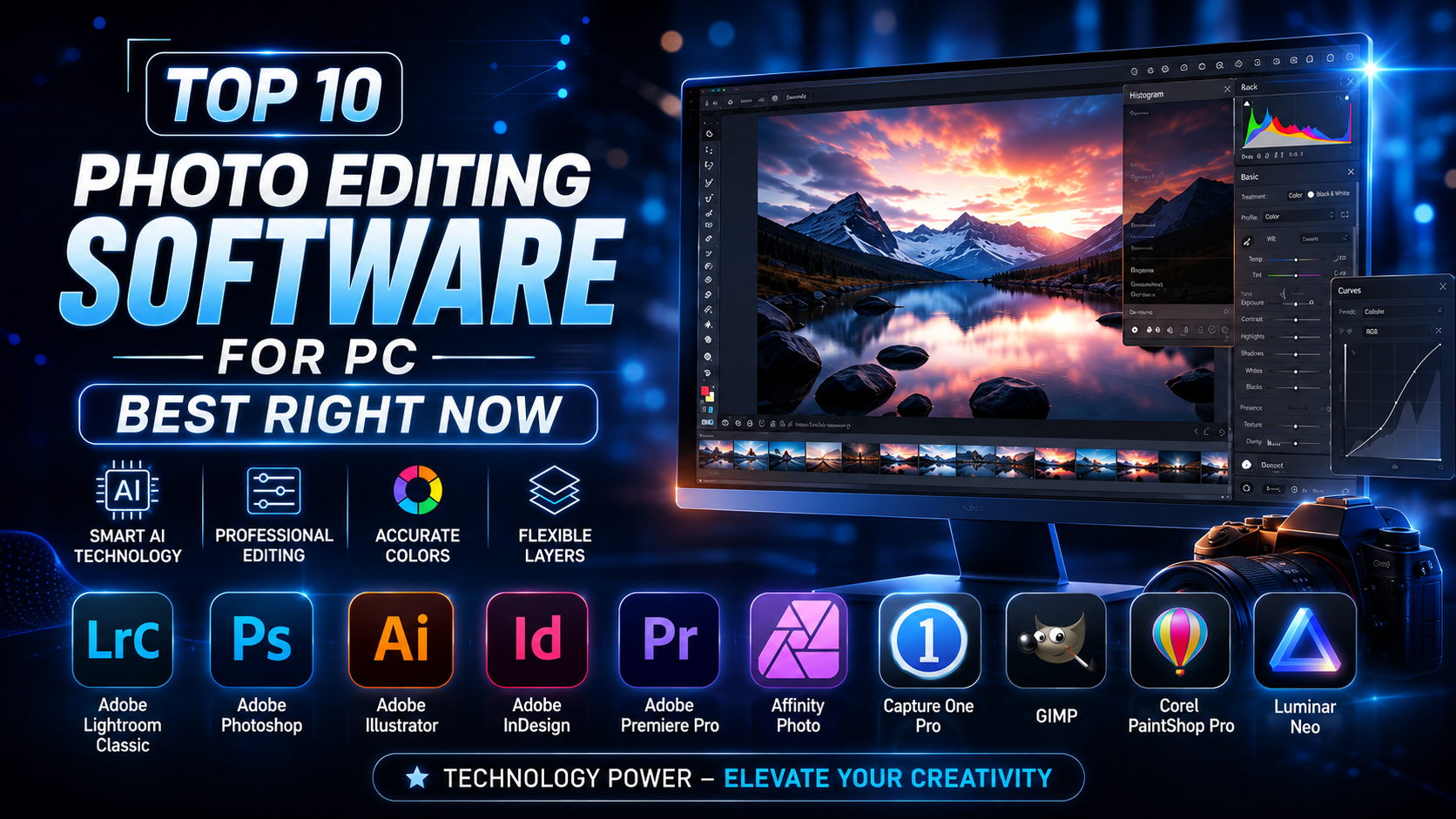
Top 10 Best Photo Editing Software for Computers Today
Nội dung
- 1. Adobe Photoshop - The King of Graphic Creativity
- 2. Adobe Lightroom - The Color Wizard for Photographers
- 3. GIMP - The Perfect Free Alternative to Photoshop
- 4. Canva - Convenient Drag-and-Drop Design for Everyone
- 5. Photopea - The Photoshop Experience Right in Your Browser
- 6. Pixlr - The Smart AI-Integrated Photo Editor
- 7. Fotor - The Solution for Upgrading Photo Quality in an Instant
- 8. Paint.NET - The Perfect Upgrade to a Legendary Tool
- 9. PhotoScape X - A Multi-Purpose Studio for Creative Photos
- 10. Luminar Neo - The Pinnacle of AI Technology Shaping the Future
- 11. Conclusion
Do you want to turn raw photos into professional works of art right on your PC? The right photo editing software for your computer will be the perfect launchpad for all your creative ideas. Whether you''''re a veteran photographer or a newcomer just getting familiar with pixels, the list of 10 top-tier tools below is sure not to disappoint you. Let''''s explore with Appvip.ai now!
1. Adobe Photoshop - The King of Graphic Creativity
Adobe Photoshop has long become an immortal icon and the standard benchmark in the world of professional graphics. Photoshop's power lies in its unlimited layer system, smart filters, and the ability to intervene deeply into every pixel of a photo. Notably, the integration of Adobe Firefly artificial intelligence in recent versions makes tasks like extending a frame or removing complex objects happen in just a few short seconds.
Not stopping at simple cutting, pasting, or beauty retouching, this software is where all your wildest ideas become reality. From digital painting, 3D design, to creating movie posters, Photoshop provides a massive ecosystem of brushes and effects. However, to master this technological monster, you'll need to invest quite a bit of time learning and getting familiar with the interface.
.jpg)
2. Adobe Lightroom - The Color Wizard for Photographers
If Photoshop is the place to sculpt a photo's structure, then Adobe Lightroom is the sanctuary of color gradients and light. This is photo editing software built specifically for photographers thanks to its extremely powerful RAW file processing capability. With Lightroom, you can easily manage thousands of yearbook or wedding photos, while applying a single color formula (preset) to an entire album with just one click.
Lightroom's winning feature is its ability to preserve the original photo file (non-destructive editing), letting you freely experiment with any style without fear of damaging the original file. The app's ability to recover shadow and highlight detail is top-notch. The intuitive interface, with sliders ranging from exposure and contrast to the details of each color tone, lets you master the visual look of a photo as smoothly as possible.
3. GIMP - The Perfect Free Alternative to Photoshop
Do you love the power of Photoshop but have a limited budget? GIMP (GNU Image Manipulation Program) is the most perfect answer, offering an in-depth editing experience completely free of charge. As open-source software, GIMP has a large community of developers continuously updating it with new features, helping it hold its own against expensive paid competitors.
GIMP's toolset is extremely diverse, ranging from basic features like cropping and resizing to advanced ones like line tracing, background removal, and layer separation. Users can customize the working interface to their personal habits and install a range of third-party plugins to extend its functionality. If you need a serious photo processing tool that costs nothing and runs light on your PC, download GIMP today.
.jpg)
4. Canva - Convenient Drag-and-Drop Design for Everyone
Canva has redefined the concept of photo editing and design by simplifying every complex process into a drag-and-drop action. This platform's greatest strength is its treasure trove of millions of ready-made templates, professionally designed by expert designers. Whether you want to make a Facebook avatar, an event poster, or an advertising banner, Canva always has the perfect framework ready for you to get started right away.
Without needing to think too much about layout or color coordination, you just select a template, change the text, and insert your own images, and you're done. Besides the web version, the Canva desktop app offers smoother performance and convenient cloud storage support for working anytime, anywhere. This is an indispensable assistant for content creators, marketers, and anyone who'd rather not learn complex technical tools.
5. Photopea - The Photoshop Experience Right in Your Browser
Photopea is like a miracle for anyone who urgently needs to use Photoshop but is using an unfamiliar computer or one with weak specs. Photopea's unique feature is that it runs directly in a web browser yet has an interface and keyboard shortcuts that are 99% identical to Photoshop. You can smoothly open, edit, and export directly to specialized file formats such as .PSD, .AI, or .XD.
Even though it runs on the web platform, Photopea still provides the full core features such as layer masks, blend modes, satisfying vector tools, and basic color filters. You don't need any cumbersome installation, don't need to worry about slowing down your machine — just open a browser and you instantly have a mini studio. This is a wonderful lifesaver solution for designers who need to work on the go or process files quickly.
.jpg)
6. Pixlr - The Smart AI-Integrated Photo Editor
Pixlr brings a modern breath of air to post-production work by thoroughly applying artificial intelligence to everyday tasks. Pixlr's interface is divided into two distinct versions: Pixlr X for quick edits and adding basic effects, and Pixlr E for those who want to dive deeper into photo details. This separation makes it easy for users to choose the workspace that fits their immediate purpose.
The highlight that defines Pixlr's brand is its extremely smart one-click features powered by AI. With just one click, you can automatically remove a background with precision down to every strand of hair, smooth skin naturally, or balance the lighting in backlit photos. If you want your check-in photos to look stunning in an instant for posting on social media, Pixlr will be the ideal companion.
7. Fotor - The Solution for Upgrading Photo Quality in an Instant
Fotor is a globally famous photo editing software known for its philosophy of "simplifying complexity." This tool is extremely powerful at optimizing the quality of underexposed or blurry photos using smart processing algorithms. Just load in the photo, and Fotor's ecosystem will automatically analyze and fix sharpness and contrast errors to return the clearest possible image.
Besides its ability to rescue flawed photos, Fotor also integrates a photo collage feature with hundreds of artistic layouts and a rich library of stickers and frames. The intuitive interface, with feature menus arranged scientifically, keeps users from feeling overwhelmed the first time they use it. This is a great choice for students who want to create beautiful memory photos without needing advanced graphic design skills.
.jpg)
8. Paint.NET - The Perfect Upgrade to a Legendary Tool
If you've ever felt that Microsoft Paint is too limited while Photoshop is too heavy, then Paint.NET is exactly the perfect middle ground you've been searching for. Originally developed as a student project to replace MS Paint, Paint.NET has grown into an extremely high-quality free photo editing software built specifically for the Windows operating system.
Paint.NET's biggest advantage is its super-light size, instant startup, and minimal consumption of computer hardware resources. Despite being lightweight, the software still supports working with layers, unlimited undo for rotating/zooming, and a library of blur and sharp noise-reduction effects. It's perfect for daily office tasks like cropping photos, inserting guiding arrows, or combining basic details.
9. PhotoScape X - A Multi-Purpose Studio for Creative Photos
PhotoScape X is one of the most fun and versatile photo editing software programs available on PC today. Not stopping at simple photo editing, PhotoScape X integrates a whole series of accompanying tools such as a photo viewer, batch cropping, batch file renaming, and extremely fast animated image (GIF) creation. Every feature you need for a social media photo is packed into a single piece of software.
The intuitive interface, with a modern design style, makes editing as fun as playing a game. You can easily add sparkling light leak effects, classic film scratches, or unique retro frames to give your photo its own personality. For online shop owners who need to stamp a logo onto product photos in bulk, PhotoScape X is the savior that saves hours of labor.
.jpg)
10. Luminar Neo - The Pinnacle of AI Technology Shaping the Future
Luminar Neo represents the next generation of computer photo editing software, where artificial intelligence does the most tedious work for humans. Developed by Skylum, this software is famous for its sky replacement feature (Sky AI), which is realistic enough to automatically change both the lighting and the water reflections of the entire scene. You can completely turn an overcast day into a brilliant sunset with just one click.
Not stopping there, Luminar Neo also has in-depth AI tools for portraits, such as Face AI and Body AI, which help slim the body, brighten the eyes, and whiten teeth naturally without distorting the surrounding background. The smart clutter removal tool automatically detects and cleanly removes power lines and lens dust, making your landscape photos perfect. If you want to lead the digital art technology trend, Luminar Neo is a name you absolutely must try.
11. Conclusion
Finding an ideal photo editing software for your computer depends entirely on your intended use and your device's specifications. If you're pursuing a professional career path, the Adobe Photoshop and Lightroom duo will be indispensable companions. On the other hand, if you just need a fast, smooth, and cost-free processing tool, solutions like Canva, Photopea, or Paint.NET will be a wonderful lifesaver for optimizing your working time.





















VIP Products








Best Selling Products
Adobe Premiere Pro Account
99 USD
Windows 10 & 11 Pro Key
36 USD
Upgrade Duolingo Super
29 USD
Genuine Adobe Illustrator account
99 USD
ChatGPT Plus Account (GPT-4)
16 USD
MidJourney Account
29 USD
Upgrade Genuine Office 365
49 USD
Autodesk All App Account Copyright
120 USD
Capcut Pro 1 Year
39 USD
Upgrade genuine Capture One account
120 USD
Copyright Adobe Lightroom Account
59 USD
Genuine Cheap Canva Pro
39 USD
Adobe Photoshop Copyright - Full App
120 USD
Freepik Premium Account
59 USD
Plugin Retouch4me
69 USD