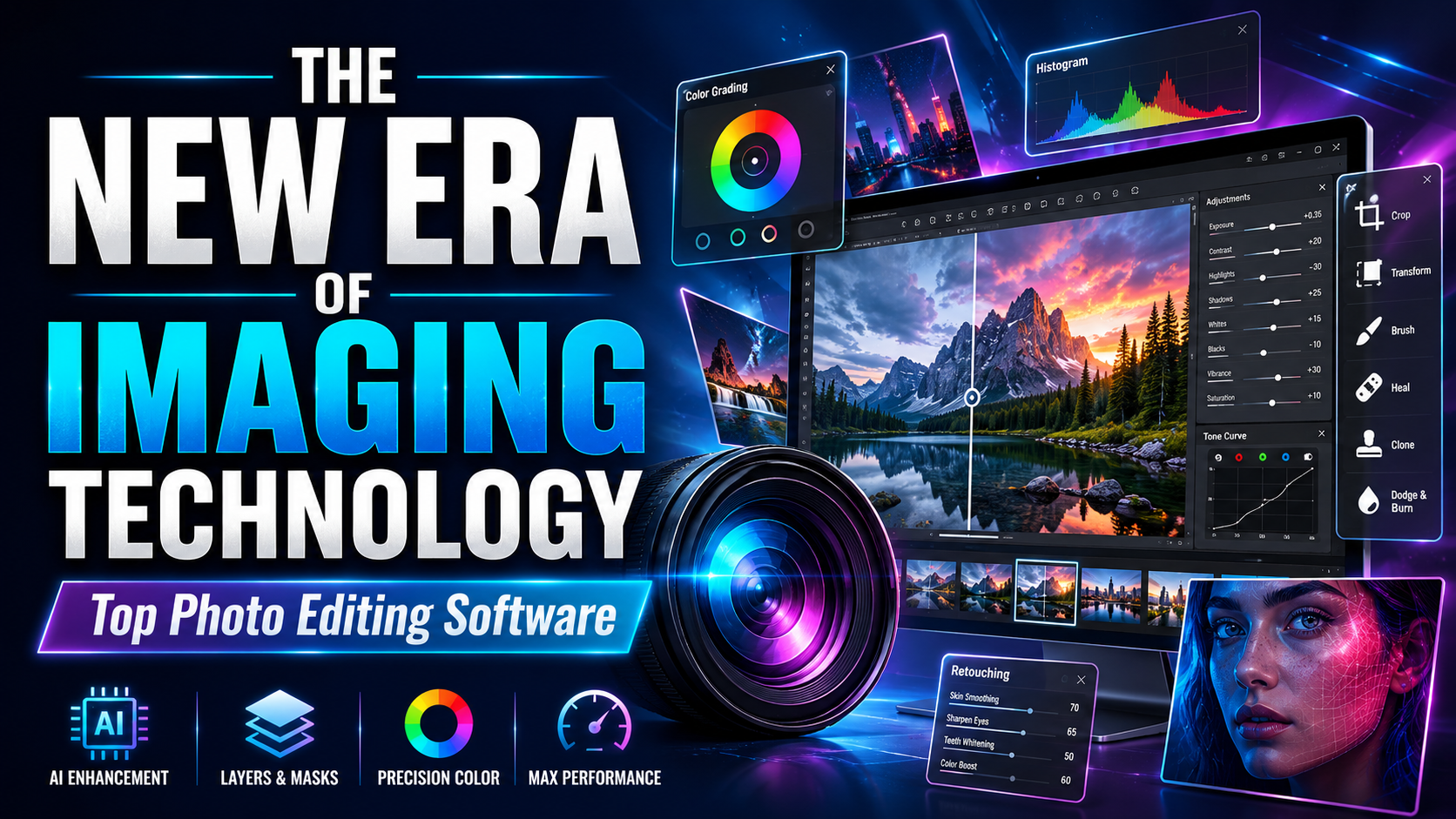
1. The shift from traditional post-production to the AI era.
For decades, image post-processing was a process requiring immense patience and technical skill. Users had to spend hours meticulously retouching individual pixels or adjusting complex technical parameters. However, the landscape has completely changed as machine learning algorithms have begun to deeply intervene in the creative process.
Workflow automation
Modern software can identify objects, separate backgrounds, and balance lighting with just one click. This capability saves up to 80% of the time compared to previous manual methods. Users no longer have to struggle with overlapping layers and can focus entirely on the core idea of the artwork.

Image restoration and enlargement capabilities
One of the biggest breakthroughs is the ability to restore low-quality or damaged photos. Artificial intelligence can predict and recreate lost details, and perform generative fill while maintaining background consistency. This is a significant advancement that traditional photo editing apps struggle to achieve perfectly.
2. The best professional photo editing software currently available.
The professional software segment has always been dominated by "big players" with vast ecosystems of tools. These names not only provide editing capabilities but also set industry standards in design and photography.
Adobe Photoshop - An enduring icon
Adobe Photoshop remains the most powerful image editing software on the planet. With a diverse range of tools from raster image processing to basic vector design, Photoshop allows users to manipulate even the smallest details of an image. The integration of Adobe Firefly has made Photoshop smarter than ever, supporting the creation of virtual details that are incredibly realistic.
Adobe Lightroom - The Wizard of Color
Unlike Photoshop, Lightroom focuses on managing image libraries and batch editing. It's a top choice for event or landscape photographers. Its powerful RAW file processing capabilities and diverse preset system allow users to create distinctive, personalized color tones without compromising the quality of the original files.
Capture One - The Studio Choice
Capture One is renowned for its exceptionally accurate skin tone reproduction and tethered shooting workflow. The software offers advanced color control tools, allowing professionals to fine-tune every color range with absolute precision.
3. Online photo editing solutions and mobile applications
Flexibility is a top priority for average users and social media content creators. Cloud-based photo editing software and mobile apps have effectively filled this gap.
Canva - Design at your fingertips
Canva is a powerful online design tool that makes it easy for users to create high-quality designs in just a few simple steps. With its user-friendly interface and rich resource library including design templates, images, and icons, Canva offers an optimal solution even for non-design professionals. It's an ideal choice for creating presentations, posters, and social media images quickly and efficiently.
Although not a professional photo editing software in the purest sense, Canva is an extremely popular graphic design tool. With thousands of ready-made templates and an intuitive drag-and-drop interface, anyone can create eye-catching media publications without formal training.
Snapseed and Lightroom Mobile
On mobile devices, Snapseed offers powerful editing tools completely free of charge. Meanwhile, the Lightroom Mobile version allows data synchronization between devices, making the editing process seamless no matter where you are.
4. Experience a breakthrough with Appvip.ai - The ultimate platform for creative support.
In the world of modern AI tools, finding a comprehensive source of intelligent solutions is essential. Appvip.ai emerges as a reliable destination for those seeking access to the most advanced photo and video editing technologies. This platform provides performance optimization tools, allowing users to easily master complex software or utilize automation features to enhance the quality of their final product.
5. Core techniques in modern image editing
To master photo editing software, users need to understand the fundamental principles. A thorough understanding of the nature of light and color will make the post-processing process more purposeful and effective.

Histogram and Exposure Control
A histogram is the most important tool for evaluating the exposure of a photograph. A good photograph needs a balance between shadows, midtones, and highlights. Proper exposure adjustment will retain as much detail as possible, avoiding overexposure or loss of detail in dark areas.
Color Theory and Color Grading
Color is not only aesthetic but also conveys emotions. Color Grading techniques help define the style of a work, from classic warm tones to modern cool blues. Understanding the color wheel and contrasting color pairs will make the photograph more attractive and have greater depth.
Retouching - The Art of Refined Beauty
Retouching isn't simply about removing blemishes or smoothing skin. In professional portrait photography, Frequency Separation techniques help to process the skin's surface while preserving pores and natural skin texture. This is the line between a obviously retouched photograph and a professional work of art.
6. The Importance of Photo Editing Software in Business
In the era of e-commerce, images are more important than a feast. A product with high-quality images will increase customer conversion rates many times over.
Building a brand identity
Using photo editing software to standardize the color and style of images across media channels helps customers easily recognize the brand. Professionalism in imagery reflects the credibility of the business.
Optimize advertising and marketing
Advertising banners and product images need to be optimized for size and file size without losing sharpness. Smart image compression tools in current software help websites load faster, thereby improving SEO scores and user experience.
7. Things to consider when choosing the right photo editing software.
Each user has different needs and budgets, so choosing the right tools will make the creative journey smoother.
-
Determine your intended use: If you're a photographer, choose Lightroom or Capture One. If you're a graphic designer, Photoshop is a must. If you just want to quickly edit photos to post on Facebook, mobile apps will suffice.
-
Computer specifications: Professional software requires powerful hardware (minimum 16GB RAM, dedicated graphics card). Consider web-based solutions if your computer has modest specifications.
-
Licensing costs: Nowadays, most software has switched to a monthly subscription model. Calculate your long-term budget to choose the most suitable service package.
8. The future of image editing
Artificial intelligence won't replace humans, but those who know how to use AI will replace those who don't. In the future, the line between photographs and graphic images will become increasingly blurred. Creating surreal images from text (Text-to-Image) will become a standard feature in all photo editing software. Humans will act as "directors," providing ideas, while software will be "assistants," executing the technical tasks.
9. Summary
Photo editing software has become an indispensable tool in the modern world. From simple personal needs to multi-billion dollar media campaigns, post-production tools play a crucial role. Investing time in learning and mastering a few software programs will open up incredibly broad career opportunities. Start with the basics, practice consistently, and continuously update yourself with the latest technological trends to transform ordinary photos into true works of art. Creativity knows no bounds, and these tools are the wings that will help you soar higher in the colorful world of imagery