Best Selling Products

Freepik Premium Account
59 USD

Genuine Cheap Canva Pro
39 USD

Upgrade Duolingo Super
29 USD

Autodesk All App Account Copyright
120 USD

Upgrade Genuine Office 365
49 USD

Copyright Adobe Lightroom Account
59 USD

MidJourney Account
29 USD

Upgrade genuine Capture One account
120 USD

Capcut Pro 1 Year
39 USD

Windows 10 & 11 Pro Key
36 USD

Genuine Adobe Illustrator account
99 USD

Adobe Premiere Pro Account
99 USD

Adobe Photoshop Copyright - Full App
120 USD

ChatGPT Plus Account (GPT-4)
16 USD

Plugin Retouch4me
69 USD
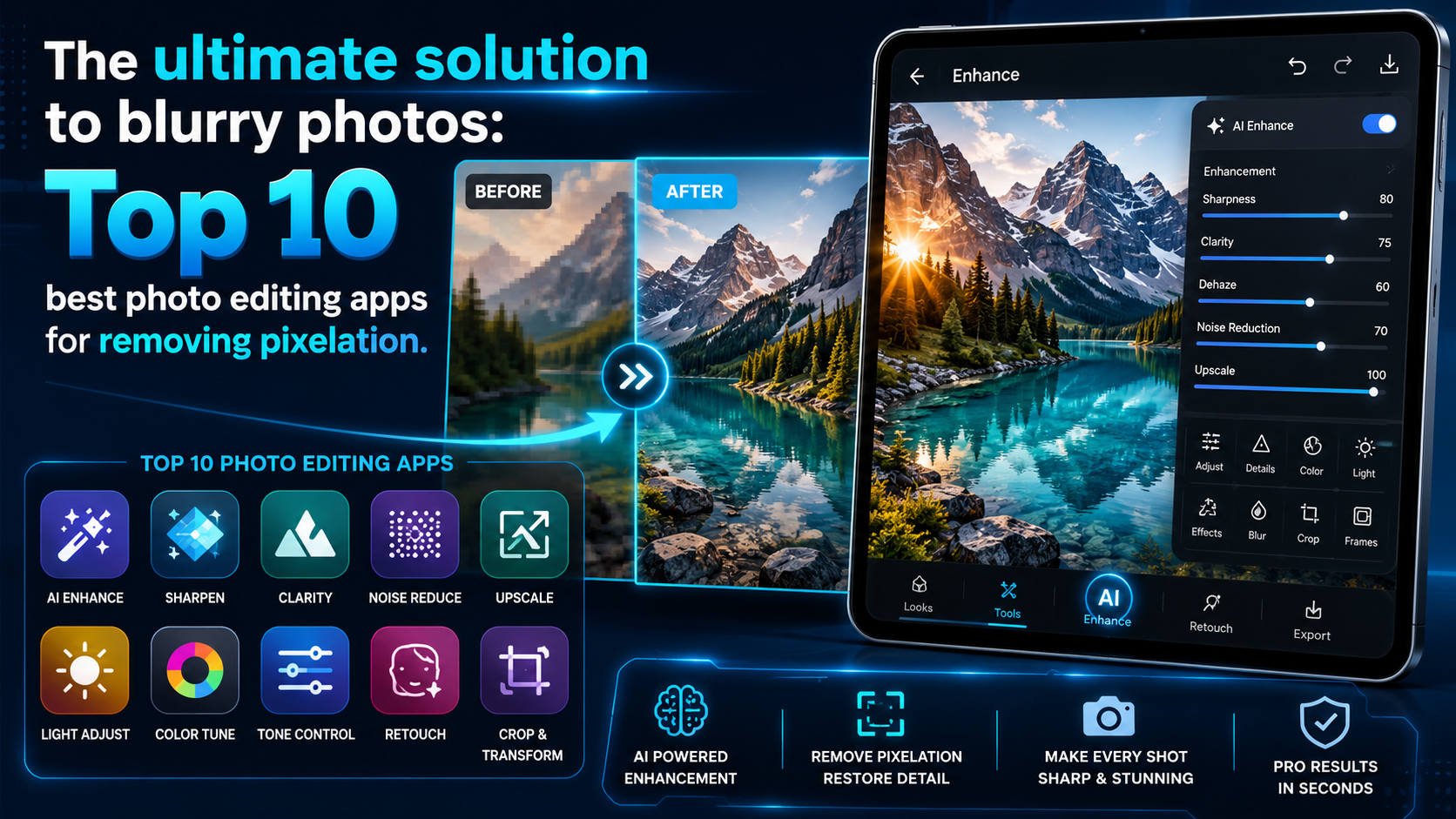
The ultimate solution to blurry photos: Top 10 best photo editing apps for removing pixelation.
Nội dung
- 1. Remini - The king of image restoration and sharpening using AI technology.
- 2. Adobe Lightroom - Professional-level photo editing from Adobe
- 3. Snapseed - A powerful and completely free assistant from Google.
- 4. Pixelup - A solution to optimize blurry photos into HD quality.
- 5. YouCam Enhance - Sharpen portrait photos super fast in an instant.
- 6. Fotor - A comprehensive photo editing and intelligent photo enhancement ecosystem.
- 7. UpFoto - An image quality enhancer that upscales photos to 4K resolution.
- 8. Photo Editor Pro (InShot) - A versatile photo editing and powerful enhancement tool.
- 9. PicWish - A professional AI-powered image sharpening solution for professional use.
- 10. Lumii - Create art and control sharpness as you wish.
- 11. Conclusion
Instead of regretfully deleting them, you can completely transform those "disastrous" photos into sharp masterpieces in just seconds using technology.
1. Remini - The king of image restoration and sharpening using AI technology.
If you're looking for a quick and easy solution that delivers amazing results, Remini is at the top of the list. This app uses advanced, cinematic-grade artificial intelligence (AI) technology to recreate even the smallest details on your face, from individual hairs to pores. You don't need any graphic design knowledge, as Remini's AI automatically analyzes and compensates for missing pixels, giving you a photo as sharp as if it were taken with a professional camera.
-
Superior AI technology: Automatically recognizes faces and intelligently restores blurry or pixelated details.
-
Old photo processing: The ability to restore faded black and white photos or old photographs to life.
-
Video enhancement: In addition to photo editing, the app also supports sharpening short, shaky video clips.
-
One-touch operation: With a minimalist interface, users simply upload photos and wait for the AI to process them in seconds.
-
The downside: The free version contains quite a few ads and limits the number of edits per day.

2. Adobe Lightroom - Professional-level photo editing from Adobe
Adobe Lightroom is no longer an unfamiliar name to anyone passionate about photography, from amateurs to professionals, using their phones. What sets Lightroom apart from other AI-powered apps is that it gives you complete control over the technical parameters of your photos. By cleverly combining the sliders in the Detail toolset, you can increase the sharpness of object edges while removing noise in dark areas, making the photo look smoother and more natural.
-
Advanced Detail tools: Allows customization of Sharpening, Radius, and Detail parameters to control image sharpness.
-
Intelligent noise reduction: The Noise Reduction feature helps eliminate fine grain caused by low-light shooting without making the image look blurry.
-
Superior color grading: Integrated HSL color grading tools and thousands of professional filters (presets) are available.
-
Maintain quality: Export images at the highest resolution, without worrying about file compression after editing.
-
The downside: It requires users to spend some time learning how to adjust the parameter sliders to their liking.
3. Snapseed - A powerful and completely free assistant from Google.
Developed by Google, Snapseed is a completely free photo editing app with no annoying ads. For blurry or out-of-focus photos due to poor lens quality, Snapseed offers a powerful Details tool. This app works by enhancing the contrast at the edges of objects, making details in the image clearer and tricking the viewer's eye, creating the illusion of a sharper image.
-
Completely free: Access 100% of premium features without any cost or watermarks.
-
Structure feature: Highlights surface details of objects such as wood grain, fabric, or architecture without overexposing the image.
-
Sharpening feature: Enhances the sharpness of edges, making the overall image more angular and clear.
-
Selection editing: Allows you to focus only on a specific area (such as the eyes or face) instead of focusing on the entire image.
-
Intuitive interface: Horizontal swipe gestures to increase or decrease percentages are extremely smooth and easy to get used to.
4. Pixelup - A solution to optimize blurry photos into HD quality.
Pixelup is a specialized AI- powered photo editing app that's receiving overwhelmingly positive reviews from the mobile user community. This app works like magic, transforming blurry photos caused by motion, out-of-focus images, or pixelated photos (due to zooming) back to sharp, HD quality. Pixelup's intelligent algorithm focuses heavily on sharpening facial features, making your portraits more captivating and expressive.
-
Image pixelation restoration: AI algorithms upgrade image resolution, transforming blurry, square blocks into smooth curves.
-
Motion blur reduction: Effectively fixes blurry photos caused by accidental hand shake while taking pictures.
-
Colorize old photos: Automatically add natural colors to your cherished black and white family photos.
-
Create fun animations: Integrate a feature that transforms static portrait photos into unique short animated movements.
-
Fast processing speed: The time it takes for AI to calculate and render images is very quick.
5. YouCam Enhance - Sharpen portrait photos super fast in an instant.
If you're a fan of selfies or everyday portraits, YouCam Enhance will be an indispensable companion. Specifically designed to address sharpness issues, this app uses AI to scan the entire photo, detect blurry areas, and instantly restore sharpness to the eyes, nose, mouth, and skin. A major plus is its ability to maintain a natural look for the skin, preventing the face from looking artificial or doll-like.
-
Optimizing portrait photos: Focus on highlighting the subject's expression, eyes, and facial details.
-
Instant resolution boost: Upgrade low-quality photos from older phones to high-definition.
-
Intuitive comparison interface: Provides Before/After sliders directly on the screen so you can easily see the differences.
-
Simple operation: No complicated menus, just select your photos and let the app do the rest.
-
Save images quickly: Supports direct saving to your device's gallery or quick sharing to social media with maximum quality.
6. Fotor - A comprehensive photo editing and intelligent photo enhancement ecosystem.
Fotor is an extremely popular photo editing platform on both computers and phones, notable for its one-click image enhancement tools. Fotor's AI Enlarger feature allows you to zoom in on images multiple times without degrading quality or causing pixelation. In addition, Fotor's manual sharpening tools are very intuitive, making it easy to salvage blurry or detail-deficient landscape or architectural photos.
-
One-Tap Enhance feature: Automatically balances brightness, contrast, and sharpens images with just one tap.
-
Zoom without loss of detail: AI technology enlarges the image size while automatically compensating for lost detail to maintain sharpness.
-
Diverse sharpening filters: Offers a variety of effect filters to enhance structure and sharpness for different types of photos.
-
Advanced editing: Fully integrated features for removing unwanted objects, merging images, and basic graphic design.
-
Cross-platform support: You can synchronize your account for flexible editing from your phone to your web browser.
7. UpFoto - An image quality enhancer that upscales photos to 4K resolution.
UpFoto is another powerful app designed to thoroughly address the problem of blurry and pixelated photos. UpFoto's greatest strength is its ability to stretch and upscale images to 2, 4, or even 8 times their original resolution while maintaining incredible sharpness. If you have low-resolution photos taken with your front camera or images downloaded from the internet that appear pixelated when zoomed in, UpFoto will help you restore them to cinematic sharpness.
-
Ultra-high resolution upscaling: Supports multiplication of pixel size, bringing images to the ultra-sharp 4K resolution.
-
Image blur correction: Fixing blurry images caused by incorrect focus (out of focus) or shooting while moving.
-
Digital noise reduction: Smoothly removes blur and color noise from nighttime photos.
-
Modern interface: The app has a sleek design, is easy to use, and the steps are clearly explained.
-
Cloud storage: Supports saving a history of edited photos so you can download them again whenever needed.

8. Photo Editor Pro (InShot) - A versatile photo editing and powerful enhancement tool.
From the renowned developer InShot, Photo Editor Pro (also known as Polish) is a treasure trove of versatile photo editing tools for mobile devices. Not only is it powerful in trendy effects and text overlays, but the app also boasts a high-quality hardware parameter adjustment system. By using the Sharpen feature in combination with Clarity, this application helps to separate the light and dark areas at the edges of objects, making your blurry photos look much sharper, clearer, and more detailed.
-
The Clarity & Sharpen tool works in combination: It enhances overall sharpness and harmoniously sharpens the edges of objects.
-
Extensive artistic filters: Over 100 unique color filters help to camouflage sharpness imperfections in the original image.
-
Skin blemish correction: Combining image sharpening with skin smoothing and blemish removal for perfect portrait photos.
-
Vietnamese interface: User-friendly for Vietnamese users thanks to clearly optimized and easy-to-understand language.
-
Photo Collage Integration: Easily combine multiple sharpened photos into a single artistic frame.
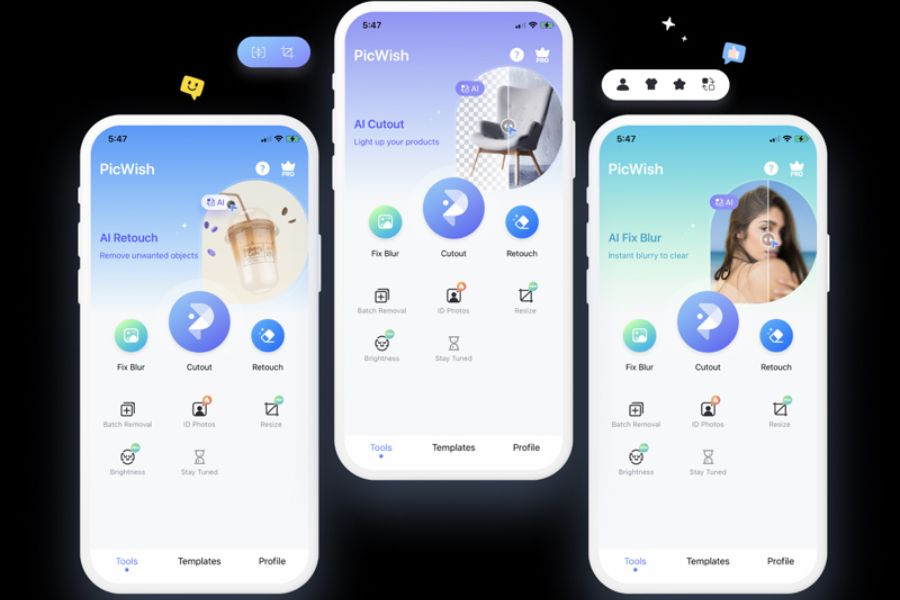
9. PicWish - A professional AI-powered image sharpening solution for professional use.
PicWish is a minimalist, efficient, and fast photo editing app, perfectly suited for those who need to process images for work, online sales, or digital content creation. PicWish's AI-powered image sharpening feature is highly praised for its intelligent image cleaning algorithm. It can transform a blurry, detail-deficient product photo or a document with smudged text into a clear, sharp image ready for immediate use.
-
Batch sharpening: Save time by allowing you to upload and sharpen multiple photos at once.
-
Product image optimization: Helps online shop owners transform blurry product photos taken with phones into professional-looking catalog images.
-
Document clarification: Supports scanning and sharpening of documents and papers with blurry text due to low light or hasty shooting.
-
Smart background removal: Combines precise hair-strand background separation with image quality enhancement.
-
The app has a small file size: It runs smoothly even on phones with modest specifications.
10. Lumii - Create art and control sharpness as you wish.
Rounding out the top 10 is Lumii, a professional photo editing app with a modern artistic style. Lumii provides a full range of adjustment tools, from basic to advanced, allowing you to manually salvage your blurry photos. By adjusting parameters such as Sharpness, Clarity, and the contrast of each color range, Lumii not only eliminates blurriness but also creates a highly artistic overall effect, just like photos taken by professional photographers.
-
Detailed parameter customization: Provides sliders for extremely smooth adjustment of clarity, sharpness, and noise reduction.
-
Layer editing: Allows you to apply sharpening effects to individual layers of an image without affecting the entire image.
-
Unique lighting effects: Add light leak and prism effects to make the initially blurry photo more artistic.
-
Color Curves: A professional color correction tool that enhances the depth and dimensionality of details after sharpening.
-
Save your custom toolkit: You can save your sharpening formula as a separate preset to apply later.
11. Conclusion
Having a blurry, out-of-focus photo is no longer a disaster thanks to smart photo editing apps on your phone. If you prefer speed, convenience, and minimal manipulation, AI-powered apps like Remini , Pixelup , or UpFoto are perfect choices. Conversely, if you are meticulous and want to manually control every detail and color in your photos, Adobe Lightroom , Snapseed , or Lumii will provide you with a fantastic creative space. Download one of these apps today to revive your wonderful moments!





















VIP Products








Best Selling Products
Freepik Premium Account
59 USD
Genuine Cheap Canva Pro
39 USD
Upgrade Duolingo Super
29 USD
Autodesk All App Account Copyright
120 USD
Upgrade Genuine Office 365
49 USD
Copyright Adobe Lightroom Account
59 USD
MidJourney Account
29 USD
Upgrade genuine Capture One account
120 USD
Capcut Pro 1 Year
39 USD
Windows 10 & 11 Pro Key
36 USD
Genuine Adobe Illustrator account
99 USD
Adobe Premiere Pro Account
99 USD
Adobe Photoshop Copyright - Full App
120 USD
ChatGPT Plus Account (GPT-4)
16 USD
Plugin Retouch4me
69 USD