Best Selling Products

Windows 10 & 11 Pro Key
36 USD

ChatGPT Plus Account (GPT-4)
16 USD

Upgrade Genuine Office 365
49 USD

Freepik Premium Account
59 USD

Autodesk All App Account Copyright
120 USD

MidJourney Account
29 USD

Upgrade genuine Capture One account
120 USD

Genuine Cheap Canva Pro
39 USD

Plugin Retouch4me
69 USD

Capcut Pro 1 Year
39 USD

Genuine Adobe Illustrator account
99 USD

Adobe Photoshop Copyright - Full App
120 USD

Adobe Premiere Pro Account
99 USD

Upgrade Duolingo Super
29 USD

Copyright Adobe Lightroom Account
59 USD
The versatile ChatGPT prompt framework: use it once – get results a hundred times better.
Nội dung
- 1. Why is a standard ChatGPT prompt structure necessary ?
- 2. Suggested standard ChatGPT prompt structure
- Creating a standard prompt structure will give you more flexibility when using ChatGPT.
- YOU ARE
- OBJECTIVE
- CONTEXT
- MODE
- OUTPUT CONTROLS
- TOOLS
- WORKFLOW
- INPUTS
- 3. Advantages and disadvantages of creating a prompt frame for ChatGPT
A prompt structure that works for every situation will save you from having to start over every time you work with AI.
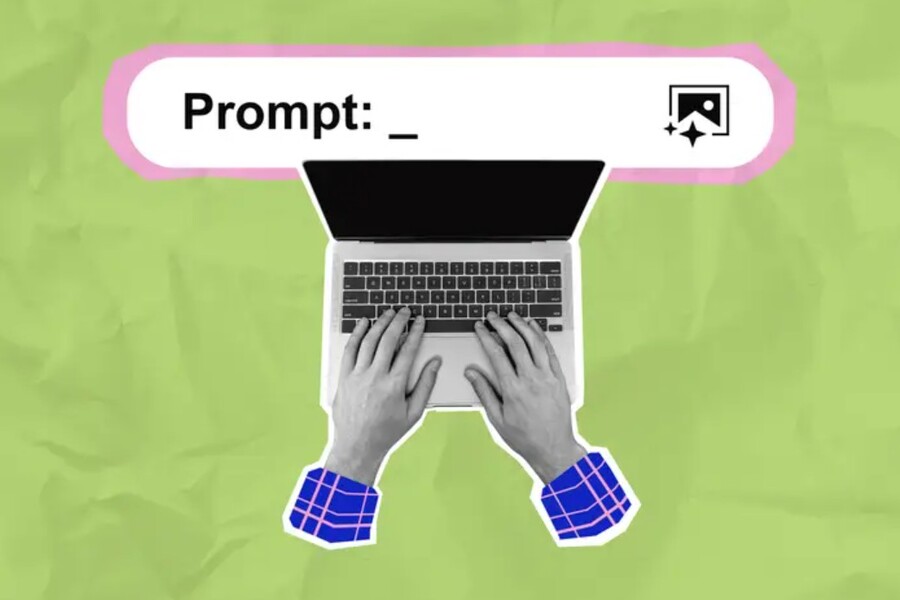
Interestingly, the most effective users of ChatGPT are not those who understand complex technology, but rather those who know how to properly converse with the AI through the prompt.
Prompts are the language that helps us guide AI to produce results that match our expectations. If we liken using ChatGPT to driving a car, then prompts are the steering wheel. If you don't hold the steering wheel firmly, you might drive off course. But with proper control, it will take you to your destination quickly and safely. In reality, most poor-quality results from AI stem from users making vague requests, lacking context, or not clearly defining their goals.
Creating a standardized, user-friendly prompt structure that can be flexibly applied to any situation helps you avoid that problem. This is not only a tip for using ChatGPT more intelligently, but also a crucial skill that helps shorten working time, increase the quality of results, and ensure consistency between interactions.
1. Why is a standard ChatGPT prompt structure necessary ?
To understand why a well-structured prompt is important, you need to view AI from the perspective of an extremely powerful language processing machine that is unable to read human thoughts or guess intentions. Everyone has experienced typing a simple sentence like "write me an article about marketing" and receiving a generic response, indistinguishable from hundreds of articles found online. This isn't because the AI is weak, but because your request wasn't clear enough.
When you create a standard prompt structure, you're giving the AI a clear set of working rules, including roles, goals, context, constraints, task types, presentation style, and processes. This allows ChatGPT to avoid guesswork and focus on accurately synthesizing data based on the provided instructions.
A standard prompt structure saves you considerable time. You don't need to describe everything from scratch every time; simply changing a few details allows it to be used for various purposes, from content writing and data analysis to programming, content improvement, text summarization, and creative idea generation. This is especially useful when you need to work quickly but still want to maintain high output quality.
Another important reason is consistency. In professional work environments such as marketing, communications, design, content production, or research, ensuring that documents, plans, and reports adhere to a common style and standard is crucial. A standardized prompt structure allows you to reproduce similar results across multiple uses, avoiding discrepancies in tone, style, or level of detail.
2. Suggested standard ChatGPT prompt structure
To save time and achieve consistent results, you can apply a standard prompt structure suitable for all purposes. Below is a sample prompt suggested by Phong Vu Tech News. Simply fill in the necessary information as instructed, copy and paste it into ChatGPT, and you can request AI to write content, plan, analyze, program, summarize, etc., with accuracy and quality output.
Creating a standard prompt structure will give you more flexibility when using ChatGPT.
To use this structure effectively, you need to understand the meaning of each part and why they appear in the prompt. Each item is one of the linguistic elements that helps ChatGPT determine how it should think, analyze, and respond.
YOU ARE
This is where you describe the desired role ChatGPT should play. You can ask the AI to act as a marketing expert, journalist, lecturer, researcher, data analyst, experienced programmer, or any role that suits your task. When assigned a specific role, the AI will change its presentation style, terminology, tone, and approach to the problem.
For example, with the same topic, "writing an article about UX design," if you assign it the role of a journalist, it will write in an objective, informative style. If you assign it the role of a UX expert, the content will delve into technical analysis. It is this role that helps the AI shape its "personality" and style from the outset.
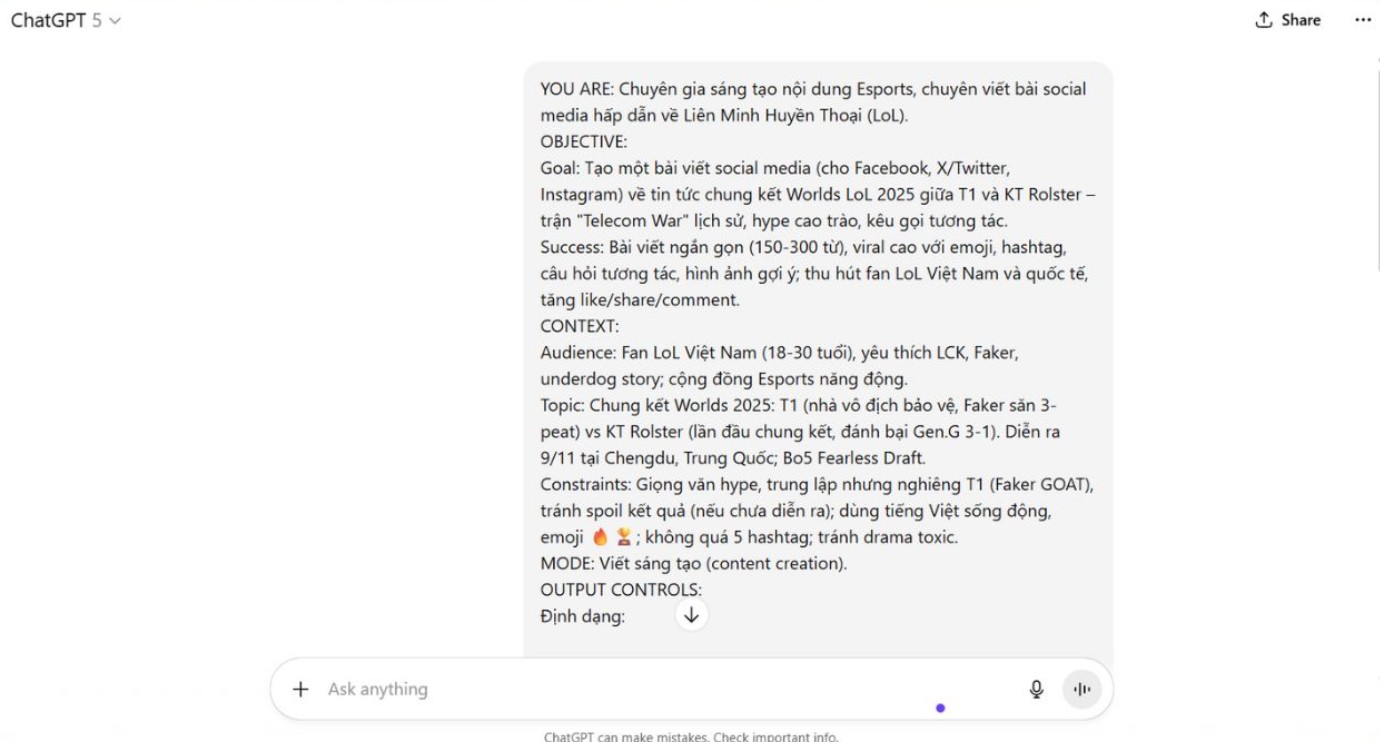
OBJECTIVE
In this section, your goal is broken down into two components:
- The goal is the ultimate objective you want the AI to achieve. This could be writing a blog post, summarizing a document, evaluating a piece of text, analyzing a marketing campaign, or suggesting creative ideas.
- Success is a criterion that helps AI evaluate what constitutes a good result. If you describe it clearly, ChatGPT will easily create content that meets the standards. The criteria could be the level of detail, writing style, presentation, or specific technical elements.
CONTEXT
Context is an extremely important and often overlooked aspect for users. AI needs to understand its target audience, the main topic, and any constraints to produce relevant content.
- Audience helps AI understand who the content is written for. Whether the reader is a student, a professional, an investor, a beginner programmer, or a corporate client, it will create a completely different style.
- The topic is the main subject you want the AI to handle, ensuring it stays focused on the task.
- Constraints are limitations such as length, writing style, content to avoid, or specific layout requirements. These elements help prevent the AI from exceeding your desired scope.
MODE
In this section, you need to define the type of task the AI will perform. The mode could be analysis, writing, text editing, summarizing, planning, research, or lecturing. Specifying the mode helps ChatGPT understand how to approach the data and organize the information appropriately. For example, the two tasks "rewriting" and "analyzing" will produce completely different results even though they are based on the same original text.
OUTPUT CONTROLS
The output controls allow you to specify the format, length, number of examples, line breaks, or level of detail. These controls ensure ChatGPT presents the material exactly as you need it to. This is especially useful for standardizing document quality if you're working in a professional environment.
TOOLS
If ChatGPT can utilize web or supplementary tools such as calculators, spreadsheets, or data analysts, please specify this here. With permission to use these tools, the AI can provide more in-depth, up-to-date, and accurate results.
WORKFLOW
The four-step process helps the AI understand that it needs to work in a specific order, from receiving the request to completing the result. This helps reduce errors and avoids situations where the AI responds hastily without proper analysis or error checking.
INPUTS
The final section is where you provide the relevant data, text, or documents for ChatGPT to use. This could be the paragraph you want to edit, the data to be analyzed, specific requests, or a sample article. Providing sufficiently clear data will help the AI generate more accurate content.
3. Advantages and disadvantages of creating a prompt frame for ChatGPT
Using a standardized prompt framework offers several notable advantages. First, it speeds up workflows by eliminating the need to create new prompts from scratch for each task. This is especially helpful when working with AI frequently and handling numerous different requests. Next, the prompt framework ensures consistent output quality. With the same structure, the AI always knows how to systematically analyze the problem and generate appropriate content. This is particularly valuable when multiple people on the same team use the same methodology, standardizing the workflow.
Another advantage is its flexibility. By simply changing a few minor details in each section, such as role, goal, or context, you can use the same structure for many different tasks. This is what makes prompt frameworks a powerful tool for both beginners and experts.
However, this method also has some limitations. Some users find the structure too long, taking too much time to fill in information for simple tasks. For creative or highly flexible requirements, the structured prompt can sometimes feel a bit rigid. Additionally, beginners may be overwhelmed by the number of items in the prompt, requiring them time to get used to it.
However, these limitations aren't a major issue. Once you get used to the structure, using it becomes much more natural and faster. For small tasks, you can easily simplify them. For important tasks, the complete structure helps optimize quality.
Creating a standard ChatGPT prompt structure not only helps you use AI more effectively but also shortens time, optimizes workflows, and ensures accurate and consistent results. In an era where artificial intelligence is becoming a crucial tool in every industry, possessing prompt creation skills is a significant advantage.





















VIP Products








Best Selling Products
Windows 10 & 11 Pro Key
36 USD
ChatGPT Plus Account (GPT-4)
16 USD
Upgrade Genuine Office 365
49 USD
Freepik Premium Account
59 USD
Autodesk All App Account Copyright
120 USD
MidJourney Account
29 USD
Upgrade genuine Capture One account
120 USD
Genuine Cheap Canva Pro
39 USD
Plugin Retouch4me
69 USD
Capcut Pro 1 Year
39 USD
Genuine Adobe Illustrator account
99 USD
Adobe Photoshop Copyright - Full App
120 USD
Adobe Premiere Pro Account
99 USD
Upgrade Duolingo Super
29 USD
Copyright Adobe Lightroom Account
59 USD