Best Selling Products

Upgrade genuine Capture One account
120 USD

Adobe Photoshop Copyright - Full App
120 USD

Plugin Retouch4me
69 USD

Windows 10 & 11 Pro Key
36 USD

Upgrade Duolingo Super
29 USD

Genuine Cheap Canva Pro
39 USD

Capcut Pro 1 Year
39 USD

Copyright Adobe Lightroom Account
59 USD

Upgrade Genuine Office 365
49 USD

Adobe Premiere Pro Account
99 USD

Freepik Premium Account
59 USD

Autodesk All App Account Copyright
120 USD

MidJourney Account
29 USD

Genuine Adobe Illustrator account
99 USD

ChatGPT Plus Account (GPT-4)
16 USD
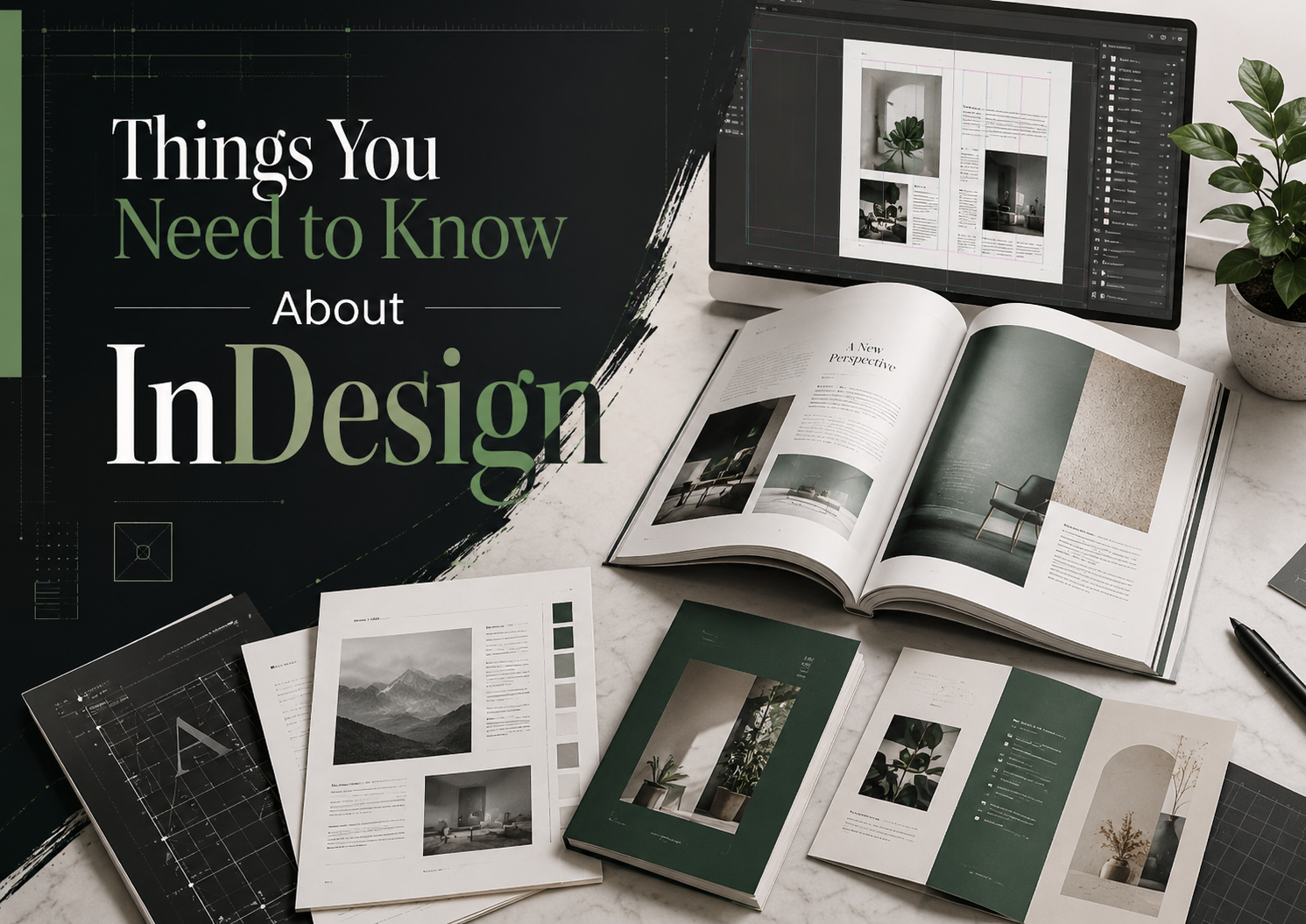
Things You Need to Know About InDesign
Nội dung
- 2. How is InDesign different from Illustrator?
- 3. Explore some products created using InDesign.
- 3.1 Impressive Magazine Samples (Magazine Design)
- 3.2 Sample flyers or brochures
- 3.3 Lookbook Samples
- 3.4 Portfolio Templates
- 4. Key features of InDesign
- 4.1 Powerful document management
- 4.2 Integration with other Adobe applications
- 4.3 Flexible Layout Features
- 4.4 Interactive design for digital publications
- 4.5 Professional Color and Image Management
- 5. Where should I upgrade InDesign?
- 6. Conclusion
Adobe InDesign is one of the most powerful graphic design software today, widely used in the publishing and design industry. With the ability to create diverse documents from books, magazines to posters and brochures, InDesign not only helps users express ideas professionally but also saves time and effort. This article Appvip will explore the things you need to know about InDesign, from outstanding features, basic usage to tips and tricks that help optimize the working process.
1. What is InDesign?
Adobe InDesign is a leading graphic design software used to create a wide variety of publications such as books, magazines, brochures, and catalogs. With its professional layout and text management capabilities, InDesign has become an indispensable tool for publishers and designers. This software not only offers powerful features but also supports integration with other applications in the Adobe ecosystem, providing a seamless and efficient design experience.
InDesign allows users to create visually appealing and highly accurate documents, while also supporting a wide variety of image file formats. You can easily embed or link files from Photoshop and Illustrator, making editing quick and convenient. There's no need to export and re-insert files; InDesign automatically updates changes from other applications, saving users time and effort.
In addition to image support, InDesign also allows you to insert text files in .doc or .pdf format, making content management easier. With its ability to professionally handle text and image elements, InDesign is an ideal choice for those who need to create high-quality and engaging publications.
2. How is InDesign different from Illustrator?
Although both InDesign and Illustrator are Adobe products and serve design purposes, they have distinct differences in functionality and application. Illustrator excels at creative design, suitable for creating unique vector images and graphics. In contrast, InDesign is optimized for page layout and managing multiple pages simultaneously, making it very useful for projects requiring complex layouts such as magazines or books.
One of InDesign's strengths is its ability to work with multiple pages in the same workspace, whereas Illustrator is limited in the number of pages to ensure system performance. This makes InDesign an ideal choice for designers who need to create multi-page publications while maintaining aesthetics and design consistency.
Many people may wonder whether Microsoft Word can replace InDesign for handling long documents. However, InDesign offers significantly superior features in coordinating layout, images, and colors. This not only helps create visually appealing publications but also ensures compatibility with offset printing, a crucial element in the publishing industry.
3. Explore some products created using InDesign.
3.1 Impressive Magazine Samples (Magazine Design)
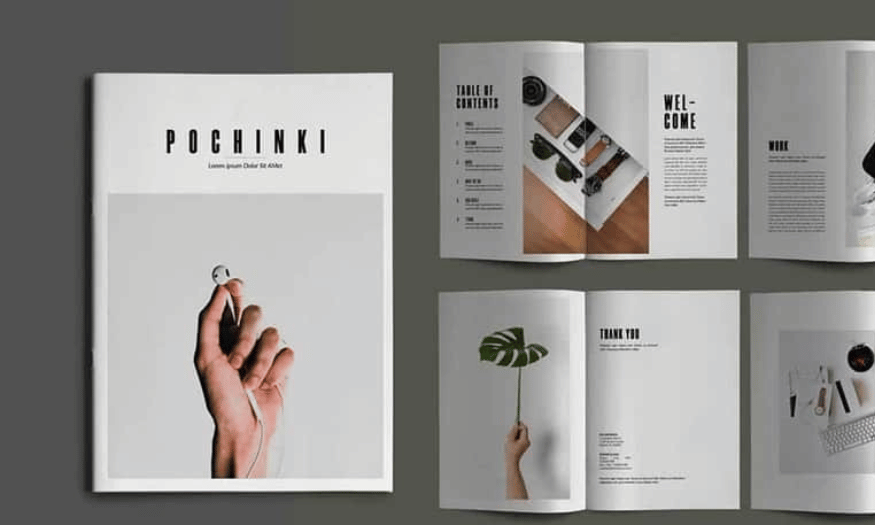
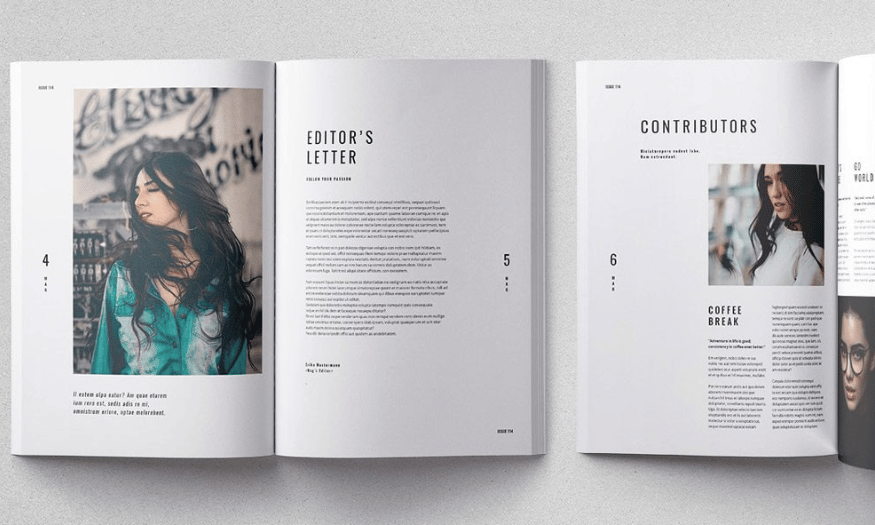
Magazines are one of the most iconic products InDesign can create, and the Retro Magazine template is a prime example. With its classic style, this design uses subtle gradient colors combined with vintage textures, evoking a nostalgic and warm feeling. The layout is cleverly arranged, allowing readers easy access to information while still enjoying the aesthetic appeal.
InDesign goes beyond simply creating print layouts; it also opens up possibilities for digital design. The eMagazine template demonstrates the software's versatility, allowing you to create interactive magazines ready for viewing on computers and mobile devices. This enhances the reader experience while expanding content accessibility.
With InDesign, magazine design is more fun than ever. You can use powerful tools to create impressive pages, from arranging text to inserting images, all easily and efficiently. Beautiful magazine templates not only attract readers but also reinforce your brand.
3.2 Sample flyers or brochures
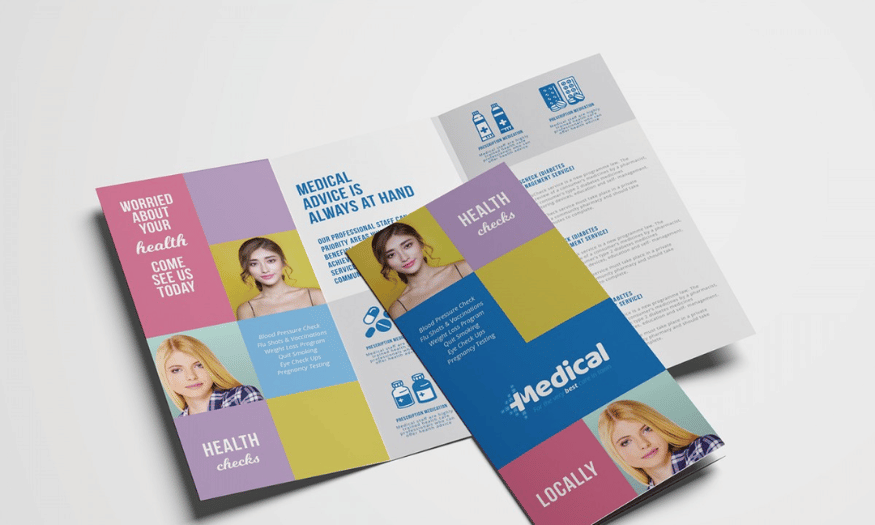
Flyers and brochures are important communication materials for a company, and using InDesign helps you optimize design time. With its user-friendly interface and ready-made templates, InDesign allows you to create impressive products in just a few simple steps. Eye-catching flyers can grab attention at first glance, while brochures deliver detailed information clearly and attractively.
Furthermore, InDesign offers powerful customization capabilities, making it easy to change colors, fonts, and images to match your brand. This not only saves time but also ensures that the final product is a perfect work of art, accurately reflecting the image you want to convey.
With InDesign, creating flyers and brochures is not just a task, but a fun and creative process. You can freely experiment with different ideas and create unique products that contribute to improving your business's communication effectiveness.
3.3 Lookbook Samples
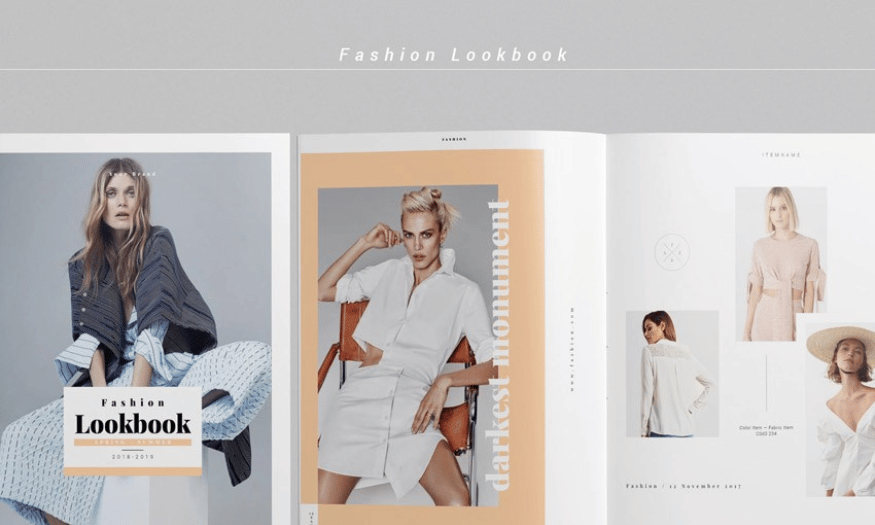
Fashion retailers often use seasonal lookbooks to advertise new products. InDesign helps designers create impressive lookbooks that perfectly highlight new products. With its image and text management capabilities, you can create visually appealing layouts that showcase the style and quality of your products.
A meticulously designed lookbook not only attracts customers but also builds a strong brand. InDesign allows you to easily adjust the layout, from image arrangement to color selection, all aimed at conveying your message most effectively.
Using InDesign to create lookbooks is not just a design task, but also an opportunity to showcase your creativity and personal style. Impressive lookbooks will help you score points with clients and stand out in a competitive market.
3.4 Portfolio Templates
InDesign templates are a simple way to refresh your portfolio. Whether you're a graphic designer, photographer, or web designer, InDesign provides the tools you need to create an impressive portfolio. You can easily customize the layout and style to suit the content you want to convey, highlighting your strengths and achievements.
Using InDesign for your portfolio not only helps you organize your work professionally but also provides a smooth and pleasant viewing experience. The ready-made templates in InDesign save you time while still ensuring that the final product is a true work of art.
Ultimately, a beautiful portfolio is not just a list of your work, but also a way to tell your story and career. With the help of InDesign, you can easily create a unique portfolio that clearly showcases your style and personality, thereby attracting the attention of clients and recruiters.
4. Key features of InDesign
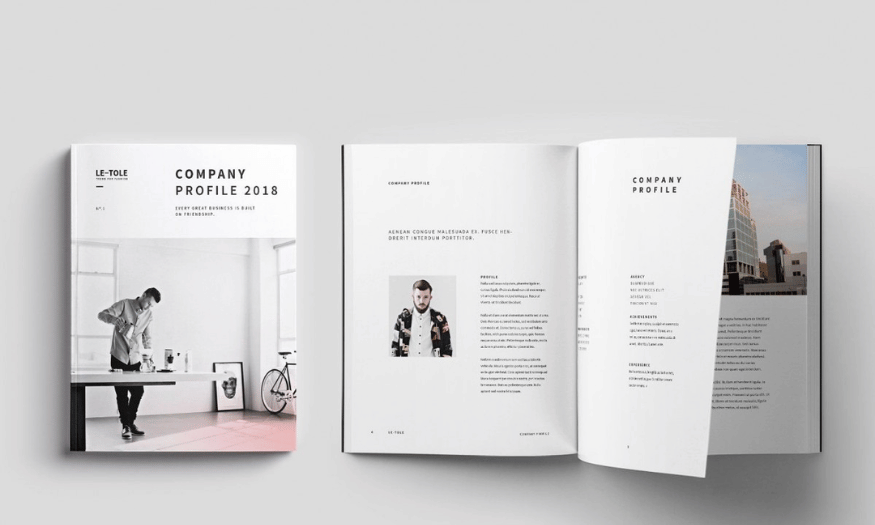
Adobe InDesign is a powerful graphic design software specifically designed for creating print and digital publications. With many outstanding features, InDesign not only saves designers time but also improves product quality. Below are five of InDesign's most notable features that you should know.
4.1 Powerful document management
One of InDesign's most outstanding features is its text management capabilities. The software allows you to easily import, format, and organize text in large documents. You can use paragraph styles and character styles to ensure consistency throughout the document. This is especially useful when working with publications such as books, magazines, or brochures, where text plays a crucial role.
InDesign also supports tools like Find/Change, allowing you to quickly search and replace text. You can apply formatting styles to multiple paragraphs simultaneously, saving time and effort. Additionally, automatic spell checking and grammar checking ensure your documents are always perfect.
In particular, InDesign allows you to create multilingual documents by supporting a wide variety of fonts and formatting. This makes it easy to reach the global market and serve the needs of customers in many different countries.
4.2 Integration with other Adobe applications
InDesign is designed to work seamlessly with other applications in the Adobe software suite, such as Photoshop and Illustrator. This greatly benefits users, as you can easily import images and graphics from these applications into your documents without encountering compatibility issues.
This integration not only saves you time but also improves product quality. You can edit images in Photoshop and automatically update them in InDesign without having to re-export each file. Similarly, vector files from Illustrator can be embedded into InDesign documents without compromising quality.
Working with multiple applications on the same project allows you to take full advantage of each software's features. You can create rich documents with sharp images and sophisticated graphics, all easily managed within InDesign.
4.3 Flexible Layout Features
InDesign stands out for its flexible page layout capabilities, allowing you to easily create complex layouts. You can work with multiple pages in the same project, customizing the size and formatting of each page. This is extremely useful when you need to create documents with a large number of pages, such as books, magazines, or catalogs.
The software also allows you to create master pages, saving time when designing identical pages. You can apply these templates to multiple pages in your document, ensuring consistency and professionalism. This feature not only makes content management easier but also helps create visually appealing and engaging products.
In addition, InDesign supports automatic table of contents and index generation, making it easy to organize and navigate your documents. With these tools, you can create professional publications without the difficulty of organizing information.
4.4 Interactive design for digital publications
InDesign isn't limited to creating print documents; it also offers powerful features for designing digital publications. You can create interactive materials, such as eBooks, e-magazines, and multimedia presentations. This feature expands your creative possibilities and engages readers more effectively.
With InDesign, you can add interactive elements such as buttons, hyperlinks, videos, and audio to your documents. This provides a rich user experience and helps your document stand out from the crowd. You can also export your document as an interactive PDF, allowing readers to interact directly with the content.
Another highlight is its ability to create documents compatible with mobile devices. InDesign allows you to design responsive layouts, which automatically adjust content to the screen size of the device. This is crucial given the increasing number of people using smartphones and tablets to access information.
4.5 Professional Color and Image Management
Finally, InDesign provides professional color and image management tools, helping you create impressive and high-quality products. The software supports industry-standard color management, ensuring that colors displayed on screen and printed are consistent. This is crucial for designers, as accurate color determines the quality of the final product.
In addition, InDesign allows you to easily import and manage images. You can embed or link image files from Photoshop or Illustrator without compromising quality. Automatic image alignment and resizing features make it easy to create visually appealing and professional layouts.
Additionally, InDesign supports the ability to insert vector and bitmap files, giving you flexibility in using different image types. With basic image editing tools, you can make minor changes without having to open another application, saving time and increasing work efficiency.
5. Where should I upgrade InDesign?
If you're looking for a place to upgrade your Adobe InDesign, Sadesign is the perfect choice. Sadesign offers genuine InDesign product packages at affordable prices, helping you save money while still owning high-quality software. With a 12-month upgrade package, you'll receive all the powerful features of InDesign, optimizing your design workflow.
SaDesign not only provides software but also commits to dedicated installation support and guidance for users. Their team is always ready to assist you throughout the usage process, ensuring you can make the most of InDesign's features. Furthermore, with a lifetime warranty and 100% money-back guarantee, you can have complete peace of mind when choosing SaDesign's services.
In addition, SaDesign regularly updates news and knowledge related to the software, helping you stay up-to-date with the latest design trends. Come to SaDesign to experience the most professional and high-quality InDesign upgrade service!
6. Conclusion
InDesign is not just a design tool, but also a creative platform for those passionate about art and media. Mastering InDesign's features and techniques will help you improve the quality of your design work. With the information and guidance in this article, we hope you will feel more confident when embarking on your design projects. Explore and create endlessly with InDesign!





















VIP Products








Best Selling Products
Upgrade genuine Capture One account
120 USD
Adobe Photoshop Copyright - Full App
120 USD
Plugin Retouch4me
69 USD
Windows 10 & 11 Pro Key
36 USD
Upgrade Duolingo Super
29 USD
Genuine Cheap Canva Pro
39 USD
Capcut Pro 1 Year
39 USD
Copyright Adobe Lightroom Account
59 USD
Upgrade Genuine Office 365
49 USD
Adobe Premiere Pro Account
99 USD
Freepik Premium Account
59 USD
Autodesk All App Account Copyright
120 USD
MidJourney Account
29 USD
Genuine Adobe Illustrator account
99 USD
ChatGPT Plus Account (GPT-4)
16 USD