Best Selling Products

Genuine Adobe Illustrator account
99 USD

Autodesk All App Account Copyright
120 USD

Upgrade Duolingo Super
29 USD

Upgrade Genuine Office 365
49 USD

MidJourney Account
29 USD

Copyright Adobe Lightroom Account
59 USD

Plugin Retouch4me
69 USD

Adobe Premiere Pro Account
99 USD

Freepik Premium Account
59 USD

Upgrade genuine Capture One account
120 USD

Capcut Pro 1 Year
39 USD

ChatGPT Plus Account (GPT-4)
16 USD

Genuine Cheap Canva Pro
39 USD

Windows 10 & 11 Pro Key
36 USD

Adobe Photoshop Copyright - Full App
120 USD
Top 10 AI Slide Creation Tools in 2025
Nội dung
- 2. Gamma - An AI Slide Creation Tool with a Modern Storytelling Approach
- 3. SlidesAI - A Smart Slide Assistant within Google Workspace
- 4. Beautiful.ai - An Elegant Slide Solution for Design Lovers
- 5. Tome AI – Smart and Engaging Storytelling Presentations
- 6. Visme – Comprehensive AI Slide and Infographic Design
- 7. Presentations.ai – Ultra-Fast Slide Creation for Busy Professionals
- 8. Plus AI – Smart Slide Creation in Google Slides
- 9. Pitch – Collaborative Slide Creation for Teams
- 10. Designs.ai – AI-Powered Slides and Brand Building
- 11. Important Notes When Creating Slides with AI
- 12. Conclusion
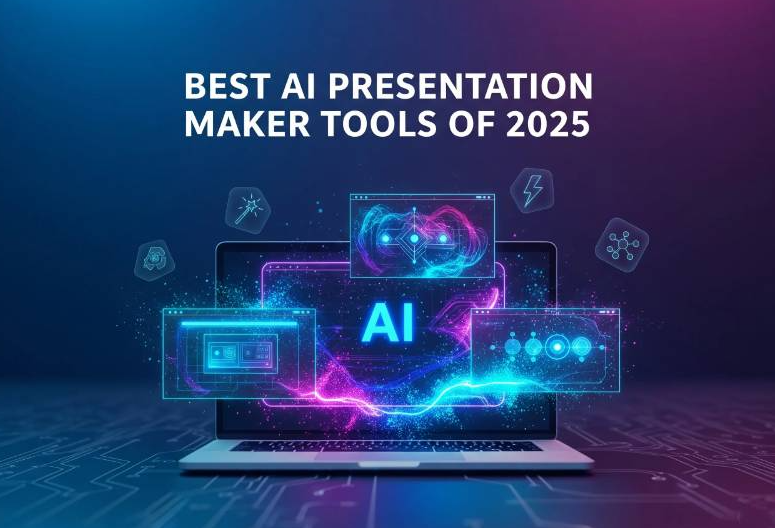
In the era of rapidly advancing artificial intelligence, creating presentation slides has become simpler and more creative than ever before. AI-powered design tools not only help save time but also deliver professional, dynamic presentations with a strong personal touch. This article introduces the Top 10 AI slide creation tools of 2025, highly rated by experts and users for their features, interfaces, and content automation capabilities. Let's explore them with Appvip to find the platform that best suits your project.
1. Canva - The Most Flexible and User-Friendly AI Slide Platform in 2025
Canva is considered an indispensable creative assistant for millions of users worldwide, from students and educators to designers and small businesses. Its strength lies in an intuitive interface and a vast resource library containing millions of templates, images, and icons. Every element is organized logically, allowing users to quickly create products with a strong personal identity.
In recent years, Canva has made remarkable progress in presentation design. The introduction of Magic Design and Magic Presentation has taken slide creation to a new level. With just a few lines of description, Canva's AI automatically analyzes the content, selects color palettes, arranges layouts, inserts images, and formats text in the most harmonious and professional way.
Simply enter a short description of your topic, and Canva's AI will immediately transform the idea into a polished presentation. Within minutes, you can have an impressive, professional slideshow without any complex design skills.
Key strengths of Canva
- Easy to use and suitable for all audiences with a drag-and-drop interface.
- Thousands of templates categorized by education, marketing, startups, fashion, healthcare, technology, and more.
- Highly customizable fonts, colors, icons, and animations.
- Convenient export options for PowerPoint, PDF, or online sharing.
- Real-time collaboration for teams and remote work.
- Ideal for students, teachers, office workers, and content creators.
.jpg)
2. Gamma - An AI Slide Creation Tool with a Modern Storytelling Approach
Gamma offers a completely different approach to presenting content. Instead of traditional slides, it creates seamless presentations that feel more like interactive websites. AI automatically summarizes content, generates titles, suggests layouts, images, and charts, helping users turn ideas into finished presentations in just minutes.
Key strengths of Gamma
- Website-like presentation format with flexible scrolling.
- AI-driven content structuring and design suggestions.
- Supports videos, interactive buttons, animations, and embedded content.
- Easy online sharing via links or standalone web pages.
- Perfect for marketers, startup founders, trainers, and media professionals.
3. SlidesAI - A Smart Slide Assistant within Google Workspace
For users who frequently work in Google Slides, SlidesAI is an extremely useful extension. Simply paste text, summaries, or bullet points, and the AI will automatically divide the content, arrange the layout, and suggest a visual presentation style.
Key strengths of SlidesAI
- Seamless integration with Google Slides.
- Strong support for Vietnamese and other languages.
- Multiple presentation themes from minimalist to professional.
- Significantly speeds up slide creation.
- Ideal for students, teachers, and office workers.
.jpg)
4. Beautiful.ai - An Elegant Slide Solution for Design Lovers
Beautiful.ai focuses on perfection in every design detail. The AI automatically adjusts spacing, font sizes, image positions, and proportions according to professional design principles.
Key strengths of Beautiful.ai
- Hundreds of high-quality templates.
- Automatic smart alignment and layout balancing.
- Real-time collaboration and commenting.
- Easy sharing and presentation options.
- Excellent for businesses, sales teams, and marketers.
5. Tome AI – Smart and Engaging Storytelling Presentations
Tome AI transforms a short idea into a complete, emotionally engaging presentation. It supports videos, animated charts, and interactive visuals while automatically building a presentation narrative.
Best for: Speakers, educators, and creative professionals.
.jpg)
6. Visme – Comprehensive AI Slide and Infographic Design
Visme combines presentation design with infographic creation. AI suggests layouts, color schemes, and styles that match your industry.
Key strengths of Visme
- Extensive library of images, icons, and fonts.
- Animations and interactive effects.
- Export to PDF, PowerPoint, or online presentations.
- Ideal for marketers, data analysts, and product teams.
7. Presentations.ai – Ultra-Fast Slide Creation for Busy Professionals
With just a few topic suggestions, Presentations.ai automatically generates a complete presentation with organized sections and suitable design templates.
Best for: Startup founders, speakers, sales professionals, and anyone needing quick presentations.
(2).jpg)
8. Plus AI – Smart Slide Creation in Google Slides
Plus AI works directly inside Google Slides. Enter text, tables, or reports, and the AI converts them into clean, balanced, and visually appealing slides.
Best for: Teachers, office workers, students, and anyone preparing reports quickly.
9. Pitch – Collaborative Slide Creation for Teams
Pitch is designed for modern teamwork. It offers industry-specific templates and allows multiple team members to edit, comment, and update slides in real time.
Best for: Project teams, agencies, startups, and creative companies.
(1).jpg)
10. Designs.ai – AI-Powered Slides and Brand Building
Designs.ai helps synchronize presentations with your brand identity. The AI automatically applies logos, brand colors, and slogans across slides and other marketing materials.
Best for: Small and medium businesses, marketers, branding specialists, and content creators.
11. Important Notes When Creating Slides with AI
Review the content carefully
AI can complete slides in minutes, but you should still verify accuracy, grammar, and clarity before presenting.
Personalize the design
Adjust colors, fonts, logos, and images to reflect your personal style or brand identity.
Treat AI as a creative partner
AI is a powerful assistant, but human creativity, emotion, and storytelling remain essential.
12. Conclusion
AI slide creation has become an inevitable trend in the digital era, where speed and creativity are top priorities. With modern platforms such as Canva, Gamma, SlidesAI, and Tome AI, designing professional presentations has never been easier. You can turn ideas into impressive slides in just minutes, saving time while maintaining strong visual appeal and communication effectiveness.
If you want presentations, marketing materials, or brand designs with a distinctive identity, Appvip is a reliable choice. With a creative design team that understands trends and technology, Appvip is committed to delivering professional, modern, and cost-effective design solutions.





















VIP Products








Best Selling Products
Genuine Adobe Illustrator account
99 USD
Autodesk All App Account Copyright
120 USD
Upgrade Duolingo Super
29 USD
Upgrade Genuine Office 365
49 USD
MidJourney Account
29 USD
Copyright Adobe Lightroom Account
59 USD
Plugin Retouch4me
69 USD
Adobe Premiere Pro Account
99 USD
Freepik Premium Account
59 USD
Upgrade genuine Capture One account
120 USD
Capcut Pro 1 Year
39 USD
ChatGPT Plus Account (GPT-4)
16 USD
Genuine Cheap Canva Pro
39 USD
Windows 10 & 11 Pro Key
36 USD
Adobe Photoshop Copyright - Full App
120 USD