Best Selling Products

Upgrade genuine Capture One account
120 USD

ChatGPT Plus Account (GPT-4)
16 USD

Windows 10 & 11 Pro Key
36 USD

Genuine Adobe Illustrator account
99 USD

Autodesk All App Account Copyright
120 USD

Plugin Retouch4me
69 USD

Freepik Premium Account
59 USD

Adobe Photoshop Copyright - Full App
120 USD

Copyright Adobe Lightroom Account
59 USD

Upgrade Genuine Office 365
49 USD

Genuine Cheap Canva Pro
39 USD

Adobe Premiere Pro Account
99 USD

MidJourney Account
29 USD

Capcut Pro 1 Year
39 USD

Upgrade Duolingo Super
29 USD
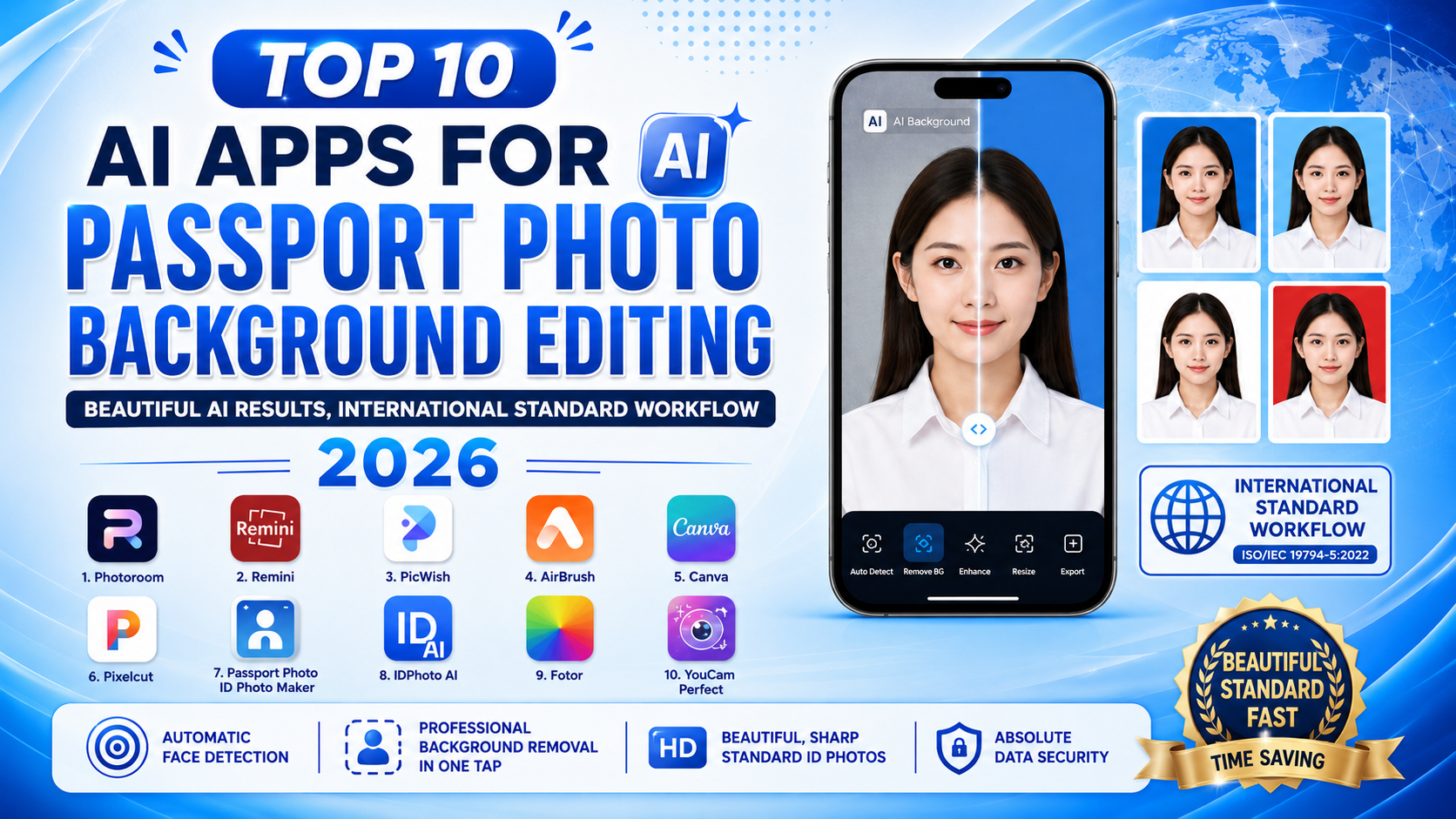
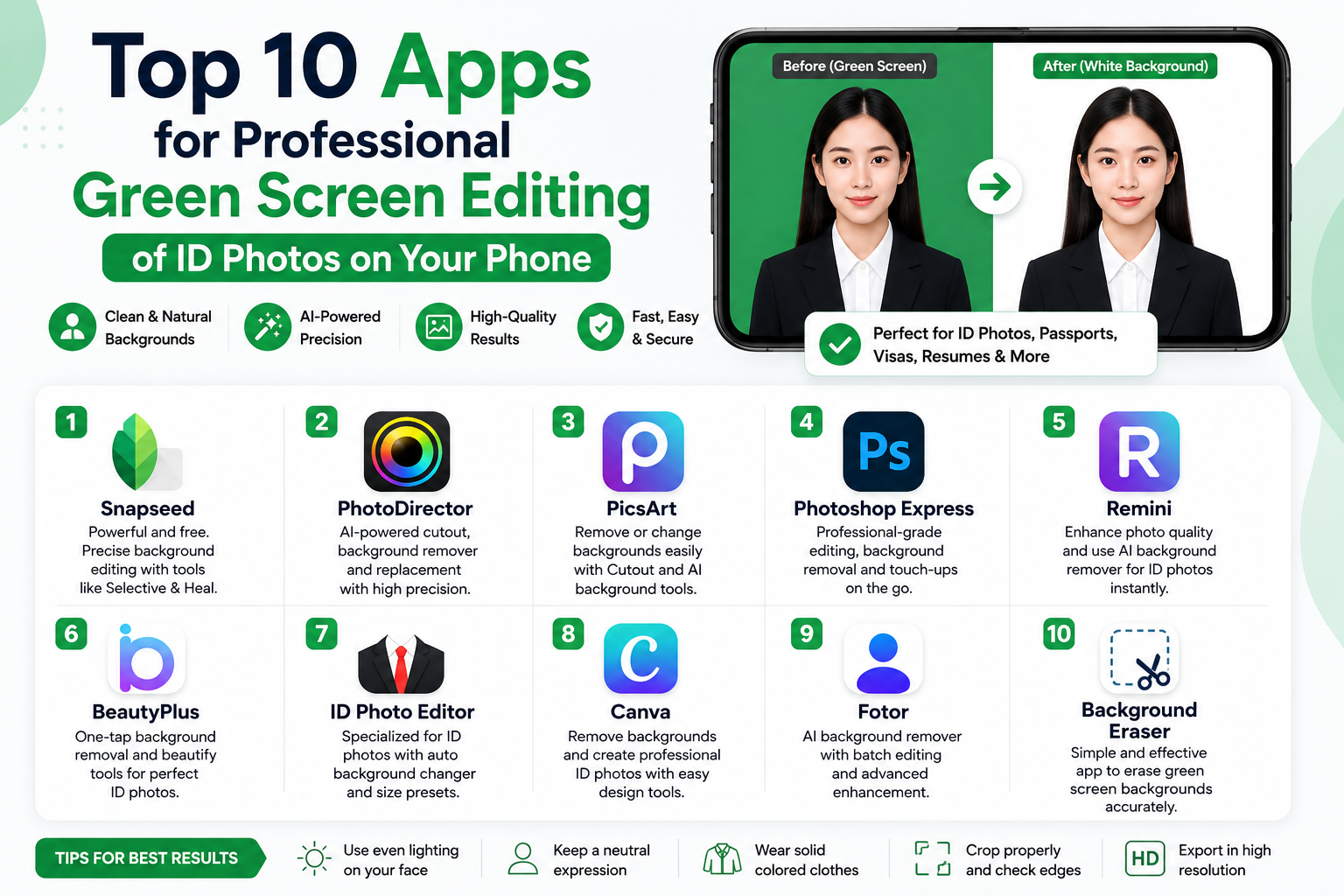
Top 10 apps for professional green screen editing of ID photos on your phone.
Nội dung
- 1. PhotoRoom - The ultimate AI-powered app for removing backgrounds from ID photos.
- 2. ID Photo Creator - Software for creating ID photos in international standard sizes.
- 3. Passport Size Photo Maker - A versatile passport photo editor.
- 4. ID Photo - Passport Photo Maker - A convenient app for creating ID photos.
- 5. IDPhoto Application - A solution for creating ID photos quickly.
- 6. US Passport Photo Booth AiD - Smart ID Photo Verification Technology
- 7. Picsart AI Photo Editor - Transform ID photos creatively and professionally.
- 8. Canva - Easily design ID photos with a green screen background.
- 9. BeautyPlus - Photo editing app for ID photos with natural beauty enhancement.
- 10. Xingtu - The ultimate ID photo editing tool for young people.
- 11. Conclusion
In the digital age, owning a perfect ID photo is no longer complicated thanks to the support of smart tools.
1. PhotoRoom - The ultimate AI-powered app for removing backgrounds from ID photos.
If you're looking for a tool capable of super clean and smooth background removal, PhotoRoom is definitely a top choice. This app is renowned for its professional AI scanner, which automatically removes complex backgrounds and allows users to replace green screen backgrounds with just one tap.
-
Precise background separation : Excellent recognition of hair and clothing edges, without jagged edges or unevenness.
-
Diverse color palette : We offer a wide range of blue shades, from dark to light, to suit any document requirement.
-
Lighting adjustment : Automatically adjusts the brightness on the face after changing the background to make the photo look as natural as possible.
-
Intuitive interface : The steps are simplified, making it suitable even for those who are not tech-savvy.
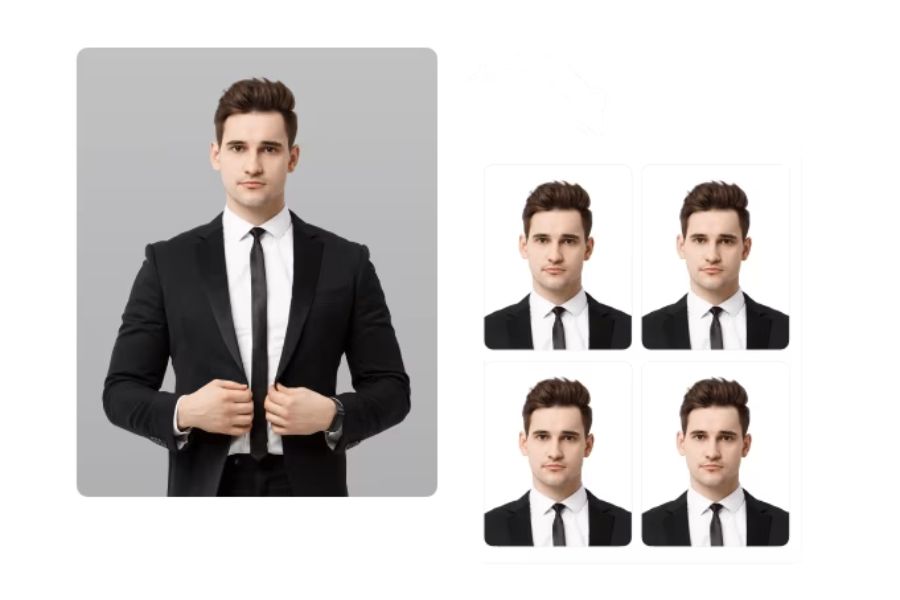
2. ID Photo Creator - Software for creating ID photos in international standard sizes.
ID Photo Creator is specifically designed for creating passport, visa, and other types of identity card photos with high accuracy. This application not only supports green screen correction for ID photos but also integrates accurate aspect ratios according to the regulations of each country.
-
Standard format : Offers common photo sizes such as 2x3, 3x4, 4x6, or international passport standard.
-
Face alignment : Displays grid lines to guide the user in positioning their eyes, nose, and mouth correctly.
-
One-touch background change : Quickly and evenly switch the original background to a plain green background.
-
High-quality output : Preserves camera resolution, ensuring images are not blurry when printed.
3. Passport Size Photo Maker - A versatile passport photo editor.
Passport Size Photo Maker is a comprehensive solution for those who need to quickly create passport photos for work, study, or travel abroad. The application boasts a powerful set of tools that transform a casual photo into a professional, standard passport photo.
-
Smart image cropping : Supports tools for cropping images precisely by millimeter or pixel ratio.
-
Smart background removal : An algorithm automatically and smoothly separates hair and shoulder seams from the original background.
-
Standard color palette : Includes built-in cyan and cobalt blue background colors specifically for official ID photos.
-
Integrated printing : Allows multiple photos to be arranged on a single A4 sheet of paper, making it easy for users to print.
4. ID Photo - Passport Photo Maker - A convenient app for creating ID photos.
The ID Photo - Passport Photo Maker app wins over users with its convenience, fast processing speed, and small installation size. This is a powerful application that helps you quickly transform well-lit selfies into high-quality green screen passport photos.
-
Minimalist interface : Unnecessary features are removed, focusing entirely on cropping images and changing backgrounds.
-
High-speed processing : Portrait recognition and green screen overlay occur almost instantaneously.
-
High compatibility : Works smoothly even on low-spec or older phone models.
-
Flexible file saving : Supports exporting images in JPEG or PNG format depending on your online application needs.
5. IDPhoto Application - A solution for creating ID photos quickly.
As its name suggests, the IDPhoto application focuses on providing a quick and easy profile picture creation experience for busy users. Simply choose an existing photo from your library, and the application will handle everything else, from changing the background color to adjusting the angle of your face.
-
Even coverage : The blue color is evenly distributed, without any streaks or color variations between areas.
-
Visual guide : Features a head and shoulder positioning frame so you never have to worry about cropping your photos off-center.
-
Saves storage space : The application's memory is extremely light, preventing overheating or lag during editing.
-
Quick sharing : Supports sending photos directly via Email, Zalo, or saving them to Google Drive for online application submission.
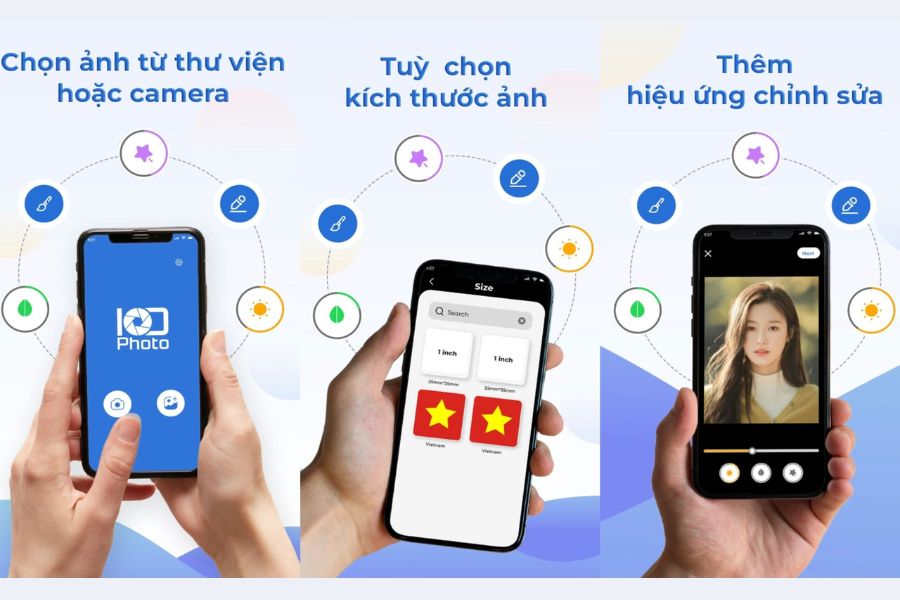
6. US Passport Photo Booth AiD - Smart ID Photo Verification Technology
Developed based on the rigorous standards of international passport photos, US Passport Photo Booth AiD offers complete peace of mind. A special feature of this green screen photo editing app is its ability to scan and score your photo to determine if it meets the eligibility requirements for application.
-
AI Standard Check : Automatically assesses facial brightness, expression, and angle according to international standards.
-
Advanced background removal : Precisely locates and separates complex background areas behind the subject with exceptional precision.
-
Standard green background : Ensures the green color scheme is applied correctly according to regulations, eliminating concerns about rejection by authorities.
-
Live shooting support : Integrated camera directly into the app with real-time adjustment guidance.
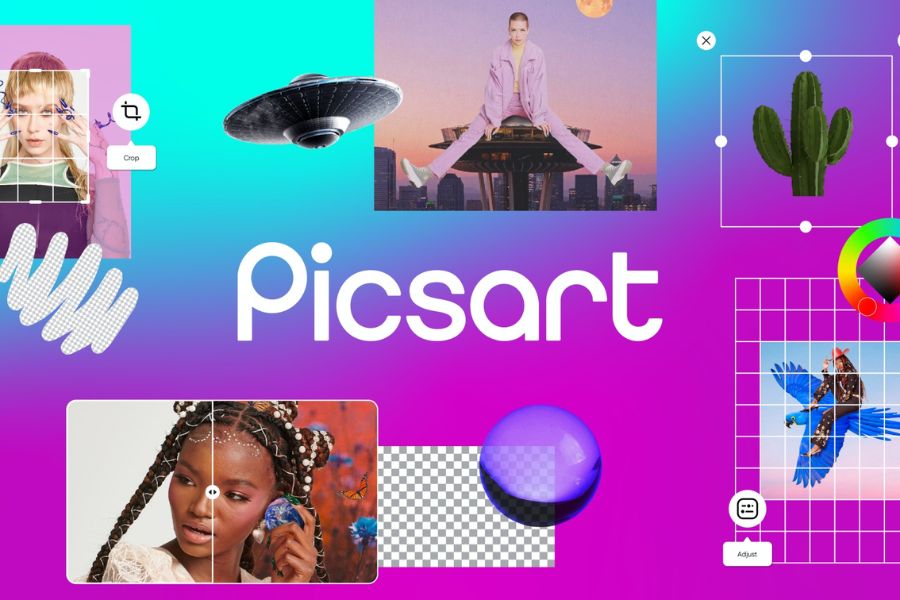
7. Picsart AI Photo Editor - Transform ID photos creatively and professionally.
Picsart is no longer an unfamiliar name in the photo editing world, and it's also an extremely powerful app for green screen editing in ID photos . Despite being a versatile photo editing app, Picsart's AI-powered "Background Removal" feature works just as well as any dedicated software.
-
AI Background Removal Tool : Separate people from the background with just one button press, down to the hair's thickness.
-
Color customization : Users can enter the exact blue color code they want using the color toolbar.
-
Beauty enhancement features : Integrates features to smooth skin, remove blemishes, and adjust eyes to make ID photos look fresher.
-
Light filter : Easily adjust contrast to make your ID photos sharp and have depth, just like they were taken in a professional studio.
8. Canva - Easily design ID photos with a green screen background.
Canva is a popular design tool and can absolutely help you create professional green screen ID photos. By combining the background removal feature of a Canva Pro account or using pre-printed images with the background removed, you can easily master your ID photo.
-
Canva Pro's standard background removal : With just one click, the old background will completely disappear, leaving behind a sharp portrait.
-
Customize the size : Create a design frame in standard centimeters to insert images into.
-
Fill the background with an infinite color : Choose any shade of blue from the system color palette or enter a standard HEX color code.
-
Design management : Images are stored in the cloud, making it easy to download them again from your computer or other device anytime.
9. BeautyPlus - Photo editing app for ID photos with natural beauty enhancement.
If you're worried your selfies will look rough and reveal flaws, BeautyPlus is the perfect savior. This app is a great combination of a green screen background changer for ID photos and gentle, natural-looking beauty filters.
-
Smart background change : The online background changing feature works smoothly and quickly.
-
Natural makeup : This involves adding a touch of lipstick, smoothing the hair, or subtly brightening the skin tone.
-
Preserving authenticity : Enhancing beauty without altering the core identifying features of your face.
-
User-friendly interface : The sliders allow you to easily adjust the level of realism in your photos.

10. Xingtu - The ultimate ID photo editing tool for young people.
Xingtu is a name that has taken the Chinese domestic market by storm thanks to its amazing portrait editing capabilities. When using Xingtu as an app to add a green screen to ID photos , you will get a photo that meets all the standards and scores a perfect 10 in terms of aesthetics.
-
Advanced background separation : The AI algorithm intelligently separates image layers, handling even frizzy hair well.
-
Professional background cropping : Replaces the green screen with a smooth, natural-looking cropped background, eliminating the artificial, composite-like feel of the image.
-
Facial feature reshaping : Helps to fine-tune facial proportions for a harmonious and natural look.
-
Fine-tuning : Easily remove blemishes, pimples, or slim down the neck area for an elegant ID photo.
11. Conclusion
Preparing your own passport photo is now simpler and more affordable than ever thanks to green screen photo editing apps . With just a smartphone and a few simple steps on apps like PhotoRoom, Picsart, or ID Photo, you can instantly have a standard, sharp, and satisfactory passport photo. Choose the app that best suits you from the list above and try it out today.





















VIP Products








Best Selling Products
Upgrade genuine Capture One account
120 USD
ChatGPT Plus Account (GPT-4)
16 USD
Windows 10 & 11 Pro Key
36 USD
Genuine Adobe Illustrator account
99 USD
Autodesk All App Account Copyright
120 USD
Plugin Retouch4me
69 USD
Freepik Premium Account
59 USD
Adobe Photoshop Copyright - Full App
120 USD
Copyright Adobe Lightroom Account
59 USD
Upgrade Genuine Office 365
49 USD
Genuine Cheap Canva Pro
39 USD
Adobe Premiere Pro Account
99 USD
MidJourney Account
29 USD
Capcut Pro 1 Year
39 USD
Upgrade Duolingo Super
29 USD