Best Selling Products

Capcut Pro 1 Year
39 USD

Upgrade Duolingo Super
29 USD

ChatGPT Plus Account (GPT-4)
16 USD

Plugin Retouch4me
69 USD

Autodesk All App Account Copyright
120 USD

Adobe Photoshop Copyright - Full App
120 USD

Freepik Premium Account
59 USD

Genuine Cheap Canva Pro
39 USD

Copyright Adobe Lightroom Account
59 USD

Upgrade Genuine Office 365
49 USD

MidJourney Account
29 USD

Upgrade genuine Capture One account
120 USD

Genuine Adobe Illustrator account
99 USD

Windows 10 & 11 Pro Key
36 USD

Adobe Premiere Pro Account
99 USD
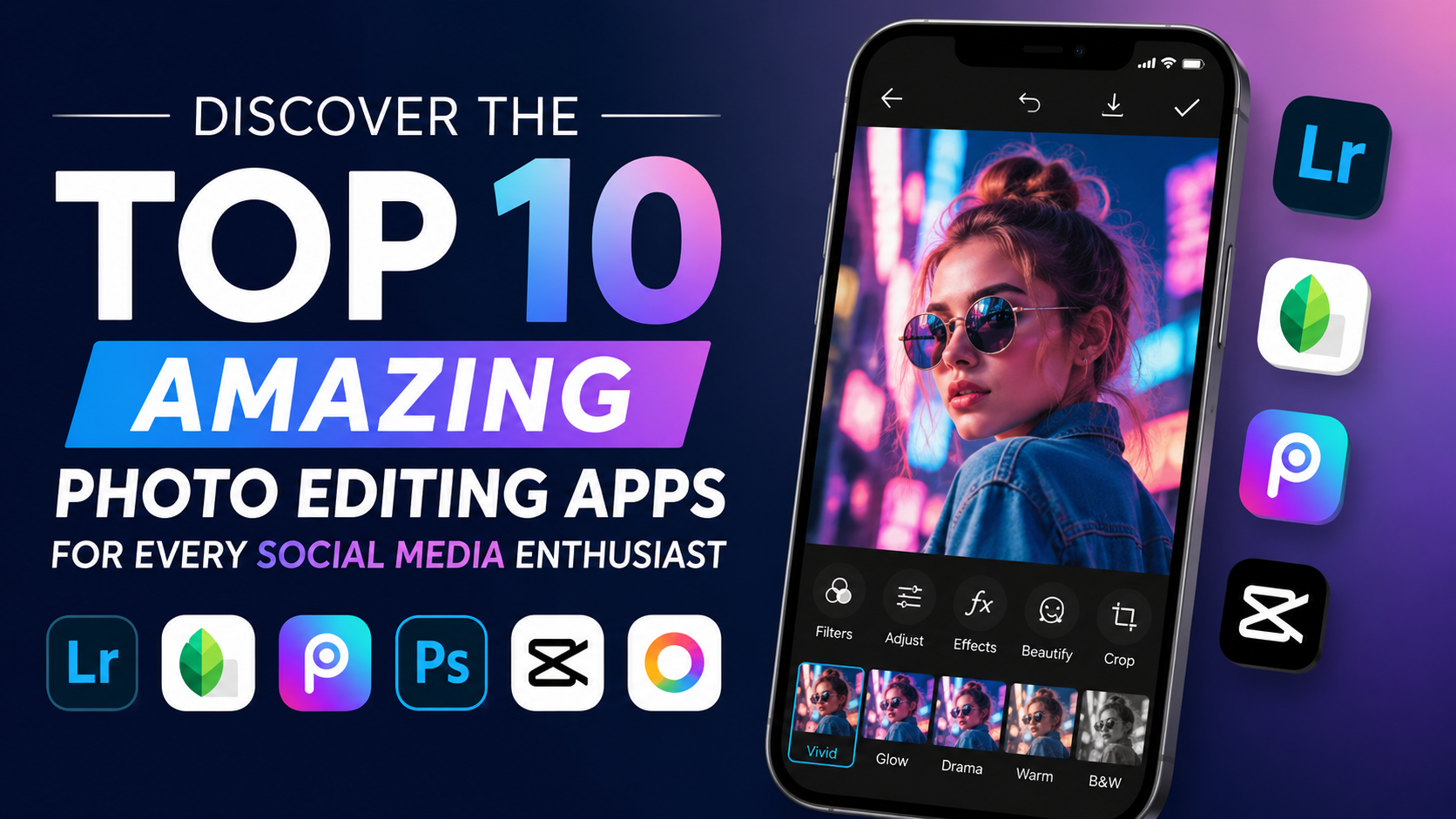
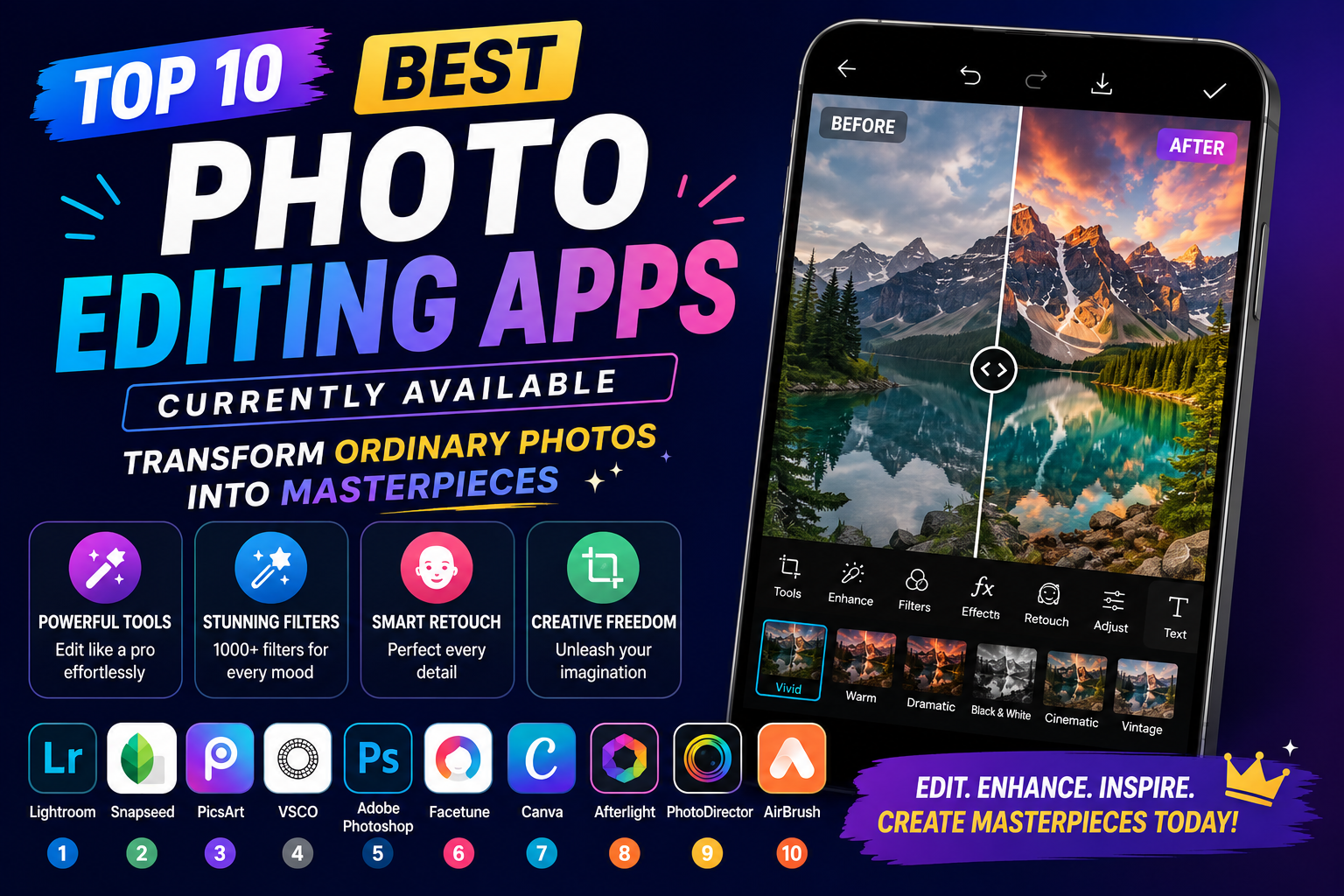
Top 10 Best Photo Editing Apps Currently Available: Transform Ordinary Photos into Masterpieces
Nội dung
- 1. What's New in Current Photo Editing Trends?
- 2. Detailed Review of the Top 10 Best Photo Editing Apps Currently Available
- 2.1 Professional & Artistic Color Correction Team
- 2.2 Multi-functional Photo Editing, Cropping & Object Removal Group
- 2.3 Selfie Photography & Natural Face Retouching Group
- 2.4 Chinese Style Group & Camera Simulator
- 2.5 AI Food & Image Restoration Group
- 3. Secrets to Editing Photos to Look Like a Professional Photographer
- 4. Conclusion
If you''re looking for solutions to enhance your photos, here''s a detailed review of the top 10 best photo editing apps currently available, categorized by specific needs from professional color correction and portrait beautification to AI photo restoration.
1. What's New in Current Photo Editing Trends?
Before diving into the details, let's briefly review the photo editing trends that are currently dominating the creative landscape:
-
The rise of Artificial Intelligence (AI): Instead of manually dragging each toolbar, current AI features automatically recognize objects, blur backgrounds, widen the field of view, and sharpen details with just a tap.
-
Vintage/Retro Tones: Classic film camera color filters from the 80s and 90s retain their appeal, offering a warm and artistic feel.
-
Natural beauty, "no-touch editing": The trend of excessive face reshaping or skin smoothing is outdated. Current users prefer apps that preserve the natural skin texture while cleverly concealing imperfections.
2. Detailed Review of the Top 10 Best Photo Editing Apps Currently Available
2.1 Professional & Artistic Color Correction Team
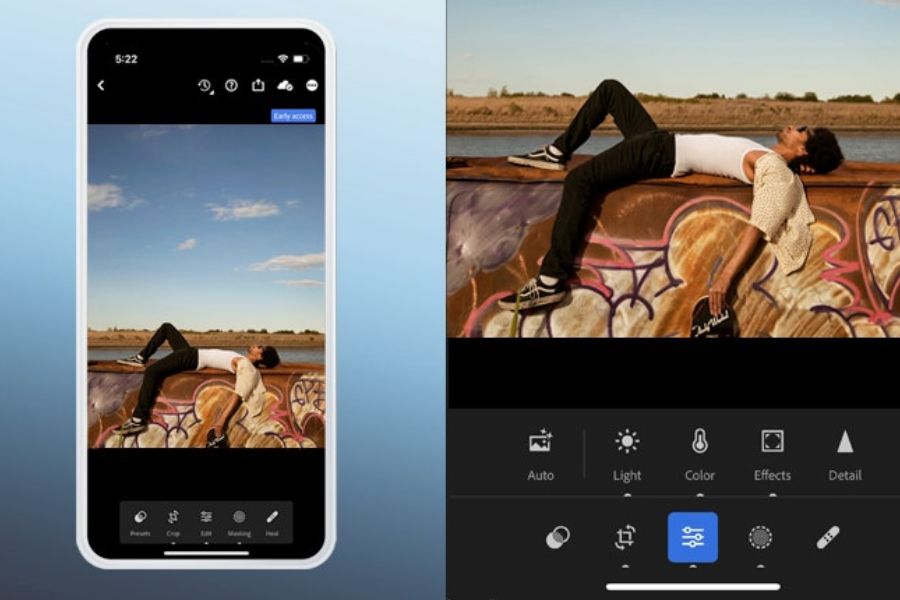
2.1.1. Adobe Lightroom Mobile – The Pinnacle of Professional Color Correction
If you had to choose one app that every photographer, from amateur to professional, has on their phone, it would definitely be Adobe Lightroom . Inheriting the power of its desktop version, Lightroom Mobile offers the ability to deeply manipulate image data.
-
Key features:
-
Color Mix: Allows you to change the hue, saturation, and luminance of each individual color in the image.
-
Curves: The ultimate tool for controlling highlights, midtones, and shadows.
-
RAW image support: Edit original photos from professional cameras or high-end smartphones without compromising quality.
-
Extensive Preset System: You can easily copy other people's color formulas or save your own.
-
-
Strengths: Extremely high accuracy, no loss of image quality after export.
-
Weaknesses: The interface is relatively complex for beginners. Many advanced features (such as AI-powered automatic region selection) require a paid Premium license.
-
Suitable for: Landscape photography, travel photography, architectural photography, and anyone who wants to create their own unique color tones.
2.1.2. VSCO – A Love Song of Classic Films
VSCO (Visual Supply Company) is a legendary name. It's not just a photo editing app, but also a community for those who love minimalist visual art.
-
Key features:
-
Extensive filter (preset) library: Perfectly reproduces the colors of legendary film cameras such as Kodak, Fujifilm, and Ilford.
-
Intuitive editing tools: The sliders for adjusting contrast, exposure, sharpness, and grain effects are very easy to manipulate.
-
Video editing feature: Directly apply color filters from photos to videos in a synchronized manner.
-
-
Strengths: High artistic depth of color filters, minimalist and modern interface, and no ads.
-
Weaknesses: The free version has very limited beautiful filters. The annual VSCO Membership subscription fee is quite high.
-
Suitable for: Street art photography, OOTD (Outfit of the Day) photos, vintage-style portraits.
2.2 Multi-functional Photo Editing, Cropping & Object Removal Group
2.2.1. Snapseed – Google's Free All-in-One Assistant
If you're looking for a powerful, feature-rich app that's completely free and ad-free, Snapseed is the only answer.
-
Key features:
-
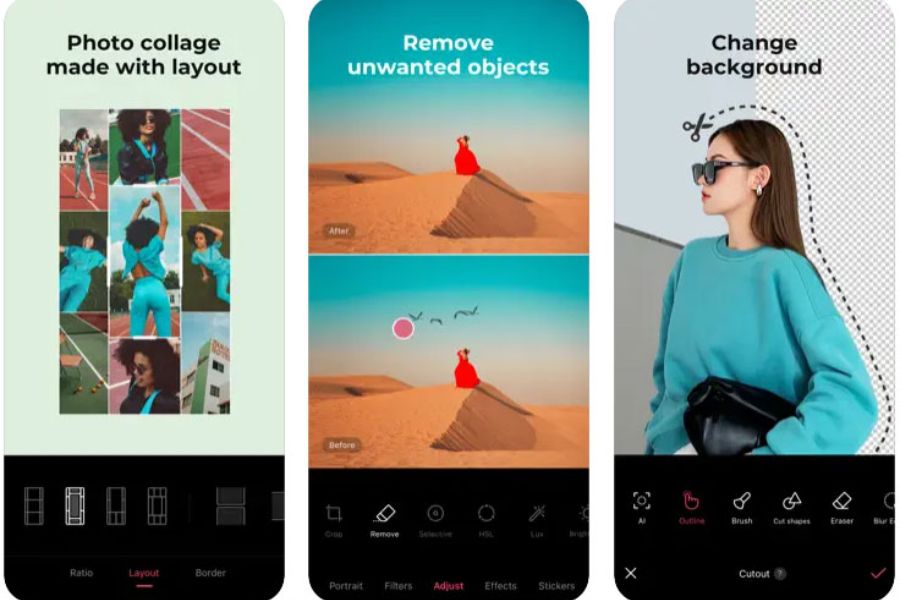
Selective editing: Mark a specific point on the image to increase brightness or change the color of only that area (for example, brightening the face without overexposing the sky).
-
Object Healing: Quickly remove trash, passersby, or imperfections from your photos.
-
Expand image: Uses intelligent algorithms to automatically "compensate" for the space surrounding the image.
-
Perspective: Corrects distortion caused by the phone camera lens when photographing houses and architectural structures.
-
-
Strengths: 100% free, no watermarks, saves high-quality images.
-
Weaknesses: Lacks trendy, ready-to-use color filters; requires users to have some basic image processing skills.
-
Suitable for: Rough image processing, removing unwanted details, and adjusting misaligned image composition.

2.2.2. PicsArt – An "All-in-One" Creative Studio
PicsArt is like a miniature version of Photoshop on mobile phones, but optimized for quick entertainment and creative posts on social media.
-
Key features:
-
Cropping & Layering: Allows you to layer multiple photos on top of each other and change the blending mode, just like professional software.
-
Huge Sticker and Font Library: Perfect for creating memes, designing cover photos, or adding artistic typography.
-
Magic Effects: Transform your photos into paintings, watercolors, or dispersal effects.
-
-
Strengths: Unlimited creativity, integration of many basic graphic design tools.
-
Weaknesses: The app is large, and the free version has many ads that interrupt the user experience.
-
Suitable for: Students, content creators, and anyone who enjoys creating artistic photo collages or adding fun effects.
2.3 Selfie Photography & Natural Face Retouching Group
2.3.1. EPIK – The Era of AI-Powered Portrait Photo Editing
Developed by SNOW Corporation, EPIK has quickly risen to become one of the most sought-after portrait photo editing apps thanks to its incredibly intelligent AI technology.
-
Key features:
-
AI Makeup & Restructuring: Automatically recognizes facial features to apply foundation, eyeliner, lipstick, slim the chin, and lift the nose naturally, without distorting the makeup.
-
Intelligent background blur: Accurately identifies the main subject (person) to blur the background, creating an effect similar to shooting with a large aperture lens on a DSLR camera.
-
Template Creation: Provides thousands of pre-designed templates shared by the community; you simply apply them to your photos.
-
-
Strengths: The AI technology processes skin very smoothly while preserving pore texture, avoiding the "waxy face" effect.
-
Weakness: Some advanced AI features (such as AI studio portrait creation) require per-use fees or account upgrades.
-
Suitable for: Portrait photos, selfies, professional ID photos.
2.3.2. SODA – Virtual Camera That Keeps Your Look Perfect
If you're too lazy to take photos and then edit them, SODA is the "instant" solution that helps you look stunning the moment you press the shutter button.
-
Key features:
-
Optimal filters for skin: SODA's color filters typically have a clear, bright, Korean-style look, making the skin appear rosy and radiant.
-
Portrait Mode: Creates a deep background blur effect while shooting live.
-
Trending Makeup Filters: Constantly updated with the hottest makeup trends from K-pop idols or Douyin.
-
-
Strengths: Fast processing speed, simple operation, photos can be posted immediately to Instagram or Facebook.
-
Weakness: The level of detail in photos taken through the app is sometimes not as good as with the phone's native camera.
-
Suitable for: Young people who love a sweet, innocent style and want to take everyday photos.
2.4 Chinese Style Group & Camera Simulator
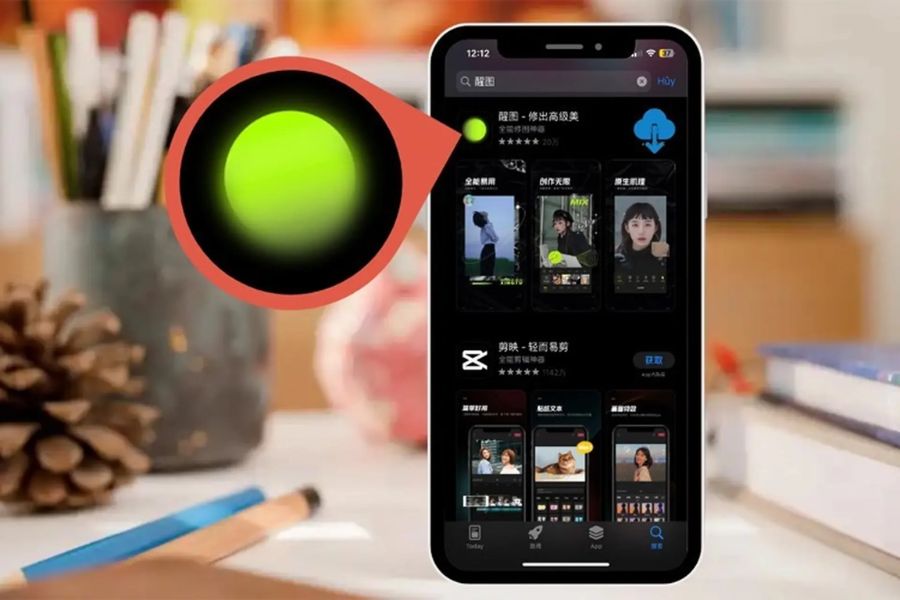
2.4.1. Xingtu (醒图) – "The Miraculous" from China
Despite being a Chinese domestic app and not officially available on international app stores (users have to change their App Store region or download the APK file), Xingtu has created a huge sensation in Vietnam.
-
Key features:
-
Advanced body shaping: Automatically detects body proportions to lengthen legs, slim the waist, lift hips, and reduce arm size in an extremely natural way without distorting the surrounding environment.
-
Facial detail adjustments: Deep intervention into individual hair follicles, lip thickness, eye spacing, or creating sharp contours.
-
Diverse color palette: Features exclusive color filters with a distinctly Chinese cinematic style or a sophisticated CEO vibe.
-
-
Strengths: The most powerful beauty editing capabilities currently available on mobile devices.
-
Weakness: The interface is entirely in Chinese, making initial installation and use relatively difficult for beginners.
-
Suitable for: Editing fashion lookbook photos, photos with a slim waist and perfect figure, photos in the Douyin style.
2.4.2. Dazz Cam – The Authentic Film Camera Experience
If you're fascinated by light leaks, noise, or the date and time stamps of 1980s film cameras, the Dazz Cam is made for you.
-
Key features:
-
Camera hardware emulation: Beyond just simulating film colors, the app also emulates the operation of cameras like the Olympus MD, Leica M6, or classic VHS camcorders.
-
Double Exposure Effect: Overlaying two photos onto each other to create a surreal work of art.
-
Lens effect: Simulates a fisheye lens, and the prism effect uniquely alters the viewing angle.
-
-
Strengths: 99% realistic effect compared to shooting with a real film camera, beautiful retro interface.
-
Weakness: Many high-quality cameras and lenses require purchasing the Pro package.
-
Suitable for: Everyday photos, night out photos (shooting with the Dazz Cam's flash creates a very artistic effect).
2.5 AI Food & Image Restoration Group
2.5.1. Foodie – The "Spice" for Food Photography
As its name suggests, Foodie is designed to transform ordinary dishes into delicious and visually appealing meals, just like those on the covers of food magazines.
-
Key features:
-
Specialized filters for food: The filters are named after themes such as: Delicious (Yum), Flavorful (Positano), Fresh (Fresh), Crispy (Crispy)... helping to highlight the distinctive colors of each type of food.
-
Top-view detection feature: The app will indicate with a color when you hold your phone perfectly parallel to the dining table, helping you get the perfect flatlay photo.
-
-
Strengths: Completely free, user-friendly interface, bright and vibrant colors.
-
Weakness: Not very suitable for portrait photography because the colors tend to be oversaturated.
-
Suitable for: Food bloggers, people who frequently check in at cafes, and those who take still life photographs.
2.5.2. Remini – The Magic of Reviving Faded Old Photos
Is your photo blurry due to shaky hands? Do you want to sharpen an old family photo from years ago? Remini uses AI cinematic restoration technology to solve this problem in a flash.
-
Key features:
-
Enhance: Automatically adds detail to areas with pixelation, clarifying the features of the subject's eyes, nose, mouth, and hair.
-
Color restoration: Automatically and relatively accurately transforms black and white photos into color photos.
-
Video sharpening: Applying sharpening technology to even short, blurry video clips.
-
-
Strengths: Superior ability to handle blurry and pixelated images, delivering amazing results.
-
Weaknesses: The free version requires watching many long ads and limits the number of edits per day. The upgrade cost is quite expensive.
-
Suitable for: Restoring old photos, processing noisy night photos or out-of-focus photos.
3. Secrets to Editing Photos to Look Like a Professional Photographer
Owning a good photo editing app is only a necessary condition. To get a photo that gets millions of likes, you should keep these tips in mind:
-
Always prioritize natural light: No editing app can completely salvage a severely overexposed or underexposed photo. Choose a well-lit angle before even thinking about editing.
-
Rough to fine editing: The standard process is: Crop composition -> Adjust tilt -> Remove unwanted details -> Balance brightness and contrast -> Apply color filters -> Fine-tune details (sharpness, film grain).
-
The 70% Rule: When applying any filter, never drag the slider to the maximum level (100%). Stop at around 60% - 80% to preserve the true colors of the original photo and avoid an artificial look.
-
Maintain consistency in your feed: If you're building a personal or brand Instagram account, try to stick to just 1-2 main color tones to make your overall profile look cleaner and more professional.
4. Conclusion
Each of these apps possesses unique capabilities to help you transform your photos. If you prefer speed and efficiency, SODA , Foodie , or Dazz Cam will be excellent companions. If you want to delve deeper into professional mobile photography, the Snapseed and Lightroom combination will certainly not disappoint. Download these apps now, practice, and find the creative formula that best suits your personality!





















VIP Products








Best Selling Products
Capcut Pro 1 Year
39 USD
Upgrade Duolingo Super
29 USD
ChatGPT Plus Account (GPT-4)
16 USD
Plugin Retouch4me
69 USD
Autodesk All App Account Copyright
120 USD
Adobe Photoshop Copyright - Full App
120 USD
Freepik Premium Account
59 USD
Genuine Cheap Canva Pro
39 USD
Copyright Adobe Lightroom Account
59 USD
Upgrade Genuine Office 365
49 USD
MidJourney Account
29 USD
Upgrade genuine Capture One account
120 USD
Genuine Adobe Illustrator account
99 USD
Windows 10 & 11 Pro Key
36 USD
Adobe Premiere Pro Account
99 USD