Best Selling Products

Copyright Adobe Lightroom Account
59 USD

Plugin Retouch4me
69 USD

Autodesk All App Account Copyright
120 USD

Freepik Premium Account
59 USD

Genuine Cheap Canva Pro
39 USD

ChatGPT Plus Account (GPT-4)
16 USD

Upgrade Genuine Office 365
49 USD

Adobe Photoshop Copyright - Full App
120 USD

MidJourney Account
29 USD

Upgrade Duolingo Super
29 USD

Windows 10 & 11 Pro Key
36 USD

Genuine Adobe Illustrator account
99 USD

Capcut Pro 1 Year
39 USD

Adobe Premiere Pro Account
99 USD

Upgrade genuine Capture One account
120 USD
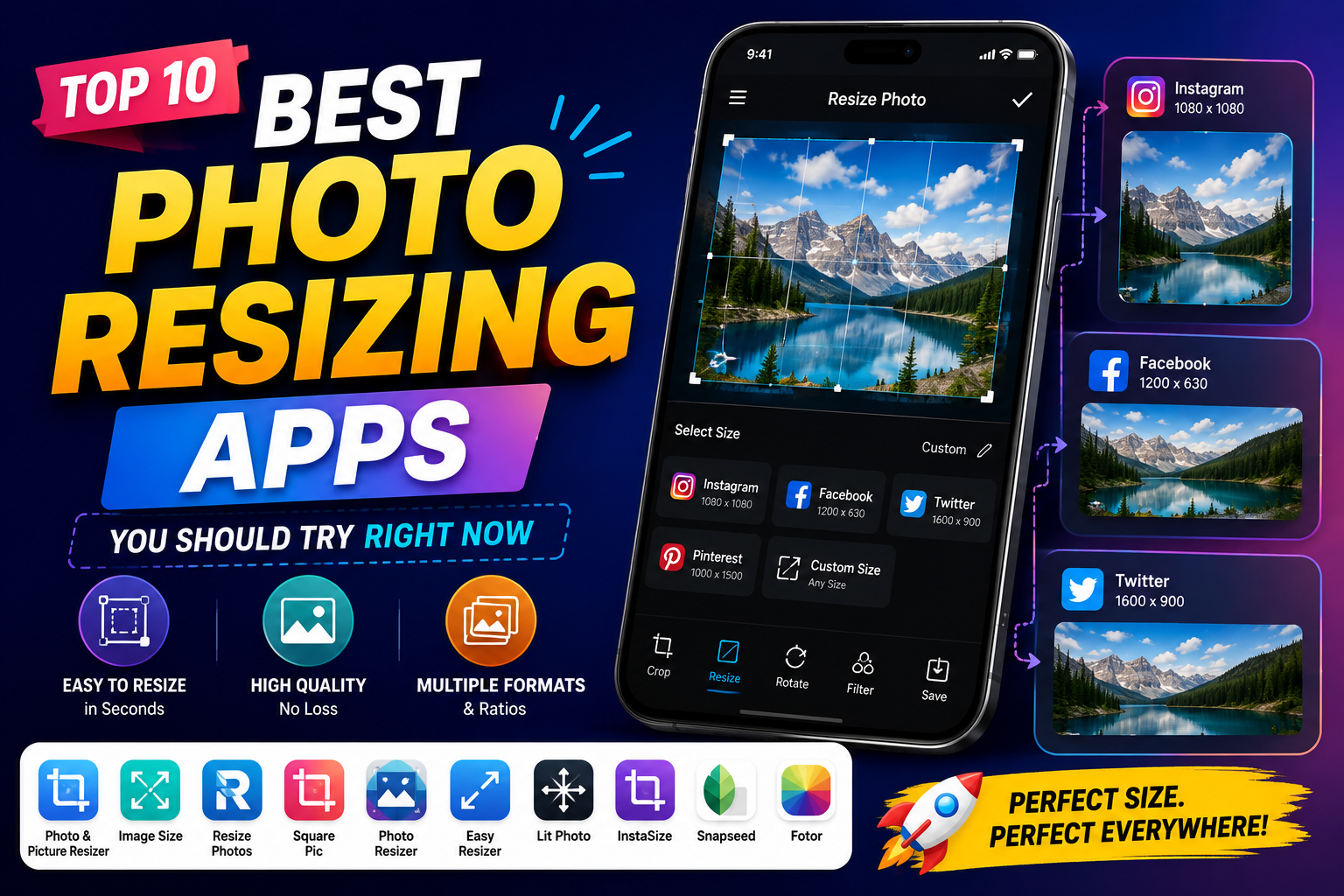
Top 10 Best Photo Resizing Apps You Should Try Right Now
Nội dung
- 1. Canva: A versatile design tool with advanced AI technology.
- 2. Image Size: Specialized solutions with millimeter precision.
- 3. Photo & Picture Resizer: A powerful tool for optimizing storage space on Android.
- 4. Adobe Express: Peak graphics power in the palm of your hand.
- 5. Pixlr: A sophisticated artistic photo editor for mobile devices.
- 6. Adobe Photoshop: The irreplaceable gold standard for computer graphic designers.
- 7. Fotor: A one-touch image resizing tool that runs on a cloud computing platform.
- 8. Light Image Resizer: A super-fast batch image processing solution for Windows
- 9. PIXresizer: The legendary, lightweight image compression tool for all computer configurations.
- 10. Preview (macOS): Apple's default super-fast image resizing utility.
- 11. Conclusion
In the digital age, a properly sized photo not only makes your profile look more professional but also optimizes storage space and page load speed.
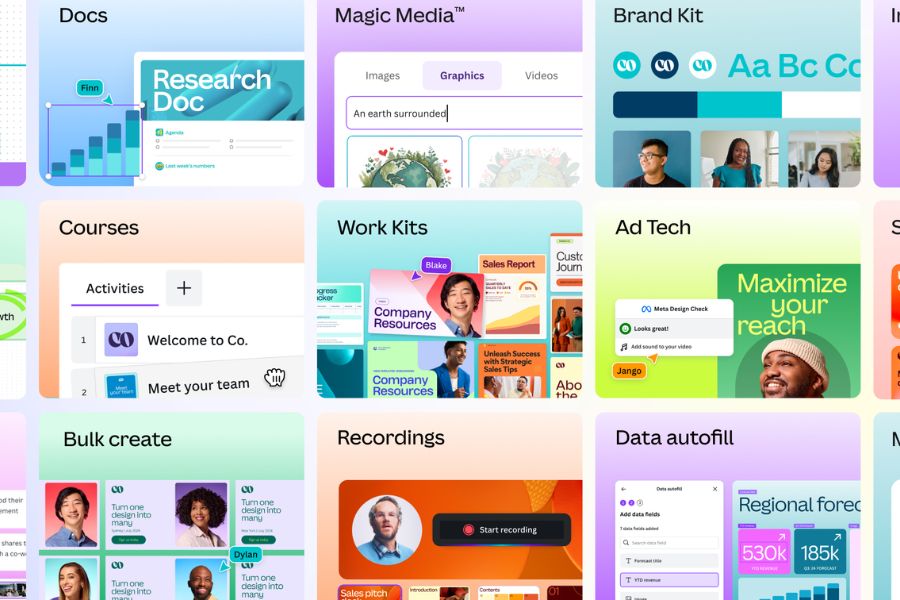
1. Canva: A versatile design tool with advanced AI technology.
Canva has long established itself as the most popular drag-and-drop graphic design ecosystem globally, boasting a massive user base ranging from amateurs to professionals. Besides its vast template library, Canva's image resizing feature (Magic Switch) is a true revolution thanks to its application of artificial intelligence (AI). Instead of simply mechanically resizing images, Canva's AI can automatically analyze the main subject, recognize the layout, and automatically rearrange graphic elements to perfectly fit the new frame, saving users hours of manual work.
-
Smart one-touch resizing : Automatically shift, zoom, and restructure the entire image layout to perfectly fit the new format in just seconds.
-
Standard social media preset system : Includes thousands of standard frame sizes, always updated according to the latest algorithms of Facebook, Instagram, TikTok, YouTube, and LinkedIn.
-
Real-time cloud synchronization : Supports online workflow storage, allowing you to start editing on your phone and finish on your computer without interruption.
-
Rich post-processing ecosystem : Provides a comprehensive set of tools to add artistic text, animated stickers, borders, and exclusive color filters immediately after resizing.
-
Flexible multi-format processing : Allows publishing the final product in various high-quality formats such as PNG, JPEG, SVG, as well as animated files like GIF and MP4 videos.
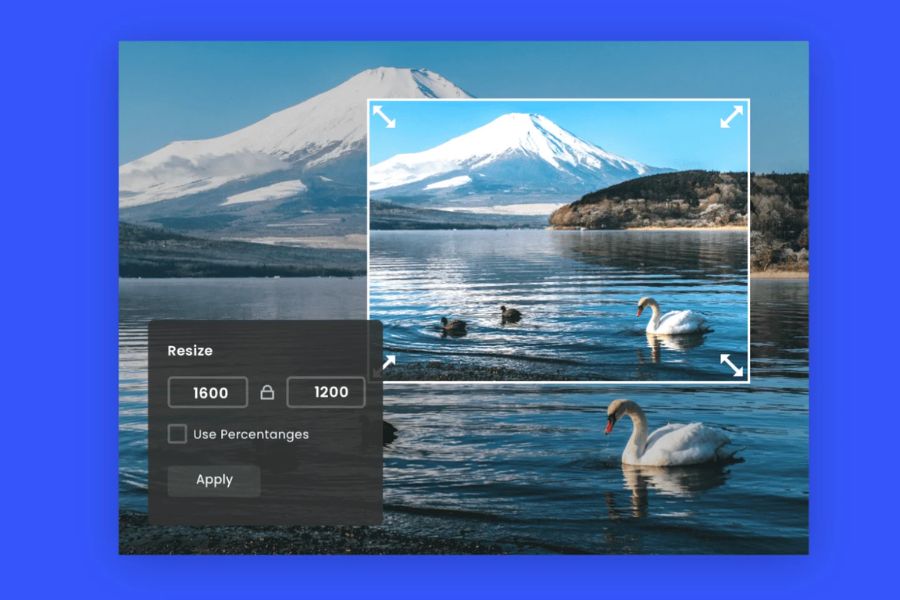
2. Image Size: Specialized solutions with millimeter precision.
If you're looking for a minimalist, uncluttered application that focuses all its power on deeply manipulating image specifications, Image Size is the optimal choice. The application's intuitive interface is designed around purely numerical input fields, giving users complete control over the image file structure. This is an indispensable tool for printing technicians, those needing to create standardized ID photos, or designers needing to export image files to meet the stringent requirements of international administrative forms.
-
Diverse measurement units : Supports users in freely configuring image sizes based on four common units including pixels (digital display), millimeters, centimeters, and inches (printing).
-
Smart aspect ratio lock : This feature links the width and height using a chain icon, ensuring that the image is never distorted, stretched, or deformed when changing parameters.
-
Super-fast email sending and sharing features : Built-in compression tool allows you to directly attach resized photos to emails or messaging apps without needing to go through your device's photo library.
-
Remember configuration history : Automatically save a list of frequently used dimension parameters, reducing setup time for subsequent uses.
-
Display actual storage information : Provides a visual comparison table of file sizes (KB/MB) before and after editing, allowing users to easily monitor storage space.
3. Photo & Picture Resizer: A powerful tool for optimizing storage space on Android.
For Android users, Photo & Picture Resizer has long been a lifesaver for devices constantly running low on storage. The app's core strength lies in its advanced image compression algorithms, allowing for a significant reduction in image size with virtually no noticeable loss in quality. The app's integrated photo browser is incredibly smart, enabling users to quickly browse through thousands of photos on their device and select the best ones to process with just a few taps.
-
Rapid batch resizing technology : The ability to process dozens, even hundreds, of images in a folder simultaneously, saving users significant time and effort.
-
Intelligent compression algorithm : Significantly reduces image file size (from a few MB to a few hundred KB) while retaining maximum sharpness for the core details of the image.
-
Intuitive and user-friendly interface : The minimalist design eliminates complex setup steps, making it easy for even elderly people or those unfamiliar with technology to use smoothly.
-
Crop and optimize images for the web : Supports removing unnecessary whitespace around the subject and optimizing resolution for uploading images to e-commerce sites.
-
Wide format support : Perfectly compatible with all popular image file extensions currently available on mobile phones, such as JPEG, PNG, and raw image formats.
4. Adobe Express: Peak graphics power in the palm of your hand.
Inheriting the renowned technological DNA from the giant Adobe, Adobe Express (formerly Adobe Spark) offers users an extremely sophisticated and smooth image editing and resizing experience. This is not just a regular resizing tool, but a perfect launching pad for digital content creators on TikTok, Instagram, or YouTube. With Adobe Express, transforming a horizontal landscape photo into a vertical 9:16 aspect ratio image for Reels or Shorts videos is easier and smoother than ever before.
-
The ultra-fast Quick Actions toolkit : Allows you to crop, flip, rotate, and resize images with just a few taps, without having to access complex menus.
-
A vast, exclusive resource library : Provides free access to thousands of top-quality fonts from Adobe Fonts and a library of cinematic-grade effects and color filters.
-
Integrated AI background removal feature : A perfect combination of AI-powered automatic background removal and resizing technology to create professional product photos for online sales.
-
A clutter-free work environment : Providing a completely clean, smooth, and creative space, allowing users to focus entirely on their work without distractions.
-
4K quality storage and publishing : Ensures that images retain their highest resolution after resizing, ready for Retina displays.
5. Pixlr: A sophisticated artistic photo editor for mobile devices.
Pixlr is the perfect blend of a convenient image resizing app and a sophisticated, professional photo editing software similar to Photoshop on a computer. This application gives users significant control over the geometric structure of their images. You don't simply type in length and width numbers; Pixlr allows you to adjust tilt, perspective, perform local stretching, and crop images according to the golden ratio in photography to highlight the subject in the most natural way.
-
Advanced Crop Tool : Supports cropping images to fixed or free-form ratios, along with a three-part grid and golden ratio for perfect angle alignment.
-
Dual parameter adjustment : Allows users to both resize and fine-tune brightness, saturation, and contrast parameters within the same working interface.
-
Layers and Effects : Supports layering multiple lighting and text effects onto a resized image without slowing down the device or causing the application to freeze.
-
Free Core Feature Package : Provides a full and complete set of features for resizing and high-quality image compression without requiring users to pay any mandatory fees.
-
Smart size suggestions : Automatically provides optimal size recommendations based on the current image file size to avoid image distortion.

6. Adobe Photoshop: The irreplaceable gold standard for computer graphic designers.
For graphic designers and photographers worldwide, Adobe Photoshop is an unshakeable icon. When resizing images in Photoshop, users have access to the most advanced interpolation algorithms on the planet, such as Preserve Details 2.0 . This technology uses deep learning models to predict and automatically compensate for missing pixels when you zoom in on a low-resolution image, miraculously making the image sharp without the blurring or pixelation often seen in other software.
-
Proprietary AI interpolation algorithm : Magnifies small images many times over while perfectly reproducing surface details and edge sharpness.
-
Advanced DPI/PPI management system : Allows flexible adjustment of pixel density to precisely suit each display purpose (72 DPI for web pages and 300 DPI for large format printing).
-
The Canvas Size feature expands the workspace : allowing you to enlarge or shrink the working area around the image without changing the aspect ratio or cropping the details within the original image.
-
Automated processing workflow using Actions : The ability to record a sequence of operations such as resizing, reformatting, and watermarking, then automatically apply them to tens of thousands of images with just one click.
-
Layer and Smart Objects preservation system : Allows users to freely resize and zoom in/out of images multiple times during the design process without losing the original image data.
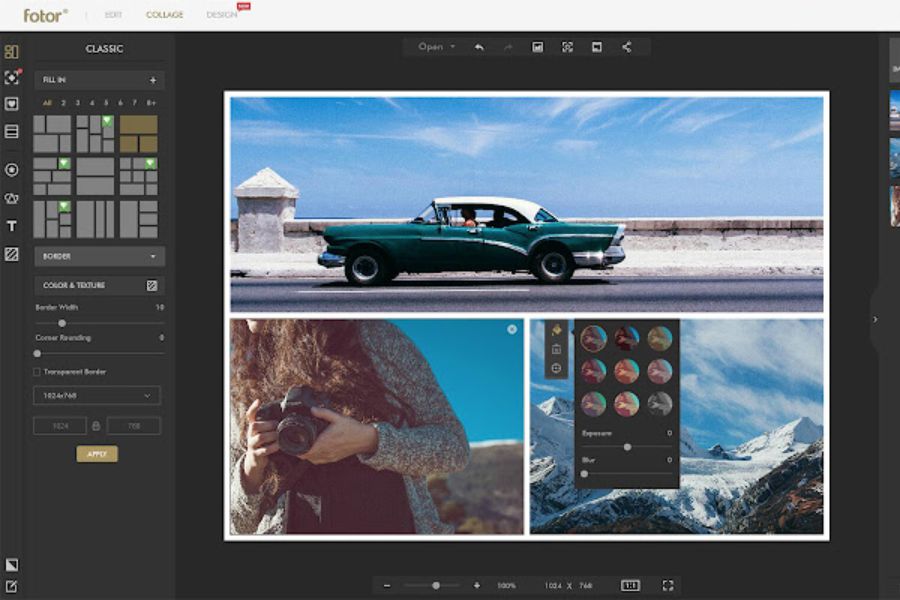
7. Fotor: A one-touch image resizing tool that runs on a cloud computing platform.
Fotor is renowned globally for its seamless integration of a web-based online photo editor and powerful mobile applications. Fotor's resizing tool is optimized with a "one-touch" philosophy, aiming to simplify all user operations. By leveraging the power of cloud computing, Fotor can quickly process extremely large image files, up to hundreds of megapixels, without lag or overheating.
-
Percentage resizing : Allows users to visually zoom in or out of an image using a percentage slider (e.g., zoom out to 50% or zoom in to 200%).
-
AI Enlarger : Automatically sharpens details, reduces noise, and optimizes image resolution immediately after you resize the image.
-
Integrated artistic photo collage : Allows you to combine multiple photos that have been synchronized to the same size into unique collagen photo frames with hundreds of pre-designed layouts.
-
Consistent cross-platform operation : Store all customizations and design history in your cloud account, making it easy to switch between working devices, from phone to computer.
-
Modern, intuitive interface : The trendy flat design with clear icons allows users to locate and use resizing features in just seconds.
8. Light Image Resizer: A super-fast batch image processing solution for Windows
For Windows users who frequently work with massive amounts of image data, such as auditors, web editors, or fanpage administrators, Light Image Resizer is an indispensable tool. The most unique feature of this software is its deep integration into the Windows Shell. Users don't need to waste time launching the software; they simply select the image files to be processed directly from their computer's folder, right-click, and choose the resize command – and the job is done.
-
Smart right-click menu integration : Super-fast image resizing directly from Windows Explorer without needing to open the software's main interface.
-
Automatic watermarking system : Allows you to add brand logos, author names, or security watermarks to entire image series during the resizing process.
-
Create custom-sized profiles : Allows you to pre-set desired configurations (e.g., "Web Posting Images", "Mailing Images") to apply in bulk with just one click.
-
Next-generation format support : Allows for both resizing and flexible conversion between image file formats, from JPEG and PNG to web-optimized formats like WebP.
-
Metadata Preservation Mechanism (EXIF) : Allows users to optionally retain or remove information such as the shooting date, camera type, and GPS location from the original image file.
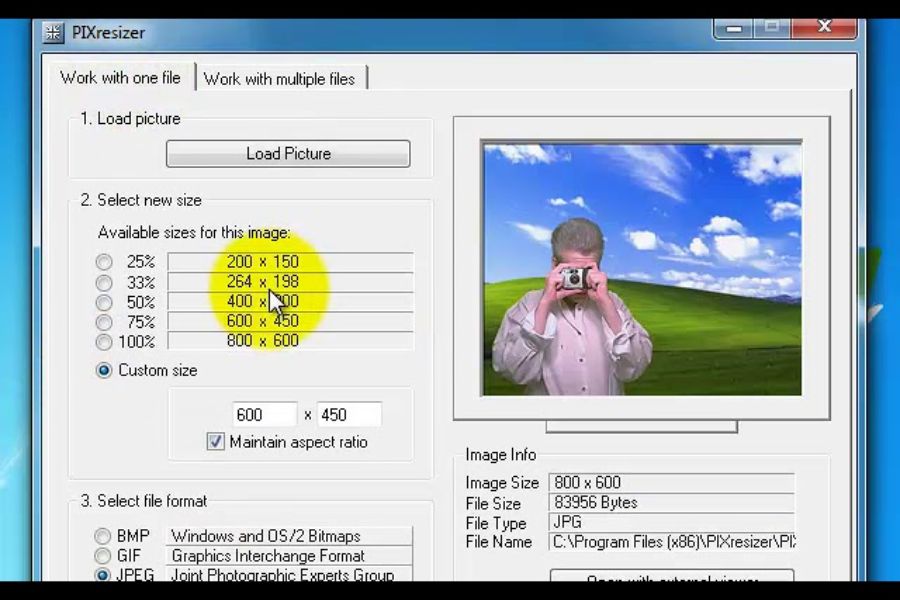
9. PIXresizer: The legendary, lightweight image compression tool for all computer configurations.
PIXresizer is like a resilient veteran in the world of computer software. Despite its classic interface reminiscent of the early 2000s, this software is still sought after by millions of loyal users thanks to its surprisingly lightweight design. With an installation size of less than 5MB, PIXresizer can run smoothly on older office computers, low-end laptops, or devices with very limited RAM without ever causing crashes.
-
Ultra-efficient hardware : Extremely lightweight, starts up instantly, and does not consume RAM or CPU resources of the computer.
-
Flexible dual-operation mode : Provides two distinct work tabs, including a mode for processing a single image file (Work with one file) and a mode for processing an entire folder (Work with multiple files).
-
Automatic image recognition and rotation : The intelligent algorithm automatically reads image data to accurately rotate the image to the correct portrait or landscape orientation when resizing.
-
Completely offline operation : Requires no internet connection, ensuring 100% security and privacy for your company's internal image data.
-
Optimal compression ratio suggestion : Automatically calculates and suggests the best compression ratio to minimize image file size without losing important details.
10. Preview (macOS): Apple's default super-fast image resizing utility.
For users who own Mac computers like MacBooks or iMacs, you're actually holding one of the most powerful image resizing tools without even knowing it. The macOS Preview (the default image viewer) is deeply optimized by Apple into the hardware architecture. It's not just a simple image viewer; the Adjust Size feature within Preview allows you to process multiple images, change formats, and compress file sizes at an incredible speed that third-party software sometimes can't match.
-
Available, free, and ad-free : As a core component of the macOS operating system, users can use it immediately without spending a single penny.
-
Batch image processing in a single interface : Simply press Cmd + A to select all images, open them in Preview, and resize them all simultaneously with incredible smoothness.
-
Accuracy and diverse units : Supports displaying and adjusting image parameters in pixels, percentages, inches, centimeters, millimeters, or Retina display points.
-
High-quality encrypted file export tool : Supports saving and converting images to advanced graphic formats such as TIFF, PDF, JPEG-2000 in addition to common formats.
-
Preserve color fidelity : Ensure that the color profile (SRGB or Adobe RGB) of the original image is preserved intact after resizing.
11. Conclusion
Finding the best image resizing app or software isn't about finding the most expensive or feature-rich tool, but rather about finding one that best suits your workflow and the equipment you own. Each app in this top 10 list is designed to solve a specific problem for different user groups.





















VIP Products








Best Selling Products
Copyright Adobe Lightroom Account
59 USD
Plugin Retouch4me
69 USD
Autodesk All App Account Copyright
120 USD
Freepik Premium Account
59 USD
Genuine Cheap Canva Pro
39 USD
ChatGPT Plus Account (GPT-4)
16 USD
Upgrade Genuine Office 365
49 USD
Adobe Photoshop Copyright - Full App
120 USD
MidJourney Account
29 USD
Upgrade Duolingo Super
29 USD
Windows 10 & 11 Pro Key
36 USD
Genuine Adobe Illustrator account
99 USD
Capcut Pro 1 Year
39 USD
Adobe Premiere Pro Account
99 USD
Upgrade genuine Capture One account
120 USD