Best Selling Products

Capcut Pro 1 Year
39 USD

Adobe Premiere Pro Account
99 USD

Upgrade genuine Capture One account
120 USD

Freepik Premium Account
59 USD

Genuine Adobe Illustrator account
99 USD

Upgrade Genuine Office 365
49 USD

Windows 10 & 11 Pro Key
36 USD

Adobe Photoshop Copyright - Full App
120 USD

Plugin Retouch4me
69 USD

Upgrade Duolingo Super
29 USD

Genuine Cheap Canva Pro
39 USD

MidJourney Account
29 USD

ChatGPT Plus Account (GPT-4)
16 USD

Copyright Adobe Lightroom Account
59 USD

Autodesk All App Account Copyright
120 USD
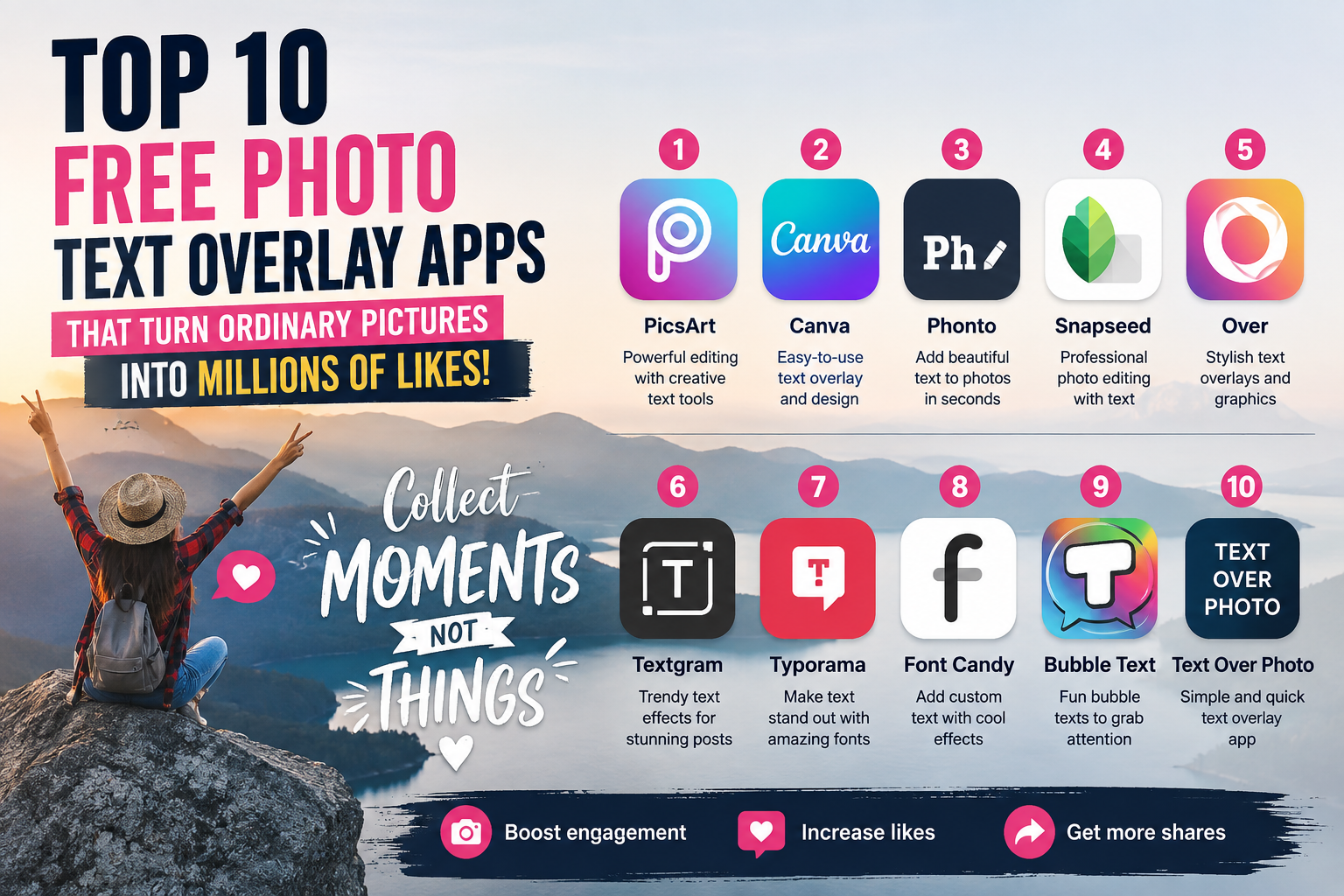
Top 10 free photo text overlay apps that turn ordinary pictures into millions of likes.
Nội dung
Whether you''re an online shop owner looking to optimize product images for explosive sales, a content creator wanting to create deeply moving quote images that resonate with readers, or simply want your travel photos to look more artistic, owning a quality free app to add text to photos is essential.
1. Fonto
Phonto has long been hailed by the mobile graphics community as the "king" of simple, intuitive, and pure typography design. Its unique feature is its maximum focus on the text processing experience, completely eliminating complex color filters to give users the freedom to customize their characters. For Vietnamese users, Phonto is a lifesaver thanks to its perfect compatibility with externally downloaded font files, completely eliminating the worry of font errors when typing Vietnamese with diacritics. The intuitive interface allows you to drag, drop, rotate, and edit text with extremely high precision.
-
Huge font library : Includes over 200 unique original fonts in a variety of styles, from elegant and classic to modern and edgy.
-
Powerful support for importing external fonts : Allows users to easily download and install thousands of Vietnamese fonts from the Internet via .ttf or .otf files.
-
Advanced text customization : Provides a detailed set of tools ranging from resizing, smooth gradient color blending, multi-directional shading, to outlining text and creating artistic circular curves.
2. Canva
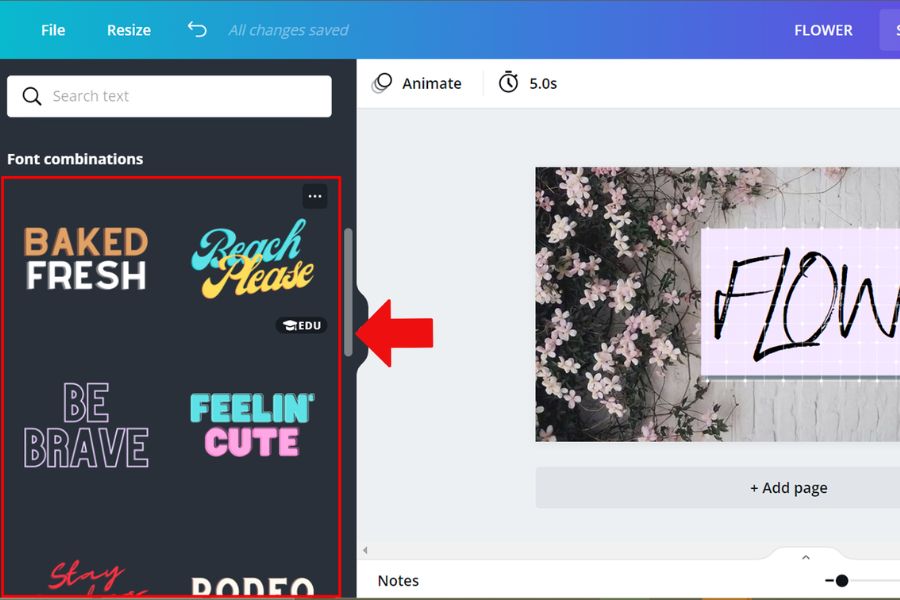
No stranger to content creators and media professionals, Canva is now a leading global drag-and-drop graphic design ecosystem. This application boasts millions of templates crafted by professional designers, allowing even those with no graphic design experience to create outstanding works in a matter of seconds. Canva's strength in text insertion lies in its pre-designed typography hierarchy, seamlessly integrating the main title and subheadings for a visually appealing effect. Furthermore, its powerful cloud synchronization allows you to start text insertion on your phone and continue refining it on your computer seamlessly.
-
Extensive library of artistic fonts : Provides thousands of pre-designed fonts, quotes, and advertising banners with eye-catching layouts and colors.
-
Automatic image size optimization : Suggests and automatically crops images to the correct aspect ratio for each platform, such as Instagram Stories, Facebook cover photos, website banners, or YouTube thumbnails.
-
A vast library of decorative resources : Includes millions of free stickers, illustrations, and artistic frames to enrich your photos.
3. Snapseed
Developed and sponsored by tech giant Google, Snapseed is globally renowned as a miniature "digital darkroom" with professional-level, in-depth light and color editing tools. However, few people know that the "Text" tool integrated into Snapseed possesses extremely intelligent and artistically cinematic text processing algorithms. This application offers a unique approach to text design, blending text into the overall image instead of simply placing text on the surface. Importantly, Snapseed is completely free, contains no annoying banner ads, and never forces users to purchase additional subscription packages.
-
Preset badge-style text designs : Offers a variety of speech bubble text frames, modern tag designs, and vintage badges with pre-structured layouts.
-
Intelligent color blending mode : The algorithm automatically adjusts the opacity and color blending so that the monogram blends seamlessly into the background or is partially obscured by a hazy mist.
-
Supports high-quality original image processing : Smoothly reads and processes RAW image files, ensuring that inserted text is always perfectly sharp and free from jagged edges.
4. Picsart
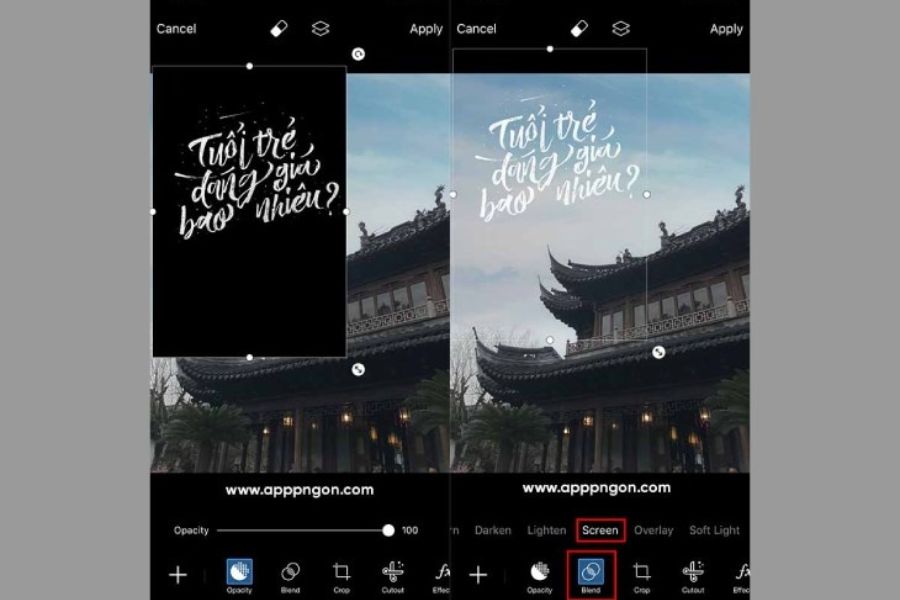
Picsart functions as a versatile image editing studio with one of the most extensive toolkits on both iOS and Android. This app is perfect for Gen Z individuals who are passionate about unconventional, rebellious styles and want to transform ordinary text into groundbreaking, surreal works of art. With Picsart, text isn't just characters to read; it acts as an artistic medium that you can cut, stretch, change to neon colors, or create tear-paper effects. Its multi-layer processing capabilities allow you to easily manage and create impressive, overlapping text layouts.
-
Fonts are updated to reflect current trends : Our vast collection of artistic fonts is constantly updated to reflect the hottest trends on TikTok and Instagram.
-
Diverse Blend Modes : Create see-through text effects, mirror-like text, or directly embed another image within each character.
-
Turn text into personalized stickers : This unique feature allows you to cut and paste text and save it as a standalone sticker for later reuse in photos.
5. PicLab
PicLab is the ideal choice for those who love the perfect harmony between nostalgic film filters and concise, emotionally resonant quotes. The app's design philosophy focuses on subtlety, allowing users to quickly create moody, nostalgic quote photos without spending too much time on adjustments. PicLab's text insertion tool is closely integrated with its geometric shape system, making it easy to create a safe space where text stands out and is easy to read, even against a cluttered background.
-
Ultra-fast typing : Optimized interface design for mobile experience; simply double-tap the screen to type and format text.
-
Artistic Masking : Allows you to partially obscure text or blur certain text elements to create the illusion that the text is hidden behind objects in the image.
-
Diverse text overlay shapes : Includes pre-designed square, circular, and minimalist polygonal frames to provide a solid base for text content, enhancing contrast.
6. Nichi
Nichi is a refreshing and poetic creation from developers who love minimalism and nostalgic Japanese art. Designed as a scrapbook, the app allows you to add delicate, handwritten notes to everyday photos. For those tired of the rigid, dry fonts of advertising, Nichi offers a world of softness and warmth. Every detail in the app, from the font colors to the accompanying stickers, features a gentle pastel tone, creating a relaxing and pleasant feeling for both the designer and the viewer.
-
Exclusive handwritten fonts : Own a collection of fonts that mimic ink strokes and delicate, natural-looking handwriting, creating a unique and distinctive style.
-
Retro-style decorative elements : Hundreds of stickers mimicking washi tape, torn paper, dried flowers, and adorable polaroid photo frames.
-
Romantic diary layout : Provides pre-designed grids for arranging photos and text, helping you tell a long story through each frame.
7. Adobe Photoshop Express
Inheriting the core algorithms and expertise from the legendary Adobe Photoshop software on computers, the Express version for mobile devices delivers text processing with absolute precision. This application perfectly meets the stringent standards of professional graphic designers in terms of layout, proportion, and sharpness. The outstanding feature of Adobe Photoshop Express lies in its ability to control the spacing between characters, making your text look airy and elegant, like the covers of prestigious Western fashion magazines, without feeling cramped.
-
Precise typography control : Tools for left/right/center alignment, leading line spacing, and text tracking with pixel-perfect accuracy.
-
Expert-designed typography : Integrates pre-set text styles created by leading designers, ensuring high aesthetic appeal.
-
High-quality, anti-aliasing output : Advanced anti-aliasing technology ensures that text and images are always smooth and sharp in the final output file.
8. Word Swag
If you consider yourself someone who lacks aesthetic sense when it comes to typography layout, or you're too busy to bother adjusting the angles of your text, let Word Swag do it for you. This application works on a proprietary, intelligent algorithm: Users simply input raw text, and Word Swag automatically calculates the size, selects the appropriate font, and arranges it into a stunning typography layout. Each time you press the change button, the application generates a completely random and novel design, providing endless creative inspiration.
-
Intelligent automatic text layout creation : Transform awkward, unattractive text into beautiful, flowing typographic art with just a single touch.
-
Connect to a free background image library : Directly integrates a library of high-quality images from Pixabay, helping you quickly find landscape and nature backgrounds to add text as quotes.
-
Premium text texture effects : Contains multiple filters that transform the text into a glossy gold foil, embossed, oil-painted, or luxurious marble pattern.
9. Typorama
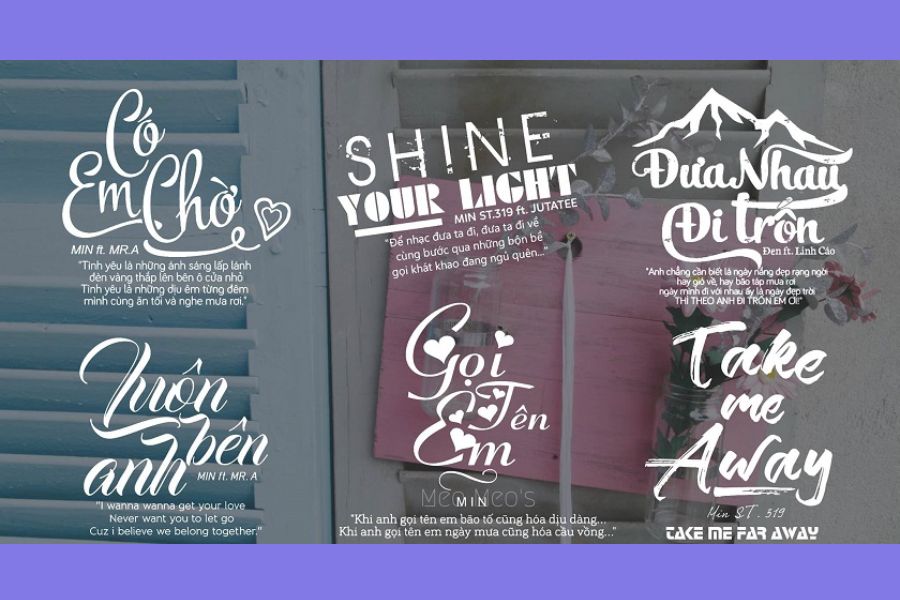
Typorama acts like a powerful wizard in the world of mobile typography design. This app can help you create complex, artistic, and flowing text layouts that previously would have taken hours of work on specialized computer software. Typorama excels at combining multiple fonts (for example, bold fonts paired with flowing handwriting) within a single sentence while maintaining a balanced and visually pleasing overall effect.
-
Random multi-font combination : Automatically combines various fonts and sizes within a paragraph in a harmonious way, highlighting key keywords.
-
Over 50 unique text effect filters : Offering 3D shadow effects, watercolor streak effects, tattered text, or mirror-like reflection text.
-
Golden Ratio Image Cropping Toolkit : Includes pre-set cropping frames for standard-sized cover photos on social media channels, ensuring that text is not cut off when uploaded.
10. Geulgram
Hailing from South Korea, Geulgram is a free photo text overlay app specifically designed for romantic souls who enjoy writing quotes, personal reflections, or profound life mottos on serene nature-themed photos. User experience at Geulgram is consistently rated excellent thanks to its minimalist, simple, and clean interface. The app focuses on inspiring creativity by providing sophisticated tools to seamlessly blend text with the surrounding scenery.
-
Extensive quote library : Provides a treasure trove of inspiring quotes in English and Korean, scientifically categorized by themes such as love, life, and career.
-
Smart copyright watermark : This feature allows you to add a unique signature to the corner of your photos, helping you protect your image copyright and assert your personal touch.
-
Clean, ad-free interface : No intrusive banner ads or pop-up videos interrupting your creative flow of writing.
11. Conclusion
The perfect combination of a visually stunning image and delicate typography is the key to captivating attention and attracting massive engagement on social media. Finding and mastering a suitable free app for adding text to images not only saves you design time and reduces costs but also delivers superior aesthetic results. If you want a quick, convenient, and professional experience with thousands of ready-made layout templates for business and sales purposes, start with Canva or Word Swag . Conversely, if you are an aesthetician who wants to personally create unique lettering and shading that reflects your personal style, then Phonto and Snapseed are definitely made for you.





















VIP Products








Best Selling Products
Capcut Pro 1 Year
39 USD
Adobe Premiere Pro Account
99 USD
Upgrade genuine Capture One account
120 USD
Freepik Premium Account
59 USD
Genuine Adobe Illustrator account
99 USD
Upgrade Genuine Office 365
49 USD
Windows 10 & 11 Pro Key
36 USD
Adobe Photoshop Copyright - Full App
120 USD
Plugin Retouch4me
69 USD
Upgrade Duolingo Super
29 USD
Genuine Cheap Canva Pro
39 USD
MidJourney Account
29 USD
ChatGPT Plus Account (GPT-4)
16 USD
Copyright Adobe Lightroom Account
59 USD
Autodesk All App Account Copyright
120 USD