Best Selling Products

Adobe Premiere Pro Account
99 USD

Autodesk All App Account Copyright
120 USD

Freepik Premium Account
59 USD

Genuine Cheap Canva Pro
39 USD

Plugin Retouch4me
69 USD

ChatGPT Plus Account (GPT-4)
16 USD

Genuine Adobe Illustrator account
99 USD

Upgrade Genuine Office 365
49 USD

Upgrade genuine Capture One account
120 USD

MidJourney Account
29 USD

Windows 10 & 11 Pro Key
36 USD

Capcut Pro 1 Year
39 USD

Upgrade Duolingo Super
29 USD

Adobe Photoshop Copyright - Full App
120 USD

Copyright Adobe Lightroom Account
59 USD
Top 4 Best Tablets for Kids Right Now: A Detailed A-Z Review
Nội dung
A detailed summary and review of the 4 best tablets for kids right now, helping parents easily choose a safe device for learning and entertainment.

1. Amazon Fire HD 10 Kids Pro
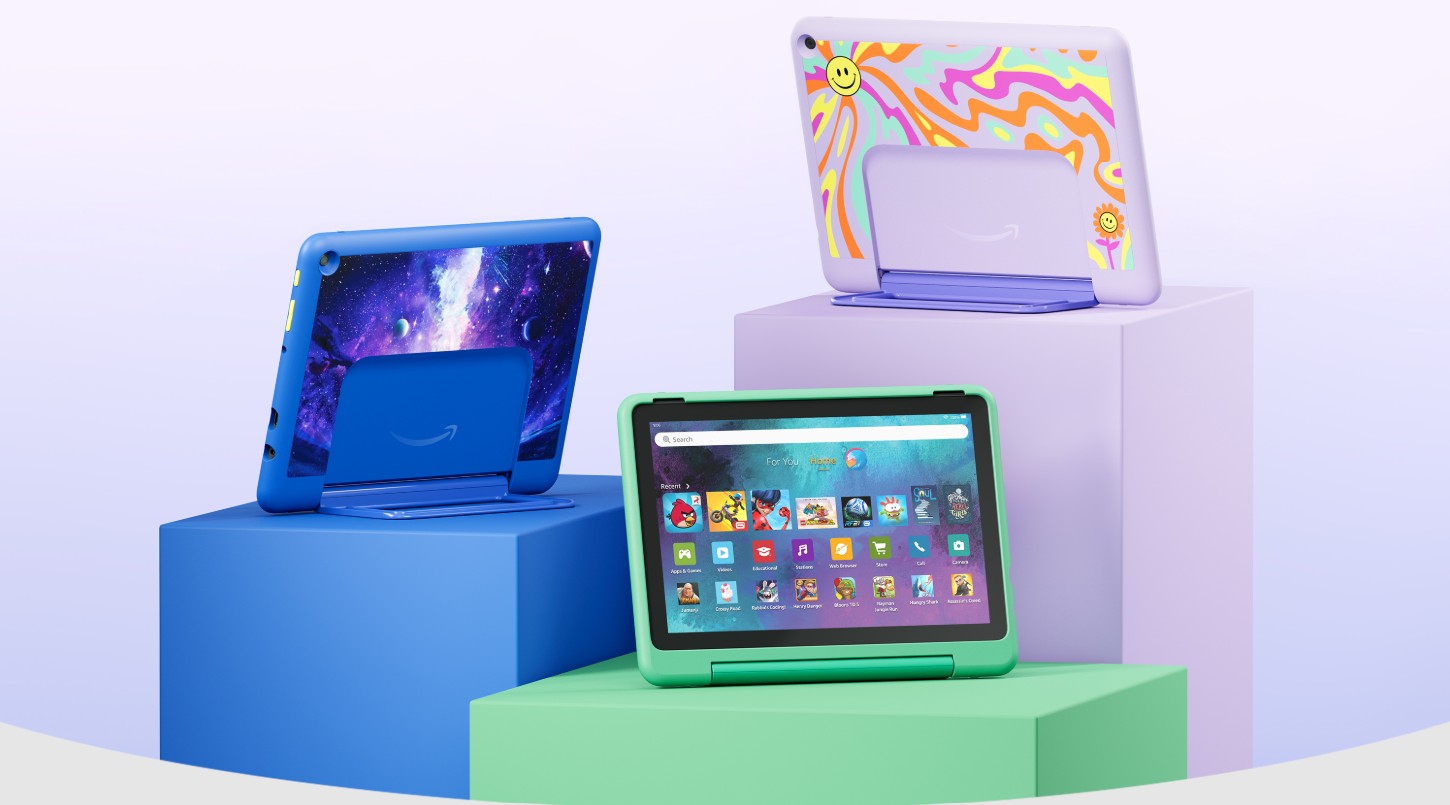
The Amazon Fire HD 10 Kids Pro is a tablet aimed at children aged 6–12, combining entertainment, reading and learning in a device with a child-friendly design.
Specifications and standout features
Display: 10.1 inches, Full HD resolution.
RAM: 3 GB.
Internal storage: 32 GB, expandable with a microSD card.
Battery life: Up to about 13 hours according to the product's announcement.
Operating system: Fire OS.
Kids' software: Amazon Kids+.
Parental management: Amazon Parent Dashboard.
Accessories: Shock-resistant protective case with a stand.
Warranty: A 2-year replacement guarantee under the manufacturer's conditions in the applicable market.
The device helps children access e-books, videos, games and educational apps through the Amazon Kids+ ecosystem. Parents can set usage time limits, manage the content that can be accessed and approve app download requests.
Strengths
The strength of the Fire HD 10 Kids Pro is its content management system designed specifically for children, combined with a protective case and a device guarantee plan. The 10.1-inch screen is also large enough for reading stories, watching lectures and taking part in online learning activities.

Limitations
The device uses Fire OS instead of standard Android. Therefore, the ability to install apps depends on the Amazon ecosystem, which can be inconvenient if the family needs apps that are not supported. Some Amazon Kids+ benefits and content also depend on the distribution market and subscription status.
Suitable for: Children aged 6–12 who need a learning and entertainment device with parental control tools built in. This is an option worth considering if the family prioritizes safety, ease of management and durability over a high configuration.
2. Lenovo Idea Tab 11-inch
Unlike the Amazon Fire HD 10 Kids Pro, the Lenovo Idea Tab 11-inch is a general-purpose Android tablet for students and general users, not a device dedicated to children. The product stands out with a high-resolution display, stylus support and a configuration that meets many learning needs.

Specifications and standout features
Display: 11-inch IPS, 2,560 × 1,600 pixel resolution (2.5K), 90 Hz refresh rate.
Processor: MediaTek Dimensity 6300.
RAM: Depending on the version, available in 4 GB or 8 GB configurations.
Internal storage: Depending on the version, 128 GB or 256 GB.
Operating system: Android 15 or later, depending on the version and updates.
Battery: 7,040 mAh capacity.
Usage time: Lenovo announces about 12 hours of online video streaming or 14 hours of web browsing under test conditions.
Audio: Four speakers supporting Dolby Atmos.
Accessories: May come with a Lenovo Tab Pen, depending on the sales bundle.
The above specifications are compiled from Lenovo's technical documentation; the actual configuration may differ depending on the market.
Learning support capabilities
The 2.5K display allows text and images to be shown sharply, suitable for reading documents, watching lectures or learning online. When combined with a compatible stylus, children can write notes, do homework, practice drawing and sketch directly on the screen.
Because it runs Android, the device can use compatible learning apps from Google Play. Parents can also set up a child account and use Google Family Link to manage usage time, apps and some content settings.
Strengths
Large, high-resolution screen, suitable for long-term study.
Diverse configurations, which can be chosen according to budget.
Stylus support on compatible configurations, convenient for note-taking and creativity.
Can serve both learning needs and adult entertainment needs.
Limitations
The Lenovo Idea Tab is not designed specifically for young children, so parents need to proactively set up content controls, usage time and security. In addition, the 11-inch screen may be a bit large for small children, and the stylus and protective case may not be included in every product bundle.

Suitable for: Students who need a device for online learning, reading documents, note-taking and creativity. This is an option worth considering for families who want to buy a tablet that can be used long term, even as the child grows older.
3. Samsung Galaxy Tab A11+ Kids Edition
Specifications and standout features
Display: 11 inches, 1,920 × 1,200 pixel resolution.
Refresh rate: 90 Hz.
Memory: The Kids Edition version was introduced with 128 GB of internal storage; the RAM configuration needs to be checked by market.
Battery life: Samsung announces up to 15 hours under specific test conditions.
Kids' software: Samsung Kids.
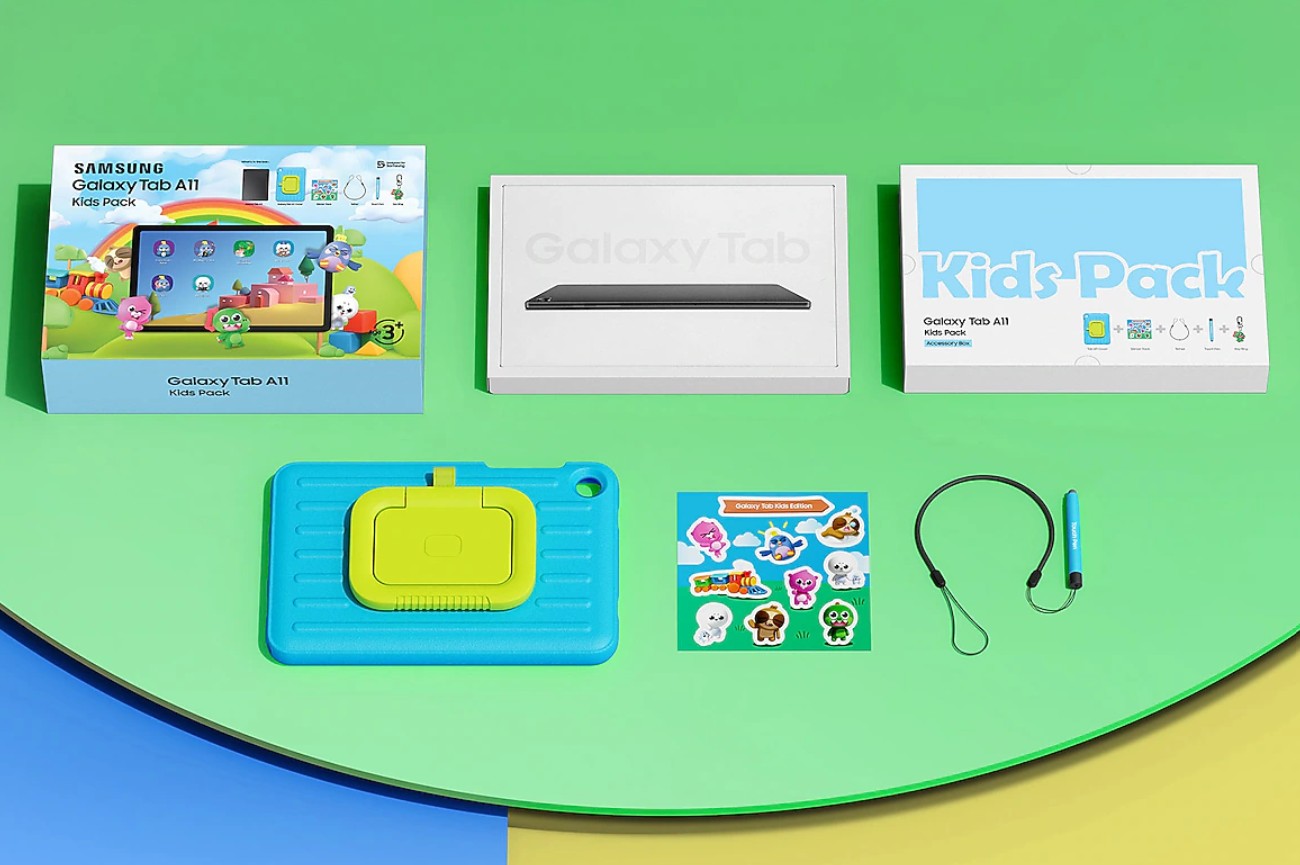
Accessories: Shock-resistant protective case, Crayo-Pen stylus, pen tether and decorative stickers.
Connectivity: The Wi-Fi or cellular configuration of the distributed version needs to be checked.
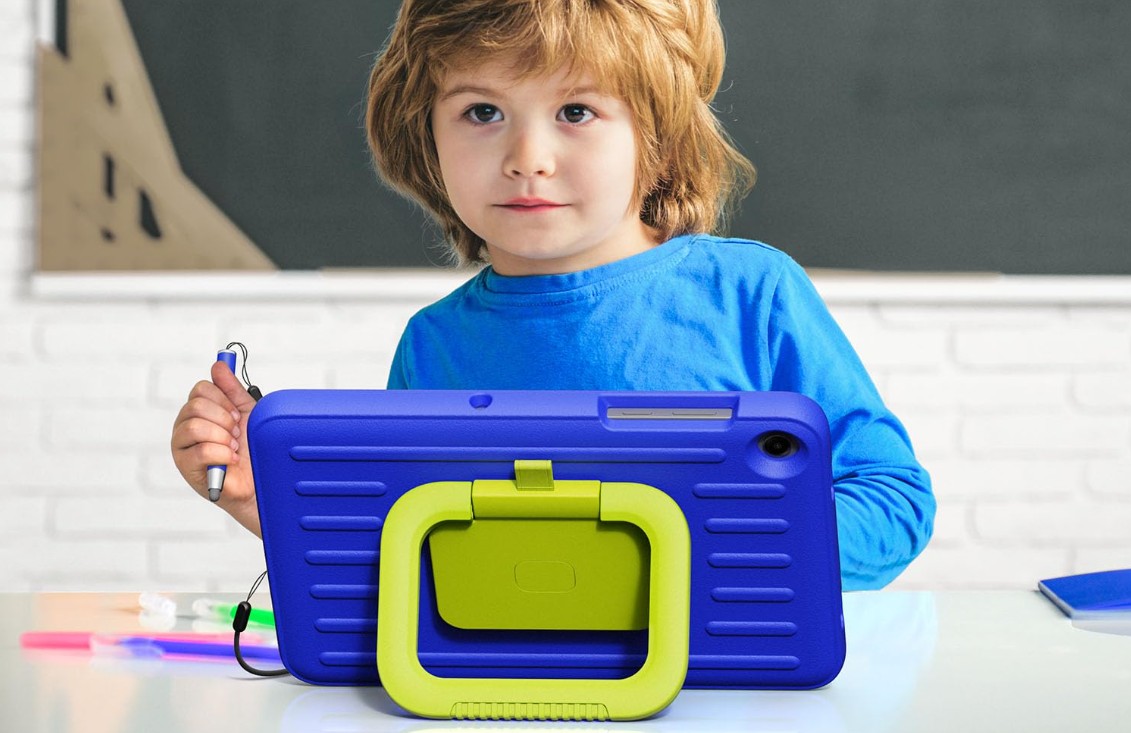
Samsung says the protective case is designed to support placing the device in both landscape and portrait orientations. The Crayo-Pen stylus has also been improved to better suit small children's hands.
Learning and creativity capabilities
Samsung Kids provides a usage environment designed for children. Parents can manage usage time, app access, contacts and content within the range of supported features.
The Crayo-Pen stylus helps children carry out activities such as coloring, drawing, writing and interacting with creative apps. The 11-inch screen is also suitable for watching lectures, reading comics and taking part in online learning activities.
Strengths
Comes with a protective accessory and a stylus for children.
11-inch screen with a 90 Hz refresh rate.
Has the Samsung Kids system that helps parents manage the usage environment.
Suitable for many activities from learning to entertainment and creativity.
Limitations
The list price in the US is higher than some other kids' tablets. In addition, parents need to check the warranty policy, bundled accessories and app compatibility in the Vietnamese market before buying.
Suitable for: Children who need a device for learning, watching entertainment content and developing creativity. The product is especially worth considering if the family wants a protective case, stylus and child-management tools ready to go.
4. LeapFrog LeapPad Academy Kids
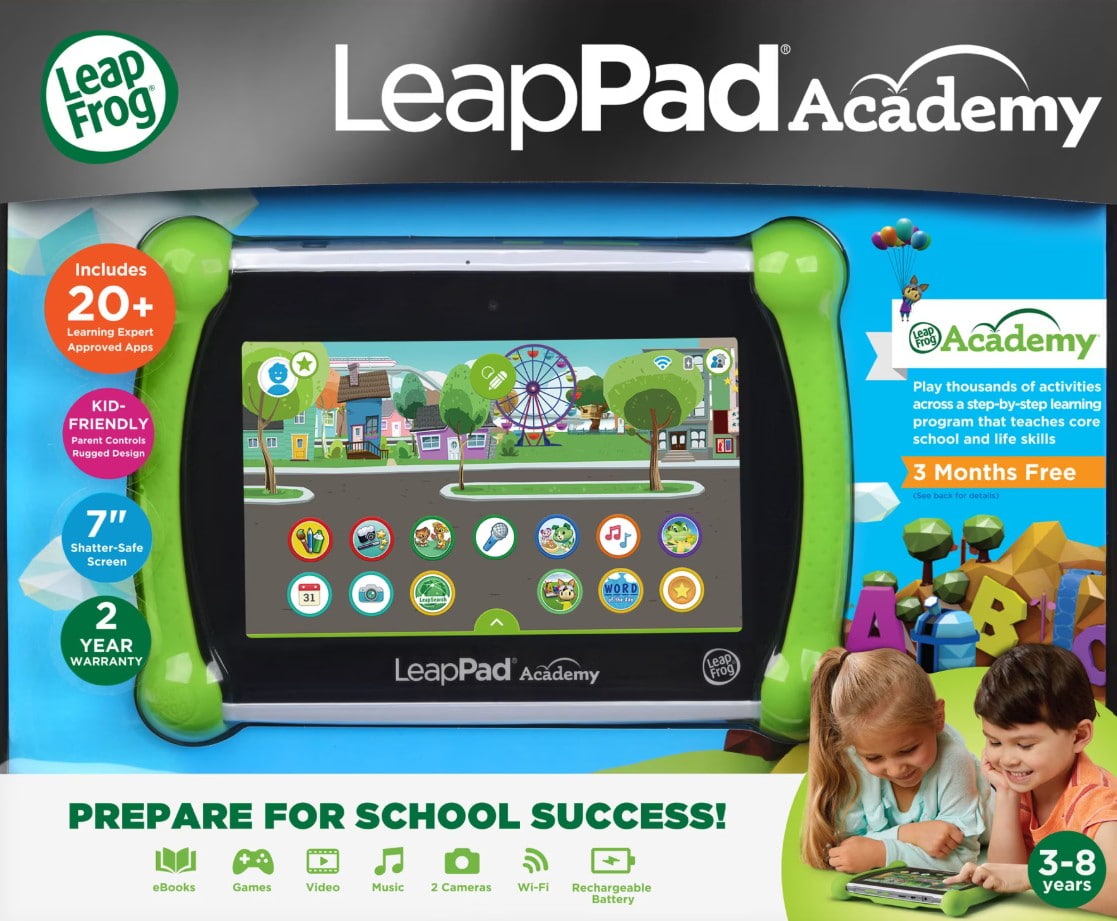
This is an option worth considering for parents who want to prioritize guided educational content instead of giving a child a general-purpose Android device from the start.
Specifications and standout features
According to the specifications published on LeapFrog's official product page:
Recommended age: 3–8 years old.
Display: 1,024 × 600 pixel resolution.
Processor: Quad-core 1.5 GHz.
Internal storage: 16 GB.
Expandable storage: Supports microSD cards up to 32 GB.
Camera: Front and rear cameras, 2 MP resolution.
Connectivity: Wi-Fi.
Kids' browser: LeapSearch.
Supporting features: Built-in user guide, difficulty adjustment according to skill and parental control tools.
Content library: LeapFrog Learning Library and some approved Android apps.
Battery: Built-in lithium-ion battery.
Warranty: The specifications published in the US market record a term of 2 years.
Early education support capabilities
LeapPad Academy focuses on helping children develop foundational skills through games and interactive activities. Depending on the app, children can practice reading, recognize letters, get familiar with arithmetic and develop problem-solving ability.
One notable point is that the system can adjust the level of challenge according to the child's skills in the supported activities. This approach helps children learn at a suitable pace, instead of passively receiving entertainment content.
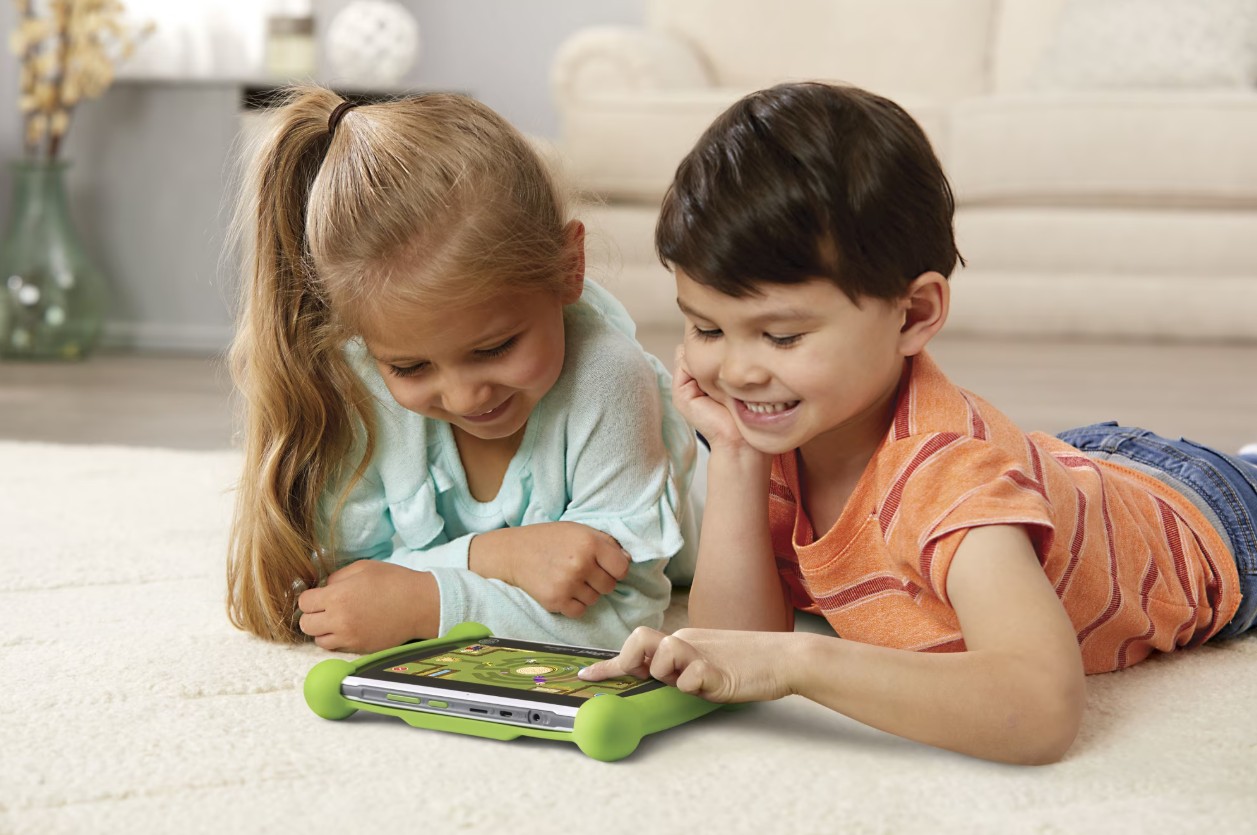
The LeapSearch browser is also designed to provide a web experience more suitable for children. However, parents still need to supervise device usage and check content before letting children access it.
Strengths
Aimed at early education, suitable for young children.
Has a library of specialized learning apps and educational games.
Integrated parental control tools.
Has a user guide and interactive activities that help children get familiar with the device.
Limitations
The screen resolution and storage capacity are lower than modern general-purpose tablets. The device is also not an optimal choice for needs such as advanced online learning, working with large documents or running many modern Android apps.
One point to note is that the availability of the device, apps and content may differ by market. Parents in Vietnam should check the stock status, supported languages and the ability to download content before buying.
Suitable for: Children aged 3–8 who are just starting to get familiar with electronic devices, especially those who need an interactive learning environment with content oriented toward early education.
5. Criteria parents should not overlook
First, the ability to manage usage time: Parents should prioritize devices that allow time limits, app management and content control appropriate to the child's age.
Second, durability and safety: A shock-resistant protective case, a design that is easy to hold and the ability to place the device at a suitable viewing angle are factors worth considering.
Third, the app ecosystem: Before buying, it is necessary to determine whether the device supports the learning apps the child truly needs.
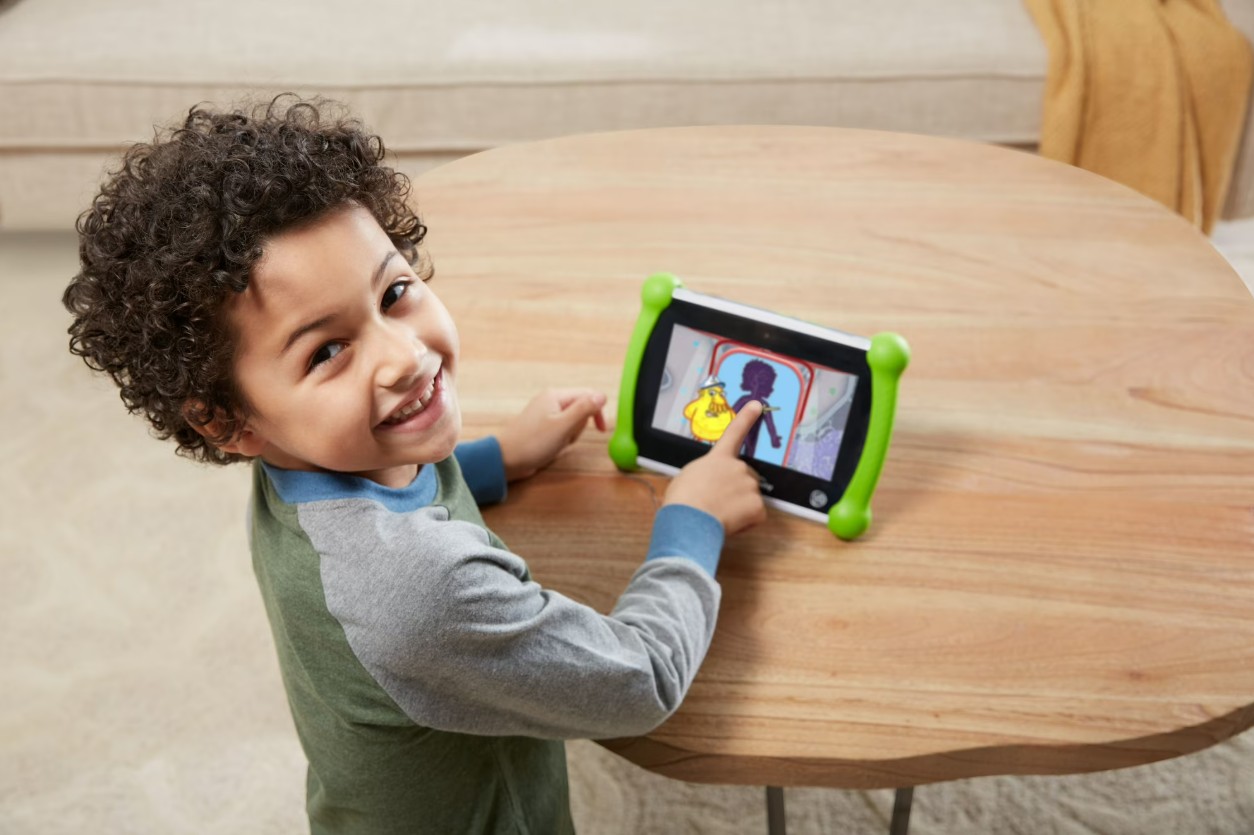
Fourth, long-term usage costs: Besides the price of the device, parents should take into account content subscription costs, accessories, storage capacity and software update ability.
Fifth, device usage habits: A tablet should be a tool that supports learning and limited entertainment, not completely replacing physical activity, outdoor play and face-to-face communication.
6. Conclusion
There is no single tablet model that suits every child. The Amazon Fire HD 10 Kids Pro and LeapFrog LeapPad Academy focus more on the experience for young children, while the Lenovo Idea Tab and Samsung Galaxy Tab A11+ Kids Edition suit families who want to combine learning needs with more diverse usage ability. Parents should choose based on the child's age, learning goals, content control ability and the family's real budget.





















VIP Products








Best Selling Products
Adobe Premiere Pro Account
99 USD
Autodesk All App Account Copyright
120 USD
Freepik Premium Account
59 USD
Genuine Cheap Canva Pro
39 USD
Plugin Retouch4me
69 USD
ChatGPT Plus Account (GPT-4)
16 USD
Genuine Adobe Illustrator account
99 USD
Upgrade Genuine Office 365
49 USD
Upgrade genuine Capture One account
120 USD
MidJourney Account
29 USD
Windows 10 & 11 Pro Key
36 USD
Capcut Pro 1 Year
39 USD
Upgrade Duolingo Super
29 USD
Adobe Photoshop Copyright - Full App
120 USD
Copyright Adobe Lightroom Account
59 USD