Best Selling Products

Capcut Pro 1 Year
39 USD

Autodesk All App Account Copyright
120 USD

Adobe Premiere Pro Account
99 USD

Genuine Adobe Illustrator account
99 USD

Freepik Premium Account
59 USD

MidJourney Account
29 USD

Windows 10 & 11 Pro Key
36 USD

Adobe Photoshop Copyright - Full App
120 USD

Genuine Cheap Canva Pro
39 USD

Upgrade Genuine Office 365
49 USD

Upgrade Duolingo Super
29 USD

Copyright Adobe Lightroom Account
59 USD

Upgrade genuine Capture One account
120 USD

Plugin Retouch4me
69 USD

ChatGPT Plus Account (GPT-4)
16 USD
Top 6 Most Popular Computer Screen Recording Software in 2026
Nội dung
Choosing the right screen recording software will help you capture high-quality content, serving both work and creative purposes effectively. From recording tutorials and lectures to livestreaming or capturing gameplay, each tool offers its own advantages.
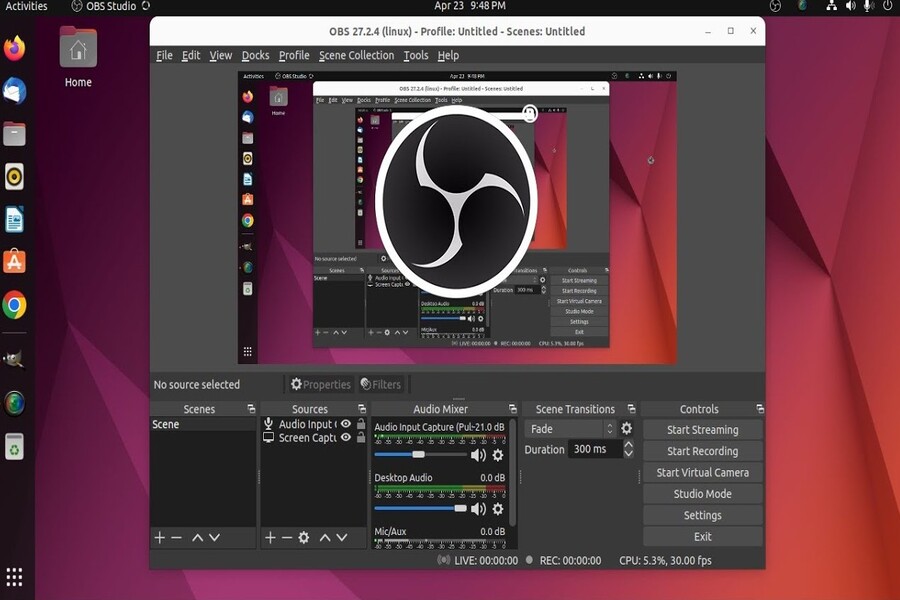
1. OBS Studio
OBS Studio is one of the most powerful free screen recording software programs available today, trusted by streamers and creators around the world. It is an open-source application that allows users to record screens and livestream in high quality without any cost, while continuously receiving updates from the development community.
The biggest strength of OBS Studio lies in its flexibility and customization capabilities. Users can set up multiple recording sources such as displays, webcams, system audio, and microphones, then combine them into different scenes to create professional layouts. This is especially useful when recording tutorials, livestreaming, or producing layered content with multiple video sources simultaneously.
In addition, OBS Studio supports high-resolution recording, from Full HD to 4K if the hardware allows. The software also integrates GPU encoding (NVENC/AMD), reducing CPU load and ensuring stable performance during recording or live streaming. Furthermore, OBS supports plugins, allowing users to add advanced features such as filters, effects, automation, and streaming platform integrations.
However, the downside of OBS is that its interface and initial setup can be quite complex for beginners. Users need time to understand how scenes, sources, and technical settings work. Nevertheless, once mastered, it remains one of the most powerful and flexible screen recording tools available today.
.jpg)
2. Bandicam
Bandicam is a well-known screen recording software thanks to its lightweight operation, stability, and high-quality recording capabilities. It is a popular choice among gamers, YouTubers, and users who need optimized video file sizes while maintaining excellent image quality.
Bandicam allows users to record screens in various modes, including full screen, application windows, or custom-selected areas. One of its standout features is efficient video compression, significantly reducing file size without greatly affecting visual quality. This is extremely useful for users who need to store large numbers of videos or quickly share them online.
Additionally, Bandicam supports gameplay recording at high frame rates, up to 144 FPS or more, enabling smooth capture of fast-paced game action. The software also supports simultaneous audio recording from multiple sources, logo insertion, on-screen drawing during recording, and automated recording schedules.
Another advantage is Bandicam’s relatively simple and user-friendly interface compared to OBS, making it suitable for non-technical users or those who need quick operation. However, the free version includes recording time limitations and watermarks, so users must upgrade to the paid version to access full functionality and export unrestricted videos.
.jpg)
3. Camtasia
Camtasia is a professional screen recording and video editing solution, making it particularly suitable for educators, marketers, and content creators. It is a “2-in-1” tool that allows users to record screens and edit videos within the same platform, streamlining workflows and saving time.
Camtasia’s greatest strength lies in its friendly, intuitive, and easy-to-use interface. Even beginners can quickly learn the software and create polished videos thanks to its convenient drag-and-drop system. After recording, users can edit directly using features such as trimming, transitions, text insertion, audio enhancements, zoom effects, and highlighting important content.
Camtasia is especially effective for creating tutorial videos, online courses, internal training materials, or marketing content. The software also includes a built-in asset library containing templates, icons, effects, and background music, helping users improve video quality without relying on external tools.
Furthermore, Camtasia supports exporting videos in various formats and provides optimization for platforms such as YouTube, making content sharing simple and efficient. However, its biggest drawback is its relatively high cost compared to other tools, along with the need for a fairly capable computer to ensure smooth performance during complex video editing tasks.
.jpg)
4. Cute Screen Recorder Free
Cute Screen Recorder Free is a simple and completely free solution for users who do not require advanced features. It is suitable for general users, students, and office workers who want to record screens quickly for basic purposes such as capturing actions, creating tutorials, or saving content.
The greatest advantage of Cute Screen Recorder Free is its lightweight interface, ease of use, and low system requirements. Users can quickly choose between full-screen recording or custom-area recording with just a few simple steps. The software also supports multiple common video formats, making storage, sharing, and editing with other tools convenient.
In addition, the software runs reliably on many systems and consumes minimal resources, making it suitable for lower-end computers. This is a major advantage for users who cannot run heavier or more advanced software.
.jpg)
However, because it is free software, Cute Screen Recorder Free does not include advanced features such as video editing, effects, or in-depth customization. Users with professional content production needs will need to combine it with additional software. Therefore, it is best suited for basic, quick, and accessible recording tasks.
5. FlashBack Express
FlashBack Express is a free screen recording application that offers many powerful features while maintaining excellent stability and output quality. It is suitable for both beginners and experienced users looking for a reliable screen recording solution.
One of the most impressive advantages of FlashBack Express is its ability to record without time limits and without adding watermarks, something rarely found in free software. Users can simultaneously record screens, webcams, and audio, making it easy to create professional tutorials and presentations.
.jpg)
The software also supports exporting videos in multiple formats while preserving excellent image quality after rendering. Additionally, FlashBack Express includes basic editing tools such as trimming, removing unnecessary sections, and making quick adjustments without requiring third-party software.
The strength of FlashBack Express lies in its balance between functionality and ease of use. Its intuitive interface helps users get started quickly while still meeting most common screen recording needs. However, users who require advanced editing features or visual effects may need to upgrade to the paid version.
6. Apowersoft Free Online Screen Recorder
Apowersoft Free Online Screen Recorder is a web-based screen recording tool that allows users to capture screens without installing software. It is an ideal solution for those who need quick and convenient recording without using local storage space.
The biggest advantage of Apowersoft is its flexibility and accessibility. Users simply visit the website, configure the recording area, select audio sources, and start recording immediately. The tool supports full-screen recording, window recording, or recording a specific area, while also allowing webcam and microphone capture for presentations and tutorials.
Additionally, Apowersoft offers basic features such as real-time annotations during recording, helping users emphasize important information. After recording is complete, videos can be saved locally or shared online quickly and conveniently.
.jpg)
However, because it operates through a web platform, performance may depend on internet connection quality and browser capabilities. Furthermore, advanced functions such as detailed editing or codec customization are more limited compared to installed desktop software.
Even so, thanks to its convenience and speed, Apowersoft Free Online Screen Recorder remains a suitable option for casual users or situations where immediate screen recording is required without pre-installed software.
Choosing the right screen recording software depends on your specific needs and budget. If you need a powerful and flexible free solution, OBS Studio is the leading choice. If you prioritize lightweight performance and stability, Bandicam is an excellent option. Meanwhile, Camtasia is ideal for users who require professional video editing capabilities.
Software such as FlashBack Express and Apowersoft are better suited for everyday users who value convenience and ease of use. Ultimately, there is no single best screen recording software for everyone—only the one that best fits your needs. Hopefully, this article will help you find the optimal screen recording tool to improve productivity and content creation throughout 2026.





















VIP Products








Best Selling Products
Capcut Pro 1 Year
39 USD
Autodesk All App Account Copyright
120 USD
Adobe Premiere Pro Account
99 USD
Genuine Adobe Illustrator account
99 USD
Freepik Premium Account
59 USD
MidJourney Account
29 USD
Windows 10 & 11 Pro Key
36 USD
Adobe Photoshop Copyright - Full App
120 USD
Genuine Cheap Canva Pro
39 USD
Upgrade Genuine Office 365
49 USD
Upgrade Duolingo Super
29 USD
Copyright Adobe Lightroom Account
59 USD
Upgrade genuine Capture One account
120 USD
Plugin Retouch4me
69 USD
ChatGPT Plus Account (GPT-4)
16 USD