Best Selling Products

Autodesk All App Account Copyright
120 USD

Capcut Pro 1 Year
39 USD

Plugin Retouch4me
69 USD

Upgrade Duolingo Super
29 USD

MidJourney Account
29 USD

Freepik Premium Account
59 USD

Adobe Premiere Pro Account
99 USD

Upgrade Genuine Office 365
49 USD

Genuine Cheap Canva Pro
39 USD

ChatGPT Plus Account (GPT-4)
16 USD

Copyright Adobe Lightroom Account
59 USD

Genuine Adobe Illustrator account
99 USD

Windows 10 & 11 Pro Key
36 USD

Adobe Photoshop Copyright - Full App
120 USD

Upgrade genuine Capture One account
120 USD
Top Free AI Tools 2026: Design, Photo Editing, and Slide Creation
Nội dung
Discover the top free AI tools of 2026 to support graphic design, image editing, and creating professional presentations.
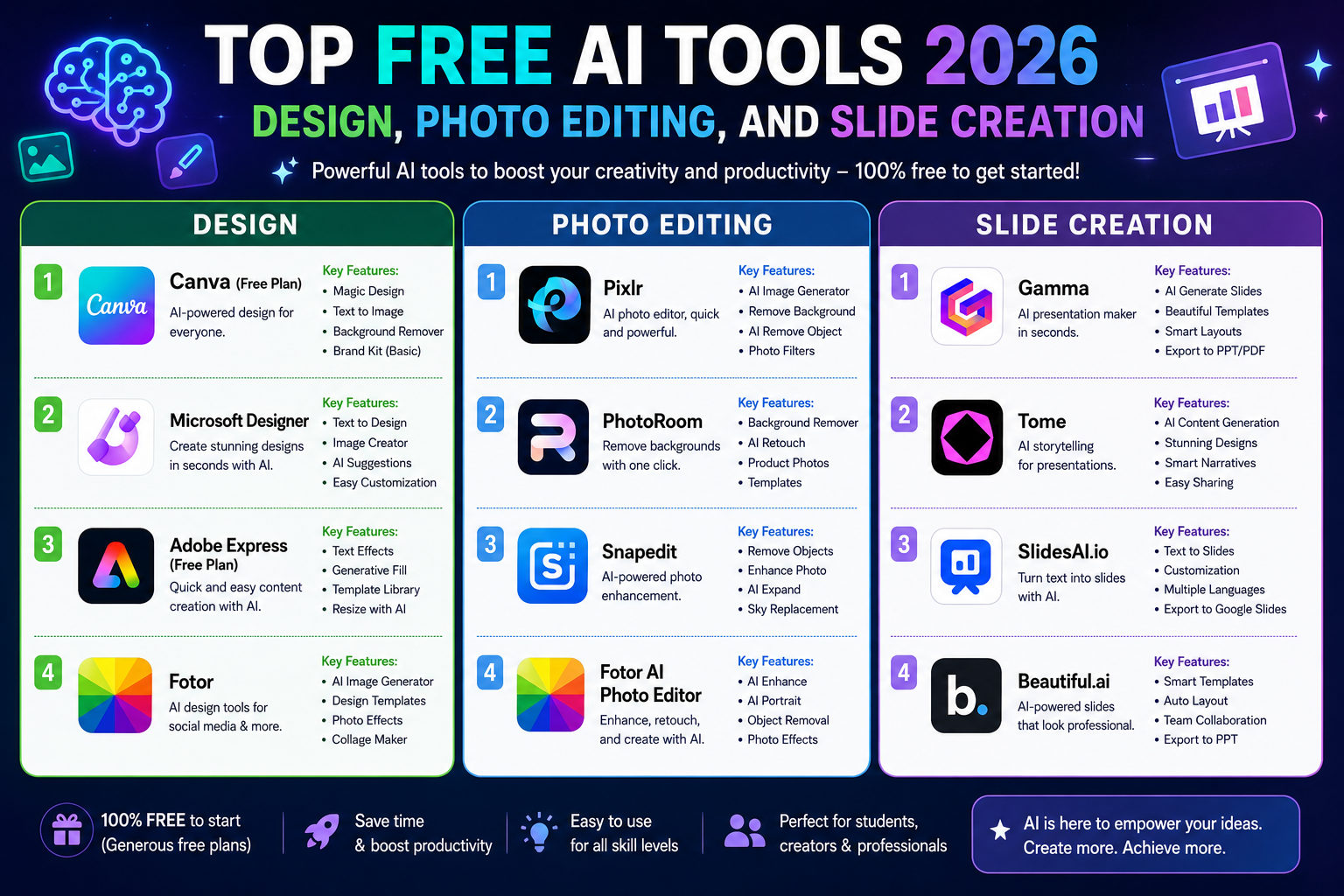
1. AI for graphic editing and design
AI is transforming design tasks that used to require many operations into more intuitive processes. Users can start with an idea, a pre-existing image, or a text command, then let AI assist in creating layouts, editing subjects, removing objects, generating images, and finalizing the design.
1.1. Canva AI
Canva is one of the most popular online design platforms and has integrated many AI features into its ecosystem. Canva AI allows users to create designs, images, content, and edit directly within the Canva environment without having to switch between different software programs.
One of Canva's strengths is its intuitive interface. Users can start with a descriptive sentence like:
"Create an Instagram post about AI-powered graphic design trends for 2026, focusing on a modern, minimalist, professional style using clear layouts and targeting young designers."
AI can assist in creating initial ideas and layouts. Users can then further edit fonts, images, colors, sizes, and content directly within Canva's editor.
Canva also offers AI features for image editing. With Magic Eraser, users can remove an unwanted object. Magic Edit allows users to specify elements they want to add or change in an image. Magic Grab can help select and move subjects in a photo to adjust the composition.
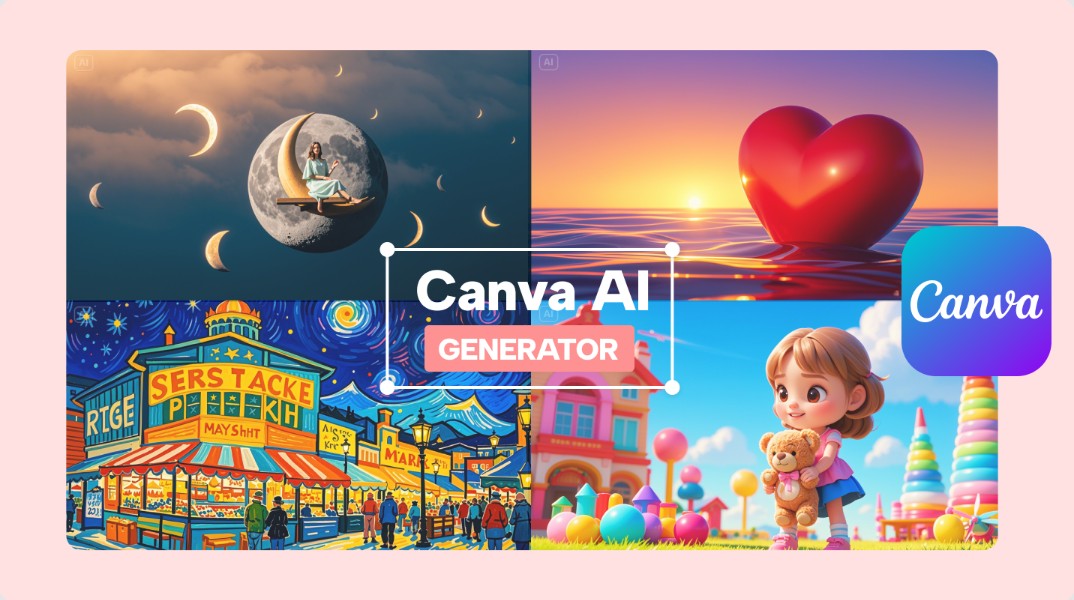
The basic process can be done in the following steps: upload images to Canva, open the AI editing tool, select the feature you want to use, describe the changes using commands, check the results, and continue manual editing if needed.
An edit prompt might read:
"Remove the person standing behind the main character, keeping the main character's face, clothing, and lighting intact. Restore the background naturally and without any visible signs of editing."
Canva is suitable for those who need to quickly create social media posts, banners, posters, thumbnails, infographics, presentations, and many other types of designs. A notable point is that users don't need advanced design skills to create relatively complete products.
However, AI features and usage limitations may vary between free and paid accounts. If you frequently use AI or require advanced tools, you should check Canva's current policies before making a choice.
1.2. Pixlr
Pixlr is an online image editing toolkit, suitable for those who want to process photos quickly without installing heavy software on their computer. The platform offers many editing tools and AI features such as image creation, background removal, image enlargement, and content editing support.
One advantage of Pixlr is its relatively simple accessibility. Users can upload images, select the necessary tools, and make edits directly in their browser.
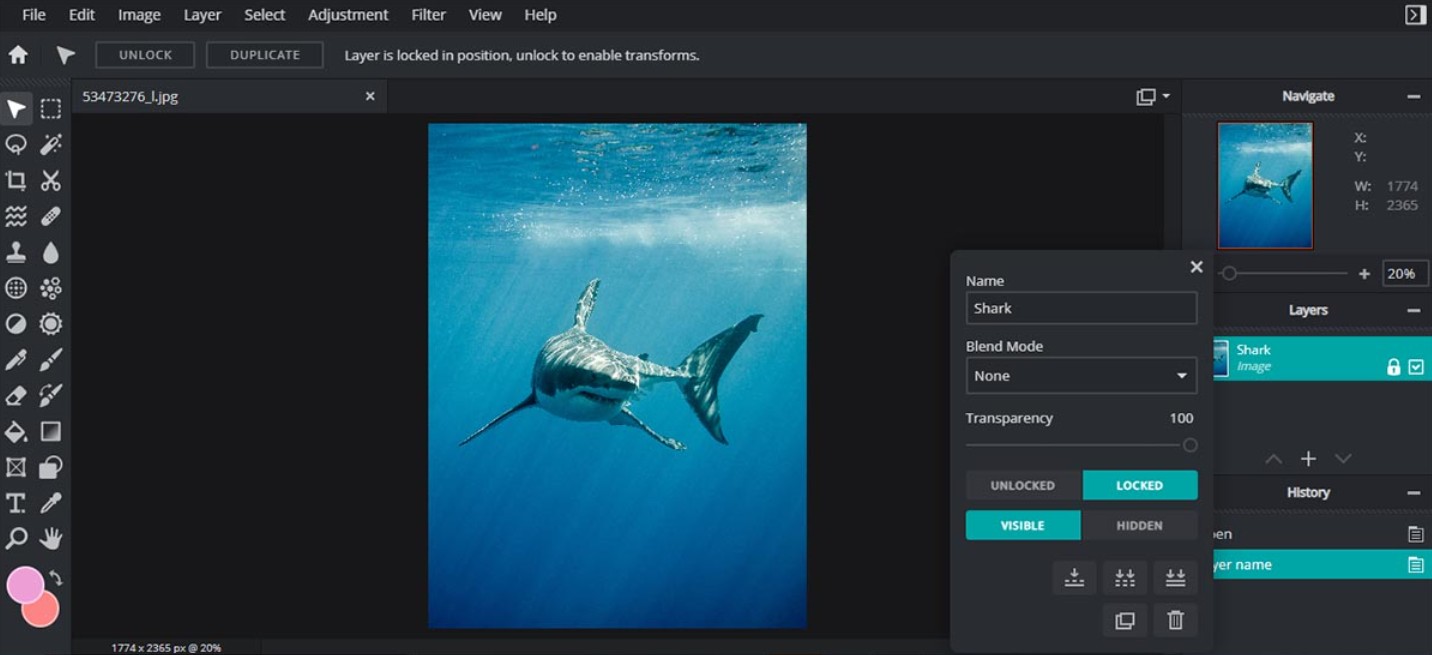
For example, when wanting to enlarge a photo that lacks space on either side, users can use the AI Expand feature to ask the AI to create a suitable additional background.
Prompt can use:
"Expand the image to the sides, keeping the main subject in the center. Create a new background that matches the original setting, maintaining the lighting, color, and depth of field."
Pixlr is also useful for removing product backgrounds, creating new images from descriptions, or quickly processing images for websites and social media.
A basic image editing process with Pixlr involves opening the editor, uploading the image, selecting the appropriate AI tool, identifying the area to be changed or entering a description, generating the result, and refining it using traditional editing tools.
For e-commerce businesses, Pixlr can significantly assist in processing product images. For example, a product image with a complex background can have its background removed before being placed in a new ad layout.
Pixlr has a free version, but some AI features and resources may be limited. Therefore, if you frequently use it with a large number of images, you should check your AI usage limit and the terms of your current plan.
1.3. Fotor
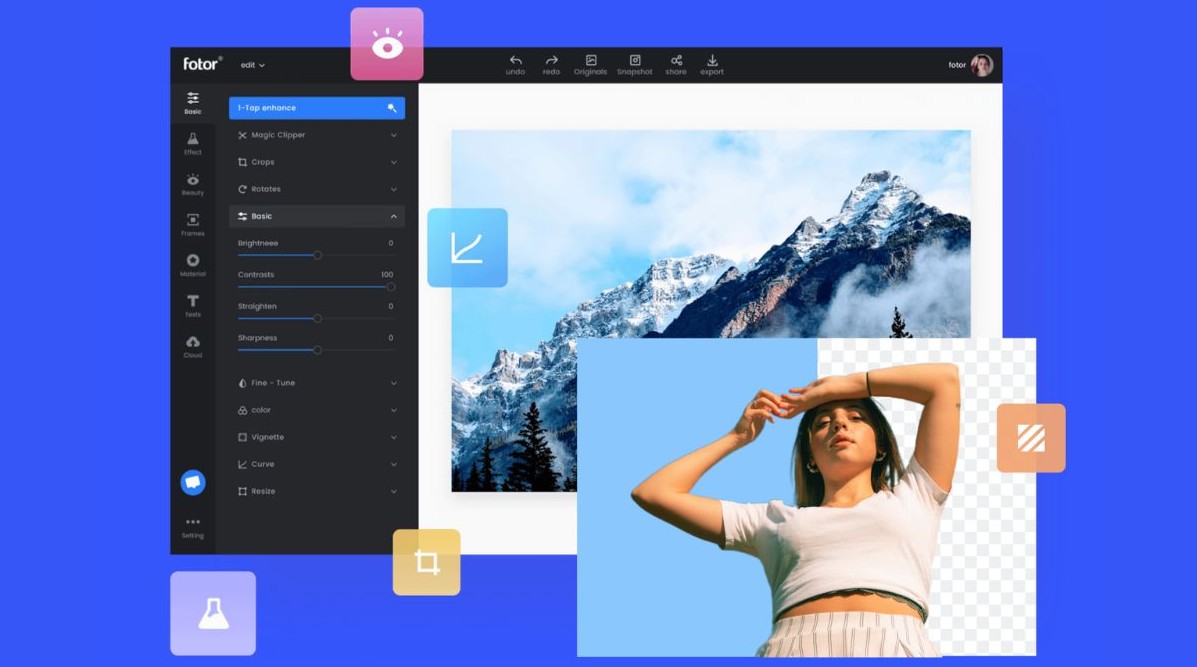
Fotor is an online photo editing platform that combines design tools and AI. The tool caters to a wide range of needs, from personal photo editing and social media content creation to image enhancement and text-based image creation.
Fotor is especially suitable for non-Photoshop professionals who want to quickly perform common tasks. Its AI can assist with background removal, object removal, resolution enhancement, face editing, and image creation from a prompt.
For example, to create a product advertisement image, a user might enter:
"Creating an advertising image for a high-end perfume bottle placed on a marble surface, luxurious studio lighting, minimalist background, subtle reflections, commercial product photography style, vertical composition."
After creating the image, users can further edit the layout, add text, change colors, or combine it with pre-existing templates.
Fotor is suitable for bloggers, online sellers, marketers, and content creators who need to create images quickly. The tool is especially useful when the goal isn't to create overly complex artwork, but rather to complete a beautiful, functional image.
Like many other AI platforms, Fotor offers features for free, but some advanced functions, file export quality, or credit requirements may require an upgrade.
2. AI for creating slideshows
Creating slides is often a time-consuming task because users have to brainstorm ideas, build content, arrange layouts, and select images. AI presentation makers can automate part of this process by transforming topics, paragraphs, or documents into presentation structures.
2.1. Gamma
Gamma is an AI-powered tool for creating documents, presentations, and visual content. Instead of starting with a blank slide, users simply describe the topic, audience, and goals. Gamma can then build the structure, content, and layout for the entire presentation.
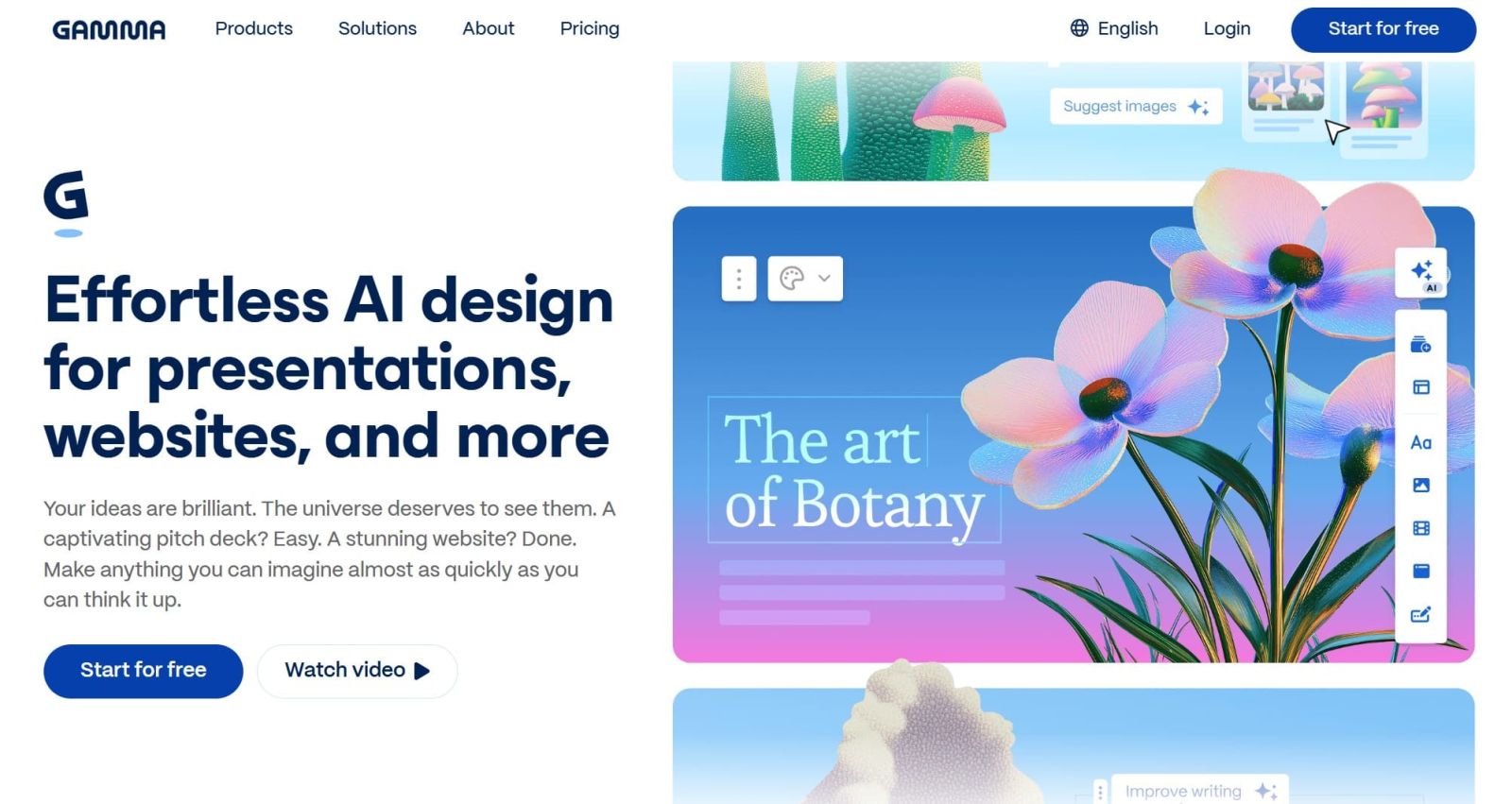
For example, the user might enter:
"Create a 10-slide presentation on the topic 'AI Applications in Graphic Design in 2026'. The target audience is beginner designers. The layout should include: introduction, AI trends, popular tools, workflow, practical examples, advantages, limitations, copyright notice, and conclusion. The style should be modern, minimalist, and professional. Each slide should not contain too much text."
Gamma will then create a draft for the user to continue editing.
One of Gamma's advantages is its ability to combine content and design in a single workflow. Users can change the theme, layout, images, and content after the AI creates the presentation.
Gamma is suitable for students, teachers, marketers, office workers, and businesses who need to create pitch decks, reports, proposals, or presentations quickly.
For better results, instead of just entering the topic, provide the number of slides, target audience, goals, design style, and required content. This will help the AI create a presentation that better matches your needs.
2.2. Plus AI
Plus AI is a tool focused on assisting in creating and editing presentations in Google Slides and PowerPoint. Unlike standalone presentation platforms, Plus AI aims to integrate AI directly into the user's familiar workflow environment.
Users can use existing content or start from a prompt to create a slide structure. For example:
"Create an 8-slide presentation on 'The Benefits of AI for Small Businesses'. The target audience is business owners with no in-depth knowledge of technology. The content should be easy to understand, focusing on automation, marketing, customer service, data analytics, and time savings. Each slide should have a clear title, a maximum of 4 main points, and suggested illustrative images."
After the AI generates the content, users can further adjust each slide, changing the text, layout, and style.
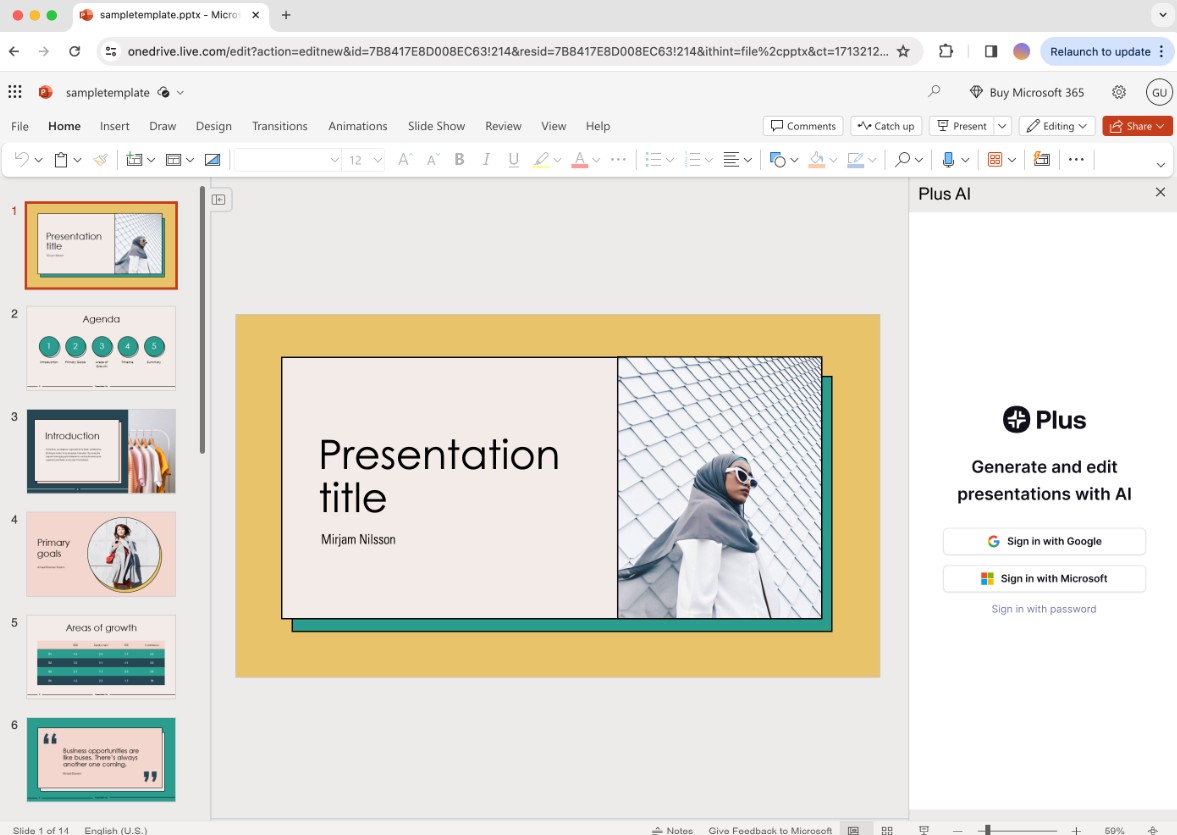
Plus AI is especially suitable for those who are already familiar with Google Slides or PowerPoint but want to reduce content creation time. Instead of switching to a completely new platform, users can integrate AI into their familiar presentation workflow.
However, it's important to distinguish between "automatically generating slides" and "creating an effective presentation." AI can help with structure and design, but presenters still need to check the flow of content, data, consistency, and relevance to the audience.
3. Choose the right tool.
Each AI tool on this list has its own strengths. Canva AI is suitable for those who want to combine design, photo editing, and visual content creation in a single platform. Pixlr is ideal for quick photo editing tasks in a browser, while Fotor is suitable for those who want to combine photo editing with AI-powered image creation features.
In the presentation category, Gamma is suitable when you want AI to build a presentation almost from scratch based on a topic and requirements. Plus AI, on the other hand, is more suitable for those who already work regularly with Google Slides or PowerPoint and want to add AI capabilities to their current workflow.
It's important to clearly define the task before choosing a tool. If you need to create social media posts, Canva might be a convenient choice. If you need to remove the background or quickly process an image, Pixlr and Fotor are worth considering. If you need to create a pitch deck or presentation from an idea, Gamma can save considerable time. And if the work relies heavily on PowerPoint or Google Slides, Plus AI has the advantage of integration capabilities.
Instead of relying entirely on a single platform, users can combine multiple tools within the same process: AI for idea generation → AI for content creation → AI for image design → AI for slide building → human review and refinement . This is an effective way to leverage AI to save time while maintaining the quality and professionalism of the product.





















VIP Products








Best Selling Products
Autodesk All App Account Copyright
120 USD
Capcut Pro 1 Year
39 USD
Plugin Retouch4me
69 USD
Upgrade Duolingo Super
29 USD
MidJourney Account
29 USD
Freepik Premium Account
59 USD
Adobe Premiere Pro Account
99 USD
Upgrade Genuine Office 365
49 USD
Genuine Cheap Canva Pro
39 USD
ChatGPT Plus Account (GPT-4)
16 USD
Copyright Adobe Lightroom Account
59 USD
Genuine Adobe Illustrator account
99 USD
Windows 10 & 11 Pro Key
36 USD
Adobe Photoshop Copyright - Full App
120 USD
Upgrade genuine Capture One account
120 USD