Best Selling Products

Windows 10 & 11 Pro Key
36 USD

Upgrade genuine Capture One account
120 USD

Genuine Adobe Illustrator account
99 USD

Upgrade Genuine Office 365
49 USD

Autodesk All App Account Copyright
120 USD

Genuine Cheap Canva Pro
39 USD

ChatGPT Plus Account (GPT-4)
16 USD

MidJourney Account
29 USD

Copyright Adobe Lightroom Account
59 USD

Upgrade Duolingo Super
29 USD

Capcut Pro 1 Year
39 USD

Adobe Photoshop Copyright - Full App
120 USD

Plugin Retouch4me
69 USD

Adobe Premiere Pro Account
99 USD

Freepik Premium Account
59 USD
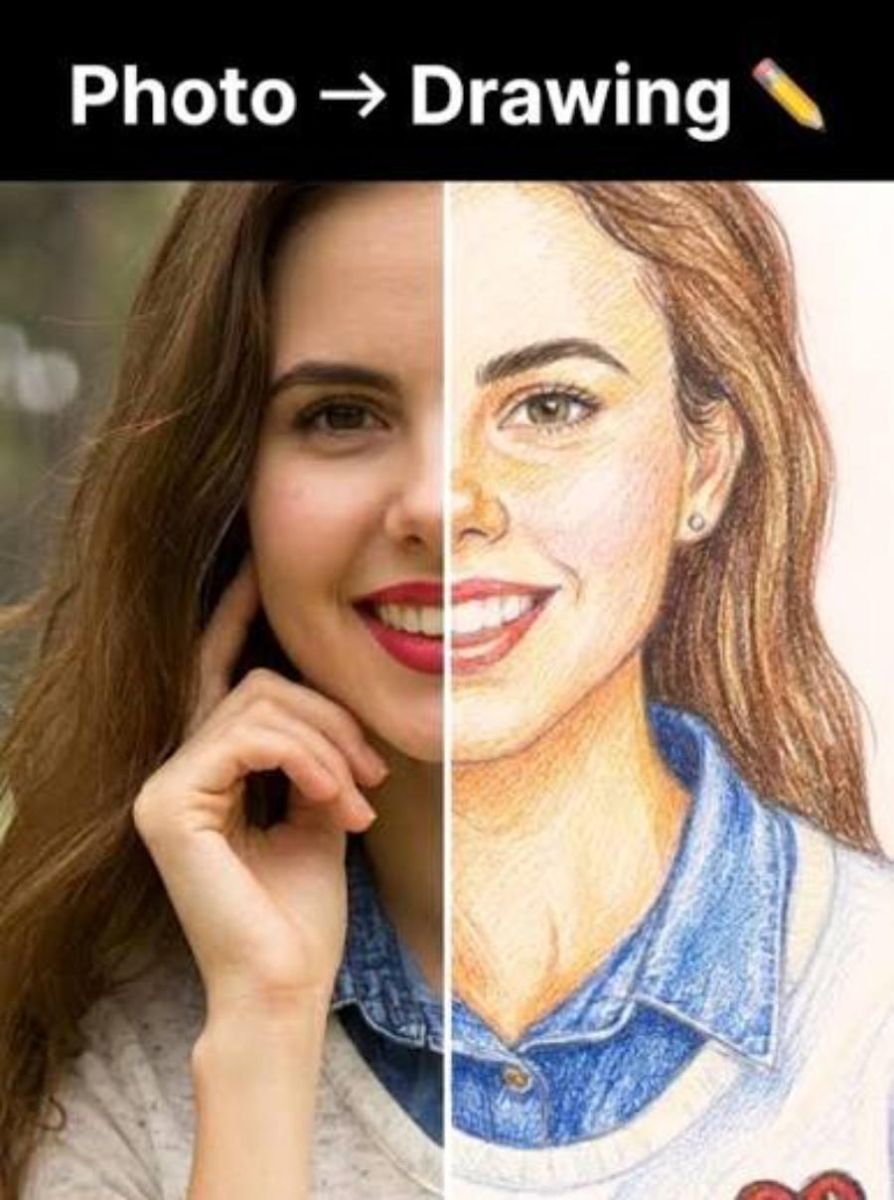
Transform your photos into unique paintings with cutting-edge artificial intelligence technology.
Nội dung
- 1. Trends in Using Animation Creation Apps in the Digital Age
- 1.1 The Trend of Changing Profile Pictures on Social Media Platforms
- 1.2 Applications in Content Creation and Commercial Graphic Design
- 2. Criteria for Choosing the Right Software to Convert Real Photos into Drawings
- 2.1 User-Friendly Interface and Simple Operation
- 2.2 Diversity of Filters and Artistic Styles
- 2.3 High-Resolution Output Image Quality
- 3. Review of the Most Popular Cartoon Image Creation Apps on Mobile Phones
- 3.1 Prisma - The Ultimate Artistic Photo Editor
- 3.2 ToonMe - Transform into a Disney Cartoon Character in an Instant
- 3.3 Voilà AI Artist - Creating Unique Renaissance Portrait Paintings
- 3.4 Lensa - Trendy AI Avatar Profile Picture Creation Technology
- 4. Professional Cartoon Image Transformation Tools on Your Computer
- 4.1 Adobe Photoshop - Using Advanced Neural Filters
- 4.2 PicsArt Web - A Fast Online Editing Solution
- 5. Web appvip.ai - The Leading Breakthrough AI-Powered Animation Creation Platform
- 6. Detailed Step-by-Step Guide to Transforming Real Photos into Cartoon Images
- 6.1 Step 1: Prepare and Select a High-Quality Original Photo
- 6.2 Step 2: Upload the Image to the Processing Tool and Choose a Style
- 6.3 Step 3: Customize Detailed Parameters and Export File
- 7. Important Notes for Getting the Perfect Cartoon Photo
- 7.1 Pay Attention to Image Copyright and Data Privacy Policy
- 7.2 Avoid Overusing Filters, as This Can Cause an Unnatural Look
- 8. Summary
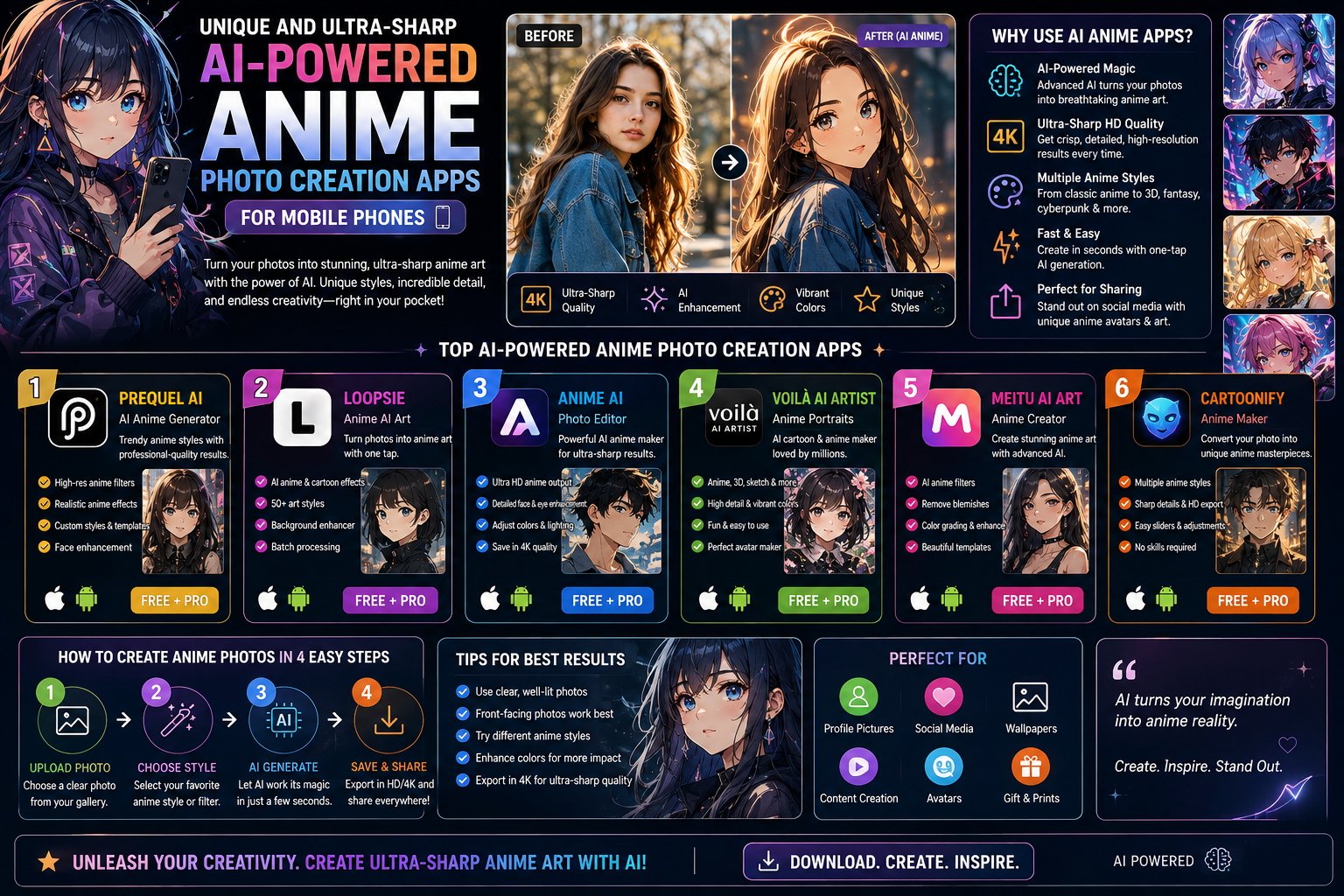
Discover unique and high-quality apps that create animated images from real photos using AI technology. Detailed instructions on how to easily transform your photos into anime drawings.
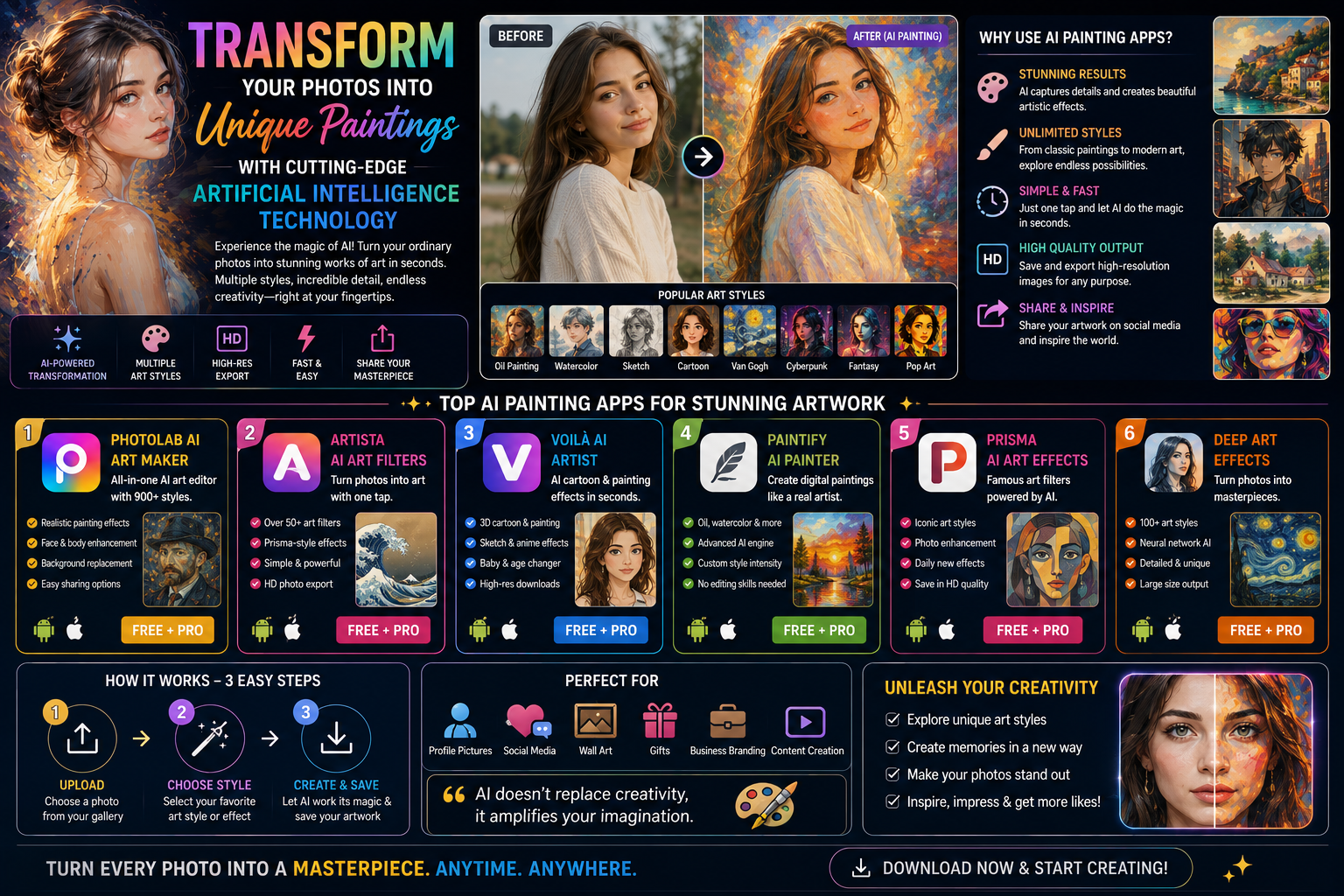
1. Trends in Using Animation Creation Apps in the Digital Age
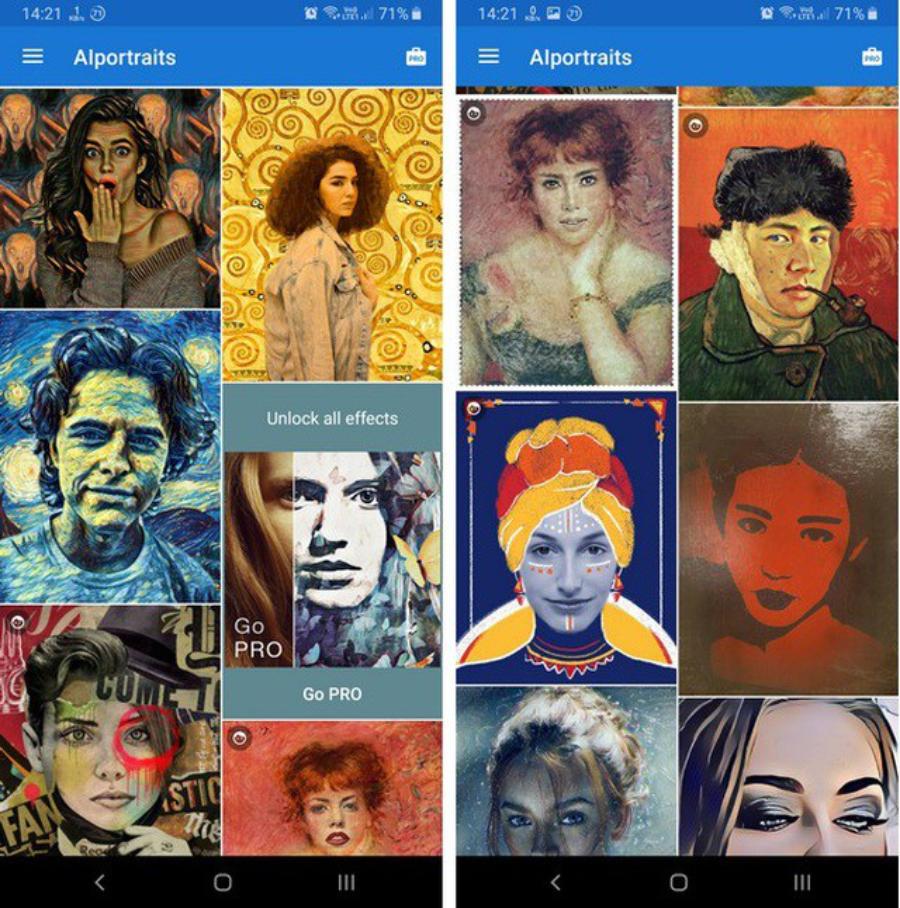
1.1 The Trend of Changing Profile Pictures on Social Media Platforms
The explosion of platforms like TikTok, Instagram, and Facebook has spurred users to constantly refresh their self-image. Ordinary photos can sometimes feel boring and lack originality. Therefore, transforming one's appearance into characters straight out of comic books has become a widespread phenomenon. This style offers a fresh look, helping your profile stand out among millions of others.
1.2 Applications in Content Creation and Commercial Graphic Design
Beyond personal entertainment, content creators and designers are also beginning to fully exploit this technology. Animated images are being used as illustrations for articles, advertising banners, or to build personal brand identities. This helps to significantly reduce the cost of hiring traditional hand-drawn artists while still ensuring high aesthetic quality and speeding up the completion of tasks.
2. Criteria for Choosing the Right Software to Convert Real Photos into Drawings
2.1 User-Friendly Interface and Simple Operation
A good tool should first and foremost provide a smooth user experience. Non-expert users often prefer applications with a clear layout and minimalist features. With just a few taps or clicks, the original image can be completely transformed without requiring complex graphic design skills.
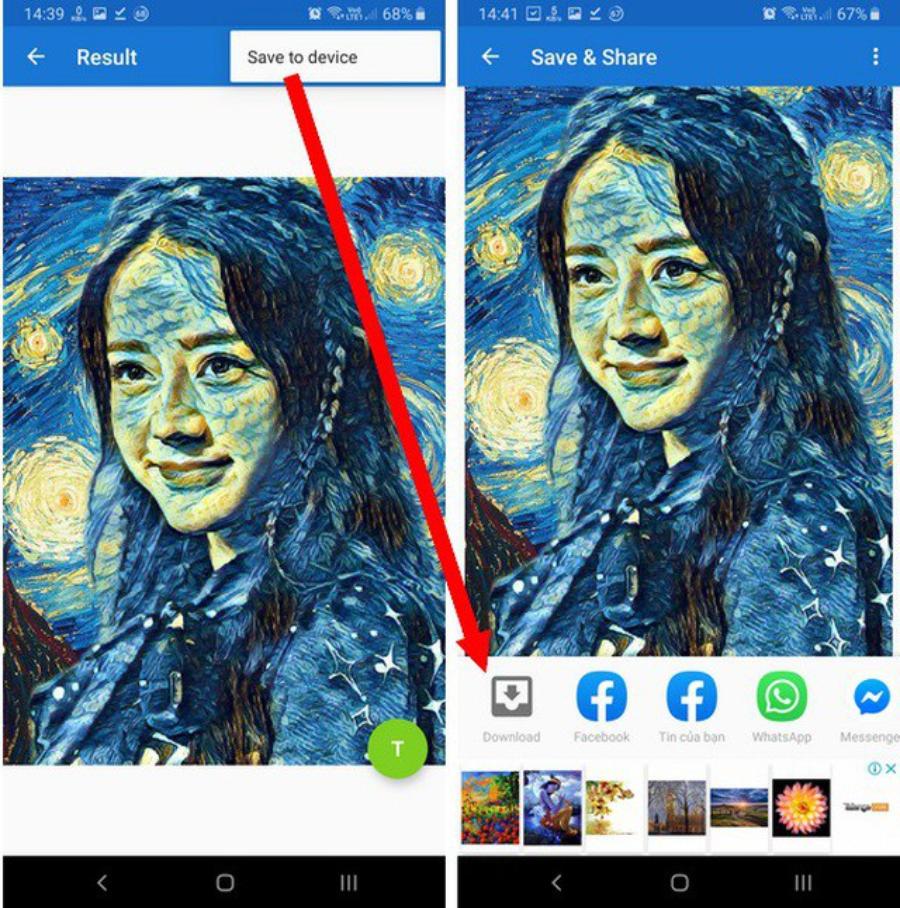
2.2 Diversity of Filters and Artistic Styles
Everyone has different aesthetic tastes, so a rich collection of effects is key to retaining users. High-quality software needs to offer a full range of styles, from classic Disney animation and Japanese anime to cute chibi and delicate oil and watercolor paintings.
2.3 High-Resolution Output Image Quality
The blurring and pixelation of images after processing is a major drawback of many low-quality tools. Users are always looking for applications that preserve the delicate features of the face while exporting high-resolution image files so they can easily share them on social media or print them when needed.
3. Review of the Most Popular Cartoon Image Creation Apps on Mobile Phones
3.1 Prisma - The Ultimate Artistic Photo Editor
Prisma has long established itself as a favorite among digital art enthusiasts. The AI technology integrated into this app analyzes images and recreates them in the style of masterful artists. The filters are highly artistic, transforming ordinary details into vibrant and profound works of art, like a real oil painting.
3.2 ToonMe - Transform into a Disney Cartoon Character in an Instant
ToonMe is a must-try if you want to create a photo in the style of famous animation studios worldwide. Its strength lies in its incredibly accurate facial recognition. The system automatically processes details from eyes, nose, hair, and even clothing to produce a 3D animated version that looks just like you, while also being cute and cinematic.
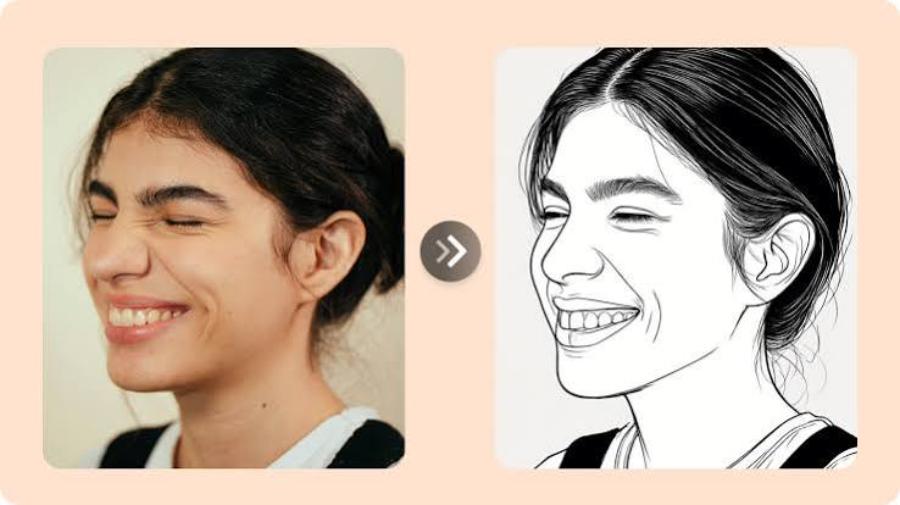
3.3 Voilà AI Artist - Creating Unique Renaissance Portrait Paintings
Voilà AI Artist harmoniously combines human creativity with the power of computer algorithms. The application offers users exciting experiences where they can transform themselves into 15th-century hand-painted pictures, Pixar cartoons, or even humorous caricatures. This diverse transformation allows users to unleash their creativity without any limitations.
3.4 Lensa - Trendy AI Avatar Profile Picture Creation Technology
Lensa boasts the Magic Avatars feature, which took the world by storm thanks to its ability to create a series of high-quality artistic photos from a set of original images. Lensa's processing delves into optimizing skin tone, lighting, and surrounding background. The result is animated portraits with a fantastical, surreal, and highly professional feel.
4. Professional Cartoon Image Transformation Tools on Your Computer
4.1 Adobe Photoshop - Using Advanced Neural Filters
For professional designers, Adobe Photoshop remains a solid benchmark. The latest update introduces Neural Filters, allowing users to transform image styles with just a slider. You can deeply customize every detail, the intensity of color, and the lighting to create a unique, personalized animated artwork.
4.2 PicsArt Web - A Fast Online Editing Solution
The web version of PicsArt is the ideal choice for those who don't want to install heavy software on their computer. The platform provides a full range of tools from basic to advanced, including sketch effects and hand-drawn animation effects. Editing on a large computer screen allows you to easily control small details and optimize your photos perfectly.
5. Web appvip.ai - The Leading Breakthrough AI-Powered Animation Creation Platform
In a market flooded with photo editing tools, appvip.ai emerges as a groundbreaking solution, offering a top-tier creative experience for users in Vietnam and internationally. This online platform boasts a next-generation artificial intelligence algorithm capable of analyzing facial structure and transforming it into cartoon-style drawings in just seconds. Users don't need to download resource-intensive applications or go through cumbersome registration processes. All you need to do is access the website, upload your photo, and choose your preferred style.
6. Detailed Step-by-Step Guide to Transforming Real Photos into Cartoon Images
6.1 Step 1: Prepare and Select a High-Quality Original Photo
The quality of the input image largely determines the visual appeal of the finished animation. You should prioritize close-up or half-body portraits with good lighting and clear facial features. Underexposed, blurry images or those with too much background noise will make it difficult for the AI to recognize and process the images.
6.2 Step 2: Upload the Image to the Processing Tool and Choose a Style
After accessing your chosen editing app or website, upload your image. Next, take some time to explore the app's filter library. You can experiment with various styles, from classic cartoons and black-and-white comics to modern watercolors, to find the effect that best suits the mood of your photo.
6.3 Step 3: Customize Detailed Parameters and Export File
Most modern photo editing apps allow users to further modify photos after applying filters. You can adjust the shading of the lines, change the color contrast, or add background lighting effects to make the image more vibrant. Once you're completely satisfied with the result, you can save or export the file to your device in the highest quality format.
7. Important Notes for Getting the Perfect Cartoon Photo
7.1 Pay Attention to Image Copyright and Data Privacy Policy
Personal data security should always be a top priority when using online technology services. Before deciding to upload photos of yourself or your loved ones to any application, you need to carefully review the developer's terms of use. Make sure the application commits to protecting user data and will not use your images for commercial purposes without your permission.
7.2 Avoid Overusing Filters, as This Can Cause an Unnatural Look
The goal of transforming a photograph into a drawing is to create something innovative while preserving the "essence" of the original image. Overuse of skin-smoothing effects or drastic alterations to the shape of eyes and noses can make the animated character seem alien and disconnected from the real person. The balance between technical algorithmic elements and the natural beauty of the subject is key to creating a successful artwork.
8. Summary
Using animation apps is a great way to spark your artistic passion and revitalize your digital life. The support of smart tools makes transforming everyday moments into artwork easier than ever. Try out the suggested software to create unique, personalized works of art and share the joy with your friends.





















VIP Products








Best Selling Products
Windows 10 & 11 Pro Key
36 USD
Upgrade genuine Capture One account
120 USD
Genuine Adobe Illustrator account
99 USD
Upgrade Genuine Office 365
49 USD
Autodesk All App Account Copyright
120 USD
Genuine Cheap Canva Pro
39 USD
ChatGPT Plus Account (GPT-4)
16 USD
MidJourney Account
29 USD
Copyright Adobe Lightroom Account
59 USD
Upgrade Duolingo Super
29 USD
Capcut Pro 1 Year
39 USD
Adobe Photoshop Copyright - Full App
120 USD
Plugin Retouch4me
69 USD
Adobe Premiere Pro Account
99 USD
Freepik Premium Account
59 USD