Best Selling Products

Upgrade Duolingo Super
29 USD

Genuine Adobe Illustrator account
99 USD

Upgrade genuine Capture One account
120 USD

Upgrade Genuine Office 365
49 USD

Capcut Pro 1 Year
39 USD

ChatGPT Plus Account (GPT-4)
16 USD

Adobe Premiere Pro Account
99 USD

Genuine Cheap Canva Pro
39 USD

Adobe Photoshop Copyright - Full App
120 USD

Copyright Adobe Lightroom Account
59 USD

Windows 10 & 11 Pro Key
36 USD

Plugin Retouch4me
69 USD

Freepik Premium Account
59 USD

MidJourney Account
29 USD

Autodesk All App Account Copyright
120 USD
Trends in Transforming Portrait Backgrounds Using Digital Technology for Various Types of Documents
Nội dung
- 1. The Role of Green Background Formatting in Life and Work
- 1.1. Standards of consistency in academic and work documents
- 1.2. Strict requirements for color accuracy
- 2. Technical Bottlenecks When Manually Editing Photos
- 2.1. The hairline is rough and uneven in the hair area.
- 2.2. Color bleeding from the original background onto the body structure.
- 3. Discover the Smart Green Screen Photo Editing App at Appvip.ai
- 4. Steps to Automatically Change the Background in an Online Workspace
- 4.1. Step 1: Upload the original image file to the analysis server.
- 4.2. Step 2: Wait for the AI system to break down the geometric structure.
- 4.3. Step 3: Apply the standard digital green background shade.
- 4.4. Step 4: Check technical details and render high-quality images.
- 5. A Guide to Preparing Your Entry Photo at Home to Meet Regulations
- 5.1. Techniques for selecting clothing that contrasts with the target background color.
- 5.2. How to evenly distribute light sources on the face.
- 6. Practical Benefits of Applying Digital Platforms to Daily Life
- 6.1. Proactively address urgent situations requiring additional documentation.
- 6.2. Minimize the cost of hiring professional post-production services.
- 7. Mistakes to Avoid to Ensure the Legality of Your ID Photo
- 8. Conclusion
Discover the green screen photo editing app for ID photos at appvip.ai, which helps process profile picture backgrounds super fast. Experience the intelligent AI-powered automatic background removal system, compatible with 3x4 and 4x6 sizes.
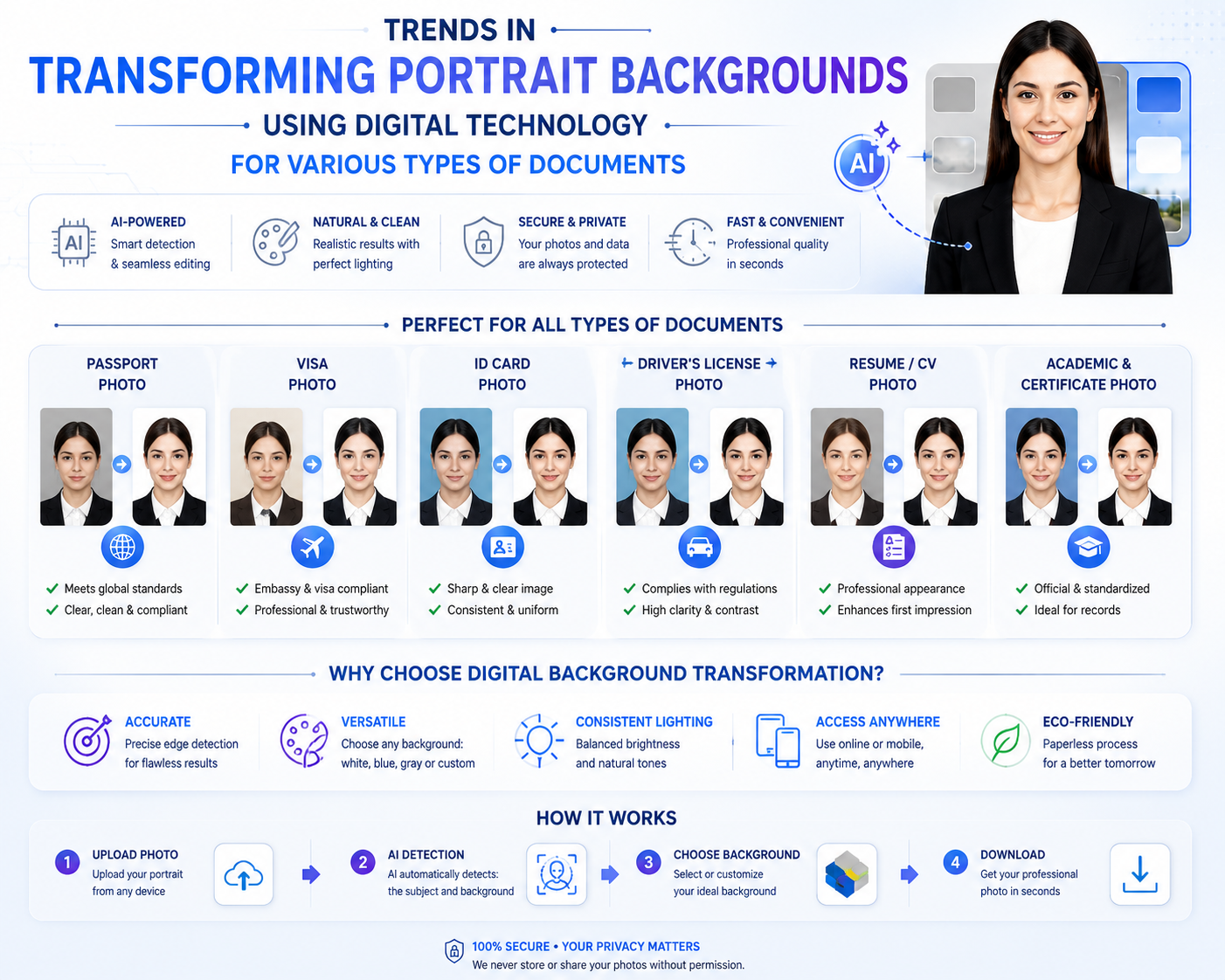
1. The Role of Green Background Formatting in Life and Work
Each shade of color applied in legal portraits carries its own specific meaning and purpose, as stipulated by the relevant authorities.

1.1. Standards of consistency in academic and work documents
Blue has long been a familiar standard for ID photos used in school records, student IDs, job applications, and health insurance cards. This color creates a sense of elegance and reliability and is very easy to distinguish from human skin tones. The consistent use of blue helps businesses and schools achieve a high level of organization and aesthetic consistency in their archived documents.
1.2. Strict requirements for color accuracy
When processing images, maintaining a standard blue tone (usually Royal Blue) is absolutely essential. Using shades that are too pale or too vibrant, like neon blue, will diminish the seriousness of the image and may even lead to your application being rejected in the initial screening round. Therefore, finding a solution that provides a standardized background color is a matter of great concern for many.
2. Technical Bottlenecks When Manually Editing Photos
Many users often tend to use common filter editing apps on their phones to try to remove the wall background from their ID photos.
2.1. The hairline is rough and uneven in the hair area.
Human hair contains thousands of tiny, intricately interwoven strands, especially the sideburns and crown, which are affected by wind. The rudimentary filtering tools of typical office software cannot recognize these fine details, resulting in sharp, distorted cuts that make the subject's head look clumsily patched together.
2.2. Color bleeding from the original background onto the body structure.
When taking photos in ordinary living spaces, the edges around the shoulders and hair are easily affected by the color cast of the walls or lighting. If you apply a new layer of blue without addressing this transitional lighting, the photo will appear with a patchy, unnatural border, detracting from the authenticity and minimal professionalism required for a portrait.
3. Discover the Smart Green Screen Photo Editing App at Appvip.ai
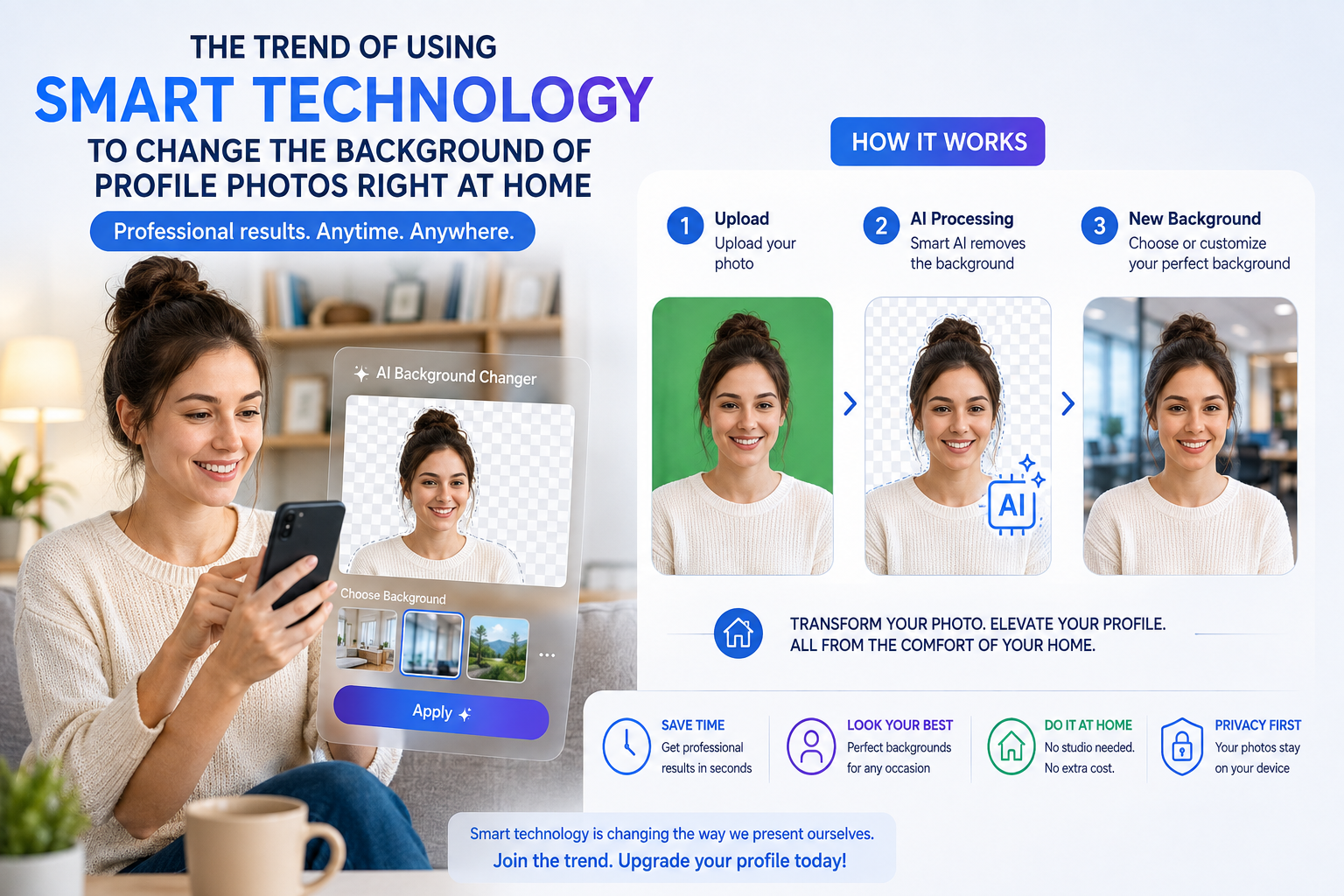
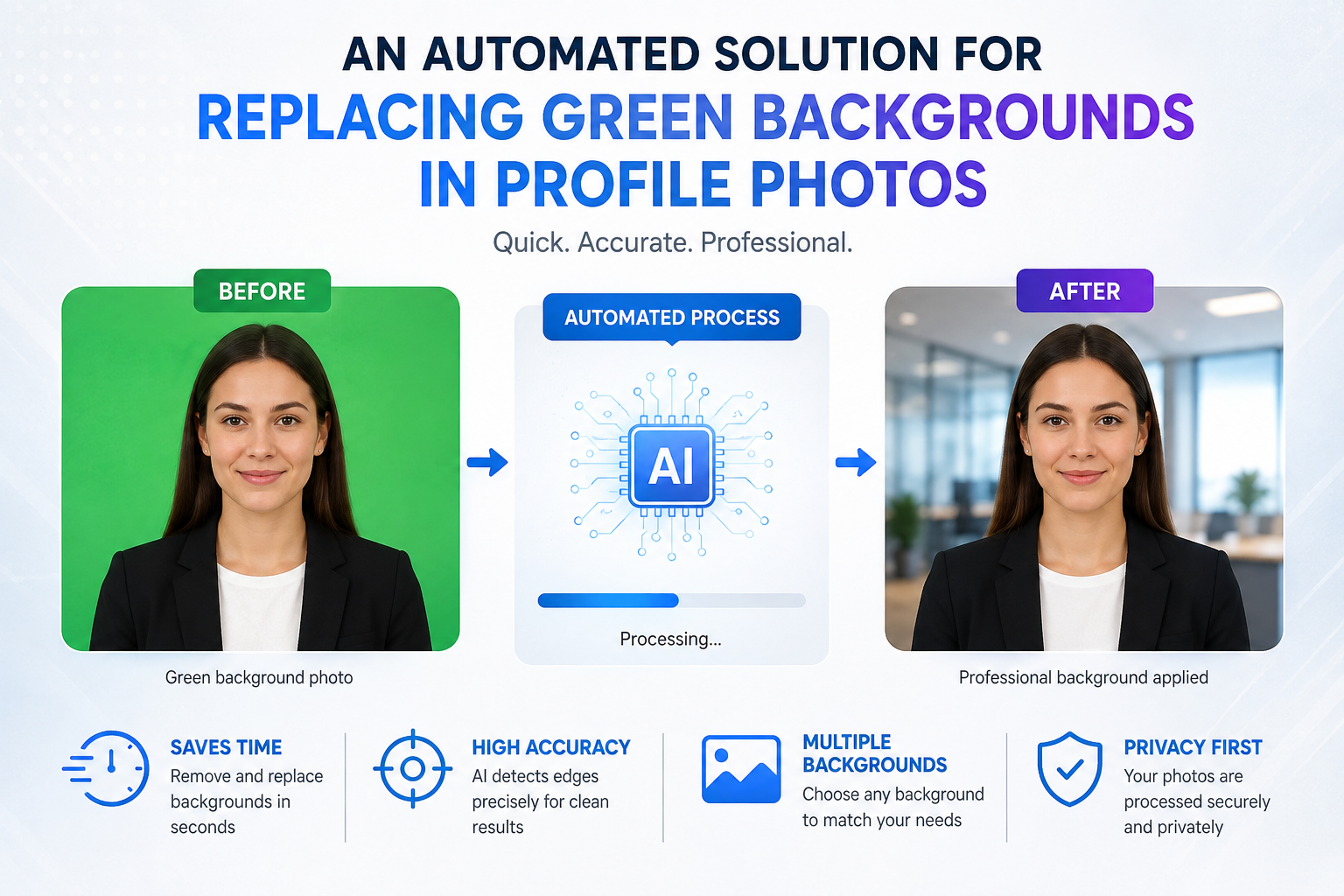
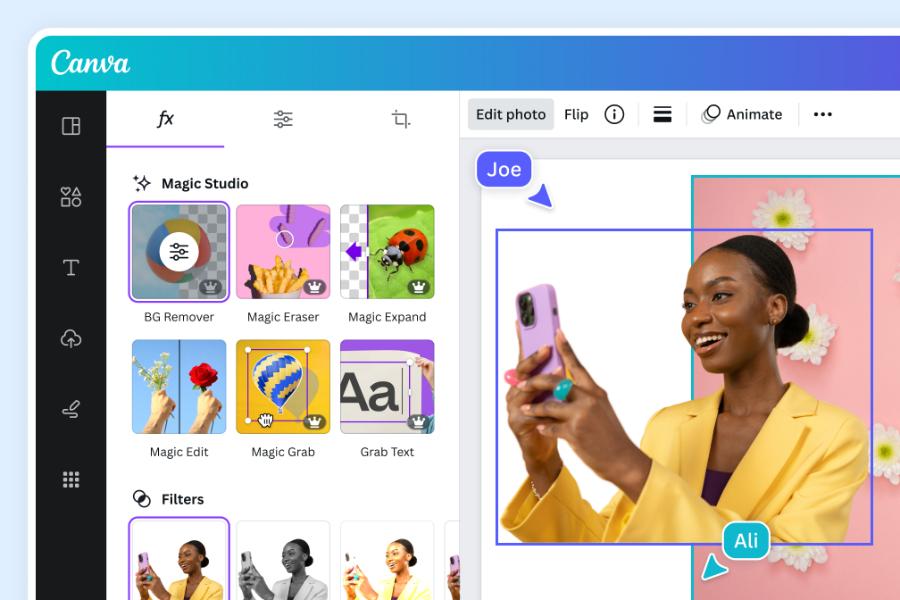
The online system at appvip.ai offers a powerful green screen photo editing app experience thanks to its deep integration of advanced deep learning technology. The platform boasts an intelligent processor capable of analyzing pixel density and automatically separating the human body from any distracting background elements. Users don't need to perform time-consuming manual retouching or erasers, nor do they need a high-end computer. The algorithm automatically recognizes and preserves even the smallest details, such as individual strands of hair or shirt collar creases, then compensates with a standard green screen background in just seconds, resulting in perfectly sharp images.

4. Steps to Automatically Change the Background in an Online Workspace
The app's interface is designed in a minimalist style, completely eliminating unnecessary toolbars to optimize the experience for all ages.
4.1. Step 1: Upload the original image file to the analysis server.
Users operate an internet browser on their smartphone or personal computer to directly access the application's homepage. They then tap the "Upload Photo" button to select an original portrait photo from their device's storage library.
4.2. Step 2: Wait for the AI system to break down the geometric structure.
Immediately after the image data is successfully transmitted, the artificial intelligence processor will perform a comprehensive scan. The system automatically identifies the boundary between skin color, clothing color, and the wall behind to establish a precise outline that isolates the subject.
4.3. Step 3: Apply the standard digital green background shade.
The customer clicks on the available blue icon in the system's custom color palette. The application automatically applies the new color evenly to the background space, while simultaneously performing an algorithm to remove any old color casts on the shoulders, creating perfect harmony in the photograph.
4.4. Step 4: Check technical details and render high-quality images.
Users can use screen zoom to review all the cuts around the hair and garment shape to ensure it's as smooth as desired. Once completely satisfied, they click the download button to save the high-resolution image file to their computer, ready to be included in application forms.
5. A Guide to Preparing Your Entry Photo at Home to Meet Regulations
The processing performance of intelligent algorithms will be optimized to the highest level if your original image data is prepared scientifically.
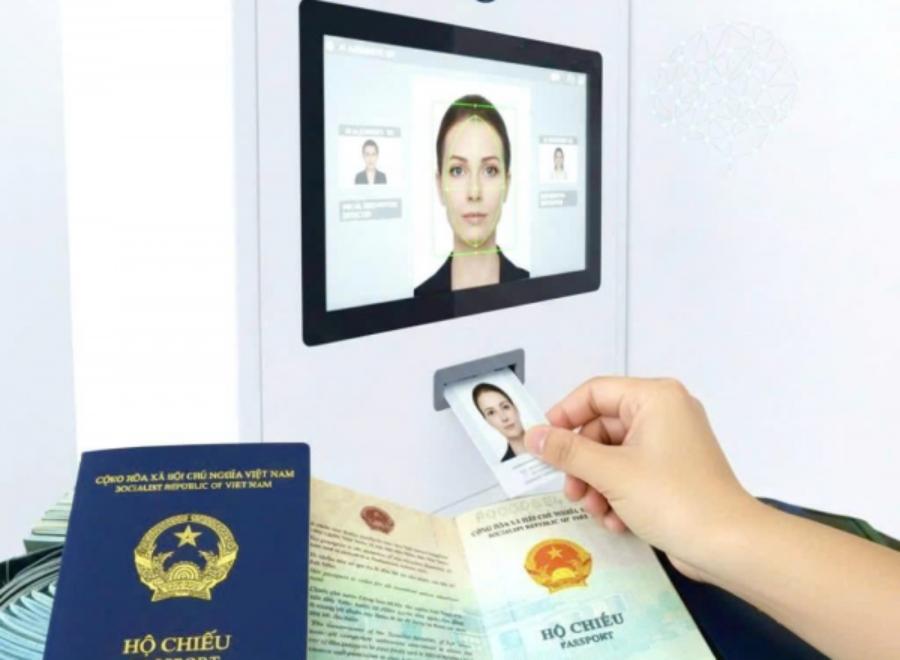
5.1. Techniques for selecting clothing that contrasts with the target background color.
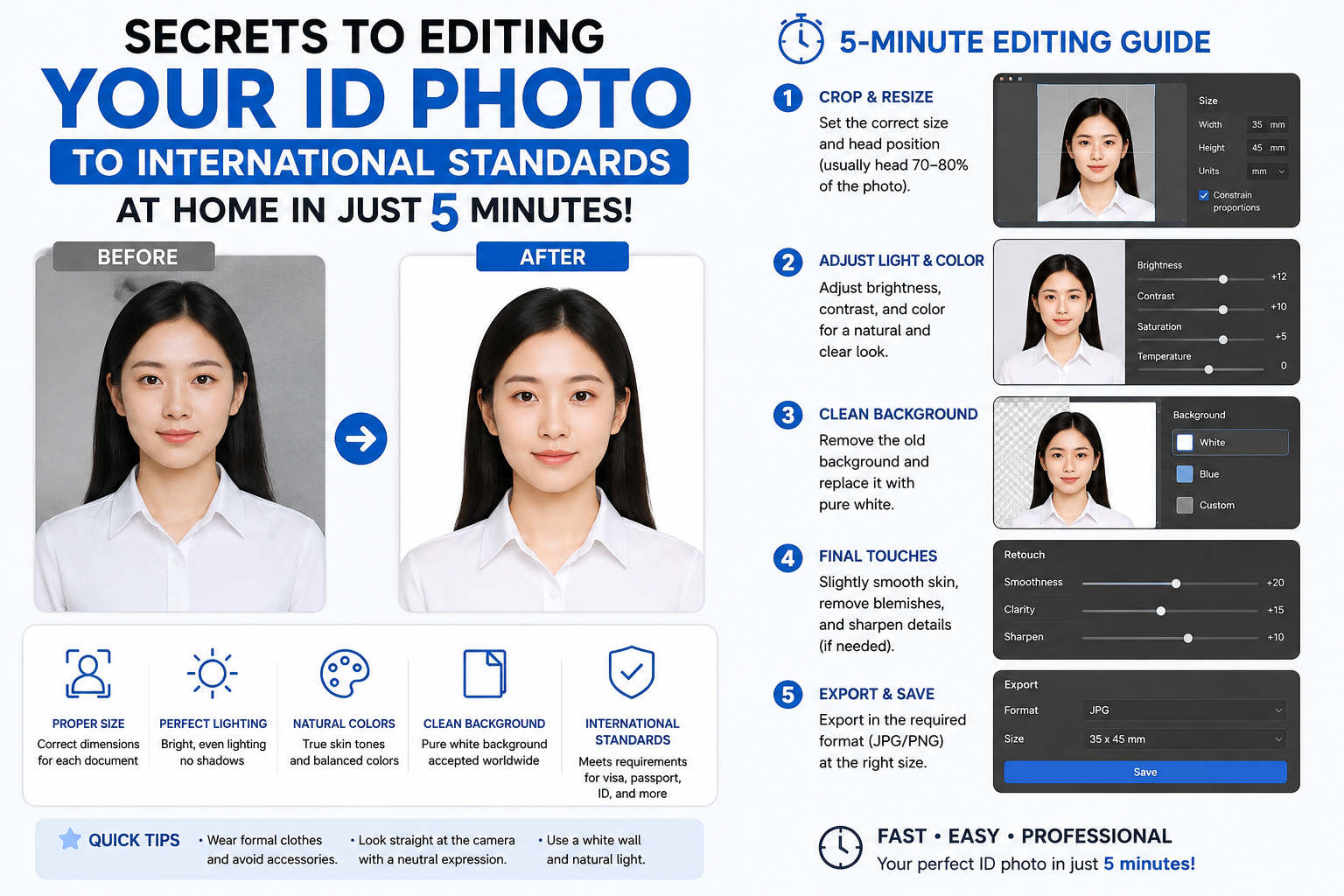
Since your goal is a photograph with a blue background, the photographer should absolutely avoid wearing shirts or t-shirts in similar shades of blue. Pure white, mysterious black, or dark gray clothing would be the perfect choice, allowing the computer to clearly define the body's boundaries for smooth cropping.
5.2. How to evenly distribute light sources on the face.
You should choose a location with abundant natural light or use a lighting system in the room that illuminates your features from both sides. Good control of the light source helps eliminate dark shadows under the eyes and chin, and minimizes shadows cast on the background wall, making it easier for the app to recognize your facial features.
6. Practical Benefits of Applying Digital Platforms to Daily Life
The replacement of machines and automated algorithms brings enormous value in terms of both economics and time management for users.
6.1. Proactively address urgent situations requiring additional documentation.
Instead of being dependent on the operating hours of traditional photo studios or spending days waiting for photo editors to schedule appointments, you can completely refine your photos right at your desk. This flexibility allows users to quickly submit online job applications even late at night or on holidays.
6.2. Minimize the cost of hiring professional post-production services.
Maintaining monthly licenses for heavy graphics software is a relatively wasteful expense for non-professionals. Leveraging the processing power of online applications allows you to complete your work completely free of charge while still achieving results with the same sharpness and quality as those produced by professional designers.
7. Mistakes to Avoid to Ensure the Legality of Your ID Photo
A few minor oversights during post-processing can turn a beautiful photograph into an invalid file for administrative purposes.

-
Do not alter your personal features: Absolutely do not overuse photo editing features to slim down your face, enhance your nose, or remove moles or birthmarks. Your ID photo must accurately reflect your real-life appearance for identity verification purposes.
-
Maintain a fixed aspect ratio: When cropping images after background replacement, always lock the dimensions to standard ratios such as 3x4 cm or 4x6 cm. Arbitrarily stretching the image manually will alter the facial structure, causing the photo to become distorted and unacceptable.
-
Maintain a serious sitting posture and facial expression: The person being photographed should look directly into the camera lens with focused attention, shoulders balanced, and head straight. Neatly tuck your hair behind your ear to reveal your forehead and ears, and maintain a gentle, toothless smile to ensure the photo is both aesthetically pleasing and creates a positive impression.
8. Conclusion
Applying automated technology solutions to the process of perfecting ID photos brings unparalleled convenience, eliminating all technical barriers for the general public. The green screen editing app for ID photos at appvip.ai is the key to owning polished, standard ID photos at the most optimal cost and time!





















VIP Products








Best Selling Products
Upgrade Duolingo Super
29 USD
Genuine Adobe Illustrator account
99 USD
Upgrade genuine Capture One account
120 USD
Upgrade Genuine Office 365
49 USD
Capcut Pro 1 Year
39 USD
ChatGPT Plus Account (GPT-4)
16 USD
Adobe Premiere Pro Account
99 USD
Genuine Cheap Canva Pro
39 USD
Adobe Photoshop Copyright - Full App
120 USD
Copyright Adobe Lightroom Account
59 USD
Windows 10 & 11 Pro Key
36 USD
Plugin Retouch4me
69 USD
Freepik Premium Account
59 USD
MidJourney Account
29 USD
Autodesk All App Account Copyright
120 USD