Best Selling Products

Capcut Pro 1 Year
39 USD

Freepik Premium Account
59 USD

Upgrade Genuine Office 365
49 USD

ChatGPT Plus Account (GPT-4)
16 USD

Adobe Premiere Pro Account
99 USD

Plugin Retouch4me
69 USD

Upgrade Duolingo Super
29 USD

Windows 10 & 11 Pro Key
36 USD

Genuine Cheap Canva Pro
39 USD

Upgrade genuine Capture One account
120 USD

Genuine Adobe Illustrator account
99 USD

Autodesk All App Account Copyright
120 USD

MidJourney Account
29 USD

Copyright Adobe Lightroom Account
59 USD

Adobe Photoshop Copyright - Full App
120 USD
What Is 8D Music? How to Make 8D Music Using Adobe Audition
Nội dung
- 1.1. The concept of 8D music
- 1.2. Outstanding characteristics of 8D music
- 2. Benefits of listening to 8D music
- 3.2. Reasons to choose Adobe Audition to make 8D music
- 4. Instructions on how to make 8D music using Adobe Audition
- 4.1 Step 1: Start and install Adobe Audition
- 4.2 Step 2: Import the audio file into the software
- 4.3 Step 3: Duplicate the audio track to create depth
- 4.4 Step 4: Use Panning to create sound movement
- 4.5 Step 5: Add Reverb effect to expand the sound space
- 4.6 Step 6: Fine-tune audio with EQ
- 4.7 Step 7: Check and export the complete 8D music file
- 5. Reputable and cheap address to upgrade Adobe Audition
- 6. Conclusion
8D music is creating a craze in the music-loving community thanks to its ability to bring the feeling of being immersed in a vivid and realistic sound space.
1. What is 8D music?
1.1. The concept of 8D music
8D music is a new audio trend that brings a completely different music listening experience compared to normal formats. When listening to 8D music with headphones, you will feel the sound moving continuously around you, as if the singer or musical instruments are performing right in a real space. This is the result of applying surround sound techniques combined with directional audio adjustment effects, helping listeners immerse themselves in a vivid music world.
The clearest difference between 8D music and traditional stereo music lies in how the sound is reproduced. With stereo music, the sound mainly comes from both ears, left and right, quite fixed and creates little sense of depth. Meanwhile, 8D music uses panning technology and spatial effects to make the sound move naturally, bringing a realistic and attractive feeling. This is exactly why many people are fascinated from the first time they experience 8D music.
1.2. Outstanding characteristics of 8D music
8D music has many outstanding characteristics that make it a trend loved by young people and noticed by music producers:
The sound moves continuously around the listener, creating the feeling that you are in the middle of a live concert, with music surrounding you from all directions.
It brings an immersive and vivid experience, helping listeners feel every small detail in the track clearly and realistically.
Not only stopping at being interesting, 8D music also helps listeners relax, reduce stress after tiring hours of work or study, while awakening emotions and excitement when enjoying music.
2. Benefits of listening to 8D music
8D music not only brings a new music trend but also provides many practical benefits for listeners. First of all, it helps elevate the music experience thanks to the vivid surround sound feeling. Listeners can feel each note more deeply and completely, thereby increasing excitement when listening to music every day.
In addition, 8D music is also considered an effective mental therapy. When wearing headphones and immersing yourself in 8D melodies, you can easily relax, reduce stress, and regain balance in your mind. This is a great choice for those who want to focus on work, study, or simply find a private music space to relieve pressure. In particular, artists and music producers can also take advantage of this technology to create unique products, strongly impress audiences, and build their own mark in their music careers.
3. Introduction to Adobe Audition software
3.1. What is Adobe Audition?
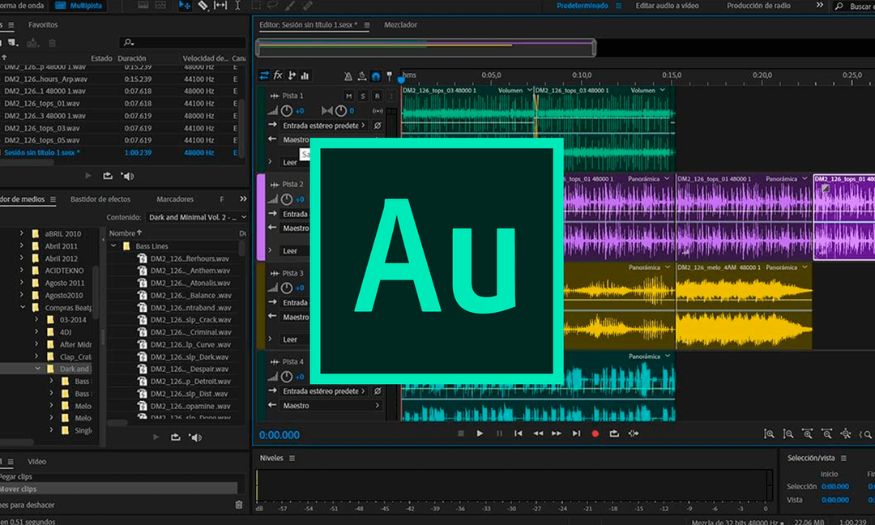
Adobe Audition is one of the professional audio editing and production software programs developed by Adobe Systems. This is a powerful tool trusted by music producers, sound engineers, and content creators thanks to its diverse audio processing capabilities, from basic to advanced. Adobe Audition does not only stop at music editing, but also supports users in recording, mixing music, and mastering audio products to achieve professional studio quality.
The outstanding point of Adobe Audition is its ability to work on multiple audio tracks at the same time, allowing users to combine and edit many audio layers easily. In addition, this software also integrates many modern tools and effects such as Noise Reduction, EQ, and Dynamic Processing. Thanks to that, users can create clear, sharp, and deep music tracks, suitable for needs ranging from podcast production, video, advertising to professional music creation.
3.2. Reasons to choose Adobe Audition to make 8D music
Adobe Audition is considered an ideal choice for creating 8D music because of its outstanding advantages that few software programs can match. First of all, this software has an intuitive and friendly interface, helping users operate easily, even if you are a beginner. The menu system is scientifically arranged, along with the drag and drop feature, making audio editing faster and more convenient.
The most outstanding strength of Adobe Audition is its rich and in-depth audio effects library, especially tools such as panning to adjust sound direction, and reverb to create a natural sound space. These are the core elements to create vivid movement effects in 8D music. Users can customize depth, distance, and sound position as desired, thereby bringing unique and realistic listening experiences.
Not only suitable for beginners, Adobe Audition also meets the needs of professional music producers thanks to its ability to work with many high-quality audio formats, along with advanced editing tools. This software is also closely linked with other Adobe products such as Premiere Pro or After Effects, supporting the multimedia content production process in a synchronized and effective way. With these outstanding advantages, Adobe Audition is an indispensable tool if you want to create quality 8D music tracks with a strong personal mark.
4. Instructions on how to make 8D music using Adobe Audition
8D music brings the feeling of sound moving around the listener, creating a vivid and captivating experience. With Adobe Audition, you can easily turn a normal song into 8D music with just a few basic operations. Below are detailed step-by-step instructions so you can create unique 8D music tracks by yourself.
4.1 Step 1: Start and install Adobe Audition
First, you need to start Adobe Audition software on your computer. If you have not installed it yet, visit Adobe’s official website to download the latest version, ensuring the software operates smoothly and has full features. When opening the software, you will see an intuitive working interface, easy to operate even if you do not have much audio editing experience.
Using the latest version not only helps optimize performance but also adds many modern tools, especially important audio effects for 8D music. After installation, you can create a new project and prepare for the audio editing process.
4.2 Step 2: Import the audio file into the software
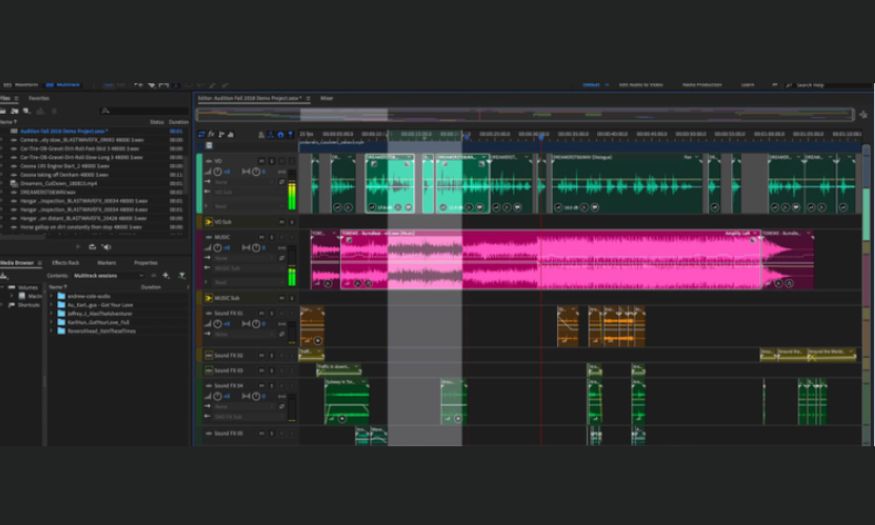
After you are ready, import the audio file that you want to convert into 8D music. On the toolbar, choose File > Import, then find the location where the song is stored on your computer and click Open. The audio file will appear in the Files panel of Adobe Audition.
At this point, you can drag and drop the imported audio file into the Multitrack Session to start editing. Arranging the file from the beginning will help you easily manage and follow the process in the next steps.
4.3 Step 3: Duplicate the audio track to create depth
So that the sound can move flexibly in space, you need to work with two identical tracks. Right-click the original audio track in the Multitrack Session, then choose Duplicate to create a complete copy.
One track will be adjusted to the left and the other track to the right. This is an important factor that helps create the characteristic surround sound effect of 8D music, bringing a realistic feeling when listeners use headphones.
4.4 Step 4: Use Panning to create sound movement
Panning is the core technique in 8D music, helping sound move continuously from left to right or vice versa. In Adobe Audition, select the first track, go to Effects > Amplitude and Compression > Panning, then adjust panning to the Left. Continue selecting the second track and set panning to the Right.
You can experiment with speed and movement direction so the sound becomes more natural and harmonious. Note that you should not let the sound move too fast because it may cause discomfort or imbalance for the listener.
4.5 Step 5: Add Reverb effect to expand the sound space
To increase depth and vividness, you need to add the Reverb effect. On the toolbar, go to Effects > Reverb > Studio Reverb. In the settings panel, you can adjust parameters such as Room Size and Damping to create a realistic spatial effect.
A moderate amount of reverb will make the sound softer and more natural, helping listeners feel as if they are in the middle of a live concert. Avoid setting reverb too high because it can make the song echo and become unpleasant.
4.6 Step 6: Fine-tune audio with EQ
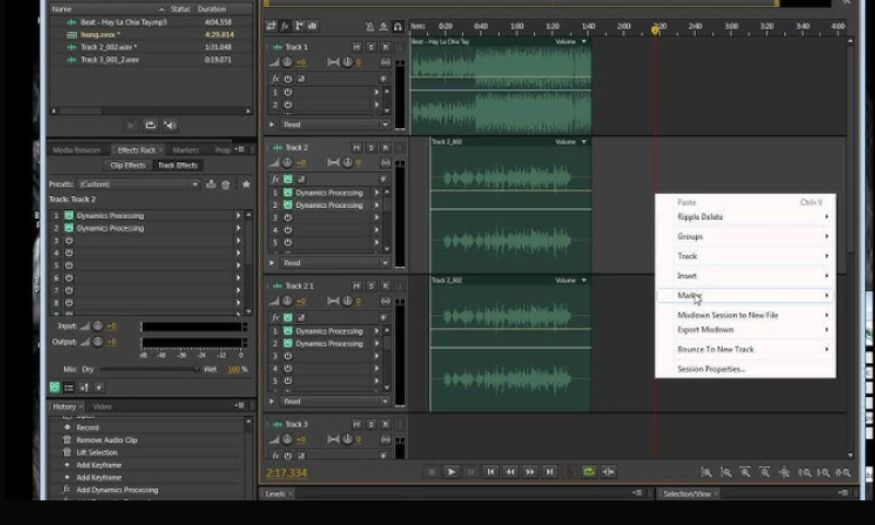
EQ (Equalizer) is a tool that helps adjust audio frequency ranges to bring balance and harmony. Go to Effects > Filter and EQ > Parametric Equalizer. Here, you can fine-tune bass, mid, and treble to suit the song.
Proper EQ adjustment will highlight audio details, while removing unnecessary frequencies, bringing clearer and more professional sound quality. This is an important step to elevate the 8D music experience.
4.7 Step 7: Check and export the complete 8D music file
After completing the editing steps, wear headphones to listen and feel the sound effect. If you find any point that is not satisfactory, you can return to the previous steps to fine-tune panning, reverb, or EQ.
When satisfied, choose File > Export > Export Multitrack Mixdown, then choose an export format such as MP3 or WAV. Name the file, choose the storage location, and click OK to finish. At this point, you already own a unique 8D music track, ready to share with friends or upload to music platforms.
5. Reputable and cheap address to upgrade Adobe Audition
If you are looking for a quality and reputable place to upgrade Adobe Audition, AI Software World is the top choice that you should not ignore. With many years of experience in the software field, this unit has affirmed its position as one of the most reputable licensed software providers in Vietnam. Not only stopping at Adobe Audition, AI Software World also distributes many essential software products serving work and creativity such as licensed Photoshop, Canva Pro, Zoom Pro, Google One, ChatGPT, and many other high-tech products.
Below are the reasons why AI Software World has become an address trusted by many individuals and businesses:
Genuine products, transparent legality: The company is legally registered for business, issues full VAT invoices, and ensures copyright benefits and legal validity for customers.
Diverse services and continuous updates: Always fully updates the latest features from Adobe, helping users experience the software in the most optimized version.
Professional and dedicated support team: Experienced staff always directly support customers 24/7, from consulting on choosing service packages, installation instructions, to handling technical issues during use.
Many years of experience and reputation in the market: Chosen by many large domestic and international businesses as a partner, building solid trust through service and product quality.
Diverse products and useful services: Not only upgrading Adobe Audition but also providing many other famous software products such as Photoshop, Canva Pro, Zoom Pro, Google One, and ChatGPT, meeting all needs for learning, working, and creativity.
6. Conclusion
Thus, the article has shared details about the concept of 8D music and instructions on how to make 8D music using Adobe Audition in an easy-to-understand and visual way. Hopefully, this knowledge will help you confidently create unique and attractive music tracks, bringing a new audio experience to listeners. If you want to explore more useful information about Adobe software and other creative tools, please refer to AI Software World to improve your skills and expand your creativity.





















VIP Products








Best Selling Products
Capcut Pro 1 Year
39 USD
Freepik Premium Account
59 USD
Upgrade Genuine Office 365
49 USD
ChatGPT Plus Account (GPT-4)
16 USD
Adobe Premiere Pro Account
99 USD
Plugin Retouch4me
69 USD
Upgrade Duolingo Super
29 USD
Windows 10 & 11 Pro Key
36 USD
Genuine Cheap Canva Pro
39 USD
Upgrade genuine Capture One account
120 USD
Genuine Adobe Illustrator account
99 USD
Autodesk All App Account Copyright
120 USD
MidJourney Account
29 USD
Copyright Adobe Lightroom Account
59 USD
Adobe Photoshop Copyright - Full App
120 USD