Best Selling Products

MidJourney Account
29 USD

Copyright Adobe Lightroom Account
59 USD

Freepik Premium Account
59 USD

Upgrade Duolingo Super
29 USD

ChatGPT Plus Account (GPT-4)
16 USD

Genuine Cheap Canva Pro
39 USD

Plugin Retouch4me
69 USD

Genuine Adobe Illustrator account
99 USD

Adobe Premiere Pro Account
99 USD

Adobe Photoshop Copyright - Full App
120 USD

Windows 10 & 11 Pro Key
36 USD

Capcut Pro 1 Year
39 USD

Upgrade Genuine Office 365
49 USD

Upgrade genuine Capture One account
120 USD

Autodesk All App Account Copyright
120 USD
What is Claude Monet AI? How to transform ordinary photos into mesmerizing works of art.
Nội dung
- 1. What is Claude Monet AI?
- 2. What are the outstanding features of Claude Monet AI?
- 2.1. Transforming ordinary photos into works of art.
- 2.2. Inspired by the painting style of Claude Monet
- 2.3. Direct operations on the website
- 2.4. Easily explore the creative potential of AI.
- 2.5. Support for subscribing to receive updates.
- 3. Detailed instructions on how to use Claude Monet AI
- 4. Who is Claude Monet's AI suitable for?
- 5. Tips for creating better photos with Claude Monet AI
- 6. Conclusion
In the world of AI-powered image creation, everyday photos can now be given a completely new look with just a few clicks. Instead of keeping the familiar colors and lines, you can transform portraits, landscapes, or memorable moments into works of art imbued with a painterly quality. Claude Monet AI is one of the interesting tools that helps achieve this. Inspired by the style of the renowned painter Claude Monet, the tool delivers soft, colorful, and highly artistic images. So how does Claude Monet AI work and how do you use it? Let''s find out in detail in the article below!
1. What is Claude Monet AI?
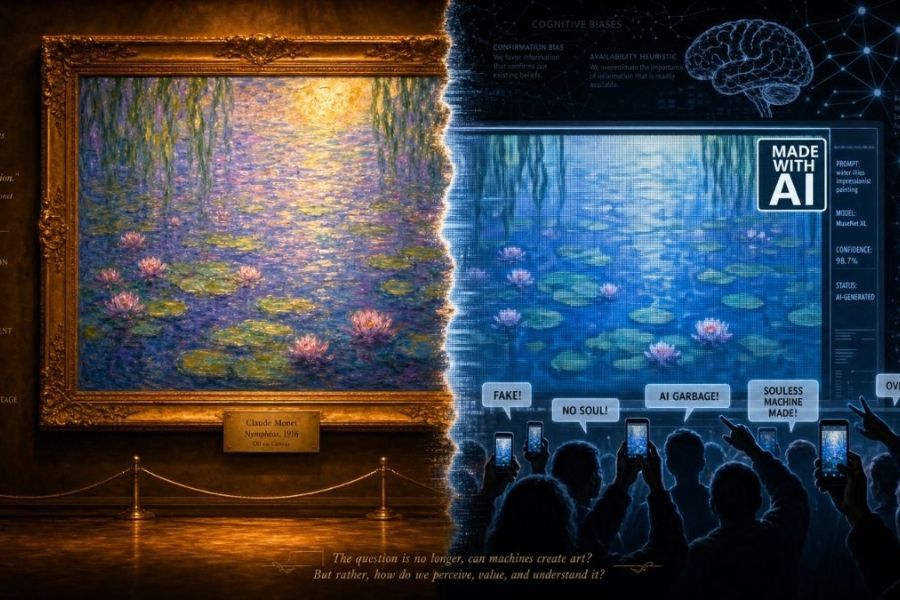
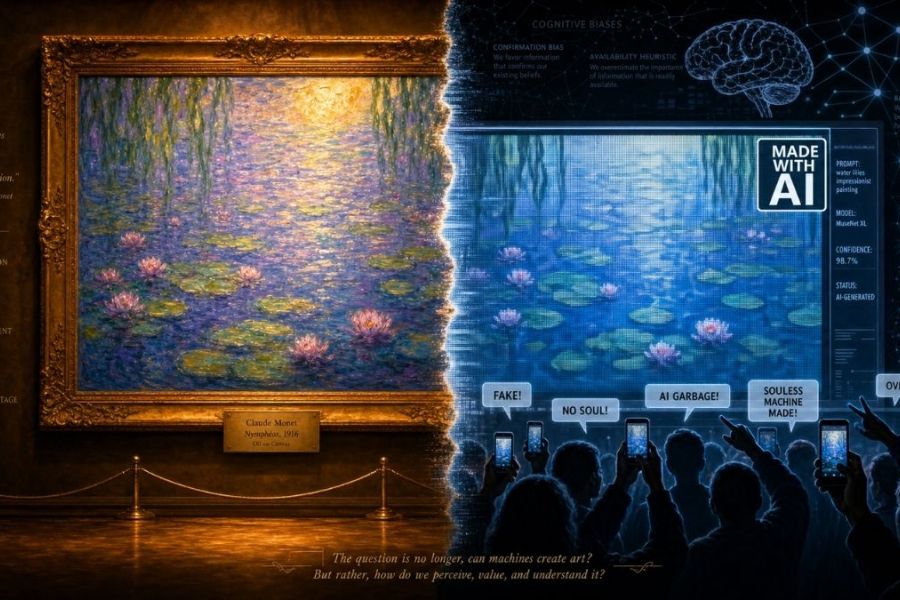
Claude Monet AI is an AI-powered tool that transforms ordinary images into Impressionist-style paintings, inspired by the renowned artist Claude Monet. Instead of simply applying a single color filter, the tool aims to recreate images with color schemes, lighting, and lines reminiscent of famous oil paintings. Interestingly, you don't need in-depth knowledge of painting or design software skills. Simply upload your image to the website, and the system will process it and create a new, artistic version.
Here's some information you should know about Claude Monet AI:
-
Name: Claude Monet AI, inspired by the painter Claude Monet.
-
Technology: Application of artificial intelligence in image processing and transformation.
-
Style: Impressionist painting with distinctive colors, lighting, and brushstrokes.
-
How to use: Visit the website, upload your image, and perform the conversion directly.
-
Target audience: Art lovers, content creators, and anyone looking to refresh their personal photos.
2. What are the outstanding features of Claude Monet AI?
The appeal of Claude Monet AI lies in its ability to combine technology with classical painting inspiration. The tool offers a rather interesting creative experience, especially for those who want to transform familiar images into more artistic versions.
2.1. Transforming ordinary photos into works of art.
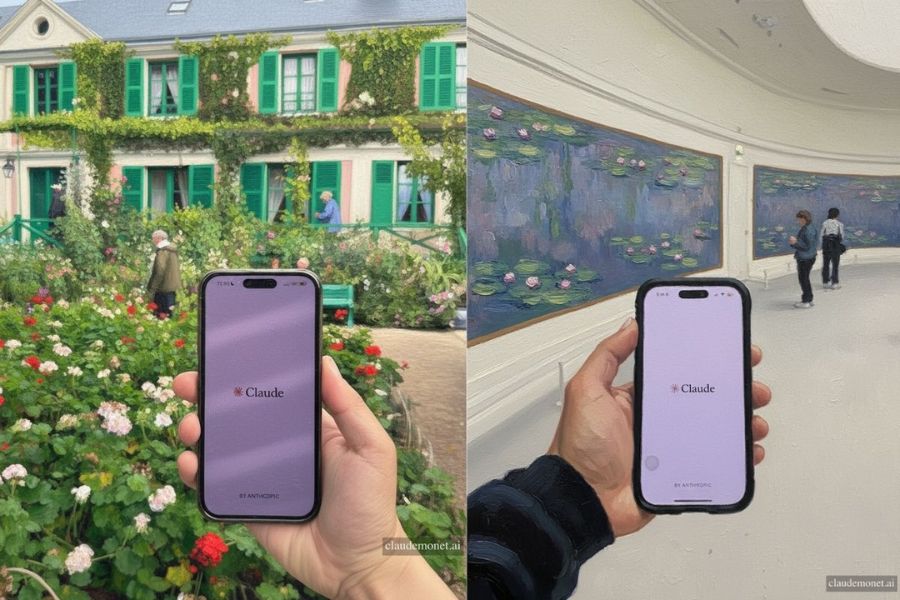
This is the most outstanding feature of Claude Monet AI. The tool uses AI to analyze input images, then creates a new version in the style of Impressionist painting. Photos taken with a phone can be rendered in a softer, more emotional, and more profound way.
Users can experiment with various types of images, such as:
-
Personal portraits or family photos.
-
Photos of natural landscapes, seas, and lakes.
-
Photos of flowers, gardens, and street corners.
-
Travel photos or everyday moments.
2.2. Inspired by the painting style of Claude Monet
Claude Monet is renowned for his expressive depiction of light, color, and emotionally charged moments in nature. His painting style often utilizes free-flowing brushstrokes, interwoven colors, and subtle transitions of light.
Claude Monet AI harnesses this artistic spirit to create image versions with distinct appearances. Users can perceive the softness of the colors, the movement in each image segment, and the dreamy atmosphere characteristic of Impressionist painting.
2.3. Direct operations on the website
Another advantage is its ease of use. Users don't need to install complex photo editing software or perform many manual steps.
On the website interface, the image upload button is placed in an easily visible location. Simply select an image from your device and press the convert button to begin the experience.
2.4. Easily explore the creative potential of AI.
Claude Monet AI also offers the opportunity to explore how artificial intelligence interprets an image in a different artistic style. The same photograph, when transformed, can offer a new perspective on color, light, and composition.
This is a fun experience for those who love creativity but don't have much experience in painting. You can also use the results as inspiration for your personal design projects.
2.5. Support for subscribing to receive updates.
Besides its image conversion feature, the Claude Monet AI website also has a sign-up section for receiving information. Interested users can use this section to follow updates related to the tool.
This feature is suitable for those who want to continue exploring new changes and experiences during use.
3. Detailed instructions on how to use Claude Monet AI
Claude Monet AI has a relatively simple usage process, suitable even for those new to AI technology. You can use it directly in your computer browser or any device capable of accessing websites. Below are step-by-step instructions:
Step 1: Access the Claude Monet AI website.
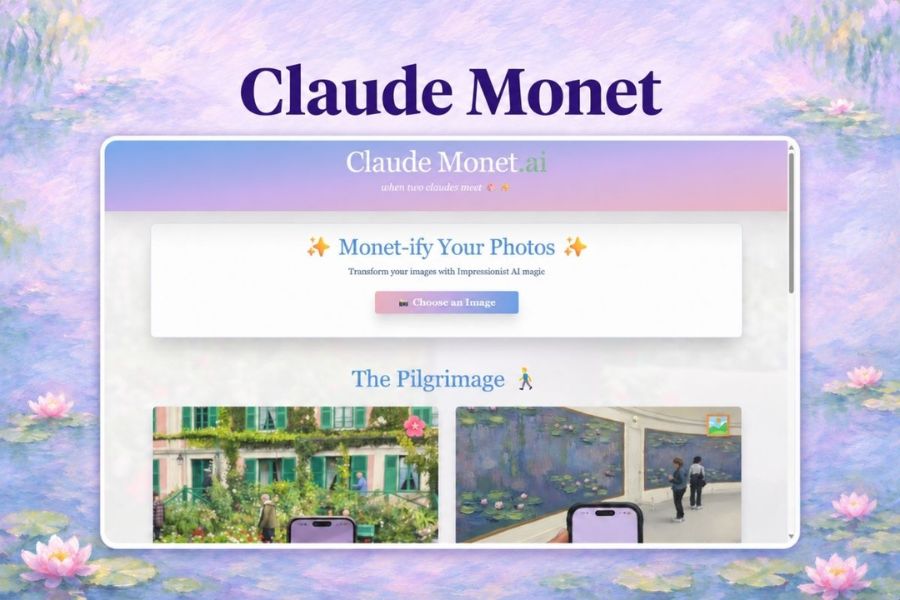
First, open your browser on your device and go to claudemonet.ai. On the homepage, find the section called "Monet-ify Your Photos" . This is where the process of converting your images into a painting style begins.
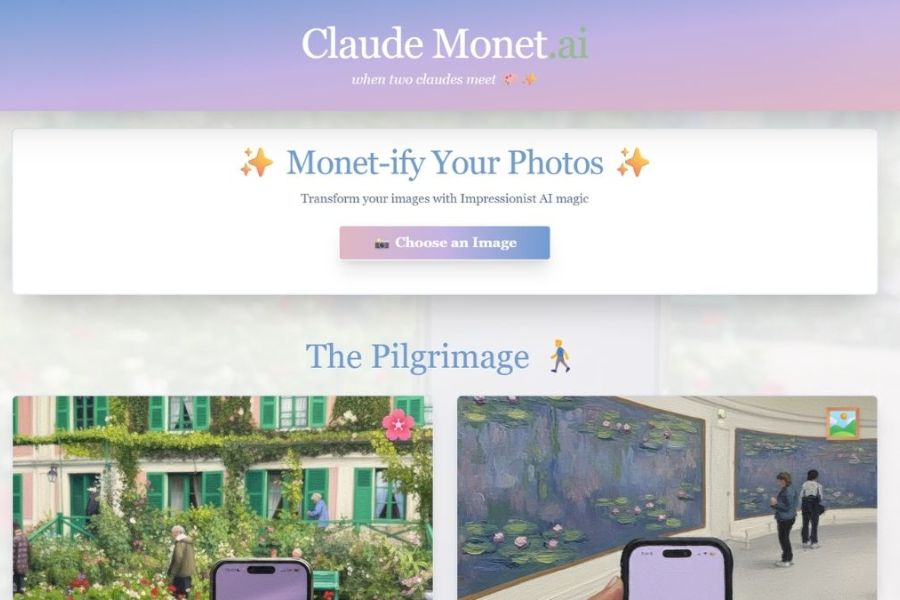
Step 2: Upload the image you want to convert.
Next, press the “Choose an Image” button to open your device’s photo library. Select the image you want to transform and then confirm uploading it to the website.
For best results, prioritize high-quality images with clear subjects and relatively balanced lighting. Some suggestions include:
-
Landscape photos have a variety of natural colors.
-
Pictures of flowers, trees, or gardens.
-
The portrait photograph has a clear composition.
-
Photos of a lake, the sky, or a sunset.
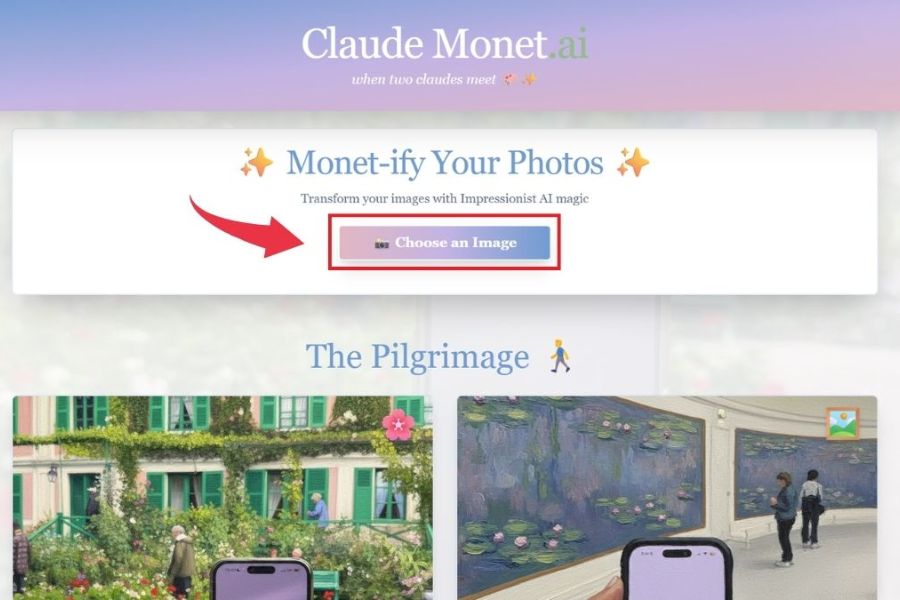
Step 3: Start converting the image
After uploading the image, press the "Monet-ify It!" button to begin processing. The AI will then receive the image and perform the transformation in a painting style inspired by Claude Monet.
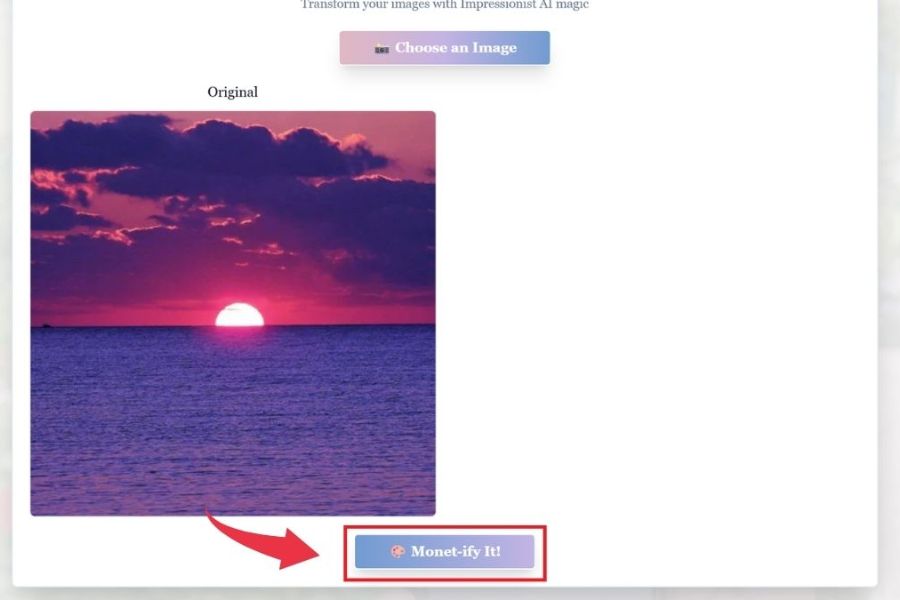
Step 4: Wait for the AI to process and see the results.
You wait for the system to complete the image creation process. Then, the output image will be displayed so you can observe the changes compared to the original.
Pay attention to how colors, light, and lines are rendered to better appreciate the differences. If the results aren't what you hoped for, you can try another photo to further explore the tool's capabilities.
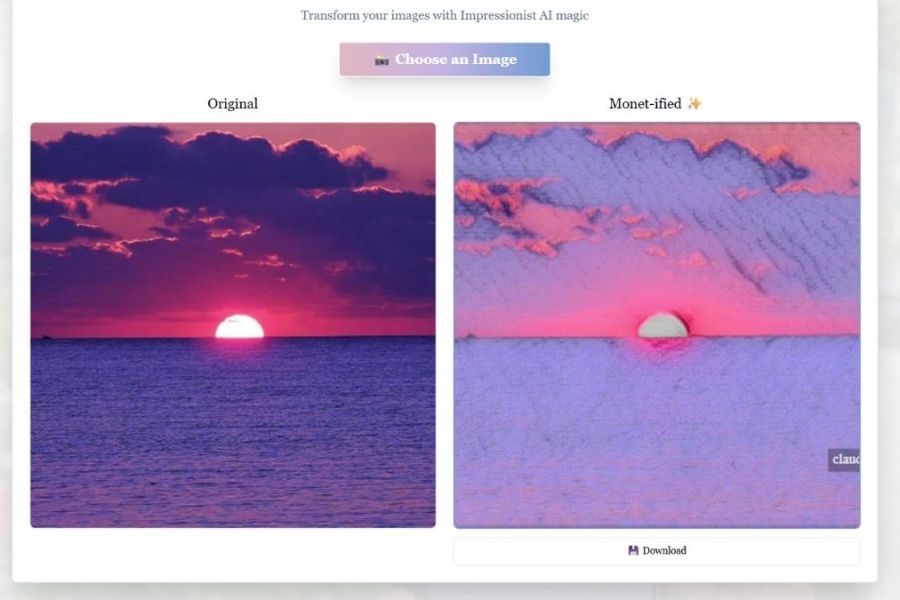
Step 5: Save and use the image
Once you have a satisfactory result, you can use the save or upload function if the website provides this option. Before sharing on social media or using it in your design, check the output image quality and the website's terms of use.
4. Who is Claude Monet's AI suitable for?
Thanks to its simple usage and ability to transform images into a painterly style, Claude Monet AI can meet a wide range of creative needs. The tool is particularly suitable for those who want to explore art in new ways without having to paint by hand.
-
For art lovers: You can explore Claude Monet's style through familiar photographs, thereby gaining a better understanding of how color and light create emotion in his paintings.
-
For photo editing enthusiasts: Want to refresh personal photos, travel photos, or everyday moments with a unique artistic look.
-
Content creators: Can use artwork-style images to add a touch of flair to social media posts, videos, or other content.
-
For designers: Provides additional reference material on color, layout, and visual presentation to help develop creative ideas.
-
Beginners in AI: Want to experience the image processing capabilities of artificial intelligence without having to learn how to write complex prompts.
5. Tips for creating better photos with Claude Monet AI
The quality of the input image can affect how the AI processes and displays the image. Therefore, to achieve harmonious and visually appealing results, you should pay attention to some of the tips below:
-
Choose images with good resolution: Clear images help important details be displayed more easily during the conversion process.
-
Prioritize photos with natural light: Photos with balanced lighting tend to feel pleasant and offer more material for AI processing.
-
Choose images with rich colors: Pictures of flowers, landscapes, or water are interesting subjects to explore in the Impressionist painting style.
-
Avoid blurry or overly dark images: Underexposed, blurry images or those with too much overlapping detail can make observation difficult.
-
Experiment with different themes: Don't limit yourself to just portraits. You can upload photos of architecture, nature, or objects to explore different ways of expressing yourself.
-
Check privacy settings: Do not upload images containing sensitive personal information without first reviewing the website's data processing policy.
6. Conclusion
Claude Monet AI offers an exciting creative experience by combining artificial intelligence technology with Impressionist painting inspiration. With just a few steps of uploading and converting photos, you can discover a new look for familiar images. Whether you love art, want to refresh your personal photos, or are looking for ideas for creative content, this is a tool worth trying. Try Claude Monet AI with your favorite photos and discover how technology breathes artistic color into everyday moments!





















VIP Products








Best Selling Products
MidJourney Account
29 USD
Copyright Adobe Lightroom Account
59 USD
Freepik Premium Account
59 USD
Upgrade Duolingo Super
29 USD
ChatGPT Plus Account (GPT-4)
16 USD
Genuine Cheap Canva Pro
39 USD
Plugin Retouch4me
69 USD
Genuine Adobe Illustrator account
99 USD
Adobe Premiere Pro Account
99 USD
Adobe Photoshop Copyright - Full App
120 USD
Windows 10 & 11 Pro Key
36 USD
Capcut Pro 1 Year
39 USD
Upgrade Genuine Office 365
49 USD
Upgrade genuine Capture One account
120 USD
Autodesk All App Account Copyright
120 USD