Best Selling Products

Adobe Photoshop Copyright - Full App
120 USD

ChatGPT Plus Account (GPT-4)
16 USD

Adobe Premiere Pro Account
99 USD

Capcut Pro 1 Year
39 USD

MidJourney Account
29 USD

Upgrade Genuine Office 365
49 USD

Upgrade genuine Capture One account
120 USD

Upgrade Duolingo Super
29 USD

Copyright Adobe Lightroom Account
59 USD

Freepik Premium Account
59 USD

Windows 10 & 11 Pro Key
36 USD

Autodesk All App Account Copyright
120 USD

Genuine Cheap Canva Pro
39 USD

Genuine Adobe Illustrator account
99 USD

Plugin Retouch4me
69 USD
What is Darktable? A free RAW photo editing software alternative to Lightroom.
Nội dung
- 1. Learn about Darktable
- 2. Why is Darktable considered a Lightroom alternative?
- 3. Interface and workflow in Darktable
- 4. Editing does not destroy the original data.
- 5. Professional RAW image processing capabilities
- 6. Accelerate processing using GPU.
- 7. Professional color management system
- 8. Powerful Masking System
- 9. Multi-platform support
- 10. Key advantages of Darktable
- 11. Limitations to note
- 12. Who should use Darktable?
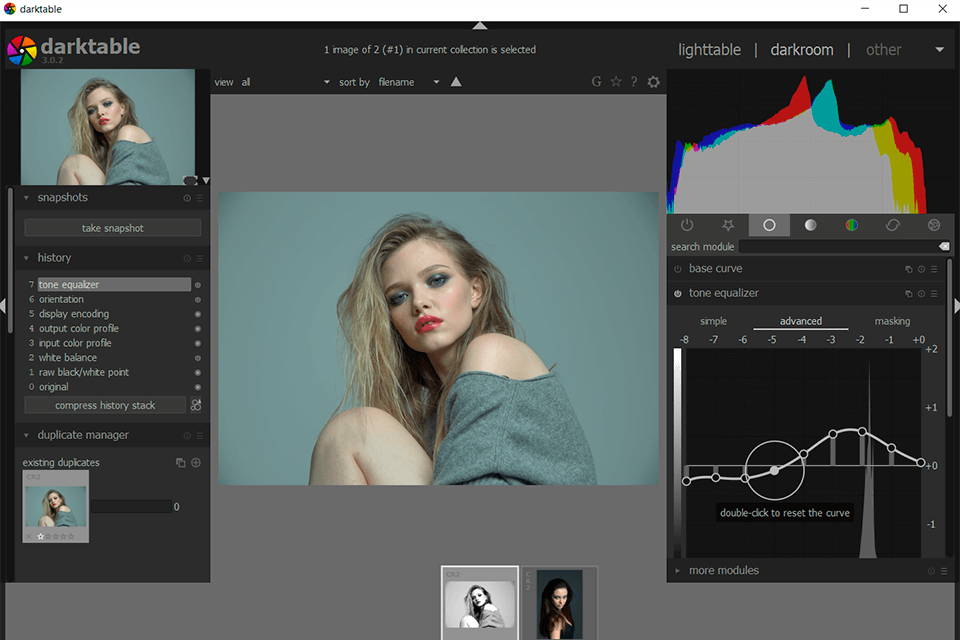
Darktable is a free, open-source photo editing software that many photographers choose as an alternative to Lightroom.
1. Learn about Darktable
Darktable is a free, open-source image editing software developed to meet the needs of professional RAW image processing and library management. The name Darktable comes from the concept of a "darkroom" in traditional photography, where photographers developed and processed film images. In the digital environment, Darktable acts as a modern darkroom, allowing users to control almost all factors affecting image quality.
Unlike many conventional photo editing software programs that focus only on basic operations such as cropping, resizing, or applying pre-set filters, Darktable is specifically designed for post-processing RAW images. This allows users to maximize the amount of data captured by the camera sensor, enabling them to recover highlights and shadows, adjust color, and white balance much more effectively than with compressed image formats like JPG.
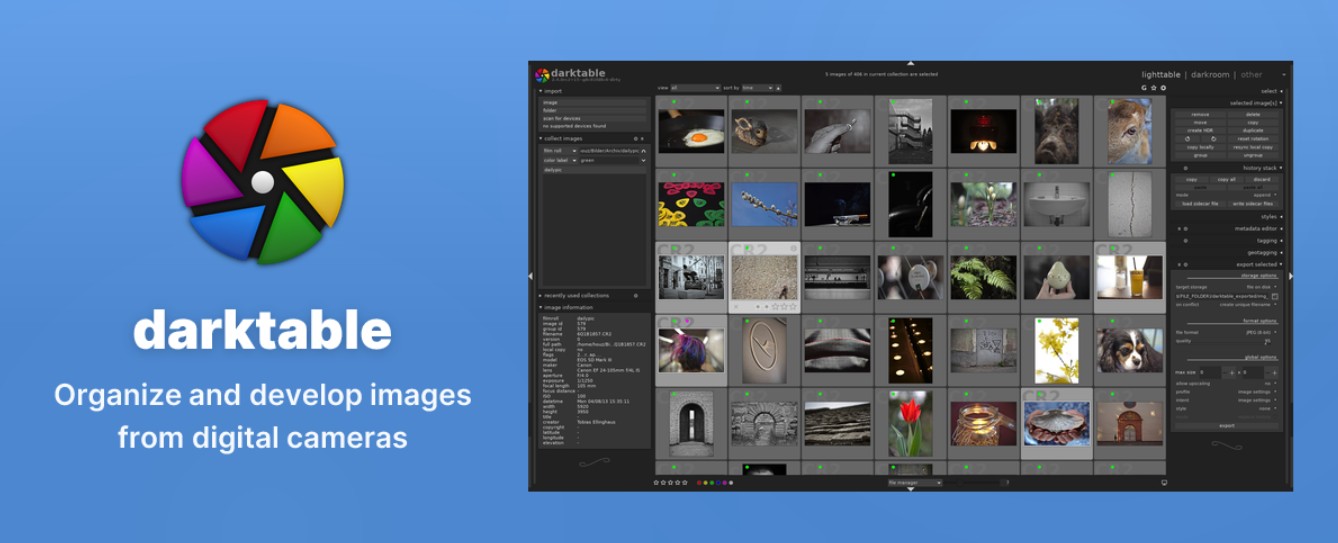
One of the features that makes Darktable highly regarded is its non-destructive editing philosophy. Instead of directly altering the original image file, the software only saves the editing parameters as separate data. This allows users to return to any stage of the workflow to change or undo previous edits without affecting the original image quality.
Today, Darktable is not only used by open-source software enthusiasts but is also chosen by many professional photographers as an effective alternative to Lightroom. Thanks to its large and continuously improving development community, Darktable is constantly evolving in both features and performance.
2. Why is Darktable considered a Lightroom alternative?
When it comes to photo editing software, Lightroom is often the first name that comes to mind. However, not everyone is willing to pay a recurring fee to use Adobe's software. This is why Darktable has become an attractive option.
The first highlight is that Darktable is completely free. Users can download, install, and use all the features without paying monthly fees or purchasing licenses. This significantly reduces investment costs, especially for those just starting to learn photo editing.
In addition, Darktable has a workflow quite similar to Lightroom. Users can import photos, manage libraries, add labels, review photos, and perform post-processing all within the same working environment. This makes it easier for those already familiar with Lightroom to switch to Darktable.
Darktable is also highly regarded for its powerful RAW image processing capabilities. The software supports a wide range of RAW formats from popular camera manufacturers such as Canon, Nikon, Sony, Fujifilm, Panasonic, Olympus, and many others. This ensures users can get the most out of the image quality from their equipment.
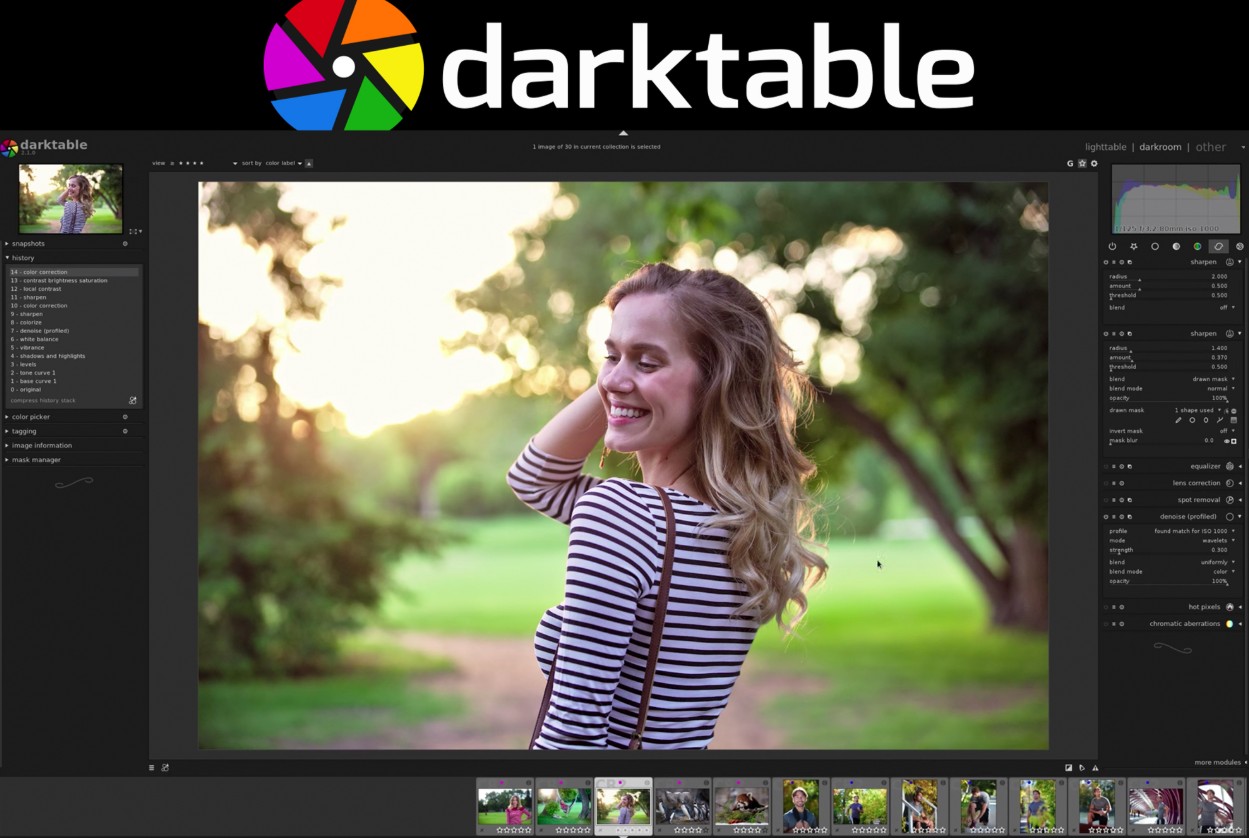
Furthermore, Darktable offers a significant advantage to Linux users as it is one of the few professional photo editing software programs that runs stably on this operating system.
3. Interface and workflow in Darktable
Despite possessing many powerful tools, Darktable's interface can be a bit overwhelming for first-time users. However, once users understand the software's structure, they will find the workflow very logical and efficient.
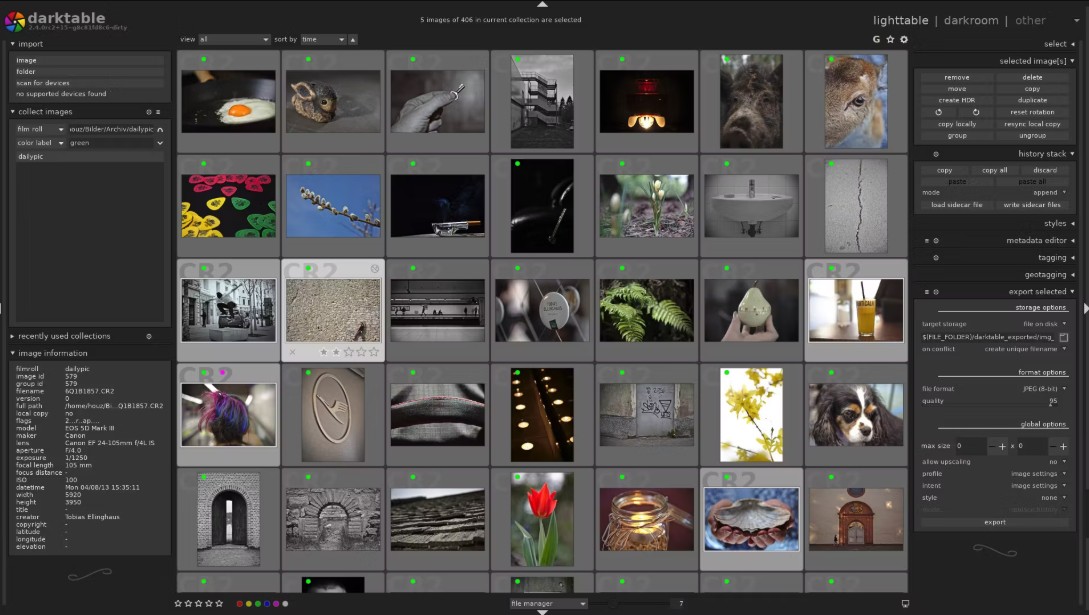
Darktable is divided into two main areas: Lighttable and Darkroom. Lighttable acts as the central hub for managing the image library. Here, users can import images, organize, mark, search, and categorize images according to various criteria.
Meanwhile, Darkroom is the area for in-depth photo editing. This is where most of the post-processing tools are concentrated, such as white balance, brightness and contrast adjustment, color correction, sharpening, noise reduction, and many other advanced features.
The clear separation between image management and image editing helps Darktable optimize workflows, especially for those who frequently handle large volumes of images.
4. Editing does not destroy the original data.
One of Darktable's most important features is its ability to edit data without destroying the original.
During post-production, users often have to experiment with many different editing methods before finding a satisfactory result. If the software directly alters the original image, reverting to the original state becomes difficult or even impossible.
Darktable solves this problem by saving all editing information as separate metadata. The original image is always preserved throughout the process. Users can edit freely, experiment with different color styles, and easily revert to any step without worrying about image quality degradation.
This is a particularly important feature for professional photographers because it helps ensure data security and increases flexibility in their work.
5. Professional RAW image processing capabilities
RAW images contain significantly more data than standard JPG images. This allows users to recover details in both bright and dark areas more effectively, and to have more precise control over color.
Darktable is optimally designed for RAW processing, offering a wide range of advanced tools for post-production. Users can adjust white balance, exposure, contrast, highlights, shadows, and many other parameters with high precision.
In addition, Darktable supports modern color processing algorithms that help reproduce natural colors and retain maximum detail of the original image.
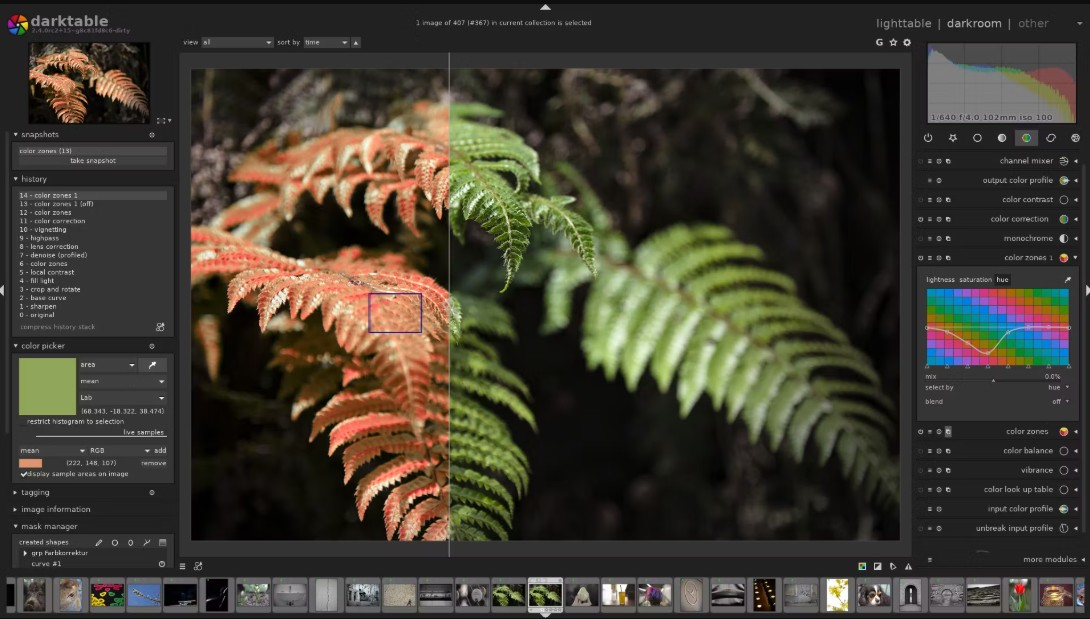
For those who frequently shoot landscape, portrait, or commercial photos, this is a huge advantage that helps improve the quality of the final product.
6. Accelerate processing using GPU.
The ability to leverage hardware power is one of the factors that directly impacts the user experience when using post-production software.
Darktable supports GPU-accelerated image processing, allowing the graphics card to handle complex computational tasks. As a result, image rendering and effect application are significantly faster compared to using only the CPU.
When working with high-resolution images or applying multiple effects simultaneously, the GPU helps reduce latency and provides a smoother editing experience.
This feature is particularly useful for professional photographers or those who frequently process large numbers of images.
7. Professional color management system
Accurate color is a crucial element in photography and design.
Darktable supports advanced color management through ICC Profiles, enabling color synchronization between monitors, cameras, and printers. This minimizes color discrepancies when exporting images or printing.
Thanks to its powerful color management system, Darktable is well-suited to the needs of those working in environments requiring high color accuracy, such as commercial photography, advertising, or professional printing.
8. Powerful Masking System
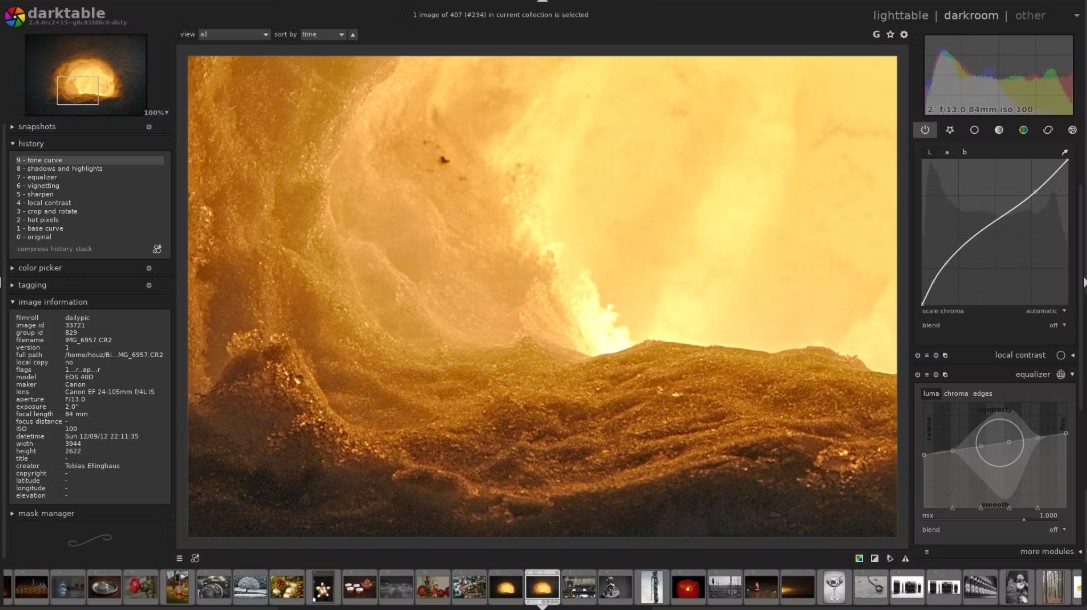
One of the standout features that helps Darktable compete with many paid software programs is its extremely flexible masking system.
Masks allow users to apply edits to a specific area instead of the entire image. For example, you can brighten a face while keeping the background intact, or increase the color saturation of the sky without affecting other details.
Darktable supports a wide variety of mask types, from geometric masks to masks based on brightness and color. This provides highly detailed control over individual image areas.
9. Multi-platform support
Another major advantage of Darktable is its ability to run on multiple operating systems.
Windows users can use the software similarly to other popular photo editing applications. Meanwhile, Linux users have access to a professional post-processing solution without relying on commercial software. Darktable also supports macOS, giving Apple ecosystem users more options besides Lightroom.
Its cross-platform capabilities allow Darktable to reach a large user community worldwide.
10. Key advantages of Darktable
Darktable possesses many advantages that make the software increasingly popular in the photography community. Its biggest strength is that it is completely free and open source. Users can use all the features without worrying about licensing costs.
This software offers in-depth RAW image editing with a rich set of tools, meeting the needs of professional post-processing. Its non-destructive editing features ensure the safety of the original images throughout the process.
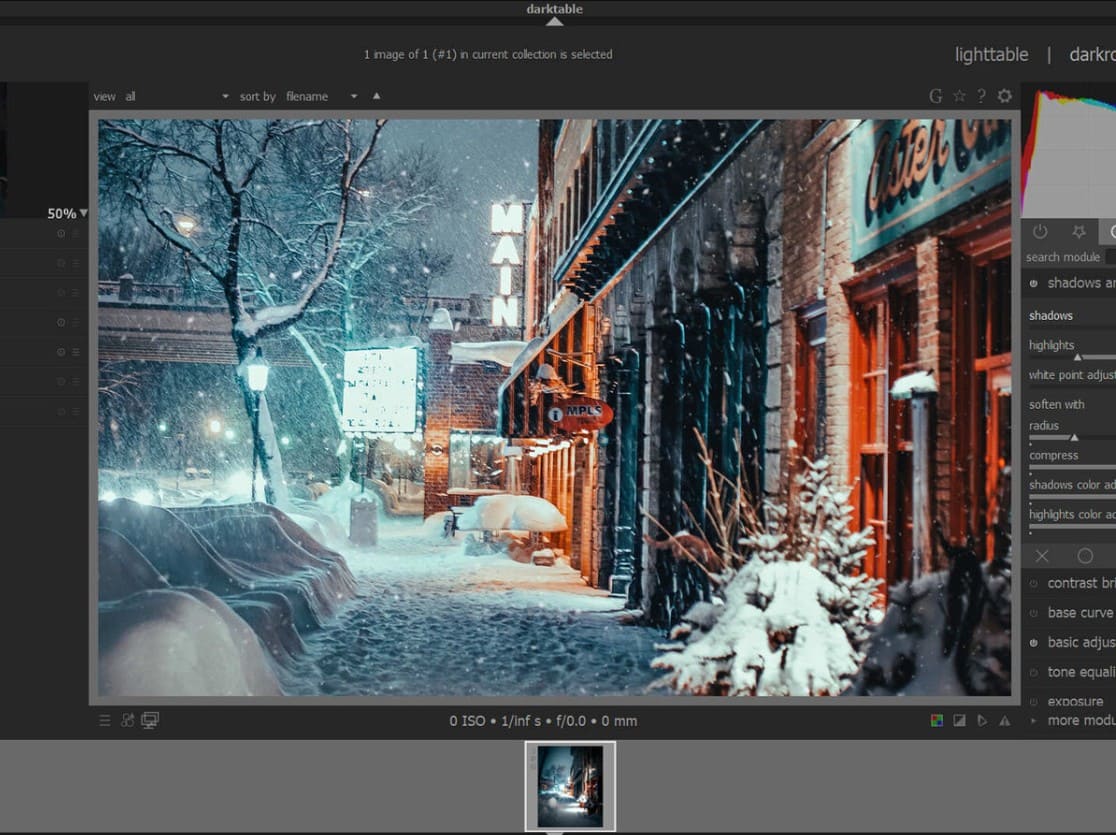
GPU acceleration significantly improves performance, especially when processing large image files. Professional color management and multi-platform support are also notable advantages.
In addition, its large and thriving development community ensures that Darktable is constantly updated and receives new features.
11. Limitations to note
Despite its many advantages, Darktable still has some limitations.
Firstly, the initial interface can be quite difficult for newcomers to get used to. The large number of tools and the layout, which is different from popular software, means users need time to learn and adapt.
Secondly, Darktable hasn't integrated as many advanced AI technologies as Lightroom. Features like automatic subject recognition, AI-powered object removal, and intelligent editing aren't as powerful as commercial solutions.
Additionally, on low-spec computers, performance is sometimes not optimized, especially when processing high-resolution RAW images or using multiple modules simultaneously.
12. Who should use Darktable?
Darktable is a suitable choice for a wide range of users. Beginners in photography can use Darktable to familiarize themselves with professional post-processing without investing in expensive software.
Semi-professional and professional photographers can also take advantage of Darktable's powerful toolset for processing high-quality RAW images. Linux users, in particular, will appreciate this software as it is one of the most comprehensive open-source post-processing solutions available.
For those looking to reduce costs but still need a powerful tool comparable to Lightroom, Darktable is a very worthwhile option.





















VIP Products








Best Selling Products
Adobe Photoshop Copyright - Full App
120 USD
ChatGPT Plus Account (GPT-4)
16 USD
Adobe Premiere Pro Account
99 USD
Capcut Pro 1 Year
39 USD
MidJourney Account
29 USD
Upgrade Genuine Office 365
49 USD
Upgrade genuine Capture One account
120 USD
Upgrade Duolingo Super
29 USD
Copyright Adobe Lightroom Account
59 USD
Freepik Premium Account
59 USD
Windows 10 & 11 Pro Key
36 USD
Autodesk All App Account Copyright
120 USD
Genuine Cheap Canva Pro
39 USD
Genuine Adobe Illustrator account
99 USD
Plugin Retouch4me
69 USD