Best Selling Products

Capcut Pro 1 Year
39 USD

Plugin Retouch4me
69 USD

Autodesk All App Account Copyright
120 USD

Copyright Adobe Lightroom Account
59 USD

Genuine Adobe Illustrator account
99 USD

Upgrade Duolingo Super
29 USD

Adobe Premiere Pro Account
99 USD

Windows 10 & 11 Pro Key
36 USD

Upgrade Genuine Office 365
49 USD

ChatGPT Plus Account (GPT-4)
16 USD

Upgrade genuine Capture One account
120 USD

MidJourney Account
29 USD

Genuine Cheap Canva Pro
39 USD

Freepik Premium Account
59 USD

Adobe Photoshop Copyright - Full App
120 USD
What Is LinkedIn Learning? How to Leverage the Platform to Develop Skills 3x Faster
Nội dung
- 1. What is LinkedIn Learning?
- 2. How does LinkedIn Learning work?
- 2.1. Unlimited access to the course library
- 2.3. Course recommendations based on your LinkedIn profile and career goals
- 2.4. Assessments and certifications
- 3. How is LinkedIn Learning different from other online learning platforms?
- 4. Key skill categories on LinkedIn Learning
- 4.1 Technology and IT skills
- 4.2 Marketing and business skills
- 4.3 Soft skills and management
- 5. How to leverage LinkedIn Learning to develop skills faster
- 5.1 Define clear learning goals
- 5.2 Take advantage of Learning Paths – structured learning roadmap
- 5.3 Combine learning with optimizing your LinkedIn profile
- 6. Conclusion
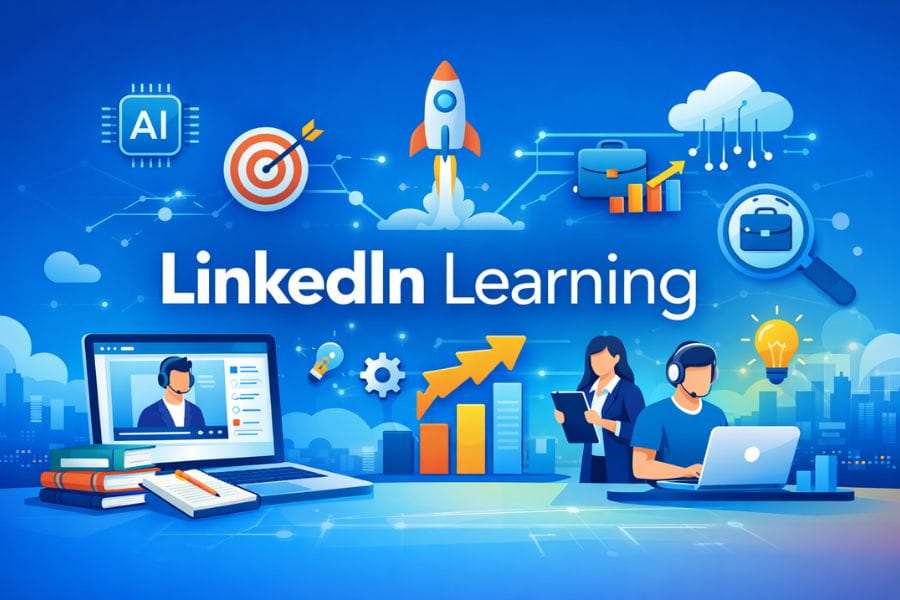
LinkedIn Learning stands out as a trusted companion for millions of professionals worldwide thanks to its up-to-date knowledge library, streamlined learning paths, and ability to be applied immediately in practice.
1. What is LinkedIn Learning?
LinkedIn Learning is an online learning platform developed by LinkedIn and currently owned by Microsoft. The platform offers more than 20,000 video-based courses, focusing strongly on practical workplace skills such as technology, business, management, content creation, marketing, data analysis, and soft skills for professionals.
The predecessor of LinkedIn Learning is Lynda.com, a long-standing and well-known training website globally, which LinkedIn acquired in 2015 and elevated with the power of massive career data from the LinkedIn network.
The unique strength of the platform lies in the direct connection between learning and career growth. Each completed course not only improves your knowledge but can also display a certificate directly on your LinkedIn profile. This is where recruiters and headhunters actively search for potential candidates. Showcasing clear and credible certifications helps increase your visibility, expand career opportunities, and build a strong personal brand.
In addition, course content on LinkedIn Learning is produced by top experts from reputable organizations, ensuring practicality, up-to-date knowledge, and immediate applicability. With flexible learning, you can study anytime, anywhere and at your own pace.
%20(1).jpg)
2. How does LinkedIn Learning work?
LinkedIn Learning operates on a subscription model, allowing users to access the entire course library with a single account. This provides an optimized and highly personalized learning experience.
2.1. Unlimited access to the course library
With a subscription, you can access all courses from beginner to advanced across dozens of fields.
Learners benefit from:
Access to all new courses without additional fees
Learning at their own pace and rewatching anytime
Downloading lessons for offline viewing
Access to learning materials, practice files, and exercises for each course
This is especially suitable for busy professionals, helping optimize time compared to fixed-class schedules.
2.2. Learn through structured skill paths (Learning Paths)
Learning Paths are a major strength of LinkedIn Learning. These are expert-designed roadmaps combining multiple courses from basic to advanced levels.
You can choose:
Career-specific paths such as SEO Specialist, Data Analyst, Project Manager
Personal development paths such as professional communication, leadership thinking, problem-solving
Career transition paths for those changing industries
With structured learning, you save time compared to selecting scattered courses.
2.3. Course recommendations based on your LinkedIn profile and career goals
This is an advantage that platforms like Coursera or Udemy cannot easily match. LinkedIn Learning uses data such as:
Your current job position
Updated experience
Your existing skills and market-demand skills
Your future career goals
The system then automatically suggests the most suitable courses for your development path.
Example: If your title is Digital Marketer, the system may suggest:
Advanced SEO courses
Google Ads from beginner to advanced
Content Marketing strategy
Marketing data analysis with Google Analytics and Data Studio
Thanks to strong personalization, you significantly reduce search time and focus on what your job truly requires.
Upgrade LinkedIn Premium at a low cost
2.4. Assessments and certifications
Each course includes quizzes to test your understanding.
After completion, you receive:
Online certificate
Skill badges
Ability to add certificates directly to your LinkedIn profile
These certifications help your profile stand out more to recruiters.
%20(1).jpg)
3. How is LinkedIn Learning different from other online learning platforms?
4. Key skill categories on LinkedIn Learning
One of the platform’s biggest strengths is its content system aligned with real labor market needs. Instead of focusing on theory, courses aim to deliver immediate workplace application.
4.1 Technology and IT skills
This is one of the fastest-growing categories. In the era of digital transformation and AI, courses provide both trend awareness and practical depth.
Top instructors come from major tech companies like Google, Microsoft, and Amazon Web Services.
Popular topics include:
Python, JavaScript, Java, C#
Data analysis with SQL, Tableau, Power BI
Artificial Intelligence, Machine Learning
Cloud Computing, security, DevOps
%20(1).jpg)
4.2 Marketing and business skills
LinkedIn Learning is ideal for professionals in marketing, sales, and business growth. Courses are built around real market needs with structured learning paths.
Each course includes real-world examples, case studies, and tools for implementation.
Key skills include:
Digital Marketing, SEO, Content Marketing
Facebook Ads, Google Ads
B2B, B2C sales skills
Brand strategy and growth optimization
4.3 Soft skills and management
The platform also strongly invests in soft skills—critical for career advancement. Courses are practical and easy to apply.
Management skills are taught by senior leaders and HR experts.
Key topics include:
Communication and presentation
Leadership and team management
Critical thinking, time management, problem-solving
Emotional intelligence (EQ)
5. How to leverage LinkedIn Learning to develop skills faster
5.1 Define clear learning goals
Before starting any course, clearly define your direction. Knowing what skills you lack and what position you aim for helps avoid ineffective learning.
Ask yourself:
What skills do I need now?
Where do I want to be in 6–12 months?
What skills can increase my income or promotion chances?
Clear answers make course selection strategic and effective.
5.2 Take advantage of Learning Paths – structured learning roadmap
Learning Paths provide a logical sequence from basic to advanced.
Popular paths include:
Become a Digital Marketer
Data Analyst Career Path
Leadership Foundations
These save time and provide a clear roadmap for growth.
%20(1).jpg)
5.3 Combine learning with optimizing your LinkedIn profile
Completing courses without adding certificates to your profile is a missed opportunity.
Add certificates to Licenses & Certifications, link them to skills, and share updates.
This helps LinkedIn’s algorithm better understand your capabilities and increases your visibility to recruiters.
It also improves your chances of interviews, job offers, and collaborations—turning knowledge into real career value.
6. Conclusion
In a constantly evolving and competitive world, those who learn faster gain the advantage. LinkedIn Learning is not just a platform with thousands of courses but a system that helps you develop core skills through smart, targeted, and flexible learning. If used correctly, you can significantly shorten the time needed to upgrade your capabilities, unlock new career opportunities, and increase your value across any field. The only thing left now is to start—because even the smallest lesson on LinkedIn Learning can become a stepping stone to a completely different professional future.





















VIP Products








Best Selling Products
Capcut Pro 1 Year
39 USD
Plugin Retouch4me
69 USD
Autodesk All App Account Copyright
120 USD
Copyright Adobe Lightroom Account
59 USD
Genuine Adobe Illustrator account
99 USD
Upgrade Duolingo Super
29 USD
Adobe Premiere Pro Account
99 USD
Windows 10 & 11 Pro Key
36 USD
Upgrade Genuine Office 365
49 USD
ChatGPT Plus Account (GPT-4)
16 USD
Upgrade genuine Capture One account
120 USD
MidJourney Account
29 USD
Genuine Cheap Canva Pro
39 USD
Freepik Premium Account
59 USD
Adobe Photoshop Copyright - Full App
120 USD