Best Selling Products

Genuine Cheap Canva Pro
39 USD

Capcut Pro 1 Year
39 USD

Upgrade Genuine Office 365
49 USD

Autodesk All App Account Copyright
120 USD

Copyright Adobe Lightroom Account
59 USD

Adobe Photoshop Copyright - Full App
120 USD

ChatGPT Plus Account (GPT-4)
16 USD

Genuine Adobe Illustrator account
99 USD

Freepik Premium Account
59 USD

Plugin Retouch4me
69 USD

Windows 10 & 11 Pro Key
36 USD

MidJourney Account
29 USD

Upgrade Duolingo Super
29 USD

Upgrade genuine Capture One account
120 USD

Adobe Premiere Pro Account
99 USD
What''s new in Figma Motion? All the features to help you design professional animations.
Nội dung
- 1. Figma Motion: Design animations right in your familiar design environment.
- 2. Control the entire timeline with high precision.
- 3. Expand your creative possibilities with professional motion effects and tools.
- 4. Build a Motion System to standardize animation.
- 5. From design to programming with animation code ready for production.
- 6. Export animations flexibly for various uses.
- 7. Why is Figma Motion a significant step forward in motion design?
- 8. Conclusion
Figma Motion offers a completely new approach to motion design by integrating animation design, AI, a professional timeline, and code export capabilities all within a single canvas.
1. Figma Motion: Design animations right in your familiar design environment.
One of Figma Motion's most outstanding features is its ability to integrate motion design seamlessly into the design process. Users don't need to leave the Figma environment to create animations; they can do so directly within the design file they're currently working on.
This eliminates the need for a separate process between UI design and animation design. Instead of exporting resources to other software and then importing them back, all changes are made on the same canvas. From wireframes and complete interfaces to animations, everything is managed within a single project.
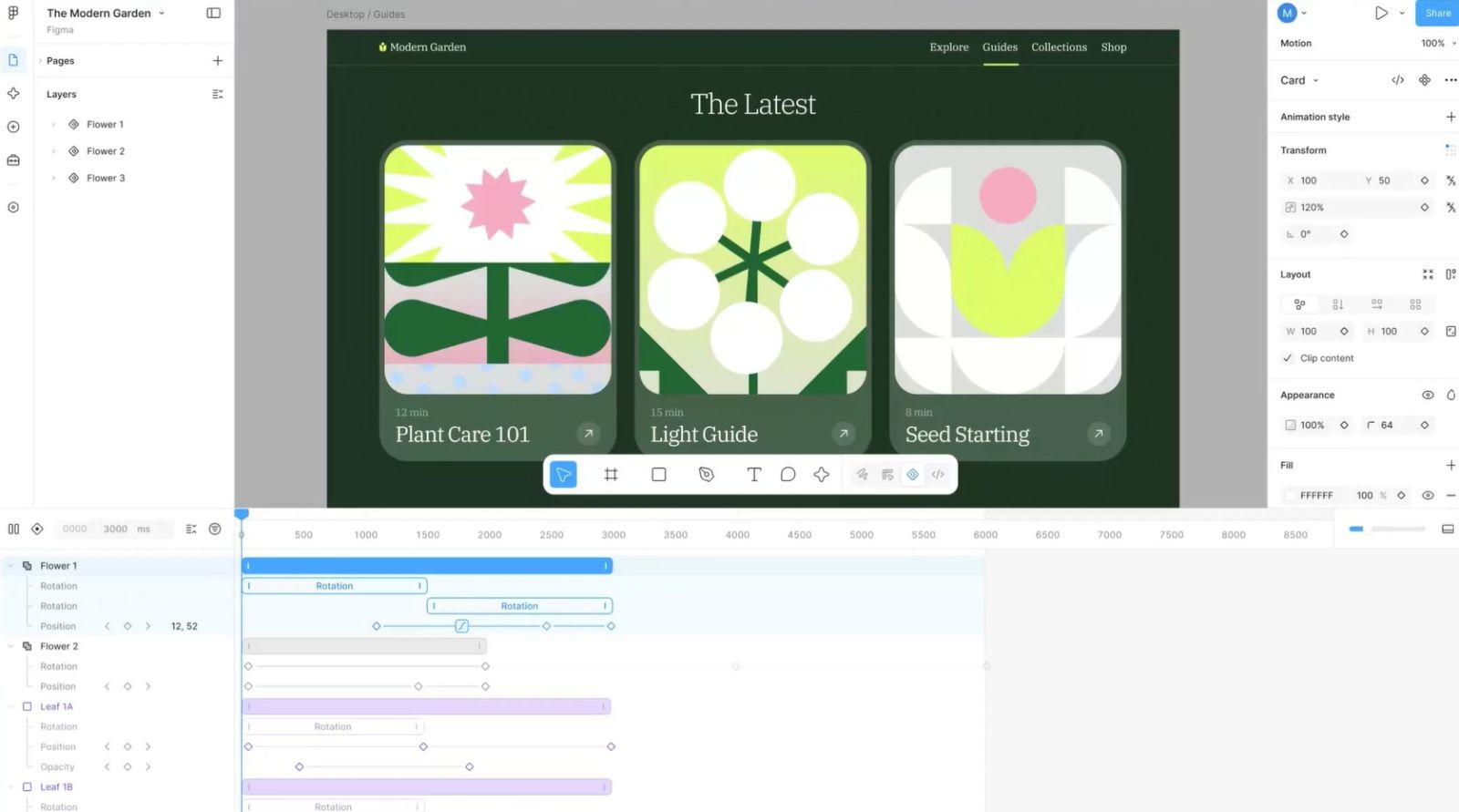
Figma Motion is built to cater to both beginners and expert motion designers. If you're new to animation, the tool offers many presets to easily create professional-looking movements. Meanwhile, experienced motion designers still have full control over every detail of the timeline to create complex and precise animations.
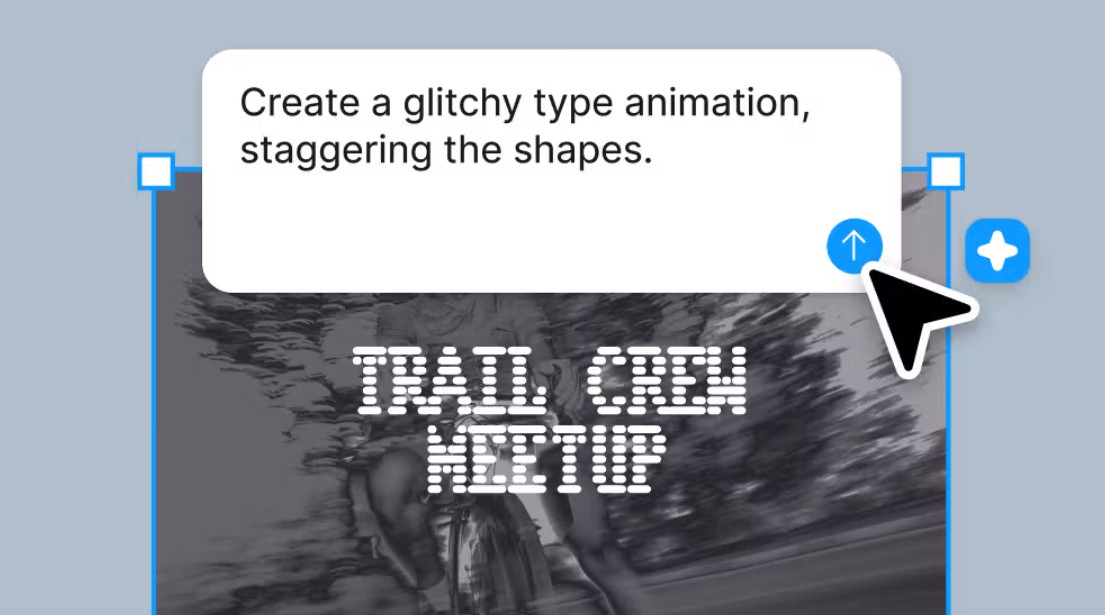
In particular, Figma also integrates an AI Agent to support animation creation through natural commands. Users simply describe the desired effect, and the AI will suggest suitable animations, significantly shortening the processing time for repetitive movements or complex animation sequences.
2. Control the entire timeline with high precision.
Unlike the simple transition effects commonly found in UI design tools, Figma Motion offers a complete timeline system, allowing users to control each frame and each object's attribute.
Each animation can be built using multiple keyframes. Designers can easily define the start and end times, the duration of the movement, as well as attributes such as position, size, opacity, rotation angle, or transformation effects. This helps to free the creative process from being limited by pre-made animation templates.
Figma Motion also supports direct collaboration on the timeline. Designers can build initial animations, then share them with other team members to refine, add to, or optimize the movements before handing them over to the development team. This is a major advantage in projects with multiple people involved, where animation needs to be consistent with the user interface and experience.
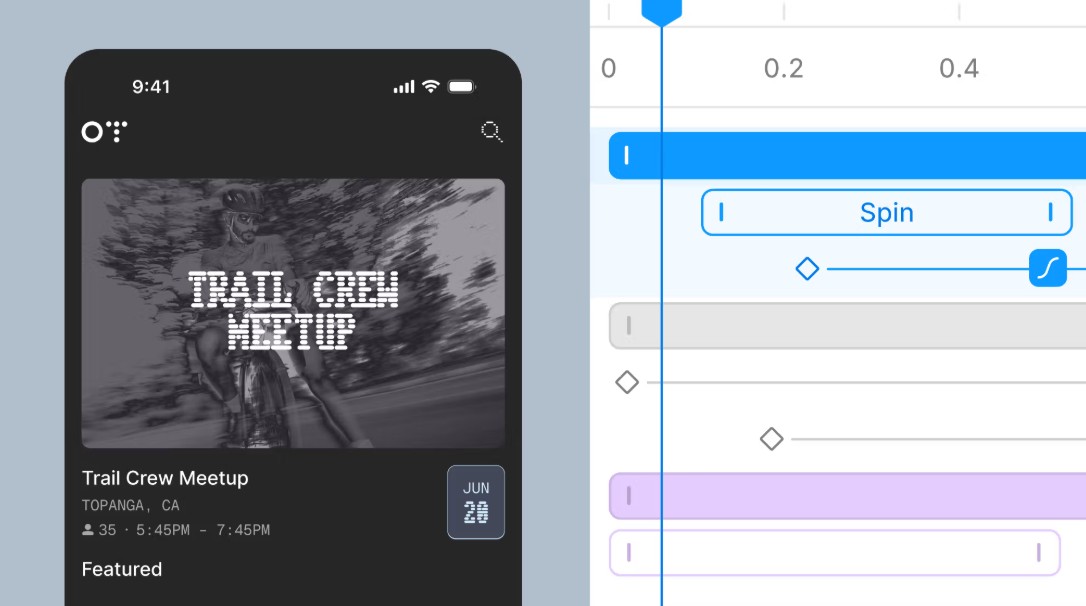
Detailed timeline control also helps the product achieve greater accuracy, minimizing discrepancies between the animation and the design team's initial concept during actual implementation.
3. Expand your creative possibilities with professional motion effects and tools.
Figma Motion is designed to strike a balance between creativity and technical control. Users can create a wide variety of animations, from small effects like button hover states to complex transition sequences across multiple screens.
To speed up the workflow, Figma integrates many popular animation styles such as Fade, Rotate, Scale, Resize, and other motion effects. These templates can be combined to create diverse effects without having to build them from scratch.
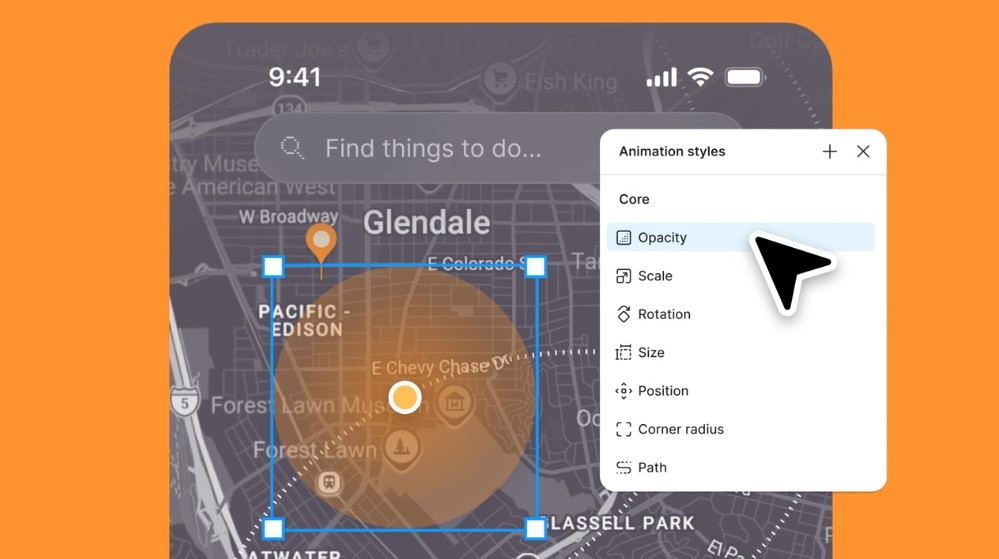
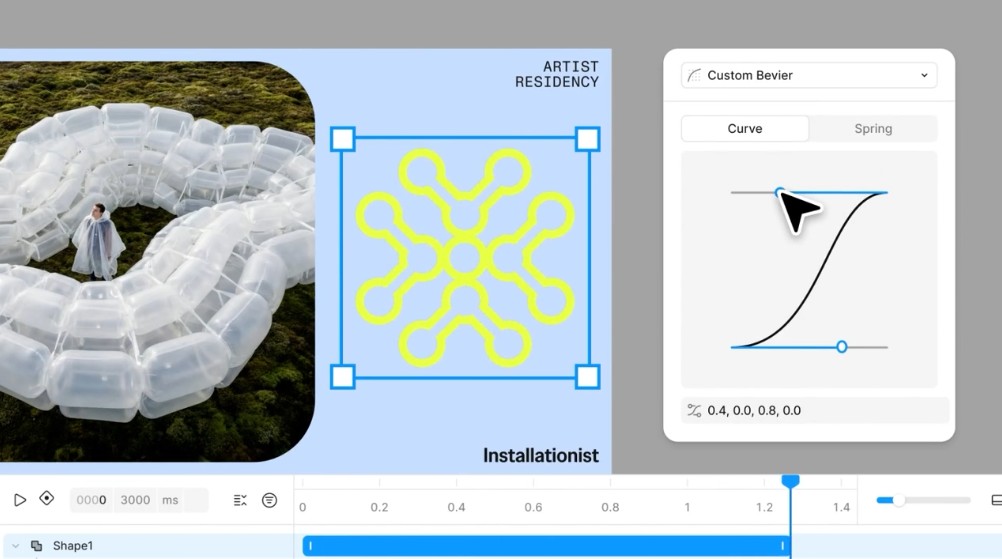
One notable feature is Autokey , which automatically records changes during object movement. Instead of manually creating each keyframe, users simply adjust the object on the canvas, and the system automatically records the movement in the timeline. Each keyframe can then be further refined using Bezier curves or Spring effects to create a more natural-looking movement.
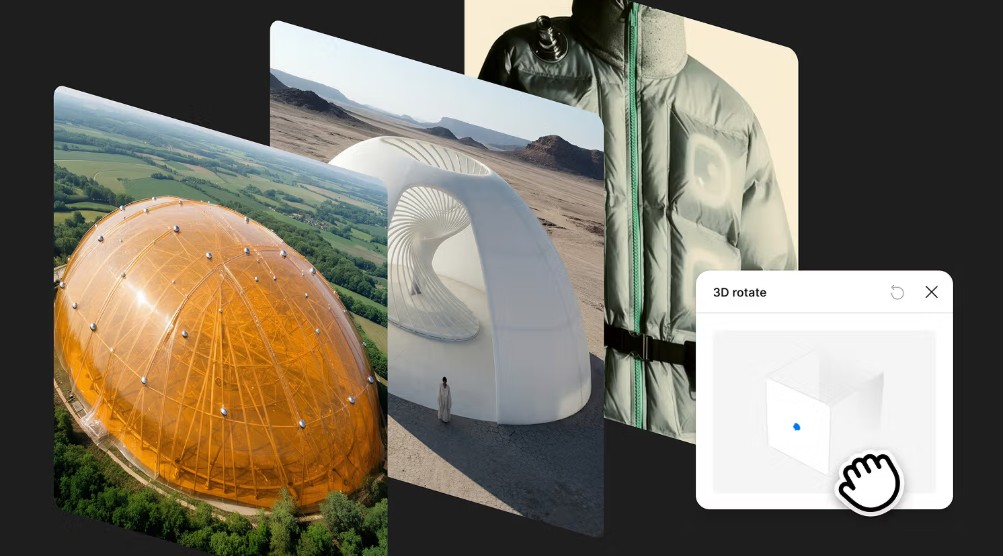
Figma Motion also takes design to a new dimension with 3D transformations. Images and objects can be rotated, tilted, or given depth to simulate movement as if in real life. When combined with animation, these effects make the interface much more lively and engaging.
For projects with multiple screens, Figma Motion has also completely revamped transition capabilities. Each transition has its own timeline, allowing for adjustment of the timing and movement of each element on the screen instead of applying a single general effect as before.
4. Build a Motion System to standardize animation.
Just as the Design System helps standardize the interface, the Motion System in Figma Motion is developed to unify all animations in the product.
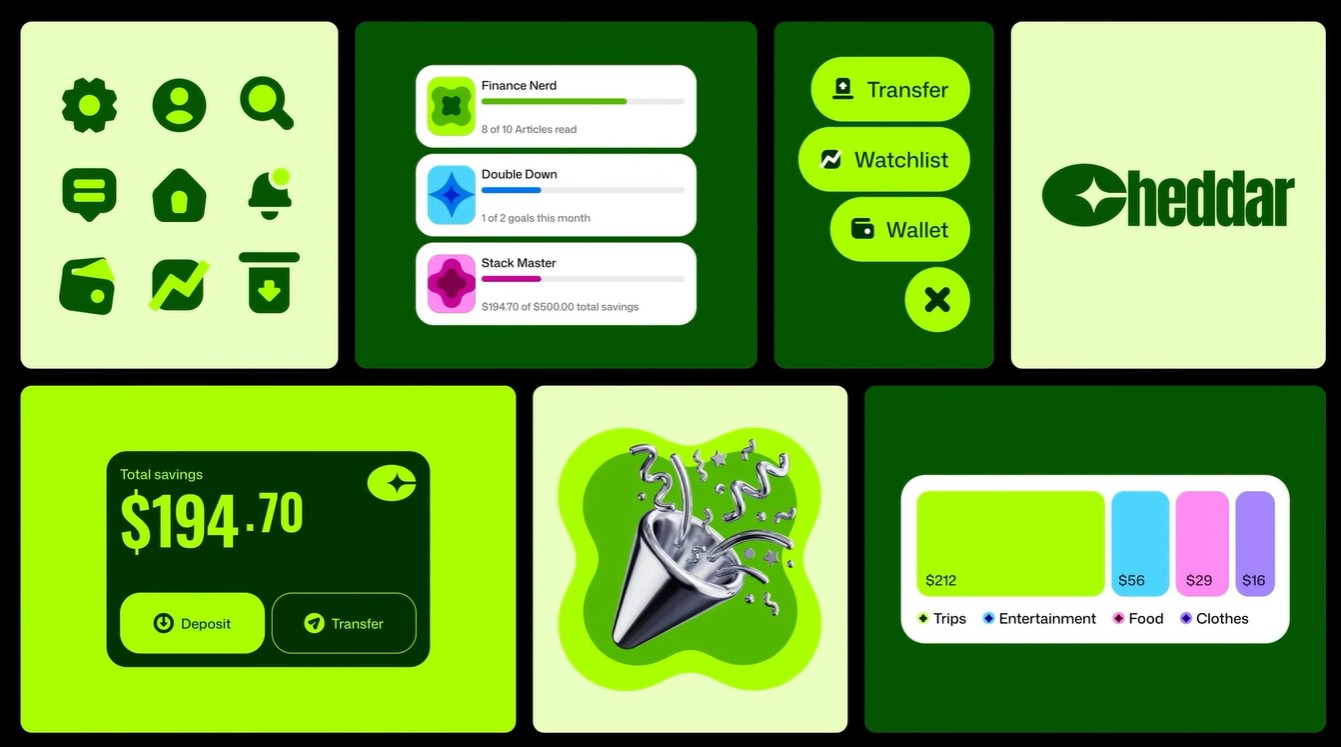
Instead of recreating animations for each screen, the design team can build standard motion templates and reuse them everywhere. This helps the entire product maintain a consistent animation style, from small effects to complex animation sequences.
Figma Motion supports the use of Variables and Motion Tokens to manage values such as timing, speed, or easing type. When changes are needed to the motion standards of the entire product, the design team only needs to update the variables in the system without having to edit each animation individually.
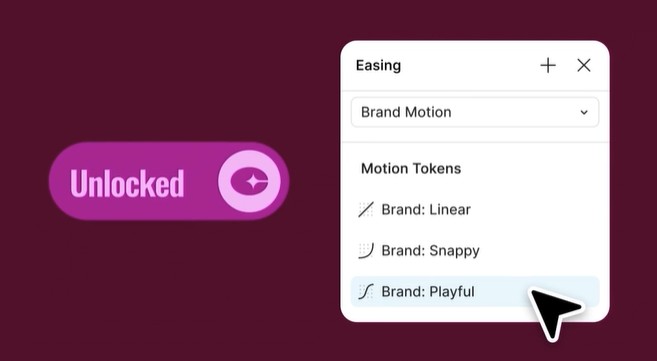
The reusability of components continues to expand into motion design. Frequently used animations can be packaged into components or modes, and then applied to multiple different interfaces. This significantly reduces design time while ensuring consistency across products within the same ecosystem.
For businesses developing multiple applications or brands, Motion Systems also play a crucial role in building a synchronized motion language, contributing to enhanced brand recognition and user experience quality.
5. From design to programming with animation code ready for production.
One of the biggest differences of Figma Motion is that all animations are built on open-source code that can be used directly in product development.
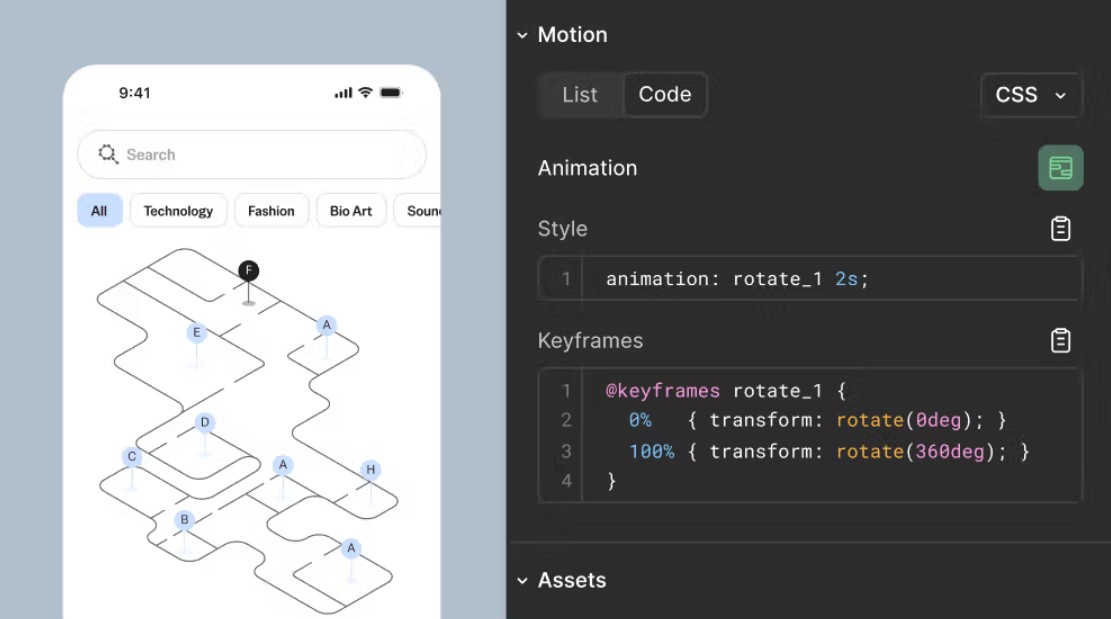
When switching to Dev Mode, programmers can not only view design parameters but also check the entire animation timeline. All information about keyframes, timing, easing, and motion properties is clearly displayed, making the implementation process more accurate.
In particular, Figma Motion allows direct copying of animation code to various formats such as CSS, JSON, or React. This significantly shortens the time required to convert from design to programming, while minimizing discrepancies between the design and the final product.
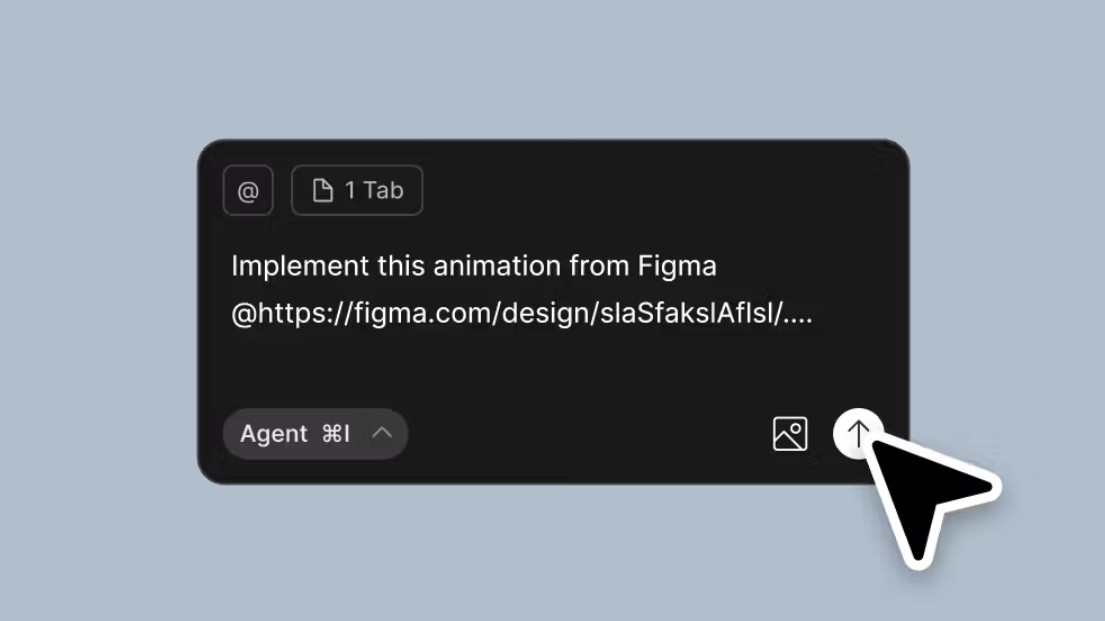
Figma Motion not only supports developers but also connects with AI programming tools via the Figma MCP Server. All animation data, including easing, timing, and motion values, is fully transmitted to the AI Coding Agent. This allows intelligent programming tools to generate more accurate code, reducing the need for manual editing and accelerating the product development process.
6. Export animations flexibly for various uses.
After completing the animation, Figma Motion allows direct export to many popular formats without the need for additional post-production software.
Users can export animations as MP4 for presentations or sharing with clients, GIF for use on websites and social media, SVG for lightweight vector animations, or WebM for optimized performance across digital platforms. This makes it easy for design teams to showcase ideas, create documentation, or generate marketing content directly from the original design.
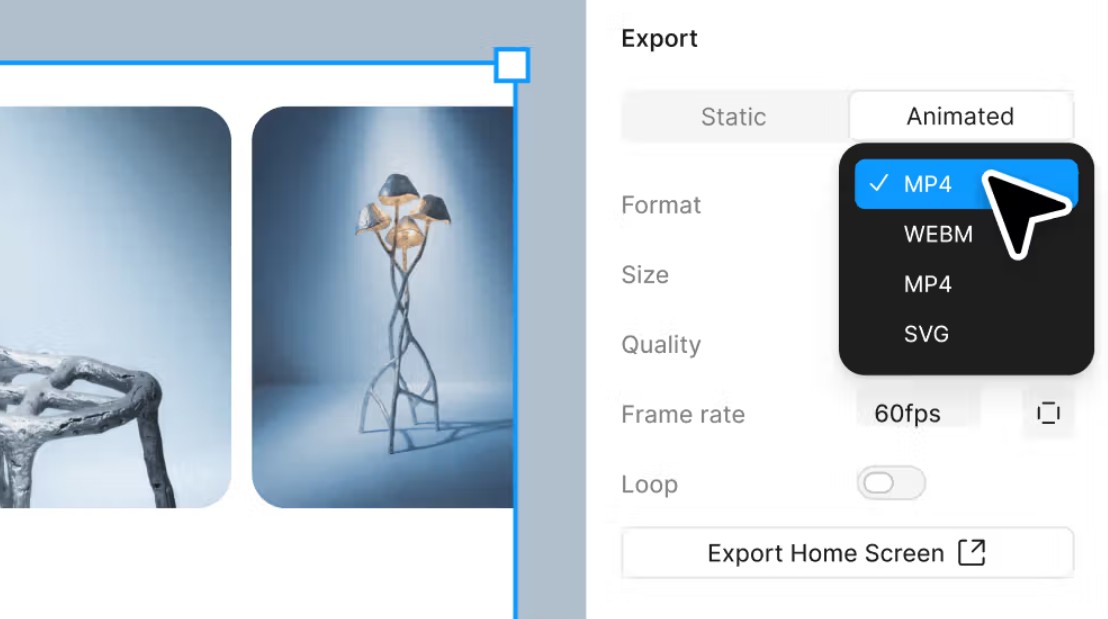
Figma Motion's multi-format export capabilities also help it serve a wide range of user groups. Designers can create visual prototypes, developers receive ready-to-deploy source code, and marketers can use the animation files for promotional campaigns without needing to re-process them.
Thanks to its integrated design-to-publish process, Figma Motion significantly reduces the time and cost of digital content production.
7. Why is Figma Motion a significant step forward in motion design?
For many years, motion design was often seen as a job reserved for animation specialists or specialized software. This made it difficult for many product development teams to add motion to their interfaces.
Figma Motion has changed that approach by bringing Motion Design into the very design environment that millions of people use every day. Users don't need to learn new software but still have all the tools to create professional animations.
The combination of AI, a powerful timeline, Motion System, Dev Mode, and the ability to export production code makes Figma Motion a bridge between designers and developers. Instead of viewing animation as just a simulation, every movement can now be converted into source code and directly implemented into the product.
This is not just an animation tool, but also a platform that helps standardize the Motion Design process within businesses, improving collaboration efficiency and ensuring consistency in the user experience.
8. Conclusion
Figma Motion marks a significant development in Figma's journey to expand its creative ecosystem. By integrating Motion Design directly into the canvas, this platform enables designers to create professional animations without leaving their familiar work environment.
From AI-assisted animation creation, detailed timeline systems, diverse motion effects, standardized Motion System, to the ability to export CSS, JSON, React, and many other media formats, Figma Motion delivers a seamless workflow from idea to finished product.
For digital product development teams, this is not just a design acceleration tool, but also a solution that helps bridge the gap between design and programming. In a context where user experience is increasingly emphasized, Figma Motion promises to become an indispensable part of the process of building modern, intuitive, and production-ready digital products.





















VIP Products








Best Selling Products
Genuine Cheap Canva Pro
39 USD
Capcut Pro 1 Year
39 USD
Upgrade Genuine Office 365
49 USD
Autodesk All App Account Copyright
120 USD
Copyright Adobe Lightroom Account
59 USD
Adobe Photoshop Copyright - Full App
120 USD
ChatGPT Plus Account (GPT-4)
16 USD
Genuine Adobe Illustrator account
99 USD
Freepik Premium Account
59 USD
Plugin Retouch4me
69 USD
Windows 10 & 11 Pro Key
36 USD
MidJourney Account
29 USD
Upgrade Duolingo Super
29 USD
Upgrade genuine Capture One account
120 USD
Adobe Premiere Pro Account
99 USD