Best Selling Products

Capcut Pro 1 Year
39 USD

Adobe Premiere Pro Account
99 USD

Adobe Photoshop Copyright - Full App
120 USD

Copyright Adobe Lightroom Account
59 USD

Genuine Cheap Canva Pro
39 USD

Windows 10 & 11 Pro Key
36 USD

Upgrade Genuine Office 365
49 USD

Genuine Adobe Illustrator account
99 USD

Plugin Retouch4me
69 USD

Freepik Premium Account
59 USD

ChatGPT Plus Account (GPT-4)
16 USD

Autodesk All App Account Copyright
120 USD

MidJourney Account
29 USD

Upgrade genuine Capture One account
120 USD

Upgrade Duolingo Super
29 USD
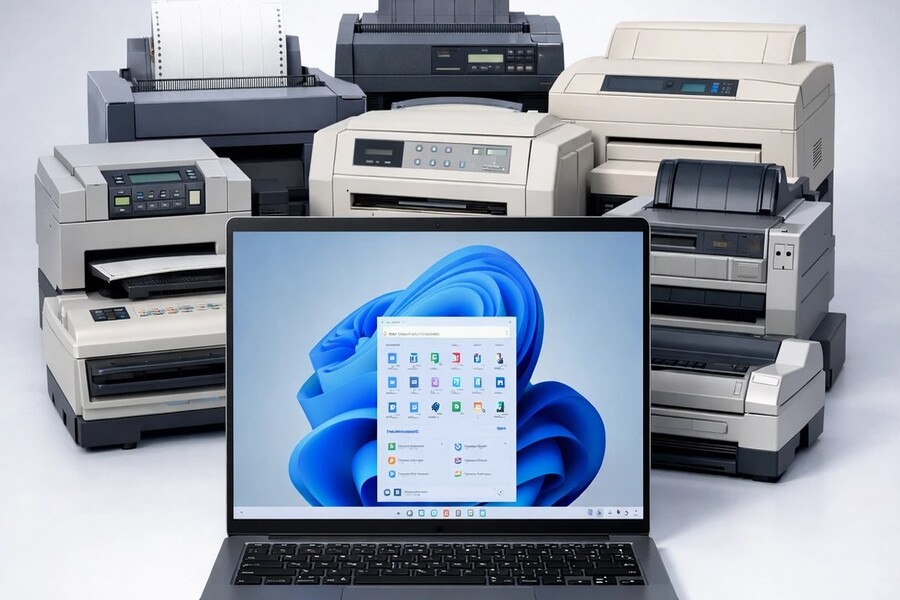
Windows 11 officially removes old printer drivers: What do users need to know?
Nội dung
Microsoft is gradually phasing out traditional printer drivers on Windows 11 to improve security and stability. This means many older printers are no longer automatically supported. Users may need to manually install drivers or upgrade their devices to continue using them.
Windows 11 officially removes old printer drivers: What do users need to know?
Microsoft is gradually phasing out traditional printer drivers on Windows 11 to improve security and stability. This means many older printers are no longer automatically supported. Users may need to manually install drivers or upgrade their devices to continue using them.
Microsoft's announcement to end driver support for older printers on Windows 11 is not just a simple technical change, but marks a major shift in how the operating system manages peripherals. For average users, this may cause inconvenience as familiar printers no longer automatically install as before. But for businesses, design studios, and work environments heavily reliant on printing, this is a strategic issue, directly impacting operational processes, costs, and security. This article will analyze each aspect of this change in detail, from its causes and impacts to the transition roadmap and suitable solutions to help users and businesses effectively adapt to the new Windows 11 printing ecosystem.
1. Overview of printer driver systems on Windows
In the architecture of any operating system, drivers act as "translators" between software and hardware. Printers cannot directly understand data from Word, PDF, or image files; they need drivers to convert digital content into specific control commands such as ink allocation, printhead adjustment, paper formatting, resolution management, and a host of other technical parameters. Therefore, drivers are not simply supporting software, but are crucial factors in determining whether a printer operates accurately, stably, and with correct color reproduction.
For decades, Windows has built an incredibly vast driver ecosystem, supporting everything from inexpensive home printers to specialized industrial printing systems. This has created the familiar "plug and play" experience: users simply connect the printer, and Windows automatically recognizes and installs the appropriate driver. As a result, printing is simple and requires no technical skills. However, behind this convenience lies an extremely complex system with thousands of drivers from numerous manufacturers.
.jpg)
Driver V3 is an older architecture, dating back to Windows XP and persisting through many generations of Windows. This architecture allows manufacturers to deeply integrate proprietary features such as ink management, advanced print configurations, automatic duplex printing, color fine-tuning, paper optimization, and many specialized support tools. This makes the printer more flexible, but at the same time, it makes the system heavily dependent on the software of each manufacturer.
Driver V4 was created with the goal of modernizing and simplifying the architecture and reducing reliance on proprietary software. However, due to the need to ensure backward compatibility, V4 still retains many elements of the old model. As a result, Windows has to maintain thousands of different drivers in parallel, creating a huge maintenance burden.
Each time Windows updates, Microsoft has to check the compatibility of countless drivers to avoid system conflicts, printing errors, or crashes. This is a complex, resource-intensive process that slows down operating system development. Therefore, Microsoft is gradually shifting towards a standardized driver model based on the IPP protocol, where printers can function stably without requiring separate drivers from the manufacturer.
2. Reasons why Microsoft ended support for older printer drivers.
Security is the most important factor driving this change. Over the years, Windows' printing system has repeatedly been a serious vulnerability. A prime example is the PrintNightmare vulnerability, which allowed hackers to exploit the printing service to gain control of a computer or internal network. This incident demonstrates the significant risks inherent in outdated drivers, especially when they are developed by multiple manufacturers with inconsistent security standards.
.jpg)
Beyond security concerns, the cost of maintaining a traditional driver ecosystem is a significant burden. Maintaining compatibility with thousands of drivers requires Microsoft to dedicate substantial resources to testing, patching, and conflict resolution. This reduces the potential for innovation and prolongs the operating system development cycle.
Another important reason is the trend toward technology standardization. The IPP protocol allows printers to operate without separate drivers, reducing reliance on proprietary software, increasing stability, and improving cross-platform compatibility. This aligns with Microsoft's long-term strategy of building a more streamlined, secure, and manageable ecosystem.
3. Specific changes from the January 15, 2026 update
Starting with the non-security update released on January 15, 2026, Microsoft officially stopped releasing new drivers for the V3 and V4 architectures through Windows Update. This is considered a significant step in Windows' strategy to modernize its printing system, as the company gradually moves away from the traditional driver model towards a more standardized and secure printing platform. However, V3/V4 drivers that existed before this date will continue to be stored on Windows Update; users can still download them again if their device was previously supported, but they will no longer receive future feature updates, optimizations, or compatibility improvements.
From the hardware manufacturer's perspective, all new V3/V4 drivers are blocked by default. To release them, they must go through a rigorous manual review process from Microsoft, along with clear technical reasons such as fixing critical bugs or resolving important issues. This regulation aims to limit the continued use of outdated driver technology while ensuring that the drivers allowed for release meet the new security standards of Windows 11.
.jpg)
For users, the most noticeable change is that the printer installation process is no longer completely automatic. For older printers that rely on V3 or V4 drivers not readily available in the system, Windows Update may not recognize the device, preventing the printer from working immediately after connection. In this case, users need to access the manufacturer's official website to download the appropriate driver and install it manually. This change makes the setup process more complex than before, especially for those unfamiliar with technical procedures, and clearly reflects Microsoft's shift towards a modern, secure printing ecosystem that is less reliant on third-party drivers.
4. Impact on individual users
Average users are the group most significantly affected in the initial phase. Previously, plugging in the printer and waiting for Windows to automatically install the driver was the norm. Now, this process may no longer work with older printers, leading many to mistakenly believe the device is broken.
Manually finding drivers, selecting the correct version, and installing them properly is a challenge for those without technical expertise. Furthermore, some older printers may no longer have compatible Windows 11 drivers, potentially necessitating device replacement.
However, in the long run, the new system helps users encounter fewer errors, reduces the risk of viruses, and ensures a more stable experience.
5. Impact on businesses and the work environment
Businesses often use a large number of printers, many of which have been in operation for decades. Changes to Windows driver policies can directly impact operations, especially in print-dependent sectors such as accounting, legal, education, and design.
The costs of replacing equipment, upgrading infrastructure, and training personnel are factors to consider. However, in return, the new system helps reduce security risks, avoid disruptions due to driver errors, and increase the efficiency of equipment management.
.jpg)
In the design industry, printers are used not only for printing documents but also for color checking, image quality, and product proofing. Many studios still use older printers because of their reliability and low cost. Windows ending support for older drivers may force them to upgrade their equipment sooner than expected.
However, newer printers that support the IPP standard often offer better color management, more flexible connectivity, and higher security, which improves workflows in the long term.
6. Microsoft's transformation roadmap to 2027
Microsoft isn't making abrupt changes; instead, it's providing a clear roadmap. Starting in July 2026, Windows will prioritize the default IPP driver. By July 2027, third-party drivers will only be used for security updates. This indicates that the traditional driver ecosystem will gradually disappear.
Windows Protected Print Mode allows printing without external drivers, reducing security risks and increasing stability. This is considered the future of printing systems on Windows, where the operating system controls the entire printing process.
The first step is to check if the printer you are using depends on driver V3/V4. If so, you should download the driver from the manufacturer. Businesses should plan for equipment upgrades, prioritizing printers that support IPP and are compatible with Windows 11.
Additionally, users should update their operating system, back up important drivers, and experiment with Windows Protected Print Mode to familiarize themselves with the new system.
Windows 11's decision to end support for older printer drivers is a strategic move toward a more secure, standardized, and stable printing ecosystem. While it may cause short-term difficulties, in the long run, this is a necessary change to ensure the operating system's performance, security, and scalability.





















VIP Products








Best Selling Products
Capcut Pro 1 Year
39 USD
Adobe Premiere Pro Account
99 USD
Adobe Photoshop Copyright - Full App
120 USD
Copyright Adobe Lightroom Account
59 USD
Genuine Cheap Canva Pro
39 USD
Windows 10 & 11 Pro Key
36 USD
Upgrade Genuine Office 365
49 USD
Genuine Adobe Illustrator account
99 USD
Plugin Retouch4me
69 USD
Freepik Premium Account
59 USD
ChatGPT Plus Account (GPT-4)
16 USD
Autodesk All App Account Copyright
120 USD
MidJourney Account
29 USD
Upgrade genuine Capture One account
120 USD
Upgrade Duolingo Super
29 USD