Best Selling Products

Autodesk All App Account Copyright
120 USD

Capcut Pro 1 Year
39 USD

Freepik Premium Account
59 USD

Adobe Premiere Pro Account
99 USD

Upgrade Duolingo Super
29 USD

Upgrade Genuine Office 365
49 USD

ChatGPT Plus Account (GPT-4)
16 USD

Windows 10 & 11 Pro Key
36 USD

Copyright Adobe Lightroom Account
59 USD

Genuine Adobe Illustrator account
99 USD

Plugin Retouch4me
69 USD

Genuine Cheap Canva Pro
39 USD

MidJourney Account
29 USD

Adobe Photoshop Copyright - Full App
120 USD

Upgrade genuine Capture One account
120 USD
Windows 11 Officially “Retires” Legacy Printer Drivers: What Users Need to Know?
Nội dung
Microsoft is gradually phasing out the traditional printer driver system on Windows 11 to improve security and stability. This change means many older printers will no longer be automatically supported. Users may need to install drivers manually or upgrade their devices to continue using them.
1. Overview of the Printer Driver System on Windows
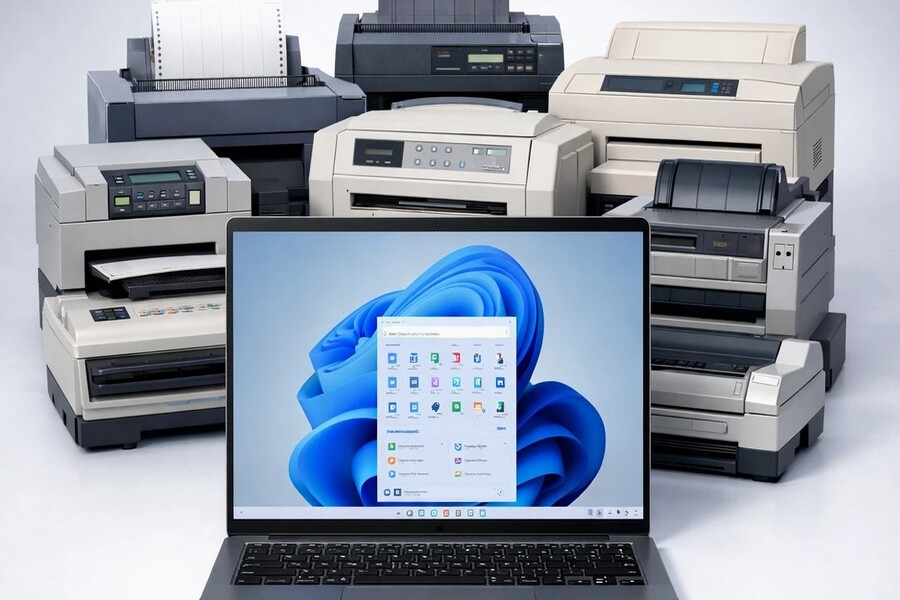
Within the architecture of any operating system, drivers serve as a “translator” between software and hardware. Printers cannot directly understand data from Word documents, PDFs, or images. Instead, they rely on drivers to convert digital content into specific instructions such as ink allocation, print head adjustments, paper formatting, resolution management, and numerous other technical parameters. As a result, a driver is not merely a supporting application—it is the key factor that determines whether a printer functions accurately, reliably, and with correct color reproduction.
.jpg)
For decades, Windows has built an extensive driver ecosystem supporting everything from affordable home printers to specialized industrial printing systems. This created the familiar “plug-and-play” experience: users simply connect a printer, and Windows automatically detects and installs the appropriate driver. This convenience made printing accessible without requiring technical expertise. Behind that simplicity, however, lies an extremely complex system containing thousands of drivers from numerous manufacturers.
Driver V3 is a long-standing architecture dating back to the Windows XP era and has persisted through multiple Windows generations. This architecture allows manufacturers to deeply integrate proprietary features such as ink management, advanced print settings, automatic duplex printing, color calibration, paper optimization, and many specialized tools. While this provides flexibility, it also creates strong dependence on vendor-specific software.
Driver V4 was introduced to modernize and simplify the architecture while reducing dependence on proprietary software. However, to maintain backward compatibility, V4 still retained many elements of the older model. As a result, Windows has been forced to maintain thousands of different drivers simultaneously, creating a substantial maintenance burden.
With every Windows update, Microsoft must verify compatibility across countless drivers to prevent system conflicts, printing failures, and system crashes. This process is complex, resource-intensive, and slows down operating system development. For this reason, Microsoft is gradually moving toward a standardized driver model based on the IPP protocol, where printers can operate reliably without requiring manufacturer-specific drivers.
2. Why Microsoft Is Ending Support for Legacy Printer Drivers
Security is the primary factor driving this transition. Over the years, the Windows printing system has repeatedly become a significant security vulnerability. One notable example is the PrintNightmare exploit, which allowed attackers to abuse print services to gain control over computers or internal networks. This incident highlighted the risks inherent in legacy driver systems, especially since they were developed by many manufacturers with inconsistent security standards.
.jpg)
In addition to security concerns, maintaining the traditional driver ecosystem places a considerable burden on Microsoft. Supporting thousands of drivers requires extensive testing, bug fixing, and conflict resolution efforts. This reduces innovation capacity and lengthens operating system development cycles.
Another important factor is the industry-wide trend toward technology standardization. The IPP protocol allows printers to function without proprietary drivers, reducing software dependency, increasing stability, and improving cross-platform compatibility. This direction aligns with Microsoft’s long-term strategy of building a leaner, more secure, and easier-to-manage ecosystem.
3. Specific Changes Introduced in the January 15, 2026 Update
Beginning with the non-security update released on January 15, 2026, Microsoft officially stopped distributing new V3 and V4 architecture drivers through Windows Update. This is considered a major milestone in the modernization of the Windows printing system as the company gradually moves away from traditional driver models toward a more standardized and secure printing platform. Existing V3 and V4 drivers released before this date will remain available through Windows Update, and users can still reinstall them if their devices were previously supported. However, these drivers will no longer receive feature updates, optimizations, or future compatibility improvements.
.jpg)
For hardware manufacturers, all new V3 and V4 drivers are blocked by default. Any new releases must go through a strict manual approval process by Microsoft, accompanied by clear technical justification such as critical bug fixes or major issue resolutions. This policy is intended to discourage continued reliance on legacy driver technology while ensuring that approved drivers meet Windows 11’s updated security requirements.
For users, the most noticeable change is that printer installation will no longer be fully automatic in every case. For older printers that rely on V3 or V4 drivers not already included in the system, Windows Update may fail to recognize the device, preventing immediate functionality after connection. In these situations, users will need to visit the manufacturer’s official website, download the appropriate driver, and perform a manual installation. This makes setup more complex than before, especially for users unfamiliar with technical procedures, while clearly reflecting Microsoft’s transition toward a more modern, secure, and less third-party-dependent printing ecosystem.
4. Impact on Individual Users
Everyday users will likely feel the effects most noticeably during the early stages of this transition. Previously, connecting a printer and waiting for Windows to install the driver automatically was considered normal. Now, this process may no longer work with older printers, causing some users to mistakenly believe their devices are malfunctioning.
Searching for drivers manually, selecting the correct version, and installing it properly can be challenging for those without technical experience. Furthermore, some very old printers may no longer have compatible drivers for Windows 11, making hardware replacement unavoidable.
In the long run, however, the new system should reduce printing errors, lower security risks, and provide a more stable overall experience.
5. Impact on Businesses and Work Environments
Businesses often operate large numbers of printers, many of which have been in service for a decade or more. Windows’ change in driver policy may directly affect operations, especially in industries heavily dependent on printing such as accounting, legal services, education, and design.
The costs associated with replacing hardware, upgrading infrastructure, and training employees must be carefully considered. However, these investments are balanced by benefits such as improved security, fewer driver-related disruptions, and more efficient device management.
.jpg)
In the design industry, printers are used not only for document printing but also for color verification, image quality assessment, and product proofing. Many studios continue to use older printers because of their reliability and low operating costs. The end of legacy driver support may force them to upgrade sooner than expected.
Nevertheless, newer printers that support the IPP standard typically offer better color management, more flexible connectivity, and enhanced security, helping improve long-term workflow efficiency.
6. Microsoft’s Transition Roadmap Through 2027
Microsoft is not implementing this change abruptly but has provided a clear migration roadmap. Starting in July 2026, Windows will prioritize IPP drivers by default. By July 2027, third-party drivers will receive security updates only. This indicates that the traditional driver ecosystem will gradually disappear.
Windows Protected Print Mode enables printing without external drivers, reducing security risks and improving stability. It is considered the future of printing on Windows, where the operating system manages the entire printing process.
The first step for users is to determine whether their printers rely on V3 or V4 drivers. If they do, it is advisable to download and back up the required drivers from the manufacturer. Businesses should create upgrade plans and prioritize printers that support IPP and are fully compatible with Windows 11.
In addition, users should keep their operating systems updated, back up important drivers, and begin experimenting with Windows Protected Print Mode to become familiar with the new environment.
The decision to end support for legacy printer drivers in Windows 11 represents a strategic move toward a more secure, standardized, and stable printing ecosystem. While it may cause short-term challenges, it is ultimately a necessary step to ensure the long-term performance, security, and future development of the operating system.





















VIP Products








Best Selling Products
Autodesk All App Account Copyright
120 USD
Capcut Pro 1 Year
39 USD
Freepik Premium Account
59 USD
Adobe Premiere Pro Account
99 USD
Upgrade Duolingo Super
29 USD
Upgrade Genuine Office 365
49 USD
ChatGPT Plus Account (GPT-4)
16 USD
Windows 10 & 11 Pro Key
36 USD
Copyright Adobe Lightroom Account
59 USD
Genuine Adobe Illustrator account
99 USD
Plugin Retouch4me
69 USD
Genuine Cheap Canva Pro
39 USD
MidJourney Account
29 USD
Adobe Photoshop Copyright - Full App
120 USD
Upgrade genuine Capture One account
120 USD