Best Selling Products

Genuine Adobe Illustrator account
99 USD

ChatGPT Plus Account (GPT-4)
16 USD

Capcut Pro 1 Year
39 USD

MidJourney Account
29 USD

Upgrade Duolingo Super
29 USD

Plugin Retouch4me
69 USD

Upgrade genuine Capture One account
120 USD

Genuine Cheap Canva Pro
39 USD

Freepik Premium Account
59 USD

Autodesk All App Account Copyright
120 USD

Copyright Adobe Lightroom Account
59 USD

Adobe Photoshop Copyright - Full App
120 USD

Adobe Premiere Pro Account
99 USD

Windows 10 & 11 Pro Key
36 USD

Upgrade Genuine Office 365
49 USD
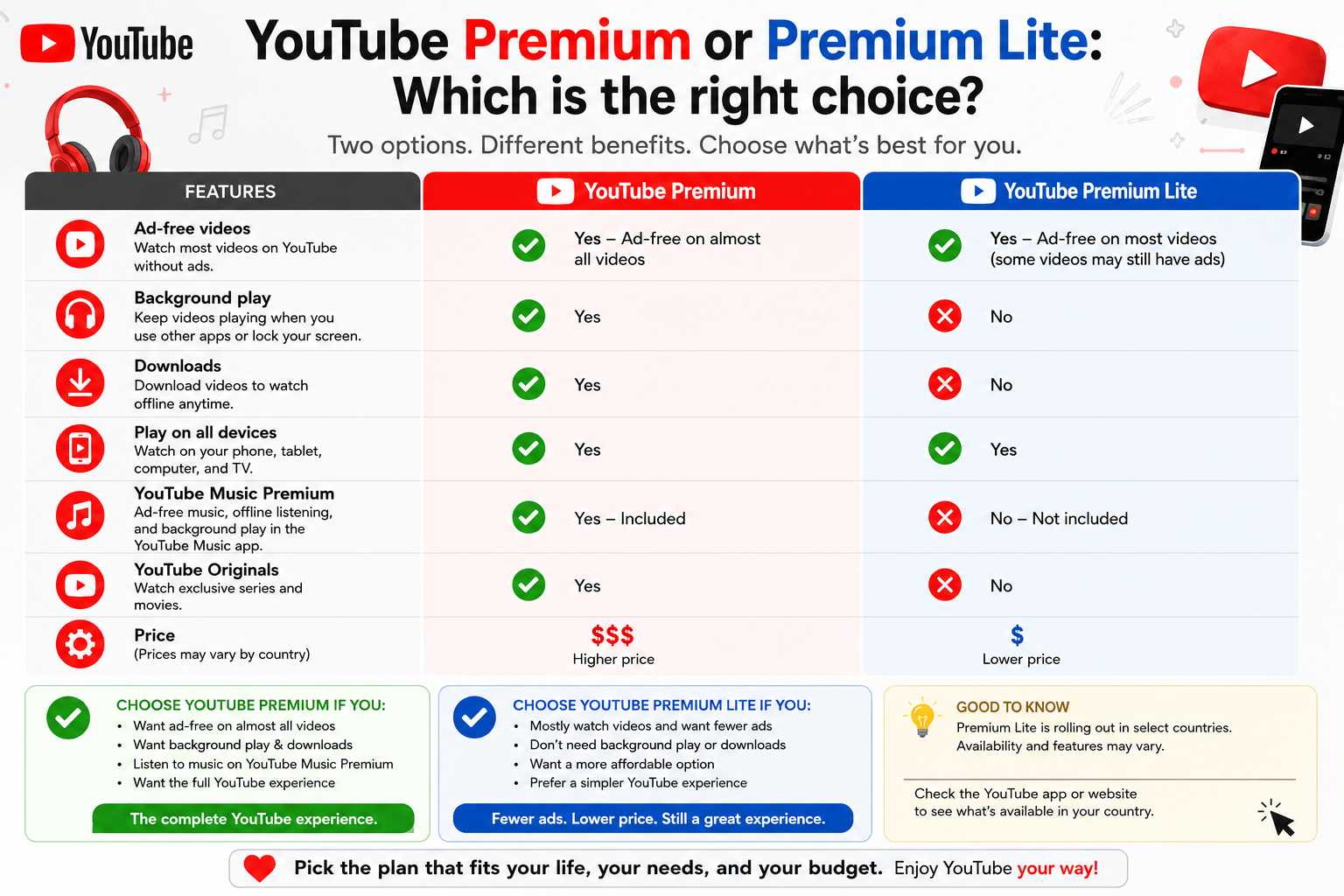
YouTube Premium or Premium Lite: Which is the right choice?
Nội dung
- 1. Learn about YouTube Premium
- 2. Key Features of YouTube Premium
- 2.1. Picture within a picture
- 2.2. Yours here
- 2.3. Continue watching
- 2.4. High-quality video
- 2.5. High-quality sound
- 2.6. Smart Downloads
- 2.7. Add to waiting list
- 3. Learn about YouTube Premium Lite
- 4. What are the benefits of Premium Lite?
- 4.1. Watch most videos without ads.
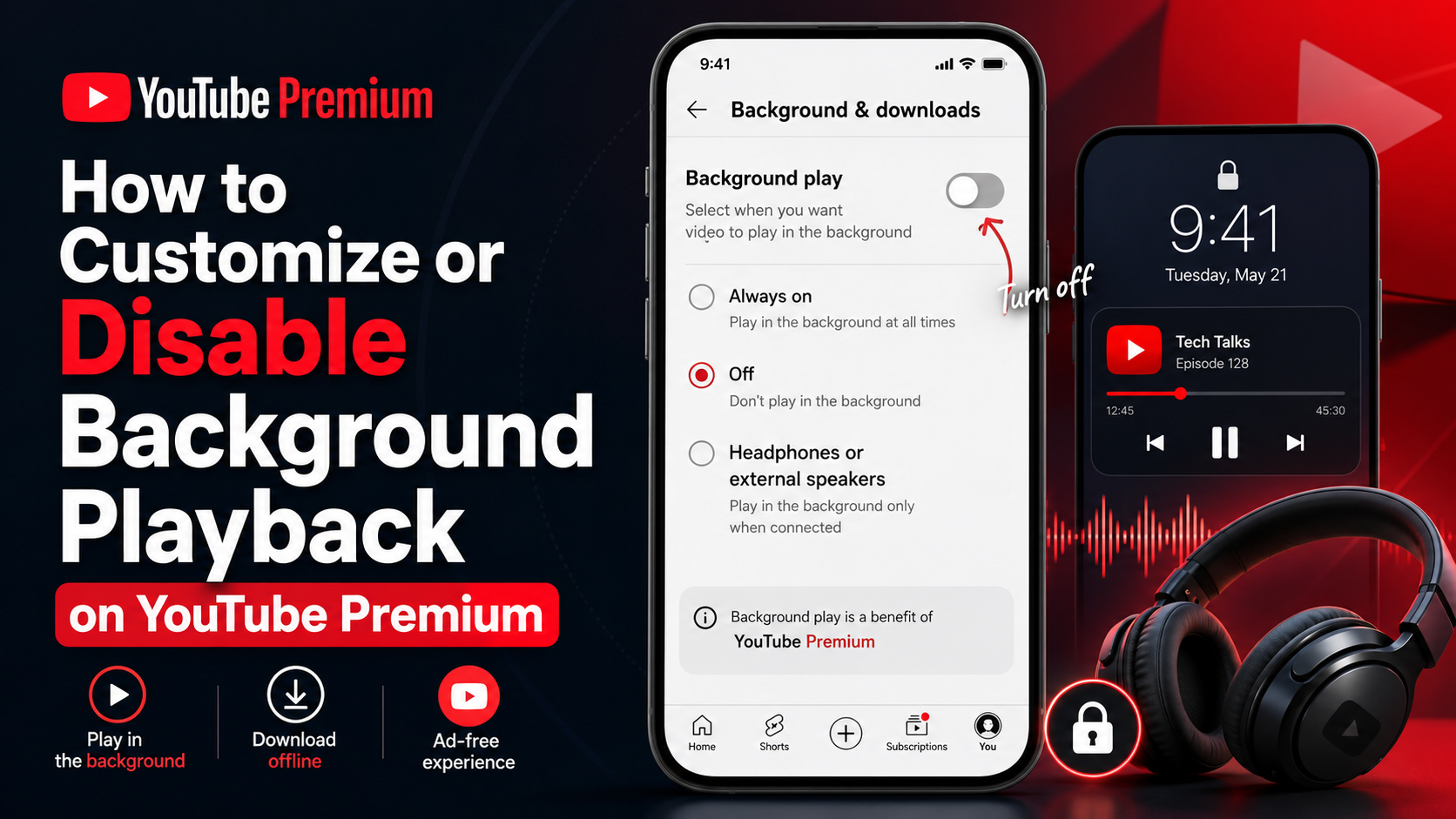
- 4.2. Download and play in the background
- 5. What is the difference between Premium and Premium Lite?
- 6. Comprehensive comparison table of YouTube Premium and Premium Lite
Find out which plan best suits your daily needs for watching videos, listening to music, and using YouTube.
1. Learn about YouTube Premium
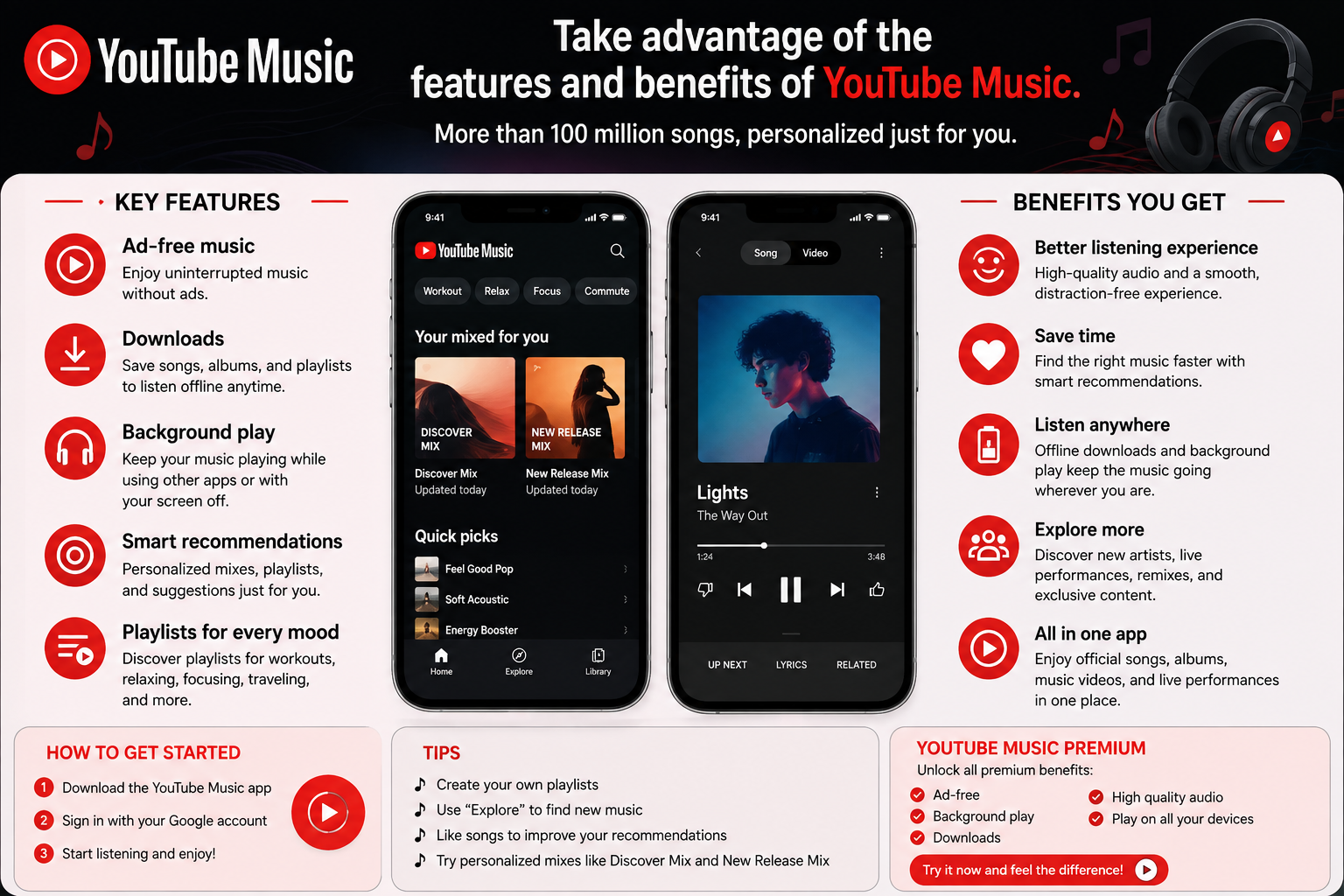
YouTube Premium is a membership package aimed at users who want to enjoy an ad-free YouTube experience, with the ability to watch offline and play content in the background .
One of the most notable features of the Premium package is the ability to watch videos ad-free on YouTube. This benefit also extends to YouTube Kids and YouTube Music, making the experience more seamless when users switch between content types.
Beyond removing ads, Premium also includes YouTube Music Premium , a separate music streaming app that lets you explore over 100 million songs ad-free. Users can access a wide range of official music content as well as exclusive content such as live performances, remixes, cover versions, and DJ remixes.
Notably, Premium isn't just focused on video viewing. This membership package also adds many features that help users control the viewing and listening process and switch between devices more conveniently.
2. Key Features of YouTube Premium
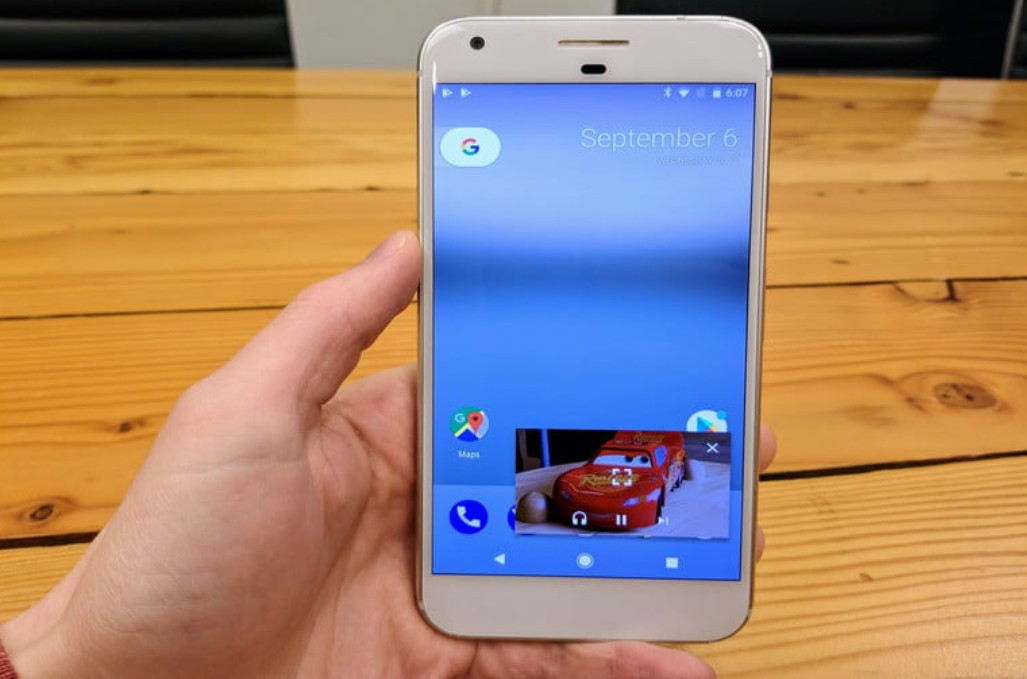
2.1. Picture within a picture
Picture-in-picture allows users to continue viewing content in a small window while switching to another app. This feature is especially useful when using a phone to watch content while simultaneously performing another task.
With music content, users can continue watching or listening to videos while working on other applications without having to keep YouTube in full-screen mode.
2.2. Yours here
The Skip-Ahead feature allows users to quickly jump to the content they are interested in. This is a useful feature for long videos, tutorials, lectures, or programs with multiple parts.
Instead of having to scroll through the timeline and search manually, viewers can quickly skip unnecessary sections to continue with the main content.
2.3. Continue watching
Premium also supports Resume Viewing , allowing users to continue watching a video from where they left off, even when switching between devices.
For example, you start watching a video on your computer but don't finish it. When you switch to another device, you can continue from where you left off instead of having to search for the video again and pinpoint where you left off.
2.4. High-quality video
For eligible videos, Premium offers an enhanced bitrate 1080p option . This results in sharper and clearer images, better showcasing detail and motion.
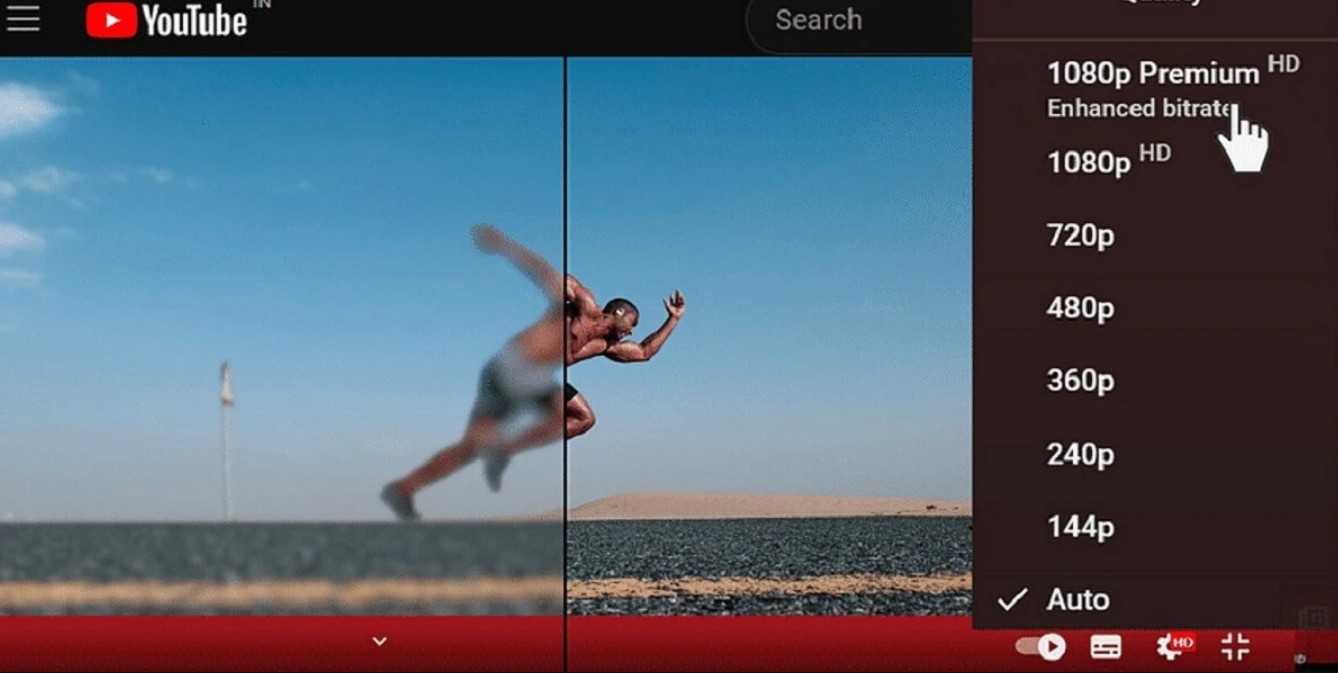
This is a notable benefit for users who frequently watch high-definition videos, especially content with a lot of movement or fine details.
2.5. High-quality sound
For eligible music videos, YouTube Premium supports a richer audio experience at 256 kbps .
This feature, combined with YouTube Music Premium, makes the Premium package a suitable option for users who frequently watch videos and listen to music.
2.6. Smart Downloads
Smart Downloads can automatically add suggested videos to the download list so users can watch them offline.
Instead of having to actively search for and download each video, this feature helps prepare suitable content in advance for times when there is no internet connection.
2.7. Add to waiting list
If you're watching a video but want to prepare for the next one, you can use Add to Watchlist . The video is added to the next playlist without interrupting your current viewing session.
3. Learn about YouTube Premium Lite
YouTube Premium Lite is a membership option with simpler benefits compared to Premium. This plan focuses on basic needs such as watching most content ad-free, downloading, and playing in the background .
However, these benefits do not apply to all content on YouTube. According to the information provided, the main features of Premium Lite apply to most non-music content, with the exception of Shorts videos .
This creates a significant difference between Premium Lite and Premium. If users primarily watch general videos such as tutorials, entertainment, news, education, or longer content that doesn't fall into the music category, Premium Lite can meet most of their needs.
Conversely, those who frequently listen to music or want to fully utilize the YouTube Music ecosystem should consider Premium.
4. What are the benefits of Premium Lite?
4.1. Watch most videos without ads.
Premium Lite allows users to watch most videos without ads . This is the core benefit of the package and also what makes Premium Lite a worthwhile option for those who want to minimize interruptions while watching YouTube.
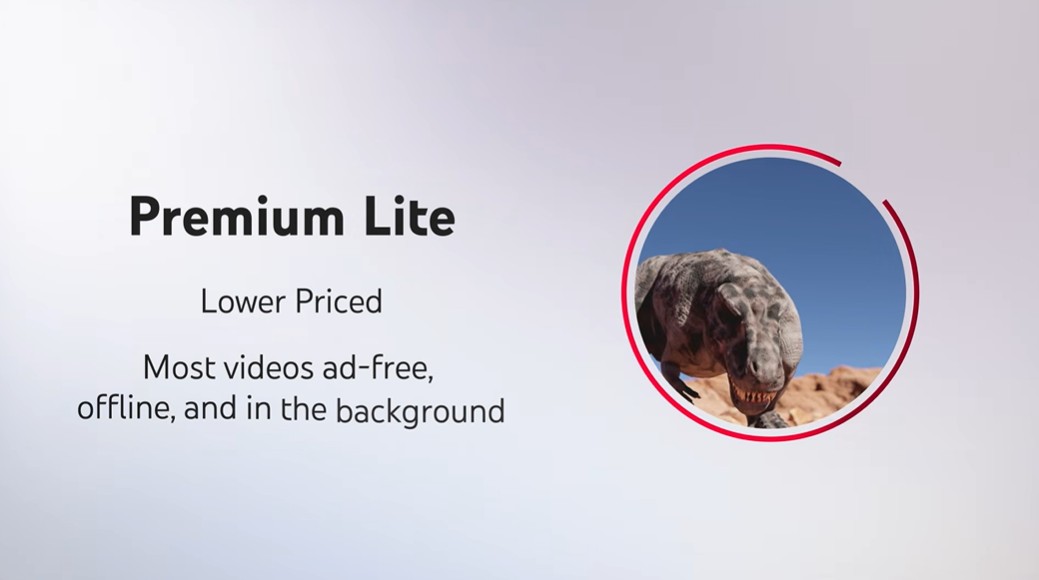
However, it's important to note that this scope isn't entirely the same as Premium. Premium Lite primarily applies to non-music content and excludes video shorts, as indicated in the comparison table.
Specifically, ads may appear when users search or browse content . Therefore, Premium Lite should not be interpreted as a completely ad-free YouTube experience in all cases.
4.2. Download and play in the background
Premium Lite also supports downloading and playing most videos in the background . This coverage primarily applies to non-music content and excludes video shorts.
The download feature allows users to prepare videos for viewing even without an internet connection. Meanwhile, background playback lets users continue listening to content when switching to another app or turning off the screen in supported situations.
These are two important features if you primarily watch audio content, tutorials, or general entertainment videos rather than using YouTube as a music platform.
5. What is the difference between Premium and Premium Lite?
The biggest difference lies in the scope of content and the number of features .
YouTube Premium aims for a comprehensive experience. Users can watch ad-free videos on YouTube, use YouTube Music Premium, download content, play in the background, and enjoy many additional features such as Picture-in-Picture, Fast Forward, Resume, Smart Downloads, and a Queue.
Meanwhile, Premium Lite focuses on the essential features. Users can watch most non-music content without ads, and use background downloads and playback for most supported videos.
It's important to note that Premium Lite doesn't offer the same ad-free experience as Premium . Ads may appear during searches or browsing. Additionally, music and video short content is outside the scope of the main benefits described.
6. Comprehensive comparison table of YouTube Premium and Premium Lite
* As per the terms and conditions, Premium Lite features apply to most non-music content, except for video shorts; ads may still appear when searching or browsing content.
7. Should I choose YouTube Premium or Premium Lite?
The choice depends primarily on how you use YouTube.
If you watch YouTube regularly and want to completely remove ads , Premium is the better option. This package not only provides an ad-free viewing experience but also extends to YouTube Music, and includes many advanced features for watching and listening.
Premium is especially suitable for those who frequently listen to music on YouTube Music. With over 100 million songs and a wide variety of music content, YouTube Music Premium is a key differentiating factor between the two packages.
Conversely, if your needs are primarily for watching regular videos, want to reduce ads, and require background downloads or playback , Premium Lite might be a simpler option. This package focuses on essential features without expanding to the entire music ecosystem and advanced utilities.
Therefore, if your goal is a simpler YouTube experience with fewer ads and more background downloads and playback , Premium Lite might be the right choice. If you want the full YouTube and YouTube Music experience, ad-free, with many advanced features , YouTube Premium is a more comprehensive option.





















VIP Products








Best Selling Products
Genuine Adobe Illustrator account
99 USD
ChatGPT Plus Account (GPT-4)
16 USD
Capcut Pro 1 Year
39 USD
MidJourney Account
29 USD
Upgrade Duolingo Super
29 USD
Plugin Retouch4me
69 USD
Upgrade genuine Capture One account
120 USD
Genuine Cheap Canva Pro
39 USD
Freepik Premium Account
59 USD
Autodesk All App Account Copyright
120 USD
Copyright Adobe Lightroom Account
59 USD
Adobe Photoshop Copyright - Full App
120 USD
Adobe Premiere Pro Account
99 USD
Windows 10 & 11 Pro Key
36 USD
Upgrade Genuine Office 365
49 USD