Best Selling Products

Genuine Cheap Canva Pro
39 USD

Adobe Photoshop Copyright - Full App
120 USD

Freepik Premium Account
59 USD

Plugin Retouch4me
69 USD

ChatGPT Plus Account (GPT-4)
16 USD

Windows 10 & 11 Pro Key
36 USD

Adobe Premiere Pro Account
99 USD

Upgrade Duolingo Super
29 USD

Upgrade genuine Capture One account
120 USD

Genuine Adobe Illustrator account
99 USD

MidJourney Account
29 USD

Upgrade Genuine Office 365
49 USD

Copyright Adobe Lightroom Account
59 USD

Autodesk All App Account Copyright
120 USD

Capcut Pro 1 Year
39 USD
3ds Max plugins worth investing in in 2026 for architectural visualization and 3D graphics.
Nội dung
- 1. Comparing 3ds Max plugins in terms of price and most effective usage.
- 1.1 V-Ray, a modeling tool for 3ds Max
- 1.2 Corona, a rendering plugin favored by Archviz studios.
- 1.3 Forest Pack, a vegetation plugin for 3ds Max
- 1.4 MultiScatter, an object scattering plugin for 3ds Max
- 1.5 RailClone, a parametric modeling plugin for architectures
- 1.6 FloorGenerator, a plugin for automatically creating floors in interior spaces.
- 1.7 PolyCloth, a fabric simulation plugin for 3ds Max
- 2. Free and paid 3ds Max plugins: Which one is truly worth it?
- 3. The best 3ds Max plugins categorized by task group, from architecture and interior design to product design.
- 4. Conclusion
No one wins a project using only the stock version of 3ds Max. The software has a solid set of built-in tools, but it''s the plugins that determine the speed of scene rendering, file stability, and the quality of the final frame. For a studio or independent artist, choosing the right plugins can save hundreds of hours of work each year. This article goes through the most important plugins currently used in real-world production, compares the cost and role of each tool, and helps you decide whether to use a free or paid version, and which tools to prioritize for different types of projects.
1. Comparing 3ds Max plugins in terms of price and most effective usage.
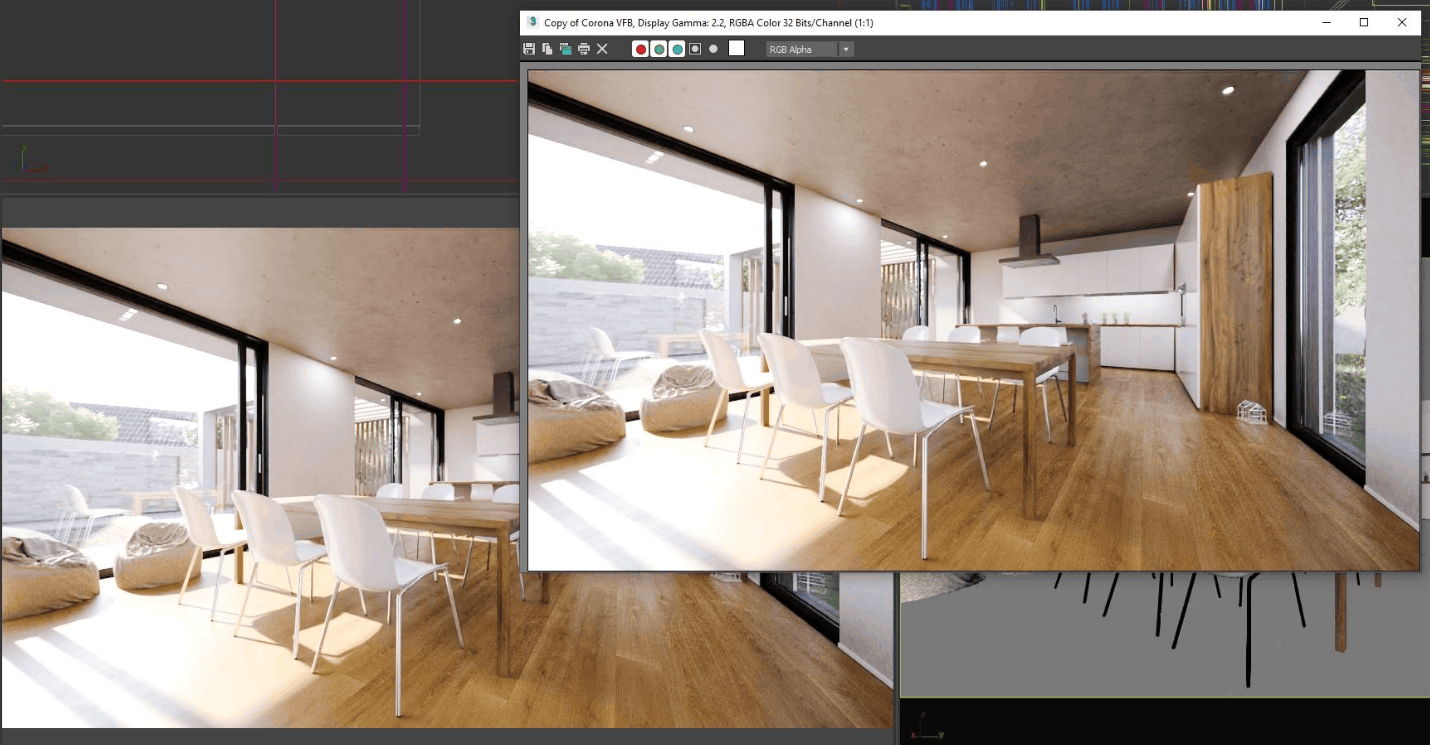
Let's start with an overview. The prices below are suggested retail prices, rounded, and may vary depending on the distributor, region, promotions, or time of purchase. You should double-check on the developer's website before checkout. Another important note is that plugins are always tied to the 3ds Max version, as an installation compiled for 3ds Max 2025 will not load on 3ds Max 2026. Therefore, before each upgrade, confirm the compatibility of your entire plugin suite, especially those that are less frequently updated.
1.1 V-Ray, a modeling tool for 3ds Max
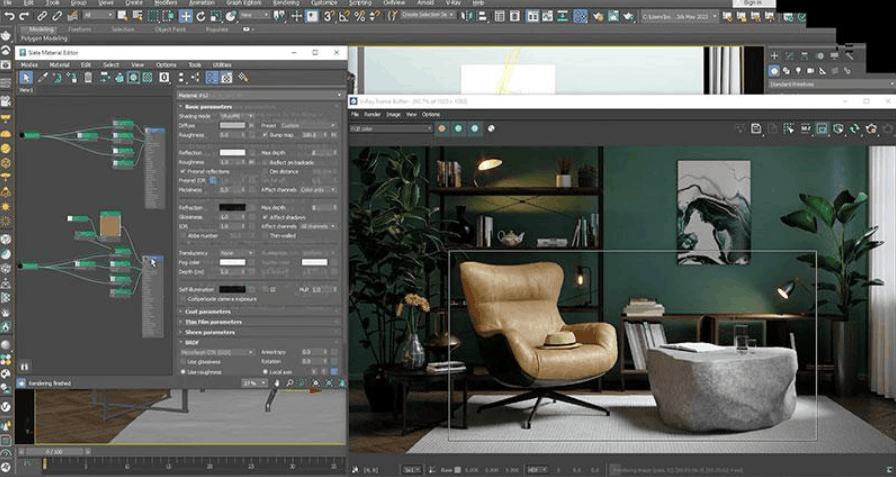
Chaos' V-Ray has been the benchmark rendering engine for 3ds Max for years. It handles realistic lighting, multi-layered materials, volumetric effects, and animation, and scales from a laptop to an entire rendering farm without changing the workflow. Both CPU and GPU modes are available, allowing you to run quick drafts and then switch to final quality when needed.
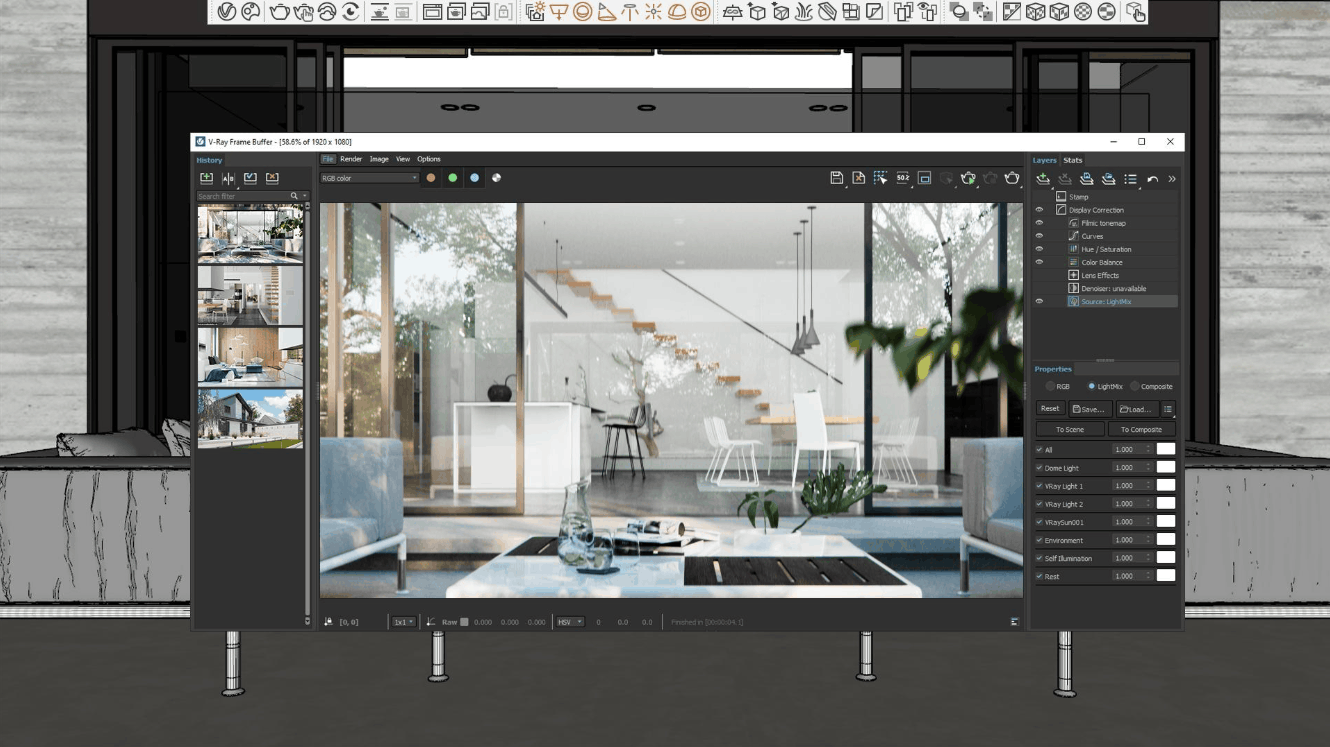
V-Ray's greatest strength is its level of control. You can deeply manipulate sampling, separate rendering layers, and process each image element in post-production, which is invaluable for product images, advertising, and architectural animation. The trade-off is a steep learning curve, as there are many parameters and even a few incorrect settings can drastically alter the result. However, the documentation is comprehensive and the user community is large. Regarding cost, a personal package starts at around $540 per year, and you should confirm compatibility with your 3ds Max before purchasing.
1.2 Corona, a rendering plugin favored by Archviz studios.
Most architectural visualization studios choose Corona as their default rendering engine, and the reason is clear. Corona creates clean, realistic, and believable interior lighting with minimal setup. Its toolset is artist-friendly, from tone mapping and LightMix to interactive rendering, all feeling like a natural part of the process rather than an add-on.
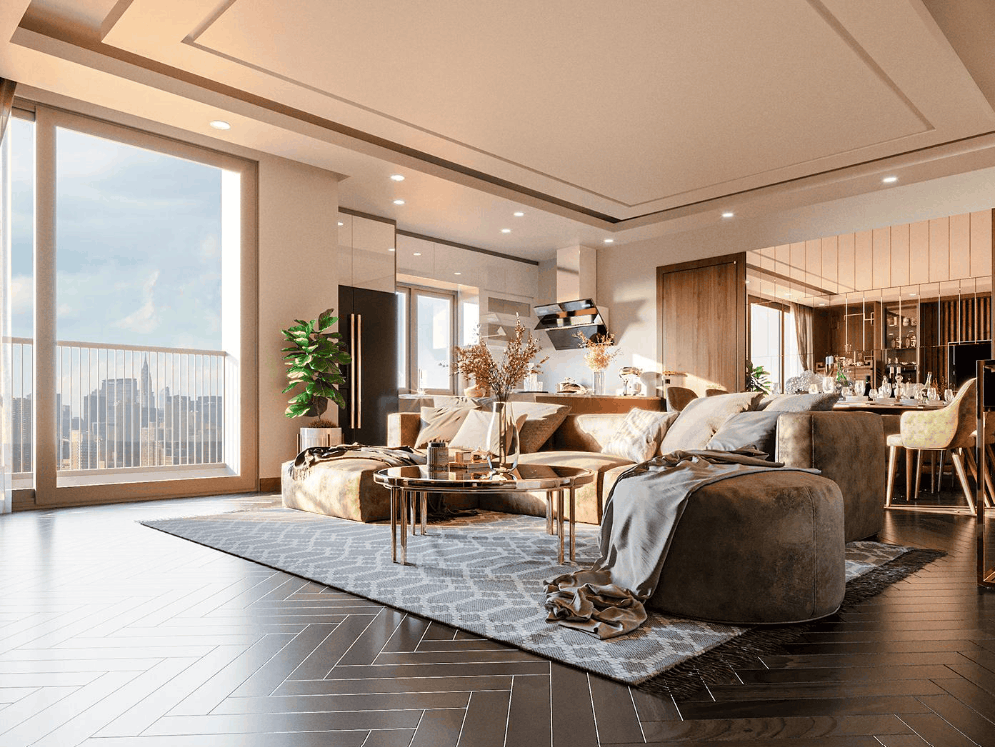
Think of V-Ray as a cockpit with countless control buttons, while Corona is like an automatic car – fewer buttons, but it takes you from a blank scene to a frame good enough to send to clients faster. Therefore, Corona is particularly suitable for still interior and exterior photography, where speed and lighting accuracy are the two most important factors. Many studios choose Corona for still images and keep V-Ray for animation projects or products requiring more precise control. Individual packages start at around $414 per year, slightly less than V-Ray, another plus for beginners.
1.3 Forest Pack, a vegetation plugin for 3ds Max
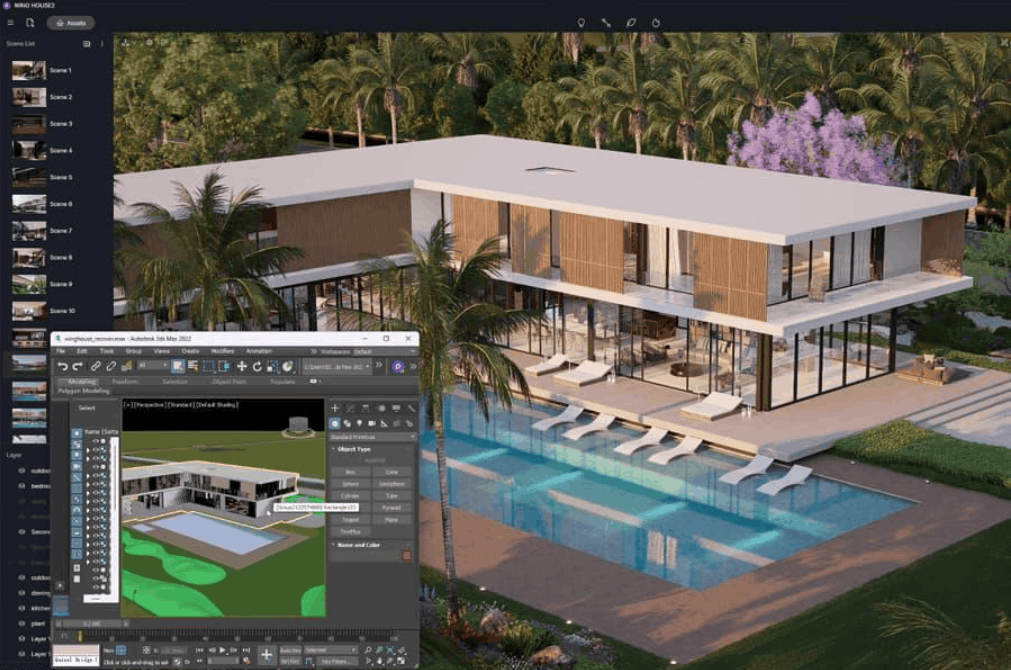
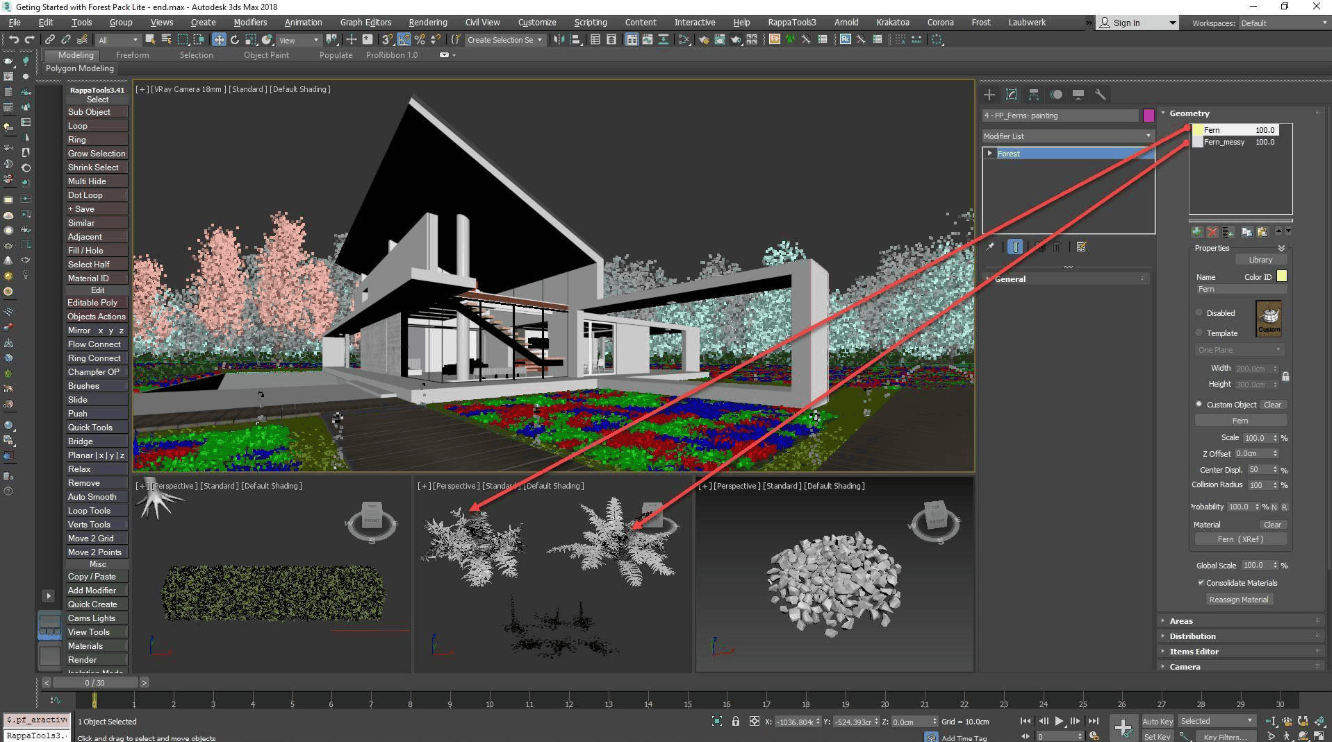
iToo Software's Forest Pack is the world's most widely used object distribution plugin, and virtually the standard when creating vegetation for architectural scenes. It allows you to distribute trees, grass, people, or any geometry across very large areas, while maintaining smooth viewfinder functionality. You can adjust density, variation, rotation, scale, and even cropping limits based on camera angle to conserve resources.
In practice, most professional exterior scenes run on Forest Pack, from lawns and forests to gravel and scattered patio furniture. An aerial view can contain hundreds of thousands of trees and still open on a mid-range workstation. The plugin is sold as a perpetual license, with a reference price of around $230 to $290 depending on the time and distributor, and often bundled with RailClone for a more favorable price. This is the highest return on investment among exterior plugins.
1.4 MultiScatter, an object scattering plugin for 3ds Max
MultiScatter solves a single but highly effective problem: rendering millions of scattered objects without exhausting RAM. The plugin leverages the rendering-time replication mechanism of V Ray and Corona, so a forest that would normally collapse a typical scene can still be rendered on a moderately configured system.
MultiScatter is effective in large-scale scenes where the number of objects exceeds the comfortable limits of Forest Pack. In return, it's less flexible and has fewer fine-tuning features, so it's often considered a supplementary tool rather than the primary choice. The price is around 200 euros. It's worth noting that the developer hasn't officially listed support for 3ds Max 2026, so you should contact them for confirmation or try a trial version before upgrading.
1.5 RailClone, a parametric modeling plugin for architectures
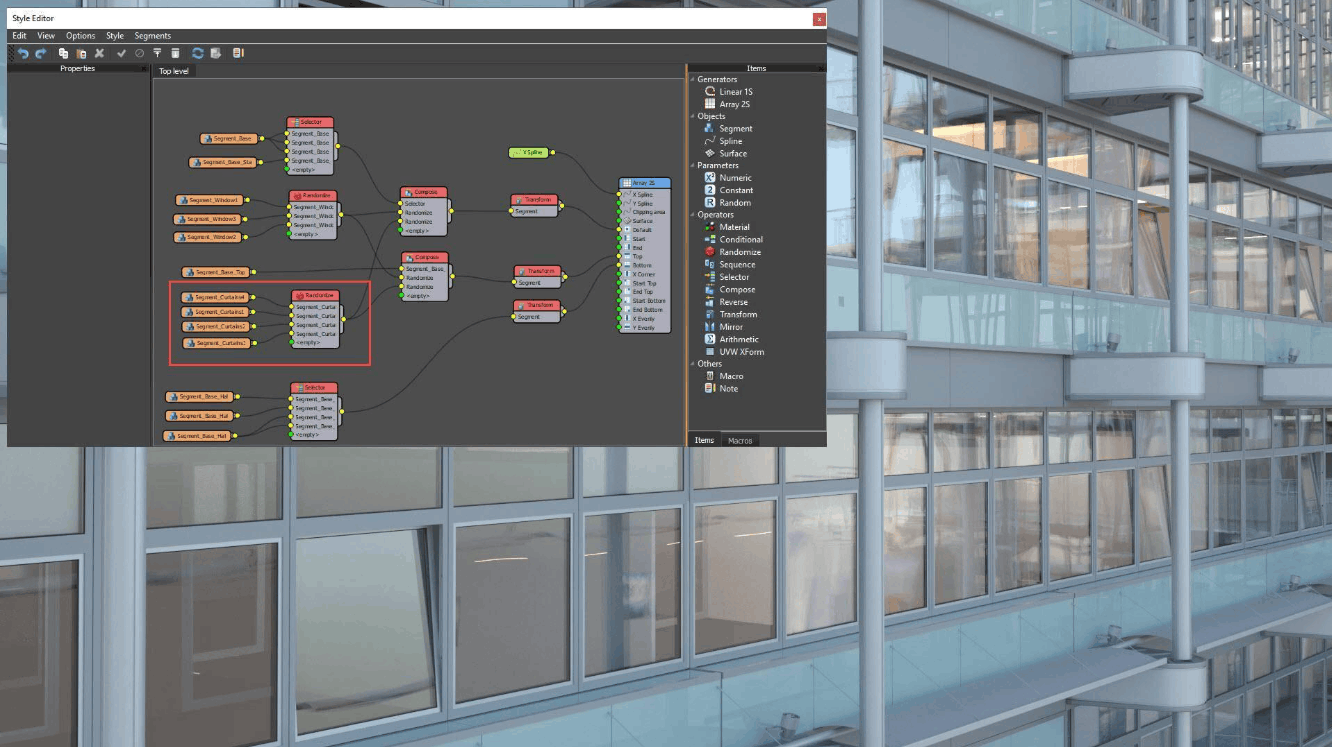
RailClone, also from iToo Software, brings parametric thinking to everything repetitive, such as fences, railings, glass walls, stairs, and roads. You only need to define the style once, then RailClone will build clean geometry along any spline and automatically adapt to turns and slopes.
A facade design that used to take a whole day to build manually can now be completed in about twenty minutes, and when a client requests a change in mesh type or spacing, you only need to adjust one parameter instead of starting over. In commercial projects, RailClone silently completes half the modeling workload. The price is comparable to Forest Pack, around $220 to $290 for a perpetual license, and these two plugins are often purchased together because they complement each other very well in exterior scenes.
1.6 FloorGenerator, a plugin for automatically creating floors in interior spaces.
CG Source's FloorGenerator creates parametric floor surfaces such as wood planks, herringbone, tiles, or wall panels from any closed spline. When combined with the free MultiTexture plugin, it can randomize the graphic for each plank, and this is what makes the floor in the 3D images feel artificial.
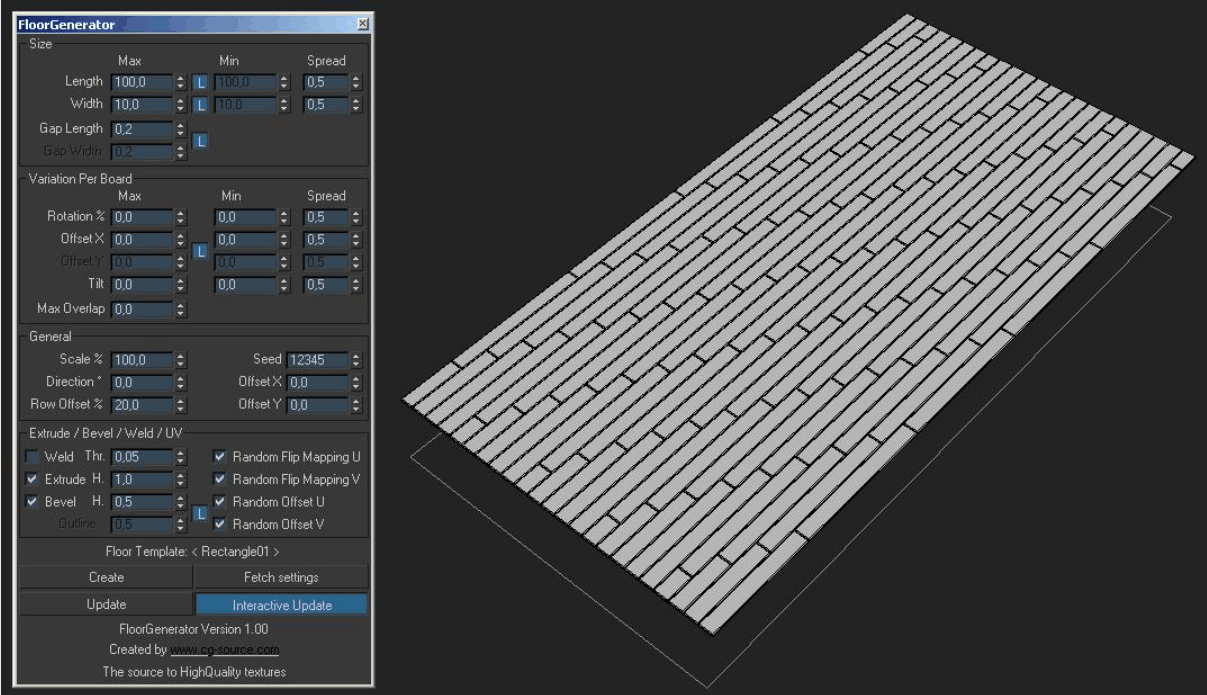
In interior design, flooring occupies a significant portion of the image, so its quality directly impacts the reliability of the entire frame. The free basic version covers popular patterns, while the full version unlocks all tile styles for a cost of only around 20 to 29 euros, almost negligible compared to the time saved. This is one of the best value-for-money plugins an interior designer should have from the start.
1.7 PolyCloth, a fabric simulation plugin for 3ds Max
PolyCloth is a physics-based, multi-threaded fabric simulation brush tool. Instead of setting up a complex simulation, you can sculpt wrinkles, folds, and drape directly onto the geometry. For throw pillows, curtains, bedspreads, and tablecloths, this method produces much more natural results than the built-in Cloth transform.
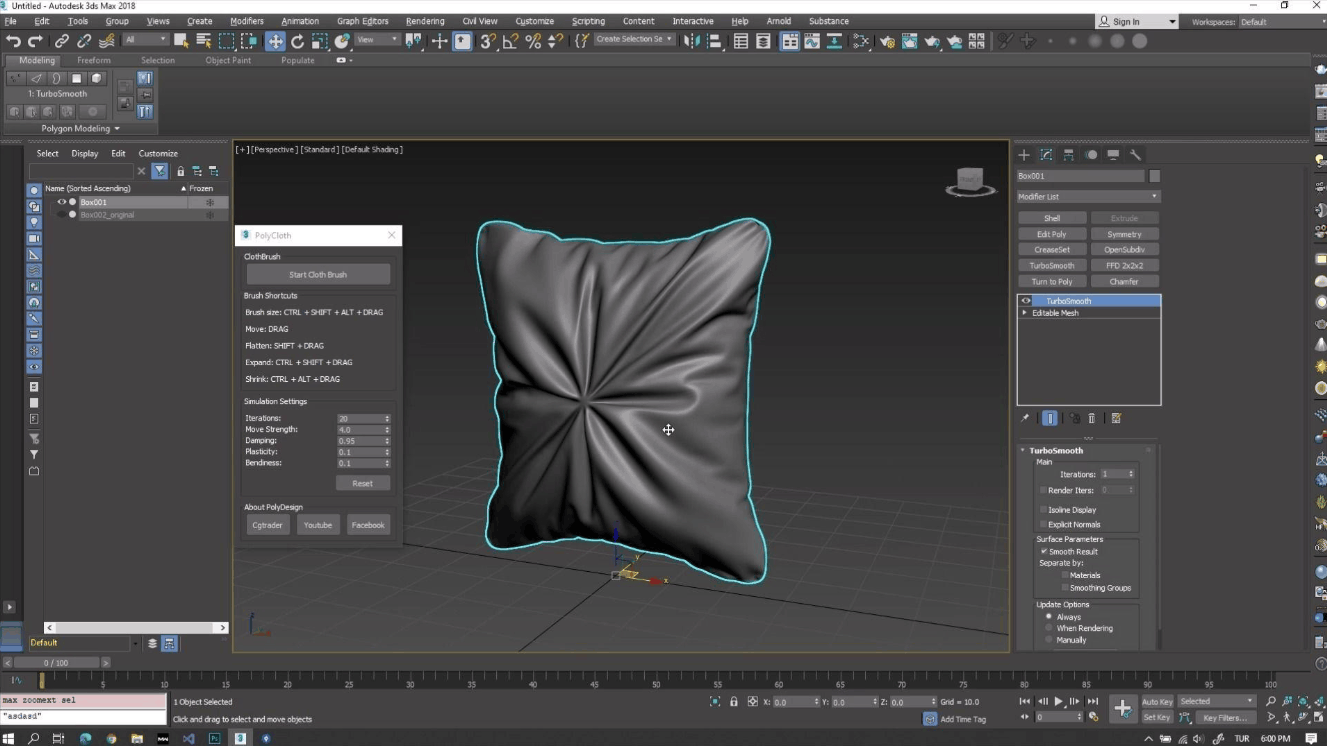
The success or failure of interior rendering largely depends on soft furnishings, and just ten minutes with PolyCloth can transform a parametrically rendered sofa into something that looks like it's been occupied. The cost is relatively low, around $40 to $59 for a one-time license purchase. However, the most recent public release is quite old, so before purchasing, you should ask the developer if the plugin runs stably on 3ds Max 2026 and test it on a small scene before implementing it in your main workflow.
2. Free and paid 3ds Max plugins: Which one is truly worth it?
This question doesn't have a one-size-fits-all answer, but there's a simple rule: pay for the tools that are essential to your workflow, and leverage the free versions for secondary needs. Rendering engines like V-Ray or Corona, plugins like Forest Pack, and parametric tools like RailClone are all commercial products, but every hour saved per project quickly turns expenses into profits. These are things you shouldn't cut back on, especially when working for paying clients.
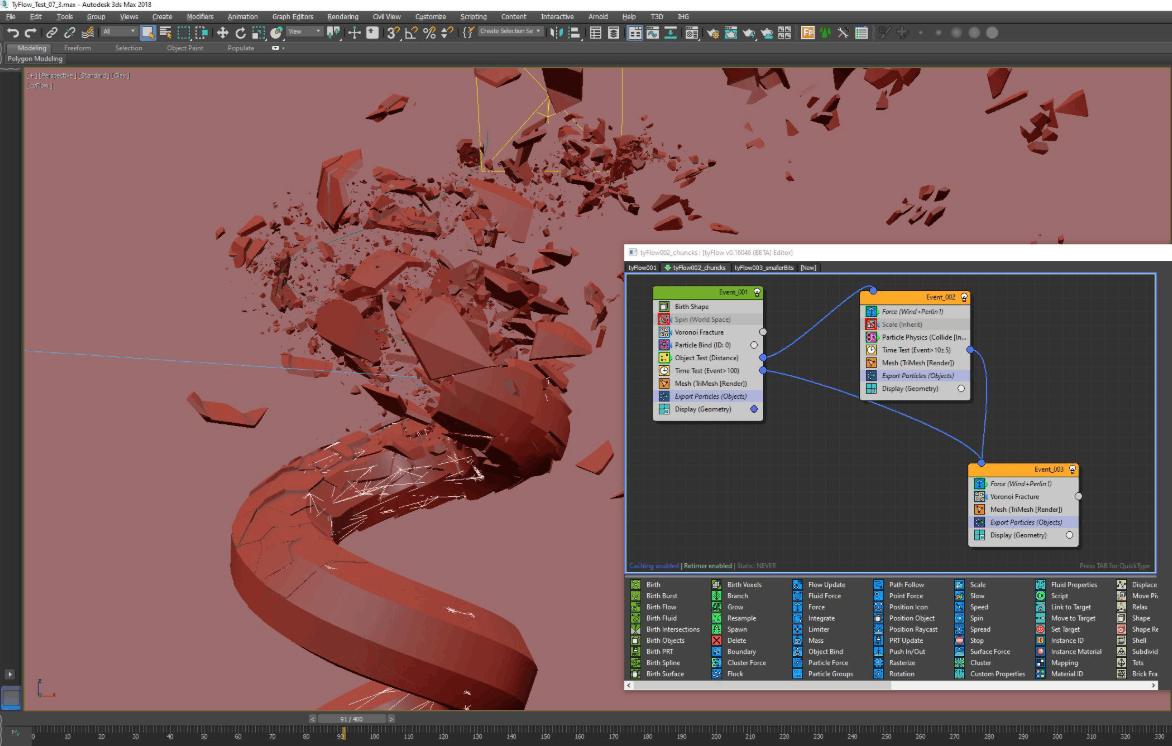
On the other hand, there are free or nearly free tools that deliver truly production-quality results. tyFlow has a powerful free version for particles, solid objects, fabrics, and crowds, and newer versions expand to include smoke and fire, covering almost every architectural animation effect need. FloorGenerator has a free basic version for common paving styles. Prune Scene, a scene cleaning tool, is free to download and only unlocks batch processing features for a very small fee. Additionally, most paid plugins offer trials, so you can evaluate them before deciding.
There's a security caveat that users often overlook. Pirated installations of paid plugins and models downloaded from unreliable sources are the most common way for script-based malware to infiltrate 3ds Max, such as the CRP and ALC variants. The cost of cleaning up an infected process, plus the risk of losing project data, is often far greater than the cost of the license you save. Therefore, buy tools from official sources, and run a cleanup tool like Prune Scene on every model received from external sources, especially models from resource marketplaces.
3. The best 3ds Max plugins categorized by task group, from architecture and interior design to product design.
Choosing plugins based on project type is far more effective than buying based on general ranking lists, as each field has very different bottlenecks.
For exterior architectural scenes, the bottleneck is the scale of the scene and the number of repeating details. The Forest Pack and RailClone duo are the foundation, along with Corona or V Ray for rendering. Forest Pack handles vegetation, ground, and crowds, while RailClone handles facades, fences, railings, and roads. When the overall scene is too heavy, MultiScatter is a backup option. If animation with effects like falling leaves, vehicles, or birds is needed, tyFlow is a suitable addition.
For interiors, the deciding factors are realistic lighting and surfaces that are in close contact with the viewer. Corona is a top choice due to its clean lighting and fast workflow, FloorGenerator handles flooring and paneling, and PolyCloth takes care of soft items like pillows, curtains, and bedding. A resource management tool like Project Manager is also worth considering as model, material, and texture libraries grow, as it helps avoid texture loss when transferring files to another machine or to a rendering farm.
With product imagery, the plugin list is even less important than the discipline of the process. V-Ray is often preferred for its ability to control detail rendering, Unwrella helps with fast UV spreading for a wide range of product variations, and PolyCloth is helpful when soft fabrics or packaging are needed. The most practical tip is to lock down the camera angle and lighting for the entire product line, only changing the materials between renders. This way, when a new color finish is added, you only need to re-render using the same old angles without having to rebuild the scene. Finally, on every project, Prune Scene should become a habit to keep files light and safe.
4. Conclusion
An effective plugin suite doesn't need to be long, but it needs to be tailored to the type of project you're working on. Start with a rendering engine, then gradually add tools that address specific bottlenecks you encounter, carefully check compatibility with your 3ds Max version, and always use official installation sources. Once you have a solid foundation, plugins will not only help you work faster but also improve image quality to meet the demands of more challenging projects.





















VIP Products








Best Selling Products
Genuine Cheap Canva Pro
39 USD
Adobe Photoshop Copyright - Full App
120 USD
Freepik Premium Account
59 USD
Plugin Retouch4me
69 USD
ChatGPT Plus Account (GPT-4)
16 USD
Windows 10 & 11 Pro Key
36 USD
Adobe Premiere Pro Account
99 USD
Upgrade Duolingo Super
29 USD
Upgrade genuine Capture One account
120 USD
Genuine Adobe Illustrator account
99 USD
MidJourney Account
29 USD
Upgrade Genuine Office 365
49 USD
Copyright Adobe Lightroom Account
59 USD
Autodesk All App Account Copyright
120 USD
Capcut Pro 1 Year
39 USD