Best Selling Products

Freepik Premium Account
59 USD

Copyright Adobe Lightroom Account
59 USD

Capcut Pro 1 Year
39 USD

Plugin Retouch4me
69 USD

Adobe Premiere Pro Account
99 USD

MidJourney Account
29 USD

Genuine Adobe Illustrator account
99 USD

Genuine Cheap Canva Pro
39 USD

Autodesk All App Account Copyright
120 USD

Upgrade Duolingo Super
29 USD

Upgrade genuine Capture One account
120 USD

Adobe Photoshop Copyright - Full App
120 USD

Upgrade Genuine Office 365
49 USD

Windows 10 & 11 Pro Key
36 USD

ChatGPT Plus Account (GPT-4)
16 USD
6 AI features on Copilot+ PC that help students learn more effectively.
Nội dung
- 1. Recall helps you retrieve information you've previously viewed.
- 2. Click to Do helps process on-screen content faster.
- 3. Live Captions supports learning international lectures and content.
- 4. Windows Studio Effects helps make online learning and presentations more professional.
- 5. Creators transform ideas into visual images.
- 6. Automatic Super Resolution enhances the after-school entertainment experience.
- 7. Should I buy a Copilot+ PC for college?
Entering 2026, laptops are no longer simply devices for writing Word documents, creating PowerPoint presentations, designing with Canva, or browsing the web. With the emergence of AI laptops, especially the Copilot+ PC models, the personal computer is gradually becoming an intelligent assistant that can support students in many daily academic tasks. The difference with the Copilot+ PC lies in its NPU, a dedicated processor for AI tasks. Thanks to the NPU, many AI features can be processed directly on the machine instead of relying entirely on the CPU or having to send all tasks to an online server. Let''s explore it with Sadesign!
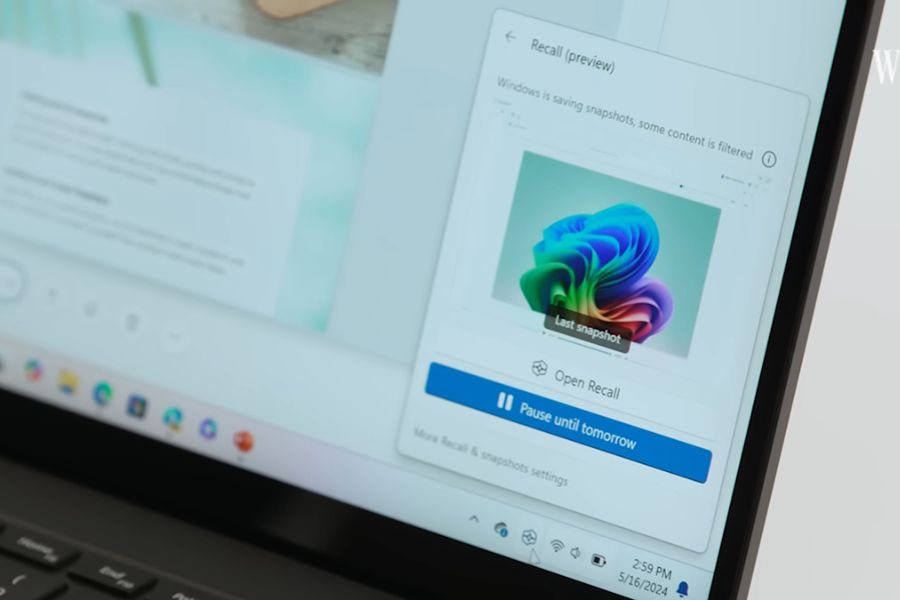
1. Recall helps you retrieve information you've previously viewed.
During college, opening dozens of browser tabs, reading textbooks, downloading research papers, or browsing numerous websites is commonplace. The problem is, after a few days, you might remember seeing the necessary information but forget which page, file, or application it was in. This is where Recall comes in handy. This feature acts like a "memory" on your computer, helping users retrieve previously viewed content using keywords or natural descriptions. Recall can organize snapshots chronologically, making it easy for users to find past activity.
For students, this feature is especially useful in courses that require studying multiple documents simultaneously.
-
Quickly find documents: You don't need to remember the exact file name or website address; you can describe the content you're looking for.
-
Track your research progress: Easily return to websites, documents, or applications you've previously used.
-
Save time: No need to sift through browser history or numerous folders to find old information.
-
Support for assignments and research: Quickly retrieve a previously referenced chart, piece of information, or document.
-
Combined with Click to Do: After a snapshot is found, the user can continue to interact with the identified content.
Notably, Recall is designed with privacy controls in mind. Users can proactively enable snapshot saving, pause, or delete data as needed. Therefore, Recall is best suited for students who frequently process large amounts of information and want to reduce search time.
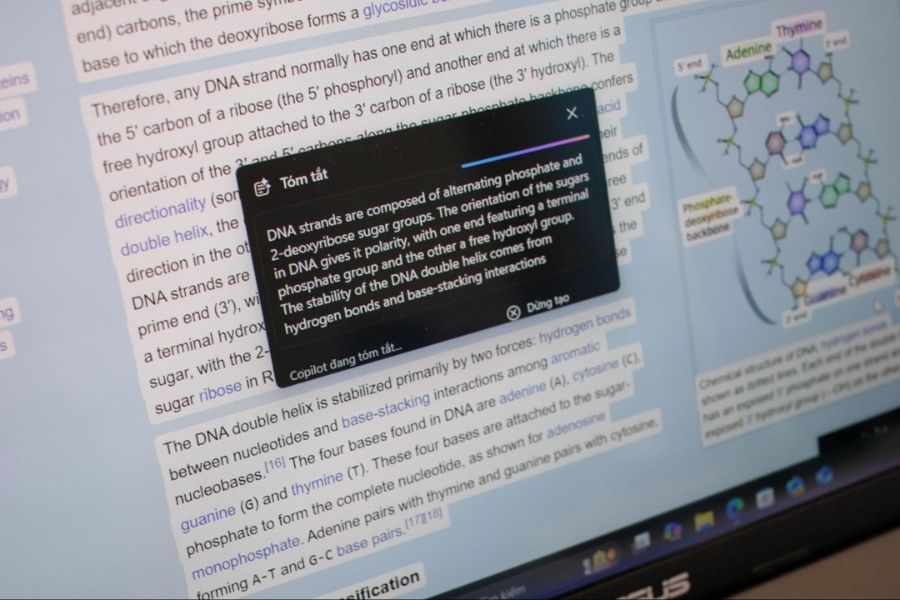
2. Click to Do helps process on-screen content faster.
If Recall is like memory, then Click to Do can be seen as an AI assistant right on the screen. Instead of having to copy a paragraph, open another application, and paste the content to process it, Click to Do allows users to directly select the text or image on display and perform the appropriate actions. This is especially convenient when students are reading documents, researching scientific papers, or learning from foreign websites. For example, when encountering a difficult-to-understand English paragraph, you can select that section to summarize, create a list of key points, or ask Copilot for further assistance.
Some useful operations include:
-
Summary: Transform a long paragraph into concise, easy-to-understand information.
-
Create a list of main points: This is useful when you want to quickly jot down important information.
-
Rewrite the text: The wording can be adjusted to a more appropriate style.
-
Copy information: Quickly retrieve the text or image you need to use.
-
Search for content: Select information on the screen and perform a search without typing it again.
-
Image processing: Images can be opened using compatible applications for further editing or processing.
-
Ask Copilot: Import selected content into Copilot to continue analysis or ask questions.
Interestingly, some of Click to Do's intelligent text-based tasks are supported by an AI model running directly on the Copilot+ PC. This makes the processing faster and more seamless. For students, Click to Do can be a very useful tool when reading textbooks, researching materials, or processing information for assignments. Instead of constantly switching between multiple windows, many actions are performed directly on the content being viewed.
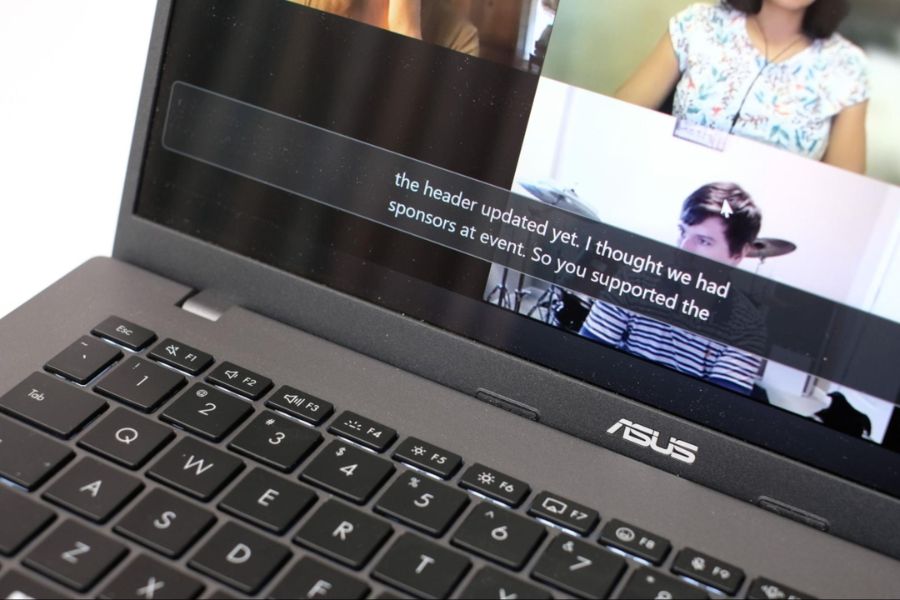
3. Live Captions supports learning international lectures and content.
More and more students are taking online courses, watching lectures from foreign universities, participating in webinars, or researching materials in English. However, listening to a specialized lecture in a foreign language isn't always easy. Missing just a few important sentences can mean students have to rewind and listen from the beginning. Live Captions is one of the valuable AI features on Copilot+ PC in this case. The feature can generate real-time subtitles for audio playing on the computer. On Copilot+ PC, Live Captions also supports real-time speech translation for supported languages.
This is a particularly useful tool for students who frequently come into contact with international academic content.
-
Lectures are easier to follow: Subtitles are available for reading when you can't hear the speech clearly.
-
English learning support: Learners can listen and compare their answers with subtitles simultaneously.
-
Access to international courses: Reduce language barriers by watching videos or attending workshops.
-
Minimize missing information: Important terms or phrases can be visually tracked.
-
Useful for specialized studies: Particularly suitable for fields that frequently use foreign materials such as Information Technology, Economics, Marketing, Communications, or Foreign Languages.
Instead of relying entirely on listening skills, students can utilize subtitles to follow the content more actively. This is one of the features that demonstrates how AI on laptops can directly impact the daily learning experience.
4. Windows Studio Effects helps make online learning and presentations more professional.
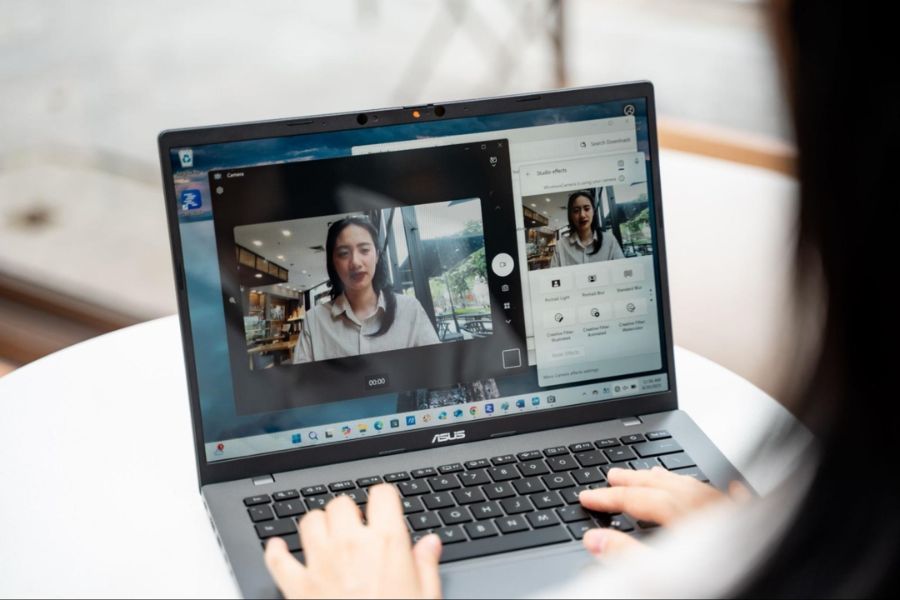
University life today isn't confined to the lecture hall. Students frequently participate in online group study, club meetings, presentations, internship interviews, or thesis defenses via video conferencing platforms. However, not everyone has the means to purchase a webcam, microphone, or professional lighting. Windows Studio Effects leverages the power of the NPU to enhance image and sound quality during video calls. Depending on the device, users can access various effects, resulting in clearer images and more audible voices.
Some notable features include:
-
Automatic Framing: Automatically adjusts the frame to keep the user in the correct position.
-
Background Blur: Blurs the background, allowing viewers to focus more on the speaker.
-
Eye Contact: Adjust your eye contact to create a more natural sense of communication when looking at the screen.
-
Voice Focus: Helps reduce ambient noise for clearer speech.
-
Portrait Light: Helps improve facial lighting on compatible devices.
-
Creative Filters: Some models include additional visual effects to enhance video calling.
For students, these features are very useful when participating in online classes, group meetings, or internship interviews. In many cases, simply making good use of the features already available on a laptop can significantly improve call quality without having to invest too much in accessories.
5. Creators transform ideas into visual images.
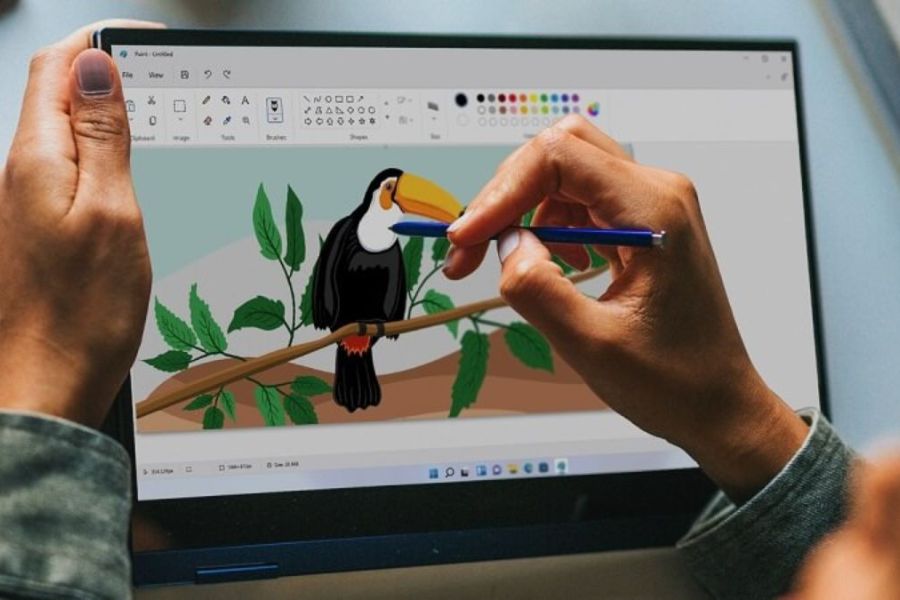
Not all students study design, but almost everyone has had to create presentation slides, event posters, infographics, or illustrations for an assignment. In those cases, coming up with ideas is difficult enough, but transforming those ideas into visually appealing images takes even more time. Microsoft Paint's Creator offers a simpler approach. Users can combine their sketches with text commands, and the AI will assist in creating the desired image.
It's worth noting that you don't need to be a skilled artist. A few sketches to define the composition, combined with a written description, can be the starting point for a more complete image.
Students can utilize Cocreator in a variety of situations:
-
Creating illustrations for PowerPoint: This helps make slides more visually appealing instead of just text.
-
Poster design: Can be used to develop initial ideas for class or club activities.
-
Creating infographics: Helps visualize how information will be presented before finalizing the design.
-
Creating storyboards: Useful for students in communications, marketing, film, or design.
-
Idea sketching: This allows you to quickly experiment with different visual approaches.
-
Create a reference image: Use this as a starting point before editing and finalizing with professional tools.
Cocreator, therefore, does not necessarily replace design software entirely. Its greater value lies in helping students overcome the most difficult step: transforming an idea still in their head into a visual image for further development.
6. Automatic Super Resolution enhances the after-school entertainment experience.
A laptop for students should not only serve academic purposes but also meet entertainment needs after classes and deadlines. With compatible Copilot+ PCs, Automatic Super Resolution can support AI-powered image enhancement in some games. This technology works by rendering the game at a lower resolution, then using AI to upscale the image to a higher resolution. This allows users to achieve a balance between image quality and frame rate in supported games.
For students who enjoy playing games after school, this is a significant advantage:
-
More detailed images: AI-assisted image enhancement in compatible games.
-
Smoother experience: Frame rates may be improved under suitable conditions.
-
Leveraging the power of the NPU: AI processors not only serve work purposes but also participate in entertainment experiences.
-
One device for many needs: Laptops can be used for studying, working, and entertainment.
-
Reducing the trade-off between graphics and performance: Users have more options when setting up games.
However, Automatic Super Resolution isn't a feature directly geared towards academics. Therefore, if budget is limited and the primary goal is university studies, students should prioritize overall specifications, screen, keyboard, battery life, RAM, and storage capacity before considering gaming capabilities.
7. Should I buy a Copilot+ PC for college?
If you frequently study online, read foreign materials, research multiple sources, give presentations, or participate in group projects, the Copilot+ PC is a noteworthy option. Features like Recall, Click to Do, and Live Captions can make searching and processing information more convenient, while Windows Studio Effects and Cocreator provide excellent support for communication and creative activities. From retrieving a previously read document, quickly understanding a difficult research passage, following lectures in English, to perfecting a presentation, AI is gradually changing how students use laptops. The Copilot+ PC is therefore not simply a laptop with added AI, but is becoming a personal learning assistant right on the device.





















VIP Products








Best Selling Products
Freepik Premium Account
59 USD
Copyright Adobe Lightroom Account
59 USD
Capcut Pro 1 Year
39 USD
Plugin Retouch4me
69 USD
Adobe Premiere Pro Account
99 USD
MidJourney Account
29 USD
Genuine Adobe Illustrator account
99 USD
Genuine Cheap Canva Pro
39 USD
Autodesk All App Account Copyright
120 USD
Upgrade Duolingo Super
29 USD
Upgrade genuine Capture One account
120 USD
Adobe Photoshop Copyright - Full App
120 USD
Upgrade Genuine Office 365
49 USD
Windows 10 & 11 Pro Key
36 USD
ChatGPT Plus Account (GPT-4)
16 USD