Best Selling Products

Genuine Cheap Canva Pro
39 USD

Upgrade Genuine Office 365
49 USD

Windows 10 & 11 Pro Key
36 USD

Copyright Adobe Lightroom Account
59 USD

Adobe Photoshop Copyright - Full App
120 USD

ChatGPT Plus Account (GPT-4)
16 USD

Upgrade genuine Capture One account
120 USD

Capcut Pro 1 Year
39 USD

Autodesk All App Account Copyright
120 USD

Freepik Premium Account
59 USD

Plugin Retouch4me
69 USD

MidJourney Account
29 USD

Genuine Adobe Illustrator account
99 USD

Adobe Premiere Pro Account
99 USD

Upgrade Duolingo Super
29 USD
90% of ChatGPT Users Don’t Know These 3 Ways to Get More Accurate Answers
Nội dung
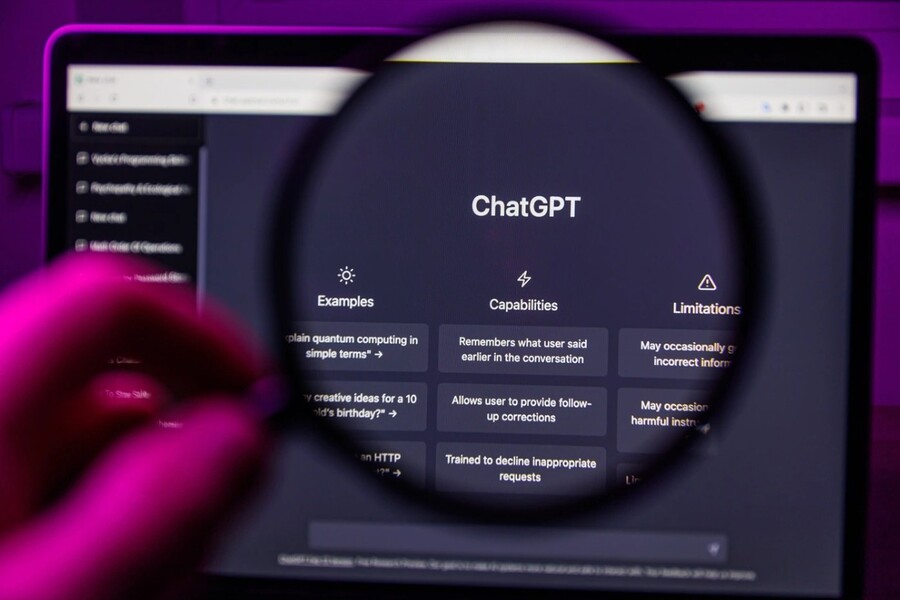
Are you using ChatGPT like a search engine? If so, you’re missing out on most of AI’s power. The three techniques in this article will help you significantly improve the accuracy, depth, and value of ChatGPT’s responses without needing any technical knowledge.
1. Basic Information About ChatGPT
ChatGPT is an artificial intelligence system developed to simulate human communication and language processing abilities. Instead of simply searching for and displaying information like traditional search engines, ChatGPT can understand context, analyze requests, apply logical reasoning, and generate complete responses in natural conversational language. This has made it one of the most popular AI tools across various fields, including content writing, education, research, planning, programming, marketing, and creative design.
At its core, ChatGPT operates based on Large Language Models (LLMs). These models are trained on massive amounts of data from diverse sources to learn how to understand and generate human-like language. When you ask a question or make a request, the system analyzes sentence structure, identifies intent, predicts relevant information, and generates the most coherent and logical response possible.
One key difference between ChatGPT and traditional search engines is its ability to support two-way interaction. You do not simply receive an answer—you can continue the conversation, refine your request, add context, or change objectives to achieve better results. As a result, ChatGPT functions not only as an information retrieval tool but also as a digital assistant capable of supporting thinking, analysis, and creativity.

ChatGPT can perform a wide range of tasks. In the workplace, it assists with writing emails, drafting documents, summarizing information, analyzing data, and creating plans. In creative fields, it helps generate ideas, build concepts, write marketing content, create brand names, develop taglines, and analyze customer insights. In education, it can explain concepts, provide step-by-step guidance, simulate examples, and support research activities.
Another strength of ChatGPT is its ability to adapt to the user’s style and objectives. You can request a professional, friendly, academic, creative, or concise tone depending on your needs. You can also control the length, level of detail, and output format to suit specific situations such as writing reports, creating social media posts, or preparing presentation content.
However, to maximize ChatGPT’s effectiveness, users need to understand that the quality of the response depends heavily on how the question is asked. When requests are clear, contextualized, and structured, the results become more accurate and useful. When questions are vague or lacking information, responses tend to remain general. Therefore, the ability to communicate effectively with AI is becoming an increasingly important skill in the modern workplace.
2. Many Users Are Not Fully Utilizing ChatGPT’s Power
The biggest difference between average users and those who use AI effectively is not the tool itself—it is how they interact with it. ChatGPT is not a mind-reading system. It responds based on the information and framing you provide. When questions are vague, answers tend to be generic. When requests are clear, responses become deeper, more logical, and more valuable.
.jpg)
Most users today still communicate with AI the same way they search on Google. They ask short questions, provide no context, define no objectives, control neither length nor structure. As a result, ChatGPT must “guess” the user’s intent, which can lead to responses that miss the point or lack depth.
There are three common mistakes. First, users ask overly general questions without sufficient context, making it difficult for AI to understand the actual problem. Second, they fail to control length and detail level, resulting in responses that are either too long or too brief. Third, they submit complex requests without a clear structure, making it harder for AI to determine what matters most.
As a result, many people conclude that AI is “not as smart as expected,” when in reality the issue lies in how they communicate with it. The good news is that by making a few simple changes to the way you write prompts, you can immediately improve the quality of the results.
The three techniques below form the most important foundation for doing exactly that.
2.1. Activate Deep Thinking with the Prompt “Think hard about this”
One of the biggest differences between a surface-level answer and a deeply insightful one lies in how much reasoning you ask AI to perform. When you ask a simple question, ChatGPT often responds quickly, directly, and at a basic informational level. However, when you explicitly ask it to think more deeply, it tends to analyze more thoroughly, consider multiple perspectives, apply stronger logic, and provide more nuanced arguments.
.jpg)
A simple way to activate this mode is to add phrases such as “Think hard about this” or “Think deeply about this” at the end of your prompt. These phrases act as signals requesting AI to focus on the quality of reasoning rather than speed. You can also use Vietnamese equivalents such as “Hãy suy nghĩ thật kỹ trước khi trả lời” or “Phân tích sâu vấn đề này.”
For example, if you ask, “Why isn’t my brand growing?” the response will likely remain fairly general. But if you ask, “Analyze in detail why my brand isn’t growing. Think deeply about this,” AI may explore factors such as positioning strategy, customer experience, communication, competition, messaging, and market conditions. The difference lies in the depth of analysis.
In design and content creation, this technique is especially valuable when evaluating concepts, analyzing brand strategies, identifying root causes of problems, or comparing creative directions. By asking AI to think deeply, you transform ChatGPT from an answer generator into an analytical advisor.
The important thing to understand is that AI is not “lazy.” It simply optimizes for speed when you do not explicitly request deeper reasoning. When you do, it allocates more resources toward analysis.
2.2. Control the Length of the Output
One common characteristic of ChatGPT is its tendency to provide complete and context-rich responses. This is helpful when you want in-depth understanding, but it can become inconvenient when you only need concise and precise information. Many users do not realize that ChatGPT is actually very good at following length requirements.
.jpg)
Simply specify your preference, and the AI will adjust accordingly. If you request a response under a certain word count, summarized in a few sentences, or presented briefly, the output becomes significantly more concise. Controlling length not only saves reading time but also allows you to manage the level of detail provided.
In practical work, this technique is extremely useful. When drafting emails, you can request a professional message under a specific word limit. When creating slides, you can ask for information to be summarized into short, easy-to-read bullet points. When making quick decisions, you can request conclusions only, without lengthy explanations.
In design, where clarity and brevity are highly valued, controlling length helps create more concise briefs, present concepts more effectively, and reduce editing time. A strong prompt does not only specify “what to write,” but also “how much to write.”
2.3. Structure Your Prompt Effectively
The most common mistake when assigning complex tasks to ChatGPT is writing one long paragraph containing multiple mixed requests. This makes it difficult for AI to identify the most important objectives, leading to results that may be inaccurate or unfocused. The solution is prompt structuring.
.jpg)
A standard structure typically includes context, task, requirements, constraints, and output format. When you provide clear context, AI understands the situation. When you define a specific task, AI knows what it needs to do. When you state requirements, AI understands what must be included. When you set constraints, AI knows what to avoid. When you specify a format, AI knows how to present the result.
This structure helps AI accurately understand your intent and prioritize information more effectively. In design and content creation, structured prompts help create clearer briefs, build more consistent concepts, control style, and improve output accuracy.
AI understands structure better than assumptions. The clearer the prompt, the more accurate the result.
ChatGPT is not just a chatbot that answers questions. When used correctly, it becomes an intelligent assistant, an analytical advisor, and a powerful creative partner. With just three small adjustments, you can significantly improve the accuracy, quality, and practical value of the results you receive.





















VIP Products








Best Selling Products
Genuine Cheap Canva Pro
39 USD
Upgrade Genuine Office 365
49 USD
Windows 10 & 11 Pro Key
36 USD
Copyright Adobe Lightroom Account
59 USD
Adobe Photoshop Copyright - Full App
120 USD
ChatGPT Plus Account (GPT-4)
16 USD
Upgrade genuine Capture One account
120 USD
Capcut Pro 1 Year
39 USD
Autodesk All App Account Copyright
120 USD
Freepik Premium Account
59 USD
Plugin Retouch4me
69 USD
MidJourney Account
29 USD
Genuine Adobe Illustrator account
99 USD
Adobe Premiere Pro Account
99 USD
Upgrade Duolingo Super
29 USD