Best Selling Products

Upgrade genuine Capture One account
120 USD

Windows 10 & 11 Pro Key
36 USD

Adobe Photoshop Copyright - Full App
120 USD

Plugin Retouch4me
69 USD

MidJourney Account
29 USD

Autodesk All App Account Copyright
120 USD

Upgrade Duolingo Super
29 USD

Copyright Adobe Lightroom Account
59 USD

Freepik Premium Account
59 USD

Upgrade Genuine Office 365
49 USD

ChatGPT Plus Account (GPT-4)
16 USD

Genuine Cheap Canva Pro
39 USD

Adobe Premiere Pro Account
99 USD

Genuine Adobe Illustrator account
99 USD

Capcut Pro 1 Year
39 USD
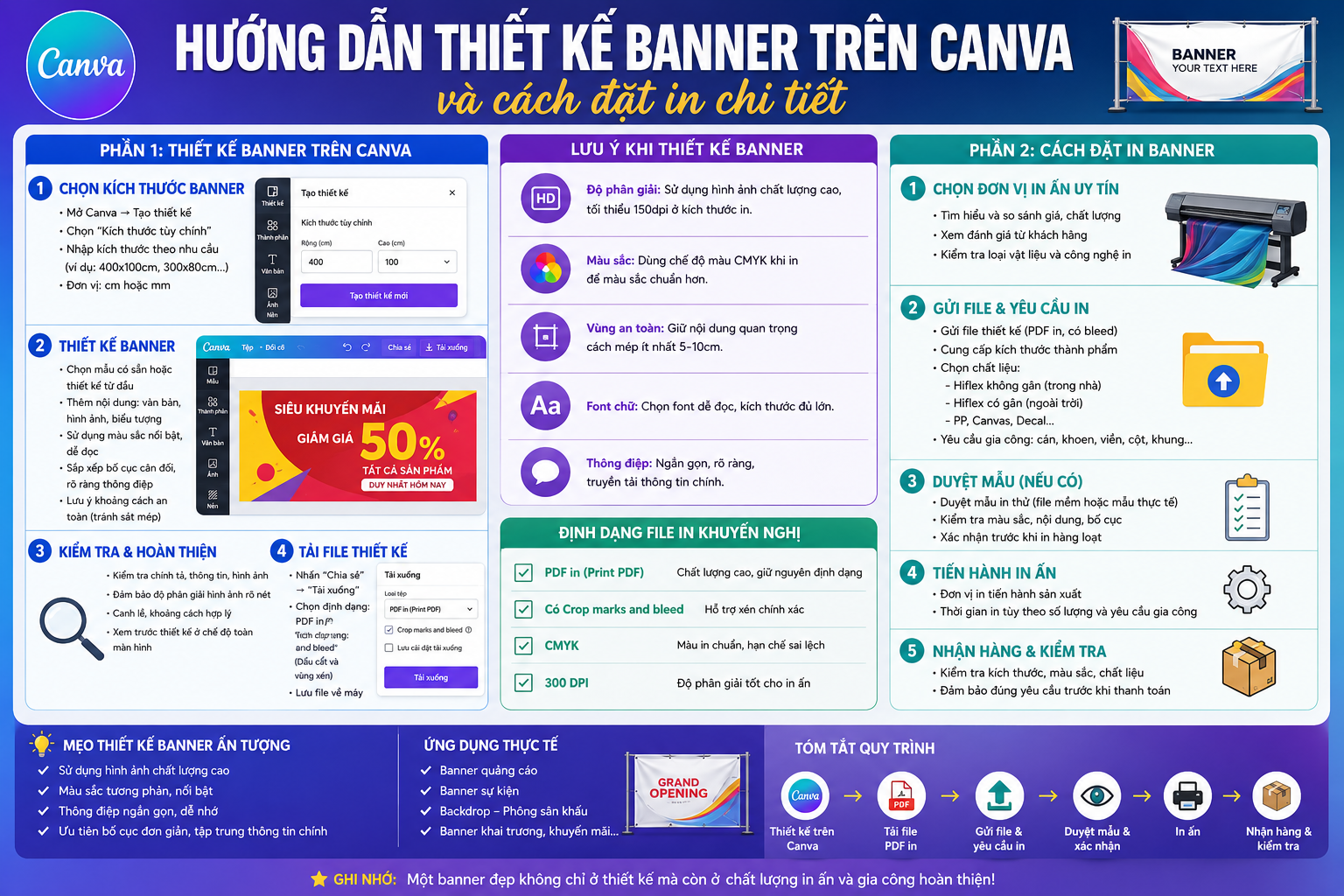
A detailed guide to designing banners on Canva and how to order printing.
Nội dung
Designing banners on Canva is made simpler with its vast library of templates, images, fonts, and intuitive editing tools.
1. What is a banner?
A banner is a graphic publication, typically rectangular or custom-sized, used to convey a concise and impactful message. Banners can be found in stores, conferences, exhibitions, events, promotions, or outdoor areas.
Unlike smaller printed materials such as business cards or flyers, banners are typically viewed from a distance. Therefore, the design needs to prioritize quick recognition. The brand name, main message, product images, and call to action should be arranged in a visually clear order.
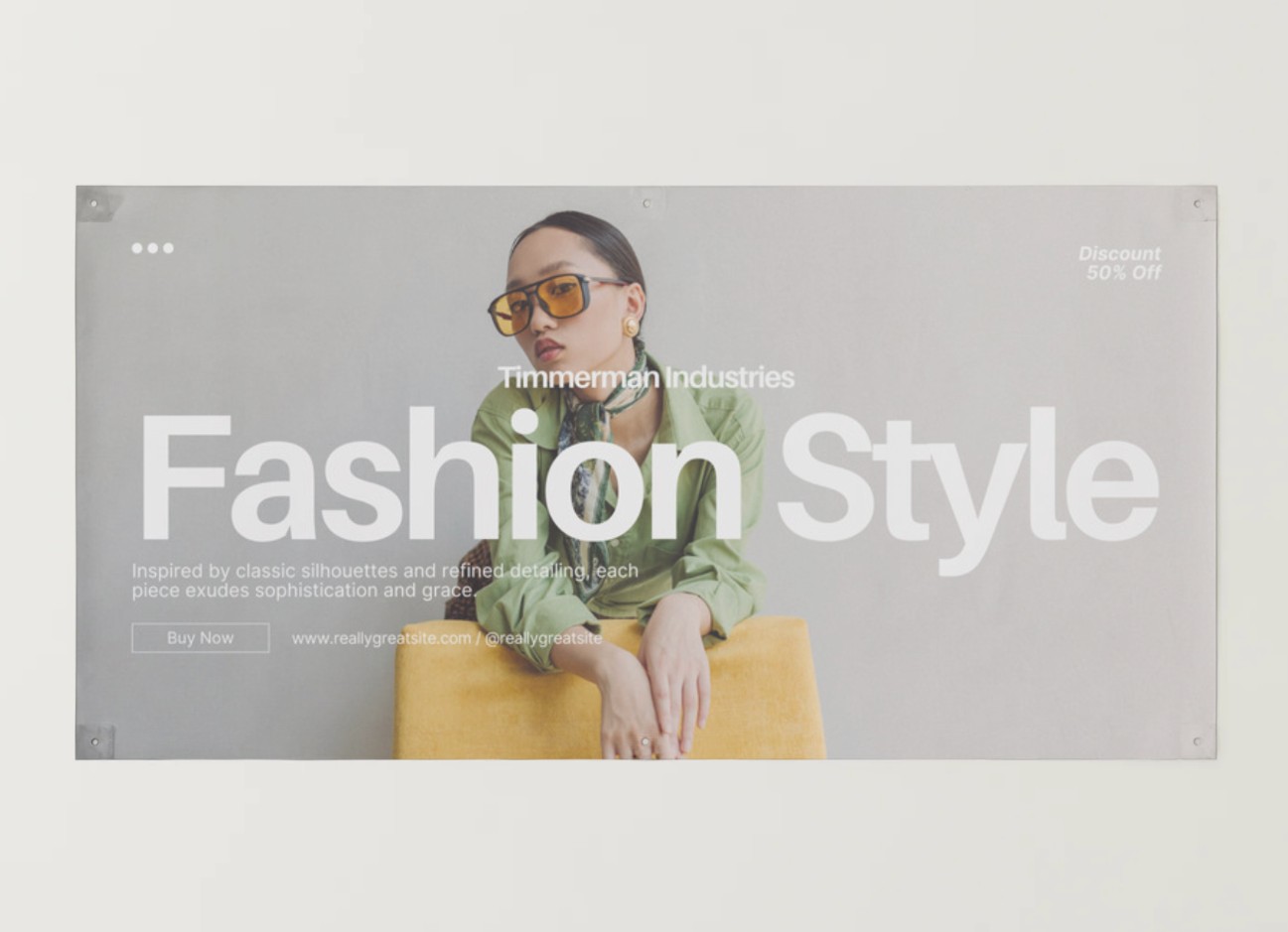
Canva makes this process easier for users. Instead of having to build the entire layout from scratch, you can choose a suitable banner template and then change the content, colors, images, and fonts.
An effective banner doesn't necessarily need to be overly detailed. The important thing is that viewers can understand the main message within seconds.
2. Choose banner material
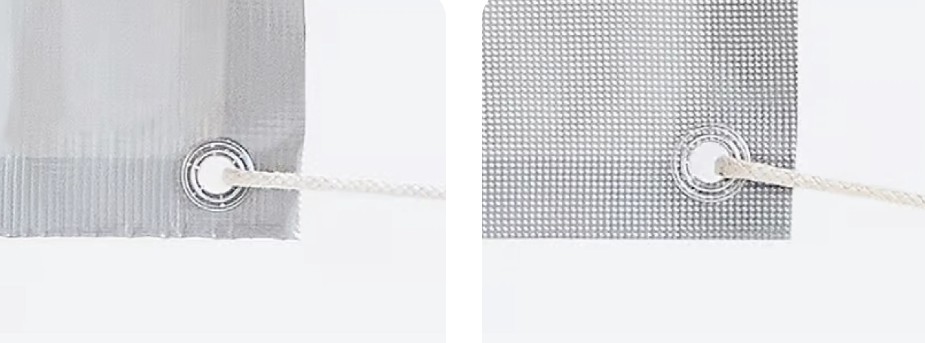
When designing banners for print, the material is a crucial factor to consider from the outset. Canva offers various material options, with vinyl and mesh being two suitable choices for a wide range of uses.
2.1. Vinyl
Vinyl banners are suitable for both indoor events and outdoor advertising. This material is water-resistant, strong, and highly durable.
This is a suitable option when banners need to be used for an extended period or placed in areas with changing environmental conditions. Vinyl banners can be used for promotions, business advertising, events, grand openings, or in-store signage.
With this material, colors and images stand out, making the content easily attract attention.
2.2. Grid
Mesh banners are more suitable for outdoor environments, especially locations frequently exposed to wind.
The mesh structure allows air to pass through, thereby reducing wind pressure on the banner surface. This is a useful option for large outdoor areas or banner locations that are frequently exposed to wind.
The choice between vinyl and mesh should be based on the banner's placement, usage duration, and actual environmental conditions.
3. What is a grommet?
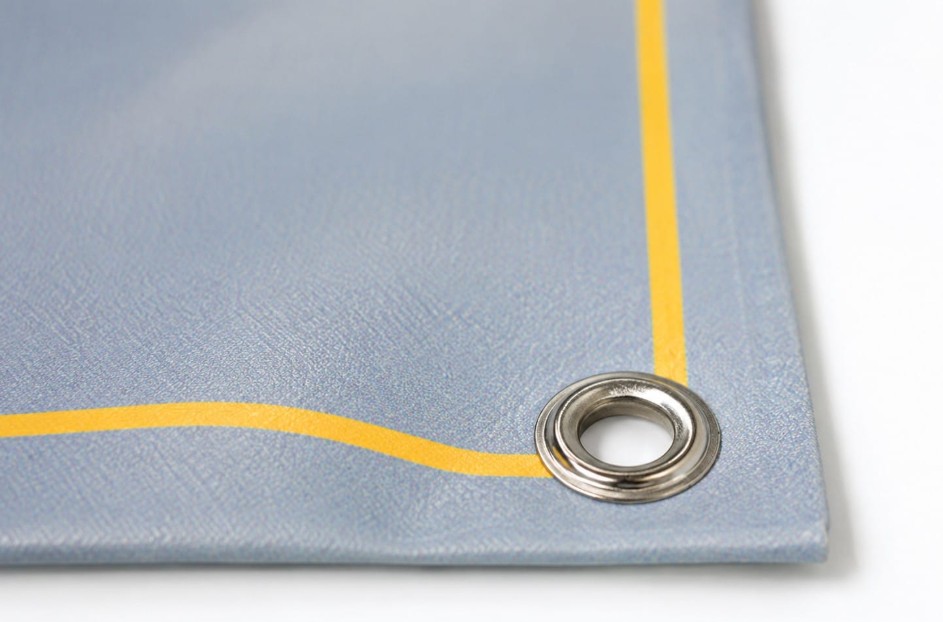
When using banners for hanging, one of the common finishing touches is the grommet . These are metal or plastic rings that are placed into pre-drilled holes on the banner.
Grommets provide a fixed point through which users can thread ropes, hooks, or other supporting items to hang banners. This allows banners to be attached to walls, fences, frames, or other suitable locations.
Typically, custom banners can be equipped with grommets at all four corners, with additional grommets along the edges as needed. The placement of grommets helps distribute the force when hanging and supports the banner in a more stable position.
When designing, users should also note that areas near the edges may be used for finishing touches. Therefore, avoid placing text, logos, or important information too close to the banner's edge.
4. Design banners for multiple purposes.
A major advantage of custom banners is their versatility in a wide variety of situations.
For businesses, banners can be used to introduce the brand, promote new products, announce promotions, or create a point of identification in the store.
At events, banners can serve as welcome boards, backdrops, information boards, or area identification tools. Opening ceremonies, conferences, exhibitions, trade fairs, and community events can all utilize banners to create visual highlights.
Banners are also suitable for festivals, anniversaries, or seasonal marketing campaigns. By simply changing the images, colors, and content, a single design can be adapted for many different purposes.
Canva supports this process with a library of pre-designed templates and graphic elements. Users can choose a suitable template and then edit it to match their brand identity instead of having to build a completely new layout.
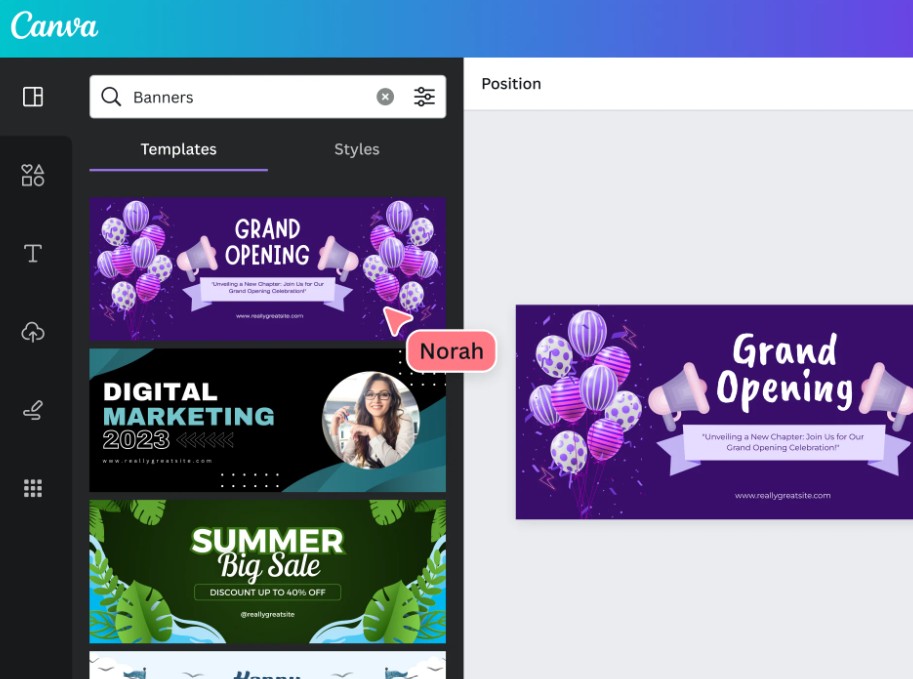
5. Create outstanding designs.
A good banner needs to make a strong first impression. Due to its large size and placement in crowded areas, the design must attract attention while ensuring the information is easy to read.
Canva offers a wide variety of fonts, images, icons, and graphic elements for users to create their own designs.
When choosing fonts, readability should be prioritized. Main titles should be large enough and have good contrast with the background. Subheadings should be kept concise so that viewers can quickly grasp the information.
Color should also be used purposefully. The brand color can be used as the primary color, combined with one or two complementary colors to create consistency.
Images should serve the message rather than simply being added to fill space. A clear product photo or an image that matches the theme can create a much stronger visual impact than unnecessary decorative details.
In particular, pay attention to viewing distance. If the banner is hung where viewers are standing several meters away, small text and long paragraphs will not be effective.
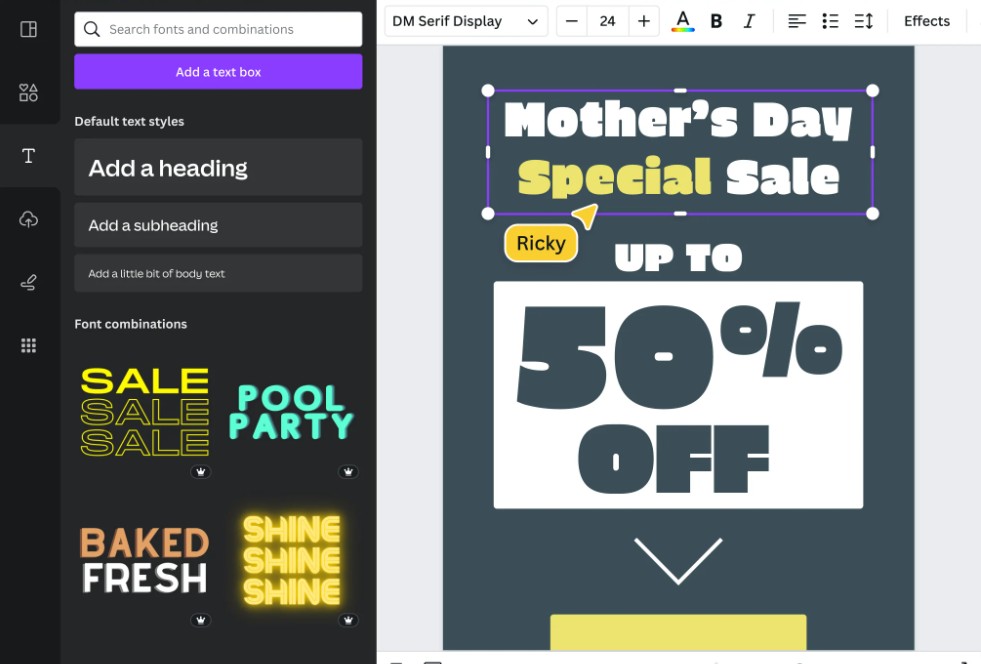
6. Banner design and printing
Once the layout is finalized, the banner can be prepared for printing in the appropriate size and material.
A good banner design needs to strike a balance between aesthetics and practical usability. It shouldn't just look good on screen; the design must also be suitable for the printing material, the display location, and the viewing conditions.
Vinyl banners, with their rigid and durable material, are suitable for both indoor and outdoor advertising. This is a popular choice when banners need to withstand prolonged use.
If your design includes many images, use high-quality image sources. Low-resolution images may appear blurry or pixelated when printed at large sizes.
Additionally, check the secure area before exporting the file. Avoid placing logos, titles, phone numbers, or other important information close to the edges, as cutting, sewing, or grommet attachment processes can affect this area.
7. Open Canva
To begin designing a banner, first open Canva on your web browser or mobile device.
After logging in, use the search bar and type: “Banner”
Canva will display various banner design types and templates for you to choose from.
If you have already determined the banner size, you can also create a design with custom dimensions to suit your product requirements.
Choosing the right design type from the start will make the content layout process easier and minimize the need to resize later.
8. Choose a banner template
After searching for "Banner," explore Canva's library of available templates.
You can choose a template based on its intended use, brand style, colors, or content layout. For example, a business advertising banner might prioritize a modern design, while an event banner could use a more striking layout and more visual elements.
If you can't find a suitable template, start with a blank design .
Using a pre-made template doesn't mean you have to keep the entire design. The template only serves as a foundation to save time. You can change all the text, images, colors, fonts, and graphic elements to create your own banner.
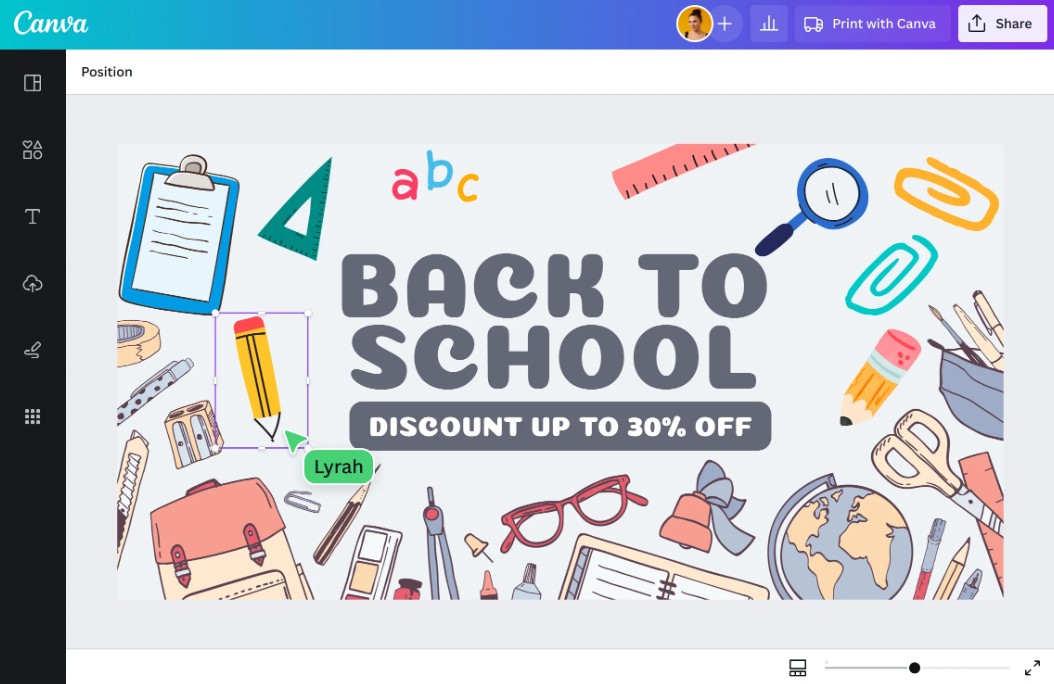
9. Customize banner
This is the most important step in transforming a Canva template into a design that truly reflects your personality.
First, replace the sample text with actual content. Identify the main message and place it in the most visible location.
Next, choose a font that aligns with your brand. If your business already has a brand identity, use the fonts and colors that have been agreed upon to ensure the banner is consistent with other communication materials.
You can also add images, icons, lines, or other graphic elements from the Canva library.
When editing, maintain reasonable whitespace. There's no need to fill the entire banner with content. Whitespace allows the headline, images, and main message to stand out.
Finally, check the design at the actual size and visualize how the banner will appear in the environment where it will be used.
10. Order banners
Once the design is complete, you can download it as an image file if you wish to use it for other purposes, or send the file to a printing company.
If you're using Canva's printing service, select the option: "Print with Canva"
Next, choose the appropriate banner type, such as a mesh banner or a vinyl banner , and then select the quantity you need to order.
Before confirming, double-check the design, dimensions, materials, and quantity. This is a good time to ensure there are no spelling errors or incorrect information.
If the banner is to be used outdoors, pay special attention to the material and how it's hung. If breathability is needed, a mesh banner might be more suitable. If durability and versatility are prioritized, vinyl is a worthwhile option.
A well-designed banner not only looks good on screen but also has the potential to make a strong impression when displayed in a real-world setting.





















VIP Products








Best Selling Products
Upgrade genuine Capture One account
120 USD
Windows 10 & 11 Pro Key
36 USD
Adobe Photoshop Copyright - Full App
120 USD
Plugin Retouch4me
69 USD
MidJourney Account
29 USD
Autodesk All App Account Copyright
120 USD
Upgrade Duolingo Super
29 USD
Copyright Adobe Lightroom Account
59 USD
Freepik Premium Account
59 USD
Upgrade Genuine Office 365
49 USD
ChatGPT Plus Account (GPT-4)
16 USD
Genuine Cheap Canva Pro
39 USD
Adobe Premiere Pro Account
99 USD
Genuine Adobe Illustrator account
99 USD
Capcut Pro 1 Year
39 USD