Best Selling Products

MidJourney Account
29 USD

Freepik Premium Account
59 USD

Plugin Retouch4me
69 USD

Autodesk All App Account Copyright
120 USD

Upgrade Genuine Office 365
49 USD

ChatGPT Plus Account (GPT-4)
16 USD

Upgrade Duolingo Super
29 USD

Upgrade genuine Capture One account
120 USD

Windows 10 & 11 Pro Key
36 USD

Adobe Photoshop Copyright - Full App
120 USD

Capcut Pro 1 Year
39 USD

Adobe Premiere Pro Account
99 USD

Copyright Adobe Lightroom Account
59 USD

Genuine Cheap Canva Pro
39 USD

Genuine Adobe Illustrator account
99 USD
A guide on how to create videos using ChatGPT quickly and easily for beginners.
Nội dung
ChatGPT is increasingly being used in content creation thanks to its ability to support idea generation, scriptwriting, and content creation using artificial intelligence. Instead of spending a lot of time preparing scripts, finding images, or organizing content, you can leverage ChatGPT to simplify these processes and create more engaging videos. So how do you create videos using ChatGPT? What do you need to prepare to make your videos captivating, visually appealing, and suitable for your purpose? In the article below, Sadesign will guide you step-by-step, and also share some tips to effectively utilize AI when making videos.
1. How can ChatGPT create videos?
ChatGPT can assist you in many stages of video production, from idea generation and content creation to scriptwriting and preparing visual and audio descriptions. Using the video creation tools integrated with or connected to ChatGPT, you can transform your initial ideas into visually appealing video content without needing extensive filmmaking experience. The best part is you don't need to know how to write a professional script. Simply describe the topic, target audience, style, and message you want to convey, and the AI will suggest suitable approaches. For example, if you want to create a product introduction video, you can ask ChatGPT to build a concise promotional video with an engaging opening and a natural call to action.
However, it's important to distinguish ChatGPT's content creation capabilities from its ability to directly render videos. ChatGPT doesn't automatically create complete videos in every interface or account. You need to use its supported video creation features or combine it with specialized tools like Sora to create the animation.
2. Instructions on how to create videos using ChatGPT
Here are the basic steps to leverage ChatGPT in your video creation process:
Step 1: Access ChatGPT
First, open your browser and go to https://chatgpt.com . Log in to your account to use the supported features. On the main interface, you can start a new chat and enter your request related to the video content you want to make.
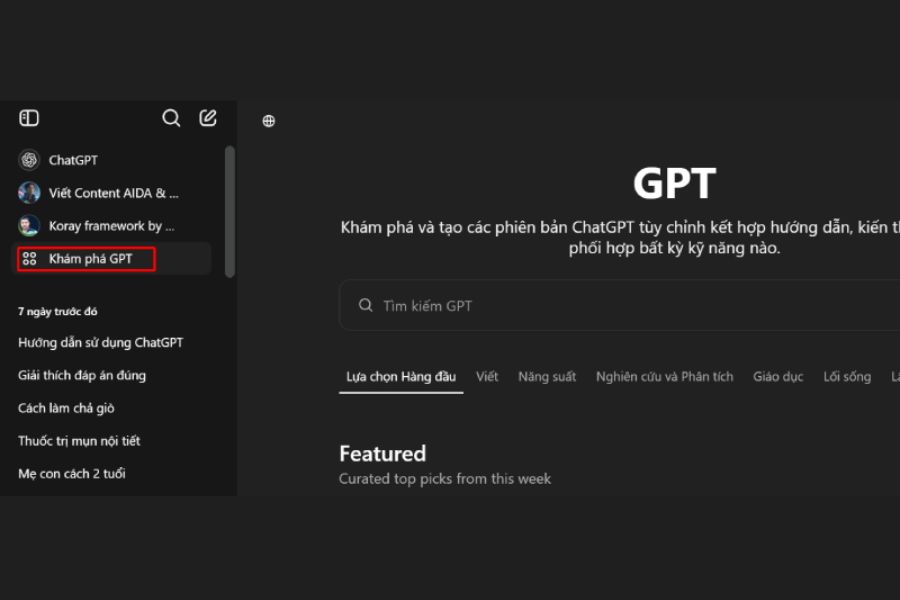
Step 2: Determine the topic of the video you want to create.
Next, clearly describe the topic you want to cover. For example, you could request a video advertising cosmetics, a store introduction video, an animated video, or a video sharing helpful tips. If you have specific guidelines regarding length, visual style, or target audience, include them in the request.
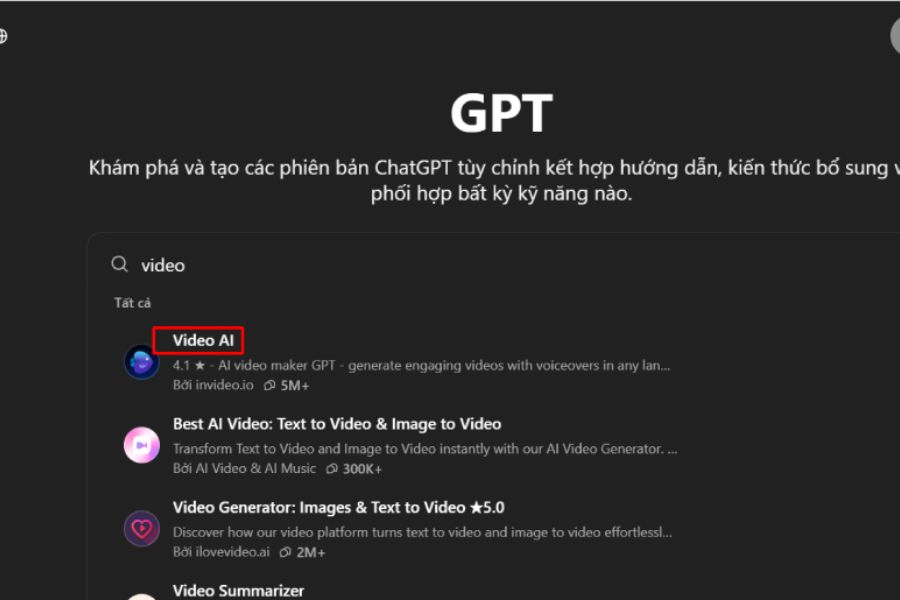
Step 3: Ask ChatGPT to build the script.
After determining the topic, ask ChatGPT to write a detailed script for your video. The content should have an engaging opening to attract viewers, a body that conveys the main information, and a concluding segment that creates a memorable impact. You can also ask the AI to divide the script into scenes, complete with dialogue, visual descriptions, and audio.
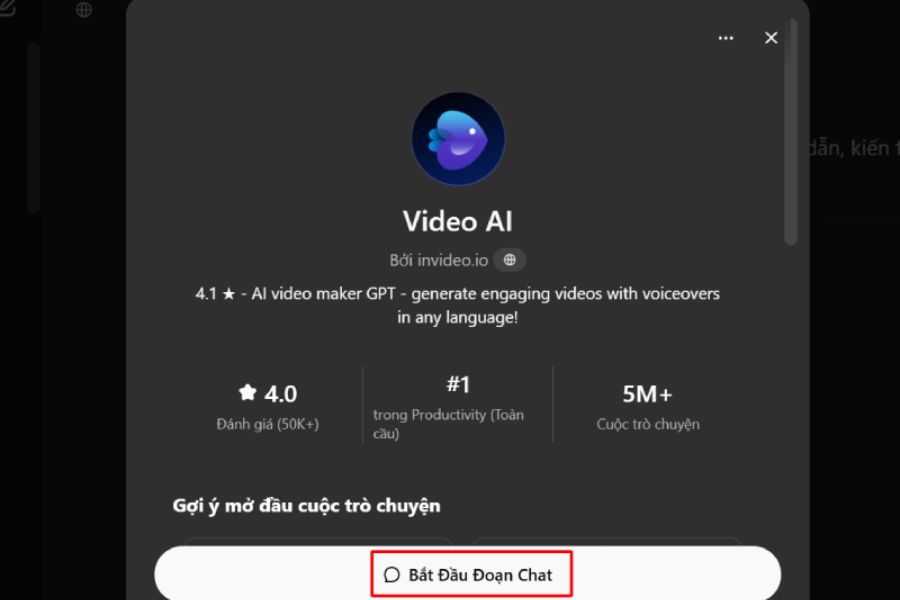
Step 4: Edit and refine the idea
When you receive the script, reread it and check if the content meets your expectations. If the opening isn't engaging enough or the dialogue is too long, you can ask ChatGPT to rewrite it concisely, change the tone, or add more interesting details. This is a crucial step in ensuring the video has natural content and a unique touch.
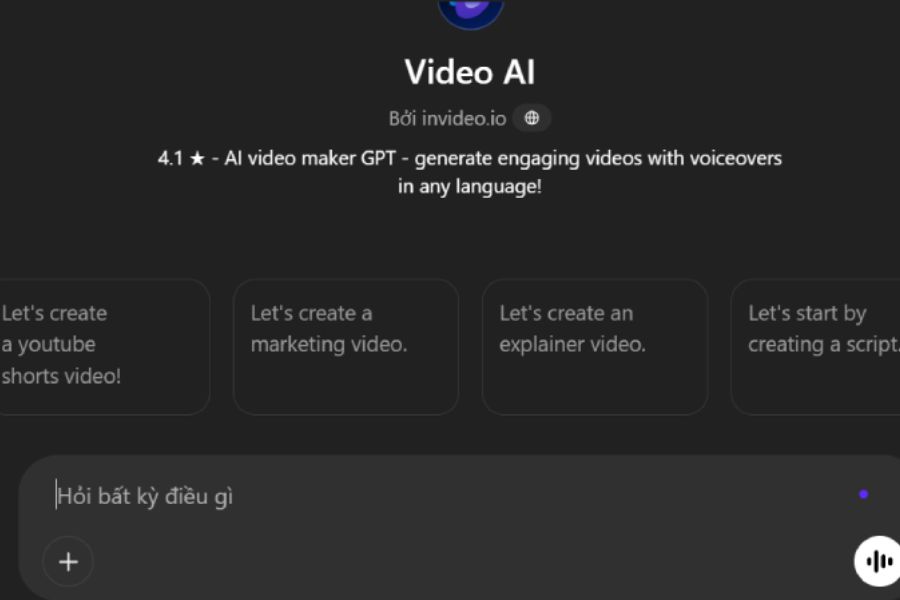
Step 5: Use a video creation tool.
Once you have a complete script, you can use Sora (if your account supports it) or another AI video creation tool to convert the description into moving images. Enter detailed commands about the characters, setting, lighting, camera angles, and desired movements. The more specific the description, the better the tool can create footage that matches your idea.
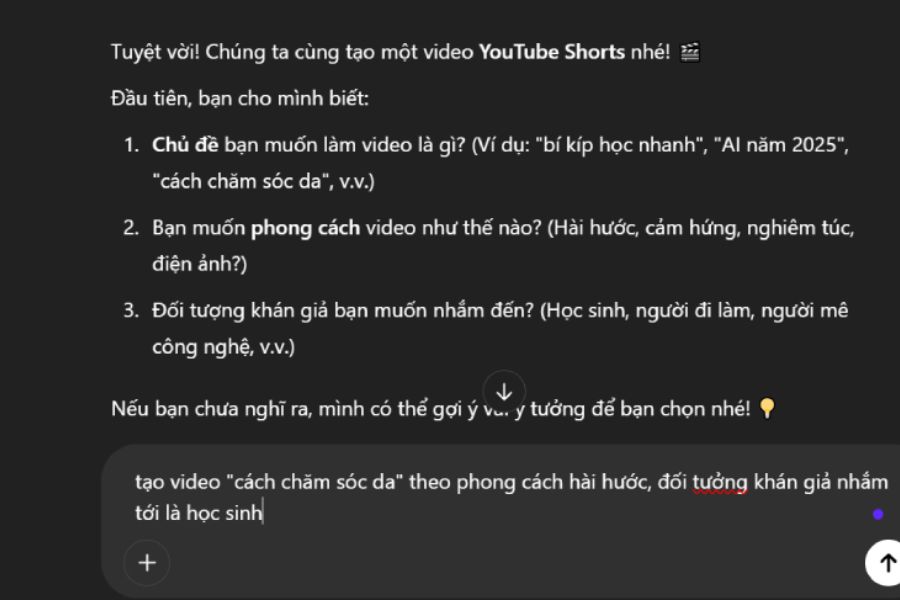
Step 6: Review and edit the video
After the video is created, review the entire content to check the visuals, motion, and how well it fits the script. If any scenes aren't quite right, you can adjust the commands and recreate them. Additionally, add background music, subtitles, or transition effects using video editing software to make the final product look more polished.
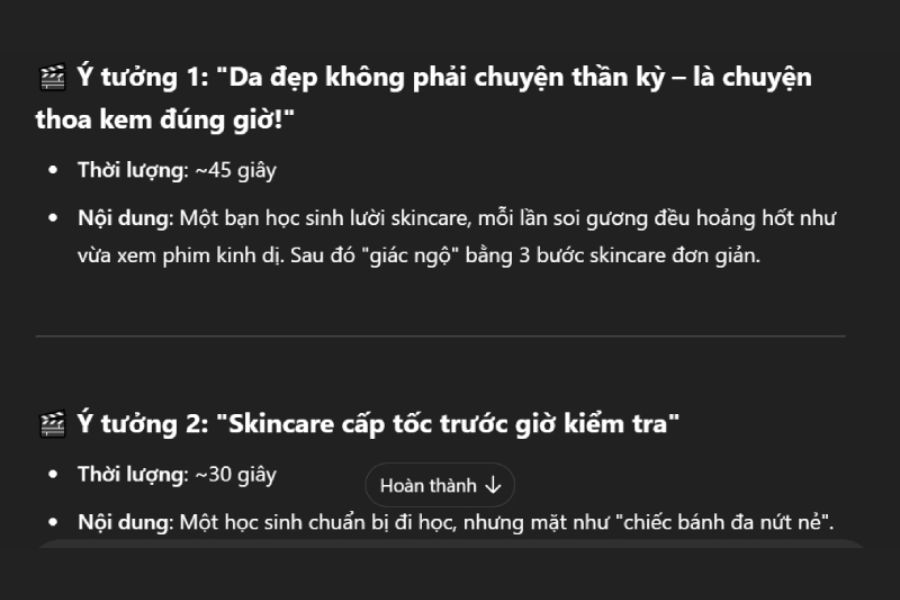
Step 7: Save and share the video
Finally, once you're satisfied with the result, you can export or upload the video using the options provided by the tool. Choose an aspect ratio suitable for the uploading platform, such as vertical video for TikTok, Reels, and YouTube Shorts, or horizontal video for YouTube. Before sharing, remember to review the audio, content, and image quality to avoid any unwanted errors.
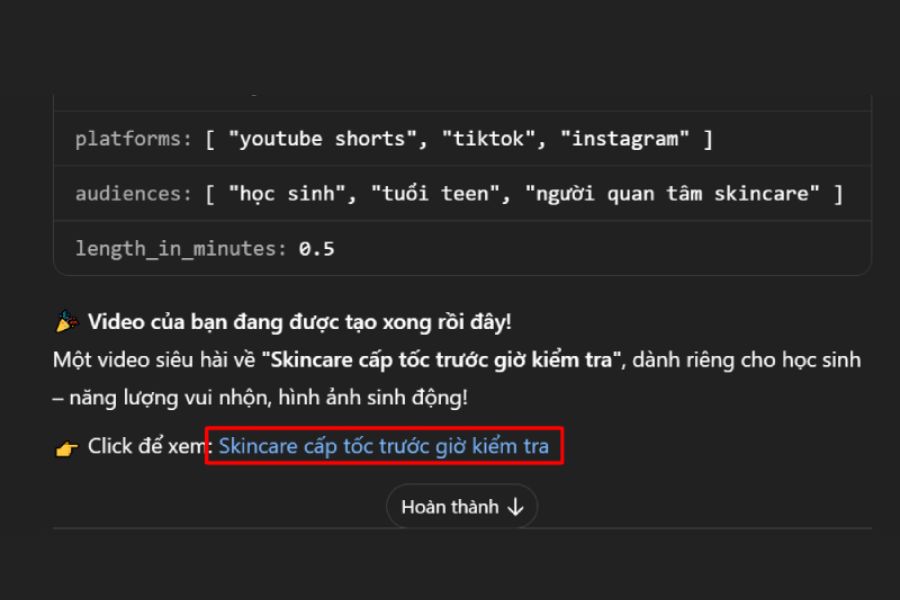
3. How to write more engaging video creation prompts using ChatGPT
The prompt is a crucial factor determining the quality of ideas and the resulting AI-generated video. Instead of simply entering a short command like "create a cosmetics advertisement video," you should provide more information about the product, context, visual style, movement, and the emotions you want to convey. This helps ChatGPT understand your requirements better and create more targeted content. You can refer to some of the commands below to get started:
Prompt 1: Create a product advertisement video
Create a 30-second video script for a skincare product advertisement. The style should be modern and youthful, with bright, beautiful visuals and subtle colors. The video should consist of three scenes, with concise dialogue, an engaging opening, and a natural call to action at the end.
Copy prompt
Prompt 2: Create animated storytelling videos
Write a short animated video script about a little cat exploring a magical forest. The style should be adorable 3D animation, bright colors, and expressive characters. Divide the story into four scenes with engaging narration and a surprising ending.
Copy prompt
Prompt 3: Create a knowledge-sharing video
Create a video script sharing 5 time-saving tips for everyday life. The video should be approximately 45 seconds long, in a friendly and easy-to-understand style, with vivid illustrations. Each tip should be presented concisely, with natural transitions and an ending that encourages viewer interaction.
Copy prompt
You can also request ChatGPT to write multiple versions of the script for easier comparison and selection. If you want a more professional-looking video, add requirements for cinematic lighting, close-up shots, camera movement, or a dominant color tone.
4. Some notes when creating videos using ChatGPT
Although AI makes the video creation process more convenient, you still need to control the content and output to ensure the video meets its intended purpose. A vague command can lead to a lack of focus in the script or a visual outcome that doesn't match the initial vision. Therefore, keep the following points in mind:
-
Please describe your request as specifically as possible: Provide the topic, duration, style, context, and target audience so ChatGPT can create suitable content.
-
Verify information within the script: Do not use entirely AI-generated content without verification, especially for knowledge-sharing videos, tutorials, or product introductions.
-
Pay attention to character consistency: When creating multiple scenes, consistently describe the character's appearance, clothing, and characteristics to minimize discrepancies between scenes.
-
Choose the right voiceover: Depending on the topic, you can choose a cheerful, lighthearted, serious, or expressive voiceover to enhance the video's appeal.
-
Don't rely entirely on AI: Actively edit dialogue, visuals, and presentation to give your videos a unique personality instead of creating overly robotic content.
-
Copyright check: Prioritize images, background music, and materials with proper usage rights, especially when uploading videos for commercial purposes.
-
Choose the right format: Videos posted on TikTok and Reels should prioritize vertical framing, while longer YouTube content is generally better suited to landscape framing.
5. Upgrade ChatGPT at Sadesign to experience convenient AI features.
If you frequently use ChatGPT for scriptwriting, idea development, and content creation, choosing the right account package will give you more opportunities to utilize AI features. Depending on the package and the time, access to models, tools, and usage limits may vary. Therefore, you should carefully consider your actual needs before making a choice.
Sadesign offers affordable ChatGPT account upgrade support with a convenient process and dedicated advice. If you need to use AI features for your work, you can contact Sadesign for guidance on choosing the right package. This is also a worthwhile option if you want to optimize your experience using AI tools in your content creation process.
6. Conclusion
As you can see, creating videos using ChatGPT isn't too complicated if you know how to leverage AI to develop ideas, write scripts, and combine it with the right video creation tools. Simply prepare a clear command, define your desired style, and adjust the results appropriately, and you can significantly save time in the content production process. Hopefully, these instructions will help you easily start creating interesting videos using AI. Don't hesitate to experiment with different themes, styles, and prompt writing techniques to find the right formula, thereby creating engaging videos with your own unique touch.





















VIP Products








Best Selling Products
MidJourney Account
29 USD
Freepik Premium Account
59 USD
Plugin Retouch4me
69 USD
Autodesk All App Account Copyright
120 USD
Upgrade Genuine Office 365
49 USD
ChatGPT Plus Account (GPT-4)
16 USD
Upgrade Duolingo Super
29 USD
Upgrade genuine Capture One account
120 USD
Windows 10 & 11 Pro Key
36 USD
Adobe Photoshop Copyright - Full App
120 USD
Capcut Pro 1 Year
39 USD
Adobe Premiere Pro Account
99 USD
Copyright Adobe Lightroom Account
59 USD
Genuine Cheap Canva Pro
39 USD
Genuine Adobe Illustrator account
99 USD