Best Selling Products

Copyright Adobe Lightroom Account
59 USD

ChatGPT Plus Account (GPT-4)
16 USD

Upgrade Duolingo Super
29 USD

Freepik Premium Account
59 USD

Windows 10 & 11 Pro Key
36 USD

Plugin Retouch4me
69 USD

Genuine Adobe Illustrator account
99 USD

Upgrade Genuine Office 365
49 USD

Autodesk All App Account Copyright
120 USD

Adobe Photoshop Copyright - Full App
120 USD

MidJourney Account
29 USD

Capcut Pro 1 Year
39 USD

Adobe Premiere Pro Account
99 USD

Upgrade genuine Capture One account
120 USD

Genuine Cheap Canva Pro
39 USD
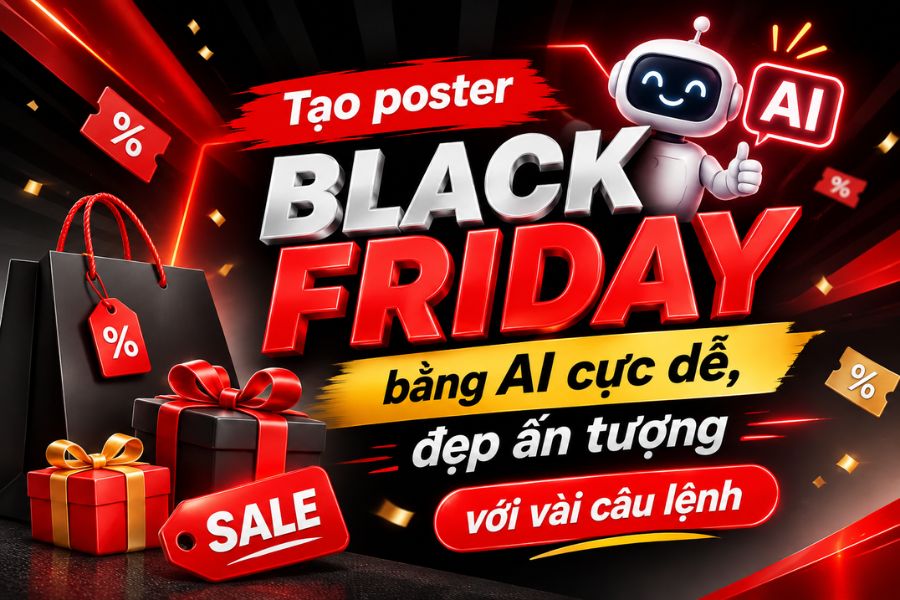
Creating stunning Black Friday posters using AI is incredibly easy with just a few commands.
Nội dung
- 1. Benefits of designing Black Friday posters using AI
- 2. What preparations are needed before designing a Black Friday poster using AI?
- 3. Guide to designing Black Friday posters using AI with ChatGPT
- 4. Suggested prompt for creating beautiful and attractive Black Friday posters using AI.
- 5. Things to note when designing Black Friday posters using AI
- 6. Conclusion
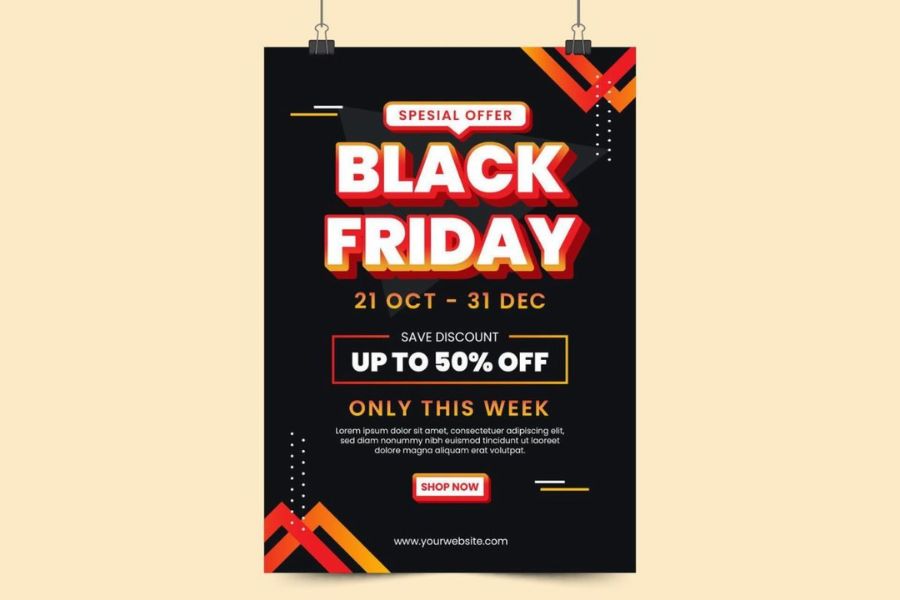
Black Friday is a bustling shopping event, and it''s also the time when stores and brands need to prepare eye-catching advertising images to attract customers. A poster with vibrant colors, an attractive layout, and an appealing promotional message will help the sale make an impression from the first glance. However, not everyone has the skills to use professional design software to create posters themselves. With the help of AI, you can create unique Black Friday posters without spending too much time designing. Just a few commands describing your idea, desired colors, and content, and the AI tool can help create images according to your requirements. This article from Sadesign will guide you on how to do this using ChatGPT, suggest easy-to-use prompts, and share tips for creating a more attractive poster. Check it out!
1. Benefits of designing Black Friday posters using AI
Designing Black Friday posters with AI significantly saves retailers and businesses time in preparing advertising images for the shopping season. Instead of brainstorming, finding images, and adjusting every detail yourself, you simply describe your requirements and the AI will assist in creating an initial design. This method is suitable for both beginners and those who need to produce many poster designs in a short time. Some notable benefits of using AI to design Black Friday posters include:
-
Save design time: Quickly create drafts from descriptive commands without having to perform all the steps manually.
-
Diverse creative ideas: Easily experiment with various styles such as luxurious, modern, minimalist, or striking with lighting effects.
-
Suitable for beginners: You don't need to be proficient in graphic design software; you can still create posters based on requirements using natural language.
-
Cost optimization: Support in brainstorming and creating initial visuals, reducing the effort involved in the design preparation process.
-
Flexible creation of multiple versions: You can change the colors, content, images, and offer levels to create more poster designs for each program.
2. What preparations are needed before designing a Black Friday poster using AI?
Before you begin designing, you should clearly define the purpose of the poster and the information that needs to appear on the image. For example, a fashion advertising poster might prioritize product images and discounts, while a poster for a cosmetics store should focus on brand colors and prominent product images. Defining the direction from the start will help the AI understand the requirements correctly, avoiding the situation where the design is not suitable for the campaign. Content to prepare before importing the prompt includes:
-
Identify your target audience: Choose a design style that suits the group of buyers your brand is aiming for.
-
Prepare promotional information: Clearly state the discount rate, the validity period, the promotional program, and the terms and conditions of purchase.
-
Prepare product images: Prioritize clear, well-lit photos that accurately reflect the colors and features of the item.
-
Prepare your brand logo: Use a high-quality logo to increase brand recognition and project a professional image.
-
Choose poster size: Determine the appropriate aspect ratio for Facebook, Instagram, TikTok, website, or print needs.
-
Determine the design style: Choose a luxurious black and gold color scheme, a striking red and black look, or a minimalist style depending on your brand's direction.
3. Guide to designing Black Friday posters using AI with ChatGPT
ChatGPT is an AI tool that can assist users in brainstorming and creating poster designs based on written descriptions. You can request a custom design style, choose colors, arrange the layout, and highlight promotional information. Importantly, if the result isn't what you expected, you can continue chatting to request adjustments without having to start over. To create a Black Friday poster using ChatGPT, follow these steps:
Step 1: Access ChatGPT and open a new conversation.
First, access ChatGPT on your browser or mobile app, then log in to your account. On the main interface, open a new chat to begin the design process. You should determine your main idea beforehand, for example, a Black Friday poster in a luxurious style with black and gold colors or a youthful, eye-catching design with red and black.
Step 2: Enter the Black Friday poster creation prompt.
In the chat window, enter a command that details your design requirements. The prompt should include complete information about the theme, colors, layout, size, and promotional content. If you want the image to look more professional, you can request the AI to use lighting effects, 3D embossed text, gradient backgrounds, or decorative details that evoke a shopping atmosphere.
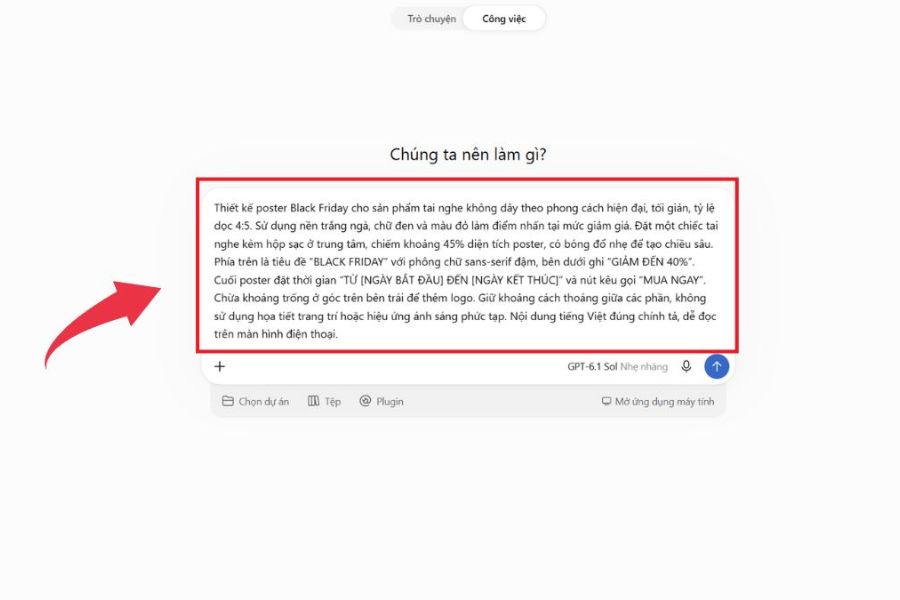
Prompt 1: Designing a luxurious Black Friday poster
"Create a Black Friday advertising poster in a luxurious and modern style. Use a black and gold color scheme, a background with a sparkling light effect, and high-end decorative details. At the center of the poster is the large, prominent text 'BLACK FRIDAY SALE' with a 3D effect. Below it, display the message 'UP TO 70% OFF'. The design should be balanced, professional, with sharp images and a 4:5 aspect ratio suitable for social media posting."
Step 3: Upload product images and brand logo.
After entering the prompt, you can click the attach icon to upload product images or brand logos to ChatGPT. Choose high-quality images that are not blurry or obscure important details. Also, specify that the product's style, color, packaging, and identifying features should be preserved when included in the poster.
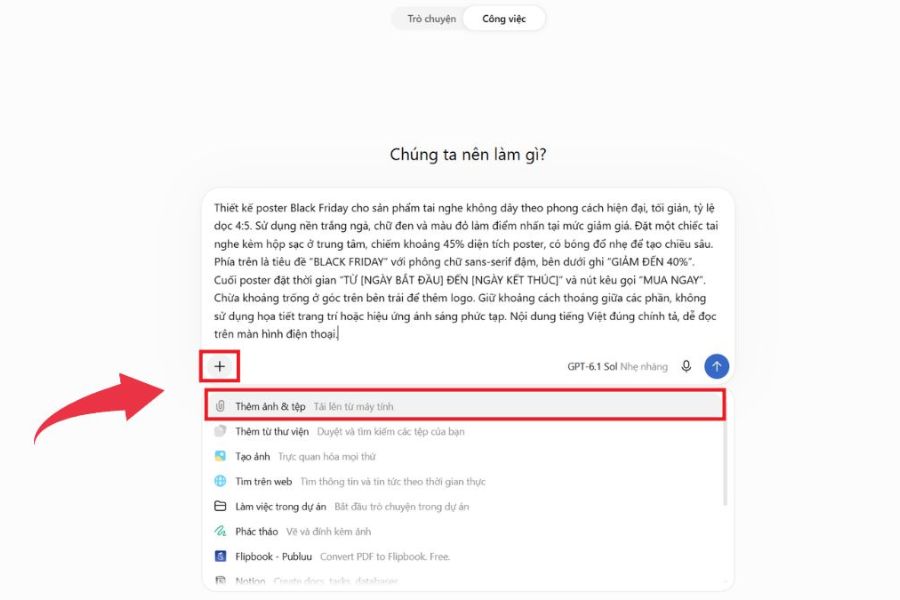
Step 4: Ask ChatGPT to create the poster and check the results.
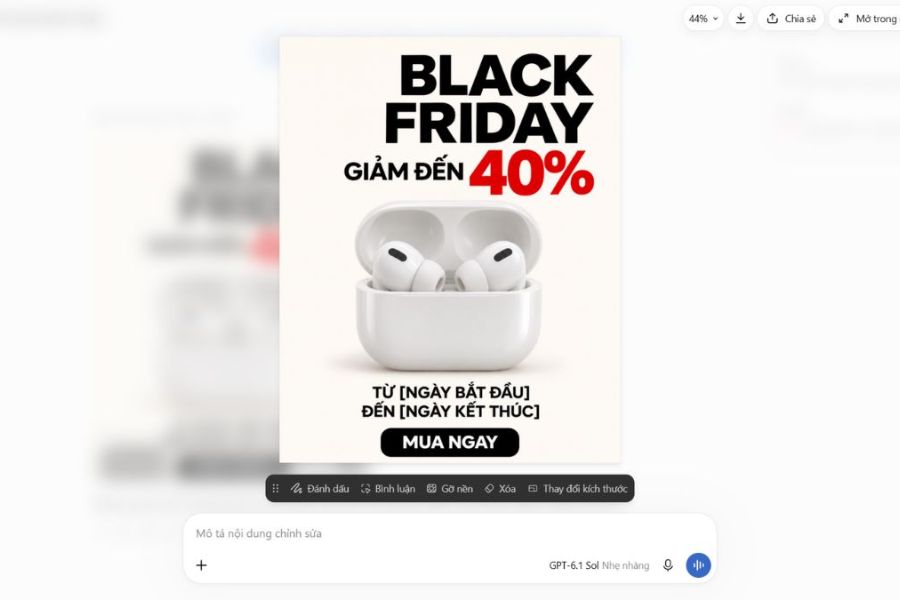
After completing the command and uploading the reference image, press submit to have ChatGPT create the poster. Once you receive the result, check the overall layout, colors, product images, and promotional content. If the design isn't eye-catching enough, you can request adjustments to individual details instead of recreating it from scratch.
For example, you could add the following command: "Highlight the text 'UP TO 70% OFF', increase the contrast between the text and the background, keep the product image the same, add a yellow light effect, and rearrange the layout to make the poster look more professional."
Step 5: Finalize and save the poster
Once you have a satisfactory design, double-check it to ensure the promotional information is accurate, the images are clear, and there are no unnecessary details. You can ask ChatGPT to recreate the image with the appropriate size or use additional editing software to adjust the necessary content. Finally, save the poster to your device and use it for advertising posts, website banners, or Black Friday marketing campaigns.
4. Suggested prompt for creating beautiful and attractive Black Friday posters using AI.
A good prompt doesn't necessarily have to be long, but it needs to clearly express the idea and key details. Depending on your industry, you can choose different design styles to make the poster both visually appealing and effectively convey the spirit of the promotion. Below are some prompts that can be used directly on ChatGPT:
Prompt 2: Modern Black Friday Poster Style
"Create a modern, youthful Black Friday poster using red, black, and white tones. Utilize neon lighting effects, 3D shapes, and a strong layout. Highlight the words BLACK FRIDAY along with the message SALE UP TO 80%. The design should be eye-catching, with clear emphasis, and suitable for social media advertising."
Prompt 3: Black Friday Poster for Fashion Stores
"Design a Black Friday advertising poster for a fashion brand in a minimalist, high-end style. Use a black and white color scheme with red as an accent. Position the image of a model wearing the fashion outfit in the center, above which is the text BLACK FRIDAY, and below is information about DISCOUNTS UP TO 50%. The layout is sophisticated, the images are sharp, and suitable for young customers."
Prompt 4: Black Friday Poster for Cosmetics
"Create a Black Friday advertising poster for cosmetics with a luxurious, feminine style. Use burgundy, black, and gold tones. Arrange the cosmetic products prominently against a background with soft lighting effects. The title 'BLACK FRIDAY SALE' is placed in the center, combined with the message 'DISCOUNTS UP TO 70%.' The design is sophisticated, professional, and the imagery has depth."
Prompt 5: 3D Black Friday Poster
"Create a creative 3D Black Friday poster. Use a black background, vibrant red lighting effects, and large 3D discount numbers. The title 'BLACK FRIDAY SALE' should be designed with raised, bold lettering for a powerful and eye-catching effect. Add details like gift boxes, balloons, and fireworks to enhance the festive shopping atmosphere."
5. Things to note when designing Black Friday posters using AI
AI can help you generate many impressive design ideas, but not every image created is immediately usable for advertising purposes. Some details, such as Vietnamese text, logos, product images, or discount information, may not be accurately represented. Therefore, you should take the time to check and edit to ensure your poster is both visually appealing and professional. Below are some important points to keep in mind:
-
Write a clear prompt: Specifically describe the style, colors, layout, and content that need to appear. Avoid including too many irrelevant requirements that detract from the design's focus.
-
Spell check and information verification: Review discount rates, promotion periods, brand names, and Vietnamese text before publishing.
-
Ensure accurate product images: Carefully check the shape, color, packaging, and other distinguishing details to avoid advertising images that differ from the actual product.
-
Maintain brand consistency: Use familiar colors, logos, and design styles so customers can easily recognize the store.
-
Avoid cramming too much content: Focus only on the headline, offer, and key information. A poster with a clear layout will help customers absorb the message more quickly.
-
Choose the right size: Check the aspect ratio, resolution, and image quality before uploading or printing.
6. Conclusion
Creating Black Friday posters using AI is a simple way for individuals and businesses to quickly obtain eye-catching advertisements without needing advanced design software skills. With just ChatGPT and a few detailed commands, you can experiment with various styles, from elegant and modern to youthful and creative. However, to ensure the poster is truly effective, remember to check the promotional content, product images, and brand identity before use. Hopefully, the instructions and prompts in this article will help you easily create impressive Black Friday posters, attracting customers and highlighting your sales event.





















VIP Products








Best Selling Products
Copyright Adobe Lightroom Account
59 USD
ChatGPT Plus Account (GPT-4)
16 USD
Upgrade Duolingo Super
29 USD
Freepik Premium Account
59 USD
Windows 10 & 11 Pro Key
36 USD
Plugin Retouch4me
69 USD
Genuine Adobe Illustrator account
99 USD
Upgrade Genuine Office 365
49 USD
Autodesk All App Account Copyright
120 USD
Adobe Photoshop Copyright - Full App
120 USD
MidJourney Account
29 USD
Capcut Pro 1 Year
39 USD
Adobe Premiere Pro Account
99 USD
Upgrade genuine Capture One account
120 USD
Genuine Cheap Canva Pro
39 USD