Best Selling Products

Autodesk All App Account Copyright
120 USD

Plugin Retouch4me
69 USD

Freepik Premium Account
59 USD

Windows 10 & 11 Pro Key
36 USD

Upgrade genuine Capture One account
120 USD

Copyright Adobe Lightroom Account
59 USD

ChatGPT Plus Account (GPT-4)
16 USD

Upgrade Genuine Office 365
49 USD

Upgrade Duolingo Super
29 USD

Adobe Premiere Pro Account
99 USD

Capcut Pro 1 Year
39 USD

Adobe Photoshop Copyright - Full App
120 USD

Genuine Cheap Canva Pro
39 USD

MidJourney Account
29 USD

Genuine Adobe Illustrator account
99 USD
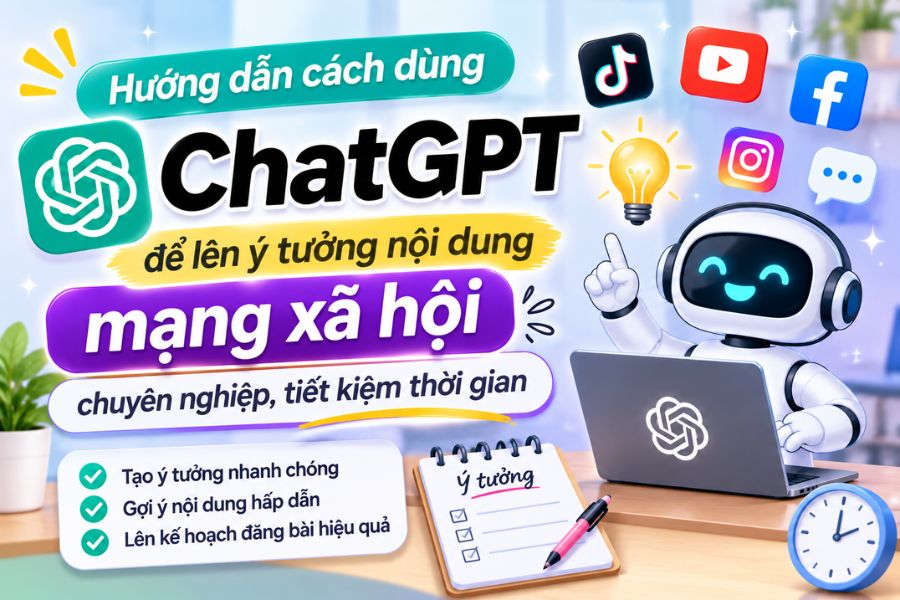
A guide on how to use ChatGPT to generate professional and time-saving social media content ideas.
Nội dung
- 1. ChatGPT: Conceptualizing and building social media content.
- 2. Gemini: Seeking new ideas and developing creative themes.
- 3. Canva: Design beautiful images for your posts using AI.
- 4. CapCut: Turning ideas into engaging short videos
- 5. Notion: Manage your content plan in a scientific and easy-to-follow manner.
- 6. Some tips for using ChatGPT to create more effective content.
- 7. Conclusion
In the age of rapidly developing social media, maintaining engaging content and posting regularly is a concern for many individuals, content creators, and businesses. However, you don''t always have fresh ideas readily available to share. When you''re stuck for ideas, spending too much time writing captions, or unsure of how to structure your content, AI can be a powerful assistant. ChatGPT is one useful tool that helps you find ideas, build scripts, write content, and determine the topic for your posts. Furthermore, when combined with applications like Gemini, Canva, CapCut, or Notion, the content creation process becomes more convenient and professional. Let''s explore with Sadesign how to use each application to build an effective social media content plan!
1. ChatGPT: Conceptualizing and building social media content.
ChatGPT is a suitable option when you don't know where to start creating content. Instead of spending hours thinking about topics, you can give specific requests and the AI will suggest ideas that match your business field, target audience, and communication goals. For example, if you're in the cosmetics business, you can ask ChatGPT to generate 30 post ideas per month, categorized into groups such as beauty knowledge sharing, usage guides, user reviews, and product introductions. The tool will give you more options to avoid repetitive and boring content.
Beyond simply suggesting topics, ChatGPT also assists in writing captions, advertising content, short video scripts, and introductions for each post. You only need to provide information about the product, desired style, and content length. For better results, clearly describe your target audience, tone, and message. You can also request the AI to rewrite the content in a style that is relatable, humorous, or professional, depending on the platform. This makes preparing content for Facebook, TikTok, or Instagram faster and more flexible.

2. Gemini: Seeking new ideas and developing creative themes.
Gemini is a useful AI application when you want to expand your ideas and find more perspectives for your content. You can use the tool to research trending topics, suggest content suitable for different target groups, or develop an initial idea into multiple posts. For example, from the topic of winter skincare, Gemini can suggest content such as how to moisturize, choose sunscreen, common skincare mistakes, and a skincare routine for beginners. This helps you build a rich topic library without relying on just a few familiar ideas.
Another advantage is that Gemini can help analyze the images, documents, and information you provide to find the right content strategy. If you already have product images or a marketing plan, you can input the data to ask the AI to suggest appropriate captions, titles, or promotional content. When using it, be sure to clearly state your requirements and double-check important information before publishing. Combining Gemini with ChatGPT will help you generate more ideas and easily refine your content in your own unique style.

3. Canva: Design beautiful images for your posts using AI.
After completing the content, images are a crucial element in making a post more engaging. Canva offers many intuitive design tools, suitable even for those without graphic design experience. You can choose from pre-made templates for Facebook, Instagram, TikTok, or other platforms, then change the images, colors, and content to your needs. In particular, AI-assisted design features help users create images, suggest layouts, and edit elements more conveniently.
To save time, you can use ChatGPT to write the content first, then import the title and main message into Canva to design it into a poster or image for a post. For example, for a promotional post, choose a design template with a striking layout, clear product images, and easily visible offers. You should maintain consistency in color, typography, and visual style across posts to create a unique brand identity. Thanks to this combination, even beginners can create polished marketing materials without using complex design software.

4. CapCut: Turning ideas into engaging short videos
Short videos are becoming a popular content format on TikTok, Facebook Reels, and Instagram Reels. If you want to turn ideas from ChatGPT into lively videos, CapCut is a very useful application. The tool offers many editing features such as cutting and splicing videos, adding effects, inserting music, creating automatic subtitles, and using pre-made templates. You can leverage these features to turn a short script into a complete video without needing extensive editing experience.
The process is quite simple. First, ask ChatGPT to write a video script based on your desired topic, including an engaging opening, main content, and conclusion. Next, prepare illustrative images or videos and import them into CapCut for editing. You can add scrolling text, choose suitable background music, and adjust the editing pace to make the video more appealing. If the content is geared towards TikTok, focus on the first few seconds to create curiosity and encourage viewers to continue watching. The combination of ChatGPT's ideation capabilities and CapCut's editing tools will make the video production process much more convenient.

5. Notion: Manage your content plan in a scientific and easy-to-follow manner.
When posting on multiple platforms, remembering posting schedules, topics, and completion status for each piece of content can be quite cumbersome. Notion is a useful application that helps you organize all your work in a centralized management space. You can create content schedules by day, week, or month, and categorize posts by platform such as Facebook, TikTok, Instagram, and YouTube. Each piece of content can be supplemented with a title, description, posting time, responsible person, and completion status.
You can also leverage Notion's AI features to assist with summarizing information, editing text, and organizing content. After using ChatGPT to create a list of topics, add them to Notion's management panel to allocate posting time effectively. For example, you could post knowledge-sharing articles on Monday, tutorial videos on Wednesday, and product introductions on Friday. Tracking progress on a single interface helps you avoid missing tasks, proactively prepare content, and maintain a consistent posting schedule.
6. Some tips for using ChatGPT to create more effective content.
While ChatGPT can assist with many processes, the quality of the content still depends heavily on how you phrase your request. The more specific the command, the easier it is to achieve the desired result. Instead of simply requesting a sales post, you should provide additional information about the product, target audience, key benefits, and writing style. This helps the AI understand your direction and avoids creating generic content.
You can apply some of the following tips to better utilize ChatGPT:
-
Clearly define your target audience: Let ChatGPT know whether you're targeting students, office workers, or beauty enthusiasts so your content can be tailored accordingly.
-
Provide specific requirements: Clearly state the length, structure, tone, and publishing platform so that the AI can create content that closely matches your needs.
-
Request multiple options: You can ask ChatGPT to write 5 titles, 3 opening phrases, or multiple caption versions for easier selection.
-
Leverage editing capabilities: If the content isn't engaging enough, ask the AI to rewrite, shorten, or rephrase it instead of starting from scratch.
-
Verify information before publishing: Do not use verbatim all content generated by AI. Reread, edit, and add real-world experience to make the article more authentic.
7. Conclusion
Using ChatGPT to generate ideas and create social media content is a useful solution that saves time, reduces creative pressure, and helps maintain consistent posting. When combined with Gemini, Canva, CapCut, and Notion, you can conveniently implement a process from idea generation and content writing to image design, video production, and posting schedule management. However, AI should only play a supporting role, not completely replace user creativity. Actively check information, adjust wording, and add your personal touch to each post. When used correctly, these tools will help you build engaging, professional content that better aligns with your social media goals.





















VIP Products








Best Selling Products
Autodesk All App Account Copyright
120 USD
Plugin Retouch4me
69 USD
Freepik Premium Account
59 USD
Windows 10 & 11 Pro Key
36 USD
Upgrade genuine Capture One account
120 USD
Copyright Adobe Lightroom Account
59 USD
ChatGPT Plus Account (GPT-4)
16 USD
Upgrade Genuine Office 365
49 USD
Upgrade Duolingo Super
29 USD
Adobe Premiere Pro Account
99 USD
Capcut Pro 1 Year
39 USD
Adobe Photoshop Copyright - Full App
120 USD
Genuine Cheap Canva Pro
39 USD
MidJourney Account
29 USD
Genuine Adobe Illustrator account
99 USD