Best Selling Products

Upgrade Duolingo Super
29 USD

Copyright Adobe Lightroom Account
59 USD

Genuine Adobe Illustrator account
99 USD

Adobe Photoshop Copyright - Full App
120 USD

Freepik Premium Account
59 USD

Autodesk All App Account Copyright
120 USD

Plugin Retouch4me
69 USD

MidJourney Account
29 USD

Capcut Pro 1 Year
39 USD

Genuine Cheap Canva Pro
39 USD

Adobe Premiere Pro Account
99 USD

Windows 10 & 11 Pro Key
36 USD

Upgrade Genuine Office 365
49 USD

Upgrade genuine Capture One account
120 USD

ChatGPT Plus Account (GPT-4)
16 USD
Discover Google AI Pro: What makes Google''s premium AI package stand out and why is it worth upgrading?
Nội dung
- 1. What is Google AI Pro?
- 2. Key features of Google AI Pro
- 2.1. Gemini Advanced
- 2.2. AI integration in Google Workspace
- 2.3. Creating AI videos with Veo 3.1
- 2.4. Advanced NotebookLM
- 2.5. Programming Support Tools
- 3. Pricing and comparison of Google AI packages
- 4. Upgrade to Google AI Pro at Sadesign to optimize your AI experience.
- 5. Conclusion
With artificial intelligence increasingly being applied to work and life, Google AI Pro is becoming a popular choice. More than just an AI subscription package, this service offers an ecosystem of intelligent tools, combining Gemini''s processing power with familiar applications like Gmail, Google Docs, Drive, and Sheets. This allows users to save time, optimize workflows, and unleash their creativity on a single platform. So what is Google AI Pro? What are its notable features, what is the price, and is it right for your needs? Let''s explore the details in this article to understand more before deciding to upgrade!

1. What is Google AI Pro?
Google AI Pro (formerly known as Google One AI Premium) is a premium AI subscription package within the Google One ecosystem, developed for those who want to leverage artificial intelligence more deeply in their studies, work, and content creation. Subscriptions give users access to powerful Gemini models, advanced AI features, and ample cloud storage, all under a single Google account.
Some of the key features of Google AI Pro include:
-
Gemini Advanced: Access powerful AI models to support reasoning, analysis, and processing of complex requests.
-
Integrate with Google Workspace: Bring AI into Gmail, Docs, Sheets, and Slides to directly support your work.
-
5TB Cloud Storage: Expand your storage space for documents, emails, and images.
-
AI-powered content creation: Support for creating images, videos, and various multimedia content through Google's tools.
-
Programming support: Provides access to AI tools for programmers such as Jules and Gemini Code Assist.
With its diverse ecosystem, Google AI Pro is particularly well-suited for content creators, office workers, students, researchers, and programmers. Instead of using multiple separate tools, you can leverage the interconnected AI features within the same ecosystem to process tasks more quickly and seamlessly.
2. Key features of Google AI Pro
Google AI Pro impresses with its collection of AI tools serving various purposes. From conversation and information research to image design, video creation, and programming support, each feature is geared towards helping users complete tasks more efficiently.
2.1. Gemini Advanced
Gemini Advanced is one of the most important highlights of Google AI Pro. It's an enhanced Gemini experience, allowing users to leverage more powerful AI models to handle requests requiring reasoning, analysis, and information synthesis capabilities. Compared to the free version, the paid version typically has a higher usage limit and access to advanced features, subject to Google's policies. Some notable capabilities of Gemini Advanced include:
-
Document analysis: Reading, summarizing, and extracting information from large documents.
-
Handling complex requests: Assisting in problem explanation, planning, and analyzing multiple aspects of a topic.
-
Deep Research: In-depth research, searching for and synthesizing information from multiple sources to build a systematic report.
-
Content creation: Writing articles, brainstorming, developing scripts, and editing text to achieve the desired style.
-
Academic support: Explaining concepts, creating review questions, and providing guidance on solving exercises.
The advantage is that Gemini can handle many different types of requests. You just need to describe your goal, provide documents, or ask a specific question, and the AI will help process it and provide the corresponding results. This is a useful assistant for those who frequently have to research, write, or handle multiple tasks in a day.
2.2. AI integration in Google Workspace
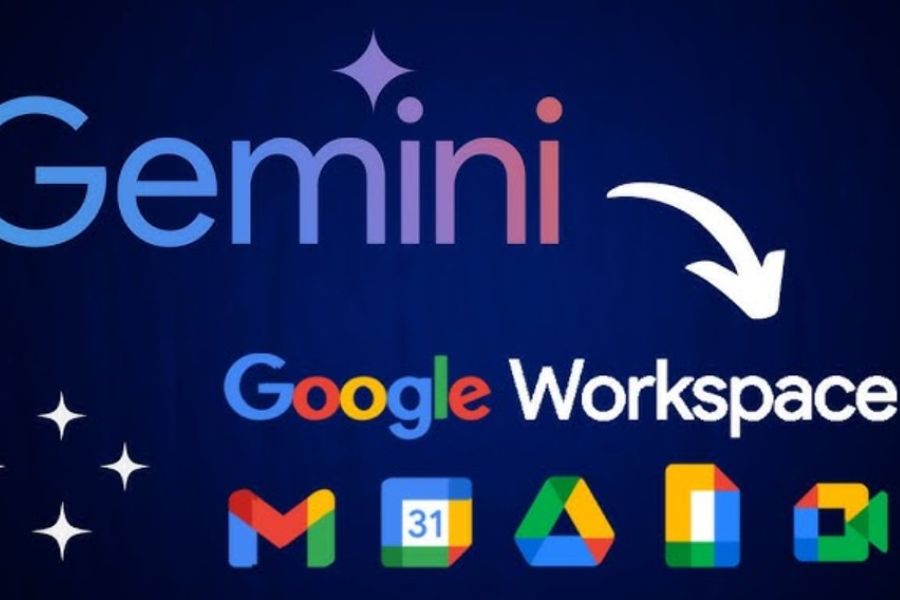
A notable advantage of Google AI Pro is its ability to integrate AI into the Google Workspace ecosystem. Instead of copying content from one application to another for AI processing, users can leverage intelligent features directly within their familiar work tools. This makes the process of creating, exchanging, and managing data more convenient. Applications supported by AI include:
-
Gmail: Supports email composition, adjusting wording, summarizing long conversations, and suggesting responses.
-
Google Docs: Create drafts, rewrite paragraphs, check wording, and summarize documents as needed.
-
Google Sheets: Supports data analysis, formula suggestions, information sorting, and spreadsheet processing.
-
Google Slides: Helps build presentation content, suggests layouts, and creates slides from initial ideas.
-
Google Drive: Supports accessing information from stored documents and makes searching for content more convenient.
For example, when you need to send a work email but don't know where to start, you can ask Gemini to build the content based on your main points. If you're working with a complex data table, AI can also help suggest formulas and analyze the information. Thanks to this, Google AI Pro helps reduce manual tasks, freeing up your time to focus on more important work.
2.3. Creating AI videos with Veo 3.1
Veo 3.1 is Google's AI-powered video creation model, offering the ability to transform text or image descriptions into dynamic, moving videos. When using Google AI Pro, users can access video creation features through tools like Flow, depending on their access limits and permissions. Some notable capabilities of Veo 3.1 include:
-
Text-to-video: Convert text descriptions into videos tailored to the required context, characters, and style.
-
Image-to-video: Uses existing images as input to create motion for the frame.
-
Create video scenes: Build scenes based on your ideas, supporting visual storytelling.
-
Adjust content: Combine commands to control motion, space, and visual style.
This feature is especially useful for those working on TikTok, YouTube Shorts, advertising, or media content. Instead of preparing entire scenes from scratch, you can experiment with ideas using AI, create illustrative scenes, and develop them into complete videos. However, the output quality and the number of video creations will depend on the subscription package limits and the tools used.
2.4. Advanced NotebookLM
NotebookLM is Google's AI-powered research and learning tool that allows users to work with resources they provide. Instead of searching for information piecemeal, you can upload documents, ask questions, and have the AI synthesize content based on your chosen sources. This is a useful solution for those who frequently need to read reports, research documents, or process large amounts of information.
When using the enhanced NotebookLM benefits in Google AI Pro, users can enjoy higher limits compared to the free version in several features. For example, you can create more notebooks, add more sources, ask more questions, and explore output formats that support learning and research. These features are particularly suitable for students, lecturers, researchers, and office workers who need to synthesize knowledge from multiple sources.

2.5. Programming Support Tools
Beyond office work and content creation, Google AI Pro also offers programming tools for users who need to develop software. These AI solutions can help programmers write code, check for bugs, analyze projects, and improve application development workflows. Thanks to its ability to understand context and process requests using natural language, users can save time on repetitive tasks. Some notable tools include:
-
Jules: An AI programming assistant capable of supporting software development tasks, suggesting source code changes, and fixing bugs as needed.
-
Gemini Code Assist: Helps with coding, explains code snippets, suggests improvements to the program, and detects problems during the programming process.
-
Gemini CLI: Bringing Gemini's capabilities to the command-line interface, enabling developers to interact with AI directly in their work environment.
-
Google Cloud Credits: Certain Google Cloud credit benefits may be offered depending on the program and region.
These tools are suitable for both beginner and experienced programmers. Beginners can use AI to explain syntax, guide them on how to write a piece of code, or identify the root cause of errors. Meanwhile, professionals can leverage AI to handle support tasks, review source code, and accelerate project development.
3. Pricing and comparison of Google AI packages
Google offers several AI subscription options with varying benefits and usage limits. Google AI Plus is suitable for those with basic needs, Google AI Pro is aimed at those who frequently use AI, and Google AI Ultra is for advanced users with high usage demands. To help you choose, you can refer to the comparison table below based on information from the available packages. Prices are for reference only and may vary by country, time, and promotional offers.
4. Upgrade to Google AI Pro at Sadesign to optimize your AI experience.
If you want to leverage Google's advanced AI features but aren't sure which subscription option is right for you, you can consider Sadesign's upgrade service. They offer users access to affordable licensed technology and software packages, convenient support processes, and dedicated consultants. Choosing the right support provider saves you time and makes it easier to get answers to your questions during use. Contact Sadesign for advice on Google AI Pro, updated pricing, and to choose the upgrade option that best suits your needs.

5. Conclusion
Google AI Pro is a noteworthy subscription package for those who want to harness the power of artificial intelligence in their work, studies, and content creation. With enhanced Gemini, NotebookLM, Veo 3.1, AI features integrated into Google Workspace, and 5TB of cloud storage, the service offers numerous benefits within a single ecosystem. If you frequently use AI and need more powerful tools than the free version, this is a worthwhile option. Consider your actual needs and the included benefits to choose the most suitable subscription package!





















VIP Products








Best Selling Products
Upgrade Duolingo Super
29 USD
Copyright Adobe Lightroom Account
59 USD
Genuine Adobe Illustrator account
99 USD
Adobe Photoshop Copyright - Full App
120 USD
Freepik Premium Account
59 USD
Autodesk All App Account Copyright
120 USD
Plugin Retouch4me
69 USD
MidJourney Account
29 USD
Capcut Pro 1 Year
39 USD
Genuine Cheap Canva Pro
39 USD
Adobe Premiere Pro Account
99 USD
Windows 10 & 11 Pro Key
36 USD
Upgrade Genuine Office 365
49 USD
Upgrade genuine Capture One account
120 USD
ChatGPT Plus Account (GPT-4)
16 USD