Best Selling Products

Genuine Cheap Canva Pro
39 USD

Copyright Adobe Lightroom Account
59 USD

Freepik Premium Account
59 USD

Upgrade Genuine Office 365
49 USD

Adobe Premiere Pro Account
99 USD

MidJourney Account
29 USD

Adobe Photoshop Copyright - Full App
120 USD

ChatGPT Plus Account (GPT-4)
16 USD

Upgrade Duolingo Super
29 USD

Plugin Retouch4me
69 USD

Capcut Pro 1 Year
39 USD

Genuine Adobe Illustrator account
99 USD

Upgrade genuine Capture One account
120 USD

Autodesk All App Account Copyright
120 USD

Windows 10 & 11 Pro Key
36 USD
Achieve More Professional Design with 7 Powerful Features in InDesign
Nội dung
- 1. Learn about Adobe InDesign
- 2. Outstanding Uses of InDesign
- 2.1. Smart image file management
- 2.2. Editing multi-formatted text
- 2.3. Powerful editing capabilities
- 2.4. Creative freedom with diverse effects
- 2.5. User-friendly interface, easy to get used to.
- 3. Notable Features of Adobe InDesign
- 3.1. Drawing paths and creating beautiful layers
- 3.2. Preserve text formatting from Word
- 3.3. Diverse character systems
- 3.4. Preflight tool for pre-printing checks
- 3.5. Convenient Package Features
- 3.6. Strong integration with Illustrator and Photoshop
- 3.7. Flexible keyboard shortcuts
Want your design to look polished and ready for publication? Discover these 5 features to enhance the professionalism of every printed page.
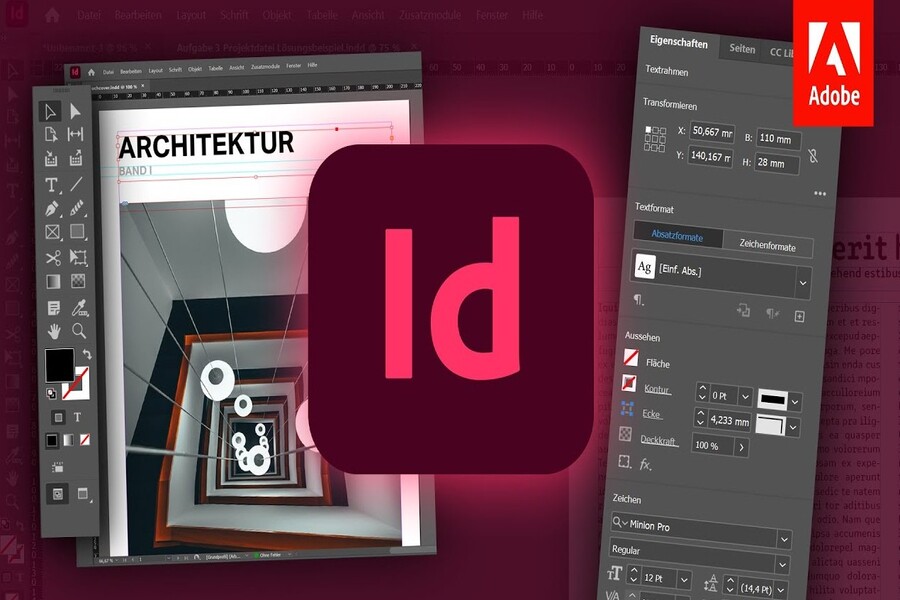
Adobe InDesign consistently ranks among the must-know software for any designer. Unlike the flashy Photoshop, the motion simulation capabilities of After Effects, or the video editing expertise of Premiere, InDesign conquers the creative world in its own unique way: powerful, precise, and ideal for designing multi-page publications.
In the publishing, printing, media, and marketing industries, most products such as brochures, catalogs, magazines, print books, ebooks, company profiles, lookbooks, and long-form publications are developed using InDesign. The way this software organizes pages, manages text and images, and creates layouts not only optimizes time but also ensures high accuracy in the production process. Especially in an era where design spans many different formats from paper to digital, mastering InDesign becomes a crucial advantage for any designer seeking a sustainable career.
Many newcomers to the profession mistakenly believe that Illustrator or Photoshop can also handle page layout. This isn't entirely wrong, but to truly meet the demands of a professional publication with dozens or hundreds of pages, a consistent layout, formatting management, styling, print error control, and optimized file export capabilities, only InDesign is powerful enough. As a result, this software has become an indispensable tool, even the "backbone," of modern print design.
1. Learn about Adobe InDesign
Adobe InDesign is professional page layout software belonging to the Adobe Creative Cloud suite, developed to support the design of multi-page publications requiring refined and consistent layouts. It is a widely used tool in printing houses, newspaper offices, media companies, advertising agencies, branding businesses, and publishers of books, newspapers, and magazines.
Unlike Photoshop, which focuses on image processing, or Illustrator, which is geared towards vector design, InDesign was created to solve layout problems. It allows you to systematically organize images, text, grids, styles, and layouts, making the workflow faster while ensuring near-perfect accuracy.
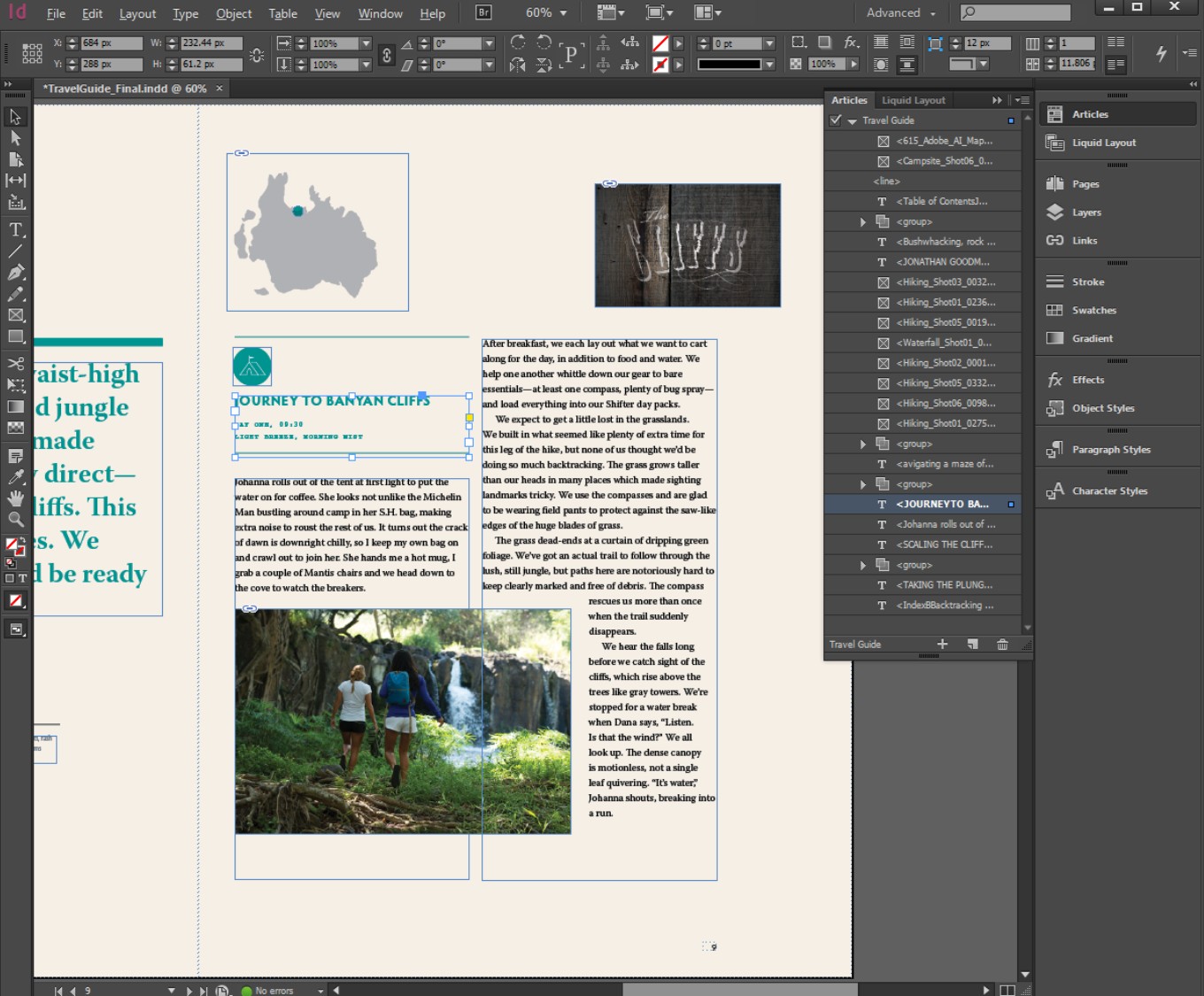
The biggest difference with InDesign lies in its extremely optimized ability to manage text and image content. Designers can easily update edited images from Photoshop or Illustrator without having to re-import them. Similarly with text, simply updating the source file will automatically trigger InDesign's recognition of the changes, saving a significant amount of time in the production process.
The millimeter-level precision, high-quality file output capabilities, and strong integration with other Adobe software make InDesign the "standard output" for all print and publishing projects. This is why any professional designer must know InDesign, at least at a basic level of proficiency, to handle projects requiring a high degree of accuracy and systematic organization.
2. Outstanding Uses of InDesign
2.1. Smart image file management
One of the strengths that makes InDesign the "king" of page layout is its intelligent image management capabilities. Instead of directly embedding images into the file and slowing down the system, InDesign works based on a linking mechanism. This keeps design files lightweight, easy to share, and extremely flexible in editing.
When images are edited in Photoshop or Illustrator, InDesign will automatically update accordingly, ensuring consistency without needing to re-export from scratch. For multi-page projects, this feature is a lifesaver, saving designers hours of work.
The linking management method also helps to minimize image distortion or incorrect sizing during printing, as InDesign always displays a warning if the image does not meet the resolution requirements. For those working in the printing industry, this is an extremely important feature to ensure the highest possible output quality.
2.2. Editing multi-formatted text
No Adobe software offers text management capabilities as powerful as InDesign. This software handles text at scale, making it easy for designers to create books, magazines, catalogs, or lengthy documents without difficulty.
You can use various text styles while maintaining consistency throughout the entire publication. In particular, InDesign allows you to create Paragraph Styles, Character Styles, and Object Styles for smarter content management. Simply changing one section will automatically update the entire publication, eliminating the need to adjust each page individually as you would with Illustrator or Photoshop.
The biggest advantage is its ability to import text from Word files and preserve the original formatting. This is very useful for editors, marketers, or businesses that frequently create long documents. InDesign helps them maintain a professional layout while ensuring the content remains accurate to the original.
2.3. Powerful editing capabilities
Many people think that InDesign is only for page layout, but in reality, this software also possesses powerful text editing capabilities comparable to some specialized tools. Users can directly edit text within the software with full functionality such as alignment, line spacing, tracking, kerning, creating special formatting, or dividing into columns.
InDesign's text management capabilities are particularly well-suited for projects requiring multi-level content handling, such as books, magazines, or company profiles. Text design becomes significantly easier and more streamlined.
For publishers or editors, this feature helps them optimize their workflow and ensure high accuracy before moving on to the printing stage.
2.4. Creative freedom with diverse effects
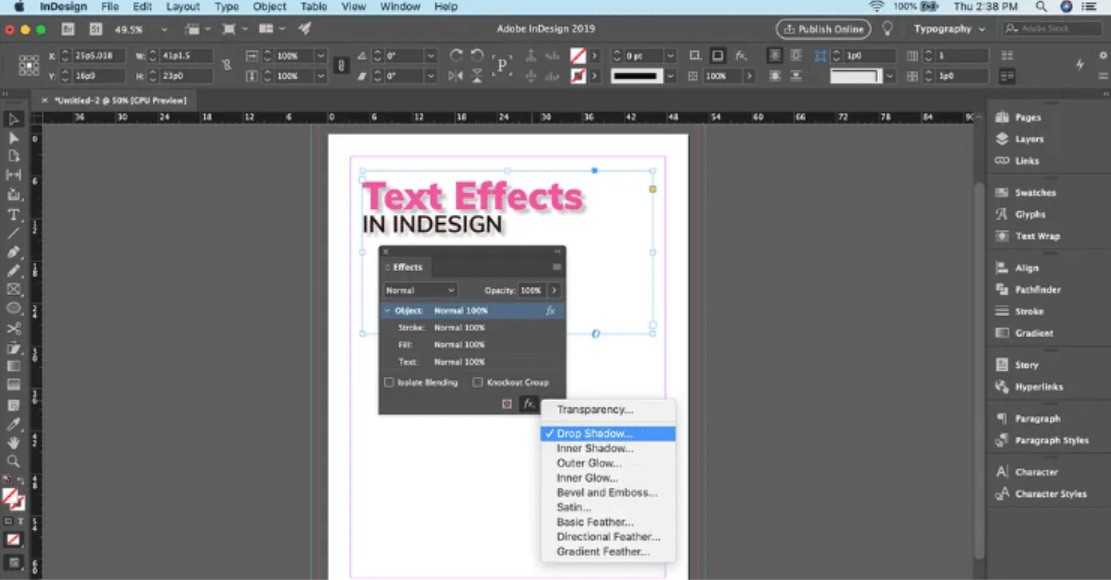
InDesign isn't a software focused on effects like Photoshop, but that doesn't mean it lacks creative tools. It boasts numerous effects such as shadows, blurring, color blending, corner rounding, and many other graphic transformations.
A major advantage lies in its ability to apply effects subtly, tailored to the specific layout requirements. Not overly complex but sufficient to create a focal point, InDesign's effects suite helps products look professional without being visually cluttered.

Another advantage is the ability to apply effects to multiple objects simultaneously through Object Styles, helping designers optimize time and ensure consistency across pages.
2.5. User-friendly interface, easy to get used to.
A major plus for InDesign is its simple, intuitive interface that's easy to use, even for beginners. The tools are clearly organized, with separate workspaces and adjustment toolbars, creating a clean and logical feel.
Compared to Illustrator or Photoshop, InDesign is much easier to learn. The drag-and-drop operations, layout, and text management are very smooth, allowing learners to quickly grasp and use it in practice.
Furthermore, InDesign's similar structure to other Adobe software makes it easy for users to switch between tools without having to relearn everything from scratch.
3. Notable Features of Adobe InDesign
3.1. Drawing paths and creating beautiful layers
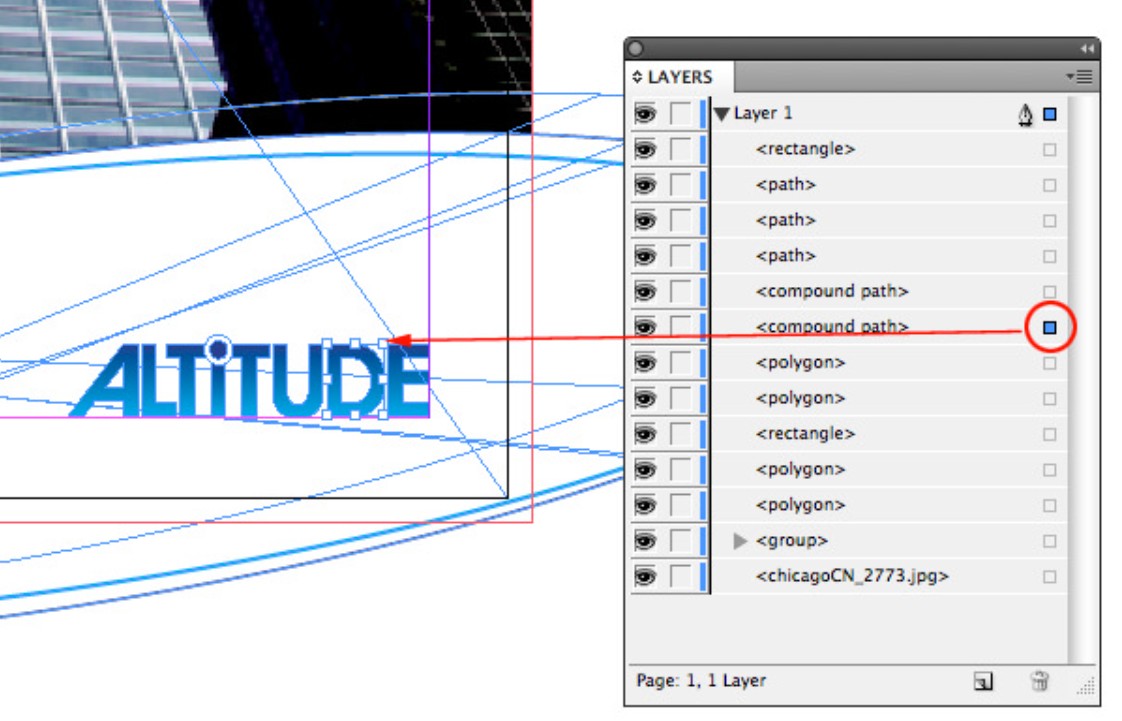
InDesign isn't professional vector software, but it still supports drawing paths to create basic shapes for layout purposes. This allows designers to quickly create frames, divide layouts, or create visual highlights without having to switch to Illustrator.
Layers in InDesign are very well organized and can be easily locked, sorted, or grouped. This is a major advantage when working with long, multi-page files, where each group of content needs to be managed separately to minimize errors.
3.2. Preserve text formatting from Word
One feature highly appreciated by editors is the ability to preserve formatting when importing Word files into InDesign. This ensures that fonts, sizes, headers, lists, or special characters are not corrupted or altered in an uncontrollable way.
InDesign not only preserves the formatting but also allows you to systematically edit the style. This helps you format the entire document consistently without having to redo each section as you would when entering text into Photoshop.
3.3. Diverse character systems
InDesign provides excellent support for special characters such as footnotes, chapter numbers, auto-generated characters, replacement characters, and many other symbols rarely seen in conventional design. This is extremely helpful in publishing books or specialized documents.
The ability to automate character entry also saves considerable time, especially on large projects such as newspapers or in-depth books.
3.4. Preflight tool for pre-printing checks
Preflight is a lifesaver for any designer before sending files to the printer. It checks for all possible errors such as missing fonts, low-resolution images, color errors, or missing image links.
Thanks to Preflight, the risk of serious printing errors is minimized. For important projects such as printing books, catalogs, or brochures in large quantities, this feature is almost "mandatory" to ensure output quality.
3.5. Convenient Package Features
The Package feature helps group all images, fonts, and InDesign files into a single folder for sending to clients or printers. This avoids missing images, fonts, or broken links when opening files on different computers.

This feature is extremely useful for projects with multiple versions or those that need to be sent out for editing. It helps increase professionalism, reduce communication time, and minimize errors during production.
3.6. Strong integration with Illustrator and Photoshop
The power of InDesign is further enhanced when combined with Photoshop and Illustrator. You can edit images in Photoshop, create icons or illustrations in Illustrator, and then transfer them to InDesign for layout.
Whenever the original file is edited, InDesign automatically updates accordingly. This creates a smooth, flexible workflow and saves time. This is Adobe's "unrivaled advantage" in creating a strong, interconnected ecosystem between its software programs.
3.7. Flexible keyboard shortcuts
Keyboard shortcuts are a crucial element in increasing professional workflow speed, and InDesign is highly regarded for this capability. Users can customize shortcuts to suit their habits, combining them with quick tool switching to significantly reduce work time.
Professional designers can hardly work efficiently without mastering InDesign's keyboard shortcuts. This customization capability makes the software flexible and suitable for users of all levels.
If you're considering learning a new skill to upgrade yourself, InDesign is definitely a worthwhile investment. It not only helps you work more professionally but also expands your layout thinking.Buy a Cheap 12-Month Adobe InDesign License Key





















VIP Products








Best Selling Products
Genuine Cheap Canva Pro
39 USD
Copyright Adobe Lightroom Account
59 USD
Freepik Premium Account
59 USD
Upgrade Genuine Office 365
49 USD
Adobe Premiere Pro Account
99 USD
MidJourney Account
29 USD
Adobe Photoshop Copyright - Full App
120 USD
ChatGPT Plus Account (GPT-4)
16 USD
Upgrade Duolingo Super
29 USD
Plugin Retouch4me
69 USD
Capcut Pro 1 Year
39 USD
Genuine Adobe Illustrator account
99 USD
Upgrade genuine Capture One account
120 USD
Autodesk All App Account Copyright
120 USD
Windows 10 & 11 Pro Key
36 USD