Best Selling Products

Upgrade genuine Capture One account
120 USD

Windows 10 & 11 Pro Key
36 USD

Autodesk All App Account Copyright
120 USD

Upgrade Genuine Office 365
49 USD

Genuine Adobe Illustrator account
99 USD

ChatGPT Plus Account (GPT-4)
16 USD

Copyright Adobe Lightroom Account
59 USD

Genuine Cheap Canva Pro
39 USD

Freepik Premium Account
59 USD

Plugin Retouch4me
69 USD

Capcut Pro 1 Year
39 USD

Upgrade Duolingo Super
29 USD

Adobe Photoshop Copyright - Full App
120 USD

Adobe Premiere Pro Account
99 USD

MidJourney Account
29 USD
Adobe Express vs. Canva Comparison: Which Design Tool Is Right for You?
Nội dung
- 1. Ease of use and user interface
- 2. Patterns and design elements
- 2.1 Adobe Express
- 2.2 Canva
- 3. Pricing and subscription options
- 3.1 Adobe Express
- 3.2 Canva
- 4. Flexibility in design and creative control.
- 5. Collaboration and Teamwork Features
- 6. Comparing the features of AI
- 6.1 AI Features in Adobe Express
- 6.2 AI Features in Canva
- 7. Additional features and integrations
- 8. Who should use Adobe Express?
- 9. Who should use Canva?
- 10. Conclusion
You don''''t need to be a designer to create impressive designs with Canva or Adobe Express. So which platform saves time and delivers better results? Let''''s find out through a practical comparison.
1. Ease of use and user interface
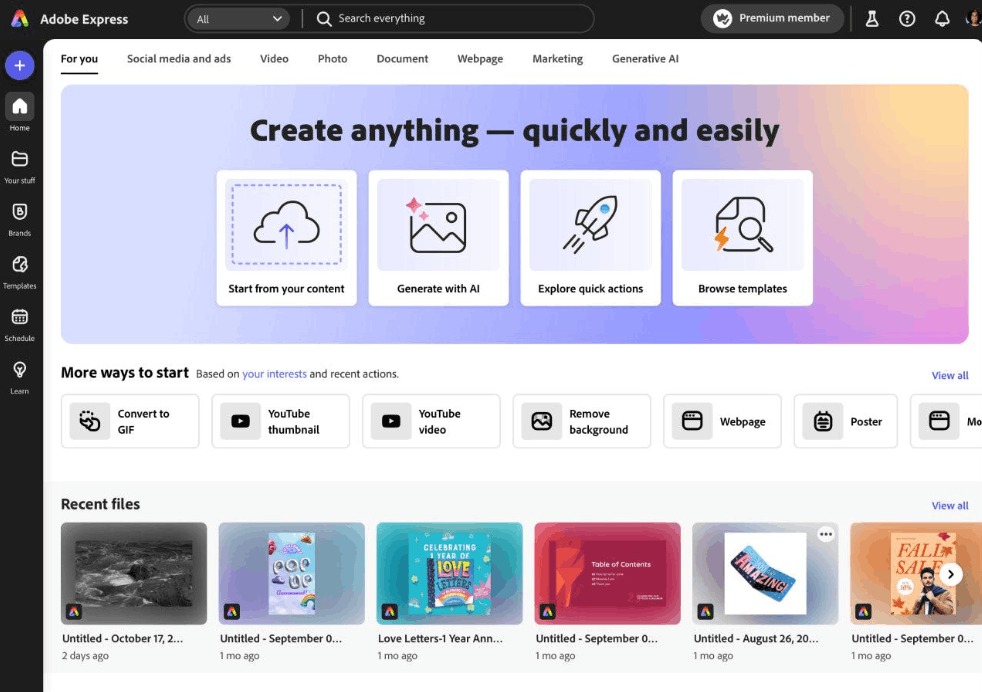
Adobe Express boasts a clean and intuitive interface, built on the familiar design standards of the entire Adobe ecosystem. This platform provides a clear, step-by-step project workflow and offers numerous design templates for various needs, from social media posts to simple websites. A major advantage of Adobe Express is its beginner-friendliness; however, those familiar with the full Adobe suite of tools like Photoshop or Illustrator may find its features somewhat limited compared to expectations. Additionally, new users may find it a bit confusing initially if they are unfamiliar with Adobe's layered content organization.
Meanwhile, Canva has built a solid reputation for its superior user-friendliness. Its drag-and-drop layout and simple design elements make it one of the most accessible tools for those without a deep design background. A minor drawback is that while its abundance of features and design elements is an advantage, it can sometimes make the interface cluttered, and its advanced customization capabilities may not quite match those of Adobe's tools.
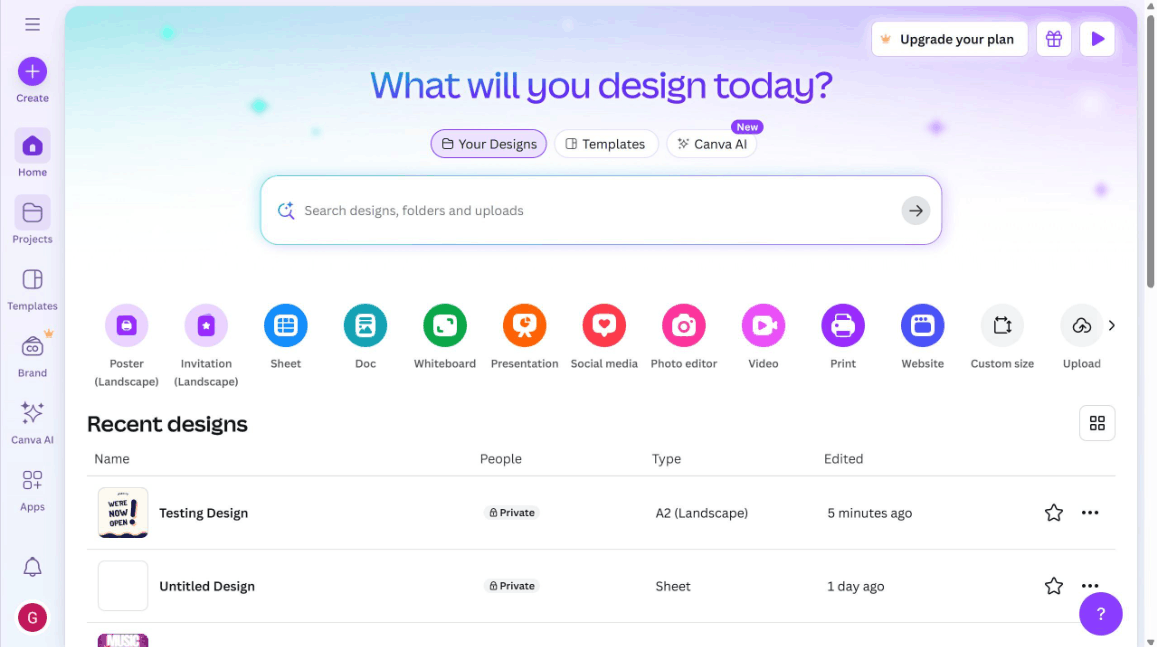
Overall, if you value familiarity with the Adobe ecosystem and intend to integrate your projects with other Adobe products, Adobe Express is a great stepping stone. Conversely, if you need a design tool that you can jump into immediately with minimal learning curve, Canva will be a simpler choice.
2. Patterns and design elements
2.1 Adobe Express
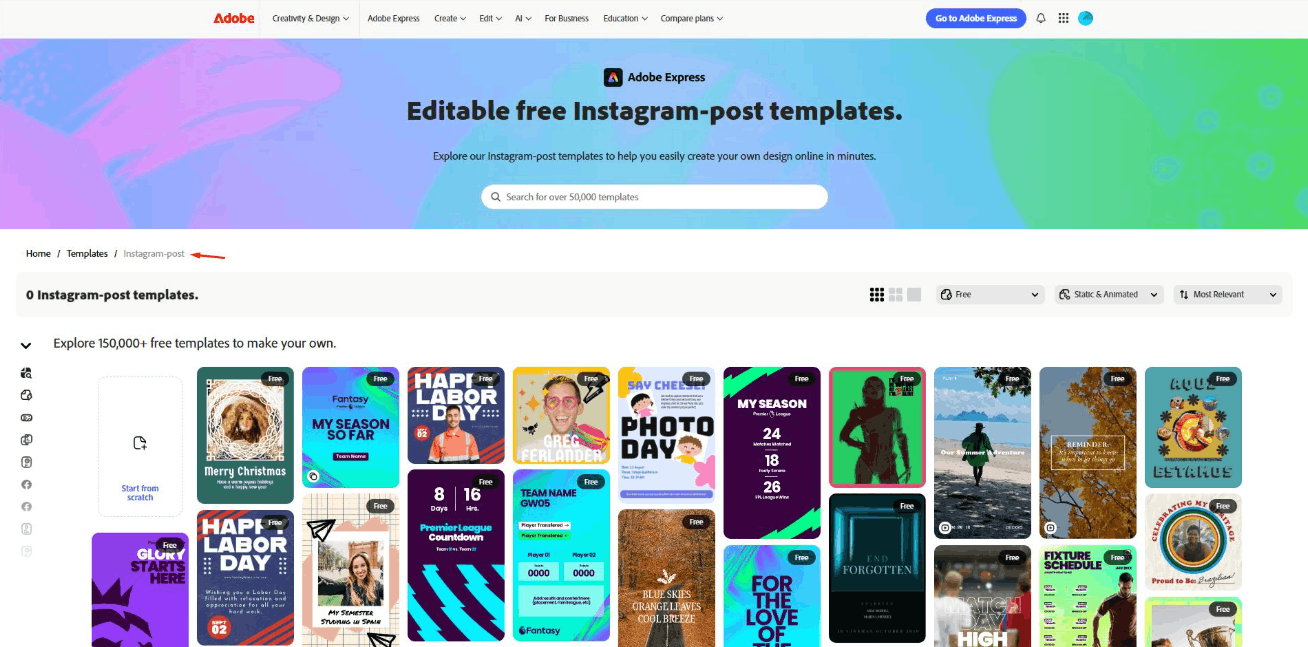
Adobe Express offers a high-quality and ever-expanding library of design templates. Backed by Adobe, the majority of the templates on this platform are professional and sophisticated. Furthermore, integration with Adobe Fonts gives users access to a vast font library, facilitating the creation of a consistent brand identity. While Adobe Express's template library is quite large, it still can't quite match Canva, and some premium design elements are only available when users upgrade to a paid plan.
2.2 Canva
Canva is renowned for its vast library of templates, catering to almost any need, from social media and presentations to infographics and invitations. The free version of Canva offers ample creative space, allowing users to design freely without immediately upgrading to a premium plan. However, the most sophisticated and impressive designs are often found in the Pro package, and due to their popularity, free templates are sometimes widely reused, meaning your design risks looking too similar to others if not carefully customized.
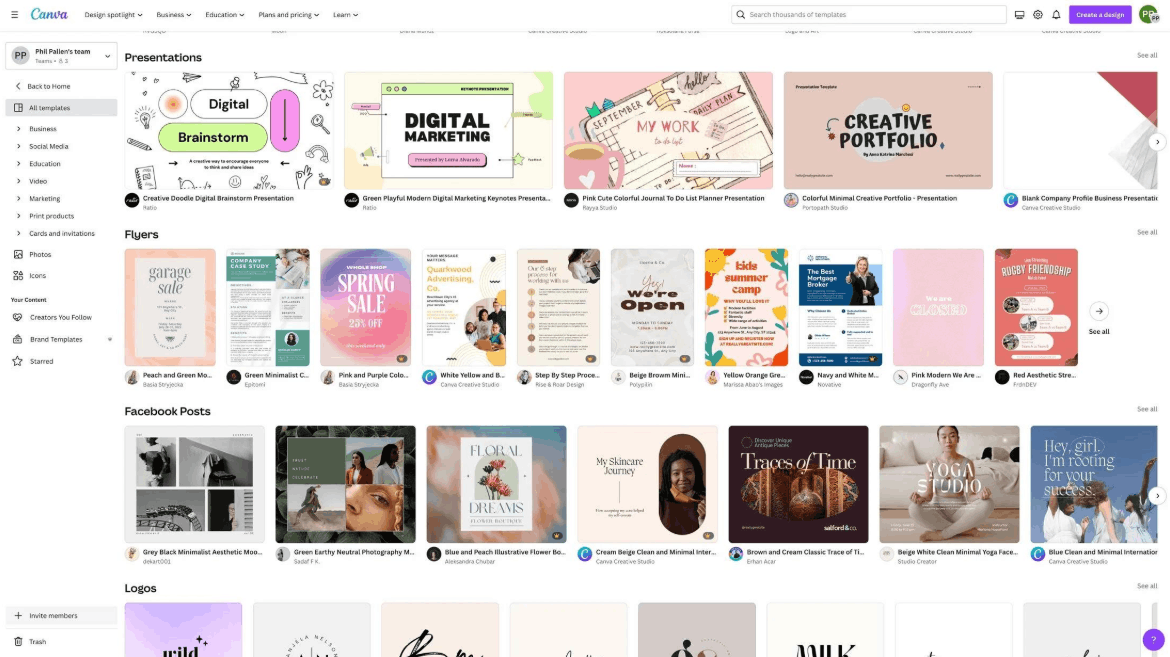
Overall, Canva boasts a significantly larger number of design templates, making it suitable for projects requiring rapid deployment. Adobe Express, on the other hand, leans towards more professional designs, particularly useful for branding or marketing materials that need integration with the Adobe suite. Both platforms have large enough template libraries to meet the needs of most content creators and small businesses; however, many long-time users consider Adobe's templates to be more premium and distinctive.
3. Pricing and subscription options
3.1 Adobe Express
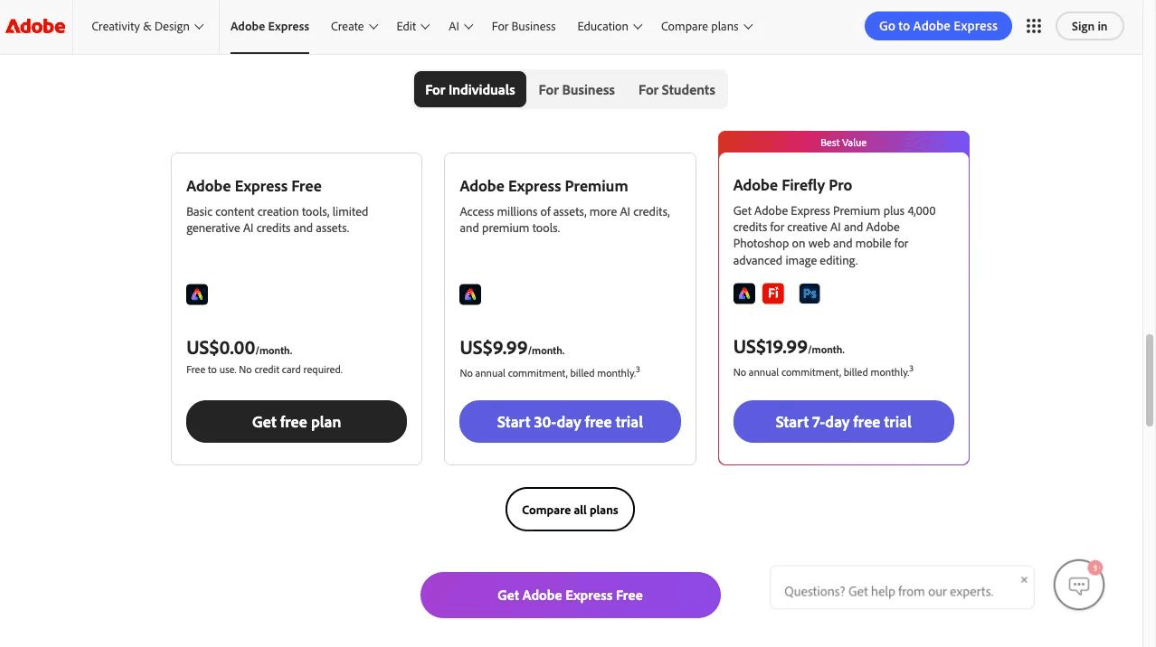
Adobe Express offers a free plan with a few basic design templates and elements, and if you link your account to Adobe Creative Cloud, you'll unlock more features. Premium plans offer more design templates, fonts, design elements, and storage, and are often bundled with an Adobe Creative Cloud subscription depending on the user's choice. For those who already have a Creative Cloud plan, it's a good idea to check if the Adobe Express premium plan is included, as in many cases, this feature is included without the user knowing.
3.2 Canva
Canva offers a generous free plan, suitable for both personal and semi-professional use, with thousands of design templates, images, and graphics included. The Pro plan unlocks premium design templates, unlimited storage, brand identity packages, and advanced features such as one-click background removal or automatic design resizing. Additionally, Canva offers business and team plans, providing collaboration tools and tighter brand control.
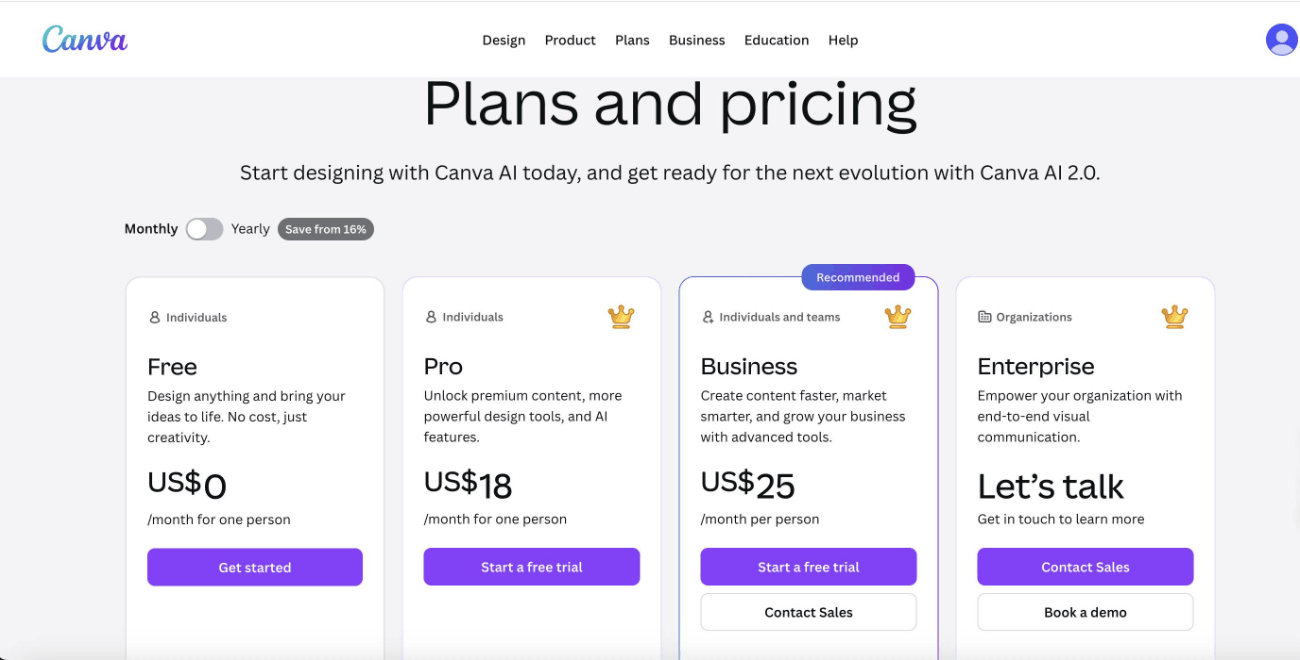
Overall, both platforms offer attractive free plans suitable for beginners. If you already subscribe to Adobe Creative Cloud, adding Adobe Express can provide significant benefits and cost savings. Conversely, if you don't need other Adobe products, Canva Pro is a simple upgrade option with many powerful features. Notably, Adobe Express frequently offers team promotions, especially with introductory pricing, making it more accessible and accessible for small businesses.
4. Flexibility in design and creative control.
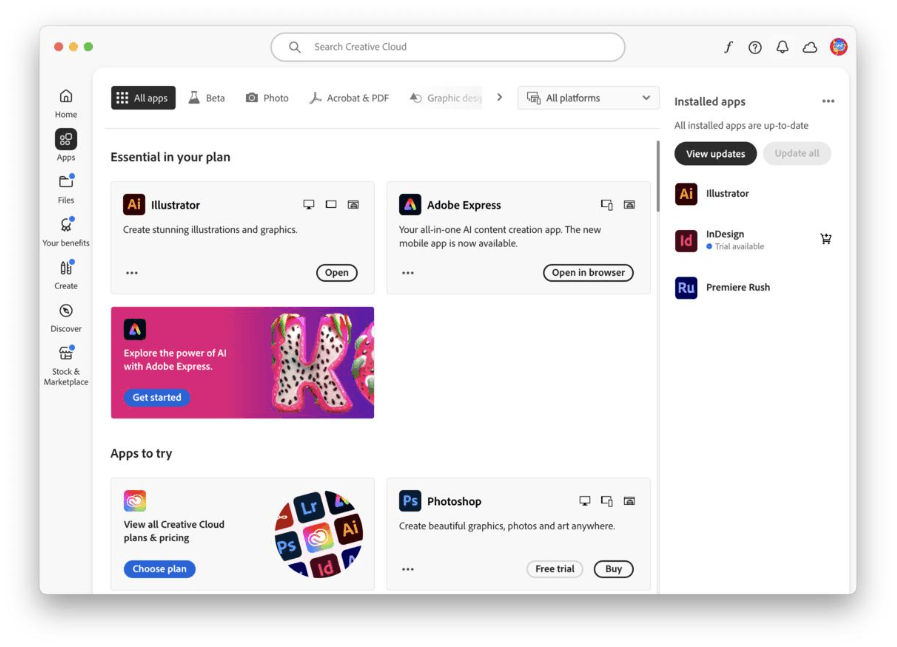
Adobe Express allows for seamless integration with Photoshop, Illustrator, and other applications in the Creative Cloud suite. This means you can start a project in Adobe Express and then refine the details in Photoshop if needed. Despite its considerable power, Adobe Express still lacks the extensive library of ready-made design elements found in Canva, making some design processes require more manual work.
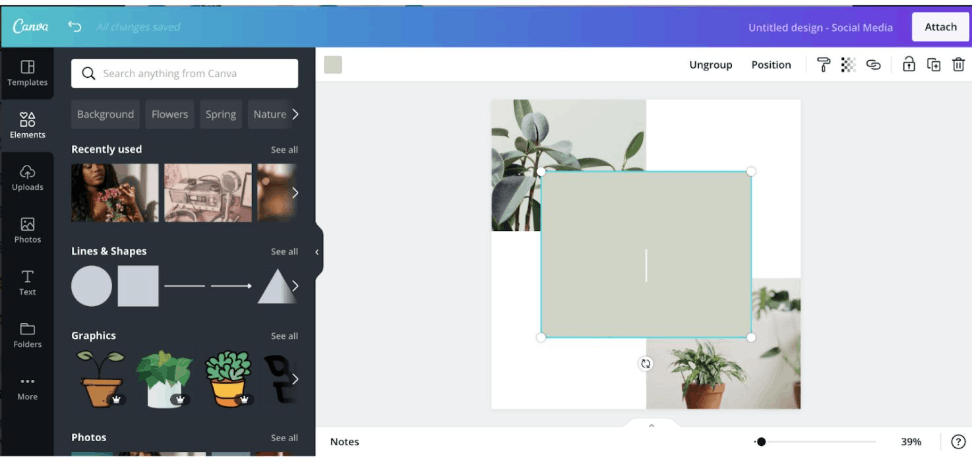
Canva scores points again thanks to its drag-and-drop interface and rich library of images, illustrations, shapes, and other elements, allowing users to build almost any type of design in minutes. The limitation is that Canva's advanced customization capabilities still lag behind Adobe's toolset, especially when it comes to advanced image editing or complex vector design.
If your goal is a powerful multi-software editing workflow, especially if you already own a Creative Cloud package, Adobe Express is the optimal choice. Conversely, if you want a complete solution without using additional external software, Canva is the leading name in this field. For creative teams working with members of varying design expertise, the ability to easily share ideas and import Photoshop or PDF files directly into Adobe Express, without converting through multiple software programs, is a huge advantage, especially for projects requiring the use of Adobe's core tools.
5. Collaboration and Teamwork Features
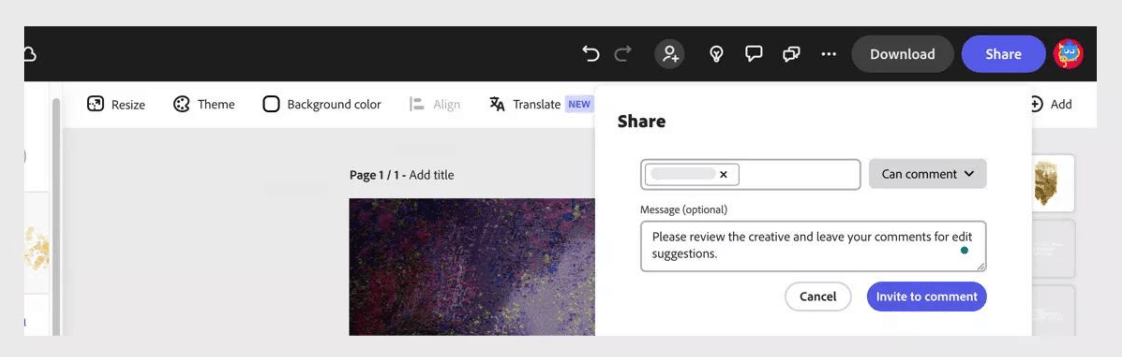
In terms of collaboration, Adobe Express allows users to share files through the Creative Cloud library; however, real-time collaboration features are still under development. Adobe Express's team workflow relies heavily on Creative Cloud infrastructure, so if your team is already familiar with Adobe products, Adobe Express will be a seamless extension of that ecosystem.
Conversely, real-time collaboration is Canva's outstanding strength. Multiple team members can edit a design simultaneously, saving time and significantly increasing coordination efficiency. In addition, Canva Pro and Enterprise users can set up a brand identity including logo, colors, and fonts, ensuring that all team members adhere to the brand's standards when creating designs.
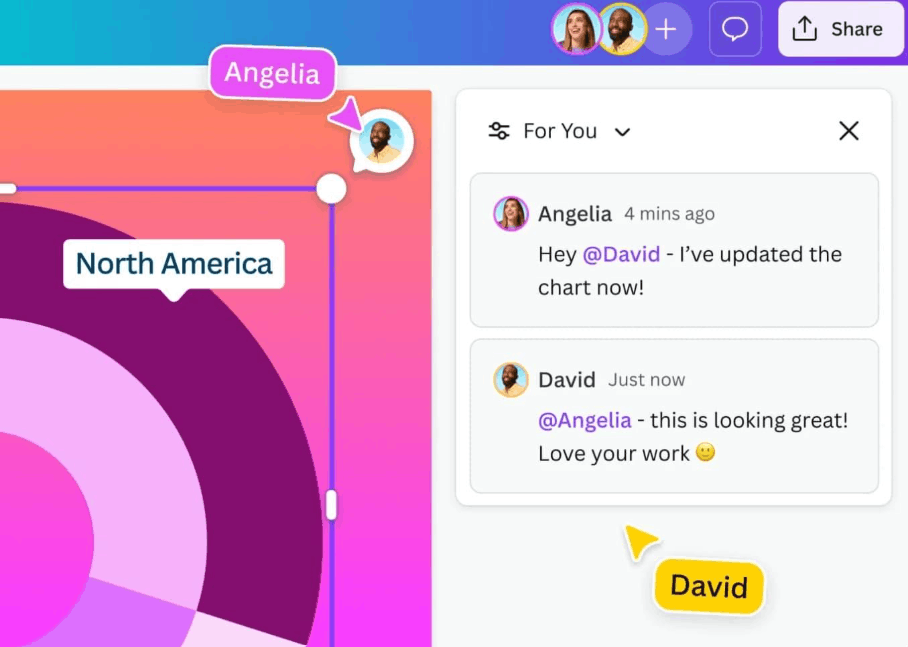
For teams seeking direct and instant collaboration tools within their design platform, Canva is clearly the stronger choice. Meanwhile, for teams operating primarily within the Adobe environment, Adobe Express remains a logical and effective extension of the entire ecosystem.
6. Comparing the features of AI
6.1 AI Features in Adobe Express
Adobe Express is integrating Firefly, an AI-powered image generator, allowing users to create images from text descriptions. Firefly is designed to produce commercially safe and legally licensed images, demonstrating Adobe's commitment to legal transparency and output quality. Some Firefly features in Adobe Express are still in the testing phase and may be further improved and expanded over time.
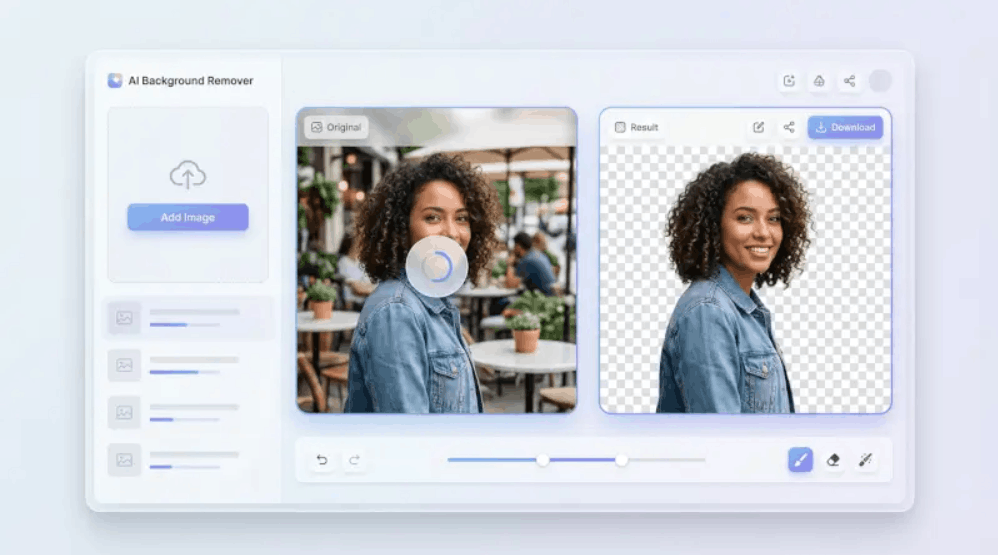
In addition to its image creation capabilities, Adobe Express also applies AI to background removal with a single tap and quickly identifies the main subject in an image. AI tools can also automatically adjust color, reduce noise, or increase brightness and contrast for both images and short videos. Furthermore, the platform provides automatic design suggestions based on existing layouts, although these suggestions tend to be based on pre-existing templates rather than deeply personalized for each user.
In terms of typography and effects, based on the user's brand identity, the platform can suggest suitable fonts, color schemes, and layouts. Firefly is also gradually integrating with text effects, such as image overlays or special typography styles, adding depth and more creative options. Especially if you use other tools in Creative Cloud like Photoshop, Illustrator, or Lightroom, you can expect deeper AI-based workflows in the future, such as the ability to connect designs from Adobe Express with advanced Firefly features in Photoshop.
6.2 AI Features in Canva
Canva boasts Magic Design, a feature that analyzes uploaded images or content and automatically generates multiple complete design suggestions with corresponding layouts and color palettes. This is a quick way to visualize many brand-appropriate ideas in a short amount of time. Additionally, Magic Edit and Magic Eraser allow users to add, remove, or replace elements in images using AI technology. Magic Eraser seamlessly removes unwanted objects, while Magic Edit transforms or replaces selected areas of the image.
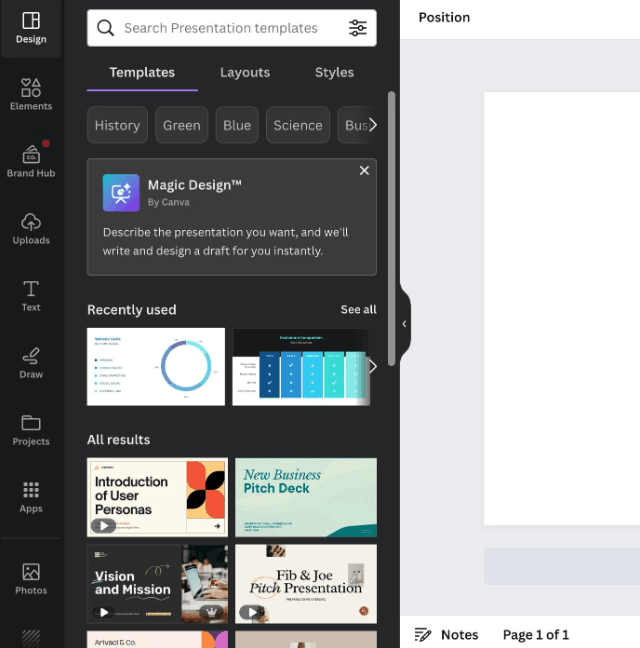
Canva has also launched a text-to-image tool, allowing users to input descriptions and receive AI-generated images directly within the design interface, making it easier than ever to insert generated images into any template. Additionally, the Magic Write feature allows users to create text content such as advertising headlines, social media captions, or article outlines directly within Canva Docs or in the text boxes of their regular designs, significantly saving time on content writing.
In terms of branding, Canva's brand identity system, combined with its intelligent suggestion system, helps recommend suitable fonts, colors, and styles for each design. Canva also has the ability to automatically suggest or adjust layouts based on user-added content, ensuring consistency throughout the entire design.
Overall, Canva currently offers a wide range of AI features to meet everyday design and content creation needs, while Adobe Express focuses heavily on the potential of AI generation through Firefly, particularly in image creation. The right choice will depend on how much you value the Adobe ecosystem, issues related to copyright and image licensing, and the scope of AI features your team actually needs. Because these AI features are constantly changing and updating, experiencing both platforms firsthand will help you accurately assess which is the best fit for your content and business operations.
7. Additional features and integrations
Both Adobe Express and Canva support basic motion and video creation. Adobe Express offers video storytelling features, while Canva provides user-friendly motion templates and transition effects. Regarding photo editing, Canva's background removal tool is very popular, while Adobe Express integrates more advanced editing capabilities, closer to the experience offered in Lightroom.
Regarding image resources, Adobe Express leverages data from Adobe Stock, although most high-quality content requires a paid subscription. Meanwhile, Canva offers a fairly comprehensive library of both free and paid images, effectively meeting the diverse needs of users in various fields.
8. Who should use Adobe Express?
Adobe Express is suitable for those already using Adobe Creative Cloud and looking for a simple web-based design tool that can be directly integrated into their existing workflow. It's also a good option for professionals who sometimes need to create quick design drafts and then refine them further using more advanced Adobe tools. Furthermore, marketers and content creators who value brand consistency, want to leverage the Adobe Fonts library, and work within the Adobe ecosystem will also find significant value in this platform.

9. Who should use Canva?
Canva is an ideal choice for beginners and those without a deep design background who want a comprehensive, intuitive drag-and-drop tool. It's also well-suited for small businesses and startups needing easy branding, frequent social media posting, and quick marketing material creation without incurring additional software costs. Furthermore, teams requiring real-time collaboration and convenient access to brand assets will appreciate Canva's capabilities.
10. Conclusion
The choice between Adobe Express and Canva largely depends on individual goals, workflows, and budget. If you're looking for a sophisticated platform that integrates tightly with the Adobe ecosystem and offers highly professional design templates, Adobe Express is an excellent choice, especially if you're already a Creative Cloud user. Conversely, if you desire a comprehensive design solution with a vast template library and real-time collaboration capabilities, Canva is virtually unrivaled.
Regardless of which tool you choose, mastering the features of that platform will help you create professional designs in the shortest time. Both platforms are constantly evolving, especially in the field of artificial intelligence, so spending time experiencing both tools in practice will help you make the most informed decision, one that best suits your specific design needs or those of your business.





















VIP Products








Best Selling Products
Upgrade genuine Capture One account
120 USD
Windows 10 & 11 Pro Key
36 USD
Autodesk All App Account Copyright
120 USD
Upgrade Genuine Office 365
49 USD
Genuine Adobe Illustrator account
99 USD
ChatGPT Plus Account (GPT-4)
16 USD
Copyright Adobe Lightroom Account
59 USD
Genuine Cheap Canva Pro
39 USD
Freepik Premium Account
59 USD
Plugin Retouch4me
69 USD
Capcut Pro 1 Year
39 USD
Upgrade Duolingo Super
29 USD
Adobe Photoshop Copyright - Full App
120 USD
Adobe Premiere Pro Account
99 USD
MidJourney Account
29 USD