Best Selling Products

Windows 10 & 11 Pro Key
36 USD

Freepik Premium Account
59 USD

Upgrade genuine Capture One account
120 USD

Upgrade Duolingo Super
29 USD

Capcut Pro 1 Year
39 USD

Adobe Premiere Pro Account
99 USD

MidJourney Account
29 USD

Copyright Adobe Lightroom Account
59 USD

Adobe Photoshop Copyright - Full App
120 USD

Upgrade Genuine Office 365
49 USD

Autodesk All App Account Copyright
120 USD

ChatGPT Plus Account (GPT-4)
16 USD

Genuine Adobe Illustrator account
99 USD

Genuine Cheap Canva Pro
39 USD

Plugin Retouch4me
69 USD
Adobe's free software is just as powerful as its paid versions.
Nội dung
You don't always need to spend money to use quality design tools. Adobe still offers many free software programs with powerful features for designers, photographers, and content creators.
1. Adobe Photoshop on iPhone
In the world of digital photo editing, Adobe Photoshop has always been considered the most powerful and popular software. However, the full version on computers is often quite complex and requires users to spend time learning to fully utilize its features. To bring the Photoshop experience closer to the average user, Adobe has developed a mobile version with many convenient photo editing features.
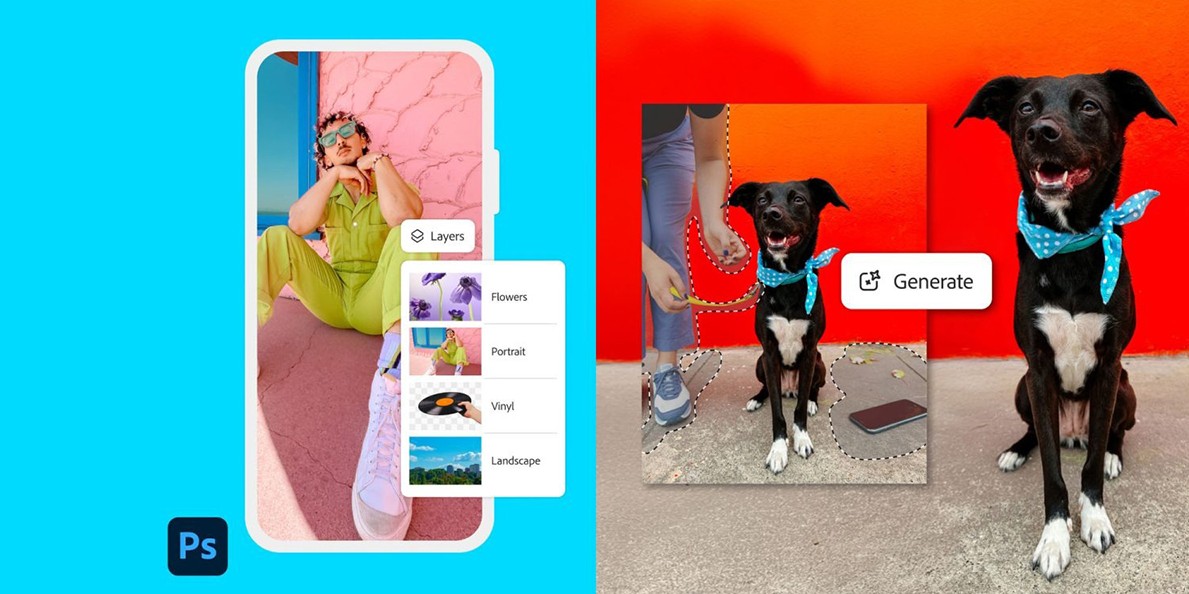
The Photoshop app on iPhone allows users to edit images directly on their phone without needing a computer. Basic tools such as cropping, rotating, adjusting brightness, contrast, and color are all integrated into a simple and easy-to-use interface. Thanks to this, even those with little photo editing experience can create beautiful images in just a few minutes.
A key advantage of the mobile version is the ability to quickly edit images in situations requiring immediate processing. For example, content creators can take photos with their phones, quickly edit them in Photoshop mobile, and upload them to social media without transferring the file to a computer. This is especially useful for those working in marketing, journalism, or digital content creation.
Furthermore, Photoshop on mobile devices supports data synchronization with Adobe accounts. This means that images edited on mobile devices can continue to be edited on a computer using the full version of Photoshop. Therefore, users can start working on their phone and complete it on their desktop without any problems.
2. Adobe Firefly
The development of artificial intelligence is creating major changes in the fields of design and content creation. One of Adobe's most prominent AI tools today is Adobe Firefly. This is an AI platform designed to help create images, text effects, and graphic elements simply by providing text descriptions.
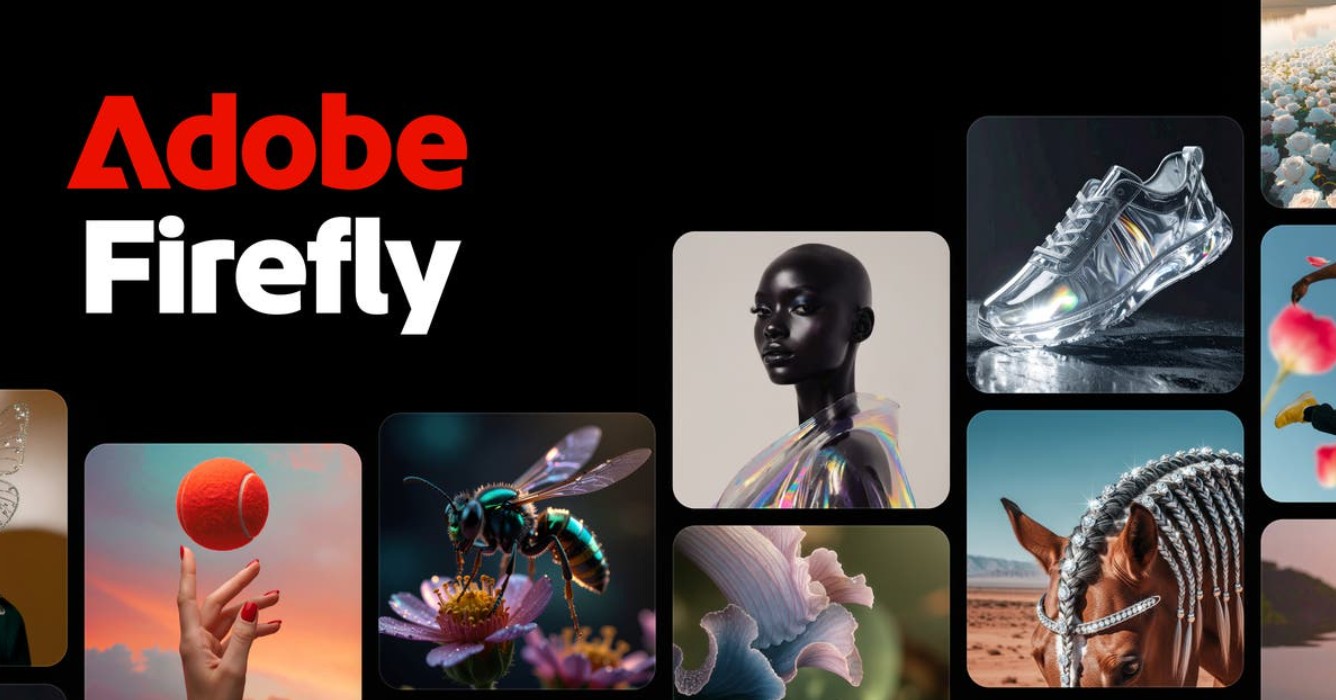
Firefly works on the principle of converting text into images. Users simply enter a short description of the desired content, for example, "cyberpunk-style poster with neon lights" or "smoke text effect," and the system will automatically generate the corresponding image. This process takes a few seconds and can create many different variations for users to choose from.
One notable aspect of Firefly is that its AI system is trained using legally licensed and protected data. This allows the generated images to be used commercially without copyright issues. This is a significant advantage over many other AI tools, especially for businesses or designers working on commercial projects.
In addition to creating new images, Firefly can also edit existing images. Users can change the image background, enlarge the frame, or create unique text effects. Thanks to its intuitive interface and simple operation, Firefly is a useful tool for both professional designers and beginners.
3. Adobe Premiere on iPhone
Video is becoming the most important content type on the internet. From YouTube and TikTok to Instagram, the demand for short video production is skyrocketing. To meet this trend, Adobe has developed a mobile version of Adobe Premiere Pro for iPhone to help users quickly edit videos right on their phones.
The Premiere mobile app allows you to cut and merge videos, add transition effects, adjust audio, and export high-quality videos with just a few simple steps. Thanks to its interface optimized for touch screens, the video editing process is more intuitive and easier to perform compared to the desktop software.
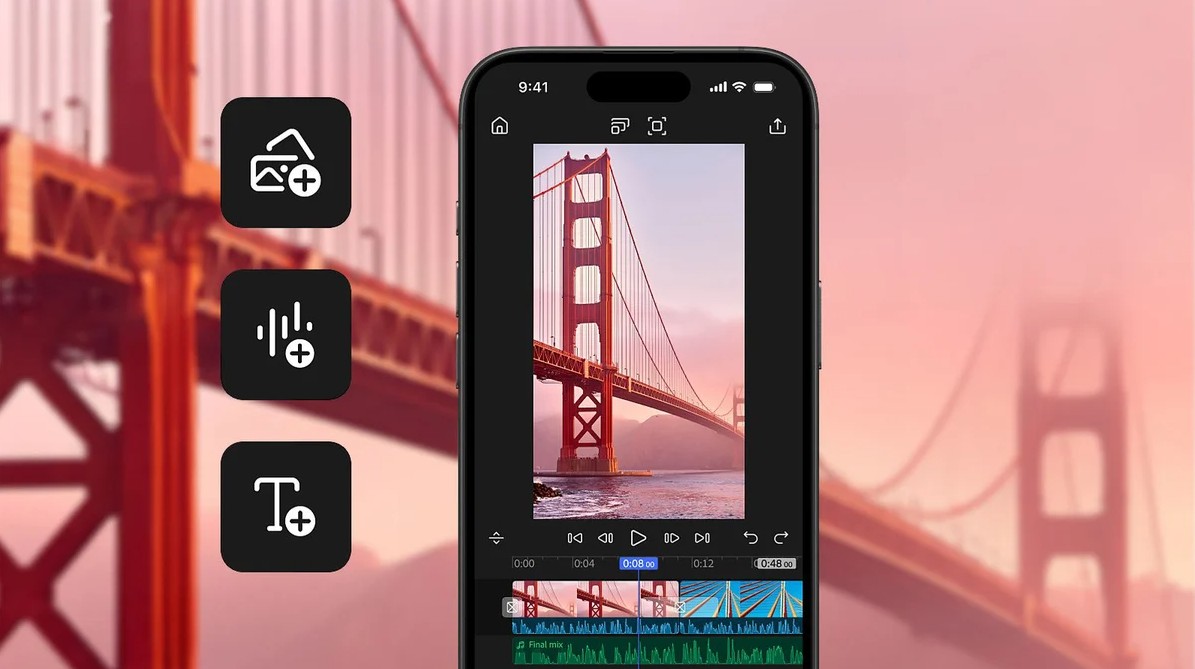
One of Premiere Mobile's strengths is its ability to handle multiple video and audio tracks. This allows users to create fairly professional-looking videos right on their mobile devices. For example, a content creator can shoot a video with their phone, add background music and transition effects, and then export the finished video in a short amount of time.
In addition, Adobe also provides the ability to synchronize data between Premiere mobile and Premiere Pro on a computer. This allows users to start editing videos on their phone and then continue refining the project on the desktop with more advanced tools.
4. Adobe Express
In the age of rapidly developing social media, the need for quick content design is increasing. To meet this need, Adobe has developed Adobe Express, an online design platform that allows users to create posters, banners, social media posts, and many other types of content in just minutes.
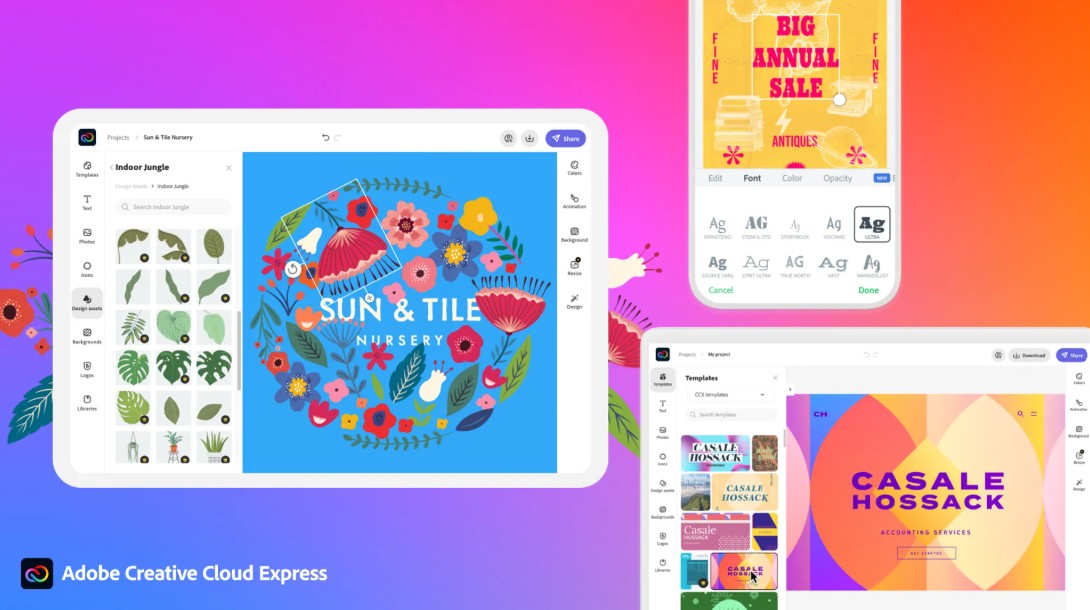
Adobe Express operates on a drag-and-drop model similar to other popular design platforms. Users can choose from hundreds of pre-designed templates and edit them by changing images, text, or colors. This allows even those without design experience to create professional-looking products.
One very useful feature of Adobe Express is the ability to resize designs for multiple platforms. For example, a design can be converted from a Facebook post to an Instagram photo or YouTube banner with just one click. This eliminates the need for users to recreate designs from scratch for each platform.
5. Adobe Lightroom Mobile
For photographers and photo editing enthusiasts, Adobe Lightroom is one of the most important tools in the Adobe ecosystem. The Adobe Lightroom Mobile version was developed to bring the professional photo editing experience from a computer to mobile devices, allowing users to process images anywhere. This is especially useful for photographers, travel bloggers, or content creators who frequently work in the field.
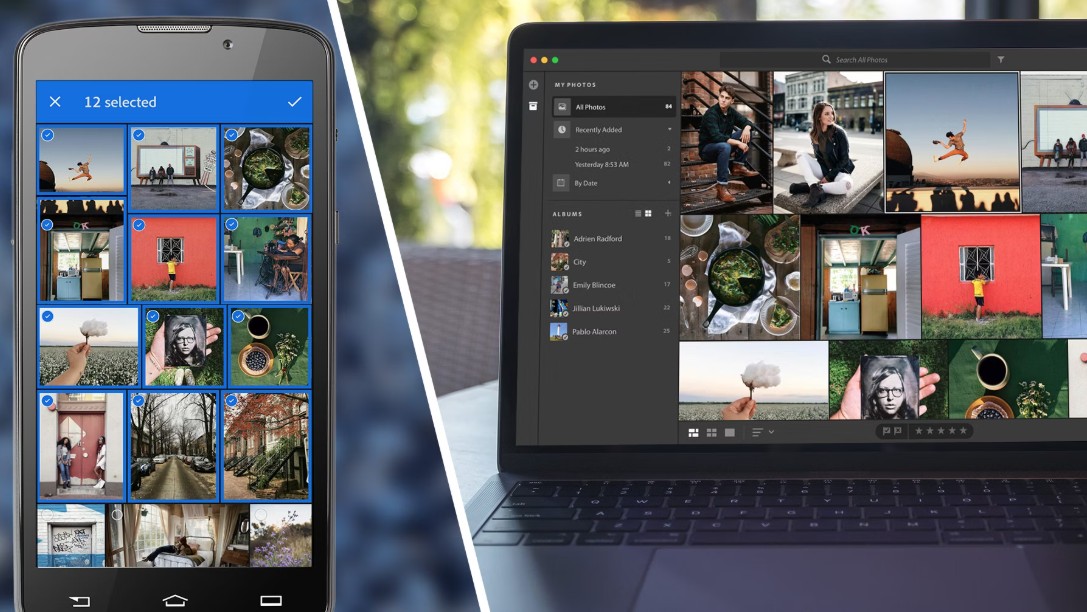
The app supports editing multiple image formats, including RAW files: a high-quality image format commonly used in professional photography. Users can adjust key parameters such as brightness, contrast, white balance, highlights, shadows, and color saturation to optimize image quality. In addition, Lightroom Mobile offers advanced color correction tools, helping to create unique and personalized photo styles.
Another standout feature of Lightroom is its preset system. Presets allow users to save editing settings and apply them to multiple photos with a simple operation. This saves a lot of time when editing large numbers of photos, such as travel photos, event photos, or product photos. In addition, Lightroom Mobile supports cloud-based data synchronization, allowing users to start editing photos on their phone and continue refining them on their computer without interrupting their workflow.
6. Adobe Acrobat Reader
In the modern workplace, PDF format is widely used for sharing documents, contracts, and administrative forms. To read and manage these files, Adobe has developed free software called Adobe Acrobat Reader. It is one of the most widely used PDF readers in the world due to its stability and ease of use.
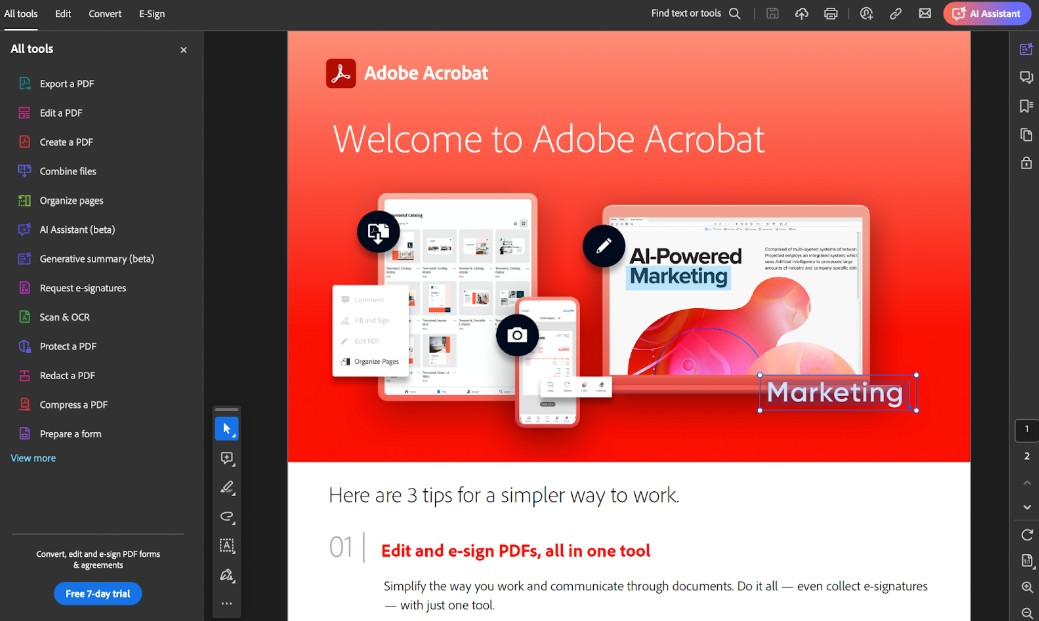
Acrobat Reader allows users to open and read PDF files on various platforms such as computers, phones, or tablets. In addition to document viewing, the software offers many useful features to support working with PDF files. Users can add electronic signatures, fill out forms, or add notes directly to documents without having to print them out.
These features are particularly useful in a digital work environment, where documents are often exchanged online. For example, a contract can be signed and sent back in just minutes thanks to electronic signatures. Acrobat Reader also supports highlighting important content or adding comments to documents, making information exchange between team members more efficient.
7. Adobe Photoshop Express
Adobe Photoshop Express is a simplified version of the popular photo editing software Adobe Photoshop, designed to meet the needs of quick photo editing on mobile devices. Instead of offering a multitude of complex tools like the desktop version, Photoshop Express focuses on simple and user-friendly features, allowing users to edit photos in just a few steps.
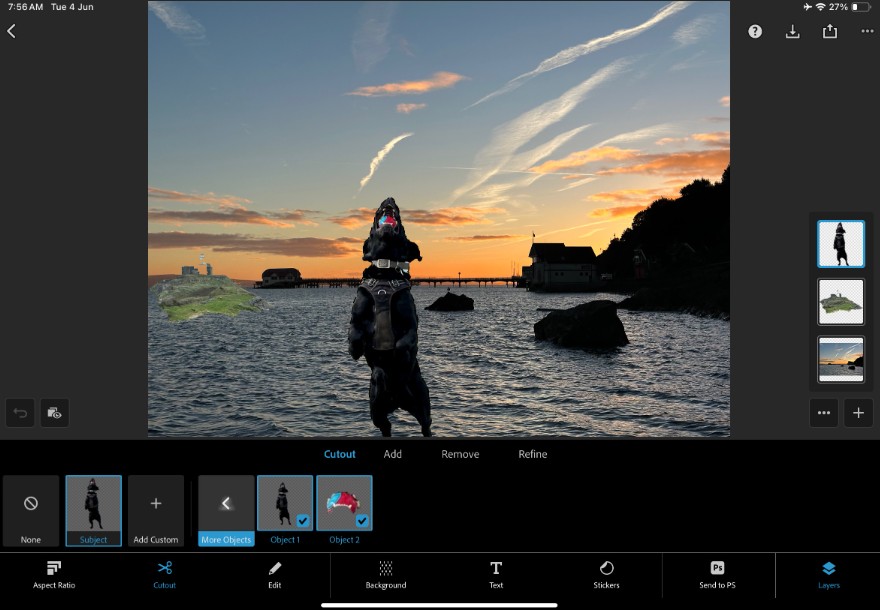
The application offers a variety of color filters and image effects to quickly improve image quality. Users can adjust brightness, contrast, saturation, and color temperature to create the desired image style. In addition, Photoshop Express supports basic retouching tools such as skin smoothing, blemish removal, or eliminating unwanted small details in images.
In addition, the application also allows you to crop images, resize them, or create simple collages for social media posts. Thanks to its intuitive interface and easy operation, Photoshop Express is very suitable for general users, content creators, or anyone who needs to quickly edit photos before sharing them on online platforms.
8. Adobe Fresco
Adobe Fresco is a digital drawing application developed by Adobe to serve the creative needs of illustrators, designers, and digital artists. The software is specifically designed for touchscreen devices such as tablets, providing a natural drawing experience similar to working with traditional paper and pen.
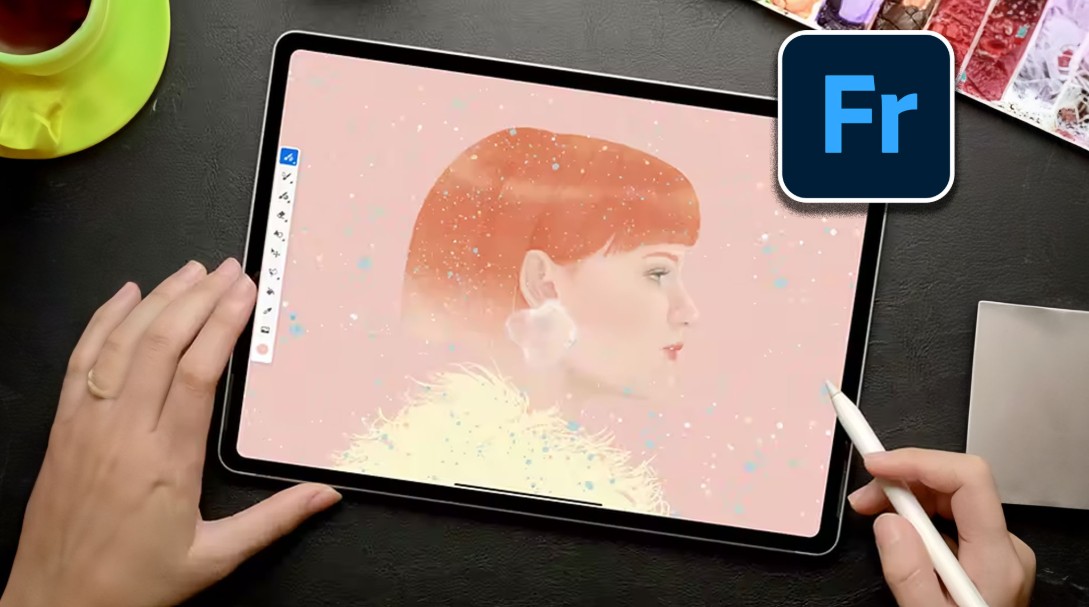
Fresco offers a wide variety of brushes, including pencils, ink pens, watercolor pens, and oil paint brushes. A highlight of the app is its ability to realistically simulate drawing materials. For example, watercolors can blend naturally across a surface as if painting on real paper, while oil paint brushes can create thick layers of color with vibrant blending effects. This makes it easy for digital artists to create works with depth and a handcrafted feel.
Furthermore, Fresco supports working with multiple layers, allowing users to build their artwork layer by layer with varying details. The application also connects with other software in the Adobe ecosystem, such as Adobe Photoshop or Adobe Illustrator. This allows users to start sketching ideas in Fresco and then refine their projects in more professional software as needed.
9. Adobe Air
Adobe Aero is a tool developed to support the creation of augmented reality (AR) content in a simple and intuitive way. With Aero, users can build AR experiences without needing programming knowledge, making AR technology more accessible to designers and content creators.
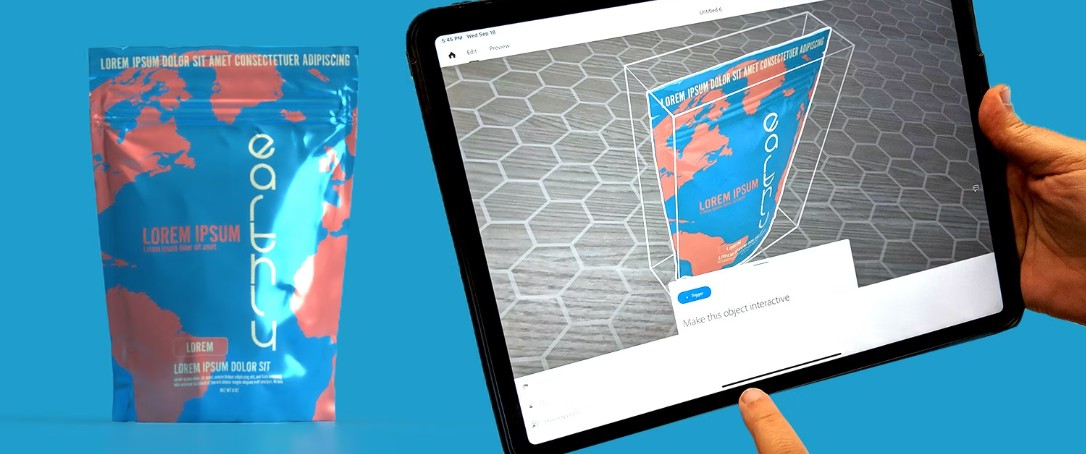
The software allows placing 3D models, images, or text into real-world space via a mobile device's camera. Users can create interactive scenes where 3D objects appear in their surroundings and respond to the viewer's actions. This opens up many new creative possibilities for visual storytelling or product presentations.
Adobe Aero is commonly used in fields such as marketing, advertising, and product demonstrations. For example, a brand can use AR to allow customers to preview a product in their own space before purchasing it. Additionally, this tool is also used in education, exhibitions, or art projects to create unique interactive experiences.
10. Adobe Substance 3D
In the field of 3D design, Adobe Substance 3D is considered one of the most powerful toolsets for creating textures and materials for 3D models. This software suite is a crucial part of Adobe's creative ecosystem and is widely used in industries such as game development, film production, and product design.
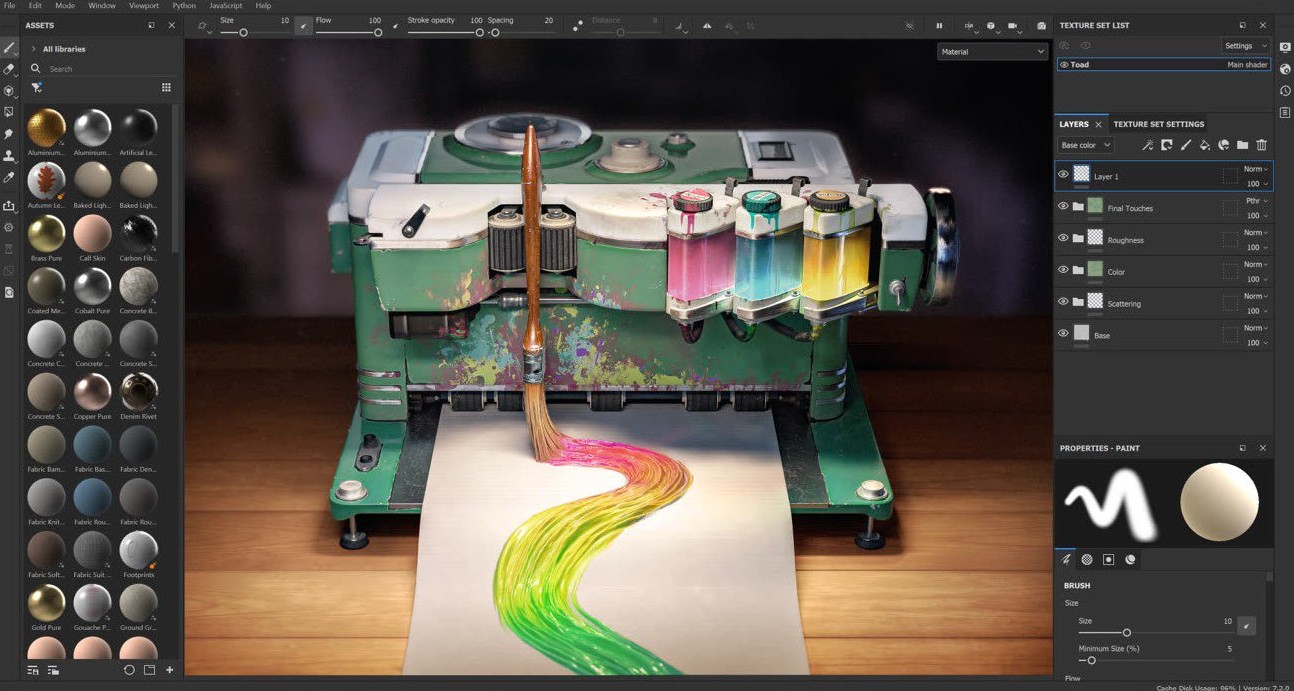
Substance 3D allows designers to create highly detailed material surfaces, from metal and wood to fabric or stone. Thanks to its rich material system and real-time display capabilities, users can instantly see the results when changing texture or lighting parameters. This makes the design process much faster and more intuitive than traditional methods.
Furthermore, this toolset supports a professional workflow for large-scale 3D projects. Textures and materials created in Substance 3D can be easily integrated into various graphics software and game engines. This allows designers to build 3D models with realistic surfaces, contributing to improved image quality in games, animations, or virtual reality experiences.
Leveraging Adobe's powerful yet free tools can help designers and content creators improve their productivity, expand their creative possibilities, and better prepare for larger projects in the future.





















VIP Products








Best Selling Products
Windows 10 & 11 Pro Key
36 USD
Freepik Premium Account
59 USD
Upgrade genuine Capture One account
120 USD
Upgrade Duolingo Super
29 USD
Capcut Pro 1 Year
39 USD
Adobe Premiere Pro Account
99 USD
MidJourney Account
29 USD
Copyright Adobe Lightroom Account
59 USD
Adobe Photoshop Copyright - Full App
120 USD
Upgrade Genuine Office 365
49 USD
Autodesk All App Account Copyright
120 USD
ChatGPT Plus Account (GPT-4)
16 USD
Genuine Adobe Illustrator account
99 USD
Genuine Cheap Canva Pro
39 USD
Plugin Retouch4me
69 USD