Best Selling Products

Plugin Retouch4me
69 USD

MidJourney Account
29 USD

Upgrade genuine Capture One account
120 USD

ChatGPT Plus Account (GPT-4)
16 USD

Adobe Photoshop Copyright - Full App
120 USD

Genuine Adobe Illustrator account
99 USD

Upgrade Duolingo Super
29 USD

Windows 10 & 11 Pro Key
36 USD

Genuine Cheap Canva Pro
39 USD

Upgrade Genuine Office 365
49 USD

Adobe Premiere Pro Account
99 USD

Capcut Pro 1 Year
39 USD

Freepik Premium Account
59 USD

Copyright Adobe Lightroom Account
59 USD

Autodesk All App Account Copyright
120 USD
Small details on the keyboard that most computer users overlook.
Nội dung
- 1. Computer keyboards and their role in technological interaction.
- 2. The secret behind the raised bumps on the F and J keys.
- 3. Raised bump on the number 5 key and how to locate the numeric keypad.
- 4. The ten-finger typing method and its benefits in the workplace.
- 5. Keyboard design and ergonomics
- 6. Practical applications of keyboard markers
Computer keyboards have several seemingly familiar details that few people actually pay attention to. These small details are actually designed to help users type faster and more accurately. Understanding them will allow you to use your keyboard more efficiently every day.
1. Computer keyboards and their role in technological interaction.
The keyboard is one of the most important input devices in the computer ecosystem. Although technology has advanced to include various input methods such as touchscreens, voice recognition, and gesture control, the keyboard remains central to many activities. This is because keyboards allow users to input data with high accuracy and much faster speeds than other methods. For those who work with text, programming, or data entry, the keyboard is almost an irreplaceable tool.
Most modern keyboards use the QWERTY layout, a key arrangement that has existed for over a century since the days of mechanical typewriters. Named after the first six letters of the top row of keys, this layout has become the standard on most personal computers, laptops, and electronic devices. While many different keyboard layouts have been proposed to improve typing speed, QWERTY remains widely used due to its popularity and familiarity to users.
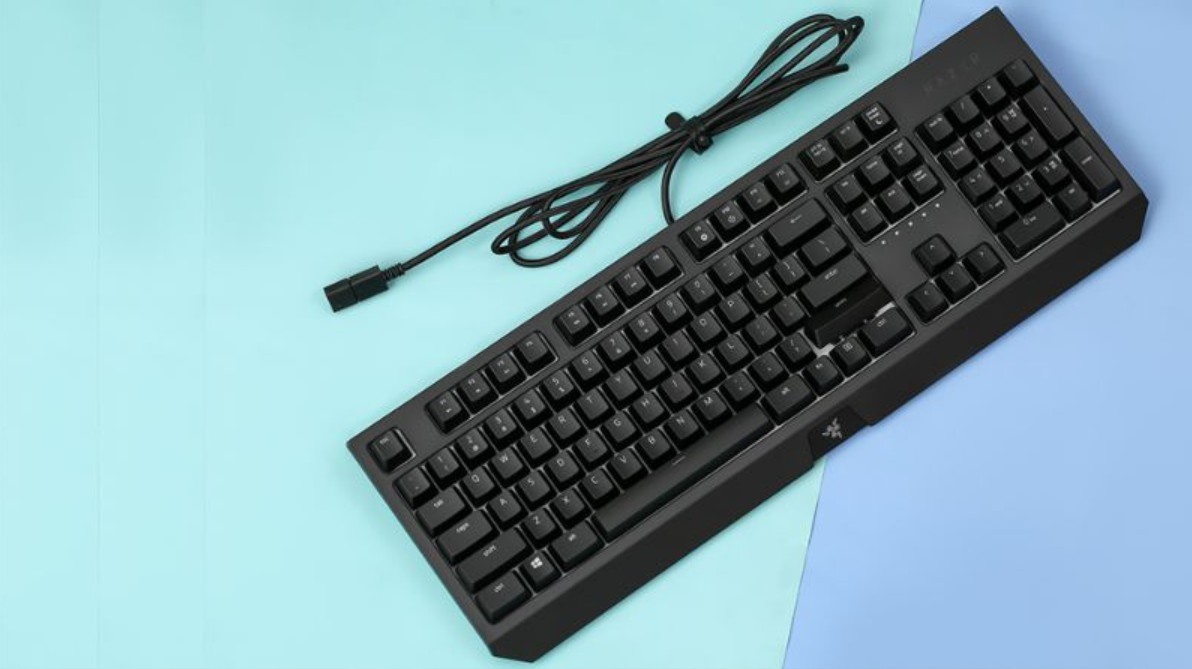
A keyboard is not simply a collection of letter and number keys. It also includes various groups of keys serving distinct purposes, such as function keys, navigation keys, shortcut keys, and a numeric keypad. Each group of keys has its own position and design to optimize user operation. For example, function keys are usually located at the top for easy access, while navigation keys like arrow keys are placed in the bottom right corner to assist with cursor movement. All these details are calculated based on human usage habits.
Interestingly, within this entire design system, there are very small details that play an extremely important role. The raised bumps on the F and J keys are one such detail. They help users quickly identify the position of their hands, especially when using the ten-finger typing method.
2. The secret behind the raised bumps on the F and J keys.
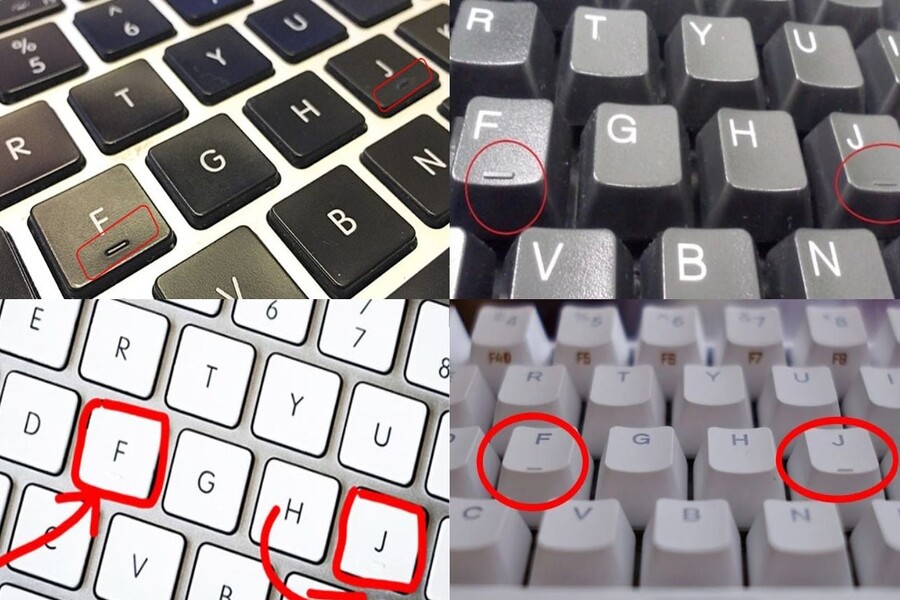
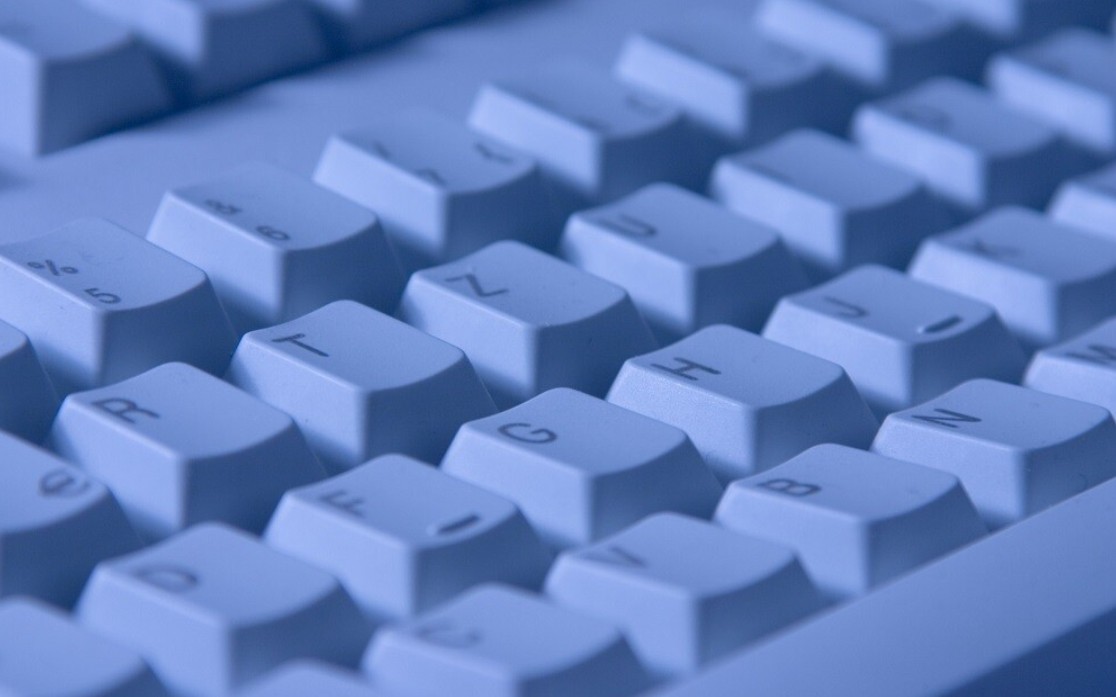
If you look closely at a computer keyboard, you'll notice that the F and J keys often have a small raised bump or line. This detail is easily noticeable by touch but is often overlooked because many people don't know its true purpose. These raised bumps are designed to help users locate their hands on the keyboard without having to look down.
In the ten-finger typing method, the F and J keys are considered the central positioning points. The left index finger rests on the F key, while the right index finger rests on the J key. From these two positions, the other fingers are distributed across the remaining keys in the home row. As the user types, the fingers move up or down to press other keys but always return to their original position.
Thanks to the raised bumps on the F and J keys, users can easily find the center of the keyboard by touch alone. This is especially useful when users are focused on the screen and don't want to look down at the keyboard. Once they get used to this technique, users can type at very high speeds with almost no need to look at the keyboard.
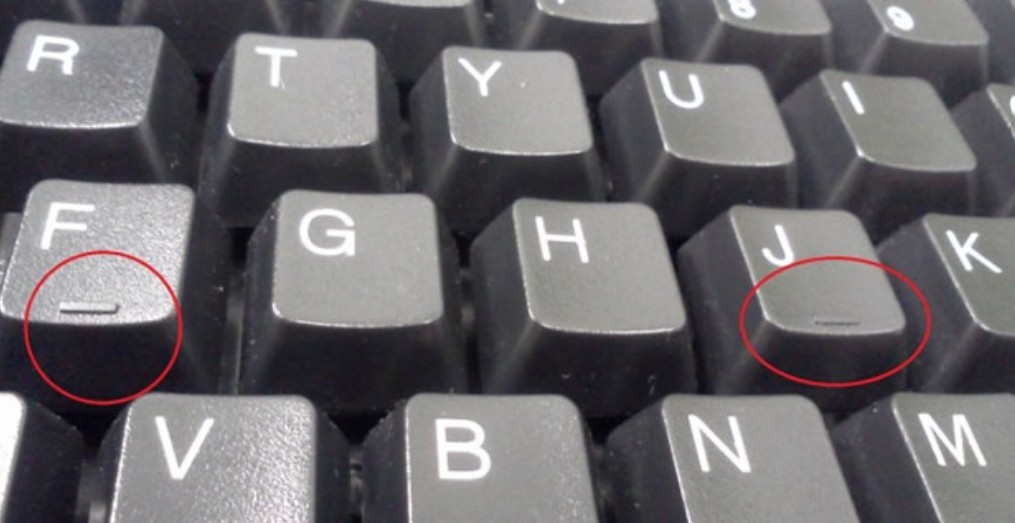
Beyond assisting regular users, these raised edges are also highly significant for the visually impaired. Those who cannot see the keyboard can still locate their hands through tactile sensation, thus typing accurately. This is a prime example of how technology design can become more user-friendly and accessible to a wider range of users.
3. Raised bump on the number 5 key and how to locate the numeric keypad.
It's not just the F and J keys that have raised bumps; many keyboards also have a small bump on the 5th key of the numeric keypad. This keypad is usually located on the right side and is frequently used for tasks involving numerical data entry or calculations. The raised bump on the 5th key serves a similar function to that on the F and J keys.
When using a numeric keypad correctly, the middle finger of the right hand is usually placed on the 5 key, the index finger on the 4 key, and the ring finger on the 6 key. From this central position, users can easily move their fingers to enter other numbers. The raised ridge on the 5 key helps users quickly identify the center of the numeric keypad without looking down.
For those working in accounting, finance, or data entry, typing numbers quickly and accurately is crucial. In these fields, even a small mistake during input can have significant consequences. Therefore, small design details like the raised bump on the 5 key play a vital role in helping users maintain speed and accuracy while working.
4. The ten-finger typing method and its benefits in the workplace.
The ten-finger typing method is a technique that uses both hands and all fingers to input text quickly and accurately on a keyboard. This method originated with mechanical typewriters and remains an important skill for those who frequently work with computers, such as office workers, programmers, and content writers. The unique aspect of this technique is that users can type at high speed without looking at the keyboard, thanks to memorizing key positions and using tactile feedback to locate their hands.
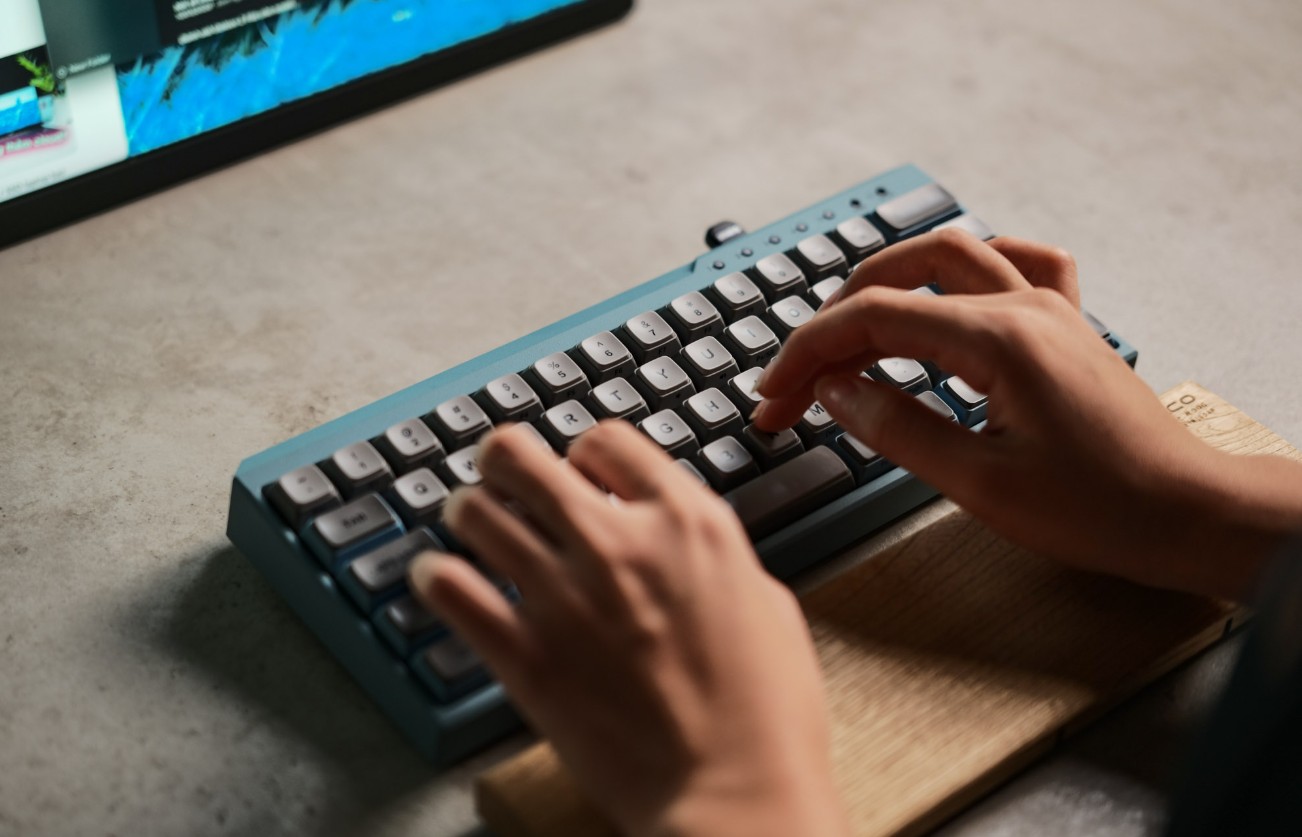
In the ten-finger typing method, the fingers are placed on the central row of keys, often called the "home row." The two index fingers are placed on the F and J keys, where raised ridges help users identify their hand position. From this position, the fingers move up or down to type other keys and then return to their original position. With practice, users can achieve typing speeds of approximately 60 to 100 words per minute or higher. This significantly saves time when writing documents, entering data, or programming.
Besides increasing work speed, the ten-finger typing technique also helps reduce typing errors because users can focus on the screen instead of constantly looking down at the keyboard. At the same time, maintaining a stable hand posture reduces strain on the neck, shoulders, and wrists when working at a computer for long periods. The raised bumps on the F and J keys are a key feature supporting this technique, helping users quickly find the center position of the keyboard when needed.
5. Keyboard design and ergonomics
The small details on the keyboard are the result of extensive research in the field of ergonomics, the science that studies how to design devices to fit the human body. The goal of ergonomics is to help users work more efficiently while reducing fatigue or injury from prolonged use.
In keyboard design, manufacturers must consider many factors such as key spacing, key height, key press force, and hand position. These factors are calculated to create the most comfortable and accurate typing experience. Additionally, many keyboards have adjustable tilt stands, helping to keep the wrists in a more natural position while working.
The raised bumps on the F, J, and number 5 keys are also part of this ergonomic design. They act as tactile markers, helping users quickly locate their hands without looking down at the keyboard. This makes the typing experience more convenient and efficient.
6. Practical applications of keyboard markers
In fact, keyboard locator markers offer many benefits to users. For the average computer user, they help locate hands more quickly and improve typing speed. When working with text or data for extended periods, not needing to look down at the keyboard allows users to focus more on the content on the screen.
For professions requiring fast data entry, such as accounting, banking, or office work, raised keycaps help maintain a consistent work speed and reduce errors when entering data. Additionally, they are very useful in learning ten-finger typing as they help learners easily identify the center of the keyboard.
Another important application is assisting visually impaired people in using computers. Thanks to the raised bumps on the F, J, and number 5 keys, they can locate the keyboard by touch and type more accurately. When combined with screen reader software, visually impaired people can still learn and work effectively on computers. These small details show that keyboard design not only serves convenience but also contributes to making technology more accessible to a wider range of users.
Understanding the significance of the small details on a keyboard reveals that technological design isn't just about big features; it also pays attention to tiny elements that have a major impact on the user experience. In today's rapidly evolving technological world, such intelligent designs continue to play a crucial role in helping people interact with computers more conveniently and efficiently.





















VIP Products








Best Selling Products
Plugin Retouch4me
69 USD
MidJourney Account
29 USD
Upgrade genuine Capture One account
120 USD
ChatGPT Plus Account (GPT-4)
16 USD
Adobe Photoshop Copyright - Full App
120 USD
Genuine Adobe Illustrator account
99 USD
Upgrade Duolingo Super
29 USD
Windows 10 & 11 Pro Key
36 USD
Genuine Cheap Canva Pro
39 USD
Upgrade Genuine Office 365
49 USD
Adobe Premiere Pro Account
99 USD
Capcut Pro 1 Year
39 USD
Freepik Premium Account
59 USD
Copyright Adobe Lightroom Account
59 USD
Autodesk All App Account Copyright
120 USD