Best Selling Products

Upgrade genuine Capture One account
120 USD

ChatGPT Plus Account (GPT-4)
16 USD

Plugin Retouch4me
69 USD

Upgrade Duolingo Super
29 USD

Freepik Premium Account
59 USD

Adobe Photoshop Copyright - Full App
120 USD

Autodesk All App Account Copyright
120 USD

Upgrade Genuine Office 365
49 USD

Genuine Cheap Canva Pro
39 USD

Genuine Adobe Illustrator account
99 USD

Capcut Pro 1 Year
39 USD

Adobe Premiere Pro Account
99 USD

Copyright Adobe Lightroom Account
59 USD

Windows 10 & 11 Pro Key
36 USD

MidJourney Account
29 USD
Is Adobe Lightroom available for free? A detailed answer.
Nội dung
Many people wonder if Lightroom has a free version. In fact, there are several legitimate ways to use the software without paying upfront.
1. What is Adobe Lightroom and why is it so popular?
Adobe Lightroom is digital photo editing and management software developed to serve the needs of photographers and content creators. Unlike Adobe Photoshop, which focuses on layer-by-layer editing and detailed pixel-by-pixel manipulation, Lightroom is designed to handle the overall color, light, and tone of an image. This makes the software an ideal tool for batch photo editing.
One of the reasons Lightroom is so popular is its ability to edit photos using a "non-destructive editing" method. This means that any changes made to the image are only parameter adjustments and do not alter the original file. As a result, users can revert to the original state of the photo at any time without worrying about data loss. This is a particularly important feature for professional photographers working on large projects.
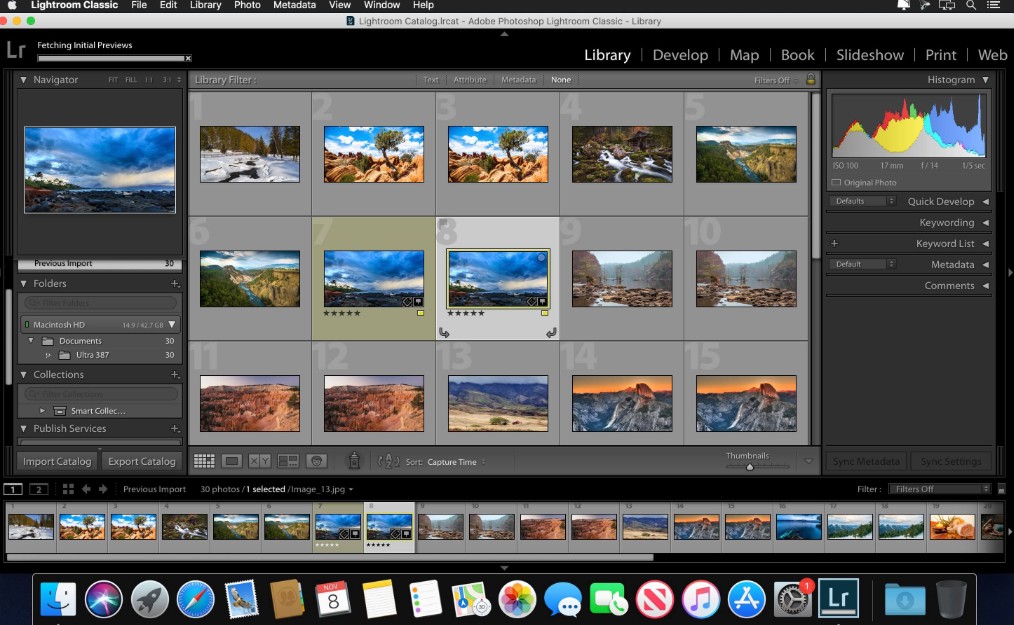
Lightroom also supports many high-quality image formats such as RAW, TIFF, and JPEG. RAW files typically contain more data than regular JPEG images, allowing users to adjust color and lighting with greater precision. Therefore, Lightroom is often used in professional photography projects such as wedding photography, fashion photography, or commercial photography.
In addition to basic color correction tools like Exposure, Contrast, Highlights, and Shadows, Lightroom also offers many advanced features such as Tone Curve, HSL, and Color Grading. These tools allow users to control the colors of their photos in detail, thereby creating a unique image style.
Another factor contributing to Lightroom's popularity is its preset system. Presets are pre-saved editing settings that allow you to apply a color style to multiple photos in just seconds. This saves a lot of time when processing hundreds or thousands of photos in a project.
2. Benefits of using Lightroom for free
Although Lightroom is paid software, users can still experience some of its features for free. This is especially useful for beginners learning photo editing or wanting to test the software before deciding to subscribe to a Creative Cloud plan.
The free version of Lightroom still offers many basic editing tools such as adjusting brightness, contrast, color saturation, and white balance. These tools are sufficient for performing basic edits to improve image quality. Users can make photos brighter, rebalance colors, or create unique image styles with just a few simple steps.
Additionally, the free version of Lightroom also supports several AI features that make the editing process faster. For example, the intelligent masking tool can automatically recognize the sky or subject in the image, allowing users to apply more precise edits. This saves a lot of time compared to manually editing each area of the image.
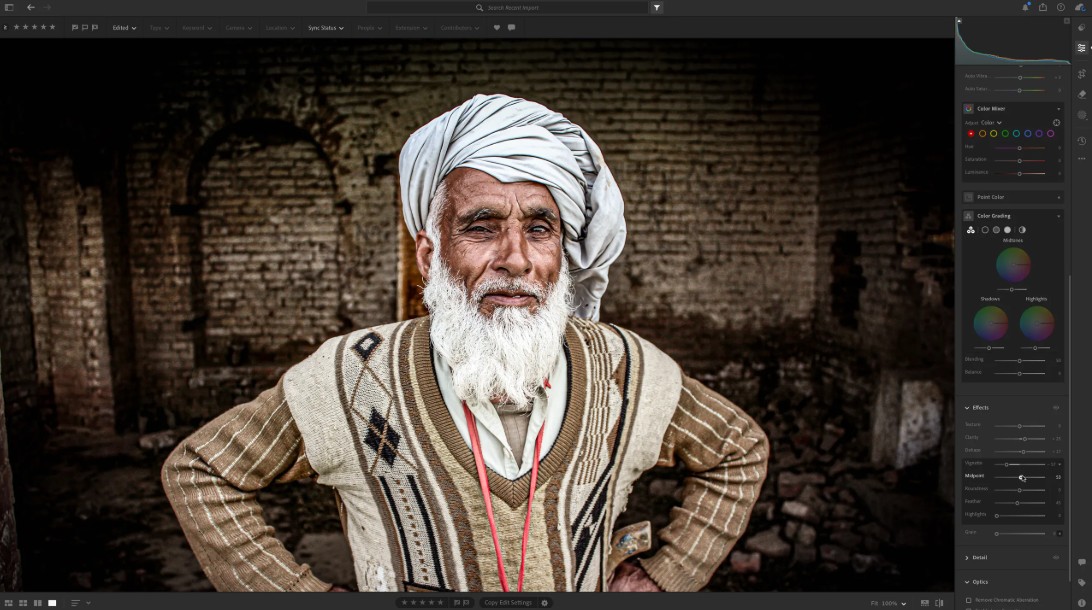
Lightroom's interface is also designed to be intuitive and easy to use. The control bars are clearly arranged into functional groups, helping users quickly find the necessary tools. Even those who have never used photo editing software before can get familiar with Lightroom in a short time.
For social media content creators, the free version of Lightroom can meet most basic photo editing needs. Users can adjust image colors, crop images, and export files in high quality before posting them to online platforms.
3. Use Lightroom Mobile for free.
One of the simplest ways to use Lightroom for free is to install the mobile version of the software. Adobe Lightroom Mobile can be downloaded directly from the app store on your phone without needing a Creative Cloud subscription.
This version is designed to be optimized for touch screens and provides a fast photo editing experience. Users can import photos from their phone's library, apply presets, and adjust parameters such as brightness, contrast, or color in just minutes.
A major advantage of Lightroom Mobile is the ability to edit photos anywhere. This is especially useful for people who frequently take photos with their phones and want to edit them right before sharing them on social media. With just a few simple steps, you can transform an ordinary photo into a stunning image.
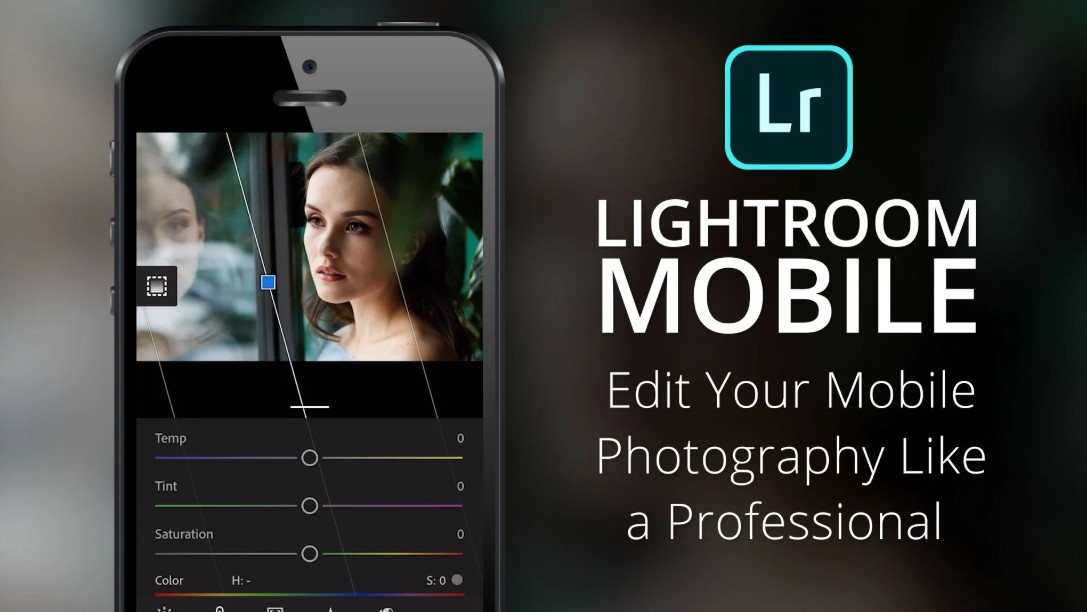
Additionally, Lightroom Mobile also supports saving personal presets. Users can create their own color grading style and apply it to multiple photos. This helps maintain color consistency across photo sets or social media profiles.
However, the free mobile version still has some limitations. Some advanced editing tools and cloud sync features are only available when users subscribe to a paid plan.
4. Limitations the free version of Lightroom
Although the free version of Lightroom is quite useful, it still has some limitations compared to the paid version.
One of the biggest limitations is the limited cloud storage capacity. This can be problematic for photographers who frequently work with large RAW files. If users want to store and sync more photos, they need to upgrade to a Creative Cloud plan.
Additionally, some advanced editing tools are not available in the free version. For example, advanced color grading features or detailed area editing may be locked. This makes it difficult for users to perform more complex edits.
Another limitation is the relatively small number of free presets. While the paid version offers a wider variety of presets, the free version only has a few basic options. This forces users to create their own presets if they want a unique color grading style.
However, for beginners learning photo editing or those who only need basic editing, these limitations are not a major problem.
5. Free Lightroom alternatives
If you don't want to subscribe to a paid Lightroom plan, there are many other free photo editing software options available. While not as powerful as Lightroom, these tools still offer many useful features.
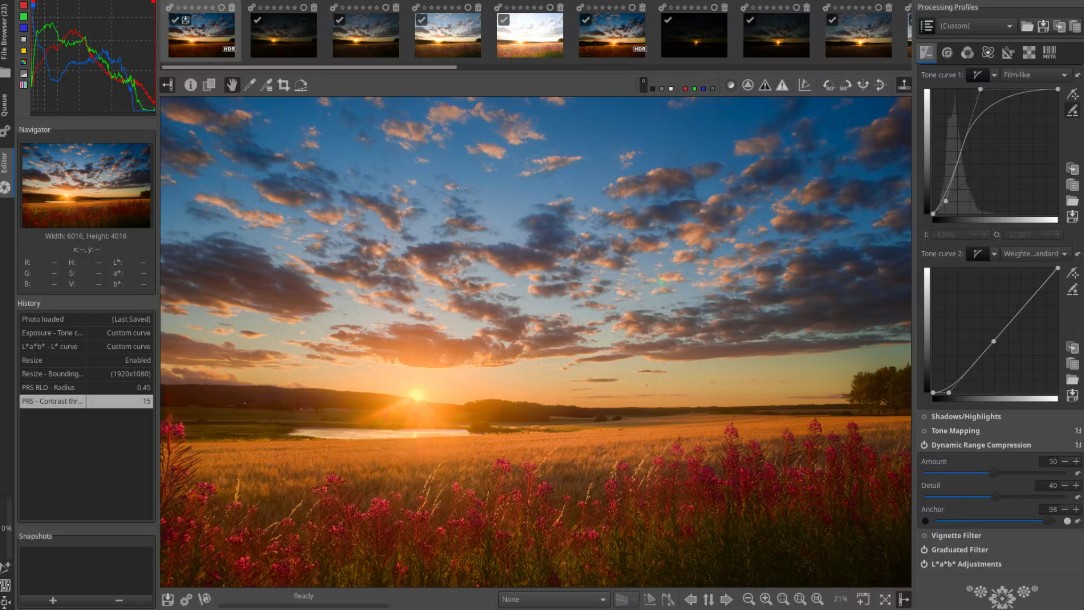
One popular choice is RawTherapee. This is a free RAW image editing software with many professional tools. RawTherapee allows for highly precise adjustments to color, brightness, and detail in images. The software also supports batch processing, saving time when working with large image libraries.
Additionally, there is Chasys Draw IES, a free photo editing software that supports many different file formats. This software provides many basic editing tools and can be expanded with plugins.
Another option is IrfanView, a lightweight yet highly versatile image viewing and editing software. IrfanView supports a wide range of image formats and offers batch editing capabilities, allowing users to manage their images more efficiently.
These software programs may not completely replace Lightroom, but they are still good options for those who want to edit photos without spending a lot of money.
6. Tips for using Lightroom effectively for beginners
To get the most out of Lightroom, beginners should apply some basic usage tips. First, organize your photo library systematically by using collections and tags. This makes it easy to find images when needed.
Secondly, take advantage of presets. Presets allow you to quickly apply color correction styles and save you a lot of time when editing multiple photos.
Additionally, using keyboard shortcuts can speed up the editing process. Actions such as cropping, color correction, or blemish removal can be performed faster using shortcuts.
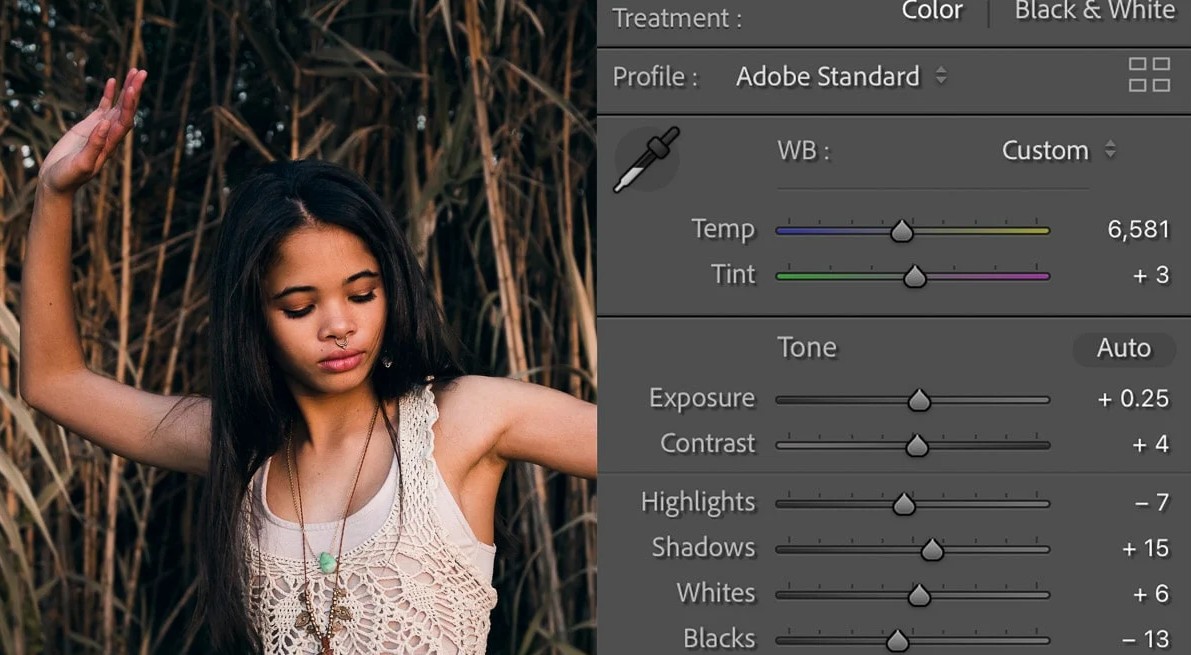
Finally, users should experiment with tools like HSL or Tone Curve to better control the color of their photos. Once you understand how these tools work, you'll be able to create photos with your own unique style.
Whether you're a professional photographer or just a photo editing enthusiast, Lightroom is a tool worth exploring. By understanding how to use and leverage its features, you can transform ordinary photos into stunning works of art.





















VIP Products








Best Selling Products
Upgrade genuine Capture One account
120 USD
ChatGPT Plus Account (GPT-4)
16 USD
Plugin Retouch4me
69 USD
Upgrade Duolingo Super
29 USD
Freepik Premium Account
59 USD
Adobe Photoshop Copyright - Full App
120 USD
Autodesk All App Account Copyright
120 USD
Upgrade Genuine Office 365
49 USD
Genuine Cheap Canva Pro
39 USD
Genuine Adobe Illustrator account
99 USD
Capcut Pro 1 Year
39 USD
Adobe Premiere Pro Account
99 USD
Copyright Adobe Lightroom Account
59 USD
Windows 10 & 11 Pro Key
36 USD
MidJourney Account
29 USD