Best Selling Products

Adobe Premiere Pro Account
99 USD

Upgrade genuine Capture One account
120 USD

Freepik Premium Account
59 USD

Plugin Retouch4me
69 USD

ChatGPT Plus Account (GPT-4)
16 USD

Adobe Photoshop Copyright - Full App
120 USD

Capcut Pro 1 Year
39 USD

Copyright Adobe Lightroom Account
59 USD

Windows 10 & 11 Pro Key
36 USD

Upgrade Genuine Office 365
49 USD

Genuine Adobe Illustrator account
99 USD

Autodesk All App Account Copyright
120 USD

Genuine Cheap Canva Pro
39 USD

Upgrade Duolingo Super
29 USD

MidJourney Account
29 USD
AI-powered face editing on Google Photos: A new experience for users.
Nội dung
- 1. Google Photos and its journey to becoming a smart photo editing platform.
- 2. New face editing tools
- 3. Personalize your photo editing experience in the age of AI.
- 4. The role of AI in changing the way we edit photos.
- 5. Google's Terms of Use and Deployment Strategy
- 6. Impact on users and the content creation industry
Google Photos has just added an AI-powered face editing tool, making it easy for users to improve their images in just a few simple steps.
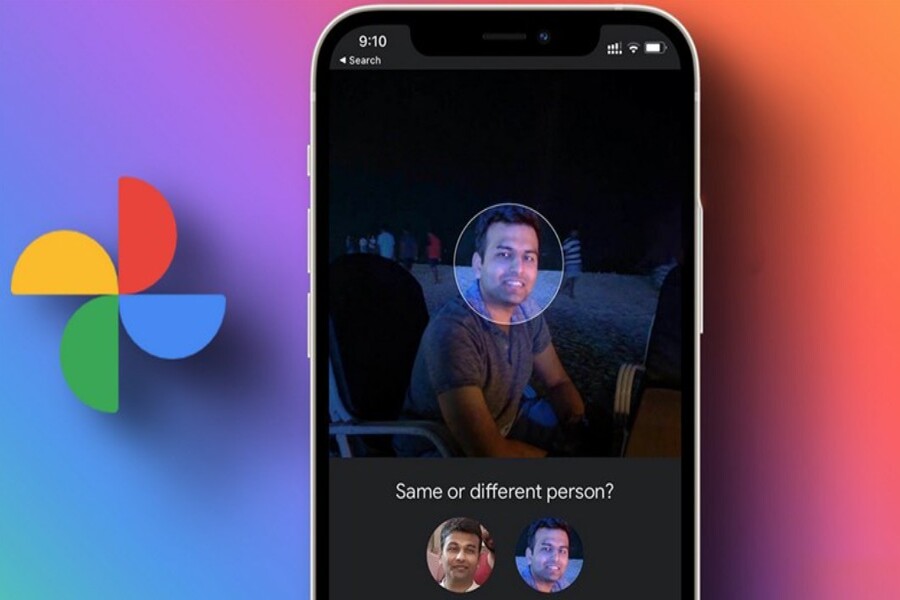
1. Google Photos and its journey to becoming a smart photo editing platform.
Google Photos was initially known as a cloud-based photo storage service, allowing users to back up and access data from various devices. However, over time, the application has evolved far beyond its original role to become a comprehensive photo management and editing tool.
The biggest difference between Google Photos and other platforms lies in its integration of artificial intelligence into every aspect of the user experience. AI not only helps organize photos by face, location, or time, but also supports intelligent natural language search. You can easily find an old photo simply by typing a description like "beach," "birthday," or "dog."
Furthermore, Google Photos continuously adds AI-powered photo editing tools. Features such as automatic light enhancement, color balancing, intelligent cropping, and object removal have saved users a significant amount of time. This clearly reflects the shift from manual to automated editing, where AI plays a central role.
This development not only brings convenience but also contributes to the "democratization" of photo editing technology. What was previously only possible for professionals is now accessible to everyone. Google Photos is therefore not just an application, but also an ecosystem that supports content creation.
2. New face editing tools
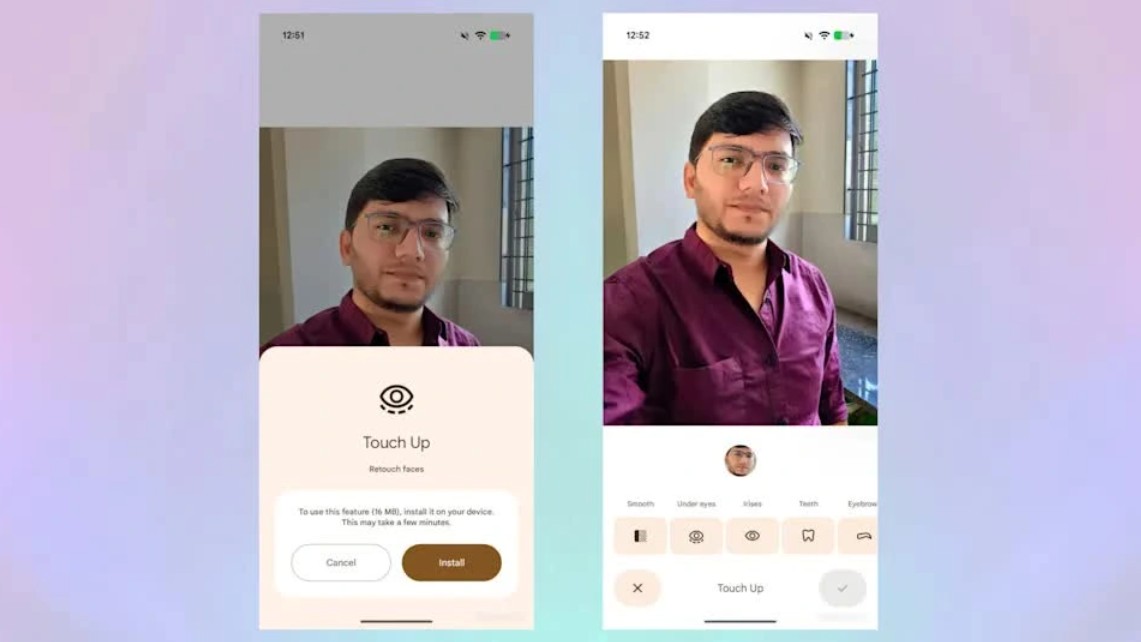
In its latest update, Google Photos has added a face editing tool – a feature users have been waiting for for a long time. This is a significant step forward, bringing the app closer to professional editing software while still maintaining its simplicity and ease of use.
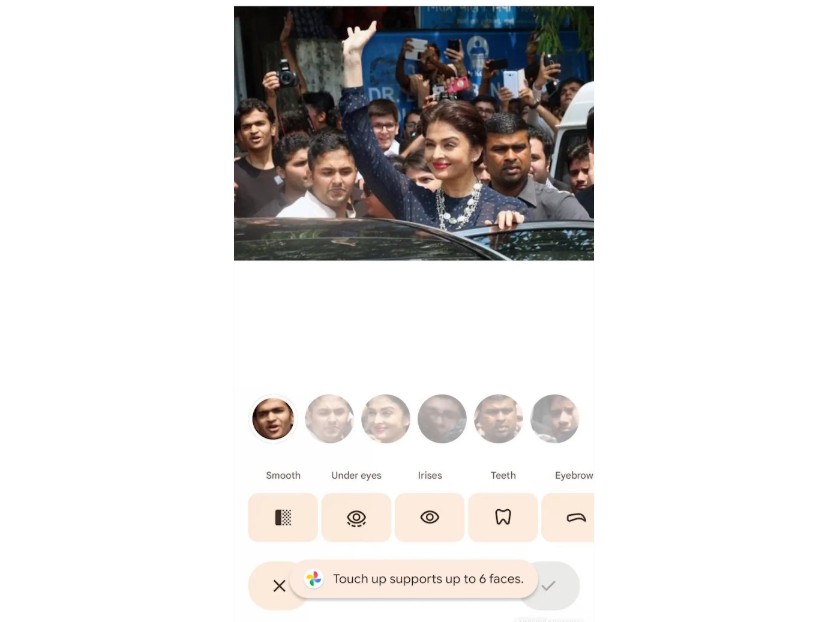
This tool allows users to directly edit facial details such as skin, eyes, smile, and many other elements. You can smooth skin, reduce dark circles, brighten eyes, or adjust the whiteness of teeth with just a few simple steps. Notably, all effects are adjustable in intensity, giving users control over the level of editing as desired.
The biggest strength of this feature is its ability to preserve naturalness. Instead of creating "over-perfect" but unnatural photos, Google's AI is designed to optimize inherent beauty without losing the unique characteristics of each individual. This is especially important in a context where users are increasingly concerned about the authenticity of images.
Furthermore, the face editing tool is integrated directly into the existing editing interface, making it easily accessible to users without needing to learn any new operations. This is a factor that helps Google Photos maintain its competitive advantage: powerful yet user-friendly for the average person.
3. Personalize your photo editing experience in the age of AI.
The advent of face editing tools not only brings convenience but also marks a significant shift in personalizing the user experience. While previously editing tools only affected the entire image, now users can intervene in even the smallest details.
This opens up the possibility of deeper customization, allowing each person to create a version of the image that suits their personal style. You can make subtle edits to maintain a natural look or enhance effects to create a more striking image. This flexibility helps meet a variety of needs, from personal sharing to professional use.
AI plays a crucial role in this process by analyzing facial features and making appropriate suggestions. For example, the system can automatically identify areas of skin that need smoothing or lighting adjustments. Users only need to fine-tune the settings to their liking, saving time while ensuring quality.
Personalization extends beyond just editing; it also encompasses how users interact with the app. Google Photos can learn from your editing habits to offer better suggestions in the future. This is a major step forward, transforming the app from a passive tool into an intelligent assistant.
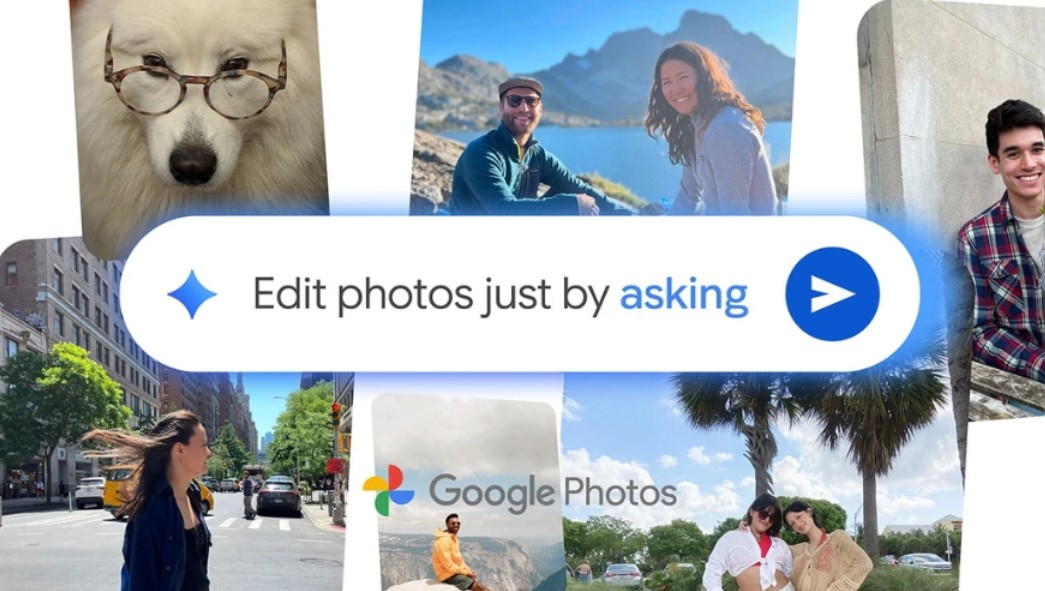
4. The role of AI in changing the way we edit photos.
Instead of needing specialized skills or using complex software, users can now perform most tasks with just a few taps thanks to the powerful automation capabilities of AI.
Modern tools can recognize faces, analyze the lighting, color, and context of a photo to suggest appropriate edits. Not only does it respond to user input, but AI also proactively suggests improvements such as brightening the image, balancing colors, or highlighting the subject. As a result, even inexperienced users can quickly create high-quality images.
Furthermore, AI can learn from editing habits to personalize the experience. If you frequently use a certain color style or level of editing, the system will remember and apply it to subsequent edits. This makes the editing process faster and ensures consistency in image style.
Beyond just editing, AI is expanding into content creation capabilities. Users can change the background of an image, add effects, or create multiple versions of a single original photo. This is particularly useful in content creation, marketing, and social media, where experimenting with ideas is crucial.
5. Google's Terms of Use and Deployment Strategy
Specifically, Android devices need a minimum amount of RAM and a compatible operating system version to ensure AI processing capabilities. This is understandable because facial recognition, image analysis, and detail reconstruction algorithms all require high computing power. If implemented on devices that are not powerful enough, the experience may be laggy or produce inaccurate results. Therefore, setting hardware limits is not only a barrier but also a way to ensure output quality and smooth performance during use.
Besides hardware, Google also focuses on software optimization. Updates often include algorithm improvements, reduced resource usage, and faster processing speeds. This allows eligible devices to fully utilize AI power without excessive battery drain or impacting overall device performance.
The phased deployment strategy also allows Google to gather real-world feedback from users. Through usage data and reviews, the company can quickly identify bugs, adjust algorithms, and improve the user experience. This is a common approach for complex AI features, where effectiveness depends not only on the technology but also on how users interact in real-world scenarios.

6. Impact on users and the content creation industry
The addition of face editing tools not only affects individual users but also has a significant impact on the content creation industry. With the ability to quickly and effectively edit, users can create impressive images without needing professional skills.
For the average user, this saves time and improves image quality in daily life. You can easily edit family photos, travel photos, or personal photos, thus preserving beautiful moments more completely.
For content creators, this tool optimizes workflows. They can quickly edit photos for social media posting, create engaging content, and maintain visual consistency. This is especially important in a highly competitive environment where visuals play a crucial role in attracting viewers.
For businesses, high-quality images enhance marketing effectiveness and brand building. A well-edited photo can make a strong impression and increase conversion rates. AI tools have therefore become an indispensable part of modern communication strategies.

The addition of face editing tools to Google Photos is a significant step forward in the development of AI-powered photo editing technology. Beyond providing convenience, this feature enhances the user experience and opens up new opportunities for content creation.





















VIP Products








Best Selling Products
Adobe Premiere Pro Account
99 USD
Upgrade genuine Capture One account
120 USD
Freepik Premium Account
59 USD
Plugin Retouch4me
69 USD
ChatGPT Plus Account (GPT-4)
16 USD
Adobe Photoshop Copyright - Full App
120 USD
Capcut Pro 1 Year
39 USD
Copyright Adobe Lightroom Account
59 USD
Windows 10 & 11 Pro Key
36 USD
Upgrade Genuine Office 365
49 USD
Genuine Adobe Illustrator account
99 USD
Autodesk All App Account Copyright
120 USD
Genuine Cheap Canva Pro
39 USD
Upgrade Duolingo Super
29 USD
MidJourney Account
29 USD