Best Selling Products

Upgrade genuine Capture One account
120 USD

Plugin Retouch4me
69 USD

Adobe Premiere Pro Account
99 USD

Copyright Adobe Lightroom Account
59 USD

Upgrade Genuine Office 365
49 USD

Freepik Premium Account
59 USD

Autodesk All App Account Copyright
120 USD

Upgrade Duolingo Super
29 USD

Windows 10 & 11 Pro Key
36 USD

MidJourney Account
29 USD

ChatGPT Plus Account (GPT-4)
16 USD

Adobe Photoshop Copyright - Full App
120 USD

Genuine Adobe Illustrator account
99 USD

Capcut Pro 1 Year
39 USD

Genuine Cheap Canva Pro
39 USD
Chrome is embroiled in another security scandal: Malicious extension tracked over 100,000 users.
Nội dung
- 1. Numerous extensions bypass Chrome Web Store restrictions to steal user data.
- 2. Chrome browser is once again hit with a security scandal.
- 2.1. DPS Websafe
- 2.2. Good Tab
- 2.3. Children Protection
- 2.4. Stock Informer and XSS Vulnerabilities
- 3. What should users do in the face of this "storm" of malicious utilities?
The latest incident reveals that the Chrome Web Store's data verification process still has many loopholes. Users are unknowingly becoming targets for tracking and information theft without realizing anything unusual.
1. Numerous extensions bypass Chrome Web Store restrictions to steal user data.
According to Neowin, the Chrome Web Store has once again become the target of criticism from the tech community following a report from Symantec. Researchers discovered at least four extensions with serious intrusion behavior, with a total of over 100,000 installations. This number is not just a statistic; it represents hundreds of thousands of personal accounts, passwords, browsing history, and financial data that are at risk of being silently collected.
The common thread among these extensions is that they don't show any obvious signs of danger from the outset. They are built with polished interfaces, attractive descriptions, and even impersonate familiar brands or uses. This shows that hackers are no longer relying solely on sophisticated malware, but are aggressively exploiting user psychology.
The Chrome Web Store is touted as having a rigorous vetting process, including both automated checks and manual reviews. However, in reality, many malicious extensions can still slip through the cracks by functioning correctly initially, then silently updating their malware through later updates. Once users become familiar with and trust the store, all warnings become meaningless.
2. Chrome browser is once again hit with a security scandal.
Looking back at history, this isn't the first time Chrome has been involved in a scandal related to extensions. Over the years, the security community has repeatedly warned about extensions that collect excessive data, track user behavior, or redirect traffic to advertising or phishing sites.
However, this incident is considered far more serious and sophisticated. Instead of merely monitoring data at the surface level, the detected extensions interfered deeply with the browser, controlling search queries, accessing session cookies, and manipulating sensitive data. This means that hackers not only "peeped" at users, but also had the potential to impersonate those users in the digital space.
With more and more online services using session-based authentication, stealing cookies or login tokens can be just as dangerous, if not more dangerous, than stealing passwords. Users can change their passwords, but if the login session has been compromised, an attacker can still access the account without any further information.
2.1. DPS Websafe
One of the most typical and worrying cases is the extension called DPS Websafe . On the surface, DPS Websafe is designed as a tool to protect users from malicious websites. Furthermore, this extension uses images, icons, and a visual style almost identical to Adblock Plus: the most popular and reliable ad-blocking extension on Chrome.
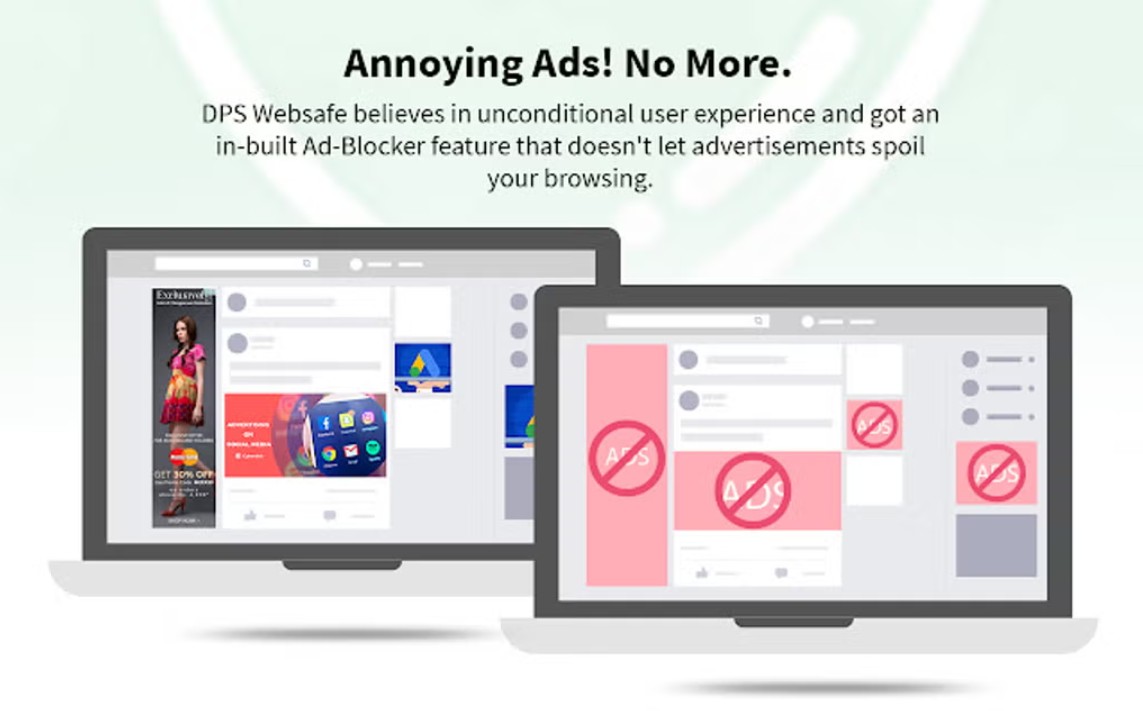
This familiarity has led many users to lower their guard. They believe they are installing a protective tool, while in reality they are opening the door to intruders. Once installed, DPS Websafe silently takes control of search queries, tracks all browsing activity, and sends data to third-party servers without the user's knowledge.
From a user experience (UX) design perspective, this is a prime example of the abuse of visual trust. People tend to trust what is familiar, especially symbols, colors, and layouts that are deeply ingrained in their subconscious. Hackers have exploited this weakness, turning design into a tool to facilitate their intrusion.
2.2. Good Tab
While DPS Websafe leverages trust in images, the Good Tab utility raises concerns among security experts due to its ability to access the system's clipboard. The clipboard is the intermediary area where users copy and paste data, from passwords and OTP codes to cryptocurrency wallet addresses.
According to Symantec's findings, Good Tab can read and write data to the clipboard without explicit user permission. This opens up countless dangerous attack scenarios. Malicious actors could steal passwords as soon as you copy them from your password manager, or worse, swap cryptocurrency wallet addresses while you're making a money transfer.
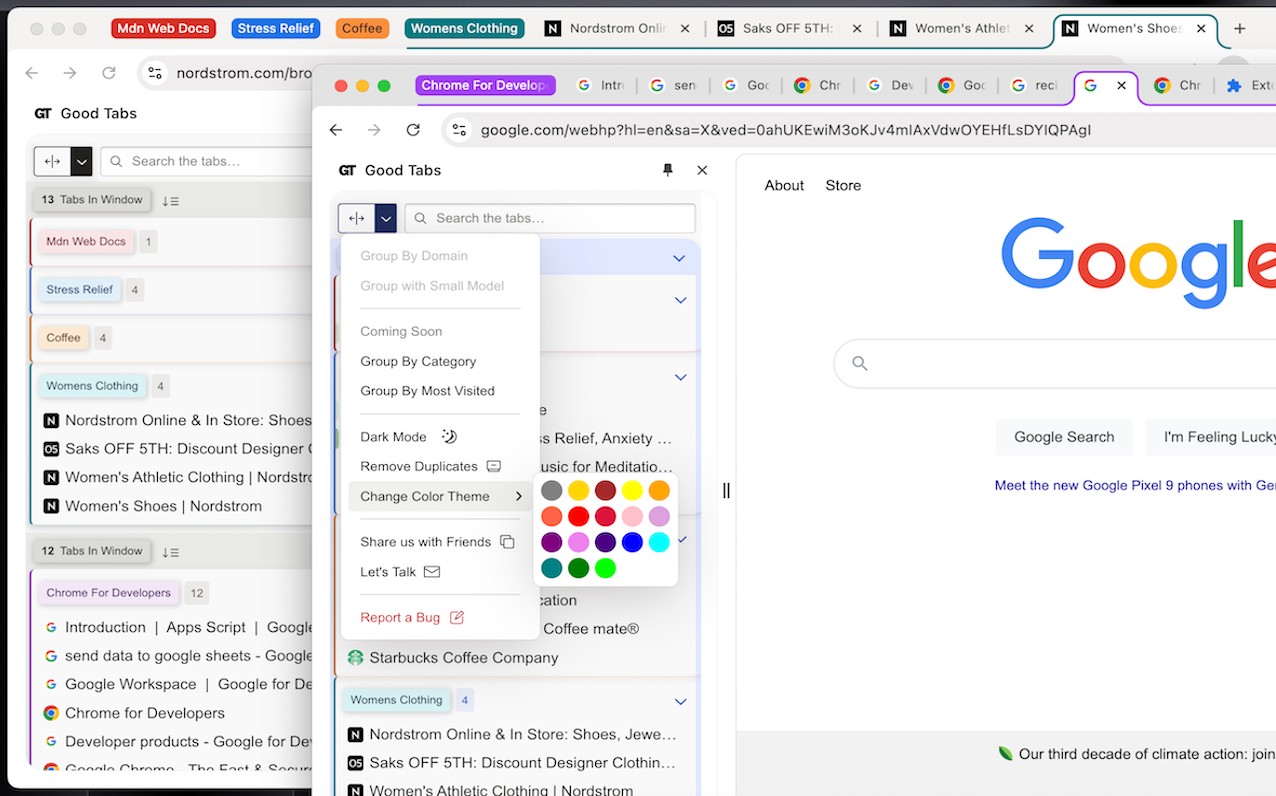
The scariest aspect is that all of this happens in the background. Users see their browser functioning normally, with no unusual signs on the interface, until the damage has already occurred. In the digital world, silence is sometimes the most dangerous sign.
2.3. Children Protection
Another name that caused quite a stir was Children Protection . From its very name, this utility created a sense of security, especially for parents who wanted to control the content their children accessed online. However, behind that ethical facade lay a system capable of collecting session cookies, hijacking accounts, and executing JavaScript code from unknown servers.
Essentially, Children Protection functions as a remote control tool. Once hackers gain access to cookies, they can impersonate users, access online services, read emails, social media, or even bank accounts. The remote execution of JavaScript code further increases the risk, as attackers can change the extension's behavior at any time without notification.

This is clear evidence that good intentions in a description don't guarantee safe behavior in practice. Users are even more easily deceived when a feature appeals to emotions, responsibilities, or social ethics.
2.4. Stock Informer and XSS Vulnerabilities
Unlike other extensions that appear to be scams, Stock Informer was found to contain a serious XSS security vulnerability. Due to the lack of input data source verification steps, this extension allows attackers to inject and execute malicious code remotely on the user's computer.
XSS is a common but extremely dangerous vulnerability, especially when it appears in browser extensions. If successfully exploited, hackers can steal cookies, record keystrokes, or redirect users to fake websites. With an extension related to financial information like Stock Informer, the potential consequences become even more serious.
3. What should users do in the face of this "storm" of malicious utilities?
Given the increasingly sophisticated nature of security threats, experts recommend users perform a thorough browser cleanup. Reviewing and removing unnecessary extensions is the first and most crucial step. Each installed extension essentially opens another door into your system.
Furthermore, users need to change their habit of "installing for convenience" and start questioning the access permissions an extension requests. Does a tab-switching tool really need permission to read all data on every website? Does a stock price viewing extension need access to the clipboard or session cookies? Just these simple questions can significantly reduce risk.
The incident involving over 100,000 Chrome users being tracked and having their passwords stolen is not just an isolated security breach. It reflects a deeper problem in how we use technology: the unconscious trade-off between convenience and security .
Chrome remains a powerful browser, but no platform can completely replace user security awareness. Vigilance, knowledge, and responsible technology usage habits are the most important "shields."





















VIP Products








Best Selling Products
Upgrade genuine Capture One account
120 USD
Plugin Retouch4me
69 USD
Adobe Premiere Pro Account
99 USD
Copyright Adobe Lightroom Account
59 USD
Upgrade Genuine Office 365
49 USD
Freepik Premium Account
59 USD
Autodesk All App Account Copyright
120 USD
Upgrade Duolingo Super
29 USD
Windows 10 & 11 Pro Key
36 USD
MidJourney Account
29 USD
ChatGPT Plus Account (GPT-4)
16 USD
Adobe Photoshop Copyright - Full App
120 USD
Genuine Adobe Illustrator account
99 USD
Capcut Pro 1 Year
39 USD
Genuine Cheap Canva Pro
39 USD