1. Why are developers abandoning IDEs in favor of AI-powered endpoints?
In recent years, the way software engineers work has changed dramatically. Instead of typing each line of code into a built-in code editor and waiting for AI plugins to suggest every little piece of code, more and more developers are switching to working directly in the terminal, where an AI agent can independently plan, read entire source code, edit multiple files simultaneously, run test commands, and even fix bugs with almost no constant human intervention.
This shift stems from several core reasons. First, modern AI-powered command-line tools are no longer just simple code auto-completion tools; they function as actual agents, capable of reasoning independently through multiple steps, calling external tools, searching for information, and maintaining context throughout a long work session. This allows programmers to delegate far more complex tasks than simply requesting a line of code, such as refactoring an entire module, writing test suites for a new feature, or implementing a complete continuous integration process.
Secondly, the command-line interface offers flexibility that a built-in code editor can hardly match. Developers can integrate AI tools with any editor they are using, integrate them into ongoing integration and deployment workflows, write automation scripts, or connect to model context protocol servers to extend access to databases, task management systems, or other internal services. The terminal is already a familiar and highly programmable environment for software engineers, so incorporating AI into that environment eliminates the friction of switching back and forth between multiple tools.
Third, AI-powered endpoints allow for the sustainable maintenance of the project context through configuration files such as architectural guidelines, naming conventions, test commands, and security constraints. This means the agent doesn't have to relearn everything from scratch each time a new session starts, but can retain key project rules through repeated use.
Ultimately, as large language models developed wider context windows and improved multi-step reasoning capabilities, they became increasingly reliable enough to handle complex engineering tasks without close monitoring of each step. This transformed the terminal from a secondary support tool into a central hub for programming workflows, and is why the two most talked-about names in this space today are Claude Code from Anthropic and Gemini CLI from Google.
2. Claude Code or Gemini CLI
Both Claude Code and Gemini CLI are terminal-based programming agents capable of reading and editing files, executing shell commands, searching the web, supporting model context protocols, and maintaining context across workflows. On the surface, these two tools appear quite similar, but a closer look reveals significant differences that directly influence development teams' choices.
2.1 Cost: Free compared to paid options.
The cost landscape between these two tools changed significantly in 2026, and this is where many older comparisons no longer accurately reflect the reality. Previously, Gemini CLI was known as the free option, while Claude Code required payment from the outset. However, as of June 18, 2026, Google discontinued offering Gemini CLI to individual accounts using the free Google AI Pro and Google AI Ultra plans. Individual users are now redirected to a new tool called Antigravity CLI, which is closed-source and comes with a much smaller free budget than what Gemini CLI previously offered.
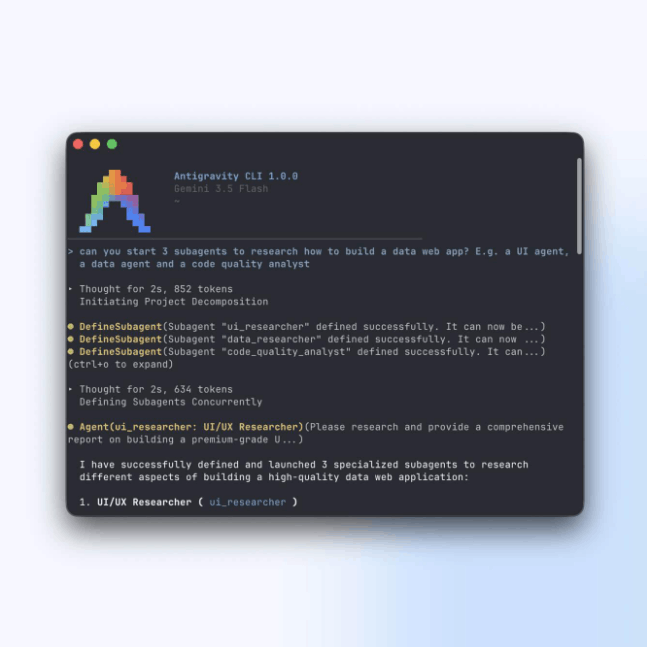
Gemini CLI itself continues to exist and is maintained, but only for those who own a paid access key through Google AI Studio, a standard or enterprise Gemini Code Assist license, or access through Vertex AI on Google's cloud platform. In other words, the traditional free-versus-paid comparison framework no longer clearly separates the two tools as it once did.
Regarding Claude Code, this tool has never had a truly free plan. Users need a Claude Pro or Claude Max subscription plan, starting at around twenty dollars per month, or use a pay-per-use access key for the application programming interface. For teams or individuals who use it extensively, costs can quickly increase if the subscription limit is exceeded, and this remains a point of concern for some users before committing to the tool long-term.
Overall, if the goal is to find a truly free personal starting point in 2026, neither of the original tools performs as well as before, and individual users seeking free solutions often have to resort to the limited-featured Antigravity CLI instead of the traditional Gemini CLI.
2.2 Context Window: How much code can it see?
The context window determines the amount of source code, documentation, and conversation history an agent can handle simultaneously in a single session. This is especially important when working with large projects that have hundreds of files and numerous complex dependencies.
From March 2026, Claude achieved a context window of one million tokens at the standard price, bringing Claude Code on par with Gemini, which has long been known for its ability to handle massive context thanks to the Gemini model architecture. Thus, as of now, both tools support context windows up to one million tokens, significantly narrowing the gap that was once Gemini's unique advantage in very large-scale projects.
However, having a large context window doesn't necessarily mean that context usage is equally efficient. Some real-world comparisons show that Gemini CLI tends to consume more input tokens to complete the same task than Claude Code, even though Gemini's unit price per token is generally lower. This means that the actual context consumption for a particular task isn't necessarily proportional to the final cost, and users need to consider both factors simultaneously instead of just looking at the advertised maximum number of context windows.
Furthermore, during extended work sessions, both tools can experience a loss of prior contextual awareness, causing agents to sometimes forget decisions or conventions agreed upon early in the conversation. This is why proactive context management, such as through project documentation files or memory compression and refresh mechanisms, remains crucial regardless of the tool used.
2.3 Code Quality vs. Speed
This is one of the most contentious aspects when comparing the two tools, as the results depend heavily on the specific type of task and the model used at each given time.
According to verified software skills benchmark results, the Gemini 3 Flash model, a lightweight version often included in free packages in the past, achieved an accuracy of approximately 75.4%, an impressive figure for a fast and low-cost model. In some direct measurements, Gemini 3 Flash even slightly outperformed Claude Sonnet version 4.6 in the overall rankings. However, high scores on the rankings do not always fully reflect the quality of the actual code generated.
Many engineers have observed that Claude Code tends to generate more lines of code for the same requirement, often stemming from its approach of considering more boundary cases, handling errors more thoroughly, and prioritizing deployability over minimum requirements. At the same time, Claude Code also tends to generate code faster within the same session, despite the larger output volume. Conversely, Gemini's Flash model is better suited for everyday tasks such as writing framework code, debugging common issues, or creating simple unit tests, but is significantly weaker when dealing with complex, multi-step reasoning problems or those requiring deep understanding of system architecture.
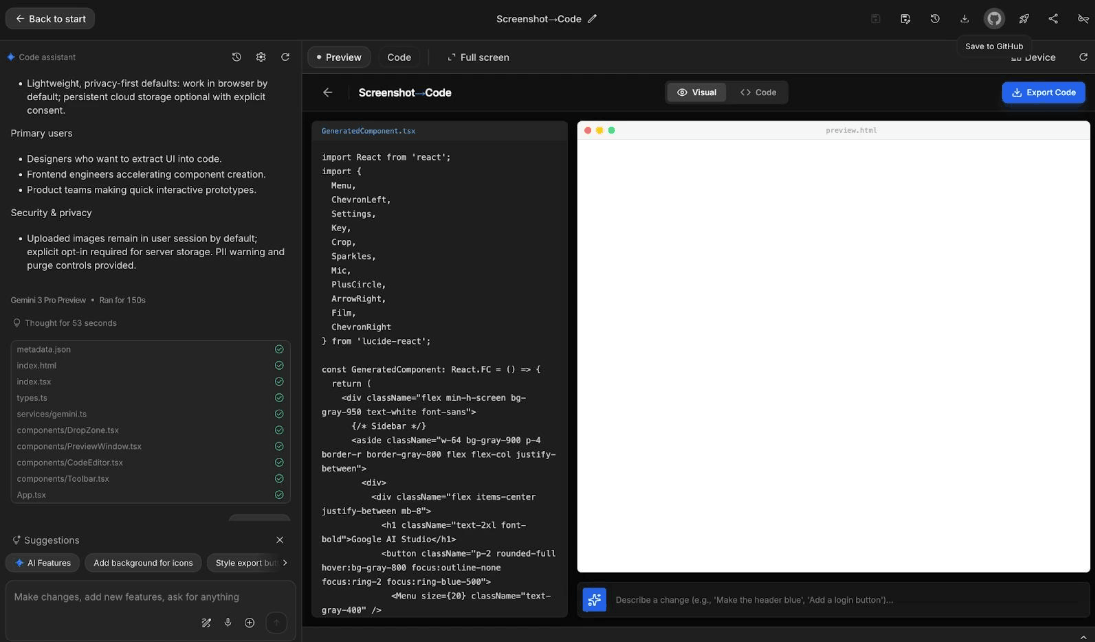
Another noteworthy point lies in the output display style. Claude Code typically presents its actions in a concise tree structure, suitable for small screens or when working in the built-in terminal of the code editor. Gemini CLI, on the other hand, tends to present them in a box format with more detailed summaries at each step, which can feel cluttered but is useful when needing to carefully examine each change during a multi-file edit.
Overall, if the top priority is consistent code quality, deep reasoning capabilities, and consistent handling of changes involving multiple files, Claude Code is generally considered superior. If the priority is speed processing of simple tasks at low cost and high volume, Gemini's Flash-based models still have their own place.
2.4 Supported platforms: Where can you run it?
Claude Code offers installers for Windows, macOS, and Linux, and supports direct integration with popular code editors, has its own desktop application, and can even be accessed via a browser. Its stability on Windows has improved significantly, although some users have reported issues related to color display and stability in early 2026.
Gemini CLI also supports macOS, Linux, and Windows, and has the distinct advantage of being pre-installed on Google Cloud Shell, allowing users to start using it immediately without installing anything on their personal machines. This is a big plus for those already familiar with working in Google's cloud ecosystem or who want to quickly experiment without changing their current work environment.
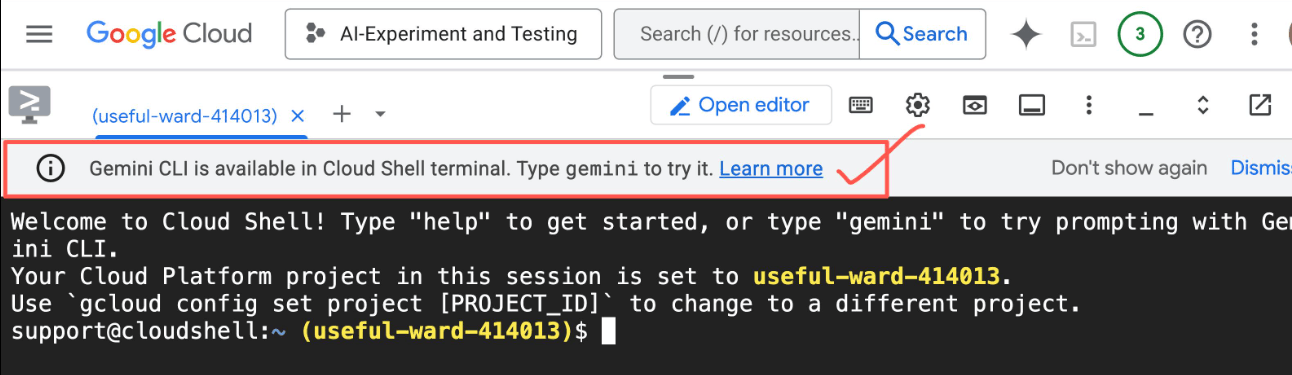
In terms of pure platform coverage, both tools are now quite similar, but Gemini CLI still holds a certain advantage thanks to its built-in integration in Google's cloud environment, while Claude Code has the advantage of diverse access points, from command line to desktop applications and browsers.
2.5 Authentication and Access
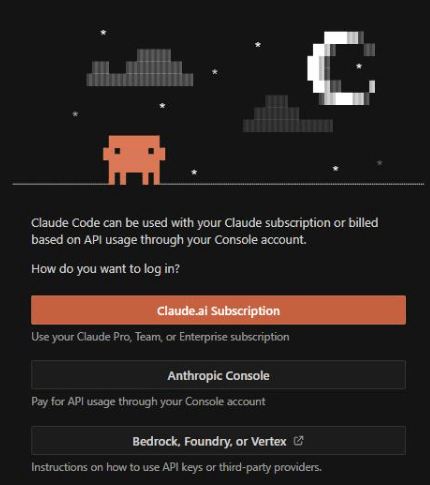
The authentication and access control methods of the two tools quite clearly reflect the different product philosophies of the two companies. With Claude Code, users log in using an account associated with a Claude Pro or Claude Max subscription plan, or use application programming interface (API) access keys for those who want to control costs based on actual usage. For organizations, Anthropic also provides a centralized policy management mechanism, allowing the system administration team to control which context-model protocol servers are allowed to connect and establish detailed authorization rules across the company.
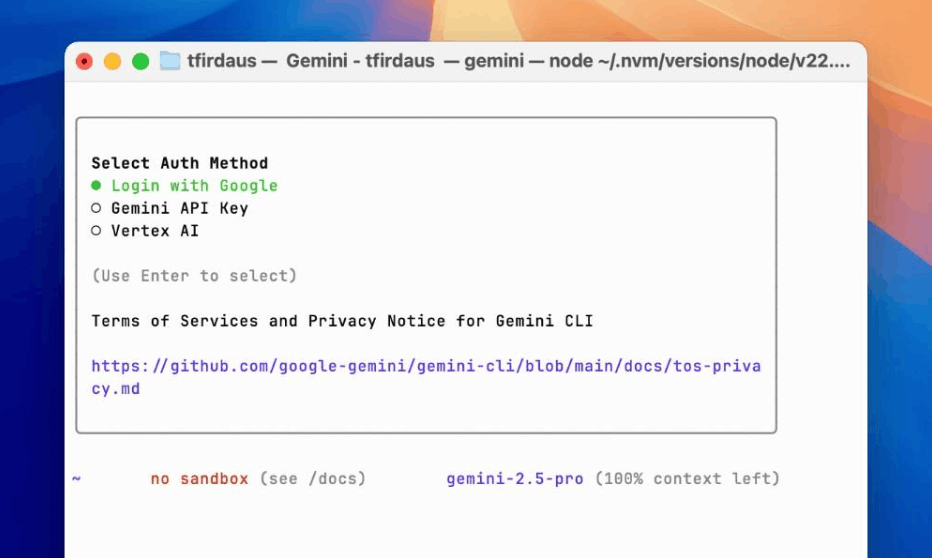
With Gemini CLI, prior to June 18, 2026, users can simply authenticate using their personal Google account to use the free plan. After that date, the door to personal account authentication for free purposes will be largely closed, and remaining options will include access keys from Google AI Studio, Gemini Code Assist licenses for organizations, or connecting via Vertex AI on Google's cloud platform. For businesses that already have infrastructure and accounts on Google Cloud, integrating Gemini CLI into their existing authentication and access management processes is usually quite smooth.
In terms of security during command execution, Gemini CLI is highly regarded for its application of isolation layers like gVisor and LXC to the execution environment, minimizing the risk of granting system access to an AI agent. Claude Code also provides tiered authorization mechanisms allowing manual confirmation or denial, along with organization-wide policy management capabilities, enabling security teams to establish clear boundaries for what the agent is allowed to do automatically and what requires human approval.
2.6 Overview of Feature Comparison
| Criteria | Claude Code | Gemini CLI |
|---|---|---|
| Expense | There are no free plans; the minimum is around twenty dollars per month via Claude Pro or Max, or you pay per access key for the application programming interface. | Free access for individual accounts will no longer be available from June 2026; a paid access key, Code Assist license, or Vertex AI license will be required. |
| Context window | Up to one million tokens at the standard price starting in March 2026. | Up to one million tokens, a traditional advantage of Gemini. |
| Token utilization efficiency | There is a tendency to save more input tokens for the same task in some comparisons. | There is a tendency to consume more input tokens even though the price per token is lower. |
| Code quality | Typically generates meticulous code, handles many boundary cases, suitable for complex tasks with multiple files. | Flash models are suitable for simple, fast, and low-cost tasks, but are weaker at complex reasoning. |
| Foundation | Windows, macOS, Linux, integrated text editor, desktop applications, browser. | Windows, macOS, Linux, integrated into Google Cloud Shell. |
| Authentication | Claude Pro or Max subscription package, access key to application programming interface (API), centralized management policies for the organization. | This key grants access to Google AI Studio, Code Assist licenses, Vertex AI, and previously included a free personal Google account. |
| Execution security | Level-based permission granting allows for authorization, confirmation, denial, and organization-wide policy management. | Execution isolation is implemented using gVisor and LXC, which are considered high security standards. |
| Output style | The presentation is in a concise, tree-like format, suitable for small screens. | Presenting the information in a box format is more detailed and convenient when you need to carefully check each step. |
| Open Source | Do not open source. | Open source |
Two key takeaways from this comparison are that the feature surface between the two tools is now nearly equivalent in many core technical aspects, and the real differences lie more in their usage philosophy, cost model, and suitability to the technology ecosystem in which their development teams operate.
3. When should you choose Claude Code instead of Gemini CLI?
The choice between the two tools should be based on the specific characteristics of the job rather than just their general reputation. Claude Code is often the more suitable choice in the following situations.
-
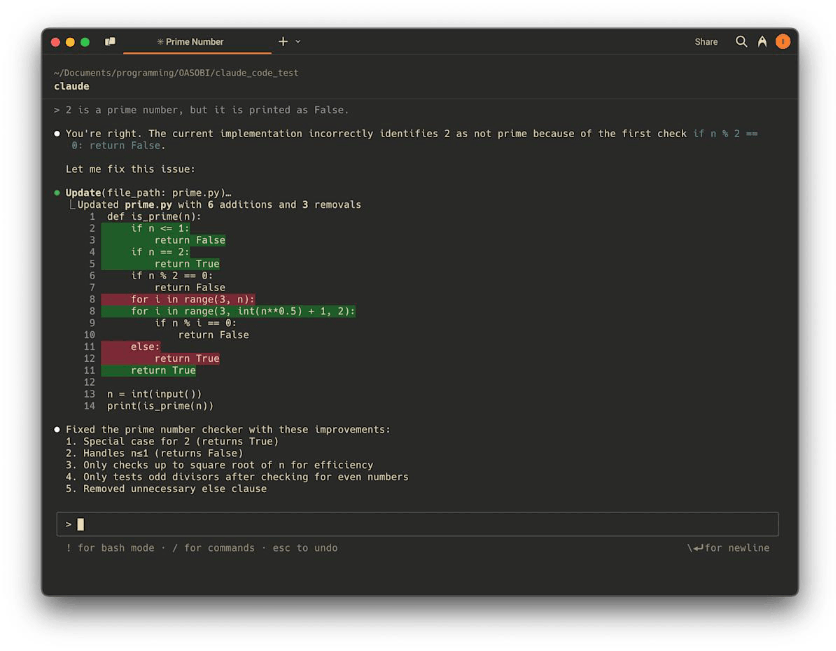
When projects demand high precision and complex multi-step reasoning capabilities, such as system architecture refactoring, fixing hard-to-find logic errors, or implementing features involving many interdependent files, Claude Code often demonstrates deeper and more consistent reasoning, minimizing the number of times the agent has to go back and fix mistakes.
-
When development teams are willing to accept a fixed subscription cost in exchange for a less disruptive experience, especially for organizations that already have a budget dedicated to AI-powered programming tools, investing in the Claude Pro or Max package often delivers commensurate value due to its ability to handle lengthy tasks with less supervision.
-
When an organization needs a centralized policy and access management system across multiple teams, Claude Code's company-wide policy setting capabilities give security departments tight control over what actors are allowed to do without manually configuring each individual workstation.
-
When developers work primarily on personal computers, need a clean command-line experience that integrates well with familiar code editors, and desire additional access points such as desktop applications or browsers, Claude Code's platform flexibility is a significant advantage.
Conversely, Gemini CLI remains a viable option when an organization has already invested heavily in the Google Cloud ecosystem, needs to leverage the robust execution isolation capabilities of gVisor, wants to use open-source code for greater customization, or primarily handles large volumes of simple programming tasks that Flash can handle well at a lower cost.
4. Comparing Claude Code and Gemini CLI: Setup and Best Practices
4.1 Setup and Best Practices for Claude Code
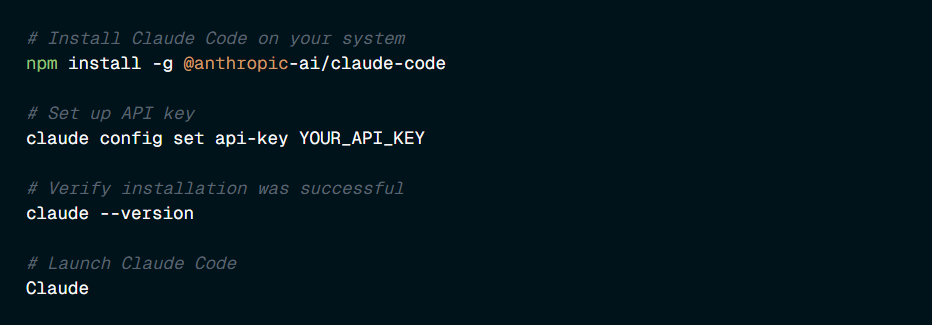
Installing Claude Code is quite simple, requiring only a single command to download the program, then opening the terminal in the project directory, running the startup command, and logging in with a subscription account or application programming interface access key. However, the part that truly determines the long-term user experience lies in the subsequent setup steps.
The most important element is the project configuration file, often named according to Claude Code's own conventions, which acts as persistent memory for the agent. This file is automatically loaded into the context at the start of each new session, allowing for the recording of information that the agent cannot deduce from reading the source code, such as the project architecture overview, specific build and test commands, variable and function naming conventions, team-standard error handling, or areas of source code that absolutely cannot be modified. A principle recommended by many experienced users is to keep this file concise, containing only the information relevant in each session, avoiding it becoming a repository of excessive documentation, as each line in the file consumes a portion of the context budget with each interaction.
In addition to the project configuration file, setting up the management policy file controls which context-model protocol servers are allowed to operate in the work environment, and allows the administration team to override the configuration at the project level when necessary. This is a crucial layer of protection for organizations, helping to prevent individuals from independently connecting to uncontrolled external tools.
Regarding execution permissions, the recommended approach is to start cautiously, allowing automation for file reads and static code checks, requiring manual confirmation for commits or new dependency installations, and completely denying commands that could potentially destroy data, such as forced deletion or history overwriting. Once familiar with and confident in the agent's behavior within a specific project, users can gradually loosen the scope of permissions to speed up workflow.
Additionally, incorporating external work state management processes outside of the conversation, such as maintaining files that record the plan, current context, and work-in-progress, helps prevent agents from becoming disoriented after the context becomes compressed due to a prolonged session. Many programmers also employ two-layer testing, where every change must be accompanied by concrete evidence such as compilation results, test results, or screenshots, before being considered complete, to avoid agents claiming completion when errors still remain.
4.2 Setting up and best practices for Gemini CLI
Installing Gemini CLI requires a Node.js environment version 18 or later, which can then be installed via the package manager corresponding to the operating system being used. After installation, users need to choose a suitable authentication method, and from mid-2026 onwards, the most practical option for individuals is to use an access key from Google AI Studio, while organizations can authenticate via Gemini Code Assist or Vertex AI cloud-based licenses.
Similar to Claude Code, Gemini CLI also has its own context configuration file located in the project directory, which serves as a robust foundational information source for the model. The quickest way to create this file is to use the initialization command available in the first session, then gradually add important information such as coding style guidelines, product user target, and necessary test steps. When changes occur to this file, users need to run a memory refresh command to ensure the agent correctly identifies the latest updates instead of continuing to use the old information loaded at the beginning of the session.
Another important recommendation is to keep context configuration files concise and easy to scan. If the content exceeds 500 lines, consider splitting it into smaller files and importing them in a hierarchical structure, rather than cramming everything into a single, overly long file. The general rule is that a concise configuration file with clearly defined sections is always more effective than a rambling document containing too much unnecessary detail.
Furthermore, it is absolutely essential to avoid storing secret keys or credentials directly in the source code or in the context configuration file itself, as these files are often included in the project's shared source code repository. For projects with many complex dependencies, clearly describing dependencies and compatibility constraints directly in the configuration file will help agents respect the existing structure instead of proposing solutions that are incompatible with the running system.
5. Conclusion
Technically, the two tools are now close in many key aspects, such as a million-token context window, support for model context protocols, and platform diversity. The real difference lies in more strategic factors; for example, Claude Code is suitable for teams that prioritize stable code quality for complex tasks and are willing to invest in a fixed subscription package, while Gemini CLI remains well-suited for organizations already established within Google's cloud ecosystem, requiring robust execution isolation, or prioritizing open-source capabilities for deep customization.
The most practical advice for developers and technical teams right now is not to choose a tool based solely on reputation or outdated comparisons, but to test both tools on specific project tasks, measuring both output quality and operating costs over a sufficiently long period before making a long-term commitment. In many cases, teams today don't choose just one tool, but flexibly combine both, leveraging the strengths of each for different types of tasks, instead of trying to find an absolute answer to the question of which tool is better.