Best Selling Products

Freepik Premium Account
59 USD

Upgrade Genuine Office 365
49 USD

Adobe Premiere Pro Account
99 USD

Copyright Adobe Lightroom Account
59 USD

Upgrade genuine Capture One account
120 USD

Upgrade Duolingo Super
29 USD

Capcut Pro 1 Year
39 USD

Adobe Photoshop Copyright - Full App
120 USD

Genuine Cheap Canva Pro
39 USD

MidJourney Account
29 USD

Genuine Adobe Illustrator account
99 USD

Plugin Retouch4me
69 USD

Autodesk All App Account Copyright
120 USD

ChatGPT Plus Account (GPT-4)
16 USD

Windows 10 & 11 Pro Key
36 USD
Corona or V-Ray, which option saves architects time while still producing beautiful renders?
Nội dung
- 1. Why the Corona vs. V-Ray rivalry continues to attract attention in 2026
- 2. Display quality and realism of Corona and V-Ray
- 3. Speed and performance differences between the two rendering engines
- 4. The role of Corona and V-Ray in the daily architectural visualization process.
- 5. Real-world scenarios for choosing between Corona or V-Ray
- 6. Cost of owning Corona and V-Ray in 2026
- 7. A simple decision-making framework for your project.
- 8. Conclusion
In architectural visualization, the rendering engine you choose can determine image quality, delivery speed, and even the profit margin of a project. Despite being around for years, the comparison between Corona and V-Ray remains a hot topic in the rendering community, especially since both are now from the same developer. This article analyzes the two tools based on the most important criteria: display quality, speed, workflow, use cases, and cost, while providing a simple framework to help you make your own decision for your project.
1. Why the Corona vs. V-Ray rivalry continues to attract attention in 2026
What sets this comparison apart from most other software comparisons is that both Corona and V-Ray belong to Chaos. Corona originated from the Render Legion studio in Prague, which Chaos acquired in 2017. Instead of merging the two platforms, Chaos chose to develop them in parallel, and this separation remains intentional to this day. Therefore, choosing between the two tools is no longer a matter of betting on one vendor, but rather choosing between two design philosophies. Corona prioritizes simplicity, aiming for users to achieve beautiful images with minimal settings. V-Ray focuses on deep control, allowing intervention in almost every stage of the rendering process when needed.
The context of 2026 makes the debate even more noteworthy. Corona 15, launching in late May 2026, integrates the AI-generated Veras concept engine and is included in all subscription packages. On the V-Ray side, the current version is V-Ray 7 with continuous updates throughout the year. Both engines also share a common ecosystem, with the Chaos Cosmos asset library, the Chaos Vantage real-time engine, and a username-based licensing mechanism tied to a Chaos account. Therefore, choosing Corona no longer means abandoning the entire broader Chaos suite of tools.
The deeper reason is that the rendering engine directly impacts business results. Whether you're selling off-plan apartments or showcasing a high-end furniture line, the images must be compelling to customers. Reproducibility speed affects responsiveness, realism impacts trust, and operating costs affect profitability. In practice, many interior and exterior design studios choose Corona as their primary tool due to its extensive material library, pre-set configurations, and rich community learning resources, and only use V-Ray when a project truly requires it. Conversely, large-scale, multi-software, or visual effects-heavy workflows often lean towards V-Ray. Understanding this distinction helps you avoid choices based on habit.
2. Display quality and realism of Corona and V-Ray
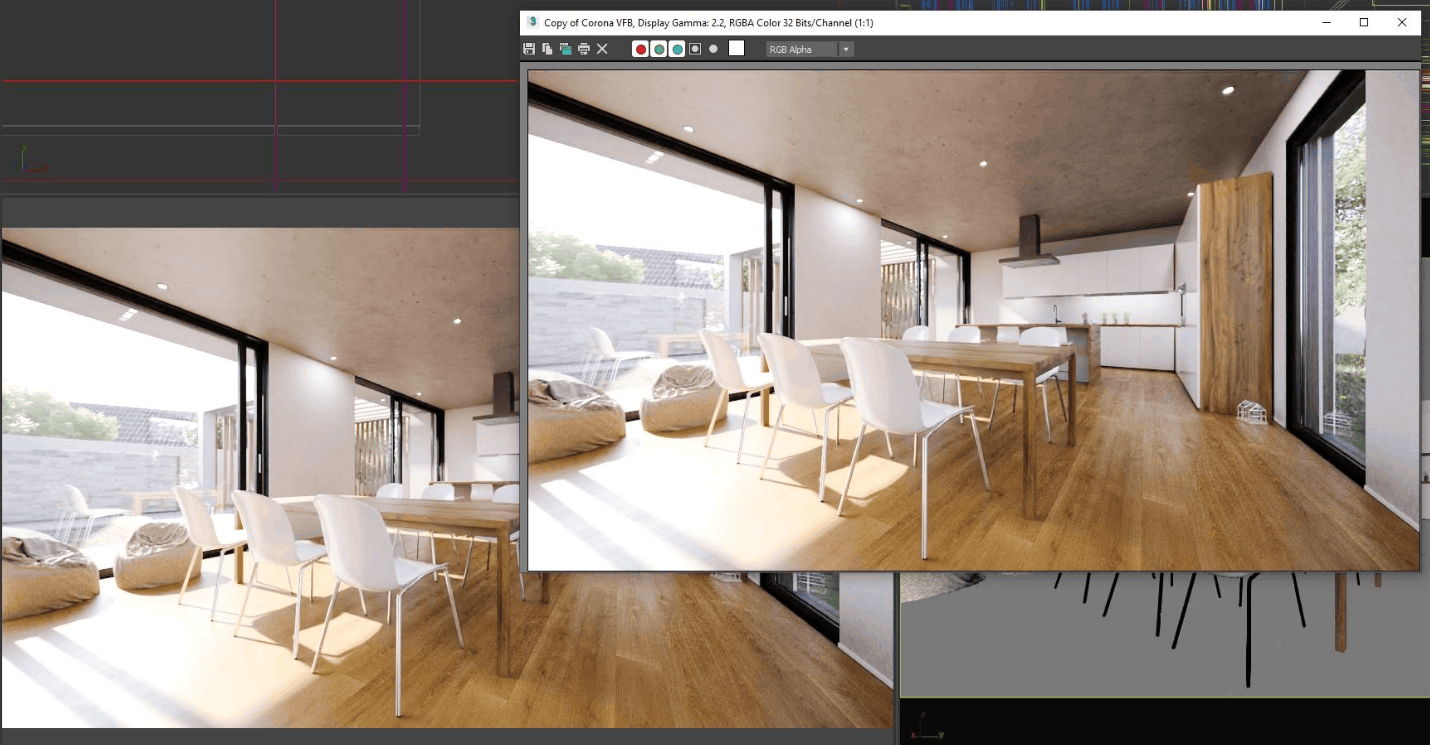
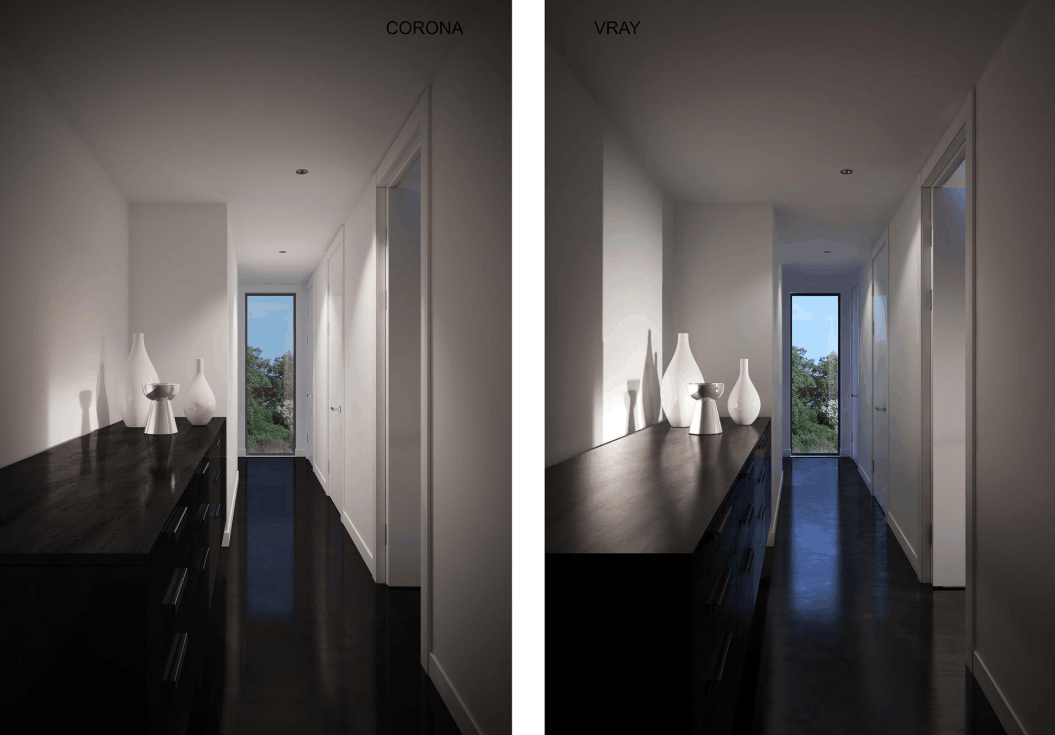
In terms of image quality, both systems can produce images so realistic that they are indistinguishable from photographs. The real difference lies in the effort required to achieve that level and the degree of control you have along the way.
Lighting and global illumination. Lighting is a crucial element in determining the feel of a scene. Corona is renowned for its intuitive handling of natural light, producing soft shadows and a natural atmosphere with minimal configuration. Corona's physical sky model makes creating outdoor scenes with varying times of day easy, even for beginners. V-Ray also boasts a very powerful lighting system, but gives more control to experienced users. With multiple global lighting algorithm options, such as Brute Force and Light Cache, artists can optimize calculations for each scene type. This flexibility is particularly useful in complex interior spaces where specific lighting design is needed to create dramatic effects.
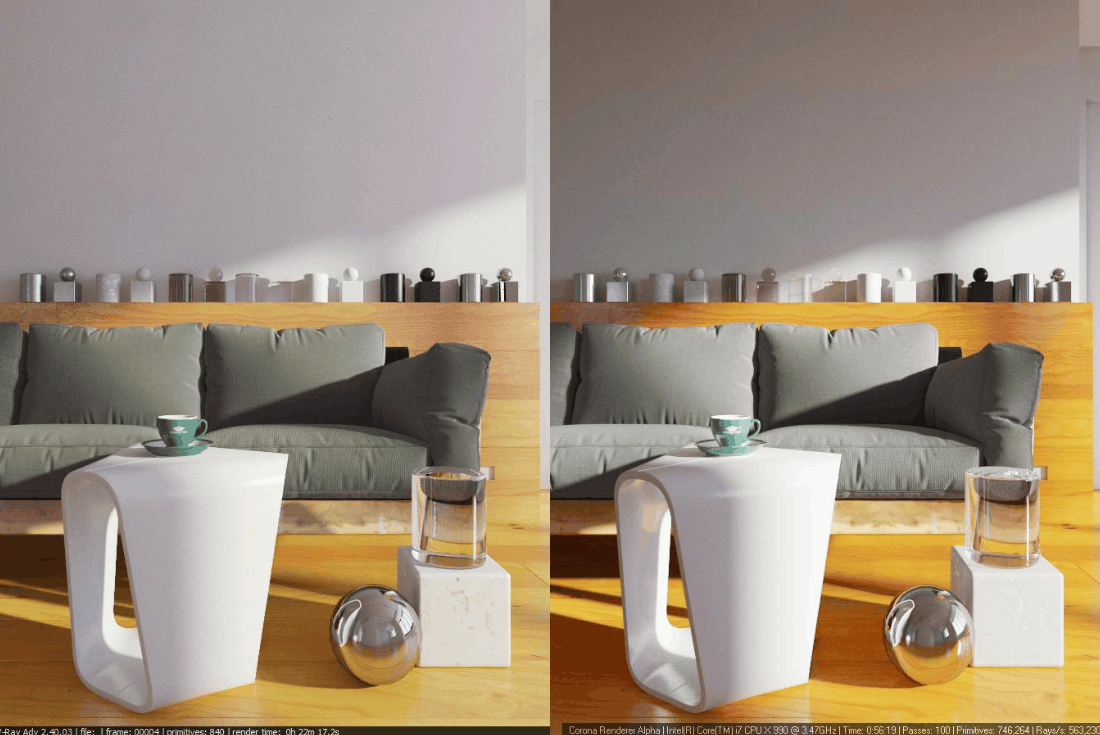
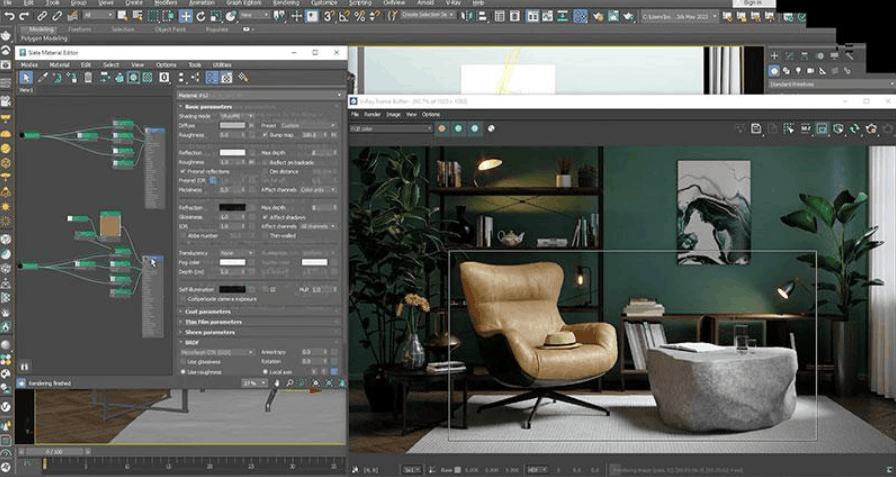
Materials and Reflections. Corona's material editor is clean, allowing for quick adjustments to color, texture, and reflectivity. Many of the available materials look convincing from the start, significantly reducing scene rendering time in tight projects. V-Ray allows for even more detailed material customization, with parameters for roughness, gloss, depth of reflection, and the behavior of glass, metal, or fabric. This level of detail is most valuable in projects requiring high precision, such as product imagery or high-end construction.
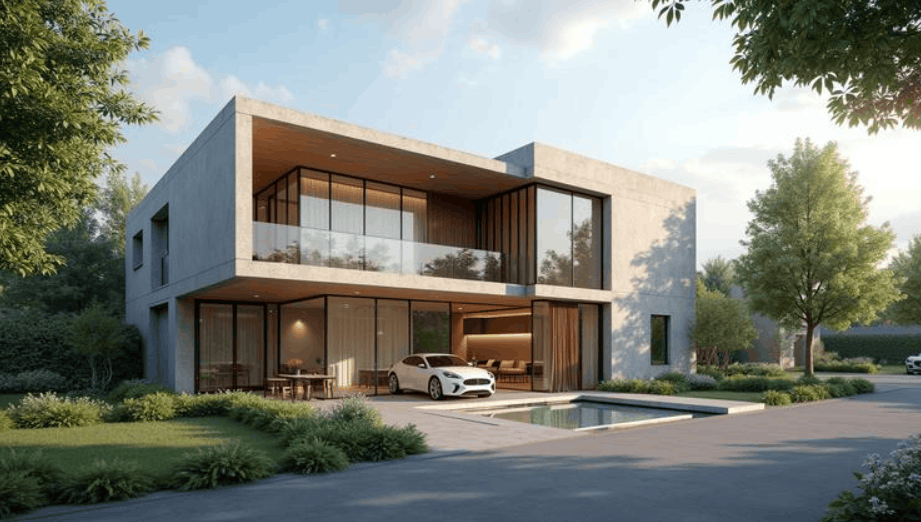
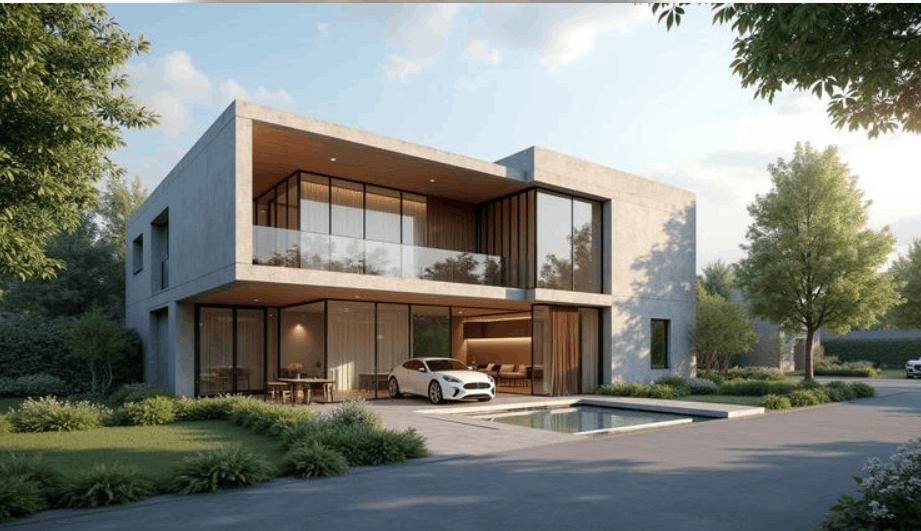
Interior and exterior. In interior spaces, Corona is often preferred for its ability to create soft lighting, natural shadows, and a cozy feel, plus its quick adjustments when clients request changes. When interior scenes require complex lighting layouts and multiple layers of control, V-Ray has an advantage. For exteriors, V-Ray excels in challenging lighting conditions, such as harsh sunlight or weather effects, and helps precisely control the path of light and reflections on glass and stone. Corona also performs very well in exteriors, especially in landscape and nature scenes, thanks to its fast setup and good handling of sunlight.
In summary, if you want natural-looking results with minimal manipulation, Corona is a convenient choice. If the project requires precise control over lighting and materials, V-Ray gives you more tools to do so.
3. Speed and performance differences between the two rendering engines
When evaluating speed, it's important to distinguish between pure computational speed and the speed of the entire workflow. A machine might render quickly on paper, but if it takes a long time to fine-tune, the actual time to get a usable image will still be long.
CPU and GPU. Corona is a CPU-only machine, with the GPU used only for the optional AI-powered noise reduction feature. This approach keeps Corona simple and predictable, working well on mid-range multi-core machines, suitable for studios with moderate hardware budgets. V-Ray supports both CPU and GPU, so you can choose the option that best suits your hardware and project type. With a powerful graphics card, GPU rendering often significantly reduces rendering time, but this requires investment in graphics hardware and large video memory for demanding scenes.
Simple scenes and complex scenes. For basic scenes, both are fast, but Corona often allows for earlier start-up due to fewer setups, so the time from scene opening to preview is usually shorter. For heavy scenes with many high-resolution details, multiple light sources, and dense shapes, V-Ray often shows an advantage thanks to its optimized options and resource-handling algorithms. Artists can fine-tune to reduce rendering time while maintaining quality, which is invaluable when time is of the essence.
Noise and noise reduction. Both engines use advanced sampling techniques to reduce noise. Corona performs well in well-lit scenes and generally produces clean images quite quickly without much editing. V-Ray has a powerful noise reduction toolkit, particularly useful for high-resolution images or complex scenes, and when combined with a GPU, can significantly shorten the time to deliver clean images to clients.
In practice, Corona often provides faster initial renders in terms of workflow, while V-Ray can offer better quality in complex situations after optimization. Therefore, the conclusion depends more on the specifics of the project than on a general benchmark number.
4. The role of Corona and V-Ray in the daily architectural visualization process.
Choosing a rendering engine isn't just about selecting features; it's about choosing how the entire team will work every day. Before even reaching the rendering stage, model quality and scene preparation are always crucial, as a clean model ensures stable materials and predictable performance on both engines.
Host software. This is often the earliest deciding factor. Corona only runs on 3ds Max and Cinema 4D, and there are no versions for Maya, Houdini, SketchUp, Rhino, or Revit. V-Ray is available on a wider range of host applications, including SketchUp, Rhino, Revit, and Maya, plus a new version for Blender. If the studio's workflow revolves around these software programs, V-Ray is almost the natural choice.
Setting up scenes in 3ds Max. Corona allows for quick scene configuration, with a simple material editor and lighting tools, enabling artists to create test images in a short amount of time. This is especially beneficial for freelancers and small studios with limited technical resources. V-Ray requires more initial configuration, but in return offers deeper control. The interactive rendering (IPR) feature allows for almost instantaneous visibility of changes, which is very useful for experienced users during the testing phase.
Feedback and Revision Cycle. Client feedback is an integral part of any project. With Corona, speed and a user-friendly interface allow for quick creation of new renders after each feedback session, keeping timelines from being dragged out. With V-Ray, detailed changes require more steps initially, but the high level of customization allows for the creation of a highly refined final product, suitable for high-standard clients and large projects.
Plugins and asset libraries. Corona is supported by a vast ecosystem of plugins and libraries of materials, textures, and models, enabling fast scene creation without requiring extensive technical knowledge. V-Ray, on the other hand, excels in its broad compatibility with many tools and asset management tools, making it suitable for studios handling large and diverse asset volumes, although the learning curve is steeper. Both have access to the Chaos Cosmos library, so the gap in shared assets is gradually narrowing.
5. Real-world scenarios for choosing between Corona or V-Ray
Each system has its own types of projects where it performs best. Understanding this helps you choose the right tool from the start instead of having to switch midway.
Interior design and projects require fast delivery. Corona is the top choice for both residential and commercial interior imagery. Its simple interface and efficient workflow allow artists to focus on the creative aspect instead of getting bogged down in complex setups. For freelancers or small studios juggling multiple projects with tight deadlines, Corona's rapid iteration speed is a major advantage in presentations and pitches where quick feedback is common.
Exterior design is complex and requires meticulous attention to detail. For large projects, challenging lighting, and materials requiring precise control, V-Ray offers more tools. Its in-depth material editor allows for fine-tuning of textures, reflections, and interactions with the environment—critical when every surface—glass, stone, or metal—must be accurate.
Animation, post-production, and advanced workflows. V-Ray is often preferred for architectural animation due to its ability to maintain consistent lighting and materials across frames, avoiding flickering that ruins the viewing experience. It also supports layered rendering, such as shadows, reflections, or greenery, for post-processing in image editing software like After Effects or Nuke. This allows for many client-recommended edits without having to re-render the entire scene.

Large-scale workflows and multiple software applications. For teams working on SketchUp, Revit, or Rhino, or studios with multi-layered workflows spanning from product to effects, V-Ray allows for a unified tool throughout. Conversely, for everyday interior and exterior work, Corona wins due to its readily available material library and editing speed.
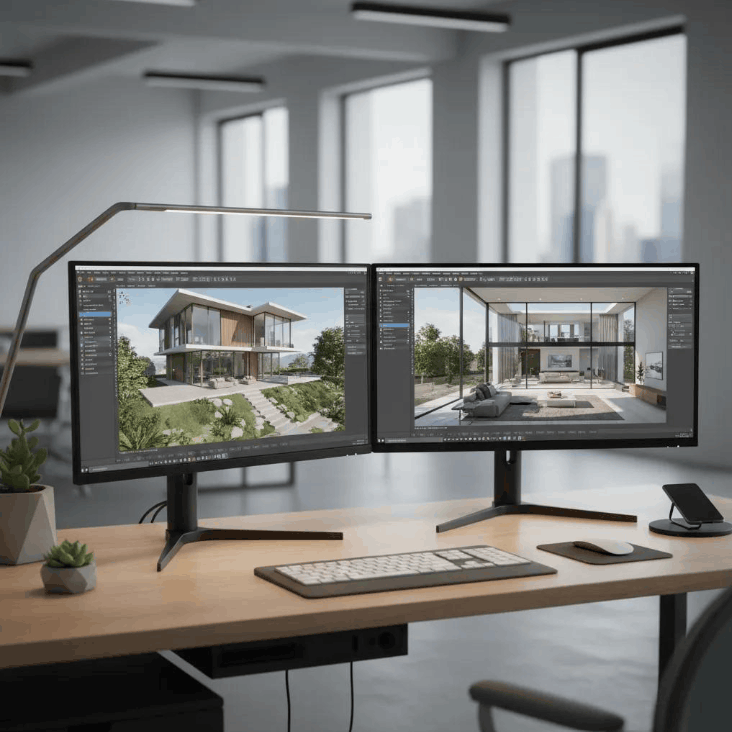
In summary, Corona excels in ease of use, iteration speed, and material ecosystem, but is limited to two main software programs and lacks GPU rendering. V-Ray excels in control capabilities, support for multiple software and animations, but requires a longer learning curve, more settings, and more powerful hardware to fully utilize its potential.
6. Cost of owning Corona and V-Ray in 2026
In terms of price, Corona is the cheaper option. The Corona Solo package costs around $62.90 per month, or around $400 per year when paid annually, while V-Ray Solo costs around $89.15 per month or $540 per year. Comparing annual packages, V-Ray Solo is about one-third more expensive than Corona Solo. Higher-end packages include V-Ray Premium at around $778.80 per year and V-Ray Collection at around $1,210.80 per year, both including additional studio tools. Corona also offers a Premium package for groups, with shared licenses and a larger asset library.
There are a few things to keep in mind when budgeting. First, neither offers a free version for commercial use; only trial versions are available, usually lasting thirty days. Second, from mid-2025, Chaos will switch to username-based licenses, tied to email addresses instead of keys permanently attached to machines, making it easier to transfer between machines. Third, prices may vary by region, currency, and promotions, so check the official Chaos website before purchasing.
Finally, don't just look at the subscription fee. The total cost of ownership also includes hardware, render farm services when needed, apprenticeship time, and setup time for each project. V-Ray has a greater depth, so mastering the tool takes more time, while Corona reduces training costs and shortens the time to achieve results. For studios primarily focused on interior and exterior design, the lower price and readily available material library are key reasons why Corona has become the default choice for many teams.
7. A simple decision-making framework for your project.
To avoid endless debate, you can go through the six questions below in order. The answers to the first few questions are usually sufficient to decide, while the later ones are used to reinforce or break the balance.
- What software are you using for the modeling? If the workflow runs on SketchUp, Revit, Rhino, or Maya, V-Ray is almost mandatory. If you're using 3ds Max or Cinema 4D, both are available, and you can move on to the next questions.
- What are your main project types? Interior and exterior still images lean towards Corona. Long animations, heavy post-production, and high-precision product images lean towards V-Ray.
- What about time pressure and the number of revisions? If the client provides continuous feedback and the deadline is tight, Corona's iteration speed is very advantageous. If the project has a long preparation time and requires high control, V-Ray is a worthwhile investment.
- How is your hardware? A machine with multiple CPU cores is suitable for Corona. A machine with a powerful graphics card and large video memory allows V-Ray to take advantage of GPU rendering.
- How experienced is the team technically? Does the team have many newcomers or multitaskers who are well-suited to working with Corona? Does the team have lighting and materials experts who can leverage the depth of V-Ray?
- What about budget and long-term plans? If you need to optimize registration and training costs, Corona has an advantage. If you need a unified tool for multiple product lines, V-Ray is a more suitable option.
If you're still unsure, a fairly reliable quick rule of thumb is to use Corona as your default tool for everyday interior and exterior work, and only switch to V-Ray when a project has specific requirements that Corona can't handle, such as complex animations, other host software, or multi-layered post-processing workflows. For studios of sufficient size, owning both and choosing on a project-by-project basis is also a sensible option, as they both belong to the same ecosystem.
8. Conclusion
Corona and V-Ray aren't a clear winner-take-all showdown, but rather two approaches to different needs. Corona is suitable for those who value speed, simplicity, and a rich material ecosystem for interior and exterior work. V-Ray is better suited for workflows requiring deep control, support for multiple software programs, animation, and advanced post-processing. The best answer always comes from your specific project, hardware, team, and business goals, not from the reputation of the tool





















VIP Products








Best Selling Products
Freepik Premium Account
59 USD
Upgrade Genuine Office 365
49 USD
Adobe Premiere Pro Account
99 USD
Copyright Adobe Lightroom Account
59 USD
Upgrade genuine Capture One account
120 USD
Upgrade Duolingo Super
29 USD
Capcut Pro 1 Year
39 USD
Adobe Photoshop Copyright - Full App
120 USD
Genuine Cheap Canva Pro
39 USD
MidJourney Account
29 USD
Genuine Adobe Illustrator account
99 USD
Plugin Retouch4me
69 USD
Autodesk All App Account Copyright
120 USD
ChatGPT Plus Account (GPT-4)
16 USD
Windows 10 & 11 Pro Key
36 USD
Articles on the same topic