Best Selling Products

Upgrade genuine Capture One account
120 USD

Autodesk All App Account Copyright
120 USD

Windows 10 & 11 Pro Key
36 USD

Plugin Retouch4me
69 USD

Genuine Cheap Canva Pro
39 USD

ChatGPT Plus Account (GPT-4)
16 USD

Copyright Adobe Lightroom Account
59 USD

Adobe Premiere Pro Account
99 USD

MidJourney Account
29 USD

Upgrade Genuine Office 365
49 USD

Freepik Premium Account
59 USD

Capcut Pro 1 Year
39 USD

Genuine Adobe Illustrator account
99 USD

Adobe Photoshop Copyright - Full App
120 USD

Upgrade Duolingo Super
29 USD
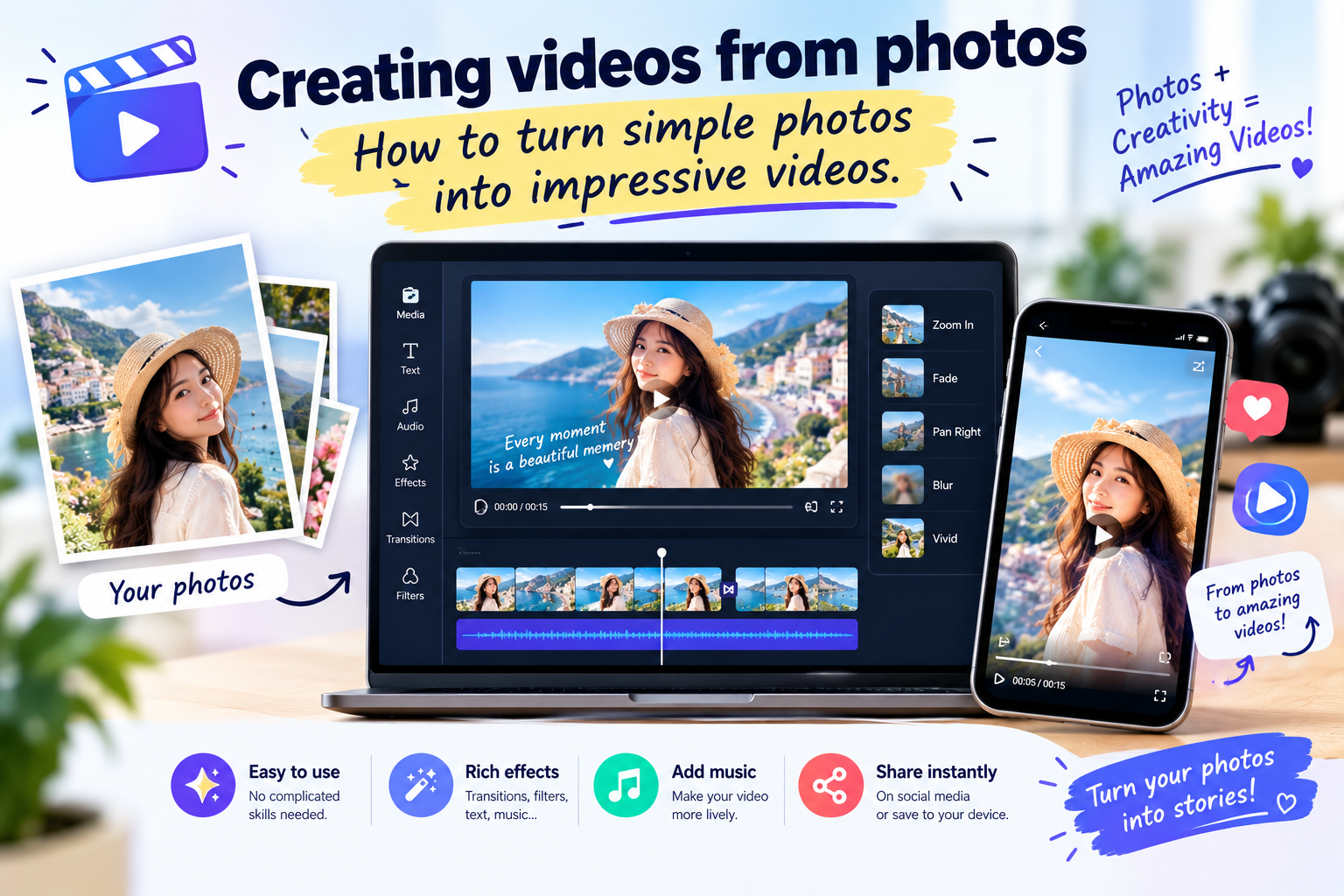
Creating videos from photos: How to turn simple photos into impressive videos.
Nội dung
- 1. What is creating a video from photos?
- 2. Why should you create videos from photos?
- 3. What do I need to prepare before creating a video from photos?
- 4. How to create a video from photos simply and quickly.
- 5. Tips for creating more beautiful and engaging videos from photos.
- 6. Here are some ideas for creating videos from photos that you can try.
- 7. Things to note when creating videos from photos
- 8. Conclusion
Photos stored on your phone are sometimes overlooked among thousands of other moments. Instead of just posting photos in the usual way, you can create videos from them to turn them into a more dynamic story. With just a few simple steps, still images can be combined with background music, transition effects, text, and motion to create beautiful videos. This method is suitable for both beginners and those who frequently create content on social media. Let''s explore it with Sadesign.
1. What is creating a video from photos?
Creating videos from photos is a way to combine multiple images into a single, well-structured video. Instead of displaying each photo individually, users can add transition effects, background music, text, or motion to make the content more engaging. Depending on the purpose, the video can be a few seconds long or several minutes long. This method is especially useful when you have many photos but no footage available. A travelogue, a birthday celebration, a family album, or a product photoshoot can all be turned into a video simply by arranging the images appropriately.
Some common types of content created from images include:
-
Video commemorating the trip.
-
Video and photos of birthdays, weddings, and anniversaries.
-
This video is a compilation of family photos.
-
Video showcasing a product or store.
-
Videos posted on TikTok, Facebook, and Instagram.
-
A slideshow of photos combined with music.
-
The video tells a story through images.
The interesting thing is that you don't need professional video editing skills. Just prepare the right photos and choose a simple editing style, and you can create a complete video.
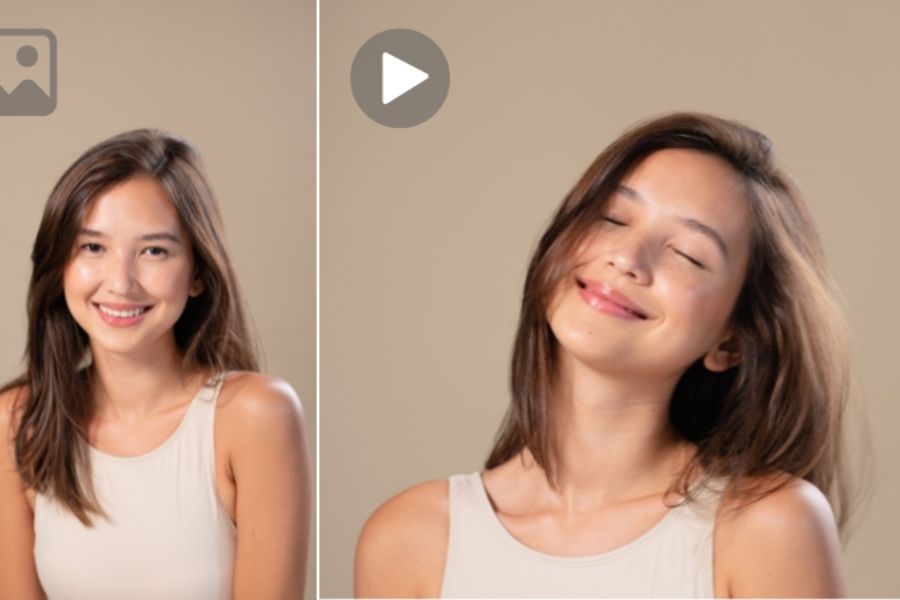
2. Why should you create videos from photos?
A single photo can capture a moment, but when multiple images are linked together, they can tell a complete story. Adding suitable music and subtle transitions will make the video feel more seamless than posting each image individually. This is also a useful solution for those who want to create content but don't have much time to film. Instead of setting up a camera and recording from scratch, you can utilize the images already on your phone or computer.
Some notable benefits of this method include:
-
Save time: Utilize existing photos instead of having to reshoot content.
-
Easy to use: Modern tools often have intuitive interfaces.
-
Enhance the visual appeal: Photos are combined with music, transitions, and effects.
-
Versatile: Can be used for personal, educational, work, or sales purposes.
-
Easy to share: Videos are suitable for many social media platforms.
-
Create your own unique style: You can add text, colors, and styles to suit your preferences.
Especially for those who frequently create short content, this is a very effective way to utilize their photo library. A single set of photos can be transformed into multiple videos with different arrangements, sounds, and effects.
@old
3. What do I need to prepare before creating a video from photos?
Before you begin editing, take some time to select your images. This seemingly simple step significantly impacts the final video quality. A video with many effects but blurry, duplicate, or irrelevant images will make the content look cluttered. Ideally, you should determine the theme first and then choose images. If you're making a travel video, prioritize images that showcase the journey. If you're making a product video, choose images that are clear, have multiple angles, and highlight the product's key features.
You can prepare according to the following criteria:
-
Choose images with relatively good resolution.
-
Remove blurry or shaky images.
-
Avoid using too many identical images.
-
Sort the photos chronologically or by content.
-
Choose photos with relatively harmonious composition and colors.
-
Determine the video aspect ratio before you begin.
-
Prepare background music if you want your video to have a specific atmosphere.
A helpful tip is to avoid trying to cram all your photos into a single video. A short video with carefully selected images is usually easier to watch than a long video with too much repetitive content.
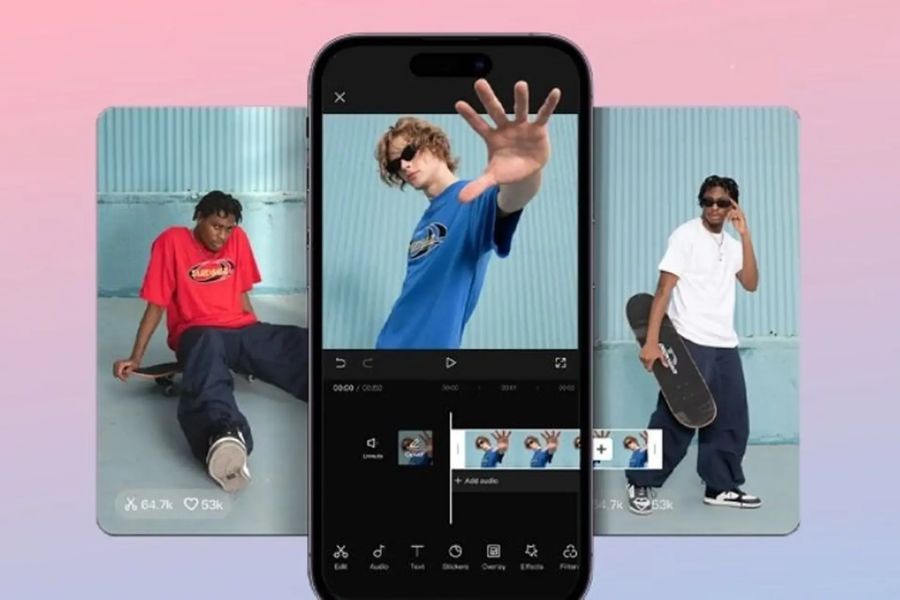
4. How to create a video from photos simply and quickly.
Once you've prepared the images, you can begin the video editing process. Depending on the tool you're using, the names of the features may vary, but the basic process is usually quite similar. Simply import the images, arrange them in order, and adjust the duration and effects.
The basic steps include:
-
Step 1: Choose a video creation tool. Open
the video editing application or software you want to use. -
Step 2: Create a new project.
Choose a new project and set the aspect ratio to suit where you want to post the video. -
Step 3: Add images.
Upload the prepared images to the project. You can select multiple images at once to save time. -
Step 4: Arrange the order.
Drag and drop images to create a logical sequence. Important photos should be placed in easily noticeable positions. -
Step 5: Adjust the duration.
Trim or extend the appearance time of each image. For short videos, avoid leaving each image frozen for too long. -
Step 6: Add transitions.
Choose a suitable transition effect between images to make the video feel smoother. -
Step 7: Add music and text.
You can insert background music, a title, narration, or a few lines of caption to give the video more flair. -
Step 8: Review and Export Video
Check the entire video before saving. If everything is okay, select the appropriate resolution and export the video.
It's important not to use too many effects at once. A good video doesn't necessarily need a lot of movement. The consistency between the visuals, sound, and content is what makes a video easier to watch.

5. Tips for creating more beautiful and engaging videos from photos.
Simply assembling the photos in the correct order will still result in a completed video, but it may not be as impressive. A few small changes in the selection of photos, music, and effects can make a significant difference to the final product.
Try applying these tips:
-
Choose a striking opening image: This is the image that makes the first impression on the viewer.
-
Arrange the photos intentionally: You can follow a chronological order or build a story.
-
Avoid overusing effects: Simple transitions often feel more natural.
-
Choose the right music: Gentle music suits celebratory videos, while fast-paced music is more appropriate for energetic content.
-
Synchronize images with sound: Image transitions can be synchronized with the rhythm of the music.
-
Use just enough text: Only include information that is truly necessary.
-
Maintain color consistency: If the images have very different colors, adjustments can be made to create a more harmonious overall effect.
-
Pay attention to length: Short videos with clear content are usually easier to watch.
If you're posting videos on social media, you should also consider the aspect ratio. Vertical videos are generally better suited to platforms that prioritize short content, while horizontal videos may be more appropriate for slideshows or viewing on a computer.
@old
6. Here are some ideas for creating videos from photos that you can try.
You don't need to wait for a special occasion to create videos. Just a themed set of photos is all you need to turn them into engaging content. This is also a way to use those images that have been sitting dormant in your phone's library in a new way.
Here are some ideas you can consider:
-
Travel photo and video: Organize photos from the start of the trip, through sightseeing, to the end of the trip.
-
Commemorative video: Combining memorable moments in chronological order.
-
Birthday video: Combine photos of the birthday person with birthday wishes and a suitable song.
-
Family video: Gathering everyday moments into a moving album.
-
Product video: Use close-up shots, overall shots, and real-life photos to showcase the product.
-
Before and after videos: Suitable for design, decoration, space beautification, or appearance transformation.
-
Storytelling videos: Using images and short text snippets to guide viewers through different parts of the content.
-
Monthly video compilation: Each month, select a few highlight moments to create a visual diary.
For social media content, you can try building videos around a specific theme instead of randomly piecing together photos. For example, instead of creating a video with many unrelated photos, choose a theme like "A Memorable Day," "Moments of the Month," or "Weekend Journey." This way, viewers can easily understand the content from the start.
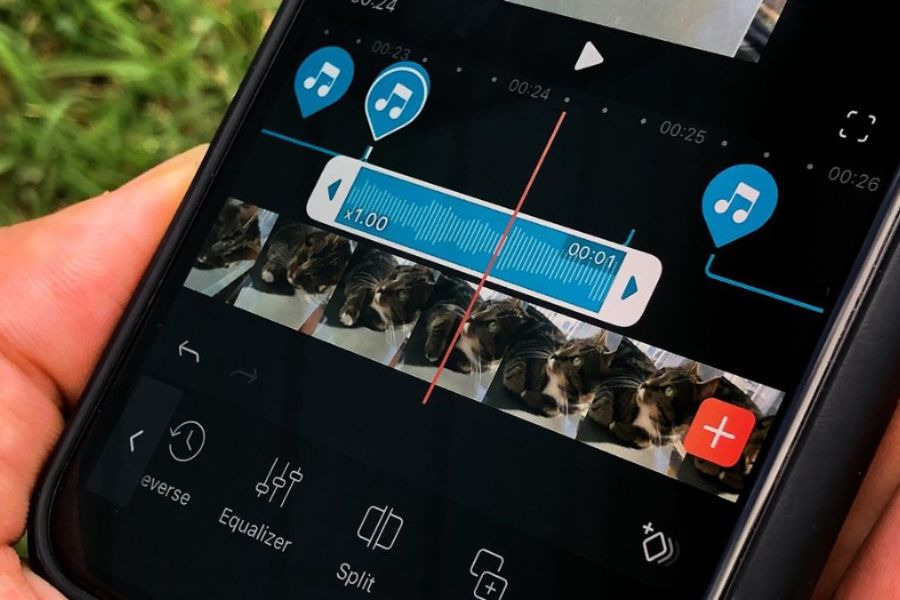
7. Things to note when creating videos from photos
Although the process is quite simple, some minor mistakes can still ruin the video's appeal. Therefore, after completing the editing, you should review the entire video once before exporting. Pay attention to the image, sound, text, and transition speed.
Some things to note include:
-
Do not use images of very low quality.
-
Don't include too many photos in a video if they're not relevant.
-
Avoid using too many different transition effects.
-
Avoid making the text too small or placing it in a hard-to-see location.
-
Check for spelling errors before exporting the video.
-
Choose music that suits the theme and atmosphere of the content.
-
Check the aspect ratio before posting.
-
Review the video in full-screen mode to detect errors.
-
Save the original if you want to edit or reuse it later.
A well-made video doesn't necessarily have to be elaborate. The most important thing is that the visuals are well-chosen, the content is well-structured, and the effects are used appropriately. When all the elements support each other, still images will become dynamic while still retaining their original character.

8. Conclusion
Creating videos from photos is a simple way to transform familiar moments into vibrant and shareable content. You don't need a professional camera or years of video editing experience; you can start with the photos already on your phone. From travel videos and family memories to product introductions, each set of photos can become a unique story when arranged correctly. Just choose the right photos, create a clear sequence, add music and effects in moderation, and you can create a visually appealing video. More importantly, experiment with different styles to find the one that best suits your content. Sometimes, a few seemingly ordinary photos can become an emotionally impactful video if told in the right way.





















VIP Products








Best Selling Products
Upgrade genuine Capture One account
120 USD
Autodesk All App Account Copyright
120 USD
Windows 10 & 11 Pro Key
36 USD
Plugin Retouch4me
69 USD
Genuine Cheap Canva Pro
39 USD
ChatGPT Plus Account (GPT-4)
16 USD
Copyright Adobe Lightroom Account
59 USD
Adobe Premiere Pro Account
99 USD
MidJourney Account
29 USD
Upgrade Genuine Office 365
49 USD
Freepik Premium Account
59 USD
Capcut Pro 1 Year
39 USD
Genuine Adobe Illustrator account
99 USD
Adobe Photoshop Copyright - Full App
120 USD
Upgrade Duolingo Super
29 USD