Best Selling Products

Plugin Retouch4me
69 USD

Capcut Pro 1 Year
39 USD

Windows 10 & 11 Pro Key
36 USD

Upgrade Duolingo Super
29 USD

Autodesk All App Account Copyright
120 USD

Genuine Adobe Illustrator account
99 USD

Adobe Premiere Pro Account
99 USD

Copyright Adobe Lightroom Account
59 USD

ChatGPT Plus Account (GPT-4)
16 USD

Adobe Photoshop Copyright - Full App
120 USD

MidJourney Account
29 USD

Upgrade Genuine Office 365
49 USD

Freepik Premium Account
59 USD

Upgrade genuine Capture One account
120 USD

Genuine Cheap Canva Pro
39 USD
Design your own hoodie for free on Canva from A to Z for beginners.
Nội dung
- 1. Quick and easy hoodie design for any need.
- 2. Reasons why you should design hoodies on Canva
- 2.1. Create a unique design that reflects your personality.
- 2.2. Support for brand building and promotion
- 2.3. Create meaningful and practical gifts.
- 3. How to design a hoodie on Canva
- 4. Factors that make a hoodie impressive
Want to design your own personalized hoodie without needing advanced skills? This article will guide you on how to use Canva to create unique hoodie designs completely free of charge.
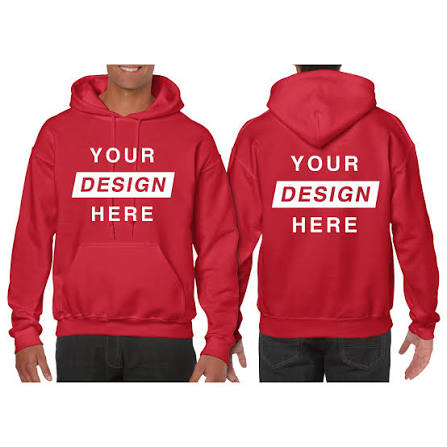
1. Quick and easy hoodie design for any need.
Not everyone has the time or knowledge to use complex design software. This is why Canva is a top choice for beginners and those who want to optimize their time.
Canva's hoodie design tool lets you get started with just a few clicks. Its intuitive, user-friendly interface allows you to quickly learn and operate smoothly from your first use. From brainstorming ideas and choosing templates to editing, exporting files, and placing print orders – everything is integrated into a single platform.
One of its standout strengths is its diverse library of design templates. You can choose from hundreds of pre-designed hoodie templates in various styles such as minimalist, edgy, vintage, streetwear, or branded. These templates not only save you time but also provide endless inspiration when you don't have a specific idea in mind.
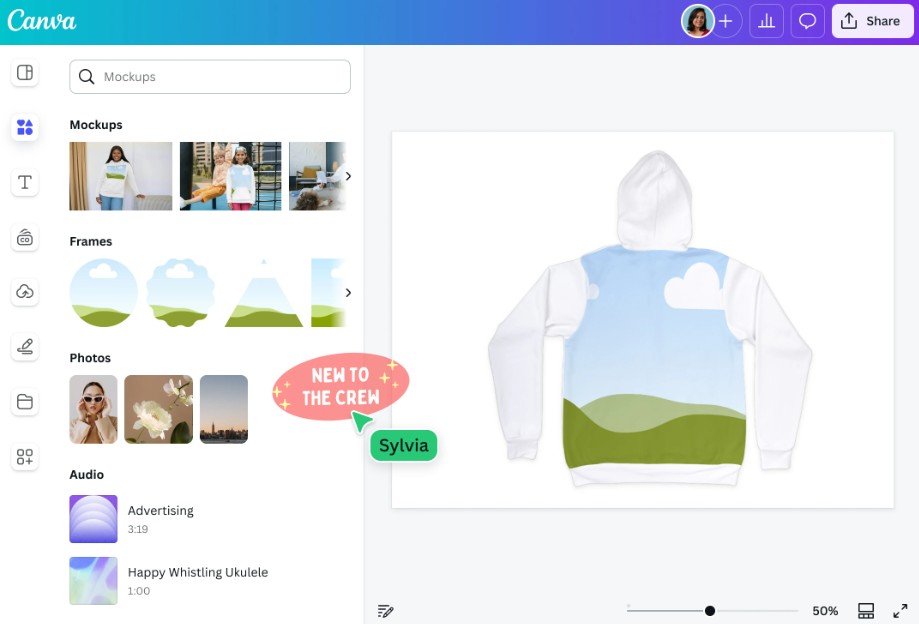
After choosing a template, you can customize it to your liking. Canva allows you to flexibly change the colors, fonts, sizes, and positions of objects. If you want to be more creative, you can start from a blank design frame and build everything from scratch.
Additionally, Canva offers a rich library of resources including icons, illustrations, shapes, stock photos, and high-quality graphics. Many of these resources are completely free, allowing you to create professional designs without additional investment.
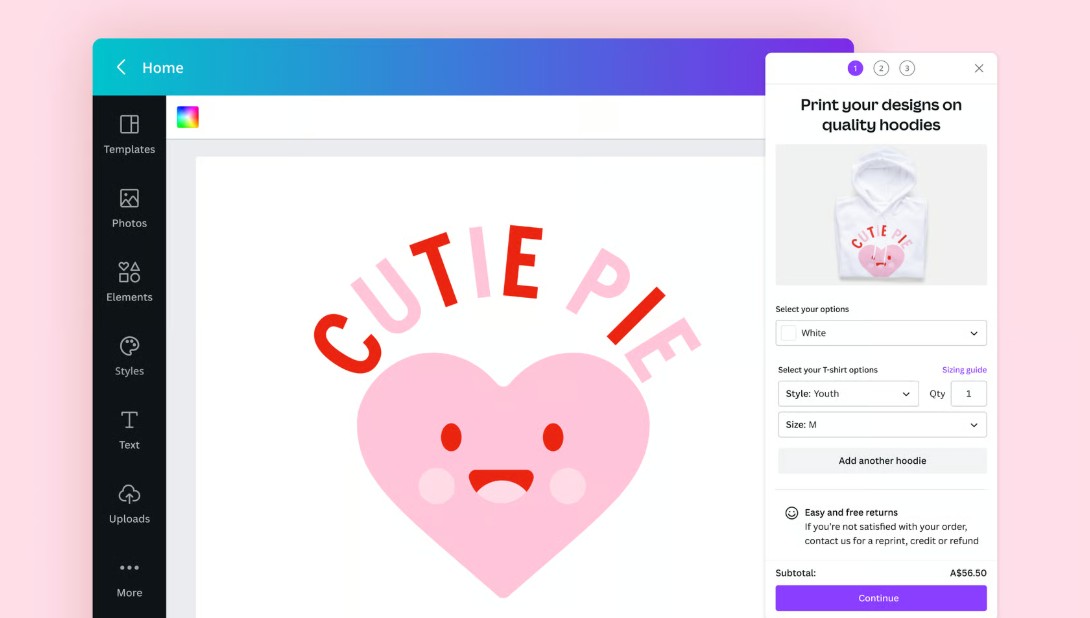
A notable feature is its integration with Canva Print. After finalizing your design, you can order printing directly and receive your finished product at your home with free standard delivery. This significantly shortens the process from idea to finished product.
2. Reasons why you should design hoodies on Canva
2.1. Create a unique design that reflects your personality.
In a world dominated by mass-market fashion, owning a unique hoodie offers a distinct sense of individuality. When you design your own, you're not limited by trends or market demands, but can freely express your personality.
You can combine your favorite colors, use your own slogan, add unique illustrations, or even personal photos. Every detail reflects who you are, creating a product with deep personal value.
Canva provides maximum support throughout this process with its rich resource library. You can experiment with many different styles without limitations. Coordinating typography and images becomes easier thanks to its intuitive drag-and-drop tools.
In particular, hoodie designs aren't just for individuals. You can create matching hoodies for couples, family hoodies, or group hoodies for friends on special occasions like travel, events, or celebrations. These hoodies are not only aesthetically pleasing but also foster a sense of togetherness among members.
2.2. Support for brand building and promotion
Hoodies are not just clothing; they are also an effective marketing tool. Many businesses, startups, or community groups use hoodies as part of their branding strategy.
With Canva, designing branded hoodies is incredibly simple. You can upload your logo, use your own fonts, and adjust the colors to match your brand identity. All of this is done within a single interface, eliminating the need to switch between multiple software programs.
Canva's editing tools allow you to create effects, align layouts, and optimize designs in just minutes. This is especially helpful for those without a strong design background.
Once completed, you can print directly through Canva Print. The product will be produced and delivered to your location, saving you time and operating costs.
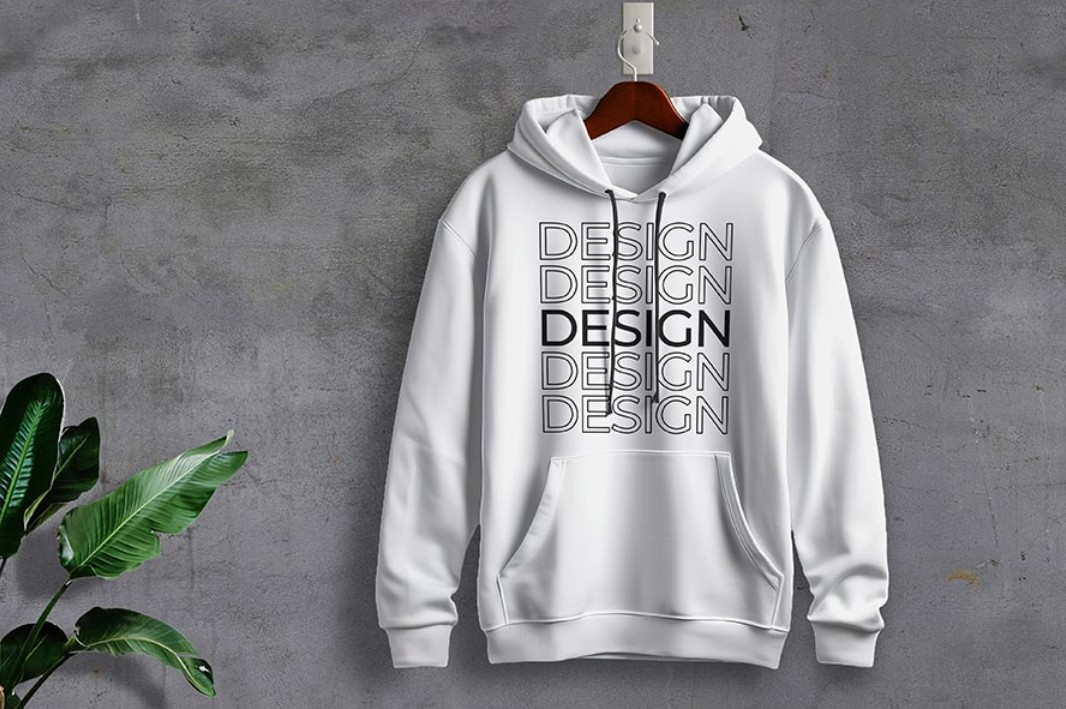
Branded hoodies not only increase brand recognition but also project a professional image to customers. They are an ideal choice for events, conferences, or promotional campaigns.
2.3. Create meaningful and practical gifts.
Choosing a gift is always a challenge, especially when you want something unique and practical. A custom-designed hoodie is the perfect solution.
Unlike typical gifts, personalized hoodies carry special meaning. You can print names, anniversaries, images, or personalized messages for the recipient. This makes the gift even more memorable.
Canva offers many ready-made design templates suitable for occasions such as birthdays, Valentine's Day, Christmas, or corporate gifts. You just need to edit the content to have a complete design.
Beyond aesthetics, hoodies are also very practical. They are suitable for many weather conditions, especially on chilly days. Canva Print offers a wide range of sizes (from S to 2XL) and colors such as black, gray, and navy blue, making it easy to choose the right product for the recipient.
3. How to design a hoodie on Canva
Step 1: Access Canva and start your project.
First, you need to access Canva and log in to your account. If you don't have one yet, you can create a free account in just a few minutes.
After logging in, enter the keyword "hoodie" into the search bar. Canva will display related design templates for you to choose from.
If you already have ideas or resources such as logos or images, prepare them in advance to save time during the design process.
Step 2: Find inspiration
Inspiration is a crucial factor in determining design quality. Canva offers a diverse collection of templates to help you easily explore ideas.
You can filter templates by color, style, or theme. For example: minimalist, dynamic, retro, or modern. This helps you quickly find a template that suits your needs.
If you don't want to use a pre-made template, you can absolutely start from a blank page and develop your own ideas.
Step 3: Customize the design to your personal style.
This is the most important step in the design process. Canva allows you to edit almost every element in the design.
You can change the colors to match your personal style or brand. The font can also be adjusted to emphasize the message.
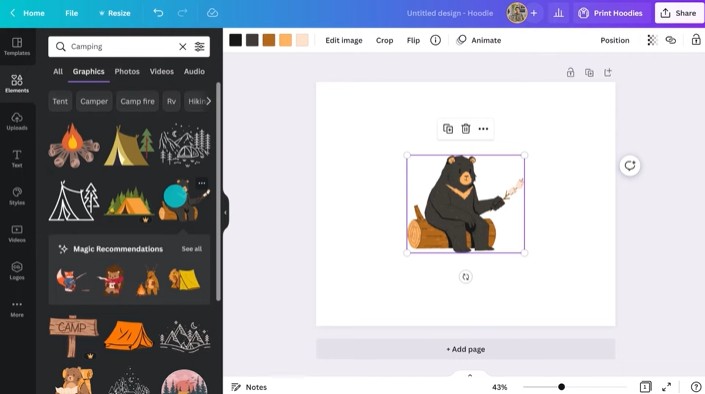
Additionally, you can add graphic elements from the library such as icons, illustrations, or background images. Combining these elements harmoniously will help make the design more professional.
If you have your own files, you can upload them and integrate them into your design. Canva supports many formats, giving you flexibility in your creativity.
Step 4: Finalize and test the design.
After you've finished editing, you should take some time to double-check the entire design. Make sure there are no spelling errors, the layout is balanced, and the colors are displayed as desired.
If the design is for a team or business, you can share it to get feedback from others. Canva supports collaboration features, making this process convenient.
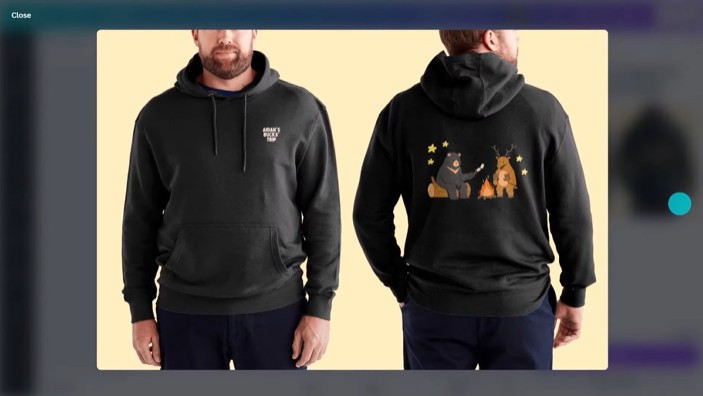
This is a crucial step to help you avoid mistakes before going into production.
Step 5: Place your order and receive your product.
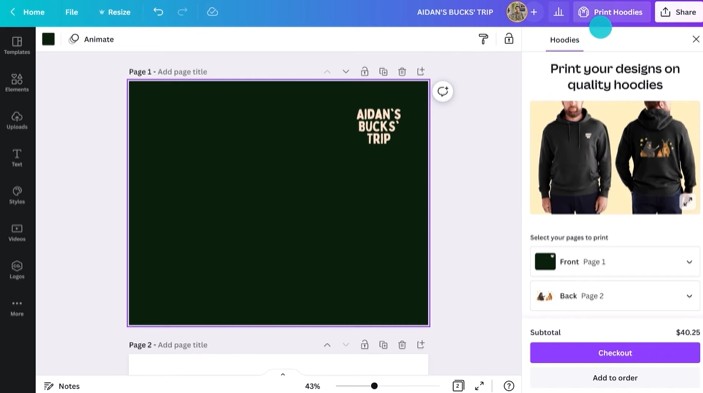
When you're ready, simply click the "Print" button on the Canva interface. Here, you can choose the quantity, size, and color of the hoodies.
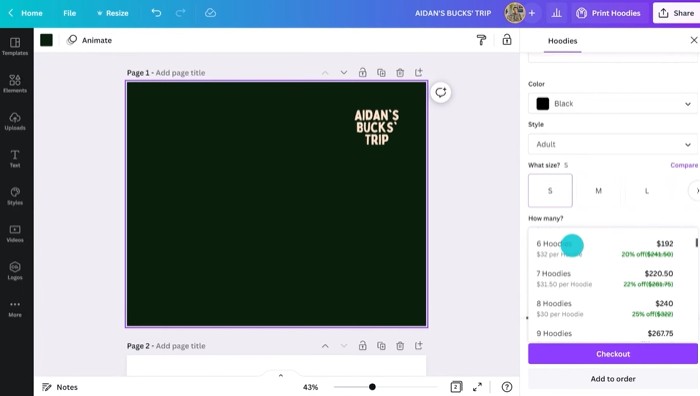
After your order is finalized, Canva will proceed with printing and delivery to your address. The free standard delivery service is a big plus, saving you money.
4. Factors that make a hoodie impressive
First and foremost, the material is the most important factor. A high-quality hoodie needs to be made from a material warm enough for cold weather but also breathable enough to keep the wearer comfortable. Fabrics that are soft, stretchy, and maintain their shape well will ensure the product is not only stylish but also durable over time.
Hoodies are generally more comfortable when made from a combination of different materials. One popular choice today is cotton blend: a combination of natural and synthetic fibers. Specifically, many hoodie designs are made from a ratio of about 80% cotton and 20% polyester. Cotton provides a soft, breathable feel, while polyester increases durability, reduces wrinkles, and helps maintain its shape better after multiple washes.
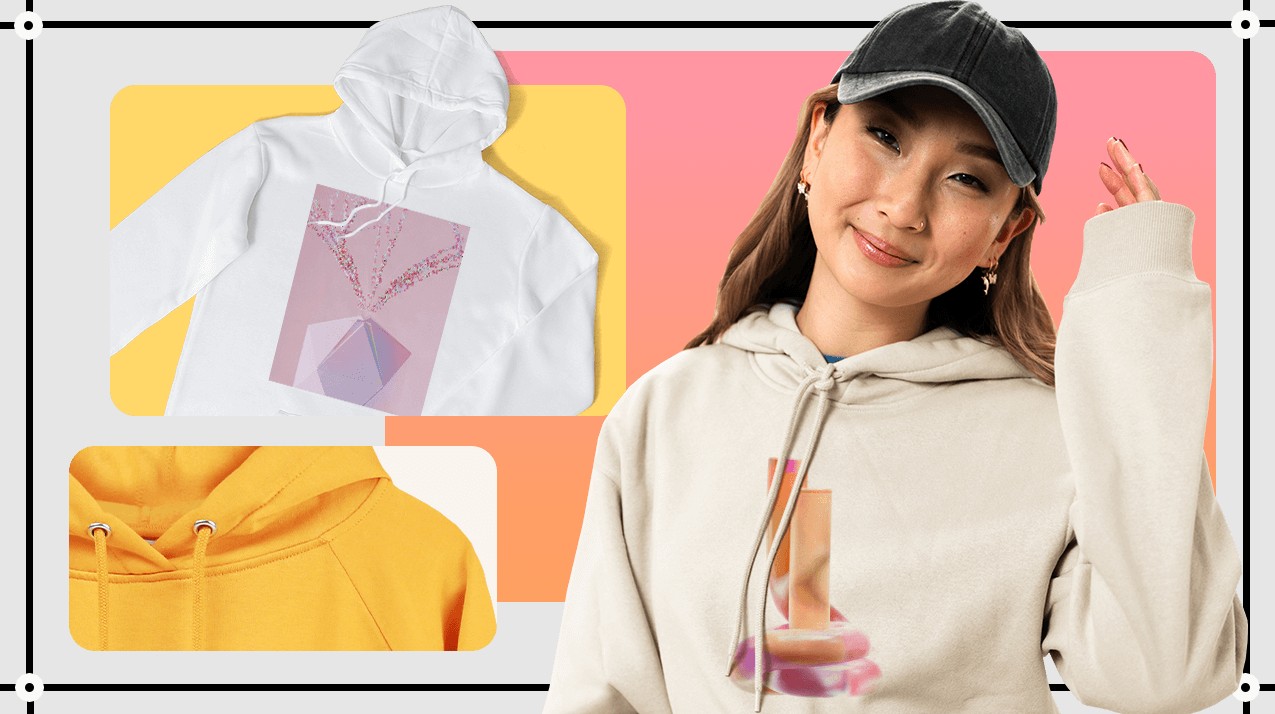
This combination not only makes the hoodie stylish but also enhances the user experience. Wearers can feel comfortable for extended periods, whether outdoors, participating in activities, or simply wearing it daily.
Besides the material, design is also crucial. An impressive hoodie needs a well-balanced layout, harmonious colors, and a clear message. When designing on Canva, you can easily experiment with many different styles to find the version that best suits your personality or brand.
Designing your own hoodie is no longer difficult or expensive. With the help of Canva, anyone can create unique products that reflect their personal style or brand in just a few simple steps.





















VIP Products








Best Selling Products
Plugin Retouch4me
69 USD
Capcut Pro 1 Year
39 USD
Windows 10 & 11 Pro Key
36 USD
Upgrade Duolingo Super
29 USD
Autodesk All App Account Copyright
120 USD
Genuine Adobe Illustrator account
99 USD
Adobe Premiere Pro Account
99 USD
Copyright Adobe Lightroom Account
59 USD
ChatGPT Plus Account (GPT-4)
16 USD
Adobe Photoshop Copyright - Full App
120 USD
MidJourney Account
29 USD
Upgrade Genuine Office 365
49 USD
Freepik Premium Account
59 USD
Upgrade genuine Capture One account
120 USD
Genuine Cheap Canva Pro
39 USD