Best Selling Products

Capcut Pro 1 Year
39 USD

Adobe Premiere Pro Account
99 USD

Upgrade Genuine Office 365
49 USD

Freepik Premium Account
59 USD

ChatGPT Plus Account (GPT-4)
16 USD

Genuine Cheap Canva Pro
39 USD

Windows 10 & 11 Pro Key
36 USD

Upgrade Duolingo Super
29 USD

MidJourney Account
29 USD

Genuine Adobe Illustrator account
99 USD

Copyright Adobe Lightroom Account
59 USD

Autodesk All App Account Copyright
120 USD

Adobe Photoshop Copyright - Full App
120 USD

Upgrade genuine Capture One account
120 USD

Plugin Retouch4me
69 USD
Edit videos with just one click using CapCut Desktop AI.
Nội dung
- 1. AI Video Creator
- 1.1 Understanding the AI video creator Capcut
- 1.2 AI Video Creation Process on CapCut Desktop
- 1.3 The Impact of AI on the Creative Process
- 2. Key features of CapCut Desktop
- 2.1 Quickly edit podcast videos
- 2.2 Smart Search
- 2.3 Automatic Aspect Ratio Adjustment
- 2.4 Optimizing selfie videos with AI
- 2.5 Smart background removal with Auto Cutout
- 3. Experiences from the content creation community
- 3.1 Podcast Creators
- 3.2 Vlogger YouTube
- 3.3 TikTok Creators
- 3.4 Digital Marketing Staff
- 4. CapCut Desktop and the future of video creation
- 4.1 Democratizing content creation
- 4.2 The combination of AI and humans
- 4.3 Accelerate content production
CapCut Desktop delivers an unprecedented video editing experience. From cutting and splicing to voiceovers and subtitles, everything is handled automatically by AI. The speed is so fast you'll find it hard to believe.
1. AI Video Creator
One of CapCut Desktop's most significant advancements is its ability to automate the video creation process using AI. This feature allows users to transform raw ideas into finished products without going through complex editing procedures.
1.1 Understanding the AI video creator Capcut
An AI video creator is a system that uses artificial intelligence to assist or automate steps in the video production process. Instead of having to write scripts, find images, edit each video segment, add subtitles and audio, users only need to provide the initial idea.
AI will handle the rest, from content creation and image selection to voiceover and background music. This significantly reduces time and effort, while also opening up creative opportunities for those without technical experience.
1.2 AI Video Creation Process on CapCut Desktop
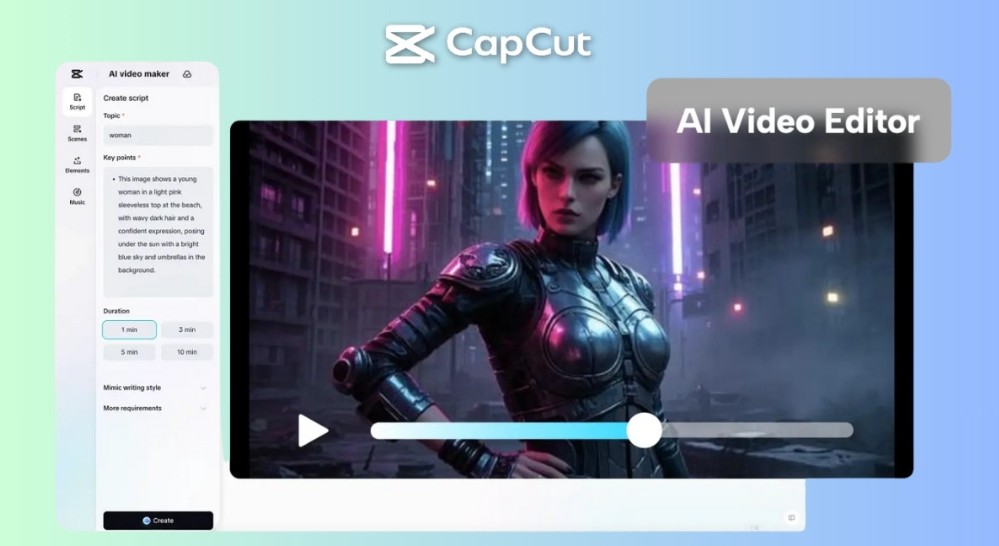
CapCut Desktop has simplified the AI video creation process into three clear, accessible steps for all users.
Step 1: Enter your idea.
Users begin by accessing the “Script to Video” feature and selecting “AI Writer”. Here, you can enter any idea, from educational content and personal stories to advertising scripts.
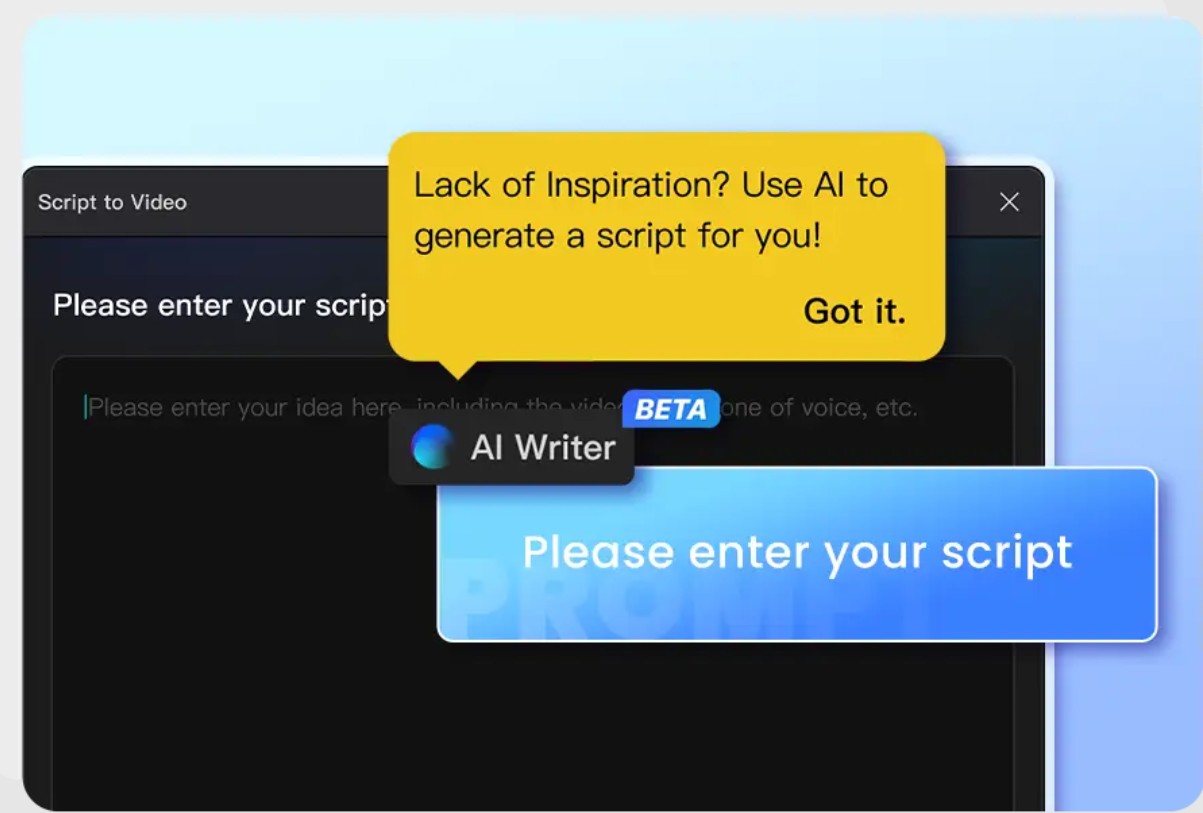
The unique aspect is that the AI system is able to understand the context and intent of the user, even when the description is incomplete. This reduces the pressure to "write it right" from the start.
Step 2: Choose a suitable scenario.
After clicking "Create," AI Writer will provide several different scenarios. Each scenario has its own approach, from storytelling style to content structure.
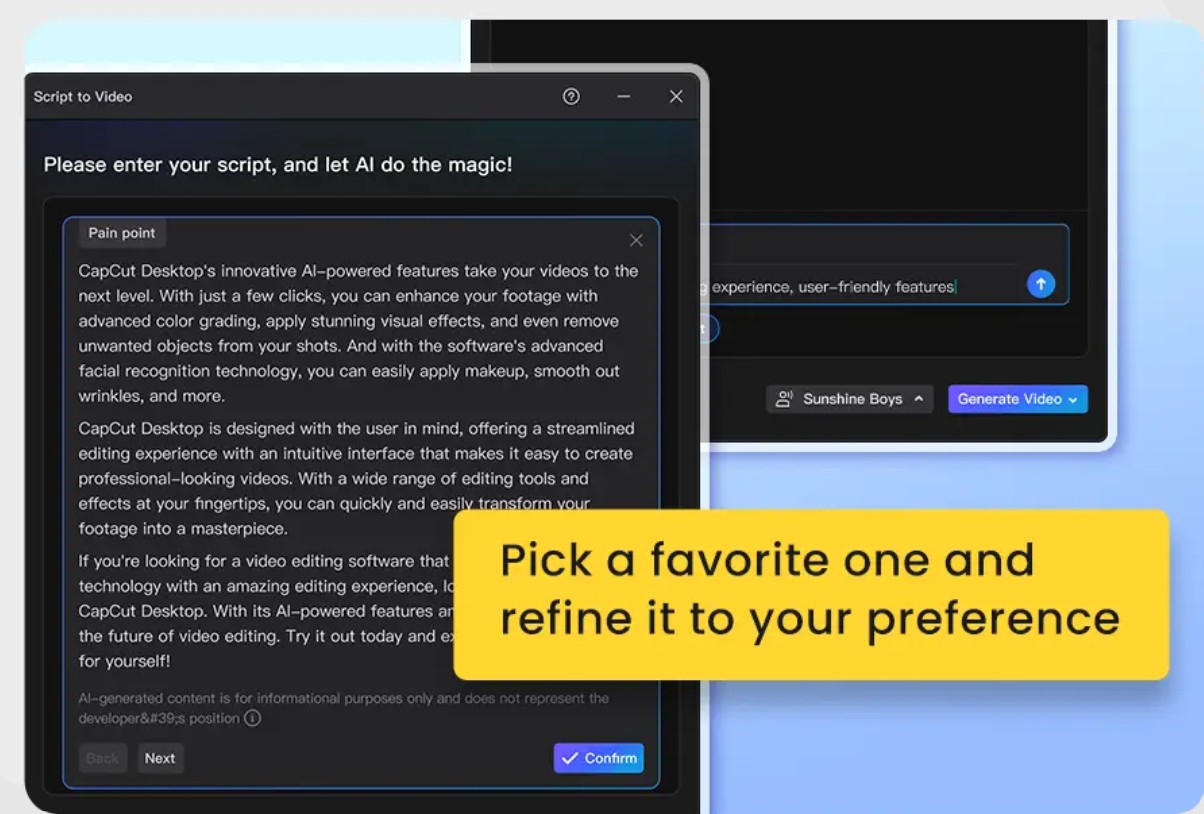
Users can choose the most suitable scenario and edit it to their personal style. This is an important step in maintaining their own creative touch, instead of relying entirely on AI.
Step 3: Create the complete video.
With just one click of the "Smart Generation" button, CapCut Desktop will automatically create the video. The finished product includes synchronized images, subtitles, voiceover, and background music.
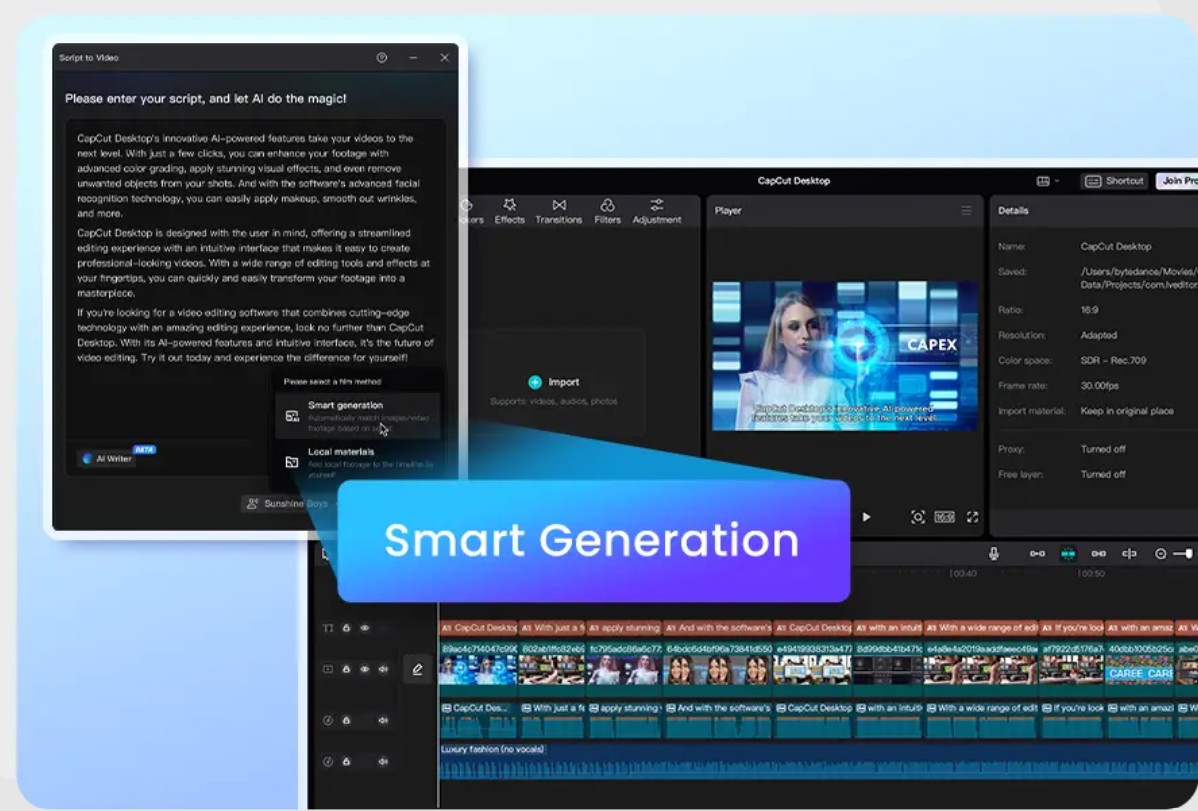
This process usually only takes a few minutes, much faster than traditional editing methods.
1.3 The Impact of AI on the Creative Process
Integrating AI not only saves time but also changes the way we approach content creation.
AI helps reduce repetitive and technical tasks, allowing users to focus on ideas and messaging. At the same time, AI also acts as a "creative assistant," offering suggestions and expanding on initial ideas.
This is especially useful in situations where inspiration is lacking or content needs to be produced quickly.
2. Key features of CapCut Desktop
2.1 Quickly edit podcast videos
During podcast recording, speakers often use filler words like "um," "ah," unnecessary pauses, or repetitions. If editing manually, the editor has to review the entire video and cut out small segments.
CapCut Desktop addresses this issue with its Remove Filler Words feature, an AI tool capable of analyzing speech and identifying extraneous parts. Beyond detection, the system can automatically trim or suggest edits, resulting in smoother videos.
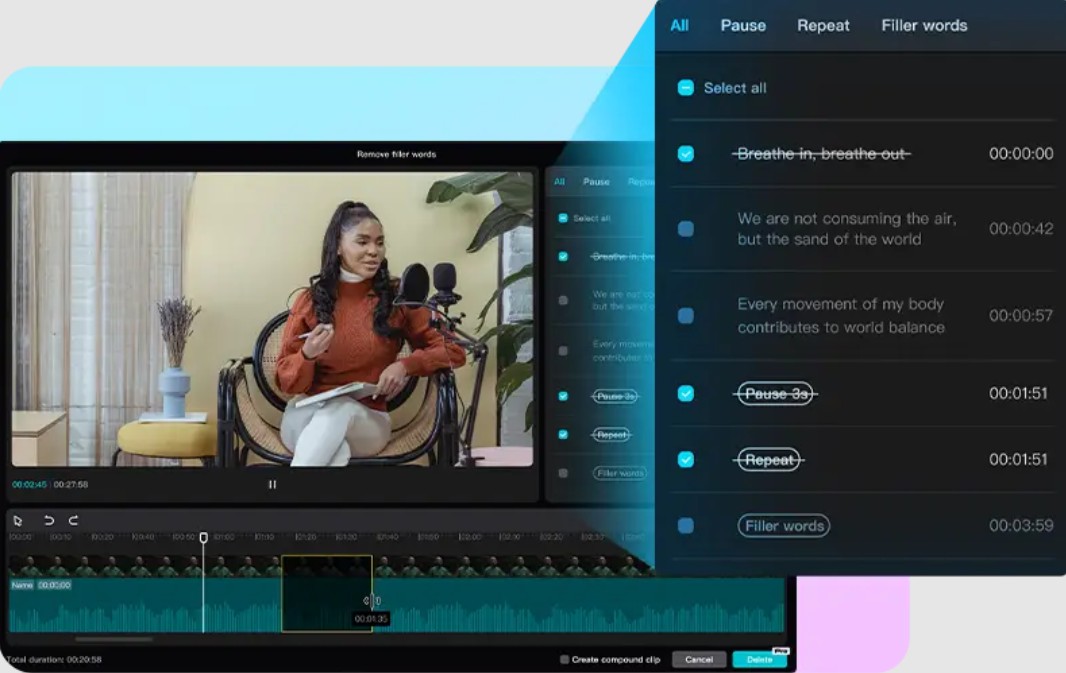
Additionally, AI helps to resynchronize the speech rhythm after cutting, preventing the video from appearing jerky or unnatural. This is especially important for longer content like podcasts, where seamlessness plays a key role in the viewer experience.
2.2 Smart Search
CapCut Desktop's Smart Search uses AI to analyze video content at multiple levels. Instead of relying solely on file names or metadata, the system can identify:
-
The subjects appearing in the video (people, objects, scenery)
-
Speech content through voice recognition.
-
Filming location and environment
-
Specific actions or movements
This allows users to search for videos in a more natural way. For example, you can search for "sunset seascape," "a scene with character A speaking," or "a clip with laughter."
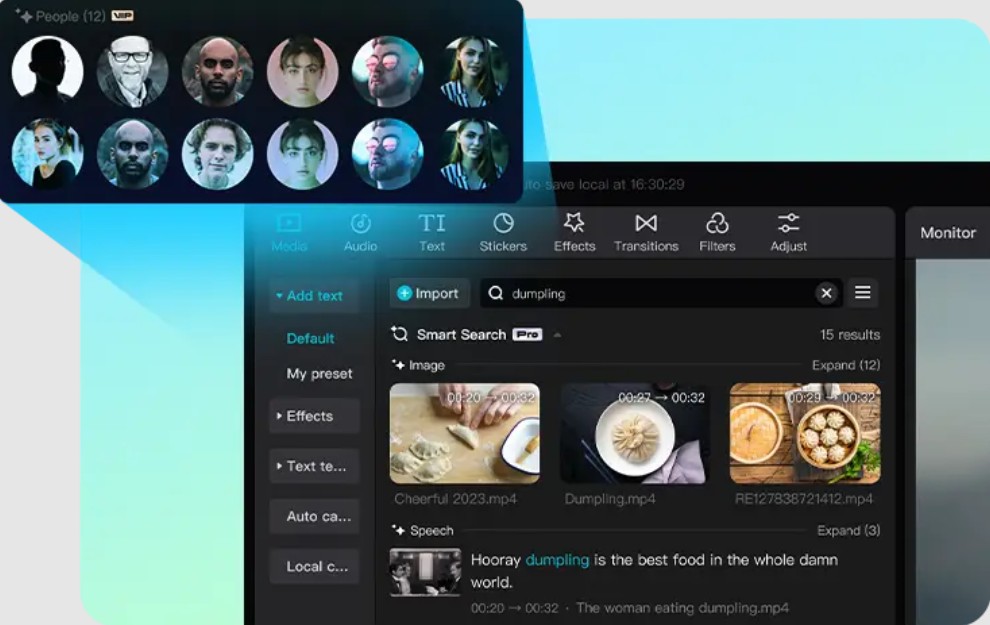
Furthermore, Smart Search has the ability to learn from users' usage habits. Over time, the system will provide more accurate suggestions, significantly shortening search time.
2.3 Automatic Aspect Ratio Adjustment
Each platform has its own standard for aspect ratios, such as 16:9 for YouTube, 9:16 for TikTok, or 1:1 for Instagram.
Previously, converting aspect ratios often required manual editing, including cropping video, realigning the composition, and ensuring the subject remained within the frame. This was a time-consuming task that also demanded meticulous attention to detail.
CapCut Desktop uses AI to solve this problem through its Auto Reframe feature. This technology analyzes video content to identify the main subject, then automatically adjusts the frame so that the subject is always in the optimal position.
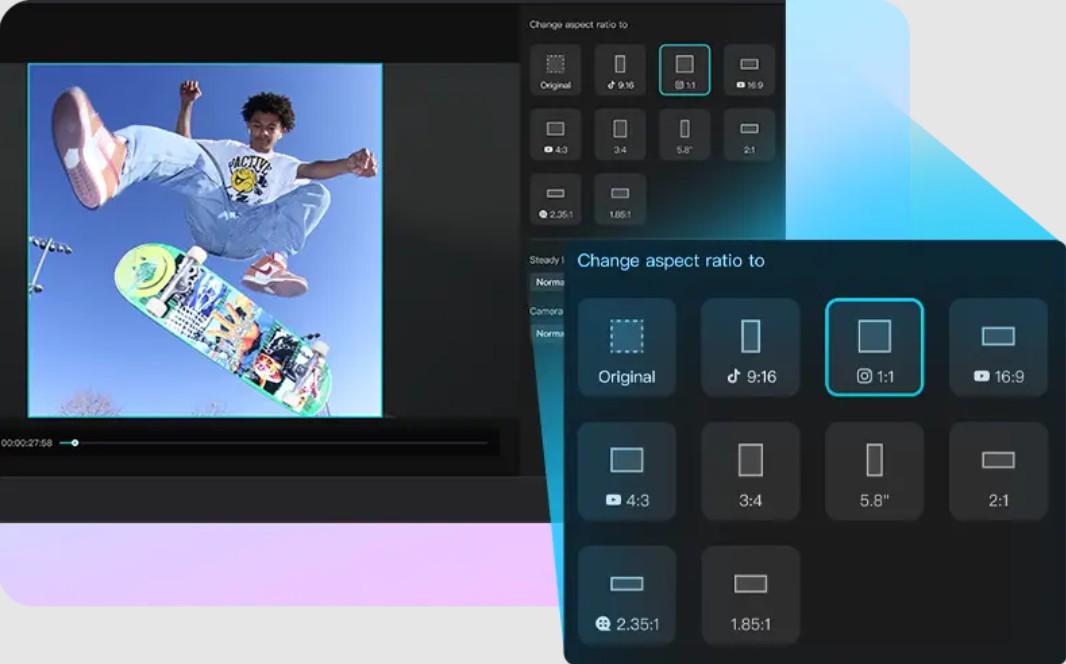
The strength of Auto Reframe lies in its ability to track movement. If the subject moves in the video, the frame will be adjusted dynamically to maintain focus. This helps the video retain its original aesthetics and message after conversion.
2.4 Optimizing selfie videos with AI
CapCut Desktop offers a powerful AI toolset for optimizing facial images. Face mapping technology helps identify facial structure, while tracking ensures that effects are applied accurately even when the user moves.
Users can make various adjustments such as:
-
Smooths the skin while preserving natural details.
-
Whiten teeth and improve your smile.
-
Adjust facial lighting
-
Apply virtual makeup that matches the video style.
Notably, these effects don't feel "overdone" like many other editing applications. CapCut Desktop's AI is designed to retain authenticity, keeping videos natural and relatable.
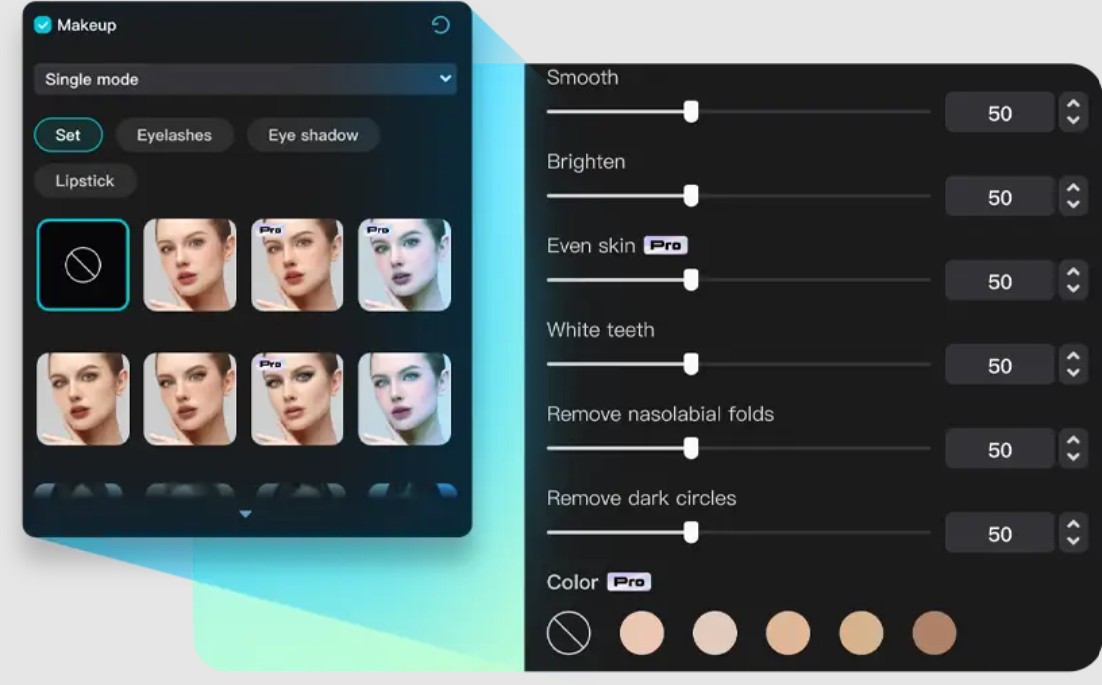
Additionally, this tool supports overall light and color balance, helping videos achieve better image quality even when shooting in less than ideal conditions.
2.5 Smart background removal with Auto Cutout
CapCut Desktop's Auto Cutout offers a completely different approach. Using AI, the system can automatically recognize the subject and separate it from the background in just seconds.
Auto Cutout not only works with green screen backgrounds, but can also handle complex scenarios such as:
-
The background has many details.
-
Uneven lighting
-
The subject is in constant motion.
The result is a precise cut with minimal jagged edges, preserving important details such as hair or the subject's outline.
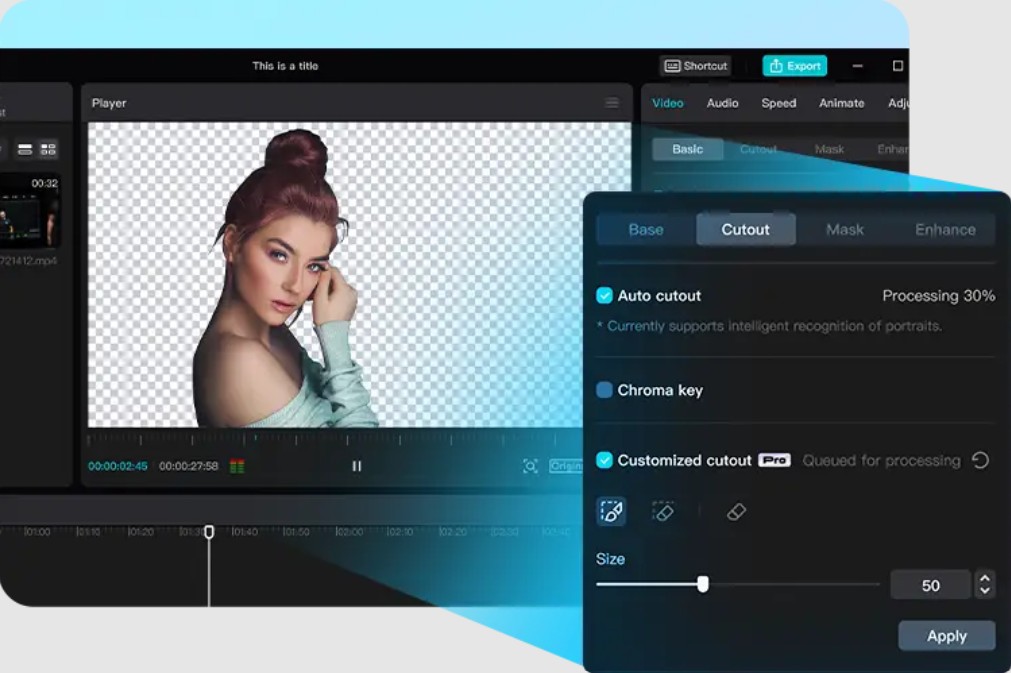
After removing the background, users can easily replace it with another image or video, creating creative effects such as placing characters in a new setting or designing professional advertising videos.
3. Experiences from the content creation community
The success of a tool lies not only in its features but also in how users apply it in practice. CapCut Desktop has received much positive feedback from various creative teams.
3.1 Podcast Creators
For podcasters, script writing and video editing are the two most time-consuming tasks.
AI Writer helps create scripts quickly, while its automatic editing feature removes unnecessary sections.
As a result, the podcast production process has become simpler and more efficient.
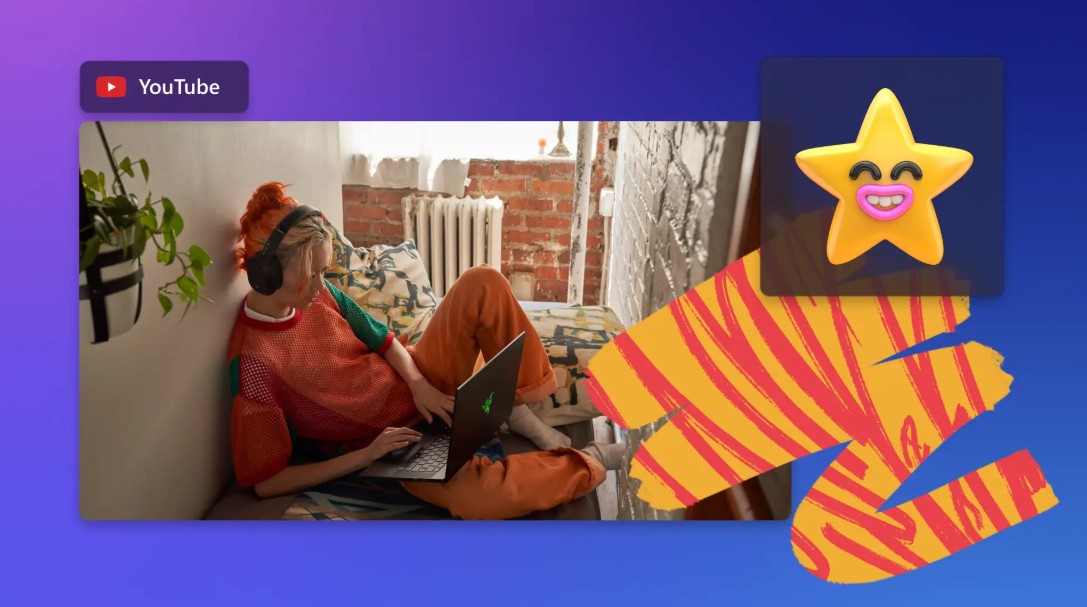
3.2 Vlogger YouTube
Vloggers typically demand high-quality video and a distinctive style.
CapCut Desktop offers a professional color grading system, including presets, LUTs, and color wheels. This helps create videos with impressive and consistent colors.
This allows users to improve content quality without needing complex software.
3.3 TikTok Creators
For short videos, rhythm and effects play a crucial role.
CapCut Desktop supports Auto Beat to synchronize motion with music, combined with a variety of effects to make videos come alive.
This helps increase the likelihood of attracting and spreading content.

3.4 Digital Marketing Staff
In the field of marketing, producing content quickly and effectively is key.
CapCut Desktop supports creating advertising videos with AI Presenter and Text-to-Speech, helping to reduce production costs.
This allows businesses to implement marketing campaigns more flexibly.

4. CapCut Desktop and the future of video creation
The development of AI is ushering in a new era for the content creation industry, and CapCut Desktop is one of the prime examples.
4.1 Democratizing content creation
Previously, creating high-quality videos required professional skills and equipment.
Now, CapCut Desktop makes it possible for anyone to participate in the creative process, regardless of experience or resources.
4.2 The combination of AI and humans
AI will not replace humans but will play a supporting role.
In CapCut Desktop, AI handles the technical tasks, while users focus on ideas and content.
This combination helps optimize creative efficiency.
4.3 Accelerate content production
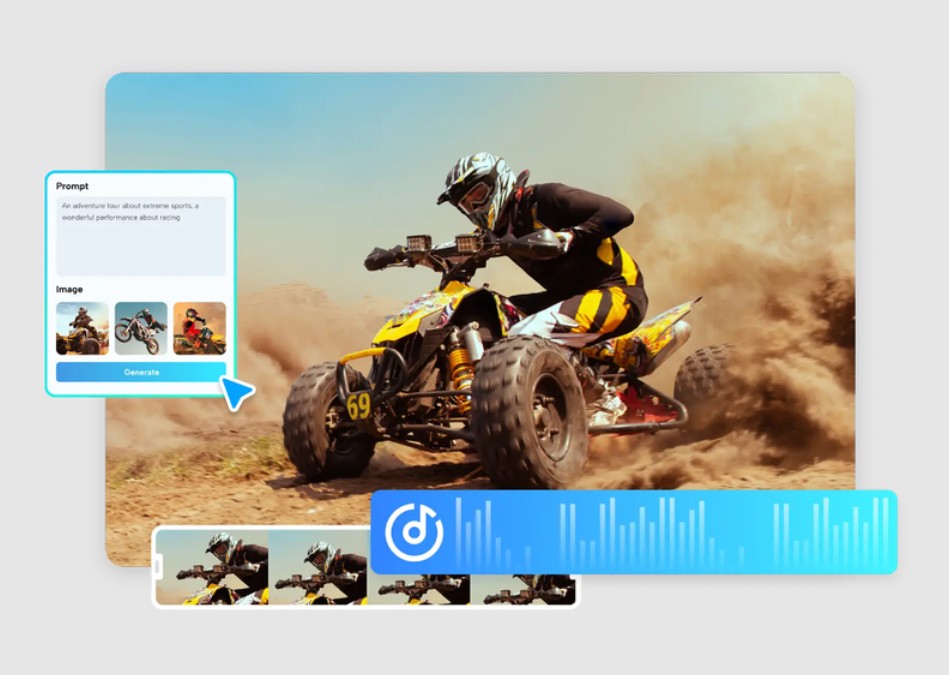
In a highly competitive environment, the speed of content production is crucial.
CapCut Desktop helps shorten the time from idea to product, allowing users to continuously update content.
CapCut Desktop is a significant advancement in video editing. Combining AI and professional tools, this software delivers a fast, efficient, and accessible editing experience.
Whether you're a beginner or a professional creator, CapCut Desktop can meet your needs. It not only saves time but also expands your creative possibilities.
In the future, as AI continues to develop, tools like CapCut Desktop will play an increasingly important role in shaping how we create and share video content.





















VIP Products








Best Selling Products
Capcut Pro 1 Year
39 USD
Adobe Premiere Pro Account
99 USD
Upgrade Genuine Office 365
49 USD
Freepik Premium Account
59 USD
ChatGPT Plus Account (GPT-4)
16 USD
Genuine Cheap Canva Pro
39 USD
Windows 10 & 11 Pro Key
36 USD
Upgrade Duolingo Super
29 USD
MidJourney Account
29 USD
Genuine Adobe Illustrator account
99 USD
Copyright Adobe Lightroom Account
59 USD
Autodesk All App Account Copyright
120 USD
Adobe Photoshop Copyright - Full App
120 USD
Upgrade genuine Capture One account
120 USD
Plugin Retouch4me
69 USD