Best Selling Products

Windows 10 & 11 Pro Key
36 USD

Upgrade genuine Capture One account
120 USD

MidJourney Account
29 USD

Freepik Premium Account
59 USD

Upgrade Genuine Office 365
49 USD

Genuine Adobe Illustrator account
99 USD

Genuine Cheap Canva Pro
39 USD

ChatGPT Plus Account (GPT-4)
16 USD

Adobe Photoshop Copyright - Full App
120 USD

Plugin Retouch4me
69 USD

Copyright Adobe Lightroom Account
59 USD

Upgrade Duolingo Super
29 USD

Adobe Premiere Pro Account
99 USD

Capcut Pro 1 Year
39 USD

Autodesk All App Account Copyright
120 USD
The Secret to Taking "No People in the Sky" Travel Photos Easily with CapCut
Nội dung
- 1. Key features of the best AI-powered person removal software
- 1.1. Accurate AI detection and complete removal.
- 1.2. One-click editing and a user-friendly interface.
- 1.3. High-quality images, free from blurriness.
- 2. Key benefits of using AI-powered person removal tools
- 2.1. Faster editing with AI tools
- 2.2. No editing skills required.
- 2.3. Clean results for daily use.
- 3. Application scenarios for AI-powered person deletion tools
- 3.1. Travel photos without strangers.
- 3.2. E-commerce and product images
- 3.3. Creating content on social media
- 4. How to remove people from photos using CapCut AI
- 4.1. Step 1: Start a new project in CapCut
- 4.2. Step 2: Upload images and use AI tools
- 4.3. Step 3: Preview and Download
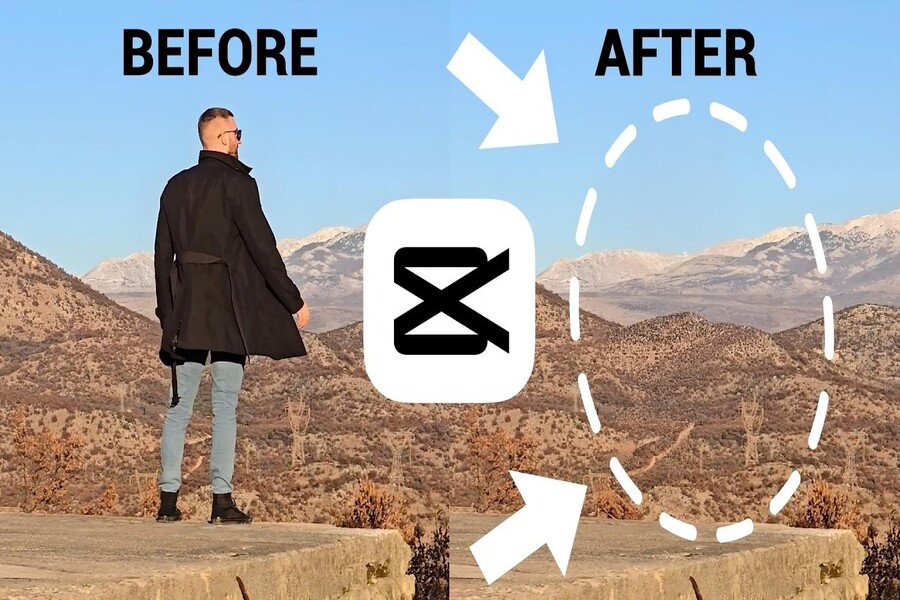
Discover how AI-powered people removal tools help you edit photos quickly and professionally in just seconds.
1. Key features of the best AI-powered person removal software
AI-powered character removal tools are not simply about "removing" people; they combine image recognition, contextual processing, and detail reconstruction.
1.1. Accurate AI detection and complete removal.
One of the most important aspects of AI-powered character removal tools is the ability to accurately identify the subject. The AI system can clearly distinguish between people, objects, and the background, thereby precisely determining what to retain and what to remove. This helps avoid accidental deletion or damage to surrounding details.
After removing an object, the AI automatically fills in the gap by recreating the background based on surrounding elements. For example, if you remove a person standing in front of a beach, the system will seamlessly recreate the sand, waves, or sky. This technology works similarly to how AI understands shape and context in image creation tools, ensuring the final result looks natural and shows no signs of editing.
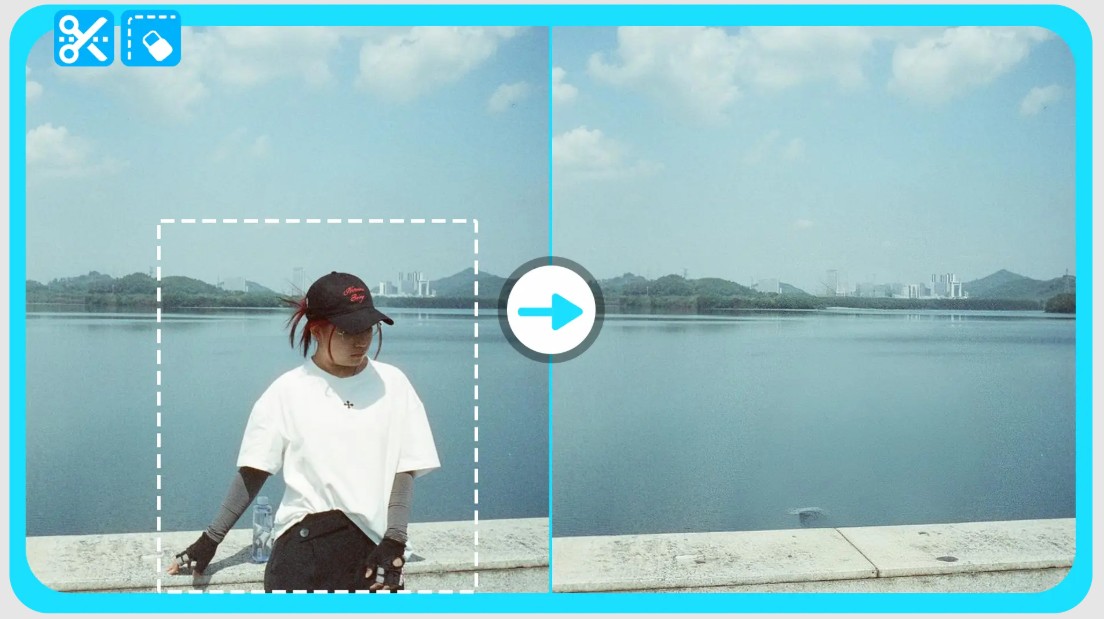
The ability to understand context is a key factor that makes the tool superior to traditional editing methods. Instead of simply "deleting," AI truly "understands" the image and intelligently reconstructs it.
1.2. One-click editing and a user-friendly interface.
A major advantage of AI-powered person removal tools is their ease of use. You don't need to learn complex techniques or use multiple tools. Simply upload the image, select the object to be removed, and press the button; the system will handle the entire process in seconds.
The interface is designed to be intuitive, suitable even for beginners. You can make edits directly in your browser without installing any software. This saves time and allows you to edit photos anywhere, anytime.
This convenience is especially useful in situations requiring quick processing, such as editing photos for social media posting or preparing images for work.
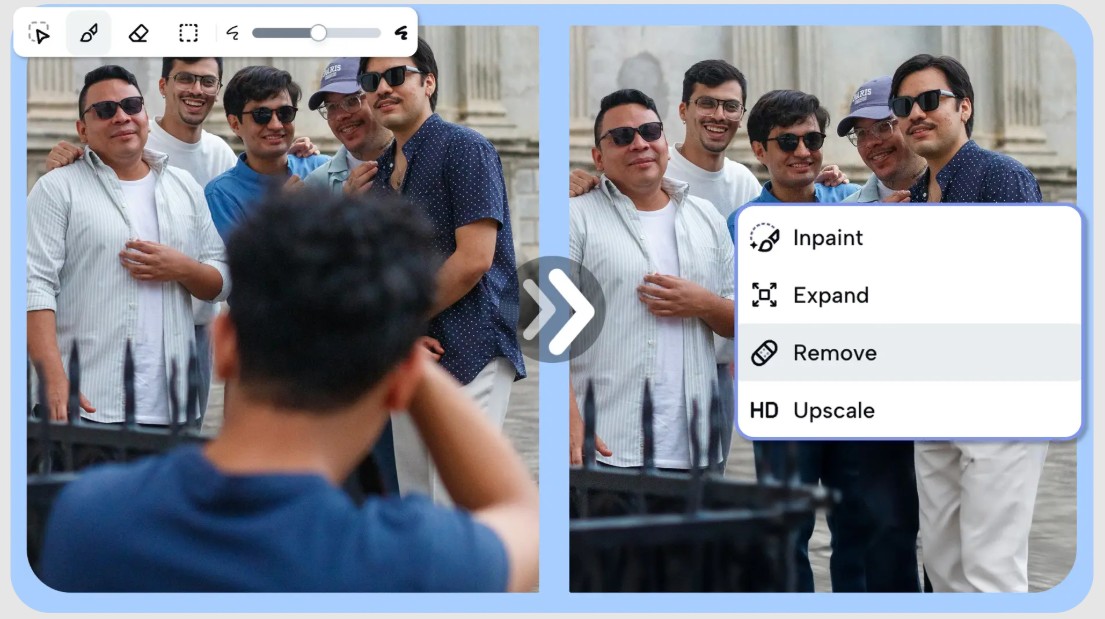
1.3. High-quality images, free from blurriness.
One of the biggest concerns when editing photos is the potential for image quality degradation. However, modern AI tools are designed to preserve the sharpness, texture, and detail of images after editing.
When removing people from an image, the system not only fills in the empty space but also ensures consistency in lighting, color, and detail. This helps the edited image look natural and professional, without blurring or distortion.
Thanks to this, you can use the photos for many different purposes, from posting on social media and printing to using them in business, without worrying about losing quality.
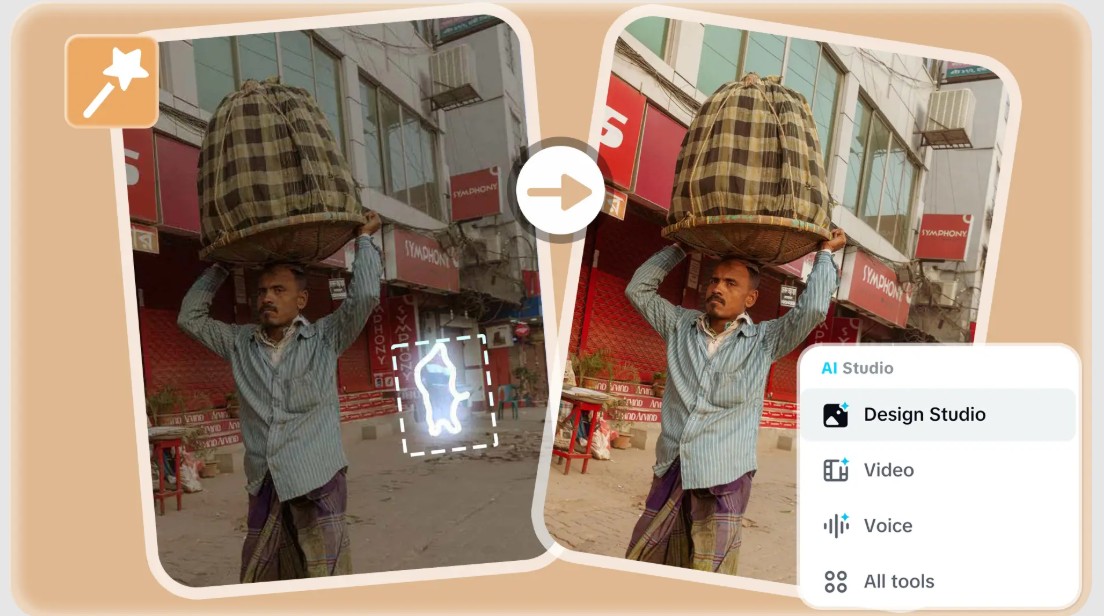
2. Key benefits of using AI-powered person removal tools
Using AI-powered character removal tools offers many advantages over traditional editing methods.
2.1. Faster editing with AI tools
Previously, removing a person from a photo could take tens of minutes or even hours, especially with complex images. You had to select the area, erase, edit every small detail, and double-check multiple times.
With AI, this entire process is shortened to just a few seconds. You can process multiple images in quick succession without much effort. This increases productivity, especially for content creators or marketers.
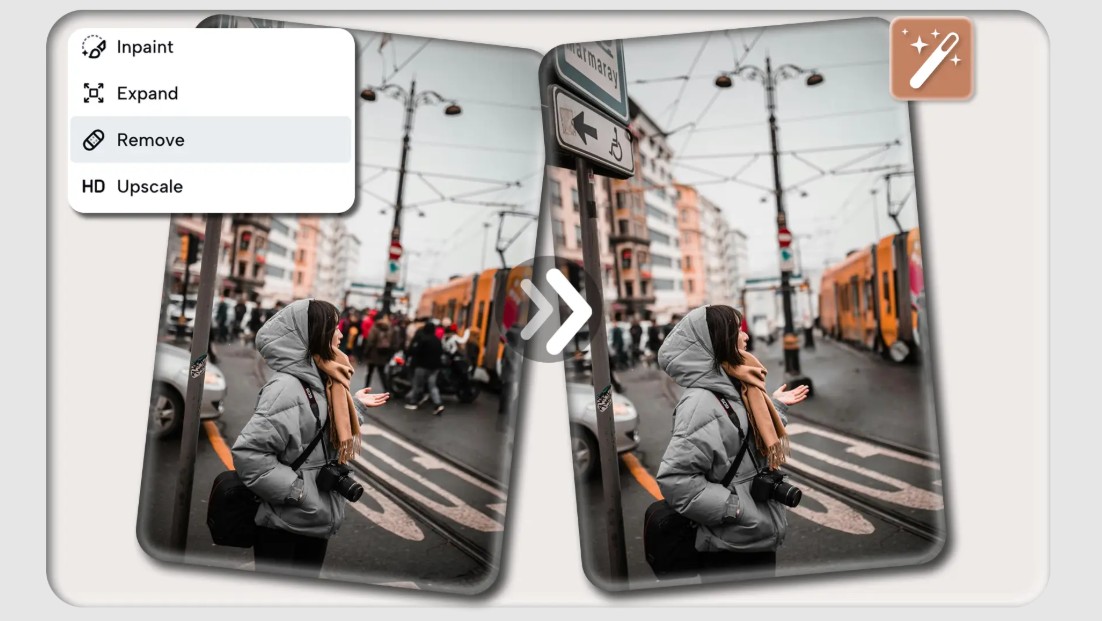
2.2. No editing skills required.
One of the biggest hurdles of traditional photo editing is the requirement for specialized skills. However, with AI, anyone can edit photos with ease.
You don't need to understand layers, masks, or complex tools. With just a few simple steps, you can create professional results. This expands the creative possibilities for many people, even those who have never edited photos before.
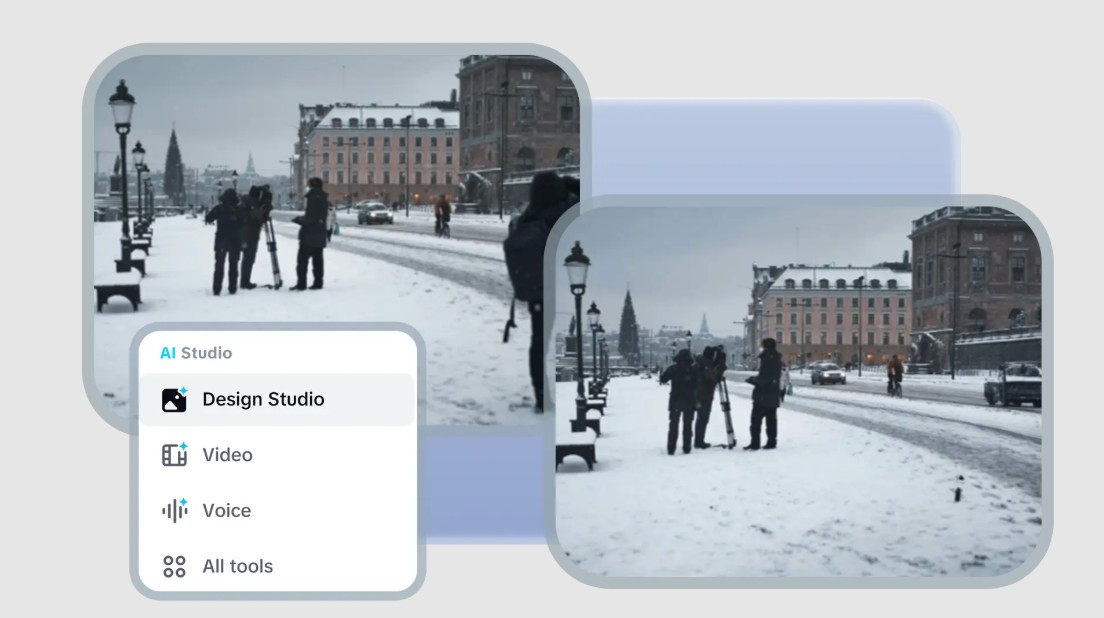
2.3. Clean results for daily use.
AI-powered person removal tools deliver natural-looking results, avoiding an artificial or overly edited appearance. This is crucial whether you're using photos for personal or professional purposes.
You can easily remove distracting elements, highlight the main subject, and create cleaner, more engaging photos. Additionally, you can combine it with other AI tools to create creative, highly personalized content.
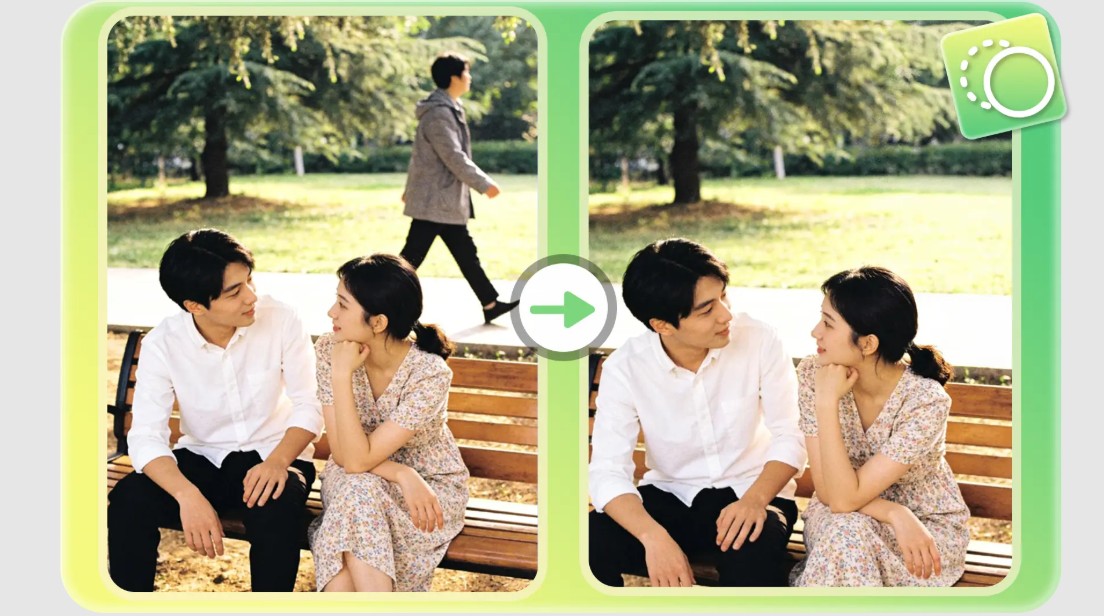
3. Application scenarios for AI-powered person deletion tools
AI-powered people removal tools can be used in a variety of situations, from personal to professional settings.
3.1. Travel photos without strangers.
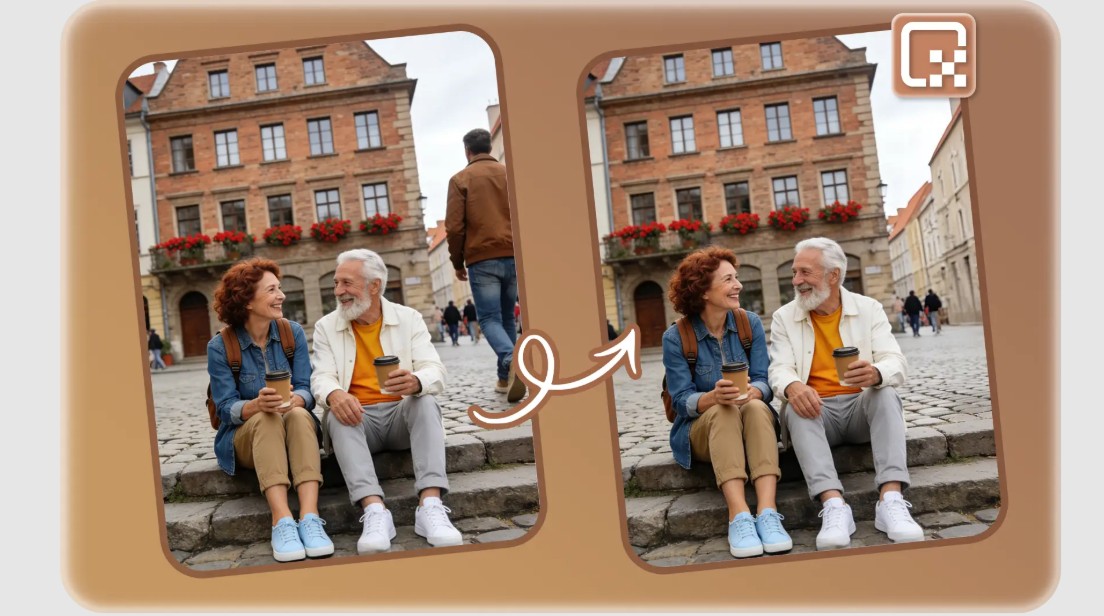
Famous landmarks are often crowded, making it nearly impossible to get a "crow-free" photo based solely on the timing. AI tools help you remove unwanted people, preserving the beautiful scenery and creating the perfect picture.
Beyond simply removing people, AI also helps to naturally recreate the background. For example, when you remove a group of people standing in front of a building, the system will automatically restore the details of the building, the street, or the surrounding landscape. This helps the edited photo retain its authenticity and avoid looking artificial or unnatural.
This helps you preserve memories completely without being affected by external factors. Edited travel photos are not only more beautiful but also more personal, as if you own the entire space within the frame. This is also why many people use this tool to upgrade their travel albums or share more impressive photos on social media.
3.2. E-commerce and product images
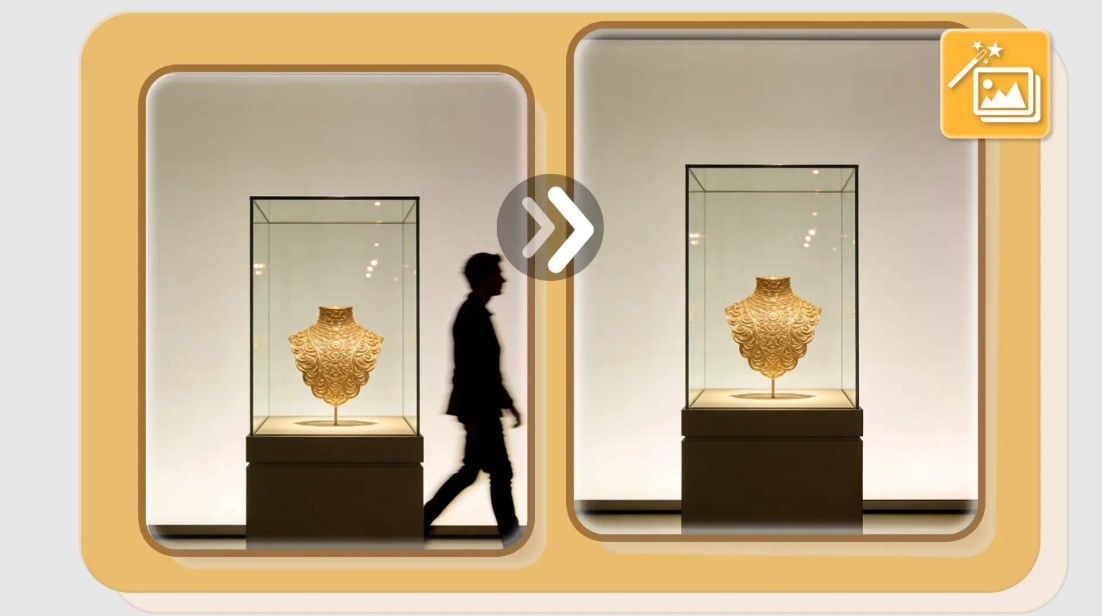
In business, product images play a crucial role in attracting customers. AI-powered character removal tools help eliminate unwanted elements such as passersby, unwanted shadows, or distracting objects, thereby keeping the focus on the product.
Simplifying images not only helps products stand out but also creates a professional and trustworthy impression. Especially in e-commerce, where customers cannot physically touch the product, images are the most important element in conveying information and emotions.
Furthermore, AI tools help you standardize images to a consistent style. You can process multiple product images to ensure they all have clean backgrounds, even lighting, and clear composition. This helps build a professional brand image and increase brand recognition.
This helps improve the customer experience and increase conversion rates. A clear, uncluttered image helps viewers focus on the product, making it easier for them to make a purchase decision.
3.3. Creating content on social media
AI tools help you quickly edit photos, remove unwanted details, and create high-quality content. You can clean up the background, remove strangers or distracting elements to focus on the main subject. This helps your message be conveyed more clearly and effectively.
Additionally, you can combine the person removal tool with other editing features to create more creative content. For example, after cleaning up an image, you can add effects, text, or graphic elements to enhance its appeal.
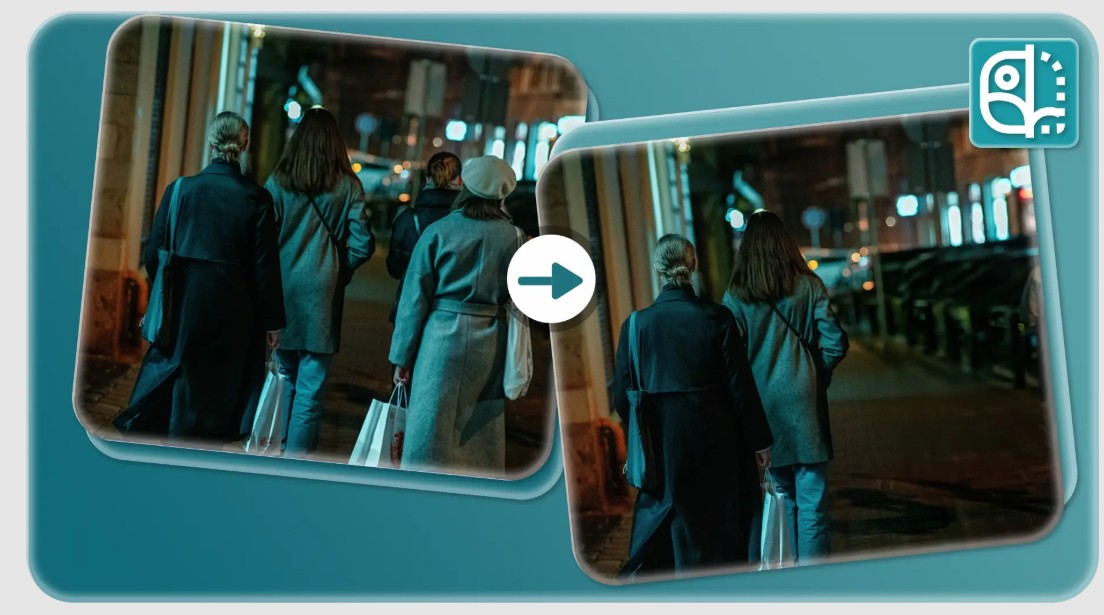
4. How to remove people from photos using CapCut AI
The process of using CapCut to remove people from photos is designed to be simple and easy to perform, yet still highly effective.
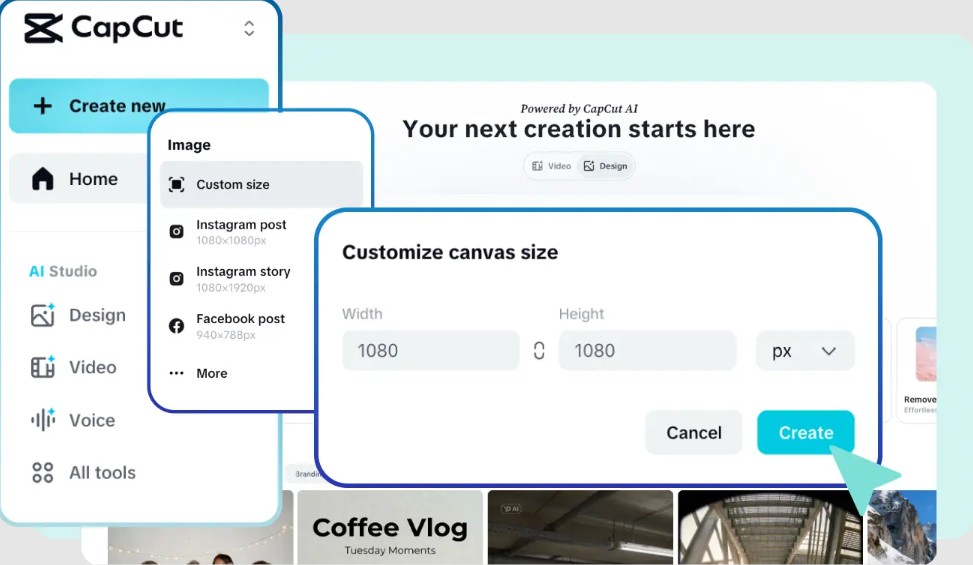
4.1. Step 1: Start a new project in CapCut
Open CapCut, log in, and select "Create New Project." Then, set the frame size to suit your needs. Choosing the right size from the start will help you optimize images for each platform, such as square images for Instagram or landscape images for websites.
CapCut's user interface is designed to be intuitive, making it easy to get acquainted with from the first use. You can quickly access the necessary tools without spending a lot of time searching. This is an important first step in preparing a suitable editing environment.
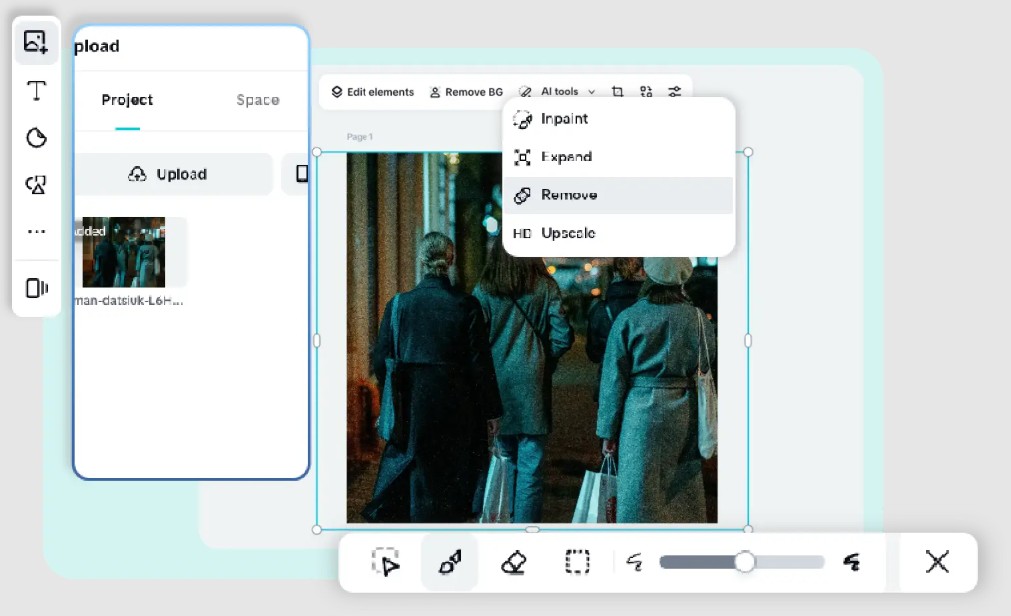
4.2. Step 2: Upload images and use AI tools
In the left-hand panel, click "Upload" to import the image you want to edit. Then, navigate to the toolbar at the top to select "AI Tools" > "Remove", and then select the "Quick Select" tool. Highlight the person you want to remove and click "Create" for the AI to automatically process the edit.
4.3. Step 3: Preview and Download
Once finished, review the results and download the image. The edited image can be used immediately for various purposes. Previewing helps you ensure that details have been processed naturally and there are no visible signs of editing.
If you're not satisfied, you can go back and make further edits until you achieve the desired result. The ability to make multiple edits without compromising quality is a major advantage of AI tools.
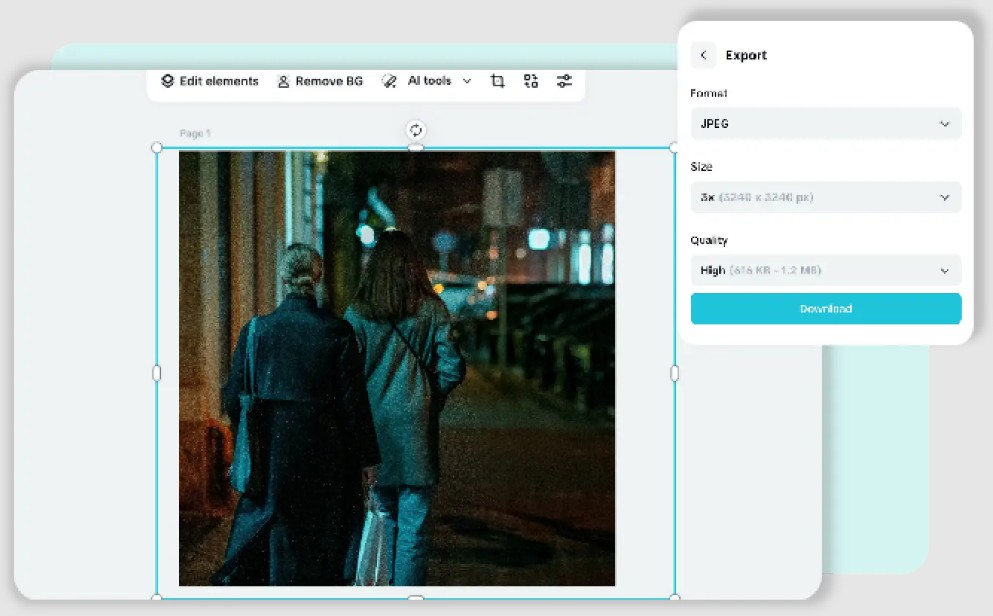
After downloading, you can use the images for social media, work, or personal storage. With high quality and sharpness preserved, your images will always be ready for any purpose.
AI-powered people-removing tools are changing the way we edit and use images. With their speed, high quality, and ease of use, this technology enables anyone to create perfect photos.





















VIP Products








Best Selling Products
Windows 10 & 11 Pro Key
36 USD
Upgrade genuine Capture One account
120 USD
MidJourney Account
29 USD
Freepik Premium Account
59 USD
Upgrade Genuine Office 365
49 USD
Genuine Adobe Illustrator account
99 USD
Genuine Cheap Canva Pro
39 USD
ChatGPT Plus Account (GPT-4)
16 USD
Adobe Photoshop Copyright - Full App
120 USD
Plugin Retouch4me
69 USD
Copyright Adobe Lightroom Account
59 USD
Upgrade Duolingo Super
29 USD
Adobe Premiere Pro Account
99 USD
Capcut Pro 1 Year
39 USD
Autodesk All App Account Copyright
120 USD