Best Selling Products

Copyright Adobe Lightroom Account
59 USD

Genuine Cheap Canva Pro
39 USD

MidJourney Account
29 USD

Autodesk All App Account Copyright
120 USD

Upgrade Duolingo Super
29 USD

Adobe Premiere Pro Account
99 USD

Windows 10 & 11 Pro Key
36 USD

ChatGPT Plus Account (GPT-4)
16 USD

Adobe Photoshop Copyright - Full App
120 USD

Upgrade genuine Capture One account
120 USD

Upgrade Genuine Office 365
49 USD

Capcut Pro 1 Year
39 USD

Plugin Retouch4me
69 USD

Freepik Premium Account
59 USD

Genuine Adobe Illustrator account
99 USD
Design your own stunning Christmas cards in minutes with Canva!
Nội dung
Canva offers a rich library of greeting card templates, allowing you to create sophisticated cards with just a few drag-and-drop actions. Even if you're not a design expert, everything is pre-prepared for easy customization. Perfect for sending to friends, family, or clients.
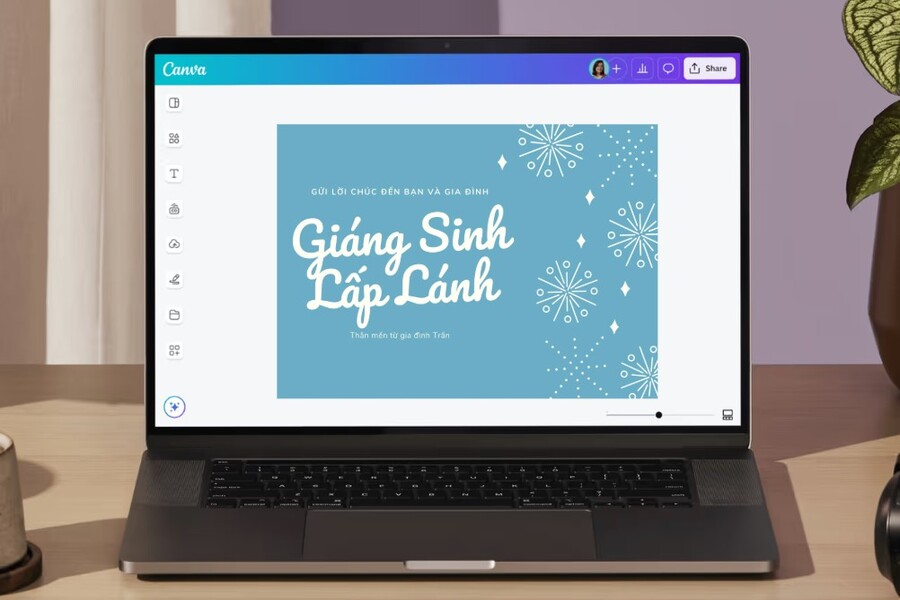
A beautiful, personalized greeting card always has a special power to make the recipient feel appreciated. But not everyone has the time or design experience to create a complete card themselves. This is where Canva becomes your ideal companion. Canva is a simple, modern online design platform that offers countless beautiful Christmas card templates as well as powerful creative tools. In just a few minutes, you can create a card that reflects your personal style and sends your love to your loved ones.
This article will guide you on how to create quick, easy, and incredibly impressive Christmas cards using Canva. Whether you have no design experience or are a professional creator, Canva can help you create beautiful and meaningful cards. Let's begin the journey of turning your ideas into dazzling Christmas cards right now.
1. How to make Christmas cards using a Canva template
When it comes to quick, beautiful, and convenient design, templates are always the best choice. Canva boasts a huge library of thousands of professionally designed Christmas card templates in various styles. From youthful and playful designs to elegant and sophisticated ones, all are available for you to customize to your personal preferences.
When accessing the Canva homepage, simply type "Christmas Cards" into the search bar. Make sure the "Templates" tab is selected to display the wide range of available card templates. After pressing Enter, a vast array of beautiful templates will appear for you to choose from. This is a treasure trove that saves you time while still allowing you to create high-quality products.
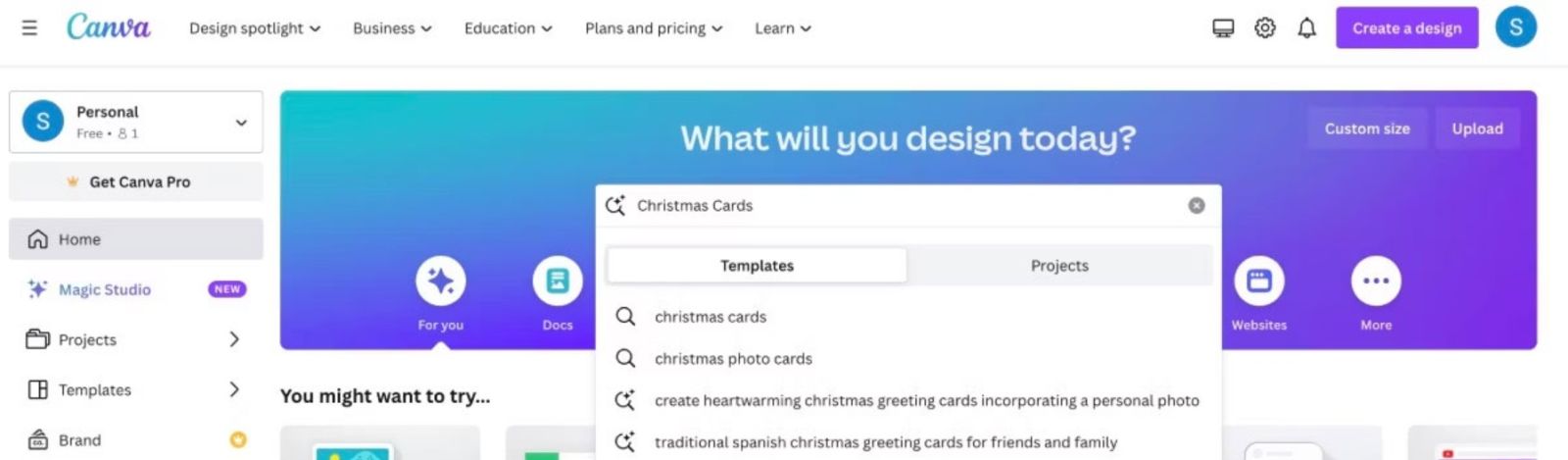
While browsing templates, you might notice some templates have a crown icon. This means the template is only available for Canva Pro users. If you really like a template in the Pro category, upgrading might be a good option. Canva also offers a free trial version for users who want to quickly experience advanced features. However, even without Canva Pro, the number of free templates is still incredibly abundant and enough to unleash your creativity.
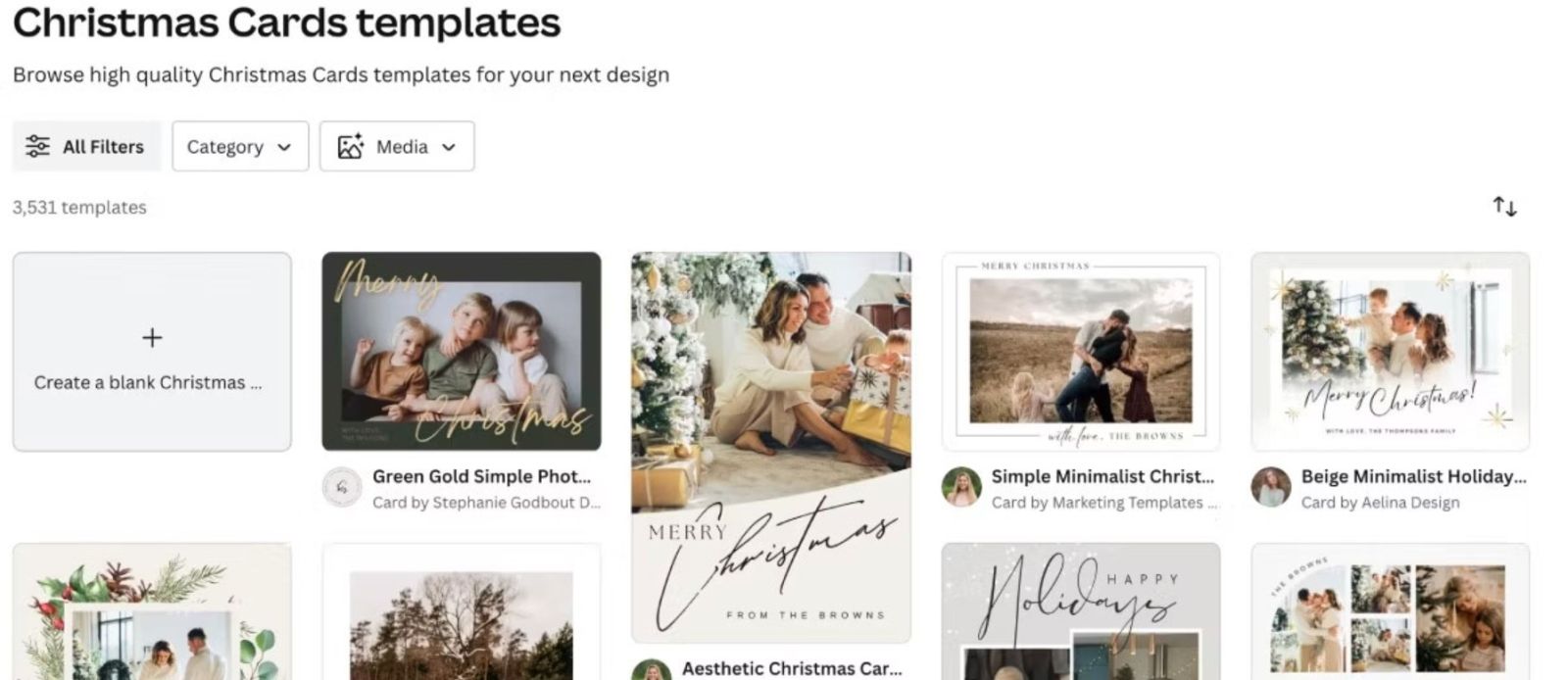
Once you've chosen your favorite template, simply click on it, then select Customize This Template to open the Canva editor. Here, you can replace the existing image with your own, change the colors, layout, or edit the text to personalize your card. Canva provides intuitive and easy-to-use editing tools, allowing you to customize every detail with drag-and-drop functionality.
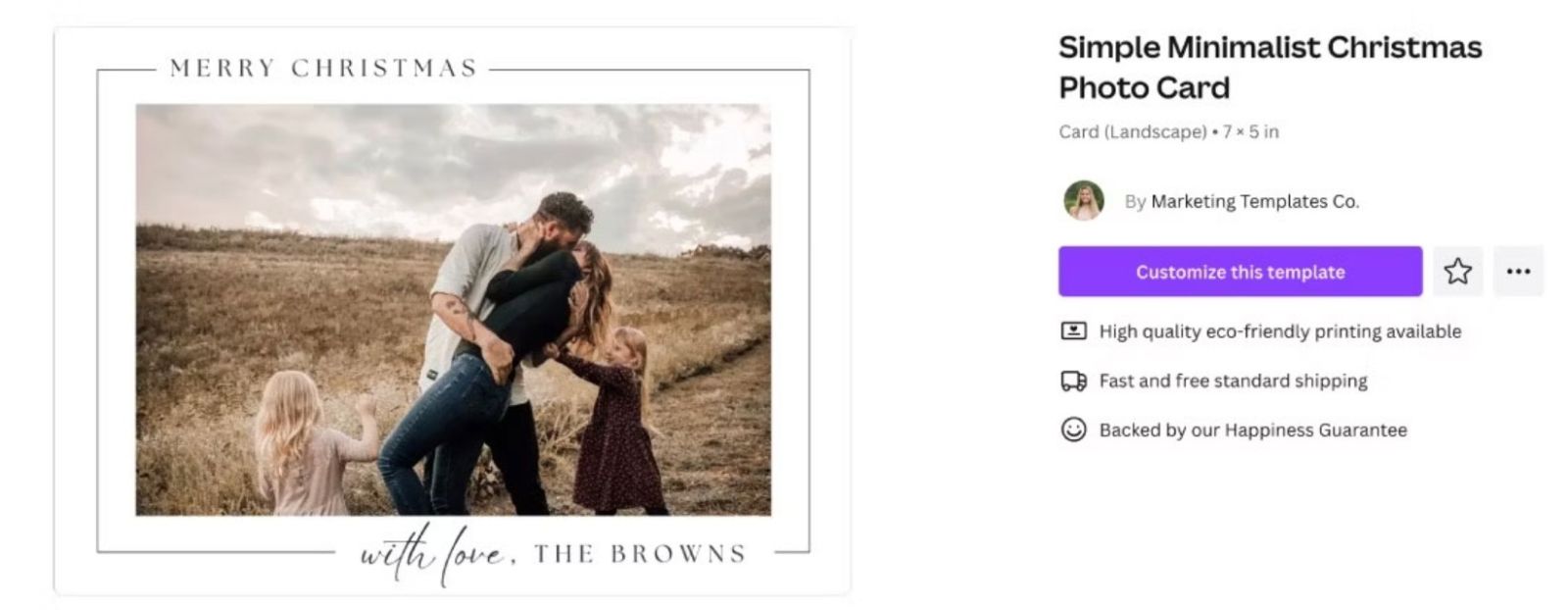
Another interesting feature is that most templates are designed to standard invitation card sizes thanks to the Invitation feature. This ensures you don't have to worry about adjusting the size if you want to print the invitations later.
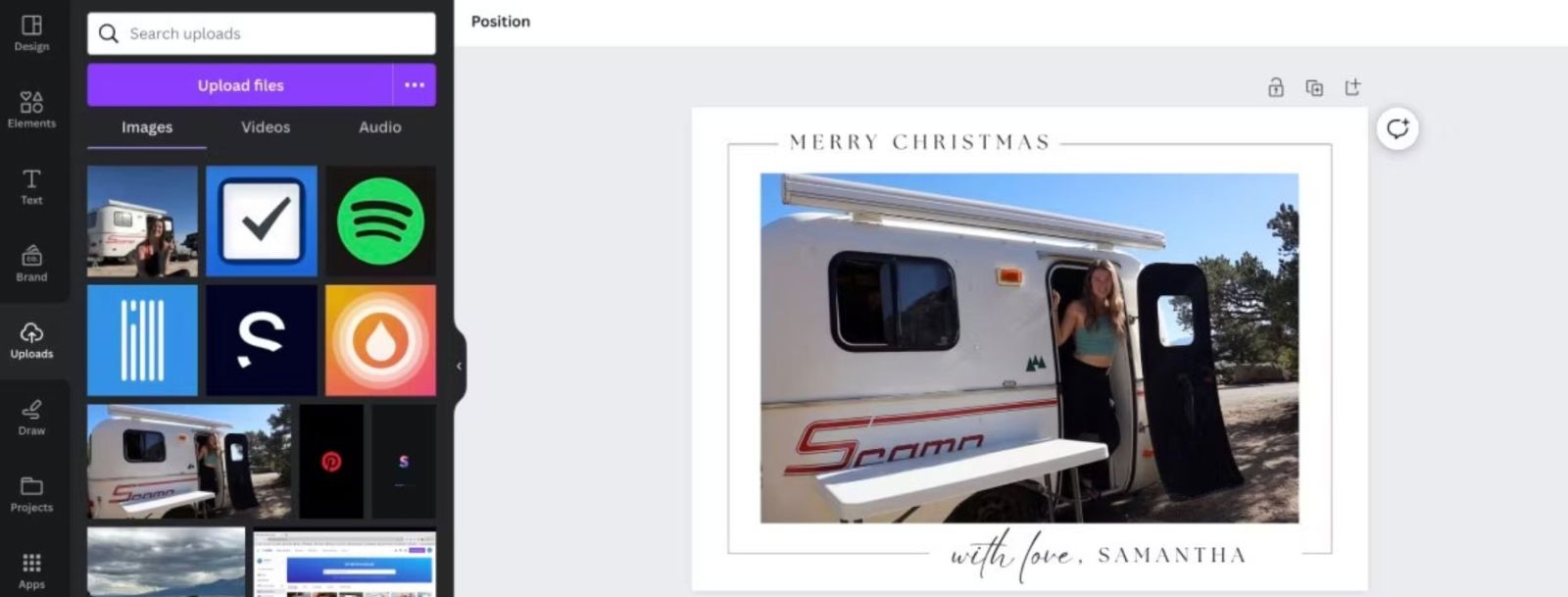
Canva templates are the ideal choice for those who want to create Christmas cards quickly, while still ensuring aesthetics and a unique style. Once completed, you can use Canva's printing service or send cards online to save costs and minimize environmental impact.
2. How to make Christmas cards from scratch on Canva
If you want to create a truly unique Christmas card, designing it from scratch will give you a complete creative experience. Although this process requires more meticulousness and time than using a template, the final product will definitely reflect your personality and ideas.
To get started, go to the Canva homepage, click on Create a Design, and type in the keyword "Card." Canva will suggest several card size and layout options. You can choose a standard size or customize the size to suit your printing or online sharing needs.

When the Canva editor opens, you'll see a pristine white canvas. This is where you can freely create and transform the blank canvas into a heartfelt Christmas card. Canva offers a range of powerful tools to help you build your layout. On the left-hand toolbar, you can open the Elements tab and type the keyword "Christmas" to find illustrations, icons, patterns, decorative frames, stickers, or images related to the Christmas theme.
Besides Elements, you can utilize the Text tab to add greetings to your card. Canva offers a wide variety of beautiful themed fonts, from modern and vintage styles to soft, handwritten fonts. You can change the color, size, line spacing, or text effects to make your message stand out.
Additionally, Canva allows you to upload personal photos through the Uploads tab. You can include family moments, personal photos, or any images you want to use to tell your own story. A card with a personal photo always feels more intimate and makes the recipient feel special.
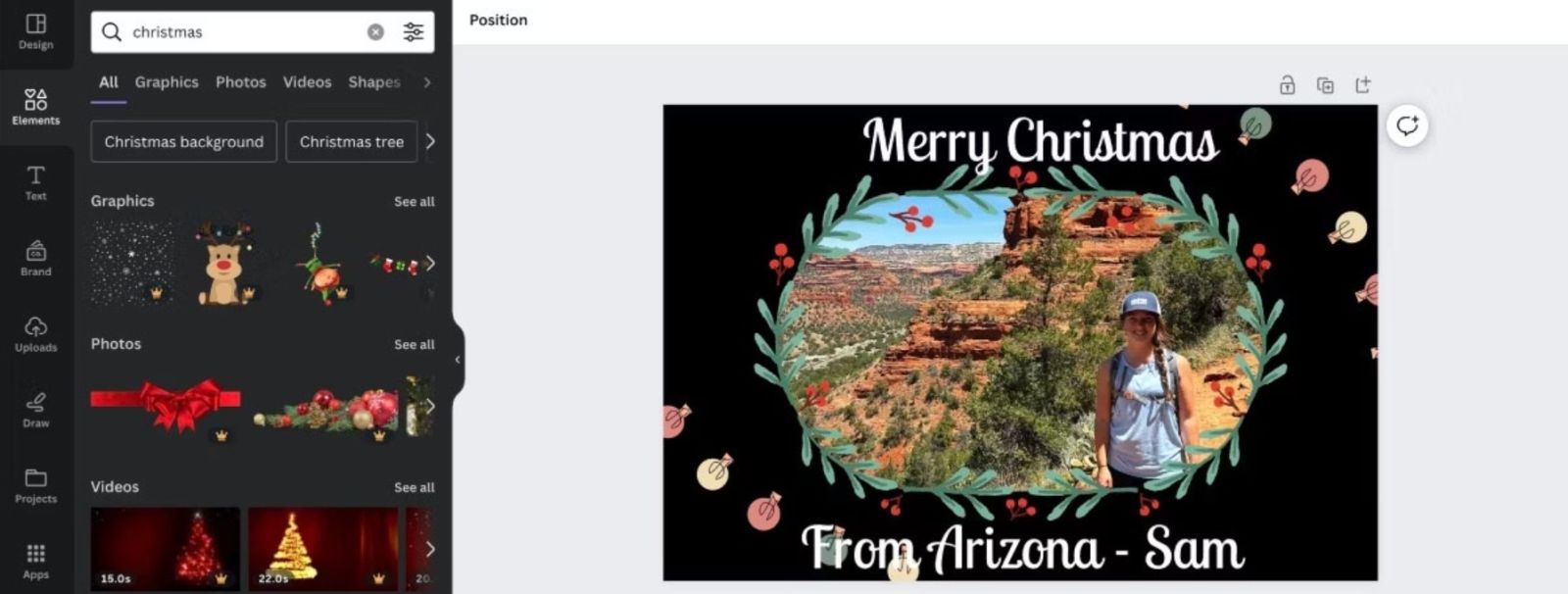
If you want to create something truly outstanding, Canva also supports many integrated applications such as Bitmoji or TypeCraft. Bitmoji lets you transform yourself into a lively cartoon character, while TypeCraft allows you to design unique artistic fonts. These features help make your greeting card more fun, creative, and highly personalized.
Designing a Christmas card from scratch requires a balance between imagery and composition. You can experiment with various combinations: adding a muted color background, creating photo frames, using scattered patterns, or layering multiple elements to create depth. Gradually adjust until the card looks harmonious and perfectly captures the Christmas spirit you want.
3. How to share your homemade Christmas cards
Once you're happy with your design, the next step is to share the card with everyone. One of Canva's biggest advantages is its flexible file export capabilities and integrated printing service. You can choose to send the card online or print it on paper.
If you want to send the card via email, simply click the Share button in the upper right corner of the editing screen and select Download. Canva allows you to choose from various file formats such as PNG, JPG, or PDF. Depending on your needs, you can choose high quality if you want to ensure sharp images. After clicking Download, the file will be saved to your computer, and you can simply attach it to the email to send to the recipient.
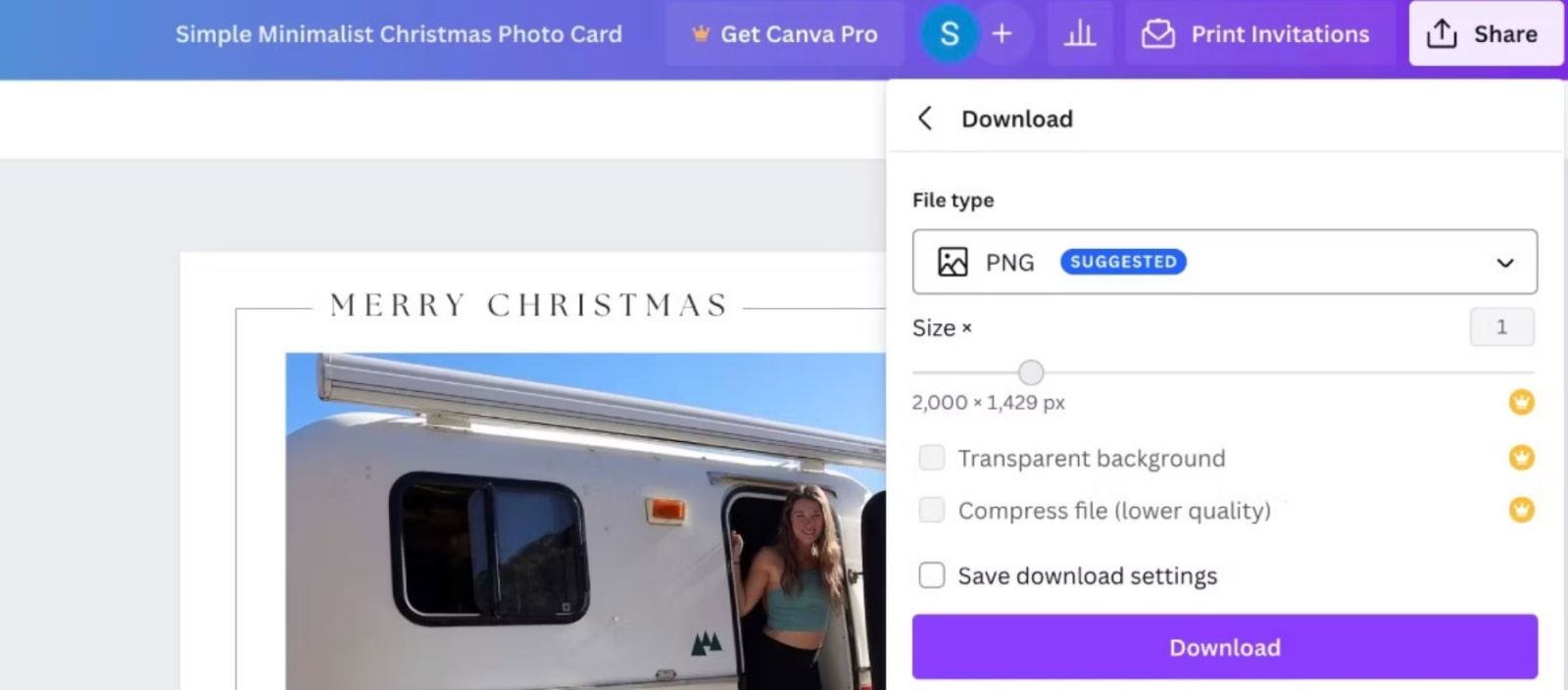
For those who want to maintain a traditional feel when giving paper invitations, Canva offers the convenient Print With Canva service. Simply click on Print Invitations if the option appears, or select Share and then Print With Canva. Here, Canva offers various paper types, finishes, and package sizes. After selecting the appropriate option, fill in your address and payment information. Canva will ensure the invitations are printed beautifully and delivered directly to you.
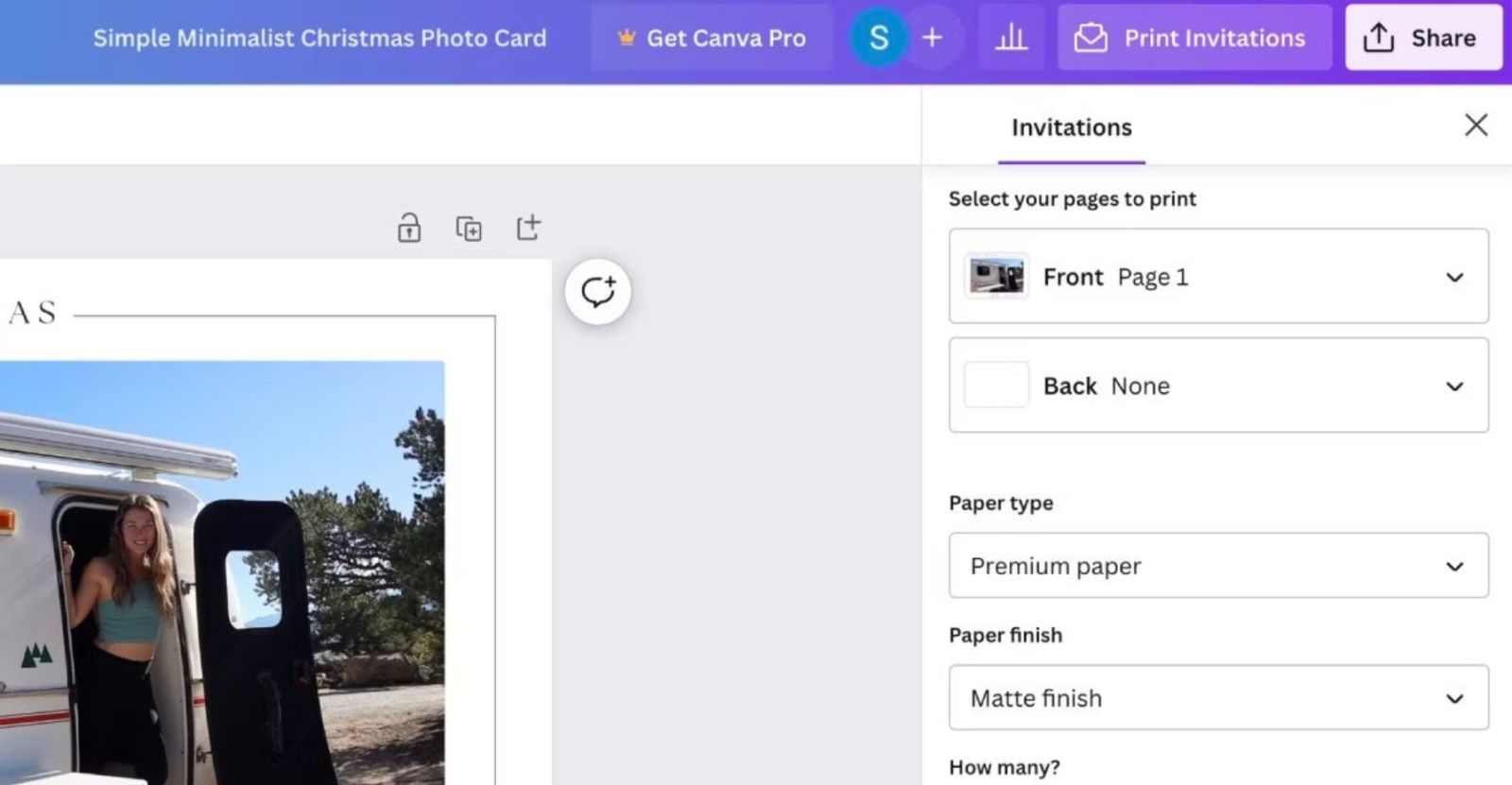
Compared to printing invitations at home, Canva's service guarantees consistent and professional quality. In particular, you don't have to worry about misalignment, incorrect colors, or damaged paper. Thanks to its standardized printing process, your invitations will be of higher quality and retain a refined feel in your hand.
Whether you choose to send cards online or print them on paper, the most important thing is the thought you put into the design. A beautiful card isn't just about eye-catching images or complex techniques, but about the sincere message it contains that the recipient will surely feel.
Christmas is a wonderful time to share warmth and spread love. A card, whether simple or elaborate, always carries the special feelings of the sender. Canva has made creating Christmas cards an easier and more enriching experience than ever before. You can choose a ready-made template to save time or design a card yourself with a personal touch. Whichever way you choose, Canva provides powerful, simple, and effective tools to turn your ideas into a finished product.
With just a little creativity and a few minutes of effort, you can create a beautiful, sophisticated, and completely personalized Christmas card. And the best part is the joy the recipient feels when they open the card and sense your sincerity.





















VIP Products








Best Selling Products
Copyright Adobe Lightroom Account
59 USD
Genuine Cheap Canva Pro
39 USD
MidJourney Account
29 USD
Autodesk All App Account Copyright
120 USD
Upgrade Duolingo Super
29 USD
Adobe Premiere Pro Account
99 USD
Windows 10 & 11 Pro Key
36 USD
ChatGPT Plus Account (GPT-4)
16 USD
Adobe Photoshop Copyright - Full App
120 USD
Upgrade genuine Capture One account
120 USD
Upgrade Genuine Office 365
49 USD
Capcut Pro 1 Year
39 USD
Plugin Retouch4me
69 USD
Freepik Premium Account
59 USD
Genuine Adobe Illustrator account
99 USD