Best Selling Products

Autodesk All App Account Copyright
120 USD

Upgrade genuine Capture One account
120 USD

MidJourney Account
29 USD

Capcut Pro 1 Year
39 USD

Freepik Premium Account
59 USD

Genuine Adobe Illustrator account
99 USD

Adobe Premiere Pro Account
99 USD

Genuine Cheap Canva Pro
39 USD

Copyright Adobe Lightroom Account
59 USD

ChatGPT Plus Account (GPT-4)
16 USD

Adobe Photoshop Copyright - Full App
120 USD

Upgrade Duolingo Super
29 USD

Upgrade Genuine Office 365
49 USD

Plugin Retouch4me
69 USD

Windows 10 & 11 Pro Key
36 USD
Designing spreadsheets with Canva Sheets
Nội dung
- 1. Canva Sheets officially launches.
- 2. What are spreadsheets used for?
- 3. The spreadsheet has been redefined.
- 4. Create branded content in bulk with Canva Sheets
- 4.1. Bulk Create – Creating designs in bulk
- 4.2. Expanding content with Magic Write™
- 4.4. Magic Resize – Batch resizing of designs
- 5. Working with data is easier than ever.
- 5.1. Magic Insights – Intelligent Data Analysis
- 5.2. Magic Charts – Suggesting suitable charts
- 5.3. Magic Formulas – Formulas in Natural Language
- 6. Transform data into visual stories.
- 6.1. Creating visual charts with Magic Charts
- 6.2. Connecting data from multiple sources
- 6.3. Keep the data in the design up-to-date.
- 7. Enhance collaboration within the team.
- 7.1. Real-time collaboration
- 7.2. Seamless connection with the Canva ecosystem
- 7.3. Maintain brand identity with a Brand Kit
- 8. Free online spreadsheet solution for everyone.
- 8.1. For marketers
- 8.2. For Content Creators
- 8.3. For business owners
- 8.4. For the sales team
Spreadsheets are one of the most popular work tools today. They allow users to store, organize, display, and analyze data through a system of rows and columns.
1. Canva Sheets officially launches.
Canva Sheets has now been released and made available to users worldwide by Canva. This launch marks a major transformation for Canva, moving from an online graphic design platform into a comprehensive work ecosystem for individuals and businesses.
Users can now create intuitive spreadsheets, collaborate with colleagues in real time, and leverage built-in AI tools to optimize data workflows.
Unlike traditional spreadsheet software that focuses primarily on data processing, Canva Sheets is built with a visual-centric approach. This makes data management more dynamic, intuitive, and accessible to all users, including those with little experience in data analysis.
The emergence of Canva Sheets also reflects the inevitable trend of the digital age: data is no longer just for storage but must become a tool for storytelling, conveying messages, and driving business growth.
2. What are spreadsheets used for?
Spreadsheets are one of the most popular work tools today. They allow users to store, organize, display, and analyze data through a system of rows and columns.
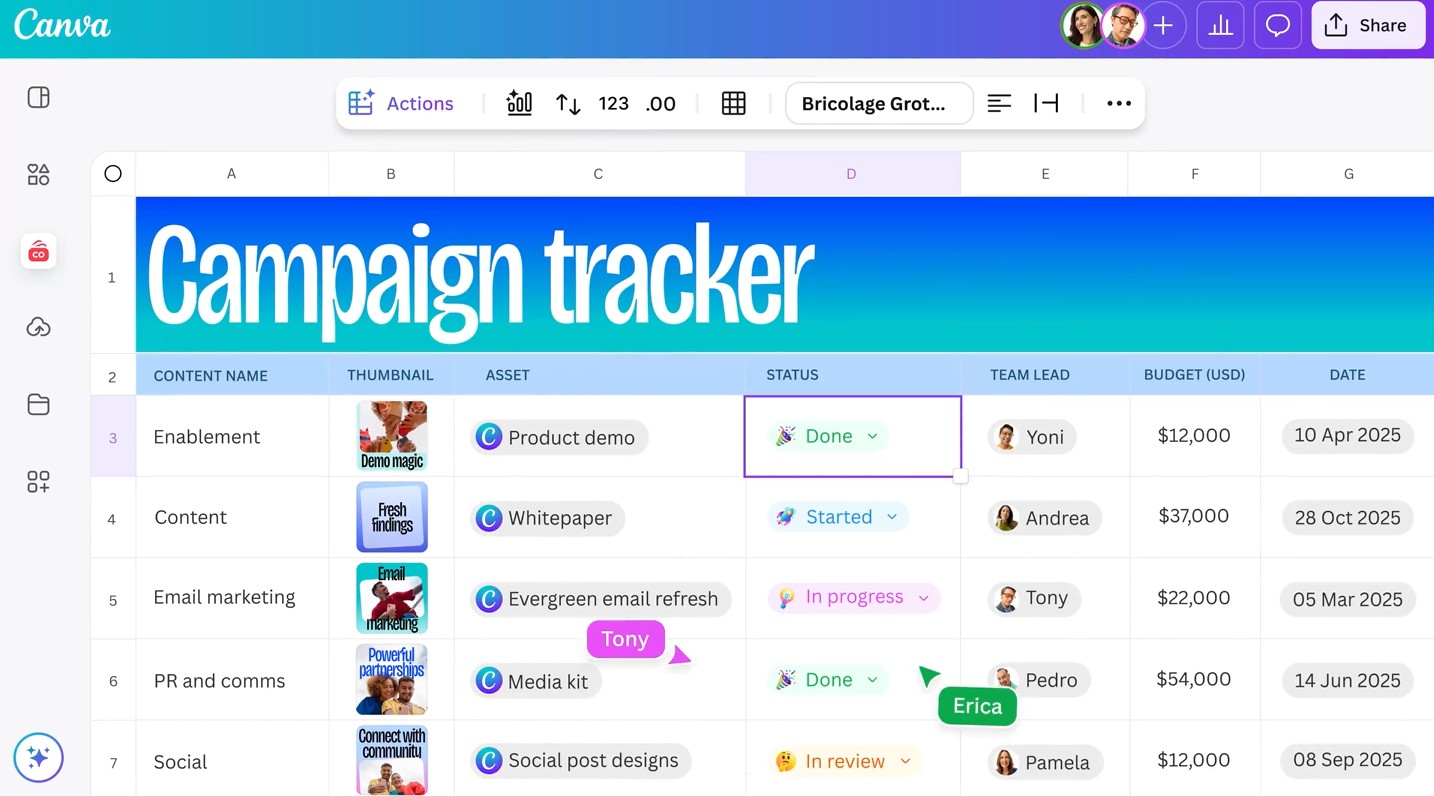
In fact, spreadsheets are used in a wide variety of fields. Businesses use spreadsheets to track budgets, revenue, and expenses. Human resources departments manage employee information. Marketing teams build content plans and monitor campaign performance. Salespeople manage leads and sales processes.
Additionally, spreadsheets are used for many personal purposes such as managing family finances, creating guest lists, tracking tasks, managing inventory, or building study plans.
However, with Canva Sheets, the concept of a spreadsheet has been significantly expanded. Instead of just working with cells containing text and numbers, users can add images, videos, graphics, and many other types of visual content to each data cell.
In particular, thanks to the integration of artificial intelligence, Canva Sheets not only helps store information but also supports bulk content creation, automated data analysis, and the transformation of data into valuable visual stories.
This has transformed spreadsheets into powerful creative tools, rather than simply data storage as they once were.
3. The spreadsheet has been redefined.
Canva Sheets was built with the goal of redefining how people interact with data. It's an intuitive, dynamic spreadsheet platform designed to deliver a more enjoyable user experience.
Unlike traditional spreadsheet software that often prioritizes technical functionality, Canva Sheets focuses on intuitiveness and creativity. Users can view data in various formats and easily switch between spreadsheets and graphic designs in just a few clicks.
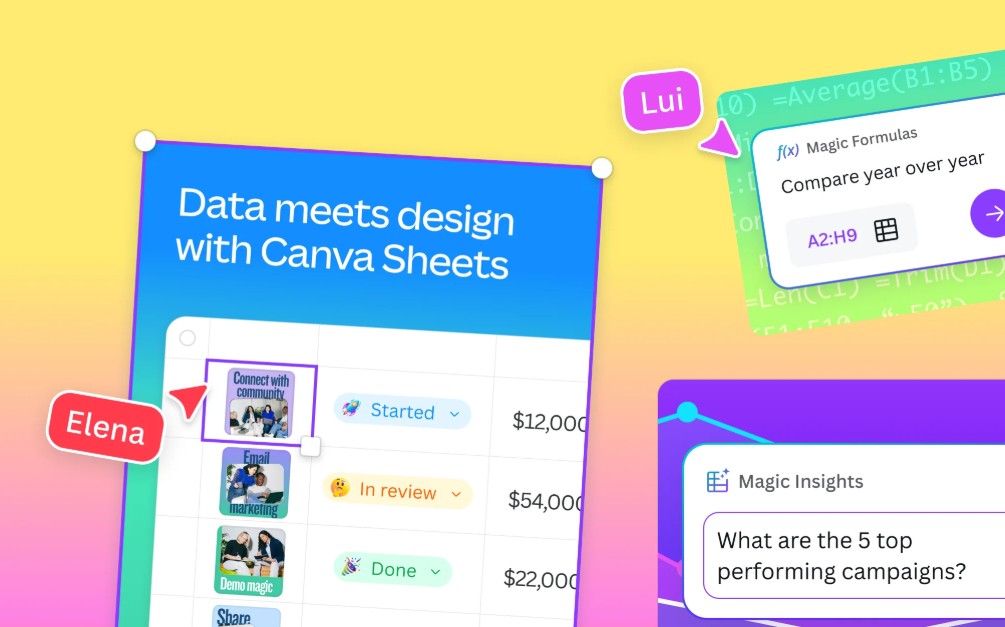
Canva Sheets is not just a data management hub, but also a large-scale content creation center. From producing hundreds of social media posts and designing advertising banners and email marketing campaigns to creating visual reports, everything can be done within a single platform.
The most outstanding feature of Canva Sheets is its seamless connection between data, AI, and design. This helps users save time, reduce manual work, and enhance creative efficiency.
4. Create branded content in bulk with Canva Sheets
One of Canva Sheets' most outstanding features is its ability to create content on a large scale while maintaining brand consistency.
4.1. Bulk Create – Creating designs in bulk
Typically, personalizing hundreds or thousands of designs is a very time-consuming task. Canva Sheets solves this problem with its Bulk Create feature.
Users simply need to prepare the data in a spreadsheet, then connect the data to the design elements. Canva will automatically generate a series of different versions based on the available data.
For example, a business might create hundreds of personalized invitation templates, numerous advertising posts for multiple locations, or various banner versions for different target customer groups.
4.2. Expanding content with Magic Write™
Magic Write™ is an AI content writing assistant integrated directly into Canva Sheets.
Starting with just an initial idea, users can create multiple versions of content tailored to different platforms, target audiences, or specific campaigns.
This is especially useful for content marketers, advertising professionals, and businesses that need to produce large amounts of content in a short amount of time.
Instead of manually writing each paragraph, users can let AI generate content in batches and focus on the overall creative strategy.
4.3. Translate content into over 100 languages
Expanding into international markets requires the ability to localize content quickly and accurately.
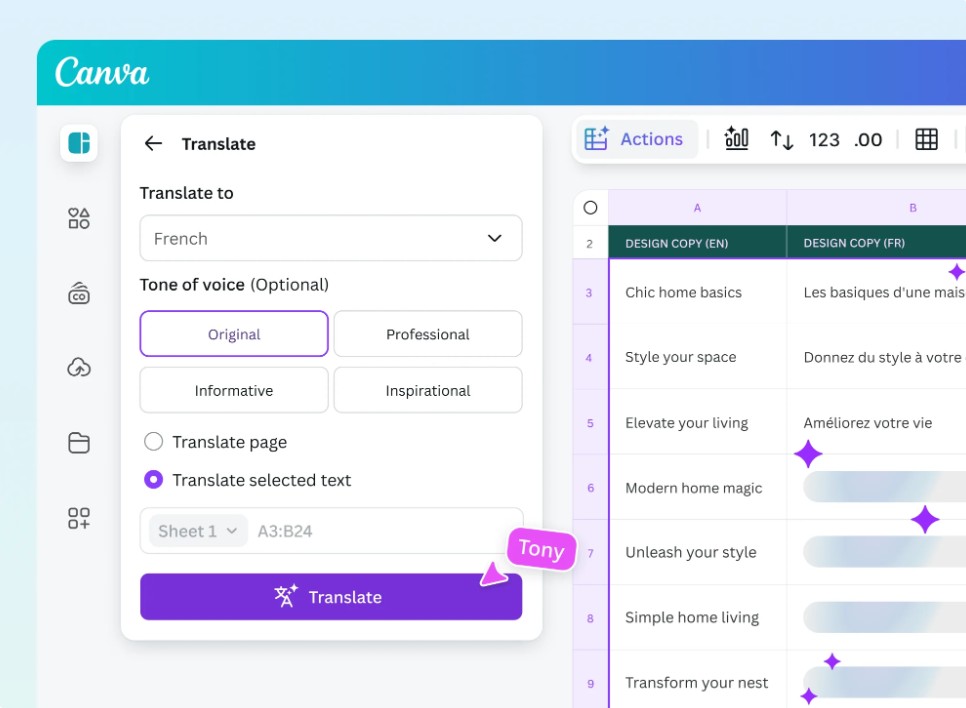
Canva Sheets supports a Translate feature that allows you to translate large amounts of content into over 100 languages in just seconds.
Global advertising campaigns, multilingual social media posts, or international email marketing can be deployed much faster without having to manually process each piece of content individually.
4.4. Magic Resize – Batch resizing of designs
Each media platform requires different image sizes. This often causes the design team to spend a lot of time making adjustments.
Magic Resize automatically converts entire designs to the appropriate size for each platform while preserving the layout and brand identity.
This allows businesses to implement more effective multi-channel campaigns without having to redesign them from scratch.
5. Working with data is easier than ever.
Data processing is often seen as a complex and time-consuming task. Canva Sheets changes this experience by integrating AI into the entire data processing workflow.
5.1. Magic Insights – Intelligent Data Analysis
Magic Insights is a built-in AI data analysis tool within Canva Sheets.
Instead of having to search for trends themselves or read thousands of lines of data, users can get key conclusions with just one click.
AI can identify growth patterns, anomalies, prominent trends, and noteworthy indicators within a dataset.
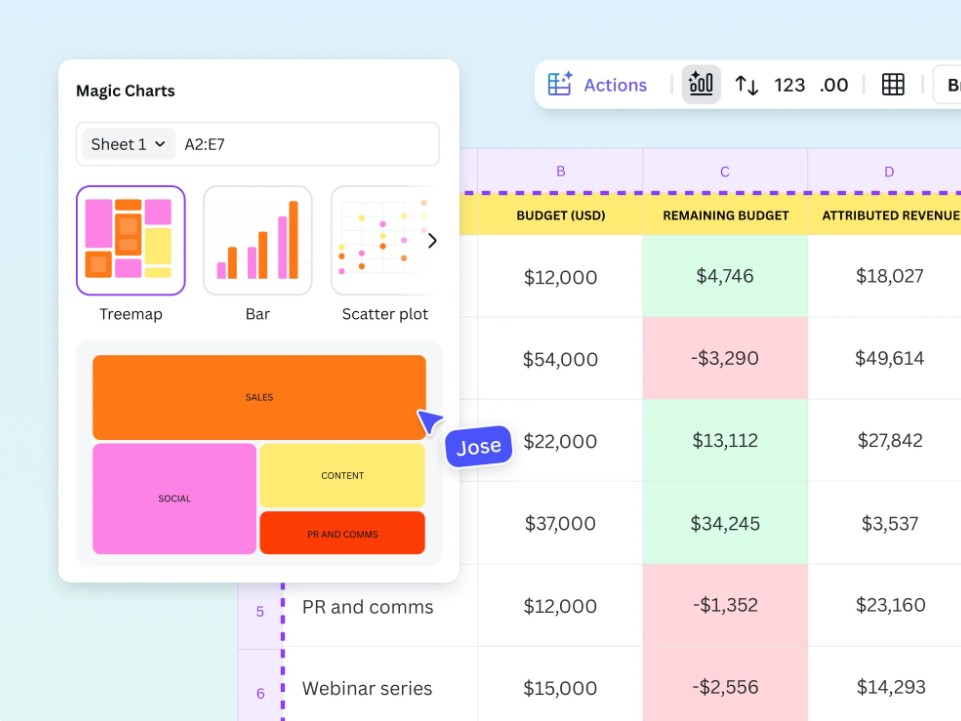
5.2. Magic Charts – Suggesting suitable charts
One of the common challenges when presenting data is choosing the right type of chart.
Magic Charts solves this problem by automatically analyzing the data and suggesting the most optimal chart type.
Users don't need in-depth knowledge of data visualization to create professional, easy-to-understand, and engaging charts.
5.3. Magic Formulas – Formulas in Natural Language
Many people are hesitant to use spreadsheets because they have to memorize a series of complex formulas.
Magic Formulas removes that barrier by allowing users to interact with spreadsheets using natural language.
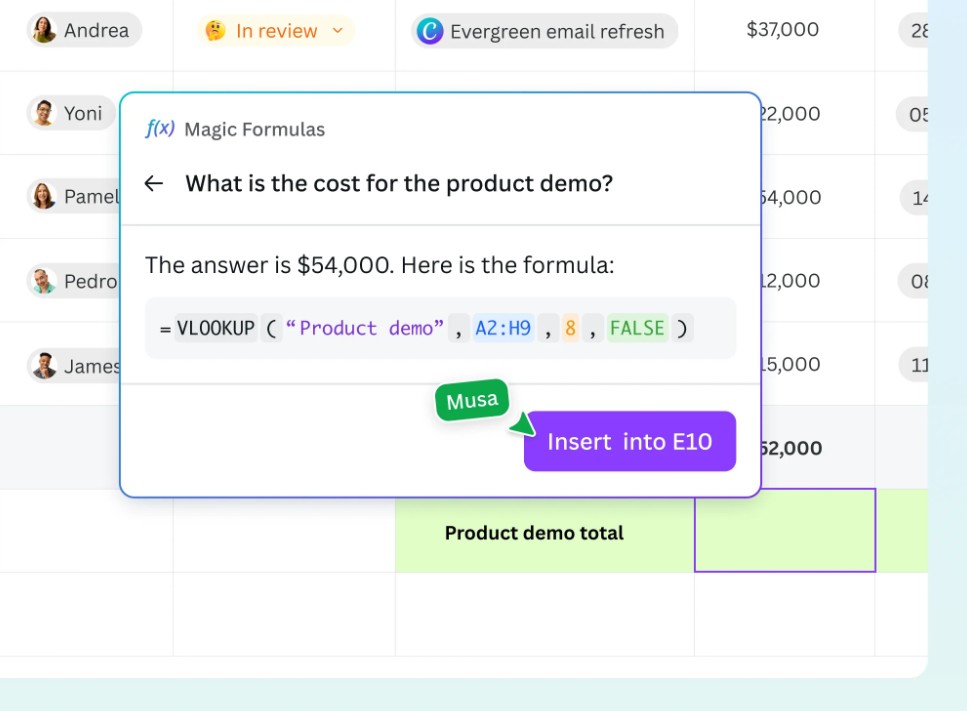
Simply enter a request such as "calculate average monthly revenue" or "find the best-selling product," and the AI will automatically generate the appropriate formula and return the results.
As a result, anyone can leverage the power of data analytics without needing in-depth technical knowledge.
6. Transform data into visual stories.
Data is only truly valuable when it is conveyed in an understandable and persuasive manner.
Canva Sheets is designed to help users tell powerful data stories through modern visualization tools.
6.1. Creating visual charts with Magic Charts
Magic Charts not only creates charts but also transforms data into vivid and interactive visuals.
Users can convert data in spreadsheets into dynamic charts in just seconds.
These charts can be customized to match brand colors, design style, or specific presentation goals.
As a result, reports, presentations, or media content become more engaging and memorable.
6.2. Connecting data from multiple sources
Canva Sheets supports Data Connectors, allowing direct connection to many popular data platforms.
Users can link with Google Analytics to track website performance or HubSpot to manage customer data.
Additionally, Canva Sheets also supports importing data from CSV and Excel files quickly.
This connectivity allows for the centralization of data from multiple sources into a single location for easier management and utilization.
6.3. Keep the data in the design up-to-date.
One of the biggest challenges of data reporting is timeliness.
With Data Connectors, data can be refreshed with just a few simple steps. This ensures that charts, reports, and designs always reflect the most up-to-date information.
This allows businesses to maintain the accuracy and reliability of their presentation materials.
7. Enhance collaboration within the team.
Canva Sheets is not only for individuals but is also designed to support effective teamwork.
7.1. Real-time collaboration
Team members can work together on a spreadsheet, edit data simultaneously, and track changes instantly.
Users can leave comments, tag colleagues, and communicate directly within each data cell.
This helps minimize sending multiple versions of files and improves collaboration efficiency.
7.2. Seamless connection with the Canva ecosystem
Canva Sheets is fully integrated with other Canva tools.
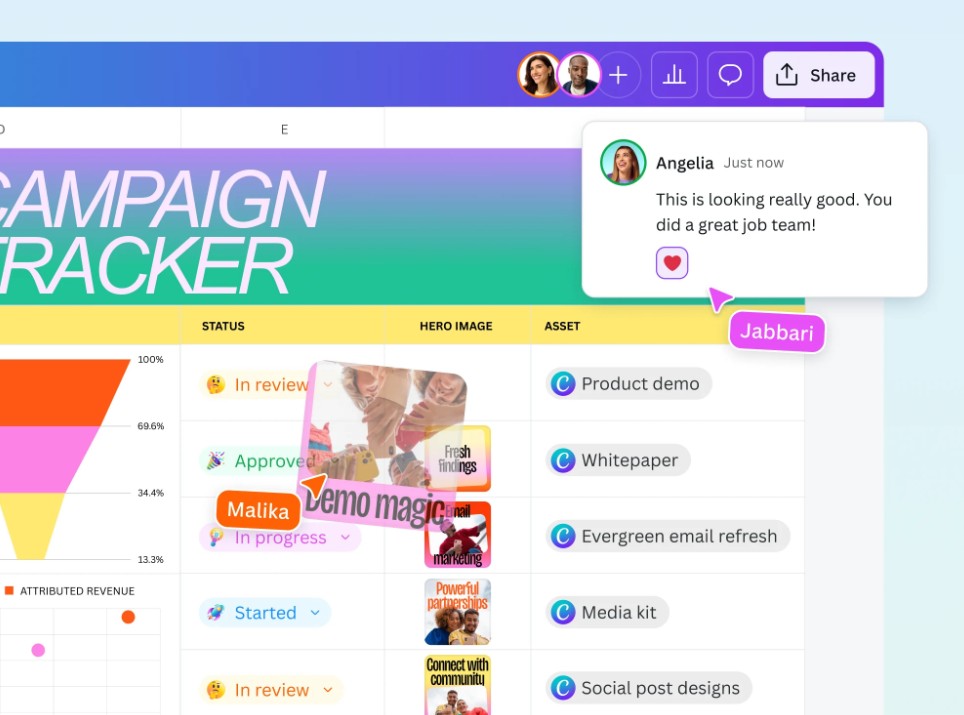
Users can insert Sheets into Canva Docs documents, presentations, whiteboards, or directly into designs.
This connection creates a unified workflow where data and design go hand in hand.
7.3. Maintain brand identity with a Brand Kit
For businesses, ensuring brand consistency is extremely important.
Brand Kit allows you to create spreadsheet templates that meet your brand standards, with a consistent logo, colors, and typography.
As a result, every document created using Canva Sheets bears a professional brand imprint.
8. Free online spreadsheet solution for everyone.
Canva Sheets is built to serve a wide range of users, from individuals to large businesses.
8.1. For marketers
Marketers can manage campaigns, produce content in bulk, and track performance all on a single platform.
The ability to combine data with design helps marketers save significant time in campaign deployment.
8.2. For Content Creators
Canva Sheets makes it easy for creators to scale content production, manage posting schedules, and track operating costs.
Combining AI with design helps increase productivity while maintaining creative quality.
8.3. For business owners
Business owners can use Canva Sheets to manage budgets, visualize profits, and build effective content systems.
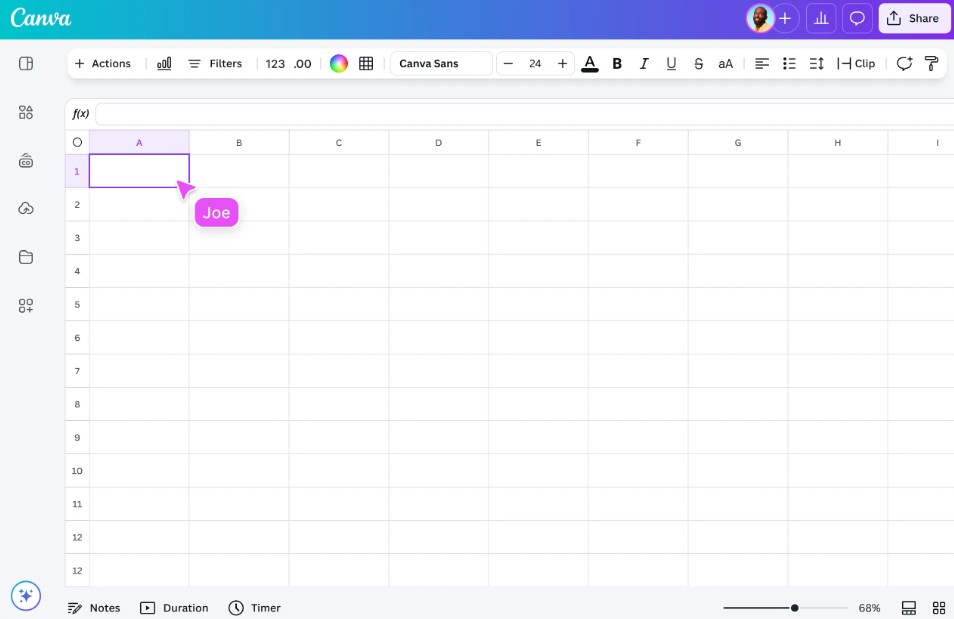
The ability to analyze data using AI supports faster business decision-making.
8.4. For the sales team
Canva Sheets helps manage leads, generate automated reports, and optimize CRM processes.
Combining sales data with visualizations helps sales teams track performance more clearly and effectively.
Canva Sheets is not simply a new spreadsheet tool, but a step forward in how people work with data. By combining the power of AI, cutting-edge visualization capabilities, and the Canva design ecosystem, this platform transforms dry data sheets into visually engaging, dynamic, and highly practical content.





















VIP Products








Best Selling Products
Autodesk All App Account Copyright
120 USD
Upgrade genuine Capture One account
120 USD
MidJourney Account
29 USD
Capcut Pro 1 Year
39 USD
Freepik Premium Account
59 USD
Genuine Adobe Illustrator account
99 USD
Adobe Premiere Pro Account
99 USD
Genuine Cheap Canva Pro
39 USD
Copyright Adobe Lightroom Account
59 USD
ChatGPT Plus Account (GPT-4)
16 USD
Adobe Photoshop Copyright - Full App
120 USD
Upgrade Duolingo Super
29 USD
Upgrade Genuine Office 365
49 USD
Plugin Retouch4me
69 USD
Windows 10 & 11 Pro Key
36 USD