Best Selling Products

Plugin Retouch4me
69 USD

Genuine Adobe Illustrator account
99 USD

Upgrade genuine Capture One account
120 USD

Upgrade Genuine Office 365
49 USD

Windows 10 & 11 Pro Key
36 USD

MidJourney Account
29 USD

Capcut Pro 1 Year
39 USD

Genuine Cheap Canva Pro
39 USD

ChatGPT Plus Account (GPT-4)
16 USD

Autodesk All App Account Copyright
120 USD

Freepik Premium Account
59 USD

Upgrade Duolingo Super
29 USD

Copyright Adobe Lightroom Account
59 USD

Adobe Premiere Pro Account
99 USD

Adobe Photoshop Copyright - Full App
120 USD
Discover a Little-Known AI Feature in Canva That Can Translate Entire Designs in Seconds
Nội dung
- 1. What is Canva's AI online translation tool?
- 2. Design with no language limitations.
- 2.1. Supports over 100 different languages
- 2.2. Communicating in the customer's language
- 2.3. Translate during the design process.
- 3. Expanding global accessibility
- 3.1. Easily convert any design.
- 3.2. Maintain structure while translating
- 3.3. Translating hundreds of pages per month
- 3.4. Collaboration on the same platform
- 4. Benefits of the Translate tool for businesses
- 4.1. Accelerate content deployment
- 4.2. Synchronizing internal information
- 4.3. Saving on translation costs
- 5. Provides strong support for marketing activities.
- 5.1. Expanding the target market
- 5.2. Increase interaction capabilities
- 5.3. Exploiting new business opportunities
- 6. A tool for all users.
- 7. How to use Canva's AI translation tool
- 8. Things to note when using Translate
Translate is the ideal solution for anyone who wants to bring their content to a wider range of countries and language communities without investing too much time and resources.
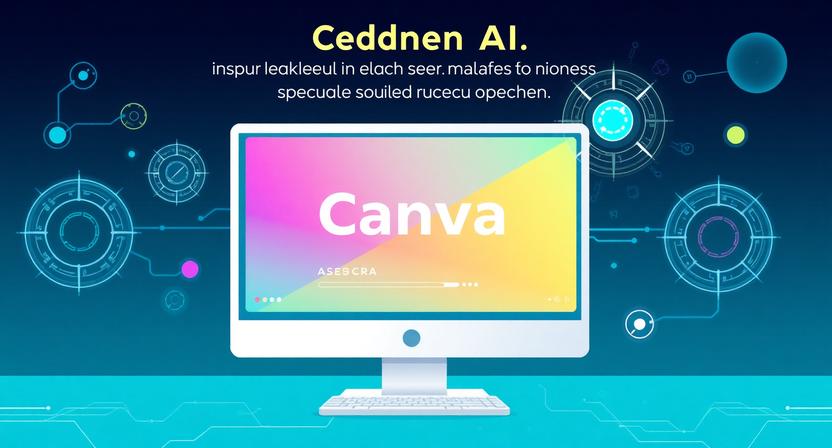
1. What is Canva's AI online translation tool?
Translate is built on cutting-edge AI and machine learning technology, helping to create natural, clear, and contextually relevant translations. Users can try it for free once before upgrading to Canva Pro, Teams, EDU, or NFP packages to access all features.
Translate is arguably the ideal solution for anyone wanting to bring their content to a wider range of countries and language communities without investing too much time and resources.
Translating content is not simply about converting words from one language to another. A quality translation must ensure accuracy, comprehensibility, and cultural appropriateness for the reader.
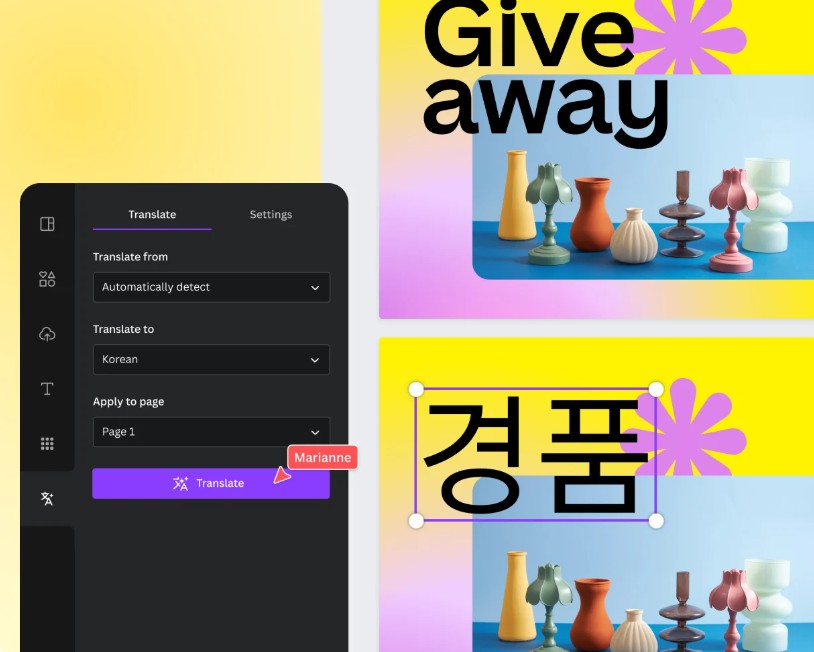
Canva developed Translate with the goal of making this process faster and more efficient.
Unlike using separate external translation tools, Translate allows users to translate directly within their work. This minimizes intermediate steps and reduces common errors when copying content across multiple platforms.
Furthermore, the ability to maintain the original design layout after translation is a significant advantage. Users don't need to spend time readjusting each element after language conversion, especially for documents with many pages or graphic elements.
The combination of artificial intelligence and a visual design platform has made Translate one of the most convenient multilingual tools available today for Canva users.
2. Design with no language limitations.
One of Translate's most outstanding features is its ability to help users connect with audiences worldwide, no longer limited by language.
2.1. Supports over 100 different languages
Translate allows you to translate designs into 134 popular languages worldwide.
Users can easily convert content to: English, Spanish, Portuguese, French, German, etc.
Along with many other languages to serve international communication needs.
This multilingual support capability makes it easier for individuals and businesses to expand their reach to many different countries and markets.
2.2. Communicating in the customer's language
One of the most important elements in communication is the ability to convey a message in a language that the recipient is familiar with.
Translate uses advanced machine learning technology to produce translations that sound more natural than those produced by traditional machine translation methods.
As a result, the content is conveyed clearly, easily understood, and relatable to the reader, helping to increase communication effectiveness and enhance the customer experience.
2.3. Translate during the design process.
Typically, users must complete the design first before exporting the content to another translation tool.
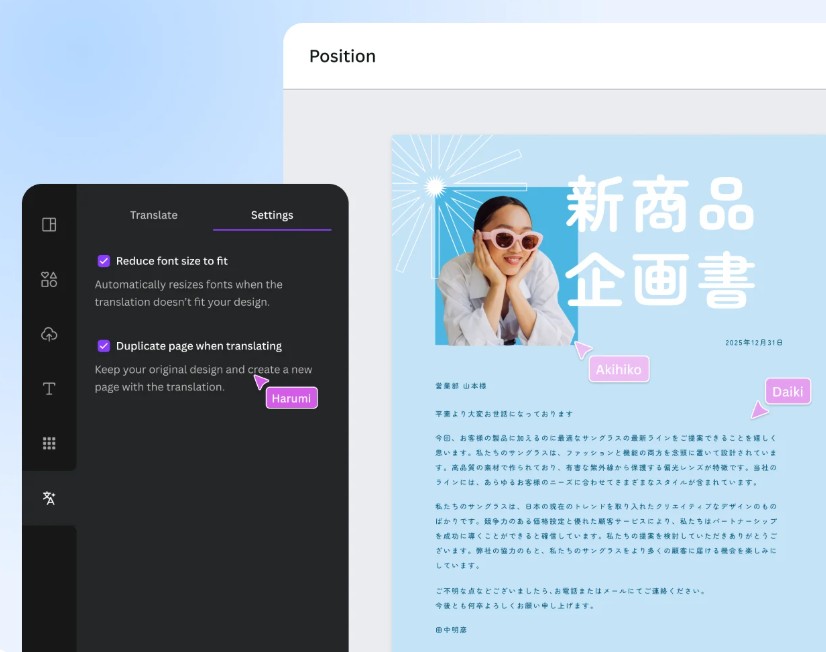
With Translate, this process is significantly simplified.
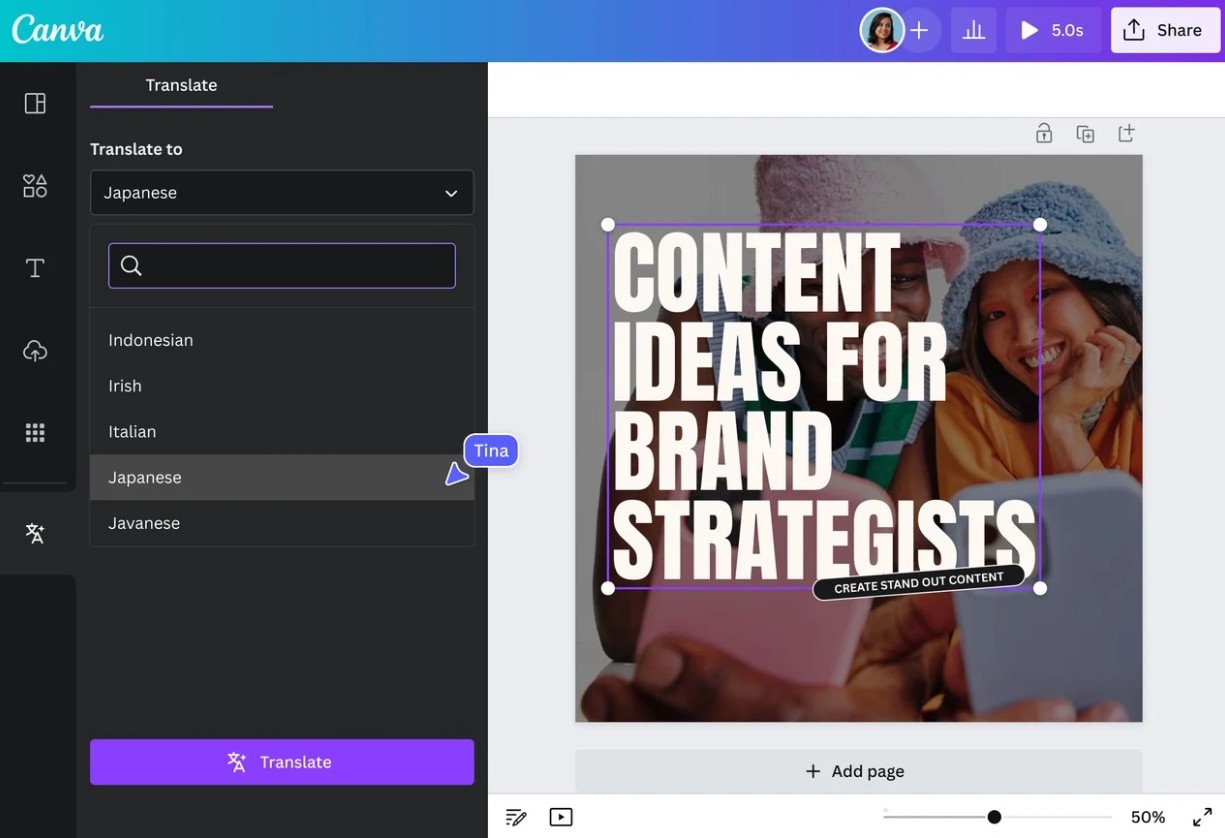
Users simply need to enter content into Canva, select the target language, and the system will automatically convert the entire text directly within the working interface.
Once the translation is complete, you can continue editing, refining, and publishing without leaving Canva.
3. Expanding global accessibility
Translate is not just a text translation tool; it's also a solution that helps expand reach on an international scale.
3.1. Easily convert any design.
Canva allows you to apply translation features to most design types.
Users can translate: Presentations, Business documents, Advertising posters, Social media content, Brochures, Infographics
The entire process is automated while ensuring design consistency.
3.2. Maintain structure while translating
A major challenge when translating into different languages is the variation in text length.
Translate was built to handle this problem intelligently.
Even when switching between left-to-right (LTR) and right-to-left (RTL) written languages like English and Arabic, the tool still attempts to maintain the design structure.
This helps users save a significant amount of time on post-translation editing.
3.3. Translating hundreds of pages per month
For users of Canva Pro, Teams, EDU, or NFP, Translate supports translating large volumes of design pages each month.
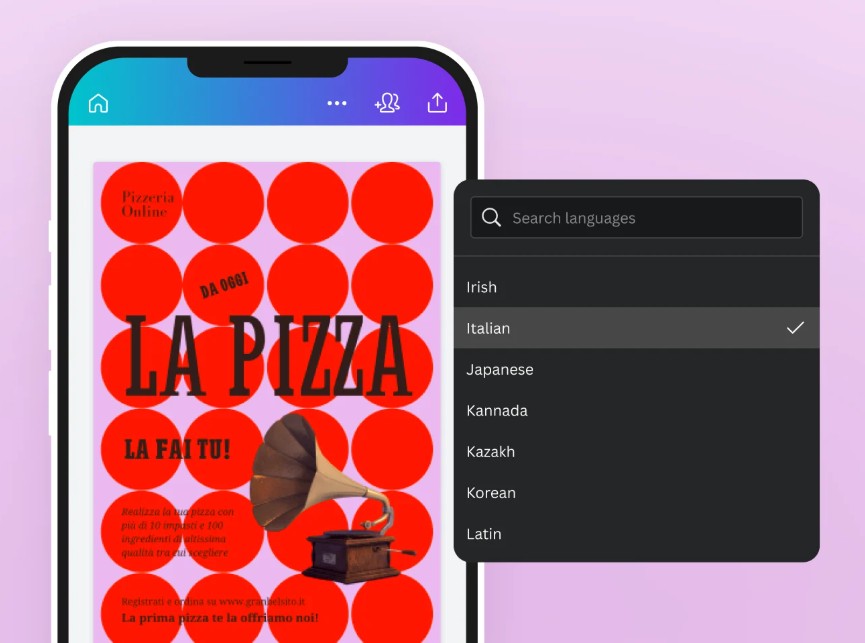
This is a particularly useful advantage for businesses, educational institutions, and marketing teams that frequently produce multilingual materials.
Instead of manually translating page by page, the entire content can be processed in just a few minutes.
3.4. Collaboration on the same platform
After completing the translation, users can share a secure link with colleagues or partners for review and editing.
Real-time collaboration capabilities help ensure content quality before publication or delivery to international clients.
4. Benefits of the Translate tool for businesses
In the modern business environment, effective communication with international clients is a crucial factor in creating a competitive advantage.
4.1. Accelerate content deployment
Businesses often need to produce various types of documents such as reports, manuals, presentations, and training materials.
Translate significantly reduces the time it takes to translate content into multiple languages.
This allows businesses to deploy global campaigns faster and save resources.
4.2. Synchronizing internal information
For multinational companies, communicating information to employees in multiple countries is a mandatory requirement.
Translate provides fast translation of internal documents, helping all members of the organization access information in a familiar language.
4.3. Saving on translation costs
Hiring a professional translation team for large volumes of documents typically requires a significant budget.
Translate helps businesses reduce upfront costs by generating automatic translations that can then be edited and refined.
This is a suitable solution for organizations that want to optimize their budget while still ensuring fast content deployment.
5. Provides strong support for marketing activities.
Marketing is a field that requires the ability to communicate with many different customer groups.
Translate helps marketers expand their reach and develop international markets more effectively.
5.1. Expanding the target market
A marketing campaign that uses only one language will have limited reach.
Translate helps businesses quickly create multiple versions of content tailored to different countries and regions.
This allows brands to reach more potential customers without having to rebuild all their content from scratch.
5.2. Increase interaction capabilities
Customers tend to respond more positively to content presented in their native language.
By using Translate to localize content, businesses can create a sense of familiarity and increase engagement rates across their media channels.
5.3. Exploiting new business opportunities
Removing language barriers helps businesses access previously untapped markets.
This is an opportunity to expand revenue, increase brand awareness, and build a global presence.
6. A tool for all users.
Translate is not only suitable for businesses and marketers, but also meets a wide range of individual needs.
Users can create meaningful messages for international friends, design banners to support events, build academic presentations, or share creative content with the global community.
Its fast and intuitive translation capabilities make the tool accessible to anyone, without requiring in-depth knowledge of foreign languages or technology.
It is this simplicity that has made Translate a useful feature for millions of Canva users worldwide.
7. How to use Canva's AI translation tool
Translate is designed with a user-friendly interface, making it easy for users to operate from the very first time.
Step 1: Open the design you need to translate.
Log in to Canva and open any design that contains text.
The Translate feature works on most text-based designs in Canva.
Step 2: Access the Translate tool
In the left-hand toolbar, select the Apps tab.
Enter the keyword "Translate" in the search box or find it in the More section of Canva.
Then click Translate to open the translation interface.
Step 3: Select the target language
In the Translate control panel, select the language you want to convert to.
Canva offers a list of over 134 different languages for users to choose from.
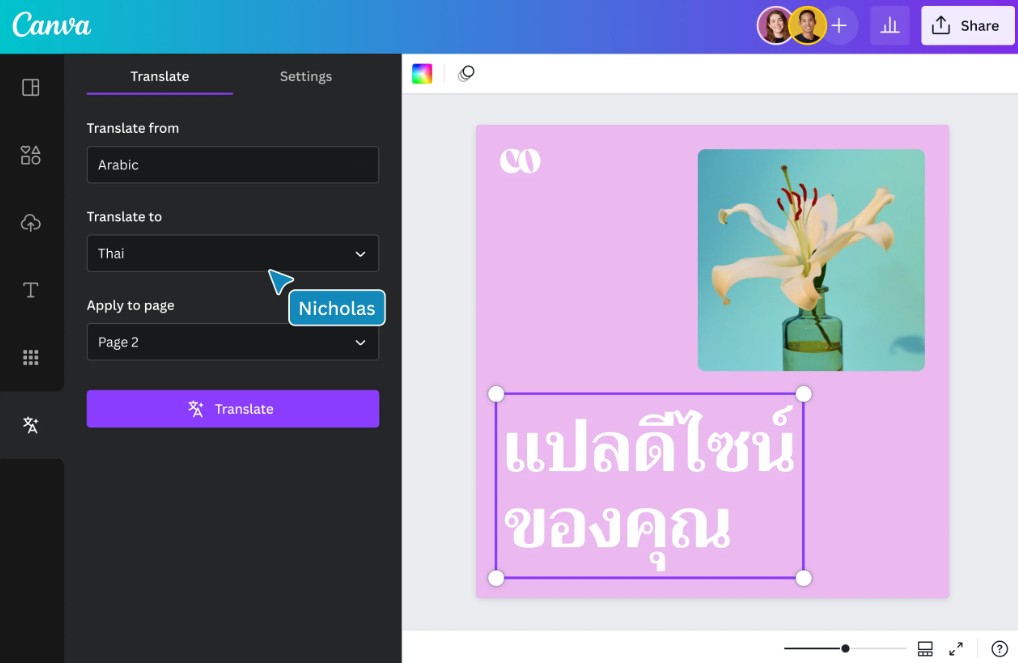
Step 4: Select the page to be translated
Users can translate the entire design or select only specific pages.
This feature is very useful when working with long documents or documents in multiple languages.
Step 5: Customize settings
Canva allows you to customize several settings such as: Automatically resize fonts, Create a copy of the translated page, Preserve the original design.
These options make the translation process flexible and adaptable to individual needs.
Step 6: Edit and finalize
After the translation is complete, users can use Canva's intuitive drag-and-drop system to refine the design.
This is a crucial step in ensuring that the content is relevant to the context and target audience.
Step 7: Pre-publication review
Although AI can produce high-quality translations, users should still reread the entire content.
The checking process helps ensure that the tone, message, and meaning are conveyed precisely as intended.
Step 8: Share or download
Once completed, the design can be: Shared directly to social media, Sent to clients or colleagues, Exported as PDF, Downloaded as JPG, Downloaded as PNG
The entire process is done right within Canva.
8. Things to note when using Translate
Although Translate offers many benefits, users should still be aware that it is a machine translation tool that uses AI.
In cases involving legal documents, contracts, or complex specialized content, a review and proofreading by a professional is recommended.
In addition, attention should be paid to the cultural factors and context of each market to ensure that the content is truly relevant to local readers.
The combination of AI and human judgment will deliver the best quality content.
Canva's AI-powered online translation tool is a cutting-edge solution that helps individuals, businesses, and organizations easily overcome language barriers in the content creation process. With the ability to automatically translate into over 134 languages, preserving design layouts, supporting collaboration, and integrating directly into Canva, Translate saves time, improves productivity, and expands global reach.





















VIP Products








Best Selling Products
Plugin Retouch4me
69 USD
Genuine Adobe Illustrator account
99 USD
Upgrade genuine Capture One account
120 USD
Upgrade Genuine Office 365
49 USD
Windows 10 & 11 Pro Key
36 USD
MidJourney Account
29 USD
Capcut Pro 1 Year
39 USD
Genuine Cheap Canva Pro
39 USD
ChatGPT Plus Account (GPT-4)
16 USD
Autodesk All App Account Copyright
120 USD
Freepik Premium Account
59 USD
Upgrade Duolingo Super
29 USD
Copyright Adobe Lightroom Account
59 USD
Adobe Premiere Pro Account
99 USD
Adobe Photoshop Copyright - Full App
120 USD