Best Selling Products

Genuine Cheap Canva Pro
39 USD

Adobe Premiere Pro Account
99 USD

Upgrade genuine Capture One account
120 USD

ChatGPT Plus Account (GPT-4)
16 USD

Windows 10 & 11 Pro Key
36 USD

Copyright Adobe Lightroom Account
59 USD

Upgrade Genuine Office 365
49 USD

Genuine Adobe Illustrator account
99 USD

Adobe Photoshop Copyright - Full App
120 USD

Freepik Premium Account
59 USD

Plugin Retouch4me
69 USD

Capcut Pro 1 Year
39 USD

Upgrade Duolingo Super
29 USD

Autodesk All App Account Copyright
120 USD

MidJourney Account
29 USD
Magic Write Canva: How to Create High-Quality Content in Seconds Using AI
Nội dung
- 1. What is Magic Write Canva?
- 2. Why has Magic Write become such a popular tool?
- 3. Speed up your content creation process with Magic Write
- 3.1. Overcoming the problem of creative block
- 3.2. Support in finding new ideas
- 3.3. Create a draft quickly
- 4. Magic Write opens up new ways of working with Canva Docs.
- 4.1. No longer starting from a blank page.
- 4.2. Visual design combined with intelligent content
- 4.3. Harnessing the Power of the Canva Ecosystem
- 5. Optimize the professional content writing process.
- 5.1. Works on all devices
- 5.2. Concentrate all content in one place.
- 5.3. Supporting effective teamwork
- 6. Safety and Responsibility When Using Magic Write
- 7. Who is Magic Write suitable for?
- 7.1. For marketers
- 7.2. For small businesses
- 7.3. For individual users
- 8. Instructions for using Magic Write Canva
- 9. Tips for effectively using Magic Write
Magic Write is an AI-powered text creation tool developed by Canva based on OpenAI technology. This tool allows users to create various types of content with just a command or a short description.

1. What is Magic Write Canva?
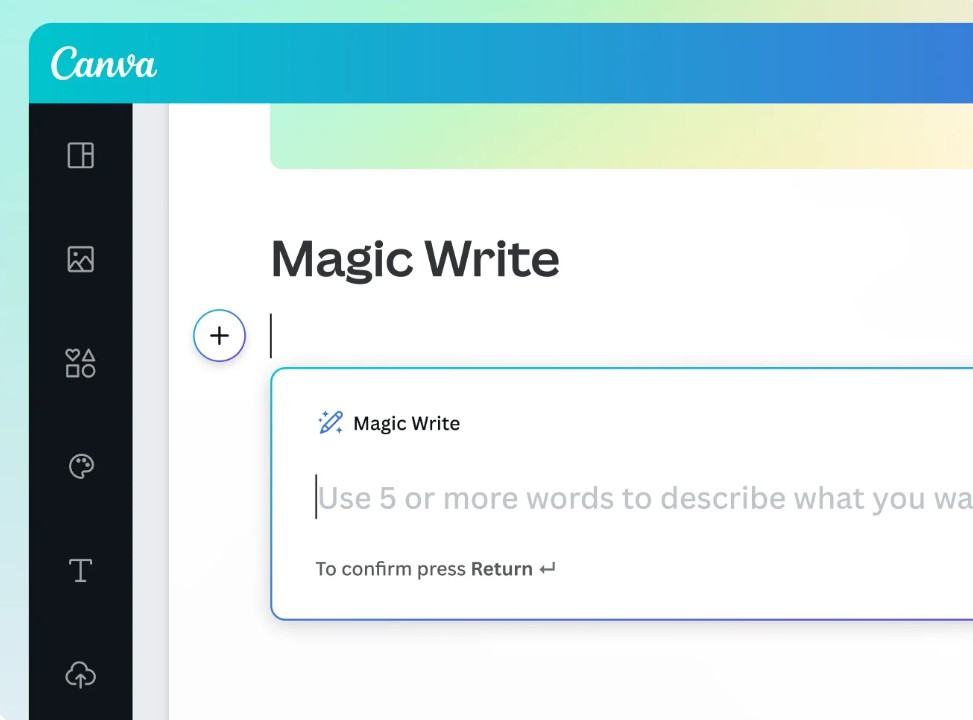
Magic Write is an AI-powered text creation tool developed by Canva based on OpenAI technology. This tool allows users to create various types of content with just a command or a short description. From blog posts and social media posts to content ideas, to-do lists, personal bios, letters, and poetry, Magic Write can help you create drafts in seconds.
Instead of spending hours thinking and searching for ideas, users simply enter a request and the system automatically suggests suitable content. This is considered a significant step forward in simplifying the creative process and improving productivity.
Magic Write is now integrated into all Canva designs. Users can use a certain number of queries for free, while Canva Pro users will have access to an expanded number of queries to meet more intensive creative needs.
2. Why has Magic Write become such a popular tool?
One of the reasons Magic Write quickly gained popularity among the content creation community is its ability to transform rudimentary ideas into complete content in a short amount of time.
Unlike traditional writing tools, Magic Write acts as an AI assistant, always ready to help whenever users need it. Whether building a marketing strategy, writing blog posts, preparing a speech, or simply finding creative inspiration, this tool can provide helpful suggestions.
Magic Write's standout strength lies in its user-friendliness. Users don't need in-depth knowledge of AI or programming. Simply input your request in natural language, and the system will automatically analyze and generate relevant content.
Furthermore, being directly integrated into Canva allows Magic Write to create a unified workspace where users can design and build content simultaneously without switching between different software programs.
3. Speed up your content creation process with Magic Write
Content writing is a job that demands constant creativity. However, ideas don't always come at the right time. Many people often experience creative block or spend too much time perfecting the first draft.
3.1. Overcoming the problem of creative block
Most content creators have experienced the feeling of sitting in front of a blank screen, not knowing where to begin. This is one of the reasons why work progress slows down.
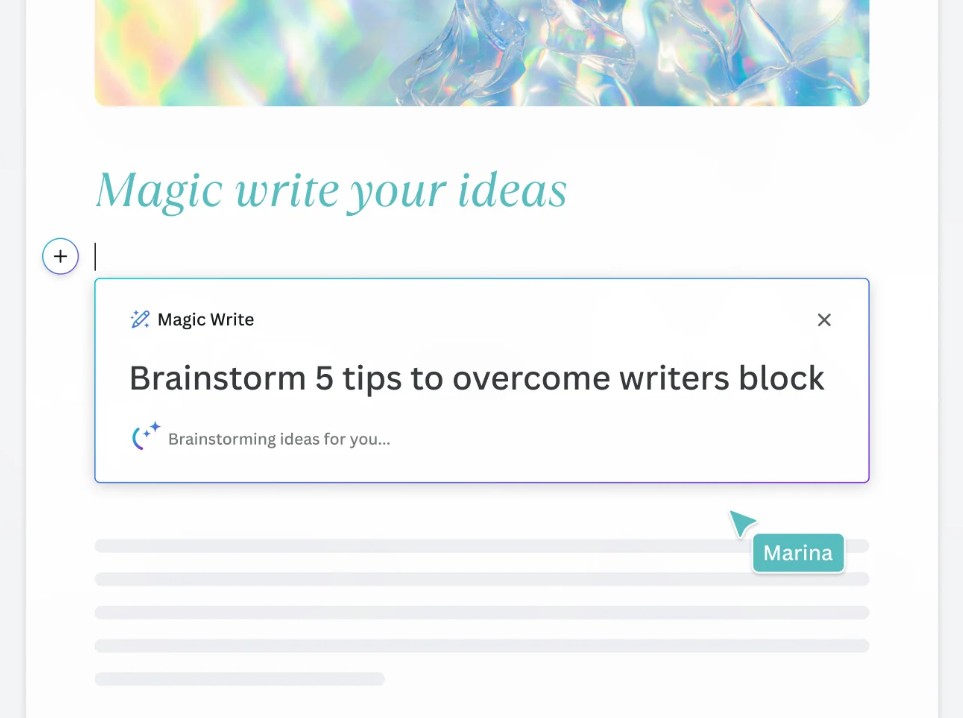
Magic Write helps break down that barrier by transforming a few keywords into complete content. Simply enter a topic or short description, and the tool will generate an initial draft for users to further develop.
For example, if a user needs to write a job application letter, a marketing blog post, or a birthday greeting, they simply describe the requirements, and the AI will generate the appropriate content in seconds.
3.2. Support in finding new ideas
Magic Write is not just a text generator; it's also an effective brainstorming tool.
Users can ask the AI for suggestions:
-
Blog post ideas
-
YouTube video topics
-
Social media content
-
Marketing campaign
-
Product name
-
Business plan
The ability to offer diverse suggestions makes the creative process much easier. This is a particularly important advantage for marketers, content creators, and small businesses.
3.3. Create a draft quickly
One of the most time-consuming steps in content writing is creating the first draft.
Magic Write significantly shortens this process. In just seconds, the initial idea is transformed into a complete paragraph. Users can edit, add to, or change the writing style to suit their purpose.
As a result, the time from idea generation to content completion is significantly shortened.
4. Magic Write opens up new ways of working with Canva Docs.
Canva is not only a graphic design platform but is also rapidly expanding into the online documentation sector through Canva Docs.
The combination of Canva Docs and Magic Write has created a modern work environment where AI directly assists in the content creation process.
4.1. No longer starting from a blank page.
The fear of a blank page is a common problem for many writers.
With Magic Write, users don't need to worry about how to get started. Simply describe the idea in your head, and the system will automatically generate the initial content to continue developing.
This is especially useful for projects that require quick creativity or tasks with tight deadlines.

4.2. Visual design combined with intelligent content
Canva Docs is built with a visual approach, allowing users to easily combine text with design elements.
Design Blocks help highlight important information, attract the reader's attention, and enhance the content experience.
When combined with Magic Write, users can both create AI-powered content and build professional presentation layouts within the same work environment.
4.3. Harnessing the Power of the Canva Ecosystem
Another major advantage is the ability to connect with the entire Canva ecosystem.
Users can:
-
Edit documents directly.
-
Real-time teamwork
-
Receive notifications when you are tagged.
-
Share projects quickly
-
Converting documents into designs
This combination optimizes the entire process from ideation to content publishing.
5. Optimize the professional content writing process.
Today, content management often involves multiple different tools. This can easily lead to data fragmentation and reduced work efficiency.
Magic Write is designed to solve that problem.
5.1. Works on all devices
Users can use Magic Write on:
-
Desktop computers
-
Laptop
-
Tablet
-
Smartphones
Whether you're in the office, at home, or on the go, content creation and editing continues uninterrupted.

The ability to synchronize data across multiple devices ensures flexibility in the workplace.
5.2. Concentrate all content in one place.
Previously, users often had to switch between note-taking applications, text editors, and design software.
With Magic Write and Canva Docs, the entire creative process is centralized on a single platform.
Users can:
-
Brainstorming
-
Content creation
-
Edit text
-
Graphic design
-
Product publishing
It all happened in Canva.
5.3. Supporting effective teamwork
In a business environment, the ability to collaborate is crucial.
Magic Write allows team members to collaborate on brainstorming, editing content, and finalizing a project within a single document.
Thanks to real-time updates, every change is recorded instantly, helping to minimize errors and improve coordination efficiency.
6. Safety and Responsibility When Using Magic Write
One of the biggest concerns when using AI is the safety of the content created.
Canva has built multiple layers of protection to minimize the risk of inappropriate or harmful content appearing.
The AI system is designed to create safe content across a wide range of fields, while adhering to principles of responsible use.
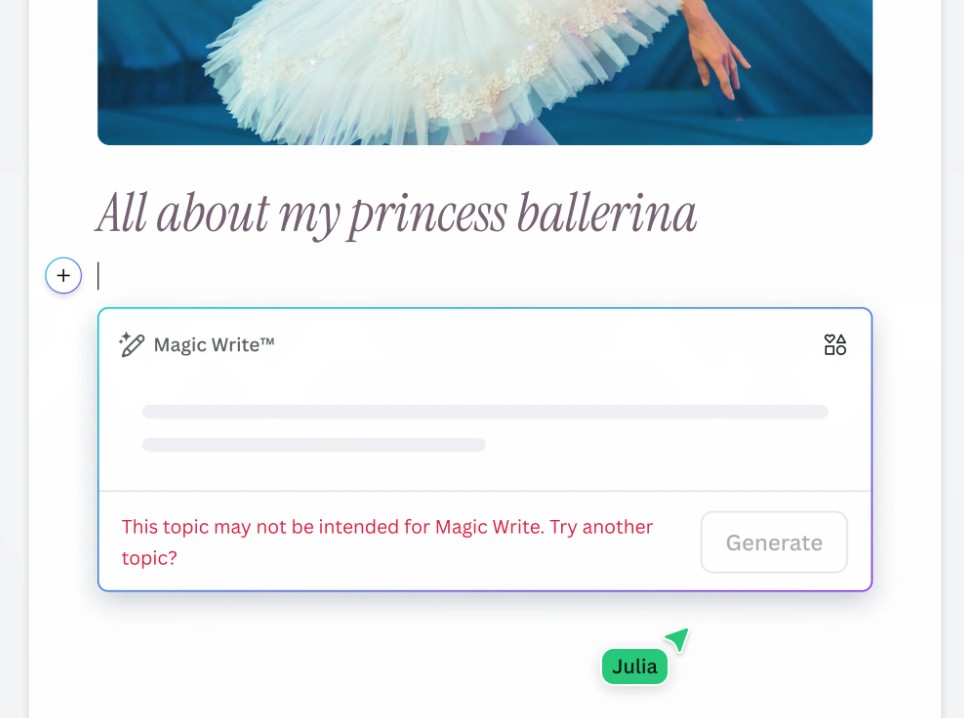
Canva also encourages users to apply Magic Write ethically and professionally. Violations of the platform's terms of use or acceptance policy will not be tolerated.
Although AI can assist in rapid content creation, users still need to review, edit, and validate information before publishing. This is a crucial step in ensuring the accuracy and quality of the final content.
7. Who is Magic Write suitable for?
One of Magic Write's biggest advantages is its ability to serve a wide range of user groups.
7.1. For marketers
Marketing professionals often have to produce large volumes of content in a short amount of time.
Magic Write helps you create quickly:
-
Facebook post
-
Instagram content
-
Online advertising
-
Product description
-
Marketing strategy
-
Email marketing
This allows marketers to focus more on strategy instead of spending too much time on content writing.
7.2. For small businesses
Small and medium-sized enterprises (SMEs) often have limited resources but still need to maintain regular marketing activities.
Magic Write supports:
-
Write a blog post.
-
Create website content
-
Write a product description.
-
Create sales content.
-
Searching for brand promotion ideas
This helps businesses save costs while maintaining effective communication.

7.3. For individual users
Magic Write isn't just for work.
Individual users can use this tool to:
-
Write a letter
-
Prepare a speech.
-
Create greeting cards
-
Keep a diary
-
Develop a personal plan.
-
Create positive affirmations daily.
This versatility makes Magic Write a suitable AI assistant for almost all types of users.
8. Instructions for using Magic Write Canva
Using Magic Write is quite simple and doesn't require any special technical skills.
Step 1: Create or open a Canva design.
First, log in to Canva and create a new design or open the document you are currently working on.
Magic Write works in Canva Docs as well as many other design types on the platform.
Step 2: Open Canva Assistant
On the workspace, select the Canva Assistant button in the bottom right corner of the screen.
Additionally, users can enter the "/" character to quickly open the support tool.
In Canva Docs, you can also tap the plus icon to access Magic Write.
Step 3: Enter your content creation request.
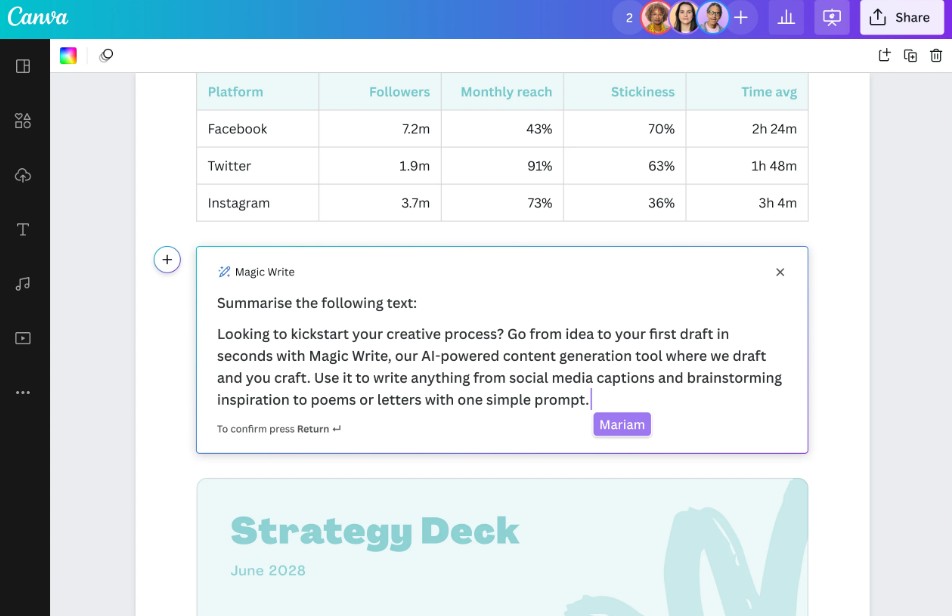
Enter a description of the content you want to create.
For example:
-
5 ways to overcome blogging creative block.
-
Marketing plan for a fashion store
-
Facebook post introducing a new product.
-
Description of natural cosmetic products
The more details you provide, the more accurate and relevant the results will be.
Step 4: Create content
Press Enter and wait a few seconds.
Magic Write will automatically generate content based on the input you provide.
Step 5: Edit and finalize
After receiving the results, reread the entire content, add any necessary information, and adjust the tone to suit your intended use.
This is a crucial step in transforming your AI draft into content that truly reflects your personal style.
Step 6: Share or publish
Once complete, users can save, share, or publish their design directly from Canva.
9. Tips for effectively using Magic Write
Although AI is capable of generating content very quickly, the quality of the output still depends heavily on how the requirements are set.
Users should clearly describe their goals, target audience, and desired style. Detailed instructions generally yield better results than overly short or general requests.
Furthermore, Magic Write should be viewed as a supportive assistant rather than a complete replacement for humans. Editing, personalizing, and verifying information still play a crucial role in the content creation process.
When the power of AI is combined with the expertise of users, the results achieved will be much more effective.
Magic Write Canva is opening up a whole new approach to content creation. With AI technology from OpenAI integrated directly into Canva, users can quickly transform ideas into high-quality drafts in just seconds.





















VIP Products








Best Selling Products
Genuine Cheap Canva Pro
39 USD
Adobe Premiere Pro Account
99 USD
Upgrade genuine Capture One account
120 USD
ChatGPT Plus Account (GPT-4)
16 USD
Windows 10 & 11 Pro Key
36 USD
Copyright Adobe Lightroom Account
59 USD
Upgrade Genuine Office 365
49 USD
Genuine Adobe Illustrator account
99 USD
Adobe Photoshop Copyright - Full App
120 USD
Freepik Premium Account
59 USD
Plugin Retouch4me
69 USD
Capcut Pro 1 Year
39 USD
Upgrade Duolingo Super
29 USD
Autodesk All App Account Copyright
120 USD
MidJourney Account
29 USD