Best Selling Products

Genuine Adobe Illustrator account
99 USD

Upgrade genuine Capture One account
120 USD

Adobe Photoshop Copyright - Full App
120 USD

Freepik Premium Account
59 USD

Upgrade Genuine Office 365
49 USD

Capcut Pro 1 Year
39 USD

Genuine Cheap Canva Pro
39 USD

Plugin Retouch4me
69 USD

Autodesk All App Account Copyright
120 USD

Copyright Adobe Lightroom Account
59 USD

ChatGPT Plus Account (GPT-4)
16 USD

Windows 10 & 11 Pro Key
36 USD

MidJourney Account
29 USD

Upgrade Duolingo Super
29 USD

Adobe Premiere Pro Account
99 USD
Discover effective ways to learn music on Duolingo for beginners.
Nội dung
- 1. What is Duolingo Music?
- 2. Detailed guide on how to learn music on Duolingo
- Step 1: Open the course selection interface.
- Step 2: Find a Music course
- Step 3: Begin the first lesson
- 3. What does the music course on Duolingo include?
- 4. Comparing Duolingo Music with other music learning apps
- 5. Effective ways to learn music on Duolingo for beginners
- 6. Common mistakes beginners make when learning music on Duolingo
- 7. Conclusion
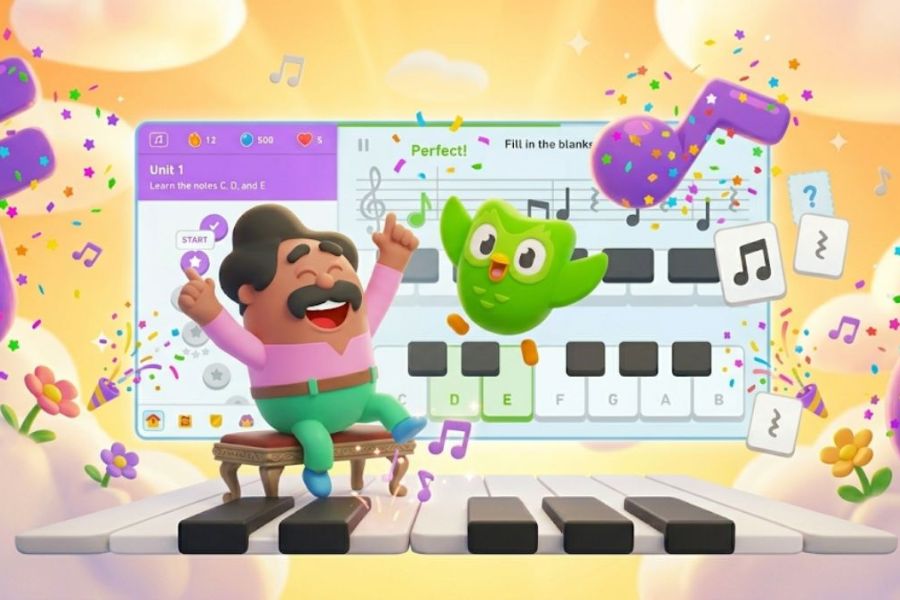
You don''t need to know how to read sheet music or have any prior piano lessons to start learning music on your phone. Duolingo''s music learning method is designed to be simple, intuitive, and includes short challenges, helping beginners approach music theory without feeling overwhelmed like with traditional textbooks. Instead of memorizing a whole bunch of concepts from the start, Duolingo breaks down the knowledge into small parts. You''ll learn to identify musical notes, practice pitch, learn rhythm, read sheet music, and then practice on a virtual piano. With consistent practice, your phone can become a fun tool for your first steps into the world of music. Let''s explore it with Sadesign!
1. What is Duolingo Music?
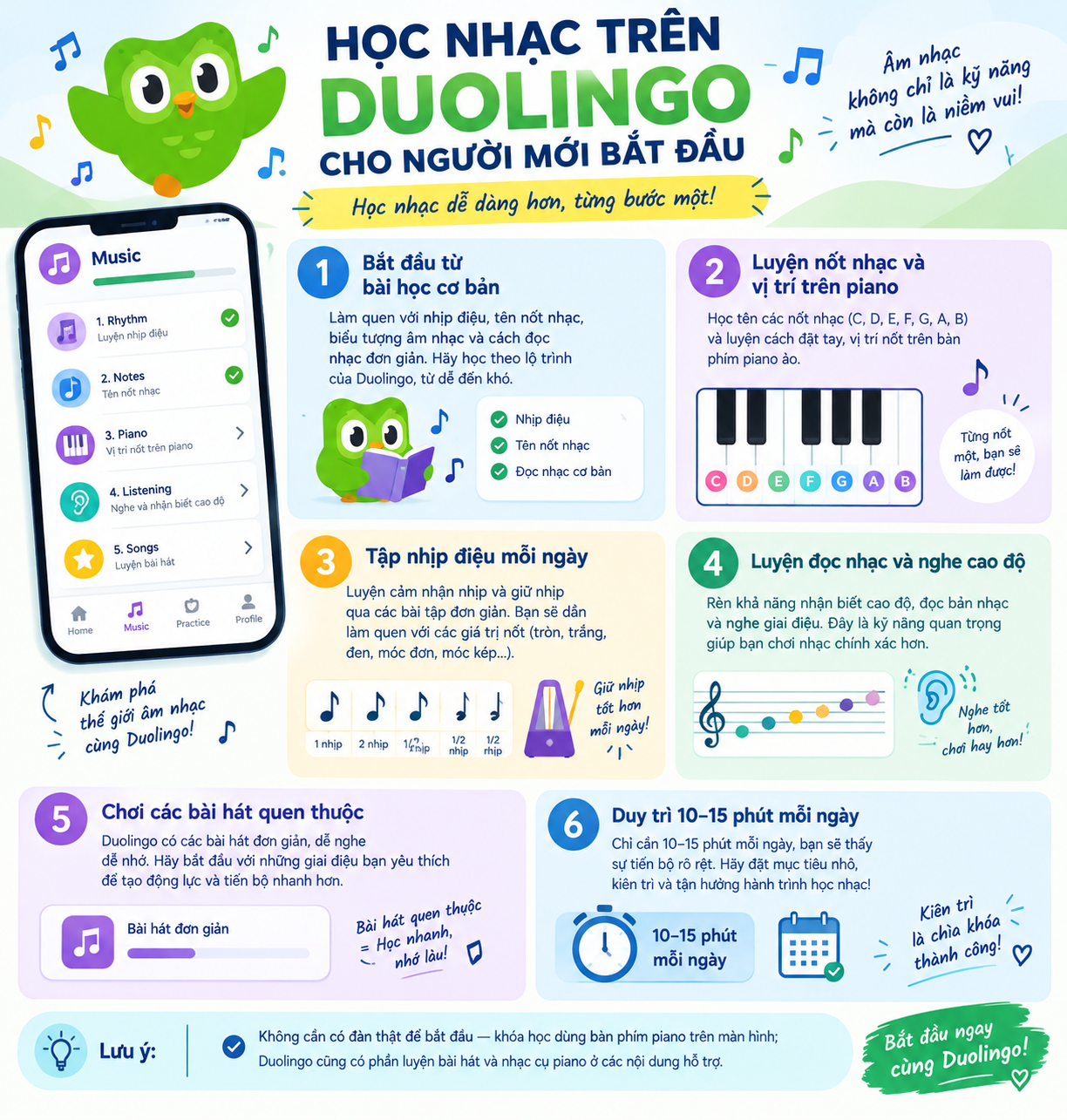
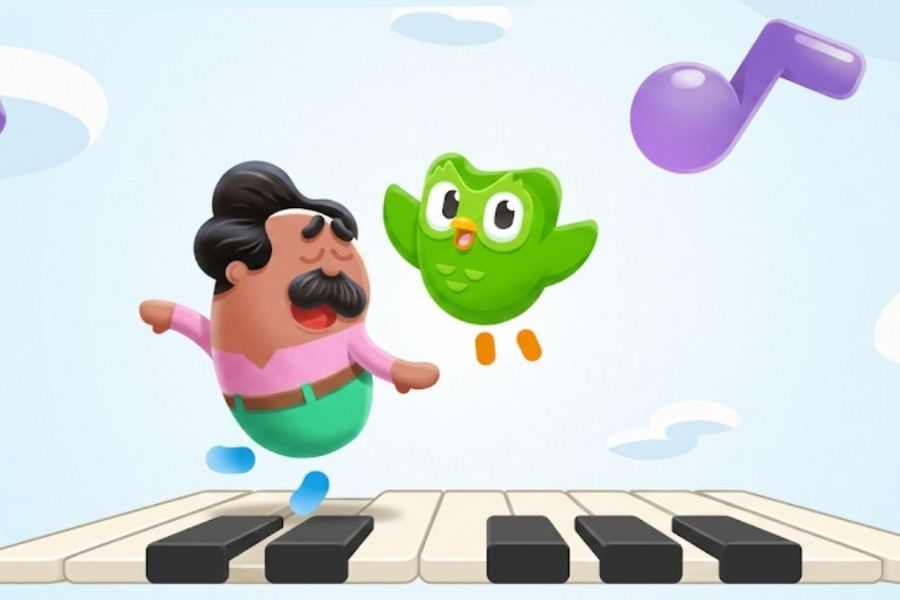
Duolingo Music is a music course developed alongside Duolingo's familiar language courses. The content aims to help beginners build a foundation in music theory through interactive lessons. Instead of just reading theory, you'll directly touch, listen, and perform exercises to memorize the knowledge. The course starts with relatively basic content such as identifying notes, keyboard positions, pitch, and rhythm. Then, the lessons gradually increase in difficulty so that learners can apply their knowledge to short melodic passages. This is what makes learning music on Duolingo quite suitable for those who have never been exposed to music theory.
Here is some basic information about Duolingo Music:
-
Publisher: Duolingo, Inc.
-
Release date: Late 2023.
-
Platforms: iOS, iPadOS, and Android; support may vary by region and app version.
-
Learning format: Short lessons combined with hands-on practice.
-
Cost: Basic content may be available for free, depending on the features and service package offered.
-
Target audience: Beginners who want to familiarize themselves with music theory, musical notes, rhythm, and ear training skills.
2. Detailed guide on how to learn music on Duolingo
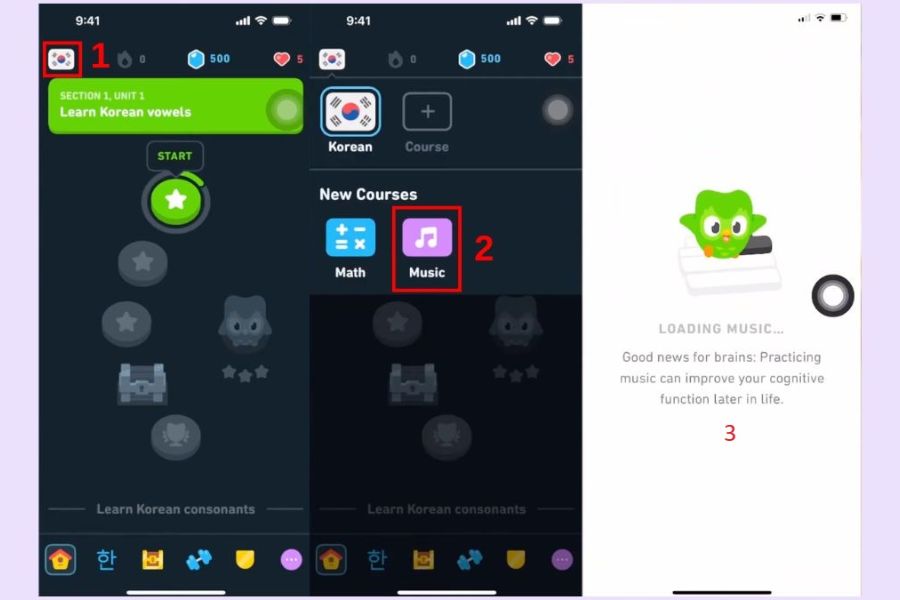
To begin, you need to install the Duolingo app on your phone and log in to your account. The interface may change after updates, so the names of sections or the location of icons may not be exactly the same on all devices. After finding the Music course, you can start right away with the first lessons. If you've never studied music before, don't skip the basics because this is the part that helps you develop your reflexes in recognizing notes and get familiar with the course's interaction.
Step 1: Open the course selection interface.
On the Duolingo home screen, find the course toggle or selection area. On some versions, this area is represented by a course icon at the top of the screen.
Tap that icon to open the list of courses that your account can access. If the app has been updated and the interface has changed, simply find the area containing the list of new subjects or courses.
Step 2: Find a Music course
In the list of courses, find Music or the music courses section. Once successfully selected, Duolingo will take you to the learning path specifically for music.
If you don't see Music, check your app version, account region, or device support. Some Duolingo features may be updated in stages, so the interface may not be the same across accounts.
Step 3: Begin the first lesson
After joining the course, select the lesson that is currently unlocked. Beginners should start with the first lesson instead of immediately looking for advanced sections.
During the learning process, carefully read the instructions, listen to the sample audio, and perform the actions on the screen. Each lesson is usually divided into small tasks, so you can complete each part without absorbing too much information at once.
3. What does the music course on Duolingo include?
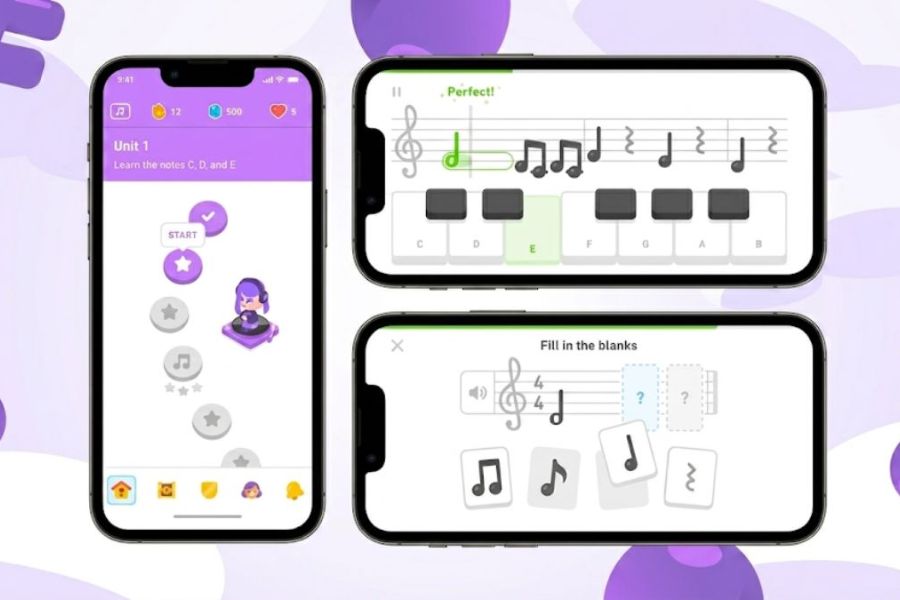
The appeal of Duolingo Music lies in its ability to transform otherwise dry knowledge into short, challenging exercises. Learners can look at notes, listen to sounds, and manipulate the virtual keyboard instead of just memorizing theory. The content is structured to gradually increase in difficulty. You'll progress from recognizing basic elements to practicing simple melodies. Some notable features include:
-
Identifying musical notes: Familiarize yourself with the position of notes on the staff and the relationship between notes and their corresponding keys.
-
Reading sheet music: Practice looking at musical notation and identifying pitch, thereby developing basic music reading reflexes.
-
Pitch practice: Listen and distinguish the difference between sounds with different pitches.
-
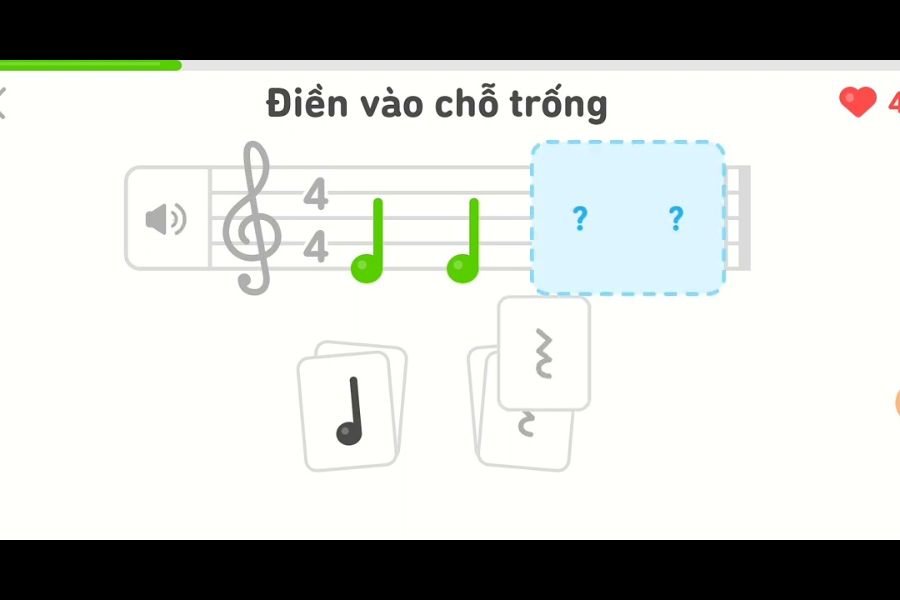
Rhythm practice: Familiarize yourself with note lengths, rests, and how to maintain a steady rhythm.
-
Virtual piano practice: Use the keyboard that appears on the screen to play the notes required by the lesson.
-
Ear training: Developing the ability to hear, recognize pitch, melody, and changes in sound.
-
Playing short melodies: After mastering the basics, learners can apply them to simple musical pieces.
-
Level-based learning: Knowledge is divided into smaller lessons to make it easier for beginners to follow and see their own progress.
It's important to note that this course primarily serves as an introduction to music and music theory . If your goal is to play piano more intensively, perform, or practice a specific instrument, Duolingo Music can be combined with specialized curricula or apps for a more comprehensive learning process.
4. Comparing Duolingo Music with other music learning apps
If you're exploring how to learn music on Duolingo, many people wonder if this course can replace dedicated piano apps. In reality, Duolingo Music and apps like Simply Piano or Yousician have relatively different approaches. Duolingo focuses on helping beginners build a foundation through short, intuitive, and gamified exercises. Meanwhile, apps dedicated to specific musical instruments usually devote more time to playing techniques, practicing songs, and interacting with real instruments.
Looking at the table above, it's clear that each app serves a different need. Duolingo Music is suitable for those who want to start from scratch and develop a music learning habit , while more advanced apps might be suitable if you want to dedicate more time to a specific instrument.
5. Effective ways to learn music on Duolingo for beginners
Learning music isn't a race to see who can complete the most pieces. What's more important is whether you actually remember the material after each study session. So instead of trying to complete a whole series of pieces at once, dedicate about 10 to 15 minutes each day to maintain a consistent learning rhythm. In the beginning, prioritize identifying notes and rhythms. When you encounter a new note, observe its position on the staff, listen to the corresponding sound, and remember the connection between the image and the sound. Combining multiple senses will make memorization more natural.
Here are some tips you can apply:
-
Study consistently every day: Short periods of study combined with regular practice will help you develop reflexes more easily than cramming.
-
Don't skip the basics: The early lessons are the foundation for tackling more difficult content.
-
Read the notes aloud: When you see a note, try saying its name before choosing an answer.
-
Pay attention to the sound: Don't just look at the answers. Listen carefully to gradually develop the ability to distinguish pitches.
-
Practice a slower rhythm: If you frequently press the wrong keys because you press too fast, focus on maintaining a steady rhythm first.
-
Reviewing previous lessons: When you feel you've finished a section, go back to the previous lesson to check your memorization skills.
-
Utilize headphones: Headphones can help you hear subtle differences in pitch and rhythm more clearly.
-
Don't focus too much on grades: Bonus points and study sessions help motivate you, but the main goal should still be to understand and practice the knowledge.
6. Common mistakes beginners make when learning music on Duolingo
One of the most common mistakes is trying to finish the exercises too quickly. Gamification makes learners focus on scores, streaks, or rewards, forgetting the main goal of understanding music. If you only memorize the answers but can't identify the notes when you encounter them again, the learning effectiveness will be low.
Another mistake is focusing only on the screen and paying little attention to the sound. Music isn't just about the musical score. The ability to hear, distinguish pitch, and feel the rhythm is also crucial. Therefore, when taking the test, actively listen again to the sounds you couldn't distinguish instead of choosing answers based on intuition.
Additionally, you should avoid learning too much at once. When you're just starting out, constantly encountering new concepts can lead to quick forgetting. Break down your learning process and dedicate time to reviewing areas you're unsure of before moving on to the next level.
7. Conclusion
If your goal is to find a simple way to get started with music theory, Duolingo Music might be an interesting option. Its intuitive interface, short lessons, and game-like approach make concepts that can be confusing more accessible. Beginners can gradually learn about notes, pitch, rhythm, and simple melodies. The most important thing is to build a suitable study schedule instead of relying solely on the number of completed lessons. Dedicate a fixed amount of time each day to listening carefully to the sounds, practicing note identification, and regularly reviewing old knowledge. Once you have a foundation, you can combine it with a real piano or a more in-depth app to develop your skills. With the right approach, learning music on Duolingo isn't simply about completing challenges on your phone. This can be a starting point to help you get acquainted with the language of music in a gentler way, allowing you to confidently explore deeper if you want to pursue it long-term.





















VIP Products








Best Selling Products
Genuine Adobe Illustrator account
99 USD
Upgrade genuine Capture One account
120 USD
Adobe Photoshop Copyright - Full App
120 USD
Freepik Premium Account
59 USD
Upgrade Genuine Office 365
49 USD
Capcut Pro 1 Year
39 USD
Genuine Cheap Canva Pro
39 USD
Plugin Retouch4me
69 USD
Autodesk All App Account Copyright
120 USD
Copyright Adobe Lightroom Account
59 USD
ChatGPT Plus Account (GPT-4)
16 USD
Windows 10 & 11 Pro Key
36 USD
MidJourney Account
29 USD
Upgrade Duolingo Super
29 USD
Adobe Premiere Pro Account
99 USD